


Jturn's stats
- Review count180
- Helpfulness votes202
- First reviewNovember 22, 2014
- Last reviewJune 11, 2026
- Featured reviews0
- Average rating4.1
Reviews comments
- Review comment count0
- Helpfulness votes0
- First review commentNone
- Last review commentNone
- Featured review comments0
Questions
- Question count0
- Helpfulness votes0
- First questionNone
- Last questionNone
- Featured questions0
- Answer count9
- Helpfulness votes4
- First answerJune 3, 2016
- Last answerJuly 9, 2020
- Featured answers0
- Best answers1
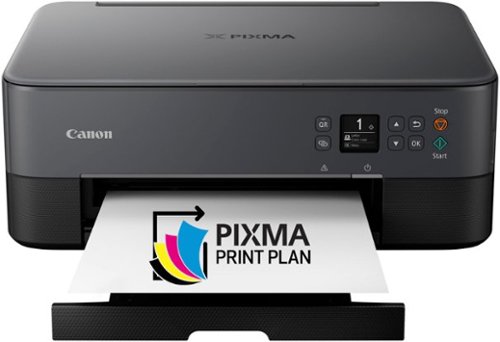
Introducing the PIXMA TS6420a, a compact and sleek All-in-One printer built for your busy lifestyle. It~s easy to setup and simple to use ~ featuring a 1.44~ OLED window which delivers clear, easy to read status messages as well as Front & Rear Paper feeding so you can print on a variety of paper types. The TS6420a can handle your everyday tasks with ease from scanning an old hand-written recipe to printing crafts from the Canon Creative Park App22. Whether printing from your computer or wirelessly1 from your smartphone, the TS6420a is an effortless All-In-One Printer that fits your everyday printing needs.
Customer Rating

4
Decent Budget Option But Expensive Operating Costs
on July 18, 2022
Posted by: Jturn
The Pixma TS64210a is a decent budget option for those looking for a multifunction printer that can operate as a jack of all trades. However, the ongoing operating costs make it potentially less appealing than other options at the price point.
Setup was simple as expected. Hooking it to my wifi network was simple and the printer was immediately recognized by the Canon app. I had this installed from a previous Canon printer which recently stopped working. In addition to setup being easy, functionality is quite good with this Pixma. There's a small, somewhat useful screen that enables you to view the various menus and options available to you. It's frankly sufficient; while other models may tend toward larger, touchscreen based interfaces, they've kept it simple here and likely kept the cost down.
Print quality was reasonably good across various types of printing for me. Document printing will be as good as expected, but normal color printing (non-photo based) was just OK. Compared to my previous Pixma (the MX922), this felt like a slight step backwards in this regard; color reproduction wasn't quite as accurate and appeared ever so slightly more washed out. It's not terrible, but it's not the best you can get. I'm not sure if this is down to Canon's decision to reduce the total ink cartridges down to two, one for black and one for color, but thus far, I'm not a fan of this decision (which I'll discuss more in a bit). Photo printing is adequate for this range of printer; again, not stellar but it does reasonably well and with a higher quality print setting and better paper, I found that it performed more to expectations compared to standard color printing.
About the ink cartridges... Again, I'm finding to be not a fan of this setup. My previous Pixma had numerous inks, including two different black cartridges and something like 5 color cartridges. To some, this seems like a worse setup based on pricing alone. However, in my experience, that worked VERY well, as it allowed you to only replace what you used. In this case, if I use a lot of blue in my prints, for instance, I'll eventually need to replace the entire color cartridge. Pricing is at least somewhat reasonable, but to me, this is going to cost more in the long run and might have the potential side effect of worse color reproduction on prints (though this is wholly speculation on my part).
The rest of the features here work as expected. The scanner is nice to have, and while there's no document feeder, the trade off is that you get a much sleeker and slimline printer, which at least in my case, is more "wife-approved" in design. The scanner works as expected, as does the copy function. In general, there's no extra fluff here; no "fax" feature (which I've personally never used) for instance, which did nothing but add extra components and space to my previous printer.
Overall, I'm happy enough with this printer. It performs a wide number of functions decently well, but doesn't exactly excel at any. But given the price range, it's not really expected to. If you're in the market for a compact printer that can do it all, this is one to consider.
I would recommend this to a friend!
Share this review:


+4points
4of 4voted this as helpful.

The ROCCAT Kone XP 3D Lighting Gaming Mouse utilizes the refined ergonomics of the iconic Kone shape. The translucent shell sets the stage for the Kone XP~s 22 LEDs and 8 light guides, creating an unprecedented and immersive lighting experience. The Kone XP boasts 15 buttons, and thanks to ROCCAT~s Easy-Shift[+] duplicator technology there are 29 possible button functions. Ideal for gamers who demand deep customization. The Krystal 4D Wheel not only adds to the number of inputs, but also enhances the experience, beautifully diffusing the RGB lighting..
Customer Rating

5
Amazing Performance and Stellar Looks
on July 8, 2022
Posted by: Jturn
The Kone XP is a stunning looking mouse that offers a wealth of features and amazing performance that makes this one of my favorite gaming mice ever. If you're fine without wireless and have a love for RGB (as many do these days), this should be a top option for you.
The Roccat does a great number of things very well, not least of which is ergonomics. I use my mouse in keyboard for two purposes; for 8 hours daily as a software developer and for 8-10 hours per week as a PC gamer. The Kone XP has a very comfortable design that puts all of the buttons at easy reach. After hours and hours of usage, I've noticed zero fatigue. This is important in my case, so I'm glad to report the Kone XP knocks it out of the park. Unfortunately, this isn't an ambidextrous design so left-handers will need to look elsewhere.
A major issue I tend to have with mice from one of the major mouse makers (you know... the one with the signature G logo) is that their mice have really poor left and right button switches that do not hold up to my admittedly large demands. What I've found is that mechanical style switches fail much sooner than optical based switches like on the Kone XP. Though I've not used this for long enough to determine whether it'll truly hold up over time, given the premium feel, I'm pretty confident this will handle my usage requirements over the long haul. In addition to the main switches being incredibly solid and responsive, the mouse sensor is also performant and lag-free. A nice touch is the bottom thumb button (which is the long, narrow button that sits below where your thumb rests). This is useful for a number of scenarios, but for me, I use this as a DPI toggle for FPS games. This allows me to decrease my DPI on demand when the situation calls for it (primarily sniping). It's easy to reach but also nicely positioned out of the way such that I don't often accidentally click it. Finally, the scroll wheel, which a lot of brands miserably fail to get right, is great here. It has what I consider a perfect amount of resistance and has directionally clickability which adds additional controls that are easy to access. Through and through, this sensors and buttons on this mouse perform on par with the best mice I've used.
If you're in the RGB gamer cult (which is probably a lot of people), you'll absolutely love the Kone XP. It has an admittedly striking design with lighting beams that go the length of the mouse on either side. It's a unique and eye-catching design that'll elevate any gaming desk lighting scheme. Additionally, the scroll wheel is made of a semi-translucent material that shows the color through as well, along with the button on top which shows the color brightly.
Overall, I'm very happy with the Kone XP. It does virtually everything very well, and frankly, the only feature missing is wireless functionality. Generally, the tradeoff with wireless is that you have to sacrifice RGB (since it burns battery quickly), so in this case, I think it's appropriate that it's wired. This is one of my favorite mice of recent years and should be high on the list of considerations for anyone looking for a new gaming mouse, whether for MMO/RPGs or FPS games.
I would recommend this to a friend!



Share this review:


0points
0of 0voted this as helpful.

Make cleaning your hard floors simple with Tineco~s iFloor 3 Plus. This floor washer packs an incredible amount of power into a compact size. When space is a concern, the iFloor 3 Plus is the perfect tool to have on hand. Not only will it fit into a small space, but it will replace your bulky mops and brooms. Lightweight and cordless, you can clean up any mess with little effort and scrub away sticky messes and built-up grime simply using tap water. The carefully designed brushes safely scrub hard floors, including linoleum, vinyl, marble, laminate, tile, and hardwood. Paired with a powerful suction force, the only thing left behind is a sparkling, dry floor. With 25 minutes of uninterrupted runtime, simply grab this handy wet/dry vac and get to work in any room in your home. If grimy mop water leaves you unnerved, the iFloor 3 Plus is your solution. With a dual-tank system, you~ll never push dirty water across your floors again. Instead, the cleaning tool delivers fresh water for every sweep of the floor. Powerful suction quickly removes dirty water and leaves behind a streak-free dry floor. The perfect cleaning partner for small spaces, you can tackle kitchen spills, bathroom grime, and dirty walkways in a matter of minutes. Store in a small space and grab and go anytime.
Posted by: Jturn
The iFloor 3 Plus has been a great addition to my cleaning repertoire, bringing a level of convenience and effective cleaning which are nearly unmatched.
We recently moved to a new house with a ton of different hard floor surfaces, a mixture of materials including hard wood, vinyl, and laminate (of note, these are all of the sealed variety, meaning the iFloor is acceptable to use on all of them). Giving the expanded hard floor real estate, I was excited to give this thing a try. And I'm happy to report it has delivered an effective clean with a mostly hassle free experience.
Primarily, I've decided that it's best to do a pre vacuum cycle with a stand alone vacuum prior to using the iFloor. While the iFloor serves the purpose of vacuum just fine, I've found it more effective and easier to clean when you limit the amount of pet hair and general debris you expose the thing to. The iFloor does have a self cleaning cycle, which does great for keeping things sanitary inside the machine. You'll need to make sure you're diligent with cleaning the filter, brush and tank, though.
Performance wise, this vac did great for cleanups. It was able to handle a wide array of messes, and frankly could be used for some major spills. Again, the bigger the messes you work on, the more you'll need to clean the machine's components, so keep that in mind. But the iFloor was incredibly effective, and required minimal passes to suck up the liquid solution, leaving the floor impressively clean to the touch and to the eye. Again, I've used this on hardwood, vinyl, and laminate and I've found it effective in all scenarios. It even surprisingly can work as a spot vacuum on carpets as well. I found the battery was more than sufficient for a round of cleanings in my house, handling my kitchen, dining room, entryway and laundry room on my main floor and the bathrooms, hallway and main bedroom on the top floor. One final note, my wife and I were surprised at how relatively quiet the machine was. I was slightly concerned it wasn't going to do a great job given the lower noise level, but that's obviously not been the case.
Overall, this is an incredibly effective hard floor cleaner that leverages battery power to deliver an incredibly convenient clean. As long as you stay on top of keeping it clean, the self clean function helps keep things from getting nasty. With a two year old and a cat at my house, this has become an invaluable part of my cleanup routine.
I would recommend this to a friend!
Share this review:


0points
0of 0voted this as helpful.

The CORSAIR HS80 RGB USB Gaming Headset delivers incredibly detailed sound through custom-tuned 50mm neodymium audio drivers. Dolby Audio 7.1 surround sound puts you in the middle of the action, while a broadcast-grade omni-directional microphone captures your voice with outstanding clarity. Play in plush comfort with memory foam earpads and a stress-free floating headband design, with years of durability thanks to sturdy construction reinforced with aluminum. A USB wired connection offers high-fidelity 24bit/96kHz sound. Powerful CORSAIR iCUE software enables in-depth customization of audio settings and RGB lighting, letting you hear every shot, step, and shout like never before.
Customer Rating

3
Very Good Sound But Not the Most Comfortable
on June 21, 2022
Posted by: Jturn
The HS80 headset has a lot of positive traits. The sound quality, mic quality, and software tweakability are all quite good. However, I found that over a couple hours of game play, my head was sore. Unfortunately, the design leaves a bit to be desired in the adjustment category.
Setup was a breeze. On my gaming PC, which already had iCue installed, the headset was instantly recognized and ready to use. The software gives you a pretty solid amount of options to tweak to your tastes, including surround simulation settings and RGB. This aspect of the headset is exactly what you'd expect from a Corsair product.
Unfortunately for me, the headset was let down by a lack of adjustability. It has a tensioned headband, which is ok, but no length adjustment for the ear cups. At first, this seemed ok. The net result of this, however, was a sore head and ears for me. Comfort wise, this is worse in comparison to my Arctis 7 (which is sightly expensive) and downright pails in comparison to my main gaming headset, the Bose Gaming Headset (which is significantly more expensive).
It's a shame it's not more comfortable to be, because I enjoyed the sound profile of this headset. Music reproduction is adequate, but it predictably shines in gaming scenarios. The headset is well tuned for gaming, which was especially noticable in Call of Duty. This game has notoriously bad sound; in particular, footsteps noises are very poorly implemented. However, in a surprise, I was seemingly able to better hear them compared to my other headsets, showing just how good these are for gaming.
Unfortunately these likely won't be my go to cans for gaming. They've got the software features and sound quality, but the surprising lack of comfortability means I can wear these for extended periods of time.
No, I would not recommend this to a friend.
Share this review:


0points
0of 0voted this as helpful.

This Element 27" frameless gaming monitor provides everything you need for premium gameplay or everyday tasks. This 1440P resolution monitor is equipped with FreeSync Technology for avoiding tearing and reducing stuttering. With easy set-up for multiple screens, you're able to expand your view and get more done. The 16:9 widescreen resolution partnered with a 1ms response time and 165hz refresh rate allows a vivid, realistic picture so you can be immersed in your gaming world. Built-in speakers and a sleek, frameless screen enable the monitor to blend with your decor for a clean aesthetic.
Posted by: Jturn
from Central WI
The Element Electronics 27" 1440p/144hz provides a very good price to performance ratio, giving you the benefits of variable refresh rate and IPS color quality in a package that won't break the bank. I'm using this as a supplemental/secondary display to a more expensive, albeit older, IPS gaming panel and the Element goes toe to toe with it in most cases.
Out of the box, I noticed that the panel has very pleasing/accurate colors (at least on my particular panel). Some minor tweaking will be needed to ensure you're getting the best gaming performance, however. On default settings, I noticed some fairly severe ghosting, but this was remedied by engaging the panel's overdrive setting. Keep in mind, this isn't a 1ms GtG panel like the new crop of IPS panels, so it's not class leading, but it's very good none-the-less at motion handling in my experience. After tweaking some other picture settings, it was pretty easy to arrive at settings that worked great for gaming, as well as content consumption.
There is a lot to like about this monitor:
+It officially supports AMD FreeSync, but it worked flawlessly with my RTX 3080 using G-Sync
+Ghosting and response times aren't noticeable. Side by side with a faster monitor, you may notice some issues but overall, it handles motion quite well
+HDMI ports support high refresh rates
+Stand is made of metal and quite sturdy overall
+Styling is understated and not overly "game" centric, but still has some ambient lighting on the back
+It officially supports AMD FreeSync, but it worked flawlessly with my RTX 3080 using G-Sync
+Ghosting and response times aren't noticeable. Side by side with a faster monitor, you may notice some issues but overall, it handles motion quite well
+HDMI ports support high refresh rates
+Stand is made of metal and quite sturdy overall
+Styling is understated and not overly "game" centric, but still has some ambient lighting on the back
I do have some nitpicks with the monitor:
-The adjustability isn't great; you can adjust tilt but not height
-The power cable is not a IEC connection; instead it's an external power brick
-LED lights aren't configurable, meaning no integration with any of the popular lighting protocols
-The adjustability isn't great; you can adjust tilt but not height
-The power cable is not a IEC connection; instead it's an external power brick
-LED lights aren't configurable, meaning no integration with any of the popular lighting protocols
Overall, after spending a few minutes dialing in some settings, I found this monitor to be an incredibly solid performer given the price. While it lacks certain features like more inputs, a USB hub, and height adjustability, it delivers on the primary function of being a gaming display at a good price.
I would recommend this to a friend!
Ease of Use

3
Quality

4
Value

5
Share this review:


0points
0of 0voted this as helpful.
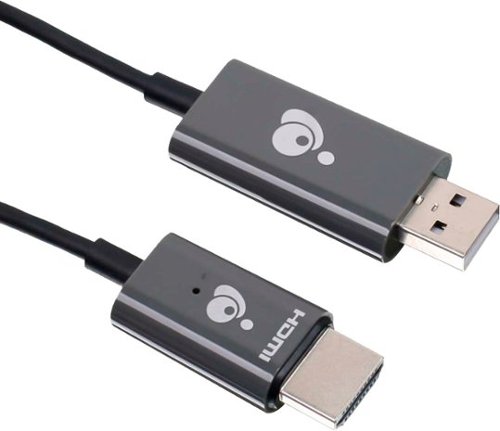
Never compromise the viewing experience from your computer or smartphone with IOGEAR~s Mini Wireless Screen Sharing receiver. Stream audio and video in Full HD 1080p resolution ensuring your content playback looks as sharp on your HDTV or projector as it does on your device's display. The Mini Wireless Screen Sharing receiver is the perfect solution for wirelessly streaming video and audio from your Windows 10+ PC, Android device, Apple MacOS X, iPhone or iPad to your HDTV, projector or monitor. Use the built-in dedicated Wi-Fi to stream audio and video from up to 30 feet to any connected screen. Enjoy all your favorite content such as movies, videos, photos and online streaming sites including YouTube~, Hulu~ and Netflix~* in HD from a single low-profile receiver without any additional cables or dongles. Installation is fast and straightforward. Simply connect the receiver to your TV and follow the simple onscreen instruction. Mini Wireless Screen Sharing receiver creates its own dedicated wireless network and is not reliant on an existing in-building Wi-Fi network. Just plug in and play! *Streaming videos from your iOS device to a TV screen may not be supported by some online video providers such as Netflix, Amazon Prime Video, Hulu, etc. However, Android users may be able to use Miracast, Smart View or similar technologies to effect screen sharing. Please check the specifications of your devices and providers before purchasing.
Posted by: Jturn
from WI
The IOGEAR Mini Wireless provides an incredibly solid connection, and is a great option for people wanting to cast their screens to an external display. This system provides not a solid connection, but very low latency/lag experience as well. I've found this is far superior to your average chromecast style experience, and is highly recommended. I've primarily used this device with an Android phone, so your mileage may vary on other devices, but I have a feeling it's rock solid across the board.
Setup is slightly confusing, but mostly straight forward. After plugging in the device, the splash screen shows you the information you need. You connect initially to the wifi network broadcast by the IOGEAR using the SSID and password shown (note: MAKE SURE your phone or device actually stays connected; my Android phone wanted to disconnect because of not having internet service, so I had to manually force the connection), go the IP address on the screen in your browser, link the IOGEAR to your wifi, and then you're free to disconnect from the IOGEAR wifi and get back on to your normal network. From there, you're free to cast your device to the IOGEAR using your normal OS mechanism.
Overall, I've found this device works great. It's very simple to setup since it's a simple HDMI connection on one end, and a USB connection on the other, and gives you all information you need on the splash screen. It doesn't even require an additional app which is a huge bonus in my book. Finally, the connection for me has been flawless and latency is near unnoticeable. Highly recommended.
Mobile Submission: False
I would recommend this to a friend!
Share this review:


0points
0of 0voted this as helpful.
![Webroot - Security for Chromebook Antivirus (1 Device) (1-Year Subscription) - Windows [Digital]](https://pisces.bbystatic.com/prescaled/500/500/image2/BestBuy_US/images/products/76bb7cd0-4cfc-43ea-9638-94951e9607ea.jpg)
Webroot Security for Chromebook is enhanced antivirus protection that is always-on, running seamlessly in the background and proactively alerting you about malicious activity, websites, apps and extensions. Included, Webroot Web Threat lets you browse safely and be alerted of dangerous sites in Google Chrome.
Customer Rating
4
Easy and Lightweight
on December 25, 2021
Posted by: Jturn
from WI
Webroot Antivirus is a solid option for anyone that's looking for extra security while using their Chromebook. While many may argue that's it's an unnecessary additional security step based on how Chrome OS operates in a sandbox, in my opinion, it's likely never a bad idea to have AV protection online.
Setup was simple. Download the app from the Google Play store (assuming your Chrome device supports it), enter the code, and you're off. They include a specialized, secure browser as an option for those who wish to use that. I personally opted to use their Chrome extension for testing instead. There's not much else to report. On my Pixel Slate (i7 model with 16gb of RAM), I noticed no discernable slow downs while using Webroot AV. Overall, it's tough to tell how truly effective it is, but it performs well and seemingly keeps you actively protected. Seems like a great option for anyone wishing to add an additional layer of protection to their Chrome OS device.
Mobile Submission: True
I would recommend this to a friend!
Share this review:


0points
0of 0voted this as helpful.
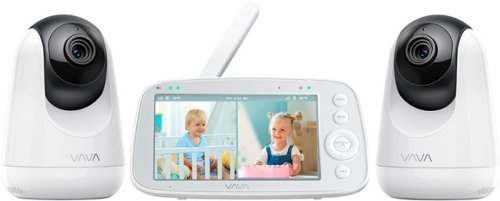
Equiped with 2 cameras and split-screen displays the feed from both cameras to view 2 rooms or 2 babies side by side in real-time and the 5" HD screen shows details in unmatched clarity. 7 volume levels and noise indicator lights for real-time care, even with the screen off. Automatic night vision mode allows cameras to lower light levels so you can check on your baby throught the light. At the same time, the monitor could connect up to 4 cameras, and you could receive liive video footage from up to 4 cameras for full room coverage or to monitor 4 rooms.
Customer Rating
5
Great Multi-Cam Option
on December 14, 2021
Posted by: Jturn
from WI
This VAVA monitor system is a great option for anyone that needs multiple cameras, and desires to leave their video feed offline for security reasons. This has pros and cons, obviously, but if you know you want the safety and simplicity of a non-connected setup, this is a GREAT option to consider.
The screen/handheld unit on this set is quite nice. The first thing I noticed is that it seemed to take longer than expected to get a full charge on it, but once it was charged up, it lasts a considerable amount of time. This is one area that the VAVA does very well, that not all do; they've included a "sound monitor-only" mode, allowing you to extend your battery life by almost 2.5x. This is great if you intend to leave this on all night but are disrupted by the light of a screen. In addition to this, the range on the unit is adequate, and at least in line with others in the price range that I've tried. One added feature that I liked was the "alarm" setting; it allows you to set an alarm for specified times to assist in waking up. This is somewhat redundant for many with phones, but it's a great option to have for anyone needing to wake through the night to feed their newborn. Finally, screen quality is quite good. This is one of the big selling points of this set over cheap alternatives. I've used the cheap ones, and those frankly are quite bad in terms of video quality. This one is as good as I've seen, and looks great in both daytime and nighttime modes.
Overall, this is a great baby cam. It's been incredibly handy to have multiple cameras given our two very young children. The mix of features, picture quality, and an ever expanding worry about security of network connected devices makes this a great option.
Mobile Submission: False
I would recommend this to a friend!
Share this review:


0points
0of 0voted this as helpful.
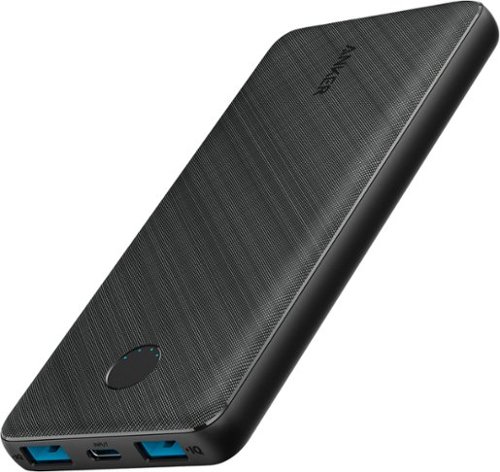
PowerCore III 10K is a slim and powerful portable 10000mAh battery. With two USB-A port PowerIQ outputs for high-speed dual device charging and one USB-C PD input for incredibly fast recharging. This is all you need as your charging companion.
Posted by: Jturn
from WI
This is a solid charger, with a cool aesthetic and 2 USB-A outputs. It charges via USB C, which is a great feature (a lot still charge via the tired micro USB port), but I do with the USB C port could also be used to charge other devices. The other feature this is missing that I wish it had is the ability to charge devices wirelessly; many other offerings are including this, but it's not entirely surprising given the price point. Overall, it's a solid offering that's low profile and will give your devices a nice battery boost.
Mobile Submission: False
I would recommend this to a friend!
Share this review:


0points
0of 0voted this as helpful.
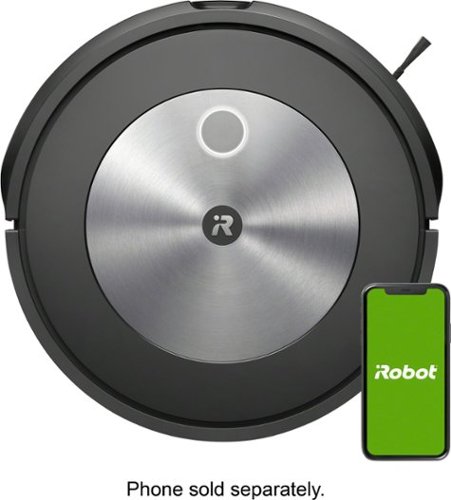
Finally. A robot vacuum you can rely on to get the job done. The Roomba j7 robot vacuum packs 10x the power-lifting suction and comes with unique intelligence to avoid cords and pet waste. It even understands times when you~re home and seasons when more cleaning may be needed. Compared to the Roomba 600 series cleaning system.
Customer Rating
5
The Smartest Robot Yet
on November 4, 2021
Posted by: Jturn
from WI
The newest j7 series of iRobot robotic vacuums brings a host of new features compared to previous models that make it a worthy upgrade or first time purchase. Solid cleaning, sophisticated object avoidance, and added app smarts make this a real winner.
Setup was quite simple as expected. Plug it in, register with the app, and you're off an running. One of first things I noticed is that the j7 is fairly loud. I'm coming from a model (690) that's 3 or 4 years old at this point and expected this one to be a bit quieter, but overall, it's not. What it has improved on is cleaning ability, though. While I felt the 690 always did a great job, the j7 has improved considerably so in my particular case. We have a 17 month old and a cat, both of which contribute to various messes around the house, and we've found the j7 handles the vast majority of them within reason. This model doesn't come with the collection bin, so you'll need to empty after every run. It would be quite nice to have that feature, but you'll pay for it...
The navigation abilities of this thing truly surprised me. My previous model, the 690, was completely dumb in comparison. That one had very little in the way of collision detection, mostly only avoiding walls and large objects like furniture. This j7, on the other hand, is adept at traversing the messes of our aforementioned child and cat. Our cat has accidents from time to time on the carpet, and I'm happy to report that we've not been greeted with any of the smeary messes the Roomba series has been notorious for in the past. All in all, this is a significant upgrade from the 690 in terms of how well it does in suboptimal spaces.
Finally, the app integration is much improved over the 690 I had previously. The estimates are more accurate to start. And the app gives a whole host of information on maintenance status of various parts. Finally, the scheduling abilities make this a virtual set and forget experience, though again, you'll need to manually empty the dirt bin (this is where the collection bin would totally come in handy).
Overall, this has been a great experience in my particular usage scenario. We badly needed an upgrade over the 690, which wasn't getting run much lately based on how many obstacles we have at any given time in the space it runs. The j7 has been the answer in almost every way. The only real question is whether to pay up for the + model, which I probably would if faced with the decision again. Highly recommended for existing Roomba owner and first time buyers alike.
Mobile Submission: False
I would recommend this to a friend!
Share this review:


+1point
1of 1voted this as helpful.
Jturn's Review Comments
Jturn has not submitted comments on any reviews.
Jturn's Questions
Jturn has not submitted any questions.
Jturn's Answers
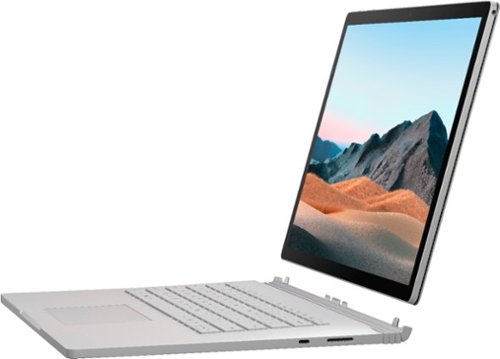
Performance meets versatility. From intensive video and graphics files to high-octane gaming, the most powerful Surface laptop yet combines speed, graphics, and long battery life with the versatility of a laptop, tablet, and portable studio. Tackle your biggest demands with quadcore powered 10th Gen Intel~ Core~ processors, blazing NVIDIA~ graphics, and high-resolution PixelSense~ Display designed for Surface Pen* and touch.
Is there an HDMI port?
Performance meets versatility. From intensive video and graphics files to high-octane gaming, the most powerful Surface laptop yet combines speed, graphics, and long battery life with the versatility of a laptop, tablet, and portable studio. Tackle your biggest demands with quadcore powered 10th Gen Intel~ Core~ processors, blazing NVIDIA~ graphics, and high-resolution PixelSense~ Display designed for Surface Pen* and touch.
Are there additional memory slots to increase RAM on the 15inch 16gb ram 256Gb storage, model?
No, there is no ability to upgrade the RAM or the hard drive on any of the Surface Books. What you buy is what you'll be stuck with.
5 years, 11 months ago
by
Jturn

Completely customize your Wi-Fi Smart Color Thermostat to match your lifestyle and decor. The ENERGY STAR~ certified smart thermostat lets you choose the temperature, schedule, display color and the devices you use to control it all.
Want to replace RTH230B with RTH9580WiFi. Wires connected:G, Y, W has(black wire), R(red wire), Rh(red wire). Also I see a white wire that is not connected to current rth230. How do I know which wire is used for the "c" terminal for the new rth9580WiFi?

Since they're not labeled at the thermostat terminal, you'll need to check at your furnace to see what's connected where. Having the extra wire is great, since you should be able to use that for your common.
8 years, 5 months ago
by
Jturn
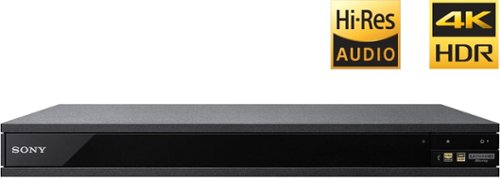
Experience immersive entertainment options with this Sony 4K Blu-ray player. Its Ultra HD resolution provides exceptionally detailed screen images with increased brightness and more realistic color, and its support of Dolby Atmos and DTS:X provides cinema-quality sound. This Sony 4K Blu-ray player supports high-resolution audio formats for more accurate music reproduction.
Does the on-screen display provide information on the video and audio bitrates? Does the display provide data on the audio output?
Yes. The Display button displays bit rate and format information for both audio and video.
9 years, 1 month ago
by
Jturn
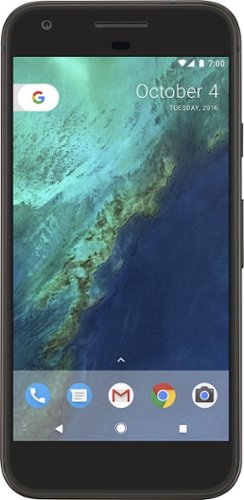
Bring the power of Google directly to your fingertips with the Google Pixel. A large 32GB of storage keep data secure, while unlimited cloud storage transfers data as needed, and it's completely automatic. The large 5-inch screen is protected by Corning Gorilla Glass 4 to ensure the Google Pixel remains scratch-free.
so i wanna get the pixel but with out getting a verizon contract how would i do so?
Your best option is probably to buy the phone directly from Google. The phone will come unlocked and will work as advertised with VZW and Project FI (meaning it should work well with Sprint and TMo).
9 years, 7 months ago
by
Jturn
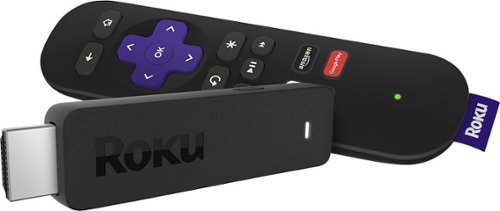
Enjoy HD programming with the Roku Streaming Stick. Plug it into any flat-screen television that has a built-in USB port to view streaming media. This device provides more than 4500 channels on demand and features more than 450,000 movies and TV episodes. Control the Roku Streaming Stick with the included remote or with your smartphone via the Roku Mobile App.
How can you connect the Roku to my theater Amplifier 5.1 sound system?
If your amplifier has an HDMI input, you'll need to plug the stick directly into the amplifier vs. plugging into your TV. The stick doesn't have any external audio outputs.
10 years ago
by
Jturn
Enjoy HD programming with the Roku Streaming Stick. Plug it into any flat-screen television that has a built-in USB port to view streaming media. This device provides more than 4500 channels on demand and features more than 450,000 movies and TV episodes. Control the Roku Streaming Stick with the included remote or with your smartphone via the Roku Mobile App.
The display shows it plugged into two places on the back of the tv. One is obviously the hdmi port, what is the other end plugged into?
Enjoy HD programming with the Roku Streaming Stick. Plug it into any flat-screen television that has a built-in USB port to view streaming media. This device provides more than 4500 channels on demand and features more than 450,000 movies and TV episodes. Control the Roku Streaming Stick with the included remote or with your smartphone via the Roku Mobile App.
Does the stick had profiles for different Netflix users?
Yes. It has the latest Netflix interface, meaning it has full support for profiles (unlike some of the older Roku devices).
10 years ago
by
Jturn
Enjoy HD programming with the Roku Streaming Stick. Plug it into any flat-screen television that has a built-in USB port to view streaming media. This device provides more than 4500 channels on demand and features more than 450,000 movies and TV episodes. Control the Roku Streaming Stick with the included remote or with your smartphone via the Roku Mobile App.
can I download google play store and down load free games like I have on my cell phone?
No. This device does not run Android. If you want the ability to side load apps, you'll need to look at either a Fire device or one of the hundreds of Android based streaming boxes available.
10 years ago
by
Jturn