


Jturn's stats
- Review count180
- Helpfulness votes202
- First reviewNovember 22, 2014
- Last reviewJune 11, 2026
- Featured reviews0
- Average rating4.1
Reviews comments
- Review comment count0
- Helpfulness votes0
- First review commentNone
- Last review commentNone
- Featured review comments0
Questions
- Question count0
- Helpfulness votes0
- First questionNone
- Last questionNone
- Featured questions0
- Answer count9
- Helpfulness votes4
- First answerJune 3, 2016
- Last answerJuly 9, 2020
- Featured answers0
- Best answers1
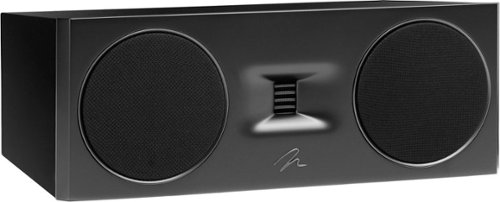
The 4th generation Motion Series ushers in a new era of design and aesthetics for MartinLogan. The three modern, yet timeless, colorways can compliment any room while being a focal point if so desired. Motion evokes a unique look and sound, pairing high-performance woofers with exclusive Folded Motion Tweeter technology, a staple of MartinLogan products. The Motion Waveguide enhances the Controlled Dispersion of the Gen2 Folded Motion Tweeter to a generous 90~(Vertical) by 90~(Horizontal) to accommodate a wide range of seating and speaker placement options, while avoiding clarity destroying sound reflections within the environment.
Customer Rating

5
Amazing Sound & Build Quality, and Versatility
on March 7, 2023
Posted by: Jturn
MartinLogan's latest series of Motion speakers are an absolute juggernaut, and C10 is the centerpiece of the 10 series lineup that provides a stellar mixture of sound quality mixed with a build quality I've not seen on a set of speakers. This is a true winner, and those willing to spend the money will be rewarded with speakers that feel truly upscale well beyond their price point.
Upon unboxing the C10, two things immediately struck me; the heft of the speaker and the incredibly luxurious finish. Mine is adorned in a piano black, and it looks like nothing I've had previously. The seams are flawless, and for the most part, everything looks great. The one issue I do have is that there were a couple of scuff marks on the shiny black finish, which detracts from the overall appearance a bit, but overall, these looks absolutely amazing. Along with looking great, the speaker is is versatile; MartinLogan cleverly designed the top with a slight angle, allowing you to either place the speaker parallel to the ground, or flipped and angled slightly upwards. This is a big bonus for those of us that need to put the C10 below their screen. They've also made the logo reversible making inverted placement seem totally deliberate. My final note on the aesthetic is the grill covers. They've done something fairly unique here; whereas generally a speaker's entire façade is covered by speaker grill, they've designed these to have grill covers only over the drivers. This lends to a really unique look, and lets you show off just how great these things look.
The sound quality of this speaker, along with the other 10 series speakers in the new Motion range, is simply put phenomenal. The C10 has an evenness to the response that's difficult to explain. After years of other brands of speakers, I've grown somewhat accustomed to the inaccurate and colored sound you get elsewhere, but hooking these up and taking them for a spin, it was immediately apparent just how great they are. This speaker covers a pretty wide range of frequencies, lending greatly to pulling center channel duties for both home theater listening. Dialog is unexpectedly precise and forward in a way that simply blows away nearly every other center channel speaker I've tried in the past 10 years. This is likely due to MartinLogan's "2.5-way" design, which cleverly uses two identical drivers but tuned with different crossovers, allowing one to handle more mid range while the other handles a bit lower registers. I say "a bit" because you're not getting a lot of bass here, but that's frankly not the point of a center channel. Combine this with the unbelievably great sounding folded tweeter design here and you have what I can only explain as a speaker that completely blows everything else in the price range away that I've tried (from most major brands). This is my first experience listening to a speaker with this folded design, but I'm a believer. The response, clarity, and dispersion completely blow away other tweeter designs I've heard. This speaker handles everything from aforementioned dialog heavy scenes through to action scenes without even a hint of struggle. Beyond that, it is great for music listening as well. I ran the gamut from classical to hip hop to progressive rock and metal, and not once did it feel like the C10 was out of its element. I threw on one of my favorite albums, Hand.Cannot.Erase by Steven Wilson to give this speaker a test drive with something I'm completely familiar with. The experience did not disappoint; this album has a lot of challenging passages and as mentioned already, the C10 knocked it out of the park, with instrumentation definition and balance that I frankly haven't heard in my home theater previously. This speaker gave new life to this album, along with virtually everything else I've heard through it.
At this point, I feel like I've run out superlatives to describe how great this speaker is. As a center channel speaker, it fills the sonic space directly below my display better than any other speaker I've tried. The C10, along with the others in the range I've acquired, has frankly been a game changer for my home theater, both from a movie/TV show perspective, but also from a music perspective. It has a clarity and definition that I believe is likely in a league of its own in this price range. Add to that a build quality, and suddenly, this feels like an absolute bargain for what you're getting.
I would recommend this to a friend!


Share this review:


0points
0of 0voted this as helpful.
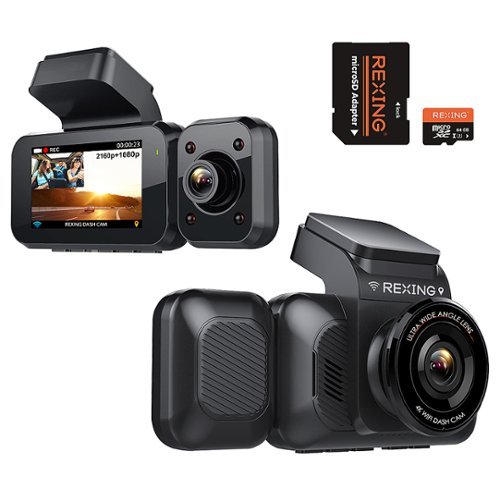
Capture video of the road ahead and your vehicle interior with this Rexing 4K front and cabin dash cam. The ultra-wide-angle lenses capture more of the surroundings and the infrared night vision lets you capture clear footage any time of the day. This Rexing 4K front and cabin dash cam features a parking monitor that automatically begins recording after detecting vibrations. ***If a hardwire kit was not included wih your purchase, please contact bbyhwk@rexingusa.com.
Customer Rating
5
Solid Video Quality w/ Lots of Extensibility
on November 7, 2022
Posted by: Jturn
The Rexing V5C Plus is a solid dash cam that provides decent video quality, and gives a wide array of installation options that'll fit nearly every scenario. Additionally, the camera has a number of extra features that elevates it over some cheaper and more basic units.
Mounting the camera was straight forward with the given components in the box; mounting plates, doubled sided sticky pads, cable routing mounts, etc. Since the cabin facing camera and MicroSD card were already installed, there was nothing more to the process. This thing is the definition of plug and play. In my experience, using the provided power cable gives the best results for ensuring you have enough juice to power this thing, but if your USB port can supply at least 2.5 amps (many cannot), you could streamline the setup by using a USB cord instead.
Video quality on this unit was surprisingly decent. It's not iPhone or Pixel quality video, but it is better than some cheaper units I've used in the past, owing some of this to the available "WDR"/wide dynamic range setting. Zooming in to see things like license plates is actually usable, and overall quality is more than adequate for what you should expect a dash cam to provide. Beyond video quality, the camera has a plethora of additional features that make the V5C very user friendly. As expected, it has onboard GPS, so you'll get real time speed recording and also lets you chart your routes against Google Maps, but it has extras like wifi capability and voice control. I found the Rexing app to be more than sufficient for transferring videos to my phone using the mentioned wifi feature, which is a very nice quality of life feature that saves the hassle of pulling the MicroSD card out and having to go to a computer to retrieve footage. And the voice control is nice, albeit not something I'll use often. Being able to tell the camera to turn the display off (the most useful of the voice commands for me) was actually a nice hands-free experience which allowed me to keep my hands on the wheel and my eyes on the road. Other features I found useful are lane depart and forward collision warnings which use the camera to detect whether you're drifting over the lines or about to hit an object. The warnings are fairly useful, and while I don't leave these on all the time, I do turn them on when I'm driving tired. Finally, there's a G sensor function which triggers when a collision or impact has occurred and automatically records a 20 second locked video. Very useful in the event of a crash that you need to document.
Also of note, the Rexing has a number of add-on features that can extend usability even more, including things like a back up camera, and a hardwire kit that'll convert this to a parking monitor as well as a dash cam. This would be extremely useful, given that the V5C has collision detection which will automatically trigger a locked video recording, giving you some context around what might have happened. This isn't included in the package, but having the extensibility is ALWAYS a welcomed additional feature.
Overall, the Rexing V5C Plus is a very solid dash cam, existing in a market of many, many budget no-name options. The V5C sets itself apart from others with some very useful features, including the wifi enabled app video transfer and the modularity/extensibility. This is great option for anyone in the market for one of these cameras.
I would recommend this to a friend!
Share this review:


0points
0of 0voted this as helpful.
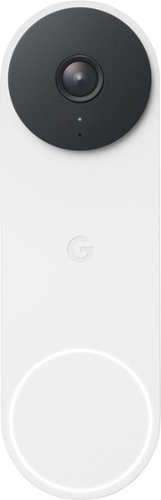
The 2nd-gen wired Nest Doorbell is always on, so you can know what~s happening at your front door around the clock.~ Get built-in intelligent alerts about people, packages, and animals, and 3 hours of event video history. Add up to 10 days of continuous recording with Nest Aware Plus.~ And manage your doorbell easily using the Google Home app.
Customer Rating

3
Not Truly an Upgrade Over the Original Nest Hello
on October 26, 2022
Posted by: Jturn
I've been patiently waiting for the successor to the incredibly good Nest Hello Doorbell that launched a few years ago, and it's finally here in the Nest Doorbell Wired. It features an upgraded aesthetic and supposedly upgraded imaging, but in practice, I'm not sure it's truly an upgrade, especially when factoring in that they force you towards the Google Home app instead of the far superior Nest App.
Setup is straightforward. If you've got an existing wired smart doorbell, this will be a mostly trivial swap over. One important point to note, though, is if you are coming from a 1st gen Nest Hello, make sure you remove the chime connector for that; it’s explicitly stated to not be compatible with the 2nd gen doorbell. Registration to the Google Home app was seamless for me, and I had this up and running in a matter of minutes.
The Doorbell Wired features an incredibly attractive aesthetic (honestly, the best looking smart doorbell out there in my opinion) with a metal exterior and VERY solid metal button. This is one area that's a very clear upgrade from the Nest Hello, which wasn't a bad looking device either at the time it launched, but whose plastic exterior makes it look quite dated side by side with the new version. There are a few color choices that might make them blend more seamlessly with your home styling, and while I appreciate the effort in making a more contemporary looking device, I do wish they at least offered an all black version for those not looking to make a style statement.
Overall, the doorbell works well enough. However, I can't help but feel like this was an overall step backwards from the Nest Hello for one primary reason; the app. The Nest app worked very well for what its purpose was; the timeline view just worked and notifications/alerting just worked. I've found the Google Home app to be woefully inadequate in terms of reliability, timeline views, and notifications. At this point, they phased out the Nest app years ago, and they STILL don't have a true 1-1 feature parity set, let alone a superior app in Google Home. They've made a lot of strides quite recently, but in general, the app has hindered my true enjoyment in using this Doorbell.
In terms of picture quality, the camera is good. Here again, however, it feels like a minor step back, settling for a lower resolution compared to the Nest Hello in favor of AI based HDR upscaling. The net effect in my usage is a night vision experience that's slightly inferior, but a daytime viewing experience that's mostly superior. Additionally, the field of view has been reduced, but the aspect ratio has also been adjusted, meaning you actually get more vertical viewing frame but less horizontal view. Being honest, the changes to the optics as a whole are a step back for me, which is not great given this is a years newer device which probably would've benefited from a better camera.
Other features for the Nest Doorbell are mostly tied to their Nest Aware subscription service. Since I have a number of Nest Cameras around my house already, I'm able to fully utilize this doorbell to the maximum, including 30 days of event history and 10 days of continuous video recording. I'd recommend opting for at least the base subscription. While you do get 3 hours of event history without a subscription (which is pretty solid), if there's an event that happens overnight, it'll be wiped from your video history before you awake to see what happened. If you're not overly interested in being able to go back in time, you'll likely be very pleased with what you get out of the box without a subscription as compared to a lot of the competitors, including features like intelligent motion, people, and package alerts. I'm glad they've moved towards offering more features for free instead of locking more of them behind a paywall, which seems to be the direction of the industry at the moment.
In summary, I'm left feeling underwhelmed. Taken at face value, the Nest Doorbell is one of the best on the market, giving you solid features with and without a subscription in a package that looks simply great. Compared to the device with which this is the true successor, the Nest Hello, however, it fails to truly impress, seemingly taking some steps backward for reasons that I don't quite understand. Optics aside, I'm hopeful (though not totally confident) that the app issues I've seen will be improved over time with software updates. However, I've seen this before with Google's Nest Hub devices. They made upgrades over time that actually severely degraded the performance of those devices, so unfortunately, I'm not entirely hopeful they'll rectify the issues here either.
No, I would not recommend this to a friend.
Share this review:


0points
0of 0voted this as helpful.

You've got enough on your plate, let Yale get the door. Fitting into any lifestyle, this lock offers increased convenience and security giving you one less thing to worry about during your day. With multiple ways to unlock, the ability to share and track entry codes, and advanced Auto-Lock with DoorSense, the Yale Assure Lock 2 protects your home and family. Add a Yale Smart Module to control your lock from your smartphone or voice assistant when you~re away from home.
Customer Rating
3
Attractive Smarts, But It Needs the Wifi Module
on October 21, 2022
Posted by: Jturn
The Yale Assure 2 is a very streamlined, attractive smart lock that adds incredible convenience to your home. It does a lot of things right, but this particular model lacks out of box integration with Google Home, meaning its true smarts are hindered without fairly expensive add ons.
Installation was quite straightforward. In my case, my door didn't have a cutout for a deadbolt, so I had to add this myself (via a bit set that made this fairly easy). Linking to the app was also easy after installation. Overall, this was much simpler than I expected.
Using the Assure Lock 2 is a mixed bag. On one hand, the built in Bluetooth functionality works well in my experience most of the time. The mostly hands free experience using geofencing hasn't stumbled yet, making this a futuristic feeling lock experience. In usage, this means you can set the lock to auto-lock and unlock when you leave the house. When this works (and let's be clear, it doesn't work 100% of the time), it feels like a truly nice feature that'll be difficult to not have if we decide to move away from smart locks in the future. However, the smarts sort of end there. If you have an Apple Home enabled home, there's additional functionality to explore, which I couldn't because I don't have it. The lack of onboard integration with Google Home (or Alexa or SmartThings) means a lot of the smart features which you'd come to expect (like remotely checking lock status, unlocking for guests, etc) are not available. This can be added with an additional Wifi module which then loops in Google Home integration, but for me personally, the Apple Home integration is completely of non-use and would've been more functional to replace this with Google Home integration.
Some other thoughts; you can create guest PINs and also grant guest access via the app. This enables you to give your family and friends the ability to get into your house should the need arise without coordinating keys or any of that frustration. This is my single favorite feature of smart locks, and it works very well here. This particular model features physical buttons vs the touchscreen controls you may see on more expensive models in the line. I prefer this for one simple reason; it seems more secure. The touchpad would be susceptible to people trying to guess the combo, and that's not a problem here. Over time as the buttons become worn, it may be a concern, but overall I like this better. Finally, battery life thus far has been as expected. What I truly appreciate, however, is that if I'm every locked out with a dead keypad, there are two terminals on the bottom of the outside panel where you can place a 9v to provide the necessary short term juice to get back into your house. This is a nice peace of mind safety net.
Overall, I'm torn on this lock. It works well with the app, and the Bluetooth is mostly reliable (though not completely as mentioned above). I can't help but feel this is a hamstrung product, though; with no deep integration with smart home protocols beyond Apple Home (which I don't currently have), it feels like it's missing a key chunk of features that define a "smart lock." If you don't need that broader integration, or can accept the ability to add this down the line for a price, this might be a great lock to consider.
I would recommend this to a friend!
Share this review:


+1point
1of 1voted this as helpful.
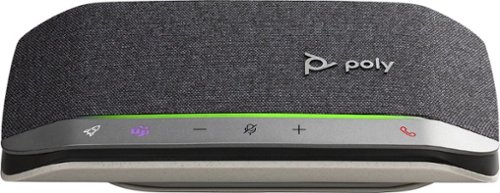
Enjoy the versatile speakerphone for Hybrid work and beyond with the Sync 20 Personal USB/Bluetooth Smart Speakerphone with Noise and Echo Reduction. For remarkable conference calls and music anywhere. Take it wherever you go. Its battery lasts for hours and can charge your smartphone. You~ll always hear and be heard. The multimedia quality sound is a music-lover~s delight. Designed specifically for today~s professional, it~s sleek, compact, and filled with smart features to keep conference calls simple.
Customer Rating
5
Setting the Standard for Tele-Comms Speakers
on October 7, 2022
Posted by: Jturn
I've migrated to the Poly Sync 20 after years of using a Jabra puck for work. My typical day consists of roughly 3-5 hours of virtual meetings and conference calls since I've transitioned to full time work-from-home 4 years ago, so I've had a good chance to evaluate the Poly Sync 20 over the past two weeks, and I can say without hesitation that it's a big upgrade over the Jabra.
The most immediate and noticeable upgrade is in the sound quality of the Sync 20. It has a much nicer sound profile than the Jabra I've been using, and is even suitable for casual music listening. The Jabra, by contrast, has sound quality that's poor enough that music sounds bad on it, but that is adequate for voice calls. It was immediately noticeable how great the Sync 20 sounded after plugging it in.
On that note, it should be mentioned that this thing is completely plug and play on both Windows and Mac. It was instantly recognized on both platforms for me, and the Teams functionality worked out of the gate. My company uses Teams as the sanctioned employee instant messaging platform, so this speakers fits in very well with my usual work flow. The Teams button is actually quite handy; it allows you to bring up your Teams instance regardless of what you have going on on your screen. Additionally, the macro function is quite nice too, offering a customizable way to quickly perform various actions. I haven't used it much thus far, but once I find the solid use case, I'm sure I'll use it daily.
If you're looking for a speaker to up your tele conferencing game, the Sync 20 has to be at the top of your list, especially if you routinely use Teams. It offers great sound quality and great functionality and is likely an upgrade to any WFH'er's current setup.
I would recommend this to a friend!
Share this review:


0points
0of 0voted this as helpful.

With the Razer DeathAdder V3 Pro, victory takes on a new shape. Refined and reforged with the aid of top esports pros, its iconic ergonomic form is now more than 25% lighter than its predecessor, backed by a set of cutting-edge upgrades to push the limits of competitive play.
Customer Rating

4
Solid Performance and Ergonomics but Quite Large
on September 28, 2022
Posted by: Jturn
The Razer DeathAdder is an iconic line of gaming mice that's been around for years. This latest version continues the line's focus on hyper performance an ergonomic package. Unlike the Basilisk line of mice, this is a comparatively no frills affair, lacking RGB and flash, but for gamers looking for a wireless mouse, this should be on your short list.
The DeathAdder V3 Pro does a lot of things right. Here are the highlights of my experience with the mouse after just under a week of usage.
Ergonomics are on point for the most part, though I see two issues with the design. First, if you have small hands, you're going to find this mouse cumbersome and likely too big for comfort. It's an oddly large mouse that didn't exactly feel natural in the hand at first, but given the overall shape, I got used to it fairly quickly. Secondly, it's non-ambidextrous so this is for righties only. If these two points aren't of concern, you'll find a mouse that's comfortable for LONG gaming sessions and will not cause hand or arm fatigue. It's an understated shape and design, but that's a good thing in my book.
Performance is on par with the best of my other mice, including the wired ones. Being wireless is a huge benefit, giving you one less distraction while gaming, provided the wireless protocol the mouse uses is a sound implementation. The good news here is that the Razer implementation is indeed sound, giving you wired performance without the wires. One bummer here is that the mouse is HyperPolling enabled but doesn't include the necessary hardware in the box. That is, this mouse supports a polling rate of up to 4000mhz, but that's enabled only if you spend an additional 30 dollars for their HyperPolling dongle system. Out of box, you get a 1/4th of the performance at 1000mhz. For the average gamer, this isn't a big concern, but given the DeathAdder's target market of hardcore gamers and casual alike, this feels like a letdown to not have the performance handicapped out of the box.
Battery life in the standard 1000mhz polling mode is quite impressive. Razer quotes upwards of 90+ hours of usage, and I'm inclined to believe this. This is probably the result of them utilizing the larger size of the mouse to include a bigger battery, and also the result of the mouse having zero RGB functionality. Having owned a Basilisk Pro (the previous V2 version) in the past, it had some great RGB functionality but suffered greatly in the battery life department. That's not the case here.
My primary issue with the DeathAdder is a problem I've had with all Razer mice I've tried; the scroll wheel feels subpar. While it has a smooth scroll feel, the detents are too soft for my liking. The result of this is difficulty in fast weapon swapping maneuvers in FPS games. So far, I haven't observed any mis-scrolling (missed scrolls, over-scrolling, etc) but it feels like over time, it's going to be an issue for me.
Overall, this is a very good mouse. It has the performance and ergonomics to please even the most serious of gamers, provided you have medium to large hands. If you're looking for a new mouse, this one should be on your short list.
I would recommend this to a friend!
Share this review:


0points
0of 0voted this as helpful.
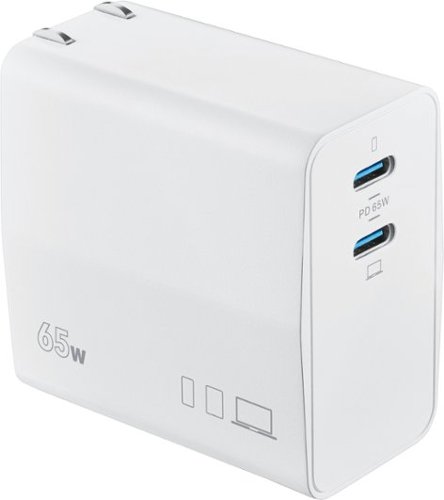
Don~t let the battery of your device die as you work throughout the day. The Insignia NS-PW365C2W22 100W Dual Port USB-C Compact Wall Charger for Business USB-C Laptops & One Device has a high, 100-watt output to quickly charge your business laptop, smartphone, tablet, and more. It has two USB-C ports so you can connect your cable (not included) and charge two devices simultaneously. Its compact and durable body with a foldable plug easily fits into a purse or pocket, ready for when you need it. A simple white design pairs well with your other accessories. Keep your laptop and phone both working as hard as you do with this dual port, easy-to-carry charger.
Posted by: Jturn
The 65w dual charger from Insignia offers great power delivery for the wealth of devices today that power up over USB C. It offers two ports, giving you the ability to charge two devices simultaneously. The design is not what I'd consider compact, but it's a convenient design none the less, giving you two powerful ports out of one AC plug. 65w power will be sufficient for phones and most tablets, but I've found it lacks the juice to charge more powerful devices at full speed (particularly my laptops and my Mac Book). The phones I've tested, including a Pixel 6 Pro and a Galaxy S21 Ultra both seemed to charge at their full potential (which is less than 65w). Overall, it's a solid option at a reasonable price.
I mainly have two things that would have improved this product. One, I do wish there were at least one USB A port. While a large majority of new devices incorporate USB C ports, that still leaves some older devices or some less technology centric devices (baby monitors, I'm looking at you) without a path for getting charged. Two, I wish it would've come with at least one full power charging cable. I'm sure some view this as a positive, given that most people have a lot of USB C cords already, and given this could be considered a "greener" approach to package delivery. I still would've preferred at least one in the package myself.
If you now need a charger to combat the fact that your $1500 phone doesn't include one in the box, this Insignia brick is a great option. It's not exactly compact, but the dual ports will ensure you've got the ability to keep your devices charged. Just make sure to bring your cable.
I would recommend this to a friend!
Share this review:


0points
0of 0voted this as helpful.
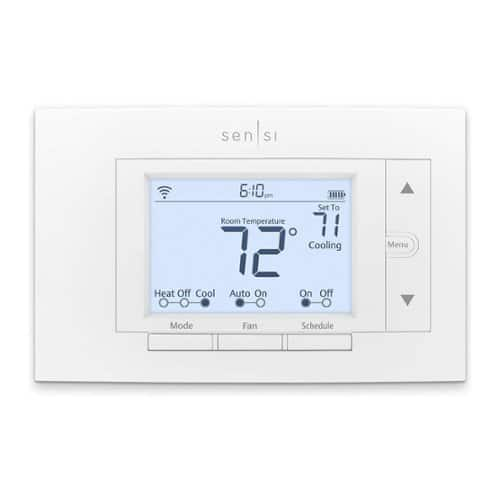
From across the room or across the country, Sensi makes it easy for you to remotely control and schedule your home comfort - Anytime. Anywhere.
Customer Rating
5
Versatile, Smart Thermostat
on August 14, 2022
Posted by: Jturn
The Sensi WiFi thermostat is very good, combing ease of installation, system versatility and compatibility, and smarts into a package that fills a very needed gap in the market of smart thermostats.
Installation is quite simple. This is the first major pro of this device. While your average thermostat installation is easy in theory, many (realistically most) require a common wire, otherwise known as a c-wire. This is fine in applications where you already have that 5th wire run to your thermostat. However, a lot of homes do not have this, requiring a whole new run of wire that can be anywhere from simple to downright impossible. The Sensi eliminates this barrier to entry. The downside is that you'll need to keep track of battery life and periodically replace them, but at least this option exists. Beyond that, connection to my local network was relatively straight forward. The app helps guide you through the process and works well in my experience thus far.
While the appearance here is unassuming and barebones (it honestly looks like whatever bulk thermostat your subdivision builder gets at a deal), make no mistake that it has all the internals of a smart thermostat. Scheduling and automation are on tap as expected. That all works well enough. One particular feature that deserves mention here is the customizable cycle rate. I've not seen this before, but this is a great feature. It allows you to set parameters for how immediate your system responds to temperature changes and allows you to help keep your HVAC from firing up too often. This should help quite a bit with system longevity.
Overall, if you're looking at this thermostat, you're likely trying to find one that gives you some semblance of smarts without the hassle of having to upgrade your wiring if you don't already have the c-wire many smart thermostats require. The Sensi WiFi is a strong performer and most certainly fills that gap which most others leave.
I would recommend this to a friend!
Share this review:


+4points
4of 4voted this as helpful.
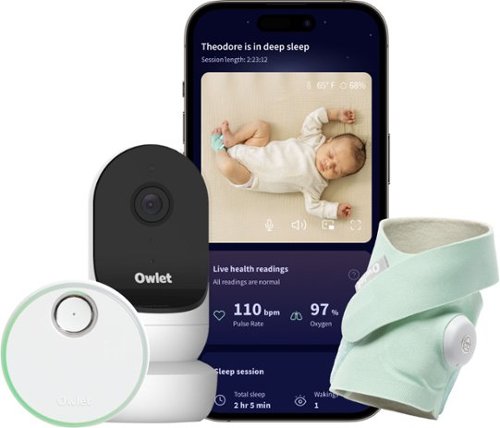
See, hear, and know Baby is okay with Owlet~s most advanced monitoring system yet. Dream Duo includes Owlet Cam 2 smart video monitor and the first-of-its-kind FDAcleared Dream Sock*. Combined, these products allow you to view and track your baby~s pulse rate, oxygen, sleep patterns~all while streaming HD video right to your phone. Take comfort in knowing that our advanced technology offers clinically-proven, medical-grade accuracy, and will notify you in the Owlet Dream App as well as the included Base Station in any instance when your baby~s pulse rate or oxygen fall outside of preset ranges. With Owlet Cam 2, you~ll also receive in-app notifications when any sound, motion, or crying are detected, so you can determine if your assistance is needed. With this Dream Duo, you can experience the perfect balance of technology, safety, and peace of mind. *Dream Sock is intended for use with healthy infants between 1-18 months and 6-30 lbs.
Customer Rating
3
Missing Key Monitoring From Previous Models
on August 13, 2022
Posted by: Jturn
The Owlet Dream Duo adds some new features to previous Owlet sock functionality, but unfortunately they've had to do away with the most important feature that made the Owlet originally a standout among a sea of baby tracking systems; the active O2 monitor. The system feels mostly cohesive, but also suffers from a subpar app and antiquated video monitoring.
This is my third Owlet product. I've owned both the 2nd generation and 3rd generation socks. I was so pleased with the 2nd generation sock that I decided the 3rd was enough of an upgrade to get it as well. We also had the 1st generation camera. That camera didn't fare well, to be honest, as it suffered from connection issues and was generally unusable for us. All this is to say, we have a lot of experience with Owlet products. We had our second child two weeks ago and decided to give the Dream Duo a shot, not knowing the full scope of what was (and was not) included.
In regards to the sock, I can't help but feel disappointed. It seems to be the same hardware as the 3rd generation sock, and as such is very convenient to charge and very easy to put on kids. It has active heart rate monitoring, which is good, but it seems they've been forced to remove the real time O2 level monitoring, instead replacing this with an average readout of the past 5 minutes. Presumably this is a pivot based on some regulatory trouble that came down on Owlet, so I don't even really blame the company. However, the end result is a product that feels significantly less useful for parents that like to purchase this primarily for peace of mind. That being said, they've transitioned this product to focus more on sleep quality, and it seems this bundle now includes the Dream Lab sleep training program. This will be a hit with certain parents that are planning to sleep train their kids, giving useful insight into sleep quality and patterns that will help give you kid a better night of sleep (and a better ability to independently sleep). We haven't yet used this feature given our child's young age, but I've heard good things about it.
The camera is a modest upgrade over the previous generation and adds some additional features like action clips that you can go back and watch. This is an improvement not only over the last generation cam, but also a lot of the more basic baby monitors on the market. However, it would be more useful to have a more comprehensive video timeline to help with tracking. In terms of performance, it seems to operate a bit better than the previous model in this regard as well, but time will tell if it's truly an upgrade.
Overall, I can't help but feel disappointed. Again, understanding that the company was forced to reposition their product, I understand why they did it. But active O2 monitoring was a landmark feature of the Owlet product line, and I can't help but feel like the usefulness of the sock has been majorly impacted. They've tried to bridge the gap by making this sleep quality focused, and it will be useful in that regard, just not in actively monitoring sleep safety as it was in the past.
No, I would not recommend this to a friend.
Share this review:


0points
0of 0voted this as helpful.
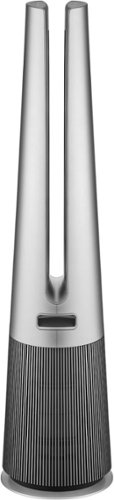
The sleek LG PuriCare AeroTower air purifying fan delivers exceptional air quality you can customize for any room and any setting. Powerful filtration with True HEPA captures fine dust and allergens~paired with LG's exclusive UVnano LED Technology that kills bacteria on fan blades for an added layer of protection. Direct, diffused or wide airflow settings offer maximum comfort in any room. Plus, the AeroTower is wi-fi enabled for easy control using the LG ThinQ app alone or with popular voice assistants. Ultra-quiet sound levels as low as 23dB help to keep your home quiet, and an elegant design will blend seamlessly with even the most refined d~cor. When it comes to your home and family, peace of mind is a breath of fresh air.
Customer Rating
5
A Behemoth and Massively Effective Air Cleaner
on August 2, 2022
Posted by: Jturn
The PuriCare air purifier is a phenomenal machine, combing an eye catching design with filter performance that makes it a great option for anyone looking for a large space air purifier.
The design is somewhat polarizing. For one, this thing is gigantic. I didn't have a full scope of just how large it was until the box was delivered. It was slightly jarring. It's not particularly wide, but it's quite tall and employs a monolithic looking style of design. Overall, it's looks bold. How could an air purifier be so large, my wife asked. Well... This thing is an air cleaning machine. The stated 800+ sq ft rating feels spot on in my experience. My house's main floor is a semi open concept living area with a kitchen, dining room, family room, and living room, totaling somewhere in the neighborhood of 1500 SQ ft. The majority of this space has had a noticeable improvement in air quality since adding the PuriCare to our front room. Most noticably, various house odors have been cleared up. Our house is a bit older and gets a slight musty smell during humid days. These smells have all but vanished. Features wise, this has what you'd expect; an automatic mode, some controls for air direction, speed and oscillation. It has a companion app that does its job well, and has a front display which gives you exactly as much information as you'd probably want. Finally, the remote attaches via magnetic mount like you'll see on Dyson models and it works just as well here and is an ingenious solution to the problem of keeping your remote from getting lost.
Back to the design... It's futuristic and bold. My wife frankly isn't a fan, but it's narrow enough that it's easy to tuck away in a corner. It won't be out of sight, but it'll at least be out of the way. The towering aesthetic feels slightly out of place for an air purifier, but at the end of the day, LG can say they designed something that looks like nothing else and is highly effective. That's the most important part. As a side note, LG has included an additional base attachment that adds a pretty significant amount of stability to the unit. As a parent of a 2 year old and a new born, this is a great addition and earned brownie points with the wife.
If you can deal with the design and general hugeness of the PuriCare, you'll be rewarded with a purifier that does a wonderful job of cleaning the air, and does it effectively in some pretty large spaces. It's been a great addition to our house and would be in yours too.
I would recommend this to a friend!
Share this review:


+1point
1of 1voted this as helpful.
Jturn's Review Comments
Jturn has not submitted comments on any reviews.
Jturn's Questions
Jturn has not submitted any questions.
Jturn's Answers
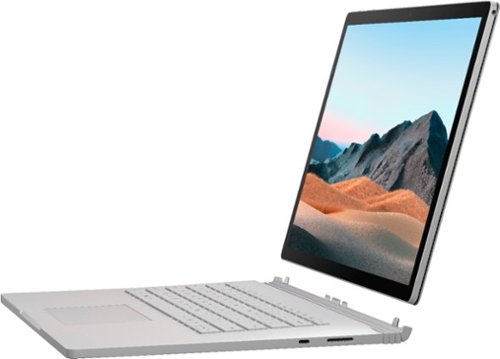
Performance meets versatility. From intensive video and graphics files to high-octane gaming, the most powerful Surface laptop yet combines speed, graphics, and long battery life with the versatility of a laptop, tablet, and portable studio. Tackle your biggest demands with quadcore powered 10th Gen Intel~ Core~ processors, blazing NVIDIA~ graphics, and high-resolution PixelSense~ Display designed for Surface Pen* and touch.
Is there an HDMI port?
Performance meets versatility. From intensive video and graphics files to high-octane gaming, the most powerful Surface laptop yet combines speed, graphics, and long battery life with the versatility of a laptop, tablet, and portable studio. Tackle your biggest demands with quadcore powered 10th Gen Intel~ Core~ processors, blazing NVIDIA~ graphics, and high-resolution PixelSense~ Display designed for Surface Pen* and touch.
Are there additional memory slots to increase RAM on the 15inch 16gb ram 256Gb storage, model?
No, there is no ability to upgrade the RAM or the hard drive on any of the Surface Books. What you buy is what you'll be stuck with.
5 years, 11 months ago
by
Jturn

Completely customize your Wi-Fi Smart Color Thermostat to match your lifestyle and decor. The ENERGY STAR~ certified smart thermostat lets you choose the temperature, schedule, display color and the devices you use to control it all.
Want to replace RTH230B with RTH9580WiFi. Wires connected:G, Y, W has(black wire), R(red wire), Rh(red wire). Also I see a white wire that is not connected to current rth230. How do I know which wire is used for the "c" terminal for the new rth9580WiFi?

Since they're not labeled at the thermostat terminal, you'll need to check at your furnace to see what's connected where. Having the extra wire is great, since you should be able to use that for your common.
8 years, 5 months ago
by
Jturn
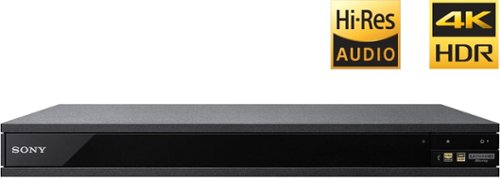
Experience immersive entertainment options with this Sony 4K Blu-ray player. Its Ultra HD resolution provides exceptionally detailed screen images with increased brightness and more realistic color, and its support of Dolby Atmos and DTS:X provides cinema-quality sound. This Sony 4K Blu-ray player supports high-resolution audio formats for more accurate music reproduction.
Does the on-screen display provide information on the video and audio bitrates? Does the display provide data on the audio output?
Yes. The Display button displays bit rate and format information for both audio and video.
9 years, 1 month ago
by
Jturn
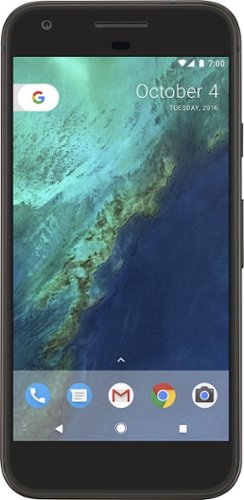
Bring the power of Google directly to your fingertips with the Google Pixel. A large 32GB of storage keep data secure, while unlimited cloud storage transfers data as needed, and it's completely automatic. The large 5-inch screen is protected by Corning Gorilla Glass 4 to ensure the Google Pixel remains scratch-free.
so i wanna get the pixel but with out getting a verizon contract how would i do so?
Your best option is probably to buy the phone directly from Google. The phone will come unlocked and will work as advertised with VZW and Project FI (meaning it should work well with Sprint and TMo).
9 years, 7 months ago
by
Jturn
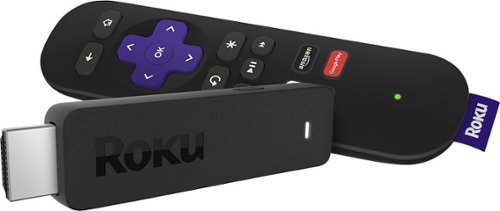
Enjoy HD programming with the Roku Streaming Stick. Plug it into any flat-screen television that has a built-in USB port to view streaming media. This device provides more than 4500 channels on demand and features more than 450,000 movies and TV episodes. Control the Roku Streaming Stick with the included remote or with your smartphone via the Roku Mobile App.
How can you connect the Roku to my theater Amplifier 5.1 sound system?
If your amplifier has an HDMI input, you'll need to plug the stick directly into the amplifier vs. plugging into your TV. The stick doesn't have any external audio outputs.
10 years ago
by
Jturn
Enjoy HD programming with the Roku Streaming Stick. Plug it into any flat-screen television that has a built-in USB port to view streaming media. This device provides more than 4500 channels on demand and features more than 450,000 movies and TV episodes. Control the Roku Streaming Stick with the included remote or with your smartphone via the Roku Mobile App.
The display shows it plugged into two places on the back of the tv. One is obviously the hdmi port, what is the other end plugged into?
Enjoy HD programming with the Roku Streaming Stick. Plug it into any flat-screen television that has a built-in USB port to view streaming media. This device provides more than 4500 channels on demand and features more than 450,000 movies and TV episodes. Control the Roku Streaming Stick with the included remote or with your smartphone via the Roku Mobile App.
Does the stick had profiles for different Netflix users?
Yes. It has the latest Netflix interface, meaning it has full support for profiles (unlike some of the older Roku devices).
10 years ago
by
Jturn
Enjoy HD programming with the Roku Streaming Stick. Plug it into any flat-screen television that has a built-in USB port to view streaming media. This device provides more than 4500 channels on demand and features more than 450,000 movies and TV episodes. Control the Roku Streaming Stick with the included remote or with your smartphone via the Roku Mobile App.
can I download google play store and down load free games like I have on my cell phone?
No. This device does not run Android. If you want the ability to side load apps, you'll need to look at either a Fire device or one of the hundreds of Android based streaming boxes available.
10 years ago
by
Jturn