


Jturn's stats
- Review count180
- Helpfulness votes202
- First reviewNovember 22, 2014
- Last reviewJune 11, 2026
- Featured reviews0
- Average rating4.1
Reviews comments
- Review comment count0
- Helpfulness votes0
- First review commentNone
- Last review commentNone
- Featured review comments0
Questions
- Question count0
- Helpfulness votes0
- First questionNone
- Last questionNone
- Featured questions0
- Answer count9
- Helpfulness votes4
- First answerJune 3, 2016
- Last answerJuly 9, 2020
- Featured answers0
- Best answers1

Elevate your home security and convenience with the Lock+ Connect with Keypad, a cutting-edge solution that seamlessly integrates into your daily life. Level Lock+ Connect enhances the WiFi connectivity solution that keeps you in command even when you're away from home. Lock or unlock your doors remotely, access real-time activity history, and effortlessly manage keep codes ~ all from the palm of your hand. Say goodbye to fumbling for keys ~ unlock your door effortlessly with a simple tap of your compatible iPhone or Apple Watch, just like you'd pay for groceries or coffee. But that's just the beginning. Customize your access preferences with options including key cards, your iOS or Android smartphone via the Level App, voice commands through Siri, or even the trusty traditional key. The Level Lock+ Connect seamlessly blends with your door's aesthetic, preserving your home's design integrity. Take control of access like never before with the Level App. Share digital keys with guests, family members, or the dog walker, complete with time-sensitive access permissions. Monitor key usage, change codes, revoke access, and enable auto-lock ~ all at your fingertips. With its sleek matte black or satin nickel finish, the Level Lock+ boasts discreet intelligence concealed within its unassuming exterior. Rest easy knowing it's built to withstand everyday wear and tear, with an AAA security rating. Installation is a breeze; just grab a screwdriver, confirm your door measurements, and swap out your existing deadbolt. Secure, stylish, and smart ~ that's the Level Lock+ promise. Level Keypad transforms keyless access with its intuitive design. Create memorable and shareable key codes for trusted individuals, eliminating the need for physical keys or smartphones. With its wireless, LED-backlit, and weatherproof enclosure, you have the freedom to install Keypad anywhere within 30 feet of your lock, preserving your entryway's aesthetic.
Customer Rating

3
Excels at Convenience/Looks, Falters on Security
on November 13, 2023
Posted by: Jturn
The Lock+ by Level is the first "smart" deadbolt that looks like it's not a smart lock, having a classic, timeless design that can fit with any existing setup, all while giving you some added functionality and convenience. However, this all comes with a huge security flaw that honestly should've been rectified prior to releasing this lock.
First, I'll expand on the positives. As mentioned above, this lock truly does not look like a smart lock from the outside. In my opinion (and likely the opinion of many out there), this is a huge positive. The class of devices that basically look like a tablet bolted to your door are quite invasive and ugly to look at, so this design is a major breath of fresh air. They've managed to do this while including all the benefits of your usual smart lock, including wireless based unlock capabilities (including the NFC cards that are included), along with a keypad. Since the keypad is completely wireless, this allows you utmost flexibility in installation. In my case, I've mounted this on the back side of one of the poles on our front porch, helping to maintain the effects of the minimalist design of the deadbolt while giving you some nice convenience. However, I've had a number of issues with the keypad working reliably. Seems like there's a lag time with this thing that causes it to either delay opening the lock or to just miss key presses altogether. Unfortunate, given the potential for this to be a huge selling point. Beyond the keypad, integrations with Google Home (which is what I use for home automation) work reasonably well, giving you a streamlined automation process that's in line with other devices around the home. Finally, the battery storage is pretty brilliant; the battery is stored in the bolt cylinder, and not on the inside of the lock mechanism, which again lends to a completely streamlined and minimalist looking lock. I had concerns that this may compromise the integrity and strength of the bolt, but from what I can tell, and based on the security rankings of the Lock+, this seems to have not negatively impacted the security. Overall, this feels close to a perfect implementation of a smart lock...
Except when you consider the negatives. As mentioned above, the keypad is an unfortunate miss. It simply doesn't work reliably enough to bank on. As an Android user, it feels like the integration with Android was half baked, since some of the main features are only available on iOS. As an Android user, this type of segmentation is frustrating. These two specific issues aren't my main issue, however. The key cylinder used in this lock has been showed to be subpar at best for security. While it's wonderful that Level included the ability to use physical keys with this lock, the fact that they skimped on the hardware and included a cylinder that's so simple to pick is really problematic. At this price point, one would expect the cylinder to be at least somewhat upgraded and secure. I say this knowing the old adage of "if someone wants to get in, they'll find a way" applies to smart locks as much as regular deadbolts. However, I feel that Level should've made an effort to include a base level secure key cylinder that was so susceptible to picking. On that note, however, a huge positive is that this lock has a standardized cylinder fitting, meaning I'm able to upgrade this to something much better. Still, given the price, that shouldn't need to be a consideration.
Overall, the Lock+ feels just off the mark of a perfect smart lock. Aesthetics and convenience give this the makings of a phenomenal device, but the negatives definitely make me pull back on my excitement. For Android users or those hyper focused on actual security (which likely should be a foundational focus for anyone looking at deadbolts), this unfortunately is a miss for me.
No, I would not recommend this to a friend.
Share this review:


+1point
2of 3voted this as helpful.
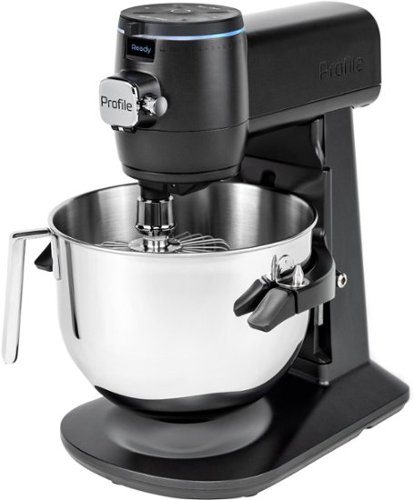
GE Profile provides modern design and the latest features in home appliances. Designed for today~s smart home, GE Profile provides features that allow you to do more, through remote monitoring, voice activation and technology that takes the guess work out of cooking and cleaning. This is Smarter Innovation you~ve been looking for. This is GE Profile.
Customer Rating

4
Pro Level Mixer At Home
on November 4, 2023
Posted by: Jturn
The GE Profile smart mixer is a professional level mixer that combines build quality, smart functionality, and great design into to a package that's sure to please even the most strict of design critics. With the exception of two specific issues I have with the unit, it overall performs very well in a crowded market.
The two issues I have with this mixer were readily apparent from my first interactions with it. For one, it's obscenely heavy, on the order of 50 pounds. Anyone looking to use this in the capacity of "I'll take out the mixer when I need it and put it away when I don't" will be severely disappointed in just how heavy it is, to the extent that my wife had issues moving it at all. If you don't have the counter space for this unit, I'd suggest you look elsewhere. My other issue with this unit was how difficult it was to pair with my phone. This, frankly, was unexpected, given the "Smart Stand" moniker attached to this blender. For whatever reason, I had a tough time getting it to connect through bluetooth. I eventually got it to connect, but it was far from straightforward, at least in my experience.
With that out of the way, I'll focus on the positives (and boy there are a lot). Weight aside, the build quality of the main unit and accessories are all great, and relatively easy to clean. To go along with that, the power this mixer has is frankly surprising sometimes. Not once did I have a hint of slowdown, likely owing to the power DC motor. Finally, the smarts on tap here really add to the experience of using the GE Profile mixer. So far, my favorite feature is the built in scale which allows to you to hyper accurately get the mix you're looking for. This works especially well in conjunction with the recipes available in the app, which walk you through the entire process in an easy to understand way. If you're looking for inspiration to use your new mixer, the app has it.
Overall, this is a great mixer. The power and build quality give this a feel unlike other mixers I've tried, and the Smarts do truly add something here that's useful. If you want one of the best mixers on the market, consider the GE Profile Smart Mixer.
I would recommend this to a friend!
Share this review:


-1point
0of 1voted this as helpful.
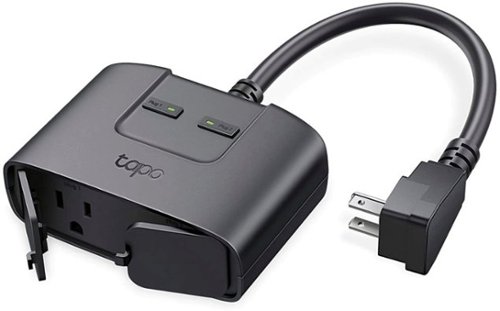
Take control of your outdoor lighting or devices with the Tapo Smart Wi-Fi Outdor Plug. The independent outlets allow you to individually control up to 2 devices through your smartphoone via the Tapo app or with you voice through compatiable voice assistants; Amazon Alexa, Google Assistant, and Samsung SmartThings. Utilize the Scheduling or Away Mode features to automatically turn lights or device on/off.
Customer Rating

5
Great Addition to Anyone's Holiday Lights Setup
on November 1, 2023
Posted by: Jturn
The TP Link Tapo is a solid option for those looking for more control over an outdoor outlet, be it to control holiday lights (which is my personal usage of this unit) or for something else like patio lights. The build quality and feature set make this a truly "smart" product.
I'll start with build quality. This thing feels substantial, pairing IP level dust and water resistance with solid feeling components to give confidence that this thing can withstand the outdoors. The power cord, which seems to always be a weak point for products like this, is especially solid. Giving this a right angle connector was a good move, helping to alleviate some of the constant stress you get with a regular straight plug.
The real benefit of this plug is in the software smarts. Along with the expected app integrations with TP Link's own app, this plug also integrates with the likes of Google Assistant, Amazon Alexa, and Apple Home. Beyond that, though, is onboard Matter integration. Anyone that's suffered the past few years of trying to build a smart home knows the challenges inherent in the current market fragmentation that exists, and having Matter capability built in looks to be a huge feature moving forward as the Matter platform continues to expand and mature. All the integrations I tried worked great, with no flaws or issues, making it painless to tell any of my Google devices to "turn the holiday lights off".
Anyone that's looking at smart plugs should consider the Tapo smart plug; it's from a reputable brand (which is more than you can say about the products from the likes of a big commerce that shall remain nameless), has great build quality, and has a deep set of smart home integrations that truly gives it the capability to be used anywhere.
I would recommend this to a friend!
Share this review:


0points
0of 0voted this as helpful.
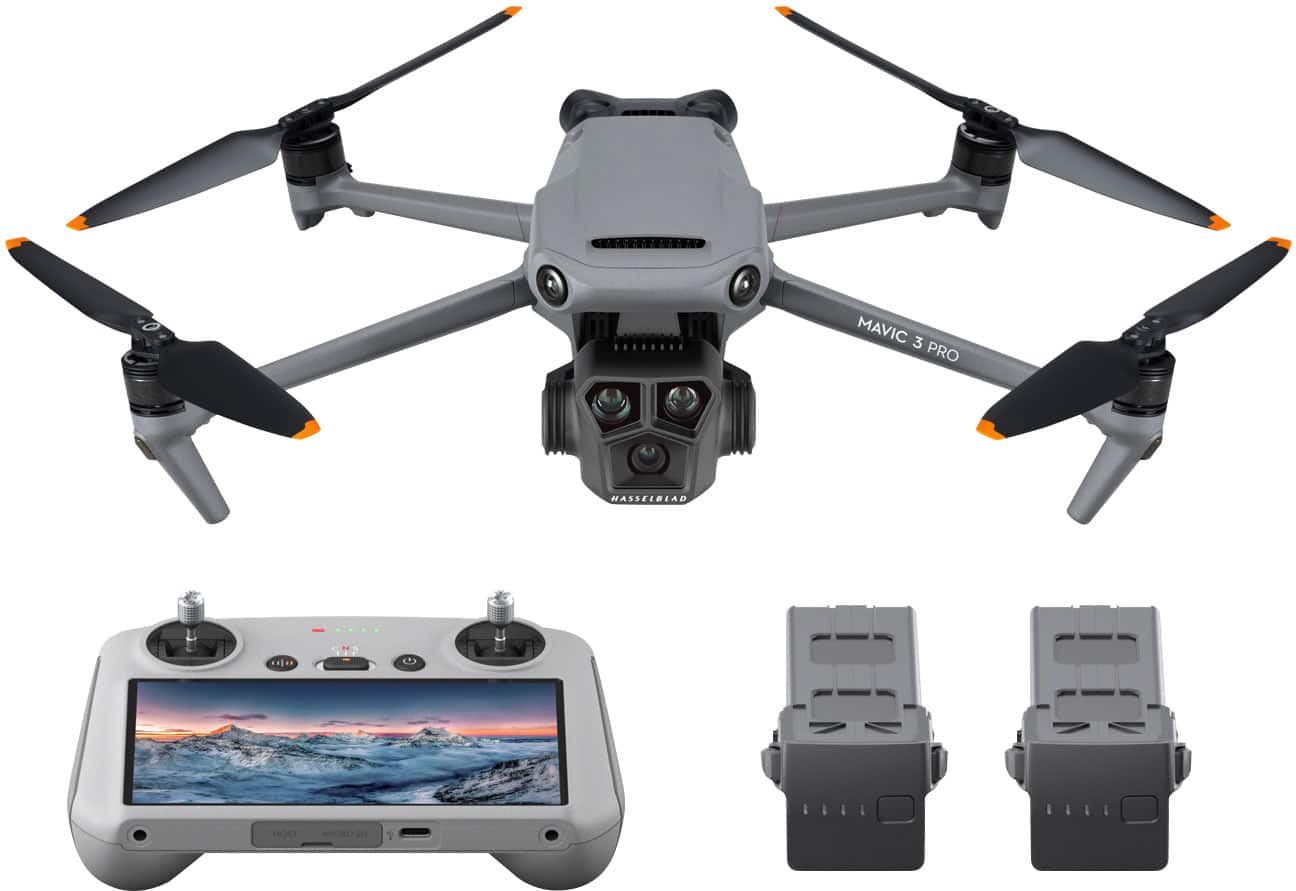
The DJI Mavic 3 Series features next-level imaging performance. Mavic 3 Pro's triple-camera system ushers in a new era of camera drones by housing three sensors and lenses with different focal lengths. Equipped with a Hasselblad camera and dual tele cameras, Mavic 3 Pro is a triple-camera drone that unlocks new shooting perspectives, allowing you to embrace creative freedom further, capture fascinating scenery, explore photographic storytelling, and make cinematic masterpieces.
Customer Rating
5
Unbelievable Technology and Camera Quality
on October 17, 2023
Posted by: Jturn
The DJI Mavic 3 Pro is one of the most amazing pieces of technology currently on the market, combining a total ease of use, flight safety protocols, and unbelievable camera tech into a package that gives anyone the potential to produce cinematic footage and pictures regardless of your skill level. Combined with the accessories included in the Fly More Combo, this package strikes a wonderful balance of professional usage potential and return on investment for those looking to get into professional drone usage, or hobbyists that simply want one of the coolest devices on the market.
Before I continue with my abundance of praise for the M3P, I'll start with the negatives just to get those out of the way. My main con with this drone is that changing camera lenses has an associated lag time. For example, when thinking of changing lenses on your phone, for example, it's a relatively seamless and quick experience; that's not quite the case here. Tapping the 3x or 7x buttons on the screen, it's actually unintuitive whether you actually hit the button correctly. Zooming/changing lenses takes a couple of seconds and there's no visual prompt to indicate you've indeed changed lenses before it actually changes. Another con I'll throw out there is that advertised flight time pretty well overshoots what my experience has been on a single battery; advertised flight time is around 43 minutes, and thus far I've been able to stretch a single battery to about 36 minutes, even in calm weather. Flying in windy conditions drops that closer to the half hour mark. Given the hardware and tech on board, DJI gets a pass for having less than stellar flight times on the Mavic 3 Pro. Finally, object avoidance (which I'll touch more on later in the review) is frankly pretty awesome, but it's no fool-proof. Smaller twigs on trees, for example, will likely cause problems if you get too close, and on one of my first flights, I had a VERY close call with the return to home functionality nearly flying the drone into a tree with aforementioned small branches (100 feet in the air, no less). So I'm putting this hear as a bit of a con because in many cases, the object avoidance is so good that it'll make you let your guard down a bit; just be mindful when you're flying that the object avoidance isn't perfect.
With those cons out of the way, I'll discuss my favorite parts of this kit. I'd be remiss to not start with the camera system on the drone. This is what sold me on this particular unit, and having used the drone for the better part of a week at this point, they've COMPLETELY lived up to my expectation and hype. Each camera in this set gives you a wonderful functionality that simply cannot be replicated with single camera setups. The primary camera, a 4/3rds Hasselblad sensor, is likely one of the best cameras I have in my possession. The picture quality is nothing short of stunning, with amazing details and color capture that again rival my DSLR and dedicated 4k Camcorder. This cam essentially gives you the typical focal length of many other drone cams, but with the quality turned up to 11. In fact, this sensor is so good that I've started pulling out the drone to take pics while holding it in my hand; that's how desirable the images are for me. Secondly, the 7x camera here adds a focal length that's unbelievably utilitarian to the experience; punching in close to shots has never been all that easy with drones, requiring you to fly a long way to get close to subjects. Now, you've got that scene at your disposal with the press of a button without having to move the drone. This has opened up an entirely new set of scenarios for capturing footage for me; with other drones, I've been leery of getting too close to certain scenes due to "drone anxiety" and a generally negative connotation of drones in society. The 7x allows me to capture footage from afar, completely curtailing that type of situation. In terms of the actual footage, the picture quality is good, though when compared to the main cam, and the 3x, it's rather pedestrian looking. And speaking of the 3x, that's my star of the show on this drone. The focal length is perfect for capturing cinematic looking footage, both from a quality perspective (the picture quality is mind blowing), and also from a composition perspective, giving you the ability to have INSANE looking parallax/depth of field footage with very little effort. This camera in particular has blown my mind in multiple instances looking at the footage I've gotten from it. This feels like the ticket to getting professional footage from this drone; as amazing as all the lenses are, this one frames the scene in such a way that makes you record cinematic looking footage. None of this would matter a whole lot without format flexibility, though, and I'm happy to report that DJI has added D-Log M color profiles to all three cameras; it was previously not available on the 7x at launch. What this means is that for those who are looking to take their footage post production to the next level, you'll be able to capture footage and color grade after the fact in a totally consistent manner across all three sensors. This is honestly a huge feature upgrade to an already amazing drone camera system. This being said, the standard color profiles out of the box are also very good, and likely, any hobbyist out there would find them sufficient for their needs (I mostly shoot in the standard profiles to be honest). Pros will definitely appreciate the update, though.
I'll touch on object avoidance here. Though I listed it as a bit of a con above, that's slightly negating the fact that the object avoidance in real world usage is VERY good. For the most part, the unit accurately identifies objects of concern in its vicinity, and it does this in a every single direction, which is amazing. I'll mention here another of the long list of recent software upgrades that has hit the Mavic 3 Pro to add additional functionality. DJI added the ability to actively view the object avoidance cameras in the lower left of the display, and the view automatically switches based on your flight direction. What this means is that if you're flying forward, you'll see the object avoidance cams from the front, if you're moving laterally left or right, you'll see the corresponding left or right avoidance cam feed, and so on. This adds an additional layer of peace of mind, allowing you a bit more surrounding context while you fly. Overall, the object avoidance is great, but as a flyer, you just need to keep in mind that you STILL need to be mindful of your drone's position in space and keep in mind that the object avoidance can still fail in certain scenarios.
Besides object avoidance, some of the additional navigational aspects to the drone are incredibly useful, namely return to home, waypoints, and active track features. These features all take some of the complexity of 3 dimensional navigation out of the equation, allowing you to more easily fly and capture. The return to home feature, which has been around for a while, is still a great feature to have, giving additional peace of mind in cases where you lose contact with the drone. Waypoints functionality allows you to predefine repeatable flight paths for the drone, allowing you to "stage" scenes ahead of time. This works wonderfully, although it's not 100% precise on the path, but it's certainly within a reasonable margin of error. With this, just be careful if you're setting waypoints through a complex environment, like trees. There's no guarantee of a 100% consistent path repetition to the foot. Finally, active track is a feature I haven't used much yet, but the two times I have, I've been THOROUGHLY impressed with it. I've used it with the main and 3x cameras, and both have worked great. This gives you the ability to key in on a subject and sets the drone to maintain visibility (within reason) while continuing to navigate. Look so many other features here, this is one that gives you the next level "cinematic" type shots that can be otherwise difficult to get while manually flying until you're practiced a lot.
Finally, I should mention the Fly More Combo with the RC Controller package here. In my opinion, this combo is an essential purchase for anyone getting a Mavic 3 Pro. The RC Controller is next level awesome, giving you flawless control over the drone at an insane distance without the need to fiddle with connecting your phone. You literally turn the drone and controller on, and you can be up and flying within 20 seconds; it's really that simple. And as mentioned, the range on this is insane. While you can opt for the RC Pro controller to get a more reliable connection at longer ranges, anyone not in an urban area with tons of interference likely won't see much of a boost from the Pro controller over this one. It has the distance to frankly put the drone out of visual line of sight, which is prohibited by the FAA anyways. Beyond the controller, this combo includes 2 extra batteries, 2 additional propeller sets, and a fast charging 100w USB C power brick, along with a 3 battery charging cradle. The batteries, in particular, are a HUGE upgrade here. As mentioned previously, I've been getting in the neighborhood of 30-36 minutes of flight time on a single battery; having 2 spares on hand at all times ensures my exploration or image capture won't be cut short because of a dead battery. The 3 battery charging cradle is great, but only charges a single battery at a time, but it seems to do this based on whatever the lowest charged battery is so it works well. Also included in this combo are the AWESOME carrying bag, which has room for all of this and feels quite protective and secure, as well as some additional lens filters, which enable more flexibility in terms of what the drone can take shots of.
That rounds out my glowing review of the DJI M3Pro. If you can justify the cost, just go for it. You won't regret it.
I would recommend this to a friend!
Share this review:


0points
0of 0voted this as helpful.
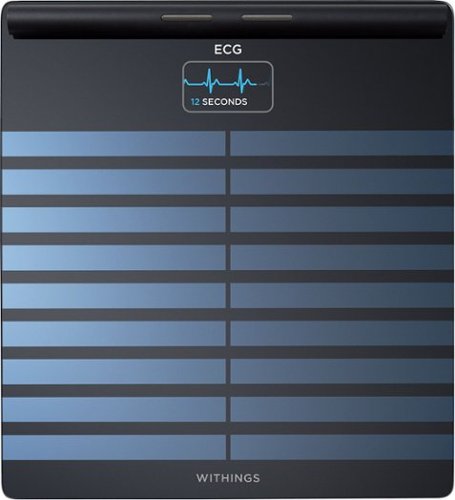
Experience a full health check-up at home, in just 90 seconds. Body Scan is the first connected health station of its kind. The integration of new technology supports breakthrough metrics like segmental body composition, which can precisely measure fat and muscle imbalances. It is also designed to identify changes in cardiovascular health, and it offers a variety of cardiovascular measurements at every weigh-in, including 6-Lead ECG, Vascular Age and standing heart rate. Body Scan can evaluate your sweat glands response to stimulation and unlock your EDA score, an insightful metric to better manage your health on a daily basis. Embrace the Withings Scale Experience, and seamlessly make better health part of your daily life. Body Scan features a 12-month battery life, a high-resolution color screen, and automatic tracking for multiple users. Plus, explore dedicated modes for pregnancy*, babies* and athletes. Enjoy Wi-Fi or Bluetooth connectivity and sync all your health data directly to our highly-rated app. View trends, progress, and daily inspiration for long-term improvement. Thanks to best-in-class data privacy standards, your data is always secure.*ECG is not intended for use for pregnant women and babies*
Customer Rating
5
One of My Favorite Devices. Period.
on October 16, 2023
Posted by: Jturn
The Withings Body Scan has quickly become one of my favorite pieces of tech that I own (and I own a lot). It combines ease of use with health information that is, to my knowledge, completely unmatched in the consumer space. Anyone that has concerns about your cardiovascular health (or your health in general), I HIGHLY recommend you consider adding the Body Scan to your health routine.
I'll start with the cons. I have very, very few; in fact, the only one I can think of is that the ECG functionality took a while to reliably kick in, and the process was slightly confusing. The app is very clear that before you'll get regular ECG readings, your first reading needs to be evaluated. From what I could tell, there's nothing in the way of information around who (or what, since this could be algorithmically evaluated) is doing the evaluation. Secondly, the period of time while you're waiting for the evaluation to complete, and thus for the ECG feature to be fully enabled, is not well defined. You have to just wait. This is the totality of things that I can view as a con with the Body Scan.
The list of positives is long, but can be summed up into a single sentiment. The Body Scan is an incredibly comprehensive device that gives you a wealth of health information in return for virtually zero effort. It simply just does its thing and works flawlessly in my experience thus far. My favorite aspects of it, though, are the thorough ECG readings, the cardiovascular age estimation, and the body composition statistics. These three measurements in particular work in tandem to give you a much more holistic health viewpoint than any other consumer level health tracking device. The 6 point ECG measurements, in particular, frankly blew me away. When I showed the output to one of my friends that works in healthcare, he was also impressed, saying "wow, that's a more comprehensive reading than what we use in the ICU." That's a pretty big complement. Finally, the fact that the scale can be used wirelessly with a seemingly phenomenal battery life really makes this a completely flexible addition to any home.
I'll quickly mention the Withings+ subscription service. It seems to be customary these days for expensive health tracking devices to be saddled with monthly/yearly subscriptions. However, while Withings does have a subscription service in Withings+, I've found that it in no way hinders the value of the Body Scan. All the essential information is included without a premium subscription. I commend Withings for bucking the industry trend of locking valuable information behind a paywall. I hope this will be the case always.
Assuming these measurements are scientifically sound (which I have no reason to believe they aren't), this scale truly does revolutionize home/consumer health tracking. I can't say enough how much this thing has reframed my understanding and perspective of my own health. As someone with cardio issues in my bloodline, the Body Scan has become an essential fixture in my day-to-day routine. As someone that also owns a Withings Sleep tracking mat (which integrates beautifully along side the Body Scan in the Withings app), I feel like I finally have a truly comprehensive understanding of my overall health. If you are considering the Body Scan, I can't highly recommend it enough.
I would recommend this to a friend!
Share this review:


+1point
2of 3voted this as helpful.
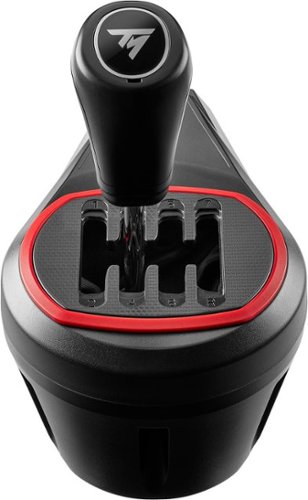
Push your gears to the red line with TH8S Shifter Add-On: the sim racing shifter for next-level racing immersion sensations. TH8S Shifter Add-On features an "H"-pattern shift plate with 7 gears plus reverse gear, with direct gear shifting, allowing it to adapt to all types of games and vehicles with manual shifting (rally, trucks, GT, NASCAR). The 1.6"/4 cm metal shift lever and its ergonomic "sport-style" shift knob ensure responsiveness and precision for clean gear shifting. The frictionless H.E.A.R.T technology derived from Thrustmaster's high-end shifter, TH8A Shifter Add-On, ensures the same extreme level of precision throughout the product's lifespan. TH8S Shifter Add-On is compatible on PC with all racing wheels, and compatible on PS5, PS4, Xbox One and Xbox Series X|S with Thrustmaster Force Feedback racing wheel bases.
Customer Rating
4
Great Add-on For Additional Sim Realism
on October 16, 2023
Posted by: Jturn
The TH8S is a solid accessory, giving you an additional level of sim "realism" beyond what most racing wheels give you out of the box. It works well and is easy to setup; I'm just not sure if it's essential, at least for me.
I'm using the TH8S as an add-on to my Thrustmaster 248 with my gaming PC. Setup was very simple (the shifter was immediately recognized) and felt like a natural extension to the already great 248. My main racing gaming these days consists of playing Forza, and in that regard, the shifter was an excellent add-on. Again, zero issues getting it up and running and it feels made for not only the game but the wheel. It does a single thing, and it does it very well which is exactly what you want from a shifter add-on. I haven't tried it in a wide range of racing sims, beyond Forza, WRC 10, and Dirt. Across those titles, I've had zero issues; everything was recognized immediately and settings required very little (if any) tweaking to get things running perfectly.
There's not a lot to dislike about this thing. Build quality is what I'd describe as "so-so". Not the highest quality, but given the price, it's about exactly in line with what I was expecting. It does add a considerable bulk to your setup, so if you're cramped for space, a shifter might not be the best option. Otherwise, as said, not a lot to dislike about it.
All told, this add-on does exactly what you want it to do; it adds a level of realism that greatly enhances the "sim" aspect to racing games and comes at very little cost. Whether it's essential to your setup comes down to whether you feel you need the extra big of realism. If you do, I'd strongly consider the TH8S.
I would recommend this to a friend!
Share this review:


+1point
1of 1voted this as helpful.
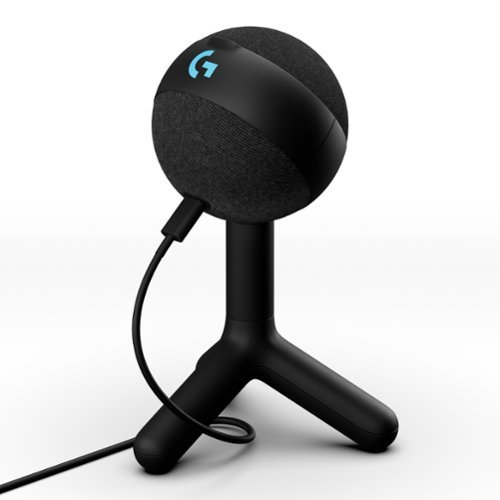
Logitech G Yeti Orb is a premium RGB gaming microphone with LIGHTSYNC that delivers best-in-class audio performance and ease of use. With LIGHTSYNC RGB and a condenser capsule optimized for game streaming, plus Blue VO!CE presets, Yeti Orb is the easiest way to game with clear, focused audio. Just plug in via USB and you~re ready to join the voice chat, stream, and create video content with a massive jump in your vocal quality ~ instantly. Control your whole setup at once with G HUB. It~s that easy.
Customer Rating
5
Great Audio Quality in a Convenient Package
on October 3, 2023
Posted by: Jturn
The Yeti Orb is a solid desktop mic that can easily upgrade your recordings, whether you're a gaming streamer, a music enthusiast, or just a home user looking to upgrade from a mediocre headset mic. It's an easy to use product that can really boost your audio capture.
Setup was as simple as you'd expect from a Logitech product. It's basically plug and play. If you fancy the included mic stand, you can be up and running under a minute. For those looking for more flexibility, the mic has a standard mounting hole on the bottom (great for those looking to use a boom stand or otherwise).
As mentioned above, sound quality of this mic is unexpectedly good. Out of the box, the sound profile has been great. Of particular note, the mic was great at filtering out background noises and specifically, I had zero issues with keyboard noise coming through on recordings/streams. I have a fairly loud mechanical keyboard that's been notoriously an issue for almost every headset I've tried, but the Orb has done great with this. Beyond gaming, though, the mic also sounds great in the capacity of recording vocals and acoustic guitars as well. I do some home recording, and also write music, and the Orb has been a total game changer in terms of capturing new ideas I come up with for songs. Being a condenser mic, it's a natural fit for recording acoustic instruments, and this one does it well. I don't necessarily get studio-level recordings with it (and no one should expect that), but again, it's great for anyone that's laying down scratch recordings or that's live streaming their musicianship.
I've been very happy with the Orb. It's been a great quality of life upgrade for me, as an amateur gamer and also as a hobbyist musician. Anyone looking for an easy to use vocal/recording upgrade should consider this one.
I would recommend this to a friend!
Share this review:


0points
0of 0voted this as helpful.
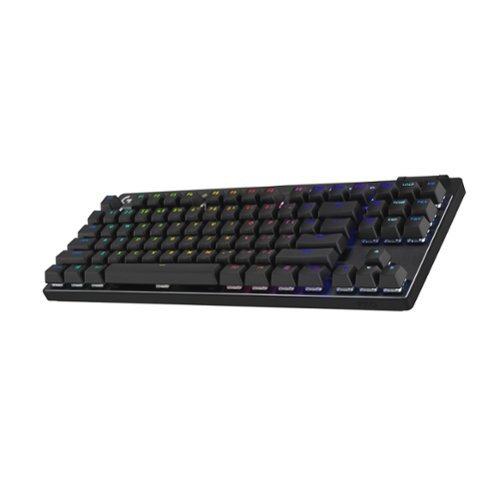
PRO X TKL is the next generation of the Logitech G PRO keyboard. It was designed in collaboration with the world~s best esports players~and engineered to win. PRO X TKL helps players eliminate every barrier between them and the win with the speed and reliability of LIGHTSPEED wireless technology and a sleek, tenkeyless design. It~s been battle-tested, pro-approved, and built to win championships at the highest levels of competition.
Customer Rating
5
Stellar Wireless Performance
on September 21, 2023
Posted by: Jturn
The Pro X TKL is my first foray into the world of wireless keyboards. I've been on wireless mice since the Logitech mx1000 back in the mid 00s which was game changing, but never saw the utility in getting a wireless keyboard. Given the performance and feature set of the Pro X TKL, I've changed my tune a bit.
Performance of this board is stellar. Latency is basically zero, so there's no discernible difference compared to wired that I can feel. Key registration feels instant; again no issues with latency or polling frequency, etc. Admittedly, the keys do feel a bit stiff for my tastes, likely owing to the gx browns on tap here. My daily driver for the past two years has been a Steelseries Apex Pro, which has completely different feeling optical keys. This isn't necessarily worse, just different. Given that I use my keyboards during my day job as a developer, the slightly increased key stroke weight helps with avoiding accidental key strokes.
Features, as with nearly any gaming Logitech board you can buy, are abundant. Lighting options are nearly endless, with full customization abilities coming by way of the G Hub app. The GX brown switches are a great mixture of blue and red style switches; they sit in the middle in the they offer a bit of a tactile bump but retain mostly silent operation. Sitting above the keys are the awesome PBT dual shot key caps. Finally, one of my absolute favorite features of this keyboard is the included case. This keyboard is the ultimate on-the-go LAN party companion, and having the carrying case makes it that much easier to lug around.
Overall, this feels like the king of wireless keyboards, given the feature set and performance. Key stiffness aside, the checks almost all the boxes for what a gaming keyboard should be. Highly recommended!
I would recommend this to a friend!
Share this review:


0points
0of 0voted this as helpful.
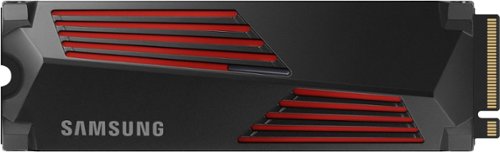
Designed for tech enthusiasts, hardcore gamers and heavy-workload professionals who want blazing fast speed. The integrated heatsink disperses heat to maintain speed, power, efficiency and thermal control, preventing downtime overheating on consoles and PCs. For console gaming, compatible only with PlayStation 5. Sequential read/write speeds up to 7,450/6,900 MB/s
Customer Rating
5
The Absolute Pinnacle of Gen 4 Performance
on July 29, 2023
Posted by: Jturn
Samsung drives have consistently had the reputation for being among the highest performing nvme drives on the market; their 980 pro was for the longest time the best of the best. The 980 pro has long been eclipsed by the introduction of PCIe gen 5 drives (albeit at generally eye watering prices). However, the 980 pro has also been eclipsed by another gen 4 drive; enter the 990 pro.
While the 990 pro was designed to be used in a PS5, I'm using it in my primary gaming PC, powered by an AMD 5900x, on an Asus Dark Hero motherboard. The board has only two native gen 4 nvme slots, but I'm running an additional nvme via a PCIe expansion card as well. Currently I'm running a 1tb 980 pro, a 2 tb WD black sn850, and now this 2tb 990 pro. My main work flows include gaming, video and audio production, and 4k video editing.
To test out the new drive, I ran some synthetic tests using CrystalDiskMark just to get some baselines. These tests confirmed that the 990 is mostly faster than the 980 (and sn850 as well). One interesting note here is that I was actually seeing slightly lower read speeds on the 990, but write and latency numbers were across the board improved by up to 20 percent. In my experience, this seems to align with real world performance. Exporting a 4k video clip upwards of 20gb saw me saving time on the order of minutes with the 990. Overall, if you're someone that does a lot of content creation, you'll like benefit from the 990s increase in performance.
Overall, the 990 pro continues Samsung's precedent of having some of the best drives on the market. Here, they've demonstrated an acumen for stretching the limits of an aging PCIe gen 4 protocol. Whether you're upgrading your aging pc or looking to boost your ps5, the 990 pro is a great option that unlocks the full potential of your hardware.
I would recommend this to a friend!
Share this review:


0points
0of 0voted this as helpful.
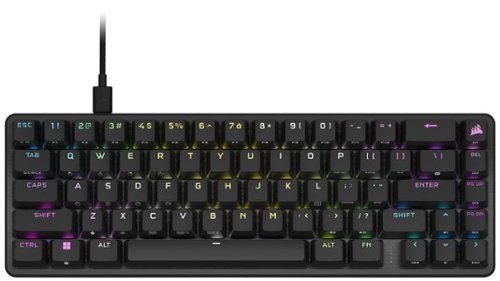
Pro-player performance comes in a space-saving 65% size with the K65 PRO MINI 65% optical gaming keyboard. Smooth, ultra-responsive linear CORSAIR OPX optical switches combine with extremely satisfying acoustics, engineered with two layers of dampening, for a gaming and typing experience that lets you focus on what really matters: the game. Outlast the competition as you type on tough PBT double-shot keycaps that won~t crack under pressure, and astonish opponents with AXON Hyper Processing Technology that plays complex RGB lighting layers and transmits keystrokes in an instant. With expansive secondary functions and onboard macro recording, the K65 PRO MINI equips you to always play with a purpose
Customer Rating
5
Premium Gaming Performance in a Small Package
on July 28, 2023
Posted by: Jturn
The K65 Pro Mini is all about economy of space, featuring a 65% keyboard layout that trims the fat while still giving you all the essentials. Combined with the usual wealth of Corsair features, this looks to be one of the best mini layout keyboards on the market.
I'll start by listing my favorite features of this board. There's a lot to like here, but these are the board's strongest points .
-The optical switches are absolutely phenomenal. They're quiet but provide a nice tactile feel for typing. Travel distance is EXCEPTIONALLY short, though. After about a week with the K65, I'm finally to the point where I don't randomly insert characters while trying.
-The lighting is what you'd expect from a Corsair keyboard. That is to say, top notch. The effects and color scenes are fully customizable in about every way you could imagine. One large plus to using iCue is that you can integrate with Hue lights. In my case, this has allowed me to tie lighting for my gaming rig with my entire office lighting. It's been nothing short of a game changer for me.
-This keyboard's fn function features are unexpectedly great. You have the usuals here to control lighting, etc. However, there are function buttons to mimic mouse input, for instance. I haven't specifically find a use for this yet, but it's nice to have the option.
-The lighting is what you'd expect from a Corsair keyboard. That is to say, top notch. The effects and color scenes are fully customizable in about every way you could imagine. One large plus to using iCue is that you can integrate with Hue lights. In my case, this has allowed me to tie lighting for my gaming rig with my entire office lighting. It's been nothing short of a game changer for me.
-This keyboard's fn function features are unexpectedly great. You have the usuals here to control lighting, etc. However, there are function buttons to mimic mouse input, for instance. I haven't specifically find a use for this yet, but it's nice to have the option.
There's very little to discuss here in terms of what I didn't like. The actuation point being ultra quick makes this keyboard a potential challenge for typing (or in my case software development) until you've had a chance to get a feel for it. This is one area that my prior keyboard, the steel series Apex pro, really knocked it out of the park with user adjustable actuation point.
Overall, I highly recommend this board. It strikes an amazing balance between feature sets and compact operation.
I would recommend this to a friend!
Share this review:


+2points
2of 2voted this as helpful.
Jturn's Review Comments
Jturn has not submitted comments on any reviews.
Jturn's Questions
Jturn has not submitted any questions.
Jturn's Answers
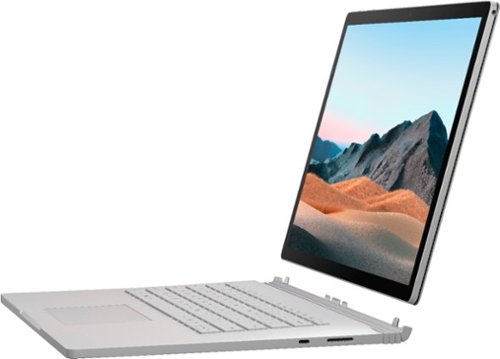
Performance meets versatility. From intensive video and graphics files to high-octane gaming, the most powerful Surface laptop yet combines speed, graphics, and long battery life with the versatility of a laptop, tablet, and portable studio. Tackle your biggest demands with quadcore powered 10th Gen Intel~ Core~ processors, blazing NVIDIA~ graphics, and high-resolution PixelSense~ Display designed for Surface Pen* and touch.
Is there an HDMI port?
Performance meets versatility. From intensive video and graphics files to high-octane gaming, the most powerful Surface laptop yet combines speed, graphics, and long battery life with the versatility of a laptop, tablet, and portable studio. Tackle your biggest demands with quadcore powered 10th Gen Intel~ Core~ processors, blazing NVIDIA~ graphics, and high-resolution PixelSense~ Display designed for Surface Pen* and touch.
Are there additional memory slots to increase RAM on the 15inch 16gb ram 256Gb storage, model?
No, there is no ability to upgrade the RAM or the hard drive on any of the Surface Books. What you buy is what you'll be stuck with.
5 years, 11 months ago
by
Jturn

Completely customize your Wi-Fi Smart Color Thermostat to match your lifestyle and decor. The ENERGY STAR~ certified smart thermostat lets you choose the temperature, schedule, display color and the devices you use to control it all.
Want to replace RTH230B with RTH9580WiFi. Wires connected:G, Y, W has(black wire), R(red wire), Rh(red wire). Also I see a white wire that is not connected to current rth230. How do I know which wire is used for the "c" terminal for the new rth9580WiFi?

Since they're not labeled at the thermostat terminal, you'll need to check at your furnace to see what's connected where. Having the extra wire is great, since you should be able to use that for your common.
8 years, 5 months ago
by
Jturn
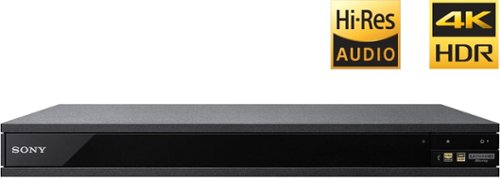
Experience immersive entertainment options with this Sony 4K Blu-ray player. Its Ultra HD resolution provides exceptionally detailed screen images with increased brightness and more realistic color, and its support of Dolby Atmos and DTS:X provides cinema-quality sound. This Sony 4K Blu-ray player supports high-resolution audio formats for more accurate music reproduction.
Does the on-screen display provide information on the video and audio bitrates? Does the display provide data on the audio output?
Yes. The Display button displays bit rate and format information for both audio and video.
9 years, 1 month ago
by
Jturn
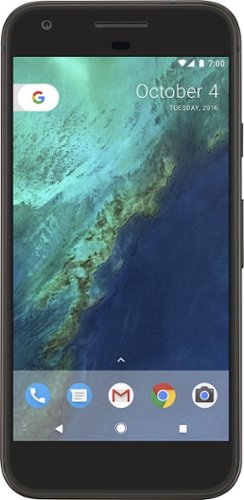
Bring the power of Google directly to your fingertips with the Google Pixel. A large 32GB of storage keep data secure, while unlimited cloud storage transfers data as needed, and it's completely automatic. The large 5-inch screen is protected by Corning Gorilla Glass 4 to ensure the Google Pixel remains scratch-free.
so i wanna get the pixel but with out getting a verizon contract how would i do so?
Your best option is probably to buy the phone directly from Google. The phone will come unlocked and will work as advertised with VZW and Project FI (meaning it should work well with Sprint and TMo).
9 years, 7 months ago
by
Jturn
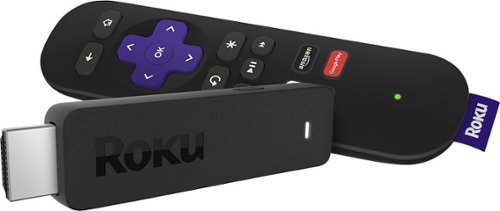
Enjoy HD programming with the Roku Streaming Stick. Plug it into any flat-screen television that has a built-in USB port to view streaming media. This device provides more than 4500 channels on demand and features more than 450,000 movies and TV episodes. Control the Roku Streaming Stick with the included remote or with your smartphone via the Roku Mobile App.
How can you connect the Roku to my theater Amplifier 5.1 sound system?
If your amplifier has an HDMI input, you'll need to plug the stick directly into the amplifier vs. plugging into your TV. The stick doesn't have any external audio outputs.
10 years ago
by
Jturn
Enjoy HD programming with the Roku Streaming Stick. Plug it into any flat-screen television that has a built-in USB port to view streaming media. This device provides more than 4500 channels on demand and features more than 450,000 movies and TV episodes. Control the Roku Streaming Stick with the included remote or with your smartphone via the Roku Mobile App.
The display shows it plugged into two places on the back of the tv. One is obviously the hdmi port, what is the other end plugged into?
Enjoy HD programming with the Roku Streaming Stick. Plug it into any flat-screen television that has a built-in USB port to view streaming media. This device provides more than 4500 channels on demand and features more than 450,000 movies and TV episodes. Control the Roku Streaming Stick with the included remote or with your smartphone via the Roku Mobile App.
Does the stick had profiles for different Netflix users?
Yes. It has the latest Netflix interface, meaning it has full support for profiles (unlike some of the older Roku devices).
10 years ago
by
Jturn
Enjoy HD programming with the Roku Streaming Stick. Plug it into any flat-screen television that has a built-in USB port to view streaming media. This device provides more than 4500 channels on demand and features more than 450,000 movies and TV episodes. Control the Roku Streaming Stick with the included remote or with your smartphone via the Roku Mobile App.
can I download google play store and down load free games like I have on my cell phone?
No. This device does not run Android. If you want the ability to side load apps, you'll need to look at either a Fire device or one of the hundreds of Android based streaming boxes available.
10 years ago
by
Jturn