


Jturn's stats
- Review count180
- Helpfulness votes202
- First reviewNovember 22, 2014
- Last reviewJune 11, 2026
- Featured reviews0
- Average rating4.1
Reviews comments
- Review comment count0
- Helpfulness votes0
- First review commentNone
- Last review commentNone
- Featured review comments0
Questions
- Question count0
- Helpfulness votes0
- First questionNone
- Last questionNone
- Featured questions0
- Answer count9
- Helpfulness votes4
- First answerJune 3, 2016
- Last answerJuly 9, 2020
- Featured answers0
- Best answers1

The Best Buy essentials 20W Wall Charging Kit is compatible with USB-C iPhones, Samsung smartphones, tablets and more. Keep all of your USB-C devices charged with up to 20 watts of power and an included USB-C cable means everything is ready to go right out of the box. This 2-pack gives you an extra wall charger and cable.
Posted by: Jturn
The BB Essentials charging kit is a solid, economical option for those looking for replacement chargers for their various devices. There's a ton of value here, featuring decent enough quality and TWO charging bricks and USB C cords in the box. Each brick includes both a USB C and A port, giving additional flexibility in usage. The only real downside here is that the chargers are on the low end for power delivery, pushing a max of 20 watts to your devices. What this means in real world usage is that, while it's ok for phones and devices with smaller batteries, this won't be sufficient for devices like laptops and more power hungry tablets. In my case, I use this primarily to charge my Pixel 8 Pro, which itself doesn't really support fast charging, so these power bricks are perfect in that case. I've found these to be great on the go, allowing me to charge my phone at night while keeping a baby monitor plugged in as well. Overall, these are a very good option for those looking for a budget friendly and flexible charging option that just works.
I would recommend this to a friend!
Share this review:


0points
0of 0voted this as helpful.
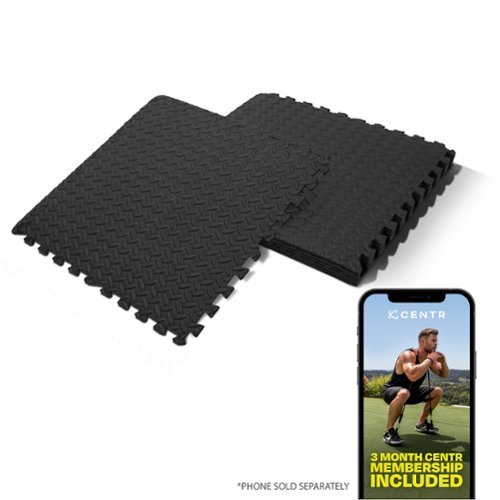
6-piece Gym Floor Mats ensure comfort and safety with an innovative interlocking system for a seamless finish and a slip-resistant, textured top grip surface, along with easy setup, hassle-free maintenance, and customizable options.
Customer Rating

5
Nice Mats For Work or Play
on July 7, 2024
Posted by: Jturn
The Centr Gym Flooring mats are a great addition to anyone's home gym setup, with solid layout flexibility and decent cushioning. They're also a nice option for parents looking to add some safety to their kid's play room setup.
The material used for these is familiar for anyone that's used these types of mats before; a firm foam with modest cushioning and very good grip. They're easy to clean and the "end caps" give you a lot of options in terms of layout. Of particular note, the connection points on these are superior to others I've used; the interlocking holes are not exactly symmetrical, but allow for an effortless link that feels instant. This set only includes 6, so options are limited, but purchasing multiple sets would give you a lot of options in terms of how these are laid out. Grip is pretty solid, giving you a steady foundation for workouts, and also a very good play surface for young children (which is primarily how I've been using them). Hardwood floors line our entire house, so having these around gives me the opportunity to use more of my spaces for more activities.
My only real complaint is that the set only includes 6 pieces; 9 would be better in my opinion. Overall, though, these are a great option for anyone looking to add some stability, traction, and cushion to a space in your home for working out. Or in my case, for my kids to have a safer area to play.
I would recommend this to a friend!
Share this review:


0points
0of 0voted this as helpful.

The most flexible laptop, reimagined ~ Surface Pro empowers your creativity and productivity with responsive performance designed for seamless multitasking, intuitive touchscreen, and built~in AI assistance through Copilot. Using the Windows ecosystem, it helps you work more efficiently across your apps and devices, with all~day battery life~. All wrapped up in an ultra~portable design, Pro adapts to the way you create, collaborate, and do more than you ever imagined.
Customer Rating

4
The Future is (Almost...) Now
on July 4, 2024
Posted by: Jturn
The new Surface Pro with Copilot+ is one of the more exciting new Windows devices to launch in recent memory. Sporting all new Snapdragon powered internals, with a knockout OLED screen and class best battery life, this finally feels like the tablet that can truly bridge the divide between tablet and laptop. That said, the experience not without hiccups.
Fit and finish on this tablet are frankly second to none. It emanates quality, featuring an incredible display, uniquely rich color, and a rock solid hinge mechanism. It has an assured weight, owing to its (presumably) aluminum chassis. Ports are a bit lacking, with only 2 USB C ports on the left and the single power port on the right. Notably lacking are a headphone port (which, in truth, is becoming somewhat passe in 2024) and additional USB ports which could be quite useful for those using the Surface Pro in professional capacity.
Speaking of usage... I'm both blown away and slightly underwhelmed by the performance. In general, the device is lightning quick. The best way I can describe it is that most of the time, it feels like a phone, which is to say that it feels incredibly responsive with infrequent slow downs. However, it's not quite there; actions like three finger pinches on the touchscreen, or especially three finger swipes on the touchpad of the optional Pro keyboard attachment feel VERY laggy. These lag instances are made all the more obvious by how fluid the rest of the experience is overall. It's a bit of a disappointment, but overall the performance here feels ALMOST top notch a lot of the time, and I feel this is likely an area that will continue to improve as the Snapdragon X platform matures. At least, I hope it does.
I've had zero problems with apps being able to run correctly, which is frankly amazing given where Windows was just a few short years ago in terms of emulation ability for ARM based processors. Brief trials of Adobe based products (Premier and Photoshop) both ran exceptionally well in my limited experience. Very brief testing with Reaper, which has no native Windows based ARM support currently, also seemed to work correctly. Again, this is a marked improvement over previous iterations of ARM based systems on Windows. Overall, it's highly impressive, and points to a concerted effort to make this a class leading device that can do it all. Almost. All that said, don't expect to do any type of serious gaming on this thing. Given the device type, you shouldn't anyways, but the additional emulation layer required to run a lot of games at current time means anything fast paced is likely out of the question. This, as with a lot of things here, will likely to improve in the coming months, though, as platform support for the Snapdragon X chips expands across the industry.
The elephant in the room here, besides of course the shiny new Snapdragon X Elite processor, is the inclusion of what Microsoft has branded "Copilot+ PC". This aims to integrate a series of AI features directly into the OS, giving you quick access to tools that should help your day to day workflow. My primary usage of this was to invoke Copilot using dedicated Copilot button on the keyboard to assist in software development tasks. Powered by a combo of GPT-4 and Bing Search, Copilot is as useful as you'd expect at tasks. Overall, this is a nicely streamlined experience for those that utilize Chat GPT on a regular basis, and the inclusion of GPT-4 without an OpenAI premium sub is a really nice bonus. The other main AI feature I've tried in my short time with the Surface Pro laptop is the "Cocreator" function in MS Paint. Yes, that MS Paint, that long ago was relegated to intentionally awful "photoshops". Now, with a Surface Pen and Cocreator, you can create legitimately solid pictures. Or at least that's the sales pitch. My personal experience with this has been underwhelming, personally. Great idea, less than great implementation.
Finally, I'll mention battery life. Put simply, it's stellar. Compared to other Windows laptops I've had (including a Surface Book Pro 3), this Surface Pro tablet is heads and shoulders above all of them. I'm routinely going days without charging on moderate usage. This finally feels like what we should be expecting out of our devices; multiple days of battery life without sacrificing performance.
Overall, I really enjoy using the Surface Pro tablet. As mentioned earlier, this is the first device that I've used that truly feels like it's bridging the gap between tablet and laptop/PC. This iteration of ARM on Windows is in its infancy, but already, the makings are there of something great. This feels like the future for all but the most demanding workflows (like gaming), and likely will continue to amass market share in the coming months and years. Finally, Microsoft has spent some capital on trying to make evolve their ecosystem and finally, it feels like they're on their way to doing it. Nagging performance issues aside, this device is a joy to use in a number of scenarios, and will likely become my primary device for travel, work, and leisure.
I would recommend this to a friend!



Share this review:


+1point
1of 1voted this as helpful.
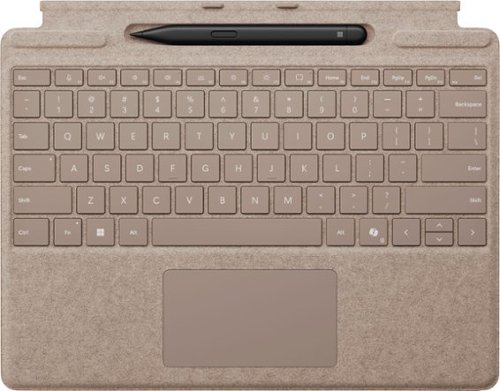
Next-level versatility comes in the perfect pair ~ Surface Slim Pen (2nd Edition) stores securely and recharges in the premium keyboard, featuring a large glass touchpad and luxurious, Alcantara material covering. Ready to pair with Surface Pro (11th Edition), Surface Pro 9 and Surface Pro 8.*
Customer Rating
4
Solid Addition to the Surface Tablet
on July 2, 2024
Posted by: Jturn
This Surface Slim Pen and Pro Keyboard combo are a great addition to a killer tablet. They up the level of productivity significantly, offering a great typing experience, very adequate and reliable touchpad, and a nice pen into a well package design. While the new Surface Pro Flex keyboard steals the show because of its wireless capabilities, this setup is a nice alternative for less money.
Typing on the Pro Keyboard is a very comfortable and hassle-free experience. The keys have a measured amount of travel, surprisingly so given the incredibly slim nature of it. Typing long passages isn't an issue (I'm typing this review on it currently). It's also backlit, and the palm rest is comfortably textured, providing an overall great experience that is certainly not a given for this form factor. Similarly, the touchpad is definitely solid. It's not very large, which is really the only knock I have against it. This is also in contract to the Flex, which utilizes the real estate at hand a bit more effectively. Other than the size, functionality is absolutely everything you'd expect from a Windows trackpad in 2024; responsive, with adequate tactile feedback and great gesture support.
The Slim Pen, the other half of this combo, is also a great performer. Arguably the best part about this product is how they've designed the keyboard to stow the pen away. I frankly love the design of this; magnets on either side that allow the keyboard to "snap" into a higher stance, completely hiding the pen away. The pen, though, is regardless a worthy accessory. Responsiveness on the screen is great (up there with the best devices I've used), which lends itself to feeling pretty close to legitimately writing on a physical medium. The two buttons are effective; the side button allowing for right "clicks", and the top button serving dual functions allowing you to launch an app with a press or erase contents with a swipe on the screen. Tracking is slightly jerky at times, but overall, this finally feels like a cohesive pen experience out of a Surface device.
Honestly, the price is a bit steep. However, if you can get past that, this is a near-essential accessory combo for your new Surface laptop. The decision of whether to get the Pro or Pro Flex combo comes down to your need for a truly wireless keyboard. For me, it's more of a nice to have. The overall design and usability of the Pro Keyboard and Slim Pen make them a great option.
I would recommend this to a friend!
Share this review:


0points
0of 0voted this as helpful.

The wired floodlight security camera offers continuous 24/7 surveillance, even in complete darkness. Its ultra-bright 2800 lumen floodlights, wide 270 degree motion-activated zones, and 2K QHD live video clarity ensure peace of mind and effectively deter intruders. With smart AI technology, you'll receive only relevant alerts, as it can differentiate between people, pets, and vehicles, eliminating false alarms and unnecessary notifications.
Customer Rating
5
Easy Install, Decent App, Great Flexibility
on June 24, 2024
Posted by: Jturn
This TP Link floodlight cam is a great option for anyone looking to add a bit of surveillance and security to their property. While still requiring a power line, this set allows for some pretty nice flexibility of setup.
Installation was straight forward using the included components and instructions. They have hardware for both a junction box install and for a non junction box install (either direct wire or net new installation). It comes with a template for those needing to drill new holes, and overall, I found the installation procedure to be really easy overall.
Linking up with the app was more or less straightforward, but it did require that I put my phone into airplane mode before it would connect to the unit's built in Wi-Fi. After that, setup was quick and easy. The app, overall is ok. Not the best interface, but it gets the job done. At this point is where the consumer is faced with a big decision: onboard/local video storage using an SD card, or cloud based storage using a paid subscription. The fact that they allow you to use your own storage is a great usability feature. Most camera products these days are nothing more than devices to push a subscription service. I appreciate the fact that that's not the case here. While the subscription is far from required, it does add a few nice features to the camera for those looking for the added convenience of loud based storage.
Overall, this device works great as both a security cam and as a motion floodlight. Video quality is pretty solid (definitely not the best, definitely not the worst), and the motion activation features and object identification all seem to work as expected. The only issue I have with it is that it tends to alert on motion when trees sway in the wind. It would be nice to have a filter for tree/landscape motion, but otherwise, this has been a great unit. Highly recommended for those looking for this type of device.
Overall
Overall
I would recommend this to a friend!
Share this review:


0points
0of 0voted this as helpful.
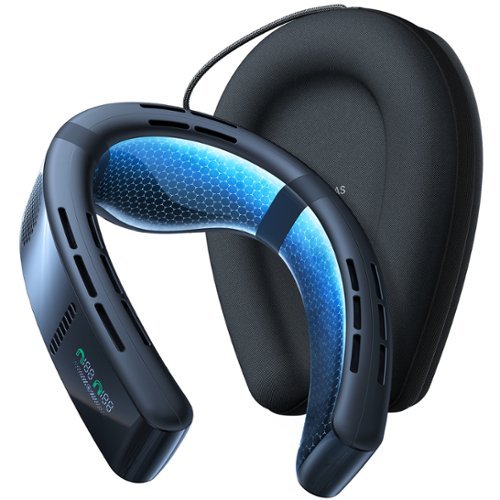
Introducing COOLiFY Cyber, the ultimate personal air conditioner that is different from conventional neck fans and engineered to deliver a customized and comfortable climate experience beyond compare. With powerful cooling performance and pioneering features, COOLiFY Cyber sets the benchmark for the next era of personal neck air conditioners. Powered by the algorithm-driven KU 3.0 chip, state-of-the-art Coology system, and graphene heat dissipation technology, COOLiFY Cyber swiftly envelops you in refreshing coolness, accompanied by customizable airflow and modes (Cool/Fan/Heat) ensuring tailored comfort regardless of the temperature. The compact, lightweight, and adjustable design allows you to move your head without restriction, making it ideal for various outdoor activities like golfing.
Customer Rating
5
Effective Personal Temperature Control
on May 4, 2024
Posted by: Jturn
The Coolify Cyber is a great option for those looking for a personal temp control device, providing unexpectedly effective cooling and heating effects to help keep you comfortable.
If used this device in two capacities: while working out and while gaming. I'm both instances, the cooling impact has been great. While going on a run, it helps to greatly reduce my propensity to overheat. It's not to the same effect as having a large fan blowing at my while running on a treadmill, but it's great none the less. Same story for gaming, where at times, I can get quite warm because of the PC in my room that's exhausting molten lava temp air. The Coolify Cyber helps immensely in that scenario, and helps regulate my temperature. One scenario I haven't used this in, but definitely plan to is while flying. I frequently suffer from overheating on planes. This is a situation where the Coolify Cyber will be the perfect flight companion.
A few notes on usability... First, it's not necessarily the most comfortable device to use at first. The horseshoe shaped design cinches fairly snuggly around your neck (to give you the greatest cooling impact). While it does flex, it still is a bit tight until you get used to the sensation. Next, I haven't been able to find what, if any, IP rating this device has. My main concern is that, while this is basically the perfect workout companion for those who run hot, I'm a bit concerned that sweat may adversely impact it over time. Finally, battery life is just ok, not great. While using the cooling setting on low, I feel like it'll last a couple hours before needing a recharge. Given the tech, it's not surprising, but could also be a nuisance for those looking to use this for things like yard or flights.
Overall, I'm very happy with the Coolify Cyber. The temperature effects are unexpectedly potent, helping regulate body temps in a number of key situations. If you're in the market, consider this a strong option.
I would recommend this to a friend!
Share this review:


0points
0of 0voted this as helpful.
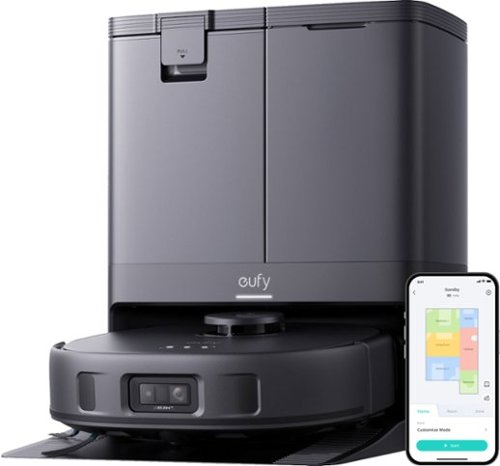
The World's First MopMaster with 8,000 Pa Powerful Vacuum. Forget Mopping, Go Hands-Free.
Customer Rating
4
Great Performance and Features
on March 29, 2024
Posted by: Jturn
The Eufy X10 Pro Omni is a great robotic automated cleaning solution for anyone that struggles to keep up with daily cleaning (which is likely many people these days). Being a parent working full time, robotic vacuums have been a savior for my household's cleaning routine, and the X10 Pro Omni has been a huge upgrade over my previous robotic vacuum since it adds a hugely useful mopping function. Overall, I feel like the X10 Pro Omni strikes a nice balance of features, performance, and price and while it's not without downsides, it's a very nice option for those considering this type of product.
The docking station is the star of the show. Traditionally, having to manually empty and clean robotic vacuums has been their main downfall. While automated cleaning is always a welcome nicety, having to constant "service" them can become tedious. This unit solves that issue by automating portions of this maintenance. One highly underrated feature of the dust bin is the fact that they've put filter on it. This for me is crucial since the cleaning/emptying cycle has potential to release a lot of contaminants into the air. Eufy claims the filter can trap particles down to .3 microns, which technically would put it on HEPA filter level, but it seems they're not calling it a HEPA filter. Either way, it's a great feature. Along with automated dust emptying, the base also holds the water for the mopping function. The mop is function for about 20 minutes, at which point, it returns to the base to top up on water, and then continues on. This works surprisingly well in my experience and makes the whole operation seamless. Additionally, the base dries the mop pads once the cleaning operation is done. This is also a hugely underrated feature, given it takes all the manual work out of the picture for the most part. Overall, maintenance tasks are down to about once per week, which is a HUGE benefit for me.
Vacuum performance here is very good. It seems to do a better job cleaning carpets than my previous vacuums, and seemingly deals with pet hair pretty well. It has a "comb" of sorts that helps keep tangles to a minimum, and in my testing in a house with a long haired cat, I found this to work very well. Previous robotic vacuums I've had required pretty regular brush head cleaning to clear tangled hair. Not really so with this one, which is a huge bonus. Additionally, the vac has "AI" object avoidance on board. While this has mostly worked well, there have been times where it was unable to avoid fabric obstacles, leading to some major jams that needed manual intervention to clear. Overall, I'm happy with the job the vacuum does in terms of suction power and obstacle avoidance, but it's definitely not perfect.
The mopping function here is surprisingly good. This largely is owing to the fact that the mop heads not only spin laterally, but also apply a supposed 2+ lbs of downward force. As a parent, this has been exceptional, cleaning a majority of food messes without us having to think about it. Spills and stuck, dried on food on our wood floors has been a non-issue for the X10 Pro Omni. Finally, likely the best feature of the entire package is the fact that the unit raises the mops up while traversing over carpet. This helps to keep moisture in places it shouldn't be to a minimum.
The final aspect of the X10 Pro Omni worth mentioning is the accompanying app. I initially had some issues getting everything hooked up, but after some troubleshooting was eventually able to get it working. Once hooked up, the app gives you access to a number of features, including the scheduling and mapping functions. Overall, the app is a nice addition. Those worried about cybersecurity (which should be everyone in 2024), you may consider whether the app is worth the convenience. Eufy is quick to tout their security claims about camera footage and general information not being shared back with their servers, but it's honestly quite difficult to trust this these days. Personally, I've decided not use the app and keep the unit offline.
Overall, this is a really well thought out product. The features on tap here make this unit stand out given the price point, and it has the cleaning performance to back this up. As mentioned previously, I'm a parent with small children, making finding consistent time to clean difficult. The X10 Pro Omni has come along to save the day, giving me a consistent cleaning routine that requires very minimal intervention and keeps our floor tidy. If you're in the market, consider the Eufy as a great lower price option.
I would recommend this to a friend!
Share this review:


0points
0of 0voted this as helpful.
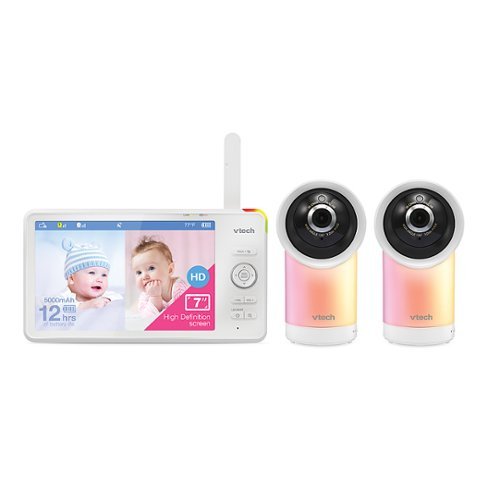
Watch over your little one at home on the 7-inch, 720p High-Definition LCD Parent Unit Display or remotely on your smartphone with the VTech 2 Camera RM7766-2HD Smart WiFi video baby monitor. View rooms from top to bottom with the 100-degree vertical tilt angle and from side to side with the 360-degree horizontal pan capability. Enhance your baby~s sleep environment with a sound & light profile recommended by experts. Magnify details with the industry~s best 30x times zoom on the mobile app or 24 times on the viewerup to eight times and monitor room temperature and humidity levels directly from the Parent Unit Display. Plus, see your baby as clear as day, even in ultralow light, thanks to the automatic infrared Night Vision. Free professional in-app advice and videos provided by the experts at help assist in sleep and the growth and development of your baby.
Customer Rating

3
Good Features, Subpar Monitor Video Quality
on December 24, 2023
Posted by: Jturn
This VTech baby monitor packs a ton of features in, giving you a lot of flexibility and options. Unfortunately, I feel like it's let down by the basics, though.
I'll start with the features... there are a lot here. You get two cameras, both of which have two way audio, Internet connectivity, built in sound machines and night lights, mated to a gigantic 7 inch screen. Along with all that, the cams have a huge range of motion, rotating a total of 360 degrees (basically 180 in both directions to get 360), and a pretty significant vertical range of motion as well. Honestly, all these aspects of the cams works very well, and given the inclusion of both a respectable sound machine and a feature packed night light, along with wifi connectivity for remote reviewing, you could make the case for device consolidation here. Previously, we'd have two cameras set up (a wifi enabled cam for video history and convenience, and a backup dumb 2.4ghz cam for when the Internet goes out), on top of a sound machine/night light combo. These cams could conceivably replace all 3 of those. However, issues with some of the basic functionality keep me from truly switching to these full time.
Here are my biggest issues with the VTech cam set. First, they all connect to power with antiquated barrel plugs, including the screen. This is problematic in real world usage for me for two reasons: it's just another power cord to have to lug around when we travel, and if we ever lose or damage the cords, the units are rendered useless. Every other baby cam we've owned (4 in total) used at a minimum micro USB, if not USB C for power connections.
Second, while the screen is nice and big, it doesn't work all that well. It's VERY slow to load from powered off state, the video quality is not very good, and using split screen causes considerable lag in the video of both feeds. These issues are problematic for anyone like me that doesn't necessarily want to use the network connected features for the sake of security, and will rely solely on the 2.4ghz local video feed. Also of note you cannot set the time on the screen without connecting it to the app on your phone, which again is problematic if you don't want to do that. It's a bit confusing why the video quality isn't very good given that the connected video quality is actually quite good. I understand that non connected wireless video has certain limitations, but even compared to others, this one is considerably more compressed and worse looking overall.
Second, while the screen is nice and big, it doesn't work all that well. It's VERY slow to load from powered off state, the video quality is not very good, and using split screen causes considerable lag in the video of both feeds. These issues are problematic for anyone like me that doesn't necessarily want to use the network connected features for the sake of security, and will rely solely on the 2.4ghz local video feed. Also of note you cannot set the time on the screen without connecting it to the app on your phone, which again is problematic if you don't want to do that. It's a bit confusing why the video quality isn't very good given that the connected video quality is actually quite good. I understand that non connected wireless video has certain limitations, but even compared to others, this one is considerably more compressed and worse looking overall.
One final note I'll mention here is that the cameras have zero annoying lights on them. They have the aforementioned nightlights that are highly customizable, but that's it. Anyone that's bought other baby cameras, only to be completely baffled by an annoyingly bright lights (or lights) that can't be disables knows just how great this is to not have to contend with. Virtually every other camera I've used, I've had to retro fit with a ridiculous looking layer of black electrical tape just to make sure the room is as dark as we want it.
Overall, this setup is very close to being the best, but is let down by some if the basic features that should work well but don't. However, if you're looking for a jack of all trades type camera that could consolidate multiple devices into one, the VTech cams are still worth a consideration.
I would recommend this to a friend!
Share this review:


0points
0of 0voted this as helpful.
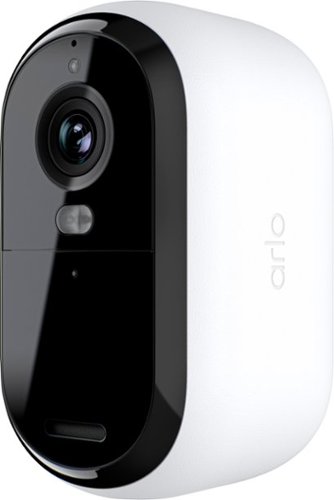
The Essential Outdoor Camera (2nd Generation) delivers sharp 2K resolution for exceptional smart home security. It lets you zoom in 12x to capture details like license plates and eye color. You~ll stay informed with instant alerts and live video streaming straight to your smart device. Deter intruders using the Integrated Spotlight or activate Integrated Siren manually or automatically through the Arlo Secure App. Color Night Vision ensures clear visibility even in low light while noise-canceling audio lets you communicate with visitors effortlessly. Setup takes just minutes by connecting directly to Wi-Fi. The rechargeable battery and weather-resistant design provide reliable performance. A 30-day trial of the Arlo Secure plan is included. After trial, a paid plan is required to keep premium features like 60-day video cloud storage, advanced detection, 24/7 Emergency Response, and more.
Customer Rating
4
Impressive Picture Quality and Total Flexibility
on December 7, 2023
Posted by: Jturn
The Arlo Essential Outdoor Cam is a solid camera, with complete wireless flexibility and good picture quality. Other than some issues getting the camera connected to my network, I've had a good experience with it and would recommend anyone seeking this type of camera give this one a look.
Setup was unfortunately not straight forward for me. Upon downloading the app and firing up the camera, I was greeted with an error saying that the camera was unable to connect to my network. I have an Asus ET12 mesh network, and I've had zero issues getting other devices connected, so I was a bit puzzled. Thankfully, Arlo's support team was very responsive and willing to help. Eventually, I was able to get the cam connected and it was smooth sailing from there.
Picture quality with this cam is very good. I have some experience with other cameras from Nest, Simplisafe, and Logitech, and of the lot, the Arlo looks the sharpest to my eye in daylight, owed to the fact that this one an shoot in 2k. Night shots look about as expected as well, though this does have a feature none of my other cameras has; color night sight. I personally choose to leave it in infrared based night vision, but it's nice to have the option.
As with all of these types of cameras, it's worth a caveat in terms of usability; if you want to unlock the full power of this cam, you'll need to pay up for a subscription. While live viewing works, along with some other base level features like push notifications, if you want to unlock full usability, you'll be on the hook for a sub. Doing so will unlock a number of features in the app, including 30 days history/events, more intelligent activity detection and alerts, activity zones, etc.
Overall, this cam has a lot of features, provided you decide to add a subscription. It marries these features with complete flexibility and impressive picture quality to provide one of the best camera options out there.
I would recommend this to a friend!
Share this review:


0points
0of 0voted this as helpful.

Receive gorgeous close-up photos of your birds whenever they visit! Bird Buddy is an AI-powered camera feeder that attracts local birds, capturing intimate photos and videos while they feed. The user-friendly companion app notifies you of new visitors with photo postcards, identifies the species, and offers fun facts about that species to enrich your understanding of your feathered friends. Plus, the detachable solar roof harnesses the power of the sun for longer photoshoots with your wildlife.
Customer Rating
3
Inconsistent but Decent Option For Birdwatchers
on November 15, 2023
Posted by: Jturn
The Bird Buddy is a nice, self-sufficient device that takes bird watching to a whole new level. Ease of setup, ease of use, and completely wireless operation make this a completely self contained and flexible unit. However, there are a few downsides which hamper my enjoyment of this otherwise solid device.
Setup was simplistic. The Bird Buddy app helps guide through the process of setup and placement. While you have a lot of flexibility to place the feeder where you desire, you do need to place it within reach of a good Wifi signal. After precharging the camera, I was able to get up in running in a matter of minutes.
Using the app is somewhat a mixed bag for me. Their decision to layout the app in the way they have, giving it a bit of a gamification feel, is an interesting choice. It's not the most intuitive, and when you have a lot of "postcards" (which is what they call new bird/wildlife sightings that have been captured), it can be tedious to go through them. In my particular instance, my first placement wasn't great, and allowed the back yard squirrels full access to the feeder. The amount of cards I had over a 5 hour period was substantial (all squirrel sightings), and going through to dismiss these took much longer than I'd have liked. However, once I got the unit placed in an area that was more difficult for squirrels to infiltrate, I was seeing birds I hadn't previously noticed in our yard. The identification process is also a bit of a mixed bag; I had several prompts asking ME what the bird in the postcard was, but when it was able to get a clear picture and automatically identify the birds, it was a slick experience. Overall, the app is ok, but it feels like this is an area they could improve on.
My main issue with this unit is that it seems to miss sightings. I purposefully placed the feeder in view of our main living space at home. Over the first few days, I had a number of sightings that went unreported in the app. This is unfortunate, since there's no history and no way to go back in time to take a look. For me personally, it's not the biggest deal; I'm ok with what the feeder gives me personally even though it's not everything. Those more serious about bird watching will likely be a bit disappointed, however. This again may be something that can be improved upon, but it's a bit of a let down none the less.
Areas for improvement aside, I honestly really like the Bird Buddy device. The fact that it's completely wireless is a big deal for me, allowing for major flexibility in placement. It's given me the ability to show my young kids a side of wild life that in most cases goes completely unnoticed. If nothing else, their enjoyment in seeing birds (cardinals and blue jays are their favorite) has given me joy, and a reason to keep this feeder in our yard. A few seemingly minor improvements could go a long way to turning this from a good device to a great one.
I would recommend this to a friend!
Share this review:


+3points
3of 3voted this as helpful.
Jturn's Review Comments
Jturn has not submitted comments on any reviews.
Jturn's Questions
Jturn has not submitted any questions.
Jturn's Answers
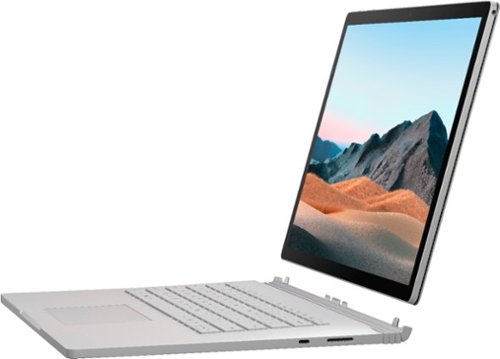
Performance meets versatility. From intensive video and graphics files to high-octane gaming, the most powerful Surface laptop yet combines speed, graphics, and long battery life with the versatility of a laptop, tablet, and portable studio. Tackle your biggest demands with quadcore powered 10th Gen Intel~ Core~ processors, blazing NVIDIA~ graphics, and high-resolution PixelSense~ Display designed for Surface Pen* and touch.
Is there an HDMI port?
Performance meets versatility. From intensive video and graphics files to high-octane gaming, the most powerful Surface laptop yet combines speed, graphics, and long battery life with the versatility of a laptop, tablet, and portable studio. Tackle your biggest demands with quadcore powered 10th Gen Intel~ Core~ processors, blazing NVIDIA~ graphics, and high-resolution PixelSense~ Display designed for Surface Pen* and touch.
Are there additional memory slots to increase RAM on the 15inch 16gb ram 256Gb storage, model?
No, there is no ability to upgrade the RAM or the hard drive on any of the Surface Books. What you buy is what you'll be stuck with.
5 years, 11 months ago
by
Jturn

Completely customize your Wi-Fi Smart Color Thermostat to match your lifestyle and decor. The ENERGY STAR~ certified smart thermostat lets you choose the temperature, schedule, display color and the devices you use to control it all.
Want to replace RTH230B with RTH9580WiFi. Wires connected:G, Y, W has(black wire), R(red wire), Rh(red wire). Also I see a white wire that is not connected to current rth230. How do I know which wire is used for the "c" terminal for the new rth9580WiFi?

Since they're not labeled at the thermostat terminal, you'll need to check at your furnace to see what's connected where. Having the extra wire is great, since you should be able to use that for your common.
8 years, 5 months ago
by
Jturn
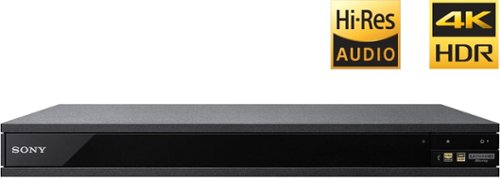
Experience immersive entertainment options with this Sony 4K Blu-ray player. Its Ultra HD resolution provides exceptionally detailed screen images with increased brightness and more realistic color, and its support of Dolby Atmos and DTS:X provides cinema-quality sound. This Sony 4K Blu-ray player supports high-resolution audio formats for more accurate music reproduction.
Does the on-screen display provide information on the video and audio bitrates? Does the display provide data on the audio output?
Yes. The Display button displays bit rate and format information for both audio and video.
9 years, 1 month ago
by
Jturn
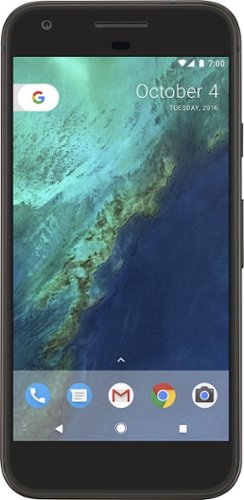
Bring the power of Google directly to your fingertips with the Google Pixel. A large 32GB of storage keep data secure, while unlimited cloud storage transfers data as needed, and it's completely automatic. The large 5-inch screen is protected by Corning Gorilla Glass 4 to ensure the Google Pixel remains scratch-free.
so i wanna get the pixel but with out getting a verizon contract how would i do so?
Your best option is probably to buy the phone directly from Google. The phone will come unlocked and will work as advertised with VZW and Project FI (meaning it should work well with Sprint and TMo).
9 years, 7 months ago
by
Jturn
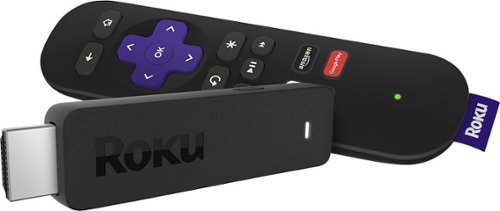
Enjoy HD programming with the Roku Streaming Stick. Plug it into any flat-screen television that has a built-in USB port to view streaming media. This device provides more than 4500 channels on demand and features more than 450,000 movies and TV episodes. Control the Roku Streaming Stick with the included remote or with your smartphone via the Roku Mobile App.
How can you connect the Roku to my theater Amplifier 5.1 sound system?
If your amplifier has an HDMI input, you'll need to plug the stick directly into the amplifier vs. plugging into your TV. The stick doesn't have any external audio outputs.
10 years ago
by
Jturn
Enjoy HD programming with the Roku Streaming Stick. Plug it into any flat-screen television that has a built-in USB port to view streaming media. This device provides more than 4500 channels on demand and features more than 450,000 movies and TV episodes. Control the Roku Streaming Stick with the included remote or with your smartphone via the Roku Mobile App.
The display shows it plugged into two places on the back of the tv. One is obviously the hdmi port, what is the other end plugged into?
Enjoy HD programming with the Roku Streaming Stick. Plug it into any flat-screen television that has a built-in USB port to view streaming media. This device provides more than 4500 channels on demand and features more than 450,000 movies and TV episodes. Control the Roku Streaming Stick with the included remote or with your smartphone via the Roku Mobile App.
Does the stick had profiles for different Netflix users?
Yes. It has the latest Netflix interface, meaning it has full support for profiles (unlike some of the older Roku devices).
10 years ago
by
Jturn
Enjoy HD programming with the Roku Streaming Stick. Plug it into any flat-screen television that has a built-in USB port to view streaming media. This device provides more than 4500 channels on demand and features more than 450,000 movies and TV episodes. Control the Roku Streaming Stick with the included remote or with your smartphone via the Roku Mobile App.
can I download google play store and down load free games like I have on my cell phone?
No. This device does not run Android. If you want the ability to side load apps, you'll need to look at either a Fire device or one of the hundreds of Android based streaming boxes available.
10 years ago
by
Jturn