


Jturn's stats
- Review count180
- Helpfulness votes202
- First reviewNovember 22, 2014
- Last reviewJune 11, 2026
- Featured reviews0
- Average rating4.1
Reviews comments
- Review comment count0
- Helpfulness votes0
- First review commentNone
- Last review commentNone
- Featured review comments0
Questions
- Question count0
- Helpfulness votes0
- First questionNone
- Last questionNone
- Featured questions0
- Answer count9
- Helpfulness votes4
- First answerJune 3, 2016
- Last answerJuly 9, 2020
- Featured answers0
- Best answers1

Now you can get Lively service on your own phone with Unlimited Talk, Text and Data at our lowest monthly rate for 3 months! Once your 3-month plan ends, your plan will transition to standard pricing. See lively.com/plans for details.
Customer Rating

4
A Great Health/Safety Option
on June 27, 2025
Posted by: Jturn
This Lively SIM kit is a great option for those looking to get into the Lively service offering but desire to bring their own device, making this a one size fits all alternative to things like the Jitterbug.
Activation was mostly straightforward; the only required step was to call the Lively line and talk with a live rep to tell them you're activating service. Of particular note, it seemed as though the customer service rep was based in the US, which will undoubtedly be a positive for many. Overall, this was painless. The customer service rep was very friendly (as expected with this type of service) and the app made contacting the service simple. On the topic of the app, it is an easy to use, straightforward conduit into the Lively services. In particular, they've placed a large red exclamation point button in the upper right that will immediately connect you to their customer service system. This app design makes it usable for all ranges of potential users, including those not necessarily used to using cell phones or apps. The design is deliberately simplistic and easy to understand, which enables this to be used with any phone of a person's choosing (which is great for those who aren't about the Jitterbug style of over simplistic designs) but still want to keep things easy to use.
Service quality was directly in line with my main Verizon phone. Given Lively is operating as an MVNO on Verizon's network, this was both expected but also a nice surprise. From my experience, this isn't much in the way of throttling or service degradation.
Really my only issue with the service is that I received a few spam texts on the phone. Given the potential audience for this service (older folks who aren't as attuned to technology and potentially are more susceptible to scams), I was hoping for a bit more in terms of spam protection. Nothing crazy here, perhaps 3 or 4 messages over two weeks, but none the less, this might be an area for improvement in the quest for helping their customer base in the long run.
One other potential issue for some is that this, as mentioned, is an MVNO on the Verizon network. This means if your part of the country doesn't get great Verizon service, you may need to look elsewhere.
Overall, this is essentially what you'd expect. It enables you to add the benefits of a service like Lively to whatever phone you'd like. The app is easy to use and the customer service was great. This is a great option, provided you have acceptable Verizon coverage in your area.
I would recommend this to a friend!
Share this review:


+2points
2of 2voted this as helpful.

The new Zenbook S 14 harmoniously blends craftsmanship and performance, featuring an impossibly thin 0.47-inch profile made from Ceraluminum. Immerse your senses in a breathtaking 14-inch 3K OLED Lumina touchscreen and experience multi-dimensional, high-fidelity sound from a four speakers tuned by Harman/Kardon. Optimized for productivity, the S 14 is powered by an all-new, supercharged Intel Core Ultra 7 Series 2 processor with an Intel AI Boost NPU up to 47 TOPS that speeds up local AI processes, while a quick-access Copilot AI Assistant key streamlines your workflow. Powerful yet light, keep it portable with an all-day 72Wh battery.
Customer Rating

5
Great Performance, Design, and Build Quality
on May 21, 2025
Posted by: Jturn
The ASUS Zenbook S 14 is a incredibly solid ultraportable laptop that strikes an impressive balance between aesthetics, performance, and portability. After using this laptop for about a week, I can say that this is a strong option in the premium ultrabook market.
This particular Zenbook S 14 is equipped with the Intel Core Ultra 7 processor and 32GB of LPDDR5X RAM, enabling it to deliver a remarkably fluid and responsive computing experience. Everyday tasks, from browsing the web with numerous tabs to intensive office suite work, are handled with ease. The integrated Intel Arc graphics, combined with the Core Ultra 7's NPU, provides decent performance for creative applications, photo editing, and even light to moderate gaming. While it's not a dedicated gaming machine (and isn’t marketed as such), titles like CS:GO or League of Legends run smoothly at respectable frame rates in my experience. The gen4 1TB PCIe SSD provides quick boot times and application loading, contributing to the overall snappy performance of the S 14. The CPU on tap here, the Intel Core Ultra 7 Series 2 chip, focuses heavily on efficiency and AI capabilities, which makes it a great pairing with Windows 11 and its new AI driven features and applications. And it provides fluid all around performance to boot, serving as a viable competitor to Snapdragon’s latest X Elite processors.
ASUS has a reputation for building PCs with great build quality, and the Zenbook S 14 is no exception, while bringing an incredible design language to the table as well. The "Zumaia Gray" finish, with a “Ceraluminum” material on the lid, not only looks great but also feels premium to the touch. This material is said to be lighter and stronger than traditional anodized aluminum, contributing to the laptop's light and slim profile. The chassis gives the touch of a high level of precision and durability, feeling rigid without any noticeable flex. Aside from the aesthetic design on the lid, the overall design is pretty minimalist, making this an attractive laptop to tote around.
Aside from design and build quality of the S 14, the defining feature for me is the display. The OLED screen is simply put amazing. As expected with an OLED display, it delivers deep “inky” blacks, making everything from dark movie scenes to bright graphics pop with amazing depth. Colors are visually vibrant and pop off the screen. And given the 100% DCI-P3 color coverage and PANTONE validation, you can assume great color accuracy, making it an ideal choice for content creators, content consumers, photographers, and anyone who appreciates a visually rich experience. While the peak brightness here is a modest 500 nits, the display remains legible even in fairly brightly lit environments. The 120Hz refresh rate of this screen, in conjunction with the CPU performance discussed earlier, makes a noticeable difference in smoothness, whether you're scrolling through documents, browsing the web, or taking on some light gaming. Overall, this all leads to a more fluid and enjoyable visual experience and it’s a display that elevates the entire computing experience.
The backlit keyboard on the Zenbook S 14 offers a comfortable typing experience with decent key travel of 1.1mm. While some might prefer slightly more travel, the keys feel responsive and well-spaced, making long typing sessions less fatiguing. The precision touchpad is large and incredibly smooth, allowing for accurate multi-finger gestures and precise cursor control. It is very responsive, though it lacks the haptic functionality of some competitors like the Macbook series of laptops, instead relying on a physical buttons for clicks. This is a slight disappointment if I’m honest, but thankfully, the touchpad overall works well in spite of lacking haptic functionality.
For an ultraportable, the Zenbook S 14 offers a decent selection of ports. You get two Thunderbolt 4 USB-C ports, which are incredibly versatile; they can support display output and power delivery in addition to high-speed data transfer (up to 40Gbps). There's also a USB 3.2 Gen 2 Type-A port, which is always welcome for connecting legacy peripherals, an HDMI 2.1 port for external displays, and a 3.5mm combo audio jack. While the exclusion of an SD card reader is notable, fortunately USB dongle SD card readers are cheap and easy to come by. This mixture of ports covers most everyday needs for a modern ultrabook, striking a solid balance between slimness and functionality. Beyond the ports, the inclusion of Wi-Fi 7 and Bluetooth 5.4 ensures a strong and reliable wireless connection, whether to your other devices or to your router. Wi-Fi 7, for those that have a compatible router, really ups the game for wireless internet connectivity and ensures the Zenbook S 14 has the best possible internet experience.
Overall, the ASUS Zenbook S 14 is an exceptionally well-rounded laptop. Its brilliant 3K 120Hz OLED display, combined with its strong performance, premium build and design, comfortable keyboard and touchpad, and respectable port selection, makes it an ideal choice for professionals and creatives who prioritize portability without compromising on power, looks or screen quality.
This particular Zenbook S 14 is equipped with the Intel Core Ultra 7 processor and 32GB of LPDDR5X RAM, enabling it to deliver a remarkably fluid and responsive computing experience. Everyday tasks, from browsing the web with numerous tabs to intensive office suite work, are handled with ease. The integrated Intel Arc graphics, combined with the Core Ultra 7's NPU, provides decent performance for creative applications, photo editing, and even light to moderate gaming. While it's not a dedicated gaming machine (and isn’t marketed as such), titles like CS:GO or League of Legends run smoothly at respectable frame rates in my experience. The gen4 1TB PCIe SSD provides quick boot times and application loading, contributing to the overall snappy performance of the S 14. The CPU on tap here, the Intel Core Ultra 7 Series 2 chip, focuses heavily on efficiency and AI capabilities, which makes it a great pairing with Windows 11 and its new AI driven features and applications. And it provides fluid all around performance to boot, serving as a viable competitor to Snapdragon’s latest X Elite processors.
ASUS has a reputation for building PCs with great build quality, and the Zenbook S 14 is no exception, while bringing an incredible design language to the table as well. The "Zumaia Gray" finish, with a “Ceraluminum” material on the lid, not only looks great but also feels premium to the touch. This material is said to be lighter and stronger than traditional anodized aluminum, contributing to the laptop's light and slim profile. The chassis gives the touch of a high level of precision and durability, feeling rigid without any noticeable flex. Aside from the aesthetic design on the lid, the overall design is pretty minimalist, making this an attractive laptop to tote around.
Aside from design and build quality of the S 14, the defining feature for me is the display. The OLED screen is simply put amazing. As expected with an OLED display, it delivers deep “inky” blacks, making everything from dark movie scenes to bright graphics pop with amazing depth. Colors are visually vibrant and pop off the screen. And given the 100% DCI-P3 color coverage and PANTONE validation, you can assume great color accuracy, making it an ideal choice for content creators, content consumers, photographers, and anyone who appreciates a visually rich experience. While the peak brightness here is a modest 500 nits, the display remains legible even in fairly brightly lit environments. The 120Hz refresh rate of this screen, in conjunction with the CPU performance discussed earlier, makes a noticeable difference in smoothness, whether you're scrolling through documents, browsing the web, or taking on some light gaming. Overall, this all leads to a more fluid and enjoyable visual experience and it’s a display that elevates the entire computing experience.
The backlit keyboard on the Zenbook S 14 offers a comfortable typing experience with decent key travel of 1.1mm. While some might prefer slightly more travel, the keys feel responsive and well-spaced, making long typing sessions less fatiguing. The precision touchpad is large and incredibly smooth, allowing for accurate multi-finger gestures and precise cursor control. It is very responsive, though it lacks the haptic functionality of some competitors like the Macbook series of laptops, instead relying on a physical buttons for clicks. This is a slight disappointment if I’m honest, but thankfully, the touchpad overall works well in spite of lacking haptic functionality.
For an ultraportable, the Zenbook S 14 offers a decent selection of ports. You get two Thunderbolt 4 USB-C ports, which are incredibly versatile; they can support display output and power delivery in addition to high-speed data transfer (up to 40Gbps). There's also a USB 3.2 Gen 2 Type-A port, which is always welcome for connecting legacy peripherals, an HDMI 2.1 port for external displays, and a 3.5mm combo audio jack. While the exclusion of an SD card reader is notable, fortunately USB dongle SD card readers are cheap and easy to come by. This mixture of ports covers most everyday needs for a modern ultrabook, striking a solid balance between slimness and functionality. Beyond the ports, the inclusion of Wi-Fi 7 and Bluetooth 5.4 ensures a strong and reliable wireless connection, whether to your other devices or to your router. Wi-Fi 7, for those that have a compatible router, really ups the game for wireless internet connectivity and ensures the Zenbook S 14 has the best possible internet experience.
Overall, the ASUS Zenbook S 14 is an exceptionally well-rounded laptop. Its brilliant 3K 120Hz OLED display, combined with its strong performance, premium build and design, comfortable keyboard and touchpad, and respectable port selection, makes it an ideal choice for professionals and creatives who prioritize portability without compromising on power, looks or screen quality.
I would recommend this to a friend!


Share this review:


0points
0of 0voted this as helpful.
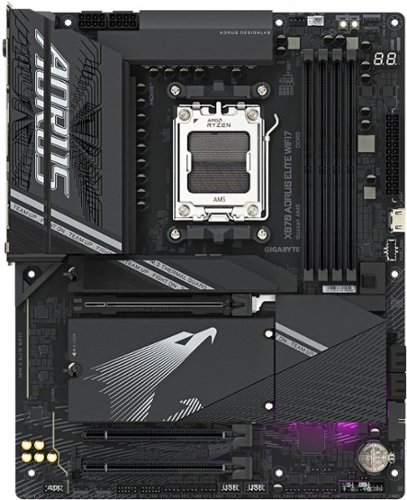
The X870 AORUS ELITE WIFI7 supports AM5 Processors and features unparalleled performance. GIGABYTE X870 motherboards come with upgraded power design, high grade storage standards, and outstanding connectivity that enables you to optimize your performance.
Customer Rating
4
Solid Reliability & Performance for a Solid Price
on May 20, 2025
Posted by: Jturn
After years of gaming on a 5900x/RTX 3080 system, now felt like the appropriate time to upgrade. After deciding on the 9950x, I next decided that the foundation of the entire build would be the Gigabyte X870 Aorus Elite. It offers a stout feature set at a price that, in 2025, feels like a borderline bargain given the precipitous increase in pricing over the past two generations. The Aorus Elite isn’t without faults, but it is a solid contender and should be in consideration for anyone looking to upgrade their rig without breaking the bank on a motherboard.
Performance with this board is as expected with a X870 level board; it handles the 9950X with ease. The 16+2+2 phase VRM design, even with its parallel power arrangement, provides stable delivery to the CPU. I can’t speak much to the overclocking performance with this board, but for consistent multi-core workloads and gaming, the power delivery hasn't been even close to a bottleneck. EXPO profiles for my 6000MHz RAM also worked flawlessly, getting me right to advertised speeds with zero issue.
In terms of thermal performance, it’s clear that Gigabyte put some thought into the cooling setup of this board. VRM cooling is robust, with a heatpipe connecting the two main heatsinks, and they integrate with the rear I/O shroud. Even under heavy Cinebench loads, my 9950X stays within reasonable temperatures, and the VRMs don't show any signs of thermal stress or concern. The included M.2 heatsinks are also substantial, especially the primary PCIe 5.0 slot, which is crucial for 5.0 drives that are notorious for running hot.
Reliability here has been good. The board feels solid, and the Q-Flash button and diagnostic LEDs have been helpful during initial setup and minor tweaks. BIOS updates have been straightforward, and the system has been stable, which is what I truly value for a gaming machine. Of note, the Q-Flash feature allows for BIOS upgrades without the need to have a CPU installed. Anyone that’s gone through the pains of trying to update your BIOS to make your motherboard compatible with your CPU, only to realize that you need a previous generation CPU to do it, understands just how amazing this feature is.
Connectivity is where things start to get a bit mixed. Wi-Fi 7 support is fantastic (and that antenna quick connect is AWESOME), offering excellent speeds, stability and overall reliability, and the 2.5GbE LAN is a welcome addition. The two USB4 Type-C ports on the back are a definite plus for high-speed external devices. However, the rear I/O layout is a bit lacking in overall USB inputs. In particular, having four USB 2.0 ports feel a bit outdated for a modern high-end board, especially when you only have 6 USB 3.2 ports. Additionally, audio connections are quite limited as well, with only two 3.5mm audio jacks (mic in and line out) and an optical output, so it's not ideal for complex audio setups without additional peripherals. Overall, the port selection here is adequate, but just barely so. I suppose this is how they were able to make this competitively priced.
Beyond the connectivity, my primary issue with this board is the M.2/PCIe lane sharing setup. This is the primary shortcoming. The X870 Aorus Elite Wifi7 boasts four M.2 slots, with three supporting PCIe 5.0, which is an objectively solid number of slots and support. However, if you plan on using more than two M.2 drives, you'll run into lane sharing issues. Specifically, populating the second or third CPU-connected M.2 slots (M2B_CPU or M2C_CPU) will drop your primary PCIe x16 slot (where your GPU goes) down to x8 mode. While a PCIe 4.0 x8 connection is still theoretically sufficient for most current GPUs, especially for gaming, it's a theoretical performance hit that you might want to avoid if you're chasing every last frame or doing demanding professional workloads. With my particular setup, I had to decide whether utilizing all 4 of my existing M.2 drives (a 2tb for he OS, a 4tb and a 2tb for games, and a 4tb for media editing) was worth the hit to my GPU. For now, it seems like it is, but this is something I’d rather not have to contend with given what generation of AMD CPU we’re currently on.
Overall, the Gigabyte X870 Aorus Elite is a strong performer for a 9950X build, offering excellent thermal performance and solid reliability. The inclusion of Wi-Fi 7 and USB4 ports are great, but the somewhat limited rear I/O and the PCIe lane sharing when all M.2 slots are utilized are definite points to consider before buying.
I would recommend this to a friend!
Share this review:


0points
0of 0voted this as helpful.

The brand that created the original esports surface is revolutionizing the category again with the QcK Performance series featuring a surface for every play style. An ultra-smooth surface gives QcK Speed users lightning-fast movements and split-second responsiveness when milliseconds count. QcK Performance in Speed, Balance, and Control. Precision made personal.
Posted by: Jturn
When it comes to gaming peripherals, mouse pads might seem like an afterthought compared to high-DPI mice or mechanical keyboards. However, the easily forgotten mouse pad can make or break your gaming experience. And when it comes to quality options, the SteelSeries QcK Performance Gaming Mouse Pad XL Speed is a solid, reliable choice. This pad delivers great tracking accuracy, comfortable and roomy dimensions, and durability that suggests it will last through years of long gaming sessions.
When SteelSeries throws the "XL" tag on this, they mean it. It takes up a substantial 900mm x 400mm (35.4" x 15.7") of space. On my desk, which holds two monitors and a laptop, this pad occupies roughly 2/3 of the surface. The mouse pad has a clean, minimalist design with no frills. Those looking to add to the gaming LED light pollution in their room will be sorely disappointed. The tradeoff here is phenomenal build quality; the grippy rubber bottom provides a completely slip-free experience and the high-quality stitched edges deliver hours of comfort while gaming.
The "Speed" designation in this model indicates its optimization for quick, fluid mouse movements, and it delivers in spades. The micro-textured cloth surface provides significantly less resistance than standard mouse pads and other gaming pads that I've used, allowing for faster movements and smoother tracking. Coming from a more roughly textured pad, it took a minute to acclimate while playing FPS games (which is my primary gaming time these days), but once I did, the slicker surface worked perfectly with the relatively fast-paced motion of games like Call of Duty and Apex.
Overall, my only complaint with this pad, coming in at 3mm (0.14") thick, is that I wish it were a tad thicker/more padded. While the padding is adequate, I've used pads that are slightly more cushioned and better aided in long-term comfort. I don't foresee this being an issue long term, but it was another aspect of the pad that I had to adjust to.
In summation, if you're looking for a large gaming pad and have the space for it, I'd highly recommend the QcK Performance Gaming Mouse Pad XL, particularly this Speed variant. It marries comfort, build quality, and performance, providing an amazingly stable base on which to game.
I would recommend this to a friend!
Share this review:


0points
0of 0voted this as helpful.
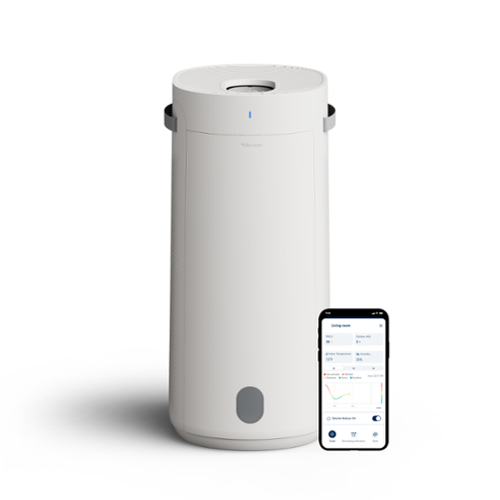
Blueair - 2-in-1 Purify + Humidify Air Purifier with HEPASilent and InvisibleMist Technology - White
Blueair's 2-in-1 Purify + Humidify is a powerful multi-functional air purifier + humidifier that provides both clean and humidified air all in one smart and beautiful device. Blueair's HEPASilent Technology purifies dirty air, while 360~ InvisibleMist Technology humidifies dry air, delivering ultimate air care with clean, fresh air and balanced humidity~ dual-action technology for ultimate air wellness. Independently evaluated for safety standards and third-party tested for performance as part of the AHAM Verifide Program for air cleaners, the fast purification takes only 12.5 minutes to clear the air, removing 99.97%** of all airborne pollutants down to 0.1 microns. Innovative refill through our premium LED display that doubles as a water refill without hassle, Auto Smart control with AutoHydrate feature; app connection, Night and Auto mode available, Designed to be easily cleaned and handled. **Tested on PM2.5 up to 90 minutes
Customer Rating
5
Purification + Humidification = a Winning Combo
on February 19, 2025
Posted by: Jturn
For those looking for a single appliance to tackle both air purification and humidification, the Blueair 2-in-1 Purify + Humidify is a great option. This unit effectively combines the utility of two essential devices into one user-friendly and high-performing package.
Living in the upper midwest, I live in a house that requires consistent added humidification at least half of the year during winter months where relative humidity indoors can fall to 20% or less at times. Also as a hobbyist guitar player, adding humidity to my environment to get it closer to the 40-50% RH zone is critical to the long term health of my instruments. In this context, the Purify + Humidify has been a highly effective and impactful unit. Using the app (which I'll touch on more in a minute), I was able to configure the Blueair to hold my lower level at a consistent 45% humidity. This has completely taken the guess work out of humidifying the space. While this setup requires that I refill unit on a daily basis (if not more at times), this is made painlessly simple via the unit's refilling system. In a bit of an unusual feeling process, you're able to pour water directly onto the unit's top screen, which then drips down into the water reservoir at the bottom. This felt like it was a bad idea at first, but over time, I've grown to appreciate just how easy this makes it to keep the water tank topped off. In summation, for the humidify side of this product, it's hugely effective and does the job every bit as well as one would expect.
On the purify side of the equation, I've found it to be equally effective. Its ability to get rid of odors of my lower level (where my office is), which can verge on musty at times, has been nothing short of impressive, giving me a sense of highly increased air quality where I spend a lot of my time every day. The Purify + Humidify's air quality improvements have been confirmed via an external air quality monitor showing a marked reduction in particulate matter. All that is to say, thankfully, the Purify side of the product seems every bit as effective as the Humidify side.
For me, a huge positive component of this unit is accompanying app. While it aids with the usual setup processes to get you up and running, it also adds a host of other features that makes using this unit a nice experience. The usual things are here, like stats on your room's basic air quality and humidity levels making it easy to remotely monitor things, along with filter life indicators to make sure you stay on top of changing those out. What's been the best feature for me, however, is the scheduling function. The app gives you the ability to set up a daily schedule for turning on the purify and humidify functions separately. In my case, I've set the unit to turn on early in the morning, meaning I'm able to start my day with freshness in the air. This is a phenomenal feature and really ups the overall game of this unit.
While using the Purify + Humidify has been an overwhelmingly positive experience, there are a couple minor areas that could be improved. The air quality monitoring could be improved with the unit and the app; it currently seems to only display PM2.5 data, which feels a bit behind the curve compared to other connected purifiers. And as expected, filter costs over time will start to add up, as they always do with these types of units, but especially so here given the multiple HEPA filters in addition to the water filter.
If you're looking for a device that will give you both humidification and purification in one, this is the unit to look at. It excels in performance, user experience, and smart features, making it a breeze to use and a joy to have around. This feels like a great investment for cleaner, more comfortable air at home.
I would recommend this to a friend!
Share this review:


-1point
0of 1voted this as helpful.

The Dyson Car+Boat cordless handheld vacuum is engineered with the power, versatility, and run time to deep clean your home, car or boat. Choose between three tools to remove debris and hair from hard surfaces, upholstery and tight spaces, both at home or on the go. As you clean, Dyson~s advanced filtration system captures and seals in allergens and fine dust.~ Comes with a 2-year warranty and lifetime Dyson support.
Customer Rating
4
Powerful Cleaning in a Semi-Compact Package
on February 19, 2025
Posted by: Jturn
The Dyson Car and Boat Handheld provides powerful suction in a relatively compact and light package, making this is compelling option for those looking for an on-the-go vacuum. For the most part, this vacuum lives up to the Dyson name but may not be the most versatile or best option for all users.
There's a lot to like about this vacuum which excels in performance. As mentioned above, it features plenty of power while being manageable and compact, all while being relatively quiet and having a lengthy battery life lasting upwards of 50 minutes on normal mode (there's also an extra powerful max mode, which I haven't found much of a need for thus far). Beyond the performance, this package includes only 3 accessories, but all 3 serve a strong purpose. The crevice tool and the multitool have been included with a majority of Dyson vacuums I've had over the years, but the 3rd, the mini motorized tool, is a new one for me and offers an effective cleaning ability on any number of surfaces from cars to stairs to hard to reach plots of floor. It's also remarkably easy to clean, meaning hair isn't much of an issue.
There are, however, a couple of issues that I do have with this vacuum. My main issue is that it does not have a removable battery. This is an issue for two primary reasons; you can't have multiple batteries on hand for longer run time and as the vacuum ages and the battery deteriorates, you'll end up having to throw the entire vacuum out instead of just replacing the battery. My other main issue is an ergonomic issue I've seen with all handheld Dyson vacuums I've used; it features a trigger style on switch, meaning you have to continuously hold the button down to use the vacuum. I'm not entirely sure why Dyson has chosen this method, but to me (and my wife), this is not as user friendly as an on/off button style trigger. My final issue is that seemingly in the name of being a "handheld" first vacuum, Dyson has neglected to include a wand in the package. This brings me to my final point about the Car and Boat. This is essentially a rebranded Dyson V8 vacuum with the added mini power head accessory instead of a floor attachment and without a wand. What this means is that if you already have a handheld Dyson vacuum, your money will likely be better spent buying accessories for your existing vacuum instead of shelling out money for the Car and Boat.
Overall, I've found the Dyson Car and Boat to be a powerful, compact, and portable vacuum. Whether it's worth your money likely comes down to whether or not you already have a Dyson handheld style vacuum. The lack of a removable batter and the absence of a wand also make it less versatile than it could be. But at the end of the day, it's a Dyson vacuum, and that means it's a strong performer.
I would recommend this to a friend!
Share this review:


+1point
1of 1voted this as helpful.

Our most advanced and customizable Ledger yet, enjoy a curved E Ink touchscreen crypto-experience unlike ever before. The wallet comes with a folio to protect your device.
Customer Rating
4
Solid Form and Function
on February 15, 2025
Posted by: Jturn
The Ledger Stax is a sleek, modern device that helps to make cold storage of your crypto easier to manage. Using the Stax is a much more intuitive process than some other storage options, transforming the often-clunky world of cold storage into an experience that's both aesthetically pleasing and remarkably user-friendly. While not without minor trade-offs, the Stax has quickly become my go-to wallet, seamlessly blending robust security with exceptional usability for everyday crypto management.
The Stax does a number of things very well. Primary among those is security; the Stax delivers top-tier security. Ledger emphasizes its commitment to transparency by making 95% of the device's source code publicly available, demonstrating a dedication to scrutiny and community trust through not only open source code but also regular independent audits. The remaining proprietary MCU-level code is the only part not released, a common practice in hardware security. This level of openness provides confidence in the Ledger's security architecture with the Stax.
Setting up the Ledger Stax is remarkably straightforward. The inclusion of Wi-Fi functionality, along with the e-ink touchscreen (which I'll discuss further in a moment) streamlines the initial setup process, making it easier to get your wallet up and running compared to other cold storage devices that may rely solely on USB connections for initial configuration.
As mentioned above, the touchscreen e-ink screen helps to significantly streamline the user experience with the Stax for a 3 main reasons; the touch interface makes this feel similar to a smartphone in terms of navigation, the battery life is exceptional on the Stax, and Ledger has greatly increased the security of the screen by having direct display integration and foregoing the usual display controller which may be prone to vulnerabilities in the event that your Stax is stolen. Overall, this feels like a natural and intuitive screen and interface for this type of device. However, the tradeoff with this particular e-ink screen is that there's no integrated backlight, meaning you won't be able to use the Stax in darker environments without a source of light. A worthy trade off in my opinion.
There are some downsides to the Stax. Users managing a large and diverse portfolio of cryptocurrencies will encounter the its limited app storage. If you actively use more than a handful of different crypto applications, you'll likely need to uninstall and reinstall apps using the Ledger Live application to accommodate your various holdings. While your assets remain secure even when apps are uninstalled, this app management process can become somewhat tedious for users with extensive crypto holdings. Additionally, while apps are provided for a wide array of crypto coins, I did see some notable omissions, namely Shiba Inu. While you can still manage your SHIB holdings with the Stax, the process is more involved and less straight forward than with other coins that have convenient apps.
Overall, the Stax is an incredibly solid device that successfully merges a visually stunning aesthetic with robust security features and an exceptionally user-friendly interface. While the app storage issue is a bit of a head scratching limitation, the innovative e-ink screen and overall ease of use help to make this a no brainer for those looking for an innovative cold storage device. As a bonus, it even includes a protective magnetic case that really ties the whole package together.
I would recommend this to a friend!
Share this review:


0points
0of 0voted this as helpful.

The NODE NANO is your music streaming essential. Just plug it in to your stereo system, connect to Wi-Fi, and start streaming. Music, radio stations, podcasts, and more from your favorite services with BluOS, Apple AirPlay 2, and aptX Adaptive Bluetooth. With an industry-leading ESS SABRE DAC and audiophile-engineered circuitry, the NODE NANO supports audio up to 24-bit/192kHz for unmatched clarity and depth. Add more than one NODE NANO, or group with Bluesound wireless speakers around the home, and enjoy music in bit-perfect quality in any and every room with easy multi-room control from the BluOS Controller App. Every detail matters with the NODE NANO. From carefully built audio circuitry and components, to its breakthrough processing power and acoustic measurements, it~s all about design and engineering. At its very core is a flagship ESS SABRE DAC with Hyperstream IV technology to deliver FLAC, WAV, AAC, and MQA music (up to 24-bit/192kHz) with breathtaking dynamics and ultra-low distortion. Rule your sonic domain like never before and bring out the best in your music. From popular music streaming services to radio stations and podcasts, the NODE NANO connects you to everything you love to listen to. Plus, with two-way aptX Adaptive Bluetooth and Apple AirPlay 2 built in, you can enjoy music from even more apps and services. Connect the NODE NANO to digital music libraries stored on your computer or local network, and effortlessly browse and stream from your collection in the BluOS app. With NODE NANO and multiple Bluesound Players, you can create a multi-room music system wirelessly connected by BluOS throughout your whole home. Play your new favorite track everywhere or listen to different music and genres in different rooms with total control from your phone, tablet, or desktop. The NODE NANO is simply designed to connect to any audio system or powered speakers in the house. Compact and easy to set up with RCA, Coax, Optical, and USB outputs, while dual-band Wi-Fi and gigabit ethernet keeps the music streaming without dropouts or interruptions. A backlit front touch panel provides quick control and access to one-touch presets. Its beautiful black matte matches perfectly with stereo components or in an AV rack with support for popular smarthome control systems including Control4, Crestron, and more.
Customer Rating
4
A Reliable, Quality Streamer That's Missing Apps
on December 31, 2024
Posted by: Jturn
In an era of music consumption that's dominated by streaming music services, the Bluesound Node Nano has arrived on the scene to try and enhance your at home hi-fi listening experience. It's meant to be the conduit to your digital audio world on your home theater system, providing an easy to use and reliable interface for streaming various streaming services at high quality. This device is clearly for segment of users that highly value high quality audio and are looking for a streaming device that just works.
Setup was easy and day to day usage is reliable with the Bluesound Node Nano. It offers a decent number of connectivity options, including RCA, coax audio, optical and USB audio outputs, and also features a LAN port. Beyond the physical ports, the device also supports Wifi and Bluetooth connections (it is a "wireless streaming media player" after all). Bluetooth connectivity is two way, allowing you to not only connect your phone to the streamer, but also to connect an audio source like some headphones to the streamer to listen, as well. To a degree, I do feel that this device could benefit from having an HDMI port, as it'd serve multiple purposes; one, ability to stream higher bitrate audio without the need for a USB output to an external DAC, two, added connection flexibility and three, they could've included a simple remote and GUI for management and playback. That said, using the companion BluOS app allowed for problem-free setup and usage, basically serving as the aforementioned remote/UI combo.
The main issue I have with this streaming box is the fact that it's missing a few streaming services that could propel it into a universally useful device, namely YouTube Music and Apple Music, both of which I happen to subscribe to. Apple Music, in particular, feels like a miss here given the service's support for ultra high res lossless content as well as Dolby Atmos content. While, again, the Nano does have Bluetooth connectivity, allowing me to stream in AptX quality from my phone, to me this somewhat defeats the purpose and reason for this device. My home theater receiver also supports Bluetooth streaming via the same codec, so in my case, it's actually a bit more inconvenient to use the Node Nano. However, what the Node Nano does have over my receiver is an outstanding onboard DAC that delivers some phenomenal audio quality. As I tend to always do with sound evaluations like this, I gave an in depth listen to Steven Wilson's Hand.Cannot.Erase album. I'm intimately familiar with the soundscape of this album, and it serves as a great test of what a device has to offer. The Node Nano did not disappoint. Dynamic range is notably expansive on the Node Nano, and given the price, I've personally not heard a better sounding audio source device. This device, along with Bluesound's various other offerings, are meant to be the foundation of an audiophile's home listening experience, and it executes on that experience quite effectively.
One aspect that I haven't tested that's none the less worth mentioning is that the Node Nano could be used as part of a larger multiroom audio setup. Essentially, this could be a high fidelity alternative to Sonos, and from what I've read, it's an alternative that works significantly better, providing bulletproof reliability that works without fail to the point that many consider the BlueOS platform to be the best on the market for multiroom streaming. At some point, I'll likely expand my Bluesound stable, but as of now, I only have a single Node Nano.
Overall, if you're in the market for this type of streaming device, you likely know what you're getting into; high quality sound with rock solid connection and performance with the ability to expand to multiroom setups if desired. This would be a no brainer if Bluesound could find a way to add at least Apple Music to its already extensive app support offerings.
I would recommend this to a friend!
Share this review:


0points
0of 0voted this as helpful.

Apex Pro Gen 3, the world's fastest keyboard, just got smarter, featuring GG Quickset game presets and OmniPoint 3.0 adjustable HyperMagnetic switches with Rapid Trigger, Protection Mode, Rapid Tap and fully adjustable actuation points, delivering 20x quicker actuation and 11x faster response time.
Customer Rating
5
Still One of the Best
on December 19, 2024
Posted by: Jturn
My time with the Apex Pro Gen 3 thus far has been great. My previous board for nearly 3 years was the original Apex Pro keyboard, which I bought primarily for the huge flexibility afforded by the adjustable actuation settings on the board. SteelSeries has obviously carried that forward as a hallmark feature of the Gen 3, but they've also included some additional enhancements that make this a strong competitor in the current late 2024 keyboard market.
One immediate and huge difference I've noticed is in the day to day typing experience with the Apex Pro Gen 3. Compared to my og Apex Pro, typing is significantly quieter and more refined. Those looking for the MX Blue style clicky experience won't get it here, but anyone that likes the MX Cherry or Brown typing experience will be at home with the Apex Pro G3 magnetic switches. As a developer by trade, I use this board for many hours per day, and am happy to report for the most part, it's a joy to type on; not many mistypes, and given the adjustable actuation, you can tailor the experience to your desired level of keypress. The features that seem to apply here are the improved switch stabilizers, the added sound dampening foam, and the per-key lubrication they've employed. I can confirm that these upgrades have tangibly improved my day to day typing experience overall with the Apex Pro Gen 3.
Beyond typing, gaming is where the board excels, though. The adjustable actuation goes down to an insane 0.1 mm for those looking to truly tweak out. The great thing about this adjustable actuation is that not only can you have different profiles taylored to different uses (microscopic level 0.1mm for gaming while retaining a more reasonable 2 or 4mm level for day to day typing), you can also set these actuations on a PER KEY basis. Those who heavily utilize the WASD zone for game movement will likely appreciate being able to set these primary movement keys to a shallower actuation point while leaving secondary movement buttons on a higher actuation to avoid accidental presses. This was all available on previous models of the Apex Pro, including the OG (which is a primary reason I went for it in the first place). Where things get dialed up to 11 is with a few of the newly introduced features with the Gen 3; rapid tap, rapid trigger, and 2-in-1 action keys. Rapid tap allows you to set the keyboard to prioritize the last key pressed, so for those that employ sweat-level strafing maneuvers, you can now set the board to not "lock up" when you have D pressed and down while then pressing A, for instance. Rapid trigger and 2-in-1 action keys work on the same principal; different actions depending on how far the key is pressed. Rapid trigger, on one hand, allows you to set the keyboard to completely eliminate latency when deactivating a key. For instance, if you're moving forward via W, as soon as you being to let off the key (but while it's still slightly depressed), you can tell the keyboard to immediately deactivate the press. 2-in-1 action keys works somewhat in reverse, allowing you to specify that a half press of W is a slow walk forward, while a full press is a fast walk forward. Of the 3, I've found that Rapid Tap and Rapid trigger have offered the greatest update to the gaming experience, especially with FPS games.
I have a couple of downsides that I feel are worth mentioning. Firstly, the LEDs on this board feel unexpectedly dim. As compared to the first gen Apex Pro, they feel anywhere from 10 to 20 percent dimmer at full brightness. This is a bit of a head scratcher, and perhaps is due to the reconfigured connection points and noise dampening layer now present that wasn't there in the first generation board. The other downside related to the Gen 3 for me is the display and extra controls in the upper right. While I like the wheel employed here a lot, the button in the upper right feels a bit less quality than the first gen. Additionally, the screen and menus appear to be identical to the first gen; in other words, they feel dated compared to contemporary options at this point. One noticeable difference is that they've greatly upped the frame rate of the screen, so scrolling text appears a bit smoother now. While I genuinely love the use of space here (they've added the screen and buttons/wheel inside the confines of a regular sized keyboard which is awesome), the OLED screen and menu system could've used an overhaul to bring it into the modern era. Another area that SteelSeries has seemingly gone backwards on is the removal of the extra USB port that existed on the OG Apex Pro. They've opted to streamline the connection a bit, relying on a single USB C output, which made the cord thinner and less bulky, but again, removed the ability to have an additional device plugged in. I used this on the regular with my previous board, with my wireless mouse transmitter being plugged into this additional port. One final note here that doesn't specifically relate to the Apex Pro Gen 3, but to my first generation Apex Pro. After a little more than a year with that board, a number of the blue LEDs on the keys begin to inexplicably fail and stop working. This greatly hampered the lighting functionality of the board, and I very much hope SteelSeries has worked out this issue. Time will tell on that, but be aware, this series has a track record of failing blue LED lights.
Overall, my experience with the Apex Pro Gen 3 has been as expected based on my previous experience with the OG Apex Pro; that is to say, it's been a great experience. This is a dynamic and versatile keyboard that can fit many needs, primarily being a gaming keyboard, but also being surprisingly great to type on as a developer. The wealth of features here makes it totally competitive in the market, and anyone looking for the latest and greatest, that doesn't need wireless, would be well served considering the Apex Pro Gen 3 as a strong candidate.
I would recommend this to a friend!
Share this review:


0points
0of 0voted this as helpful.

Rank up to Revolutionary Control. The Turtle Beach Stealth Pivot wireless smart controller is designed for revolutionary gameplay on Windows PCs. Stealth Pivot features rotating button modules to quickly switch between core button layouts designed for FPS, action & racing titles, or revolved layouts for fighter & retro games. Play wirelessly on PC with the 2.4 GHz wireless transmitter, or via Bluetooth on Android devices & Smart TVs, and even play on Xbox consoles using the wired connection. A 20-hour battery life keeps you locked in without disruptions, plus the wired cable supports play-and-charge capability. The Connected Command Display screen offers extensive customization, and hall-effect thumbsticks, adjustable triggers and mappable buttons provide smooth, long-lasting, and adjustable control for multi-genre dominance.
Posted by: Jturn
The Turtle Beach Stealth Pivot is one of those devices that promises to deliver you everything including the kitchen sink, and is one of the rare devices that legitimately delivers it. It has layout flexibility that likely will meet the needs of nearly any gamer, with features that make it feel like a top tier controller in a market full of options.
For the most part, I'm an FPS gamer; I've dabbled in the MMO/RPG realm of gaming, but for the most part, I spend my time with shooters. The default layout (two analog sticks, d pad, and 4 buttons) suits my needs well, providing the standard input options needed for shooters. With the addition of the two extra buttons on the back of the controller, this unlocks additional options for ultimate control (in my case, I use these two buttons for certain maneuvers like character diving and weapon reloads).
Each stick zone has a secondary layout that completely transforms the controller. For instance, those into fighters may opt for the secondary layout on both sides, which surfaces a d pad and two buttons on the left, and 6 total buttons on the right, giving you all the inputs needed for some crushing hit combos. Likewise, those into RPG style games may opt for the d pad + stick left layout, and the 6 button right layout. The options feel extensive, and that doesn't even factor in the onboard settings that can be tweaked directly from the controller. Onboard support for different profiles is available, along with some additional button mapping features, enabling you to map the D-Pad as you see fit, along with the rest of the buttons on the controller. This is where one of my favorite features comes into play; Pro Aim. This allows you to set one of the buttons to allow for a different aim sensitivity. Practically, this means you can set your aiming sensitivity as normal in game, and then on the controller, specify a different sensitivity while aiming down sights with the press of a button. I've found this helped immensely with sniping in FPS games.
Finally, I'll mention the mic and social functionalities. While I haven't used them much beyond a quick test, those on an Xbox may find it incredibly useful to be able to not only run your headset through your controller, but use the controller to help control things like mic mute, volume, etc. Additionally, you can set the controller to show social alerts as well. Again, I didn't use this particular feature extensively, but having the ability to quickly view Xbox chats or the like could be incredibly useful to those on consoles.
Overall, the summary of my review of the Stealth Pivot could be distilled down into two words; insane flexibility. The various layouts afforded here enable gamers of all genres. My personal experience with this gamepad in FPS shooters was great; the ergonomics feel good, the customization features are an added bonus (especially the Pro Aim setting), and the sticks feel adequately stiff without being too stiff. They also lack any perceivable stick drift, which is a huge bonus, though it remains to be seen with extended use how they'll hold up given stick drift gets worse with use. If you're considering a gamepad for multiple genres of gaming, consider the Stealth Pivot to be an excellent option.
I would recommend this to a friend!
Share this review:


0points
0of 0voted this as helpful.
Jturn's Review Comments
Jturn has not submitted comments on any reviews.
Jturn's Questions
Jturn has not submitted any questions.
Jturn's Answers
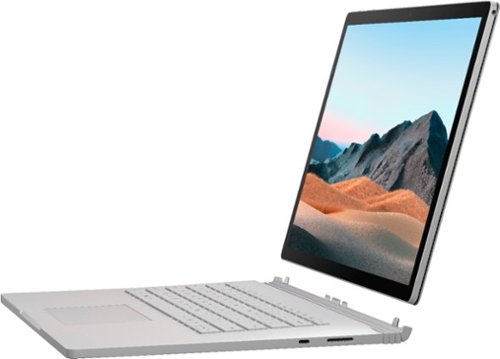
Performance meets versatility. From intensive video and graphics files to high-octane gaming, the most powerful Surface laptop yet combines speed, graphics, and long battery life with the versatility of a laptop, tablet, and portable studio. Tackle your biggest demands with quadcore powered 10th Gen Intel~ Core~ processors, blazing NVIDIA~ graphics, and high-resolution PixelSense~ Display designed for Surface Pen* and touch.
Is there an HDMI port?
Performance meets versatility. From intensive video and graphics files to high-octane gaming, the most powerful Surface laptop yet combines speed, graphics, and long battery life with the versatility of a laptop, tablet, and portable studio. Tackle your biggest demands with quadcore powered 10th Gen Intel~ Core~ processors, blazing NVIDIA~ graphics, and high-resolution PixelSense~ Display designed for Surface Pen* and touch.
Are there additional memory slots to increase RAM on the 15inch 16gb ram 256Gb storage, model?
No, there is no ability to upgrade the RAM or the hard drive on any of the Surface Books. What you buy is what you'll be stuck with.
5 years, 11 months ago
by
Jturn

Completely customize your Wi-Fi Smart Color Thermostat to match your lifestyle and decor. The ENERGY STAR~ certified smart thermostat lets you choose the temperature, schedule, display color and the devices you use to control it all.
Want to replace RTH230B with RTH9580WiFi. Wires connected:G, Y, W has(black wire), R(red wire), Rh(red wire). Also I see a white wire that is not connected to current rth230. How do I know which wire is used for the "c" terminal for the new rth9580WiFi?

Since they're not labeled at the thermostat terminal, you'll need to check at your furnace to see what's connected where. Having the extra wire is great, since you should be able to use that for your common.
8 years, 5 months ago
by
Jturn
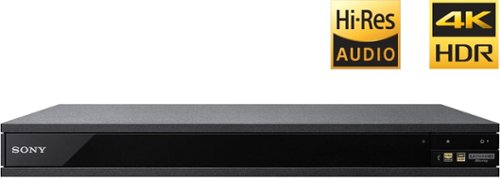
Experience immersive entertainment options with this Sony 4K Blu-ray player. Its Ultra HD resolution provides exceptionally detailed screen images with increased brightness and more realistic color, and its support of Dolby Atmos and DTS:X provides cinema-quality sound. This Sony 4K Blu-ray player supports high-resolution audio formats for more accurate music reproduction.
Does the on-screen display provide information on the video and audio bitrates? Does the display provide data on the audio output?
Yes. The Display button displays bit rate and format information for both audio and video.
9 years, 1 month ago
by
Jturn
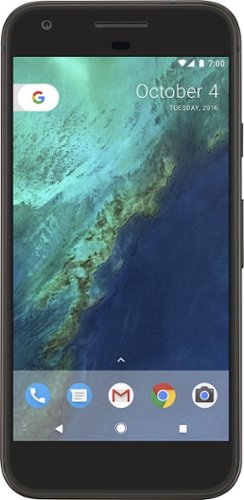
Bring the power of Google directly to your fingertips with the Google Pixel. A large 32GB of storage keep data secure, while unlimited cloud storage transfers data as needed, and it's completely automatic. The large 5-inch screen is protected by Corning Gorilla Glass 4 to ensure the Google Pixel remains scratch-free.
so i wanna get the pixel but with out getting a verizon contract how would i do so?
Your best option is probably to buy the phone directly from Google. The phone will come unlocked and will work as advertised with VZW and Project FI (meaning it should work well with Sprint and TMo).
9 years, 7 months ago
by
Jturn
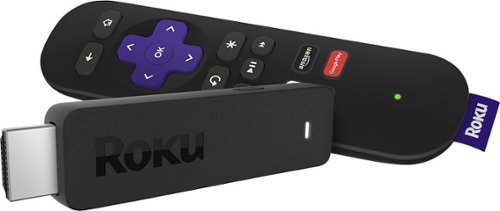
Enjoy HD programming with the Roku Streaming Stick. Plug it into any flat-screen television that has a built-in USB port to view streaming media. This device provides more than 4500 channels on demand and features more than 450,000 movies and TV episodes. Control the Roku Streaming Stick with the included remote or with your smartphone via the Roku Mobile App.
How can you connect the Roku to my theater Amplifier 5.1 sound system?
If your amplifier has an HDMI input, you'll need to plug the stick directly into the amplifier vs. plugging into your TV. The stick doesn't have any external audio outputs.
10 years ago
by
Jturn
Enjoy HD programming with the Roku Streaming Stick. Plug it into any flat-screen television that has a built-in USB port to view streaming media. This device provides more than 4500 channels on demand and features more than 450,000 movies and TV episodes. Control the Roku Streaming Stick with the included remote or with your smartphone via the Roku Mobile App.
The display shows it plugged into two places on the back of the tv. One is obviously the hdmi port, what is the other end plugged into?
Enjoy HD programming with the Roku Streaming Stick. Plug it into any flat-screen television that has a built-in USB port to view streaming media. This device provides more than 4500 channels on demand and features more than 450,000 movies and TV episodes. Control the Roku Streaming Stick with the included remote or with your smartphone via the Roku Mobile App.
Does the stick had profiles for different Netflix users?
Yes. It has the latest Netflix interface, meaning it has full support for profiles (unlike some of the older Roku devices).
10 years ago
by
Jturn
Enjoy HD programming with the Roku Streaming Stick. Plug it into any flat-screen television that has a built-in USB port to view streaming media. This device provides more than 4500 channels on demand and features more than 450,000 movies and TV episodes. Control the Roku Streaming Stick with the included remote or with your smartphone via the Roku Mobile App.
can I download google play store and down load free games like I have on my cell phone?
No. This device does not run Android. If you want the ability to side load apps, you'll need to look at either a Fire device or one of the hundreds of Android based streaming boxes available.
10 years ago
by
Jturn