


Jturn's stats
- Review count180
- Helpfulness votes202
- First reviewNovember 22, 2014
- Last reviewJune 11, 2026
- Featured reviews0
- Average rating4.1
Reviews comments
- Review comment count0
- Helpfulness votes0
- First review commentNone
- Last review commentNone
- Featured review comments0
Questions
- Question count0
- Helpfulness votes0
- First questionNone
- Last questionNone
- Featured questions0
- Answer count9
- Helpfulness votes4
- First answerJune 3, 2016
- Last answerJuly 9, 2020
- Featured answers0
- Best answers1
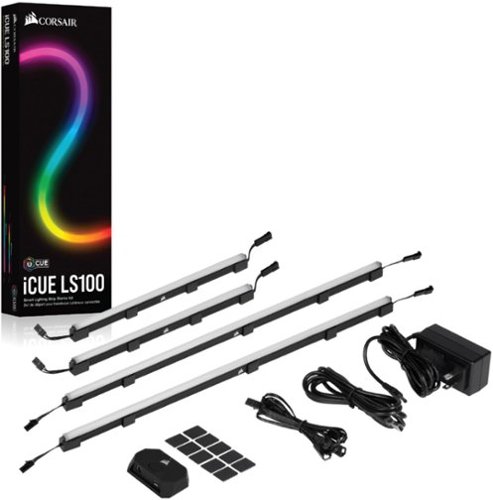
Style up your home studio or gaming station with this CORSAIR iCUE smart lighting strip starter kit. The four strips include individually addressed LEDs for customizing the illumination, while the light-diffusing casing softens the brightness for balanced ambiance. This CORSAIR iCUE smart lighting strip starter kit features magnetic clips and adhesive backing for easy installation.
Customer Rating

5
Upgrade Your Lighting Game
on October 27, 2021
Posted by: Jturn
from WI
This LS100 smart lighting kit makes it easier than ever to add flare to your gaming setup. This is the first product I've used that has allowed me to synchronize lighting OUTSIDE my computer case and in my gaming space with the lighting scenes I already have for inside my case, and it's really upped my lighting game!
Orchestration and customization of lighting is handled by Corsair's iCUE software. This will be familiar to anyone that's already using Corsair products, but overall, it's pretty simple to use and recognized the USB controller lighting strips almost immediately. From there, it was business as usual, setting up lighting profiles that matched some internal Corsair fans I have in my gaming PC to create an overall scene that is much more enveloping than anything I've had before.
This starter kit comes with the USB controller, some extension cables, 2 longer lighting bars and 2 shorter lighting bars. These lighting bars have magnetic brackets attached to them, allowing you to attach to metal surfaces with ease. In my situation, I tried these out inside my case, attaching them effortlessly to my Lian Li O11 Dynamic using the magnets, and connected them to my mobo via a Corsair Commander Pro. This worked equally as well as the external controller for me and was incredibly easy to configure and mount. The main downside I see with this kit is that the external USB controller has only two inputs, so you'll need to chain multiple lights together, especially if you intend to build out your collection beyond what's included (for instance, adding Corsair's light towers). This would be more flexible if they included more LED headers, but 2 is better than 1.
Overall, this is a great kit to get started with LED lighting. You'll need the necessary hardware to connect these internally (either a Corsair controller or a mobo with Corsair specific headers), but this couldn't be easier.
Mobile Submission: False
I would recommend this to a friend!
Share this review:


0points
0of 0voted this as helpful.
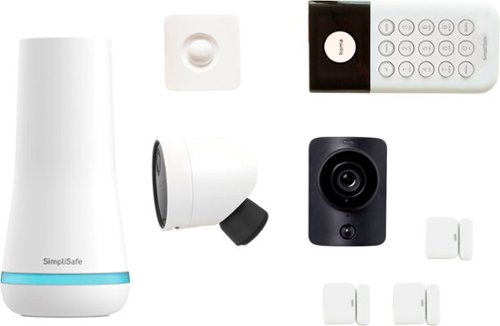
It~s easy to transform your home into a safe haven with SimpliSafe~s award-winning security system. Everything is simple to set up, effortless to use, and designed to do one thing only: keep your home and family safe. Indoor and outdoor security cameras let you see everything happening in full HD. So you can spot trouble before it comes knocking and capture the evidence if it does. And if someone tries to break in, the burglary sensors will sound the alarm right away. But that~s not all. Whenever your alarm goes off, we~ll call you and send police, firefighters, or ambulances to your door in a snap ~ and stay on the line with you until they arrive. So no matter where you are or what you~re doing, your home is protected 24/7.
Customer Rating

4
Simple Way to a Safer Home
on October 17, 2021
Posted by: Jturn
from WI
This SimpliSafe Home Security kit is an incredibly simple and effective way to make your home more secure. The included bits will give most people enough to start, including window detectors, a motion detector, two cameras, keypad, and base station. This really is a great solution for anyone that feels they need to add an additional layer of security to their home, though to unlock the true benefits, you'll unfortunately need to subscribe to one of SimpliSafe's monthly plans.
Setup was relatively straightforward, with the entire process being orchestrated by the mandatory smartphone app. The app overall works pretty well and gives you all the available customizations, but I did have an initial issue getting the base and keypad connected. Once I got past that issue, though, I had no issues hooking up the window and motion sensors, nor any issues getting the cameras online.
Speaking of the cameras, there are two in this bundle; a wired indoor cam and a wireless, enhanced outdoor camera. To start with the indoor cam, it's merely OK. It has motion detection and night vision, both of which work well, but its video resolution is only 720p, which is low for cameras these days. One positive here is the privacy shutter that's active until you engage the camera, or it detects motion and needs to start recording. This gives the additional feeling of privacy, knowing you're not being recorded/watched when you don't intend to be. Overall, this is a good enough camera, but a higher resolution would be a big plus, and also note that this camera CANNOT be used outdoors. This is where the wireless outdoor camera comes into play. Not only does it have an upgraded 1080p sensor (which honestly is still a bit weak given the competition these days), it's weather resistant and can be mounted outside (though, it should be noted with a least some shelter). This camera can be run wired or wireless, where you should get at least 3 months of battery life. This is pretty solid and should be adequate in most cases that necessitate running a wireless camera.
If you're looking to utilize said cameras to their fullest extent, you're going to need to pay a monthly fee to subscribe to SimpliSafe services. This concept is far from unique to SimpliSafe, but it's definitely an added expense that adds up over time, especially for those not expecting to need a plan up front. From what I could tell, the cheapest entry is the 9.99 per month plan. Again, this is fairly in line with the industry, but definitely needs to be considered (and likely should be considered essential) when thinking about getting a SimpliSafe product.
Beyond the pricing of the SimpliSafe plans, there are three main issues I see with this kit, and the SimpliSafe offering as a whole. One, there is no local storage video recording option available; recordings are all stored remotely on their cloud service and accessed via their app. This puts you at the mercy of a third party having access to your video content, which some won't care about, but which will be a deal breaker for others. Two, the cameras operate on the 2.4ghz Wifi band, which is a negative to me. The 2.4ghz band theoretically provides better range, but it typically cluttered by many other devices/networks and tends to be the worse option over 5ghz for me. Third, there's no option to integrate with Google Home (or Alexa for the Amazon users). While this feature would make the system technically less secure, it'd add a litany of benefits for anyone that uses Google Home to orchestrate their smart home.
The kit isn't perfect, but it does many things well, like ease of use, ease of setup, and including a range of sensors to help people build out their safer home. Overall, I'd recommend this as a solid option for anyone looking to add a security layer to their house.
Mobile Submission: False
I would recommend this to a friend!
Share this review:


+1point
1of 1voted this as helpful.
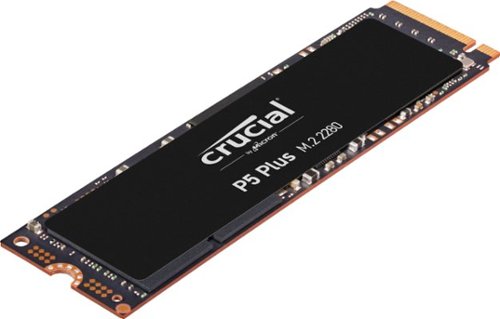
Are you ready for next-gen performance? The Crucial P5 Plus SSD delivers remarkable speed and data protection with sequential reads up to 6600MB/s1 for transformative computing. Engineered by Micron with the latest Gen4 NVMe technology, the Crucial P5 Plus includes advanced features like full hardware-based encryption, dynamic write acceleration, and adaptive thermal protection to keep your data safe while enhancing system reliability. Designed specifically for intensive workloads, high-quality creative content, and hardcore gaming, the P5 Plus is also backward compatible with most Gen3 systems for ultimate flexibility. The Crucial P5 Plus meets the performance and form factor requirements for Sony PS5 when used with a heat sink; heat sink sold separately.
Customer Rating
4
Solid PCIe4 NVME Drive
on September 8, 2021
Posted by: Jturn
from WI
This is a solid drive for anyone looking for great performance and a clean aesthetic. It's not the fastest drive you can buy, but it handily shows some of the advantage you can get going from a PCIe 3 to a 4 drive.
The build I have this drive in is as follows:
AMD R9 5900x
Asus Crosshair Dark Hero Motherboard
Nvidia RTX 3080 FE
32gb Patriot 4000mhz RAM (running at 3600cl14)
Sabrent 1TB Rocket gen4 NVME
AMD R9 5900x
Asus Crosshair Dark Hero Motherboard
Nvidia RTX 3080 FE
32gb Patriot 4000mhz RAM (running at 3600cl14)
Sabrent 1TB Rocket gen4 NVME
I use this machine for a mixture of workloads; primarily gaming, but also for media creation and editing as well. The Crucial P5 plus has been a welcome addition to an already lightning quick machine; I've found I can get reliably get in the neighborhood of sequential 6,000 mb/s read and 5,000 mb/s write speeds with this drive, tested using CrystalDiskMark. Some of the top tier drives can do a bit more, but for more money, and at this point, I feel like the P5 plus offers a great price to performance mix.
Some other thoughts on this drive... The black aesthetic is great. I personally have a blacked out motif (black Lian Li o11 dynamic with aforementioned blacked out Asus Dark Hero mobo) and this blends in nicely. The temps are about league average here, too; without using a heat sink, I saw temps hit in the upper 60s C under heavy workload and drop to the lower 30s when not. Attaching one of the Dark Hero included heat sinks, the temps under load were closer to the lower 60s/upper 50s. Admittedly, my case has phenomenal airflow, but these numbers are great none the less.
As Gen4 becomes more widely utilized, the utility for this drive will continue to grow. While content creators will reap immediate benefits from a drive with this level of performance, the coming 8 to 12 months will see GPU and CPU manufacturers begin to roll out support for Microsoft's DirectStorage API. At that point, you'll really see the P5 shine for gaming uses. As it stands now, this is a great drive as is.
Mobile Submission: False
I would recommend this to a friend!
Share this review:


0points
0of 0voted this as helpful.
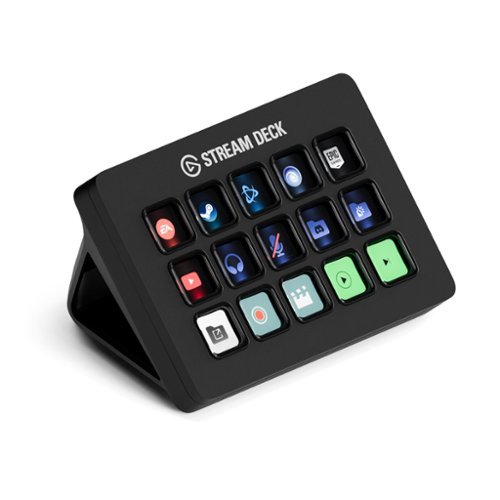
Stream Deck gives you 15 LCD keys to control your apps and tools. Trigger actions, launch social posts, adjust audio, play sound clips, activate lights, and much more. Get visual feedback to confirm your commands. Set Stream Deck to automatically switch key configurations as you jump between apps. It~s the ultimate workflow hack, and it~s fully customizable. Personalize your Stream Deck with custom icons, screensavers, and a growing range of interchangeable faceplates. Use the app to configure keys with ease, and hit the Stream Deck Store for app plugins, icon packs, thousands of royalty free tracks, effects, and more.
Customer Rating
4
Great Streaming AND Productivity Enhancer
on August 3, 2021
Posted by: Jturn
from WI
The Stream Deck MK.2 is a great product which significantly enhances my ability to stream effectively. It does more than this, though, and based on my personal usage, I highly recommend this for both streamers and anyone looking for a productivity boost at work.
Personally, I'm using this as both a gaming streamer and a developer. The control this thing puts in to your hands to allow for seamless multitasking can't be overstated. As a bonus, I've found that the Stream Deck works equally well on both Mac OS (my developer machine) and Windows (my gaming/streaming machine), which is a huge bonus for me. In a work/productivity capacity, I've found this thing to be a great solution for me as I routinely have more windows and programs than I can logically handle open across 3 screens. I've assigned a few of the buttons to open programs (VS Code, Slack, Outlook, Teams, etc), which allows for a sort of instant app switching that keybinds alone never really achieve. I've also assigned one of the buttons to be a text input for my username (which is quite long and annoying to type out). Since I log in multiple times per day to various systems at work, this has really streamlined my day overall.
The acumen of the Stream Deck for anyone that streams is well documented, but still worth talking about. The main benefit I've seen with using the Stream Deck is the contextual nature of it. It's much better than hot keys because the assigned buttons never lose "context", meaning that regardless of what program you're in, the focus of the key is always consistent which is not true of hot keys. In addition, I've used it to set OBS scenes on the fly, and the Stream Deck keys can clue you in to contexts on the fly (ie: "You're live"). I have a couple of multi actions setup as well, where the single click of a button launches my entire streaming setup and broadcasts to Twitter that I'm live. Power users really have unlimited potential to set up actions/multiactions to do almost anything you can imagine.
The real only downside that I'll note here is that the Stream Deck feels a little.... cheap. The case is plastic, which is fine, and feels good enough, but the buttons feel cheap. Additionally, pressing the button often sees the screen get that "pushed in LCD" effect, where it flashes light colors and gets distorted. Honestly, it's not really an issue, but if they want to take the Stream Deck to the next level, they should implement OLED, on-button displays which would REALLY enhance the look of the Stream Deck.
Overall, this is an amazing product. It unlocks efficient workflows that really aren't possible using keybinds or hotkeys alone. Whether you're a streamer or someone looking for a boost in productivity at work (or both like me), the Stream Deck is a great option.
Mobile Submission: False
I would recommend this to a friend!
Share this review:


0points
0of 0voted this as helpful.
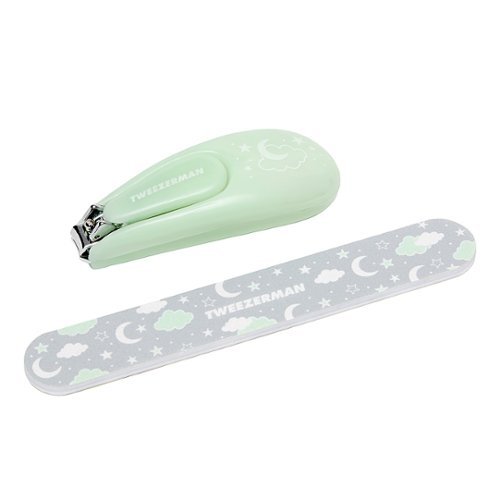
Shorten, shape, and smooth baby nails with Tweezerman's Baby Nail Clipper and Nail File Set. Designed with safety in mind, this nail clipper and file are gentle on tiny fingers and toes.
Posted by: Jturn
from WI
The Tweezerman nail clippers are high quality and cut very effectively. We use them multiple times per week on our 1 year old daughter and they do a great job trimming back her nails. I've found these to work much better than some of the other cheaper alternatives.
Mobile Submission: False
I would recommend this to a friend!
Share this review:


0points
0of 0voted this as helpful.
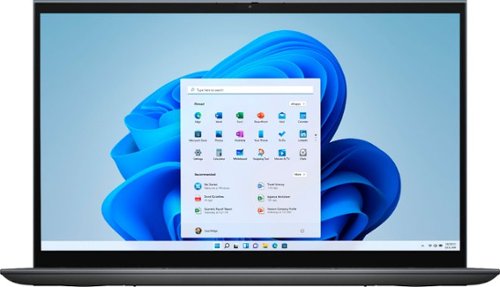
The Inspiron range of laptops and 2-in1s are thoughtfully designed so you can stay connected wherever you are with long-lasting battery life. Equipped with the latest processors, graphics, and thermal solutions; your PC runs quickly and smoothly as you connect with confidence. Optimized with technology that simplifies your life, Inspiron laptops and 2-in-1s offer a range of easy-to-use features all packaged in a minimalist and modern design. A newly designed and ergonomically positioned lift hinge increases comfort for a better typing experience when on chat, writing lengthy emails or connecting to your world. Rest assured that your privacy is secure with the mechanical privacy camera shutter. Also, the single sign on (SSO) fingerprint reader on the power button provides a more personal, more secure instant access login experience. And that~s not all, your Inspiron, is now environmentally conscious ~ The Inspiron compliments not just your style but also your values.
Customer Rating
5
Thin, Light, and Powerful
on June 30, 2021
Posted by: Jturn
from WI
The Inspiron 7000 is a great laptop, portable enough to take on the go whenever you need, but also powerful enough to hammer through productivity tasks. The addition of Ryzen laptop processors on the scene has really changed a lot of things in regards to how thin and light a laptop can be while still maintaining a solid level of performance. This one is an APU, meaning it has embedded graphics. While they're not going to power the latest games at full graphics, they'll definitely suffice for some light gaming sessions, and also add a lot of value to media creation tasks that benefit from the use of dedicated graphics (without the downsides to having a dedicated GPU in a laptop).
My main usage workflows include the typical web browsing/email sessions, but also some light, hobby-enthusiast level media editing in Photoshop (photos), Premier (video), and Reaper (audio). In general, I've found the Inspiron 7000 to perform very solidly for the market it's competing in; very few slowdowns and generally enough power to not hold me back (which is a good thing in the media editing world). Overall, this has enough power for the vast majority of cases out there for anyone not in to professional level media editing.
The main drawback is that it seems to run slightly hot, which is confirmed by semi-frequent, fairly loud fan noise. It's more or less the reality of laptops, though; you either prioritize slimness and sacrifice performance for the sake of cool and quiet operation, or you keep a level of performance and handle the heat with aggressive active cooling which adds to the noise, which is the case here. I prefer the second option.
Overall, this is a great laptop, with lots of functionality and potential, given the performance, portability, and added touchscreen operation. The Ryzen line of chips are a great option in laptops, in many ways superior to the Intel alternatives, just as they are in desktops in 2021.
Mobile Submission: False
I would recommend this to a friend!
Share this review:


+2points
2of 2voted this as helpful.

Breathe in fresher air with the PureZone~ 3-in-1 Air Purifier from Pure Enrichment~. Enjoy improved air quality as the premium 3-stage filter and UV-C light safely clean the air in any home or office. With its modern design, PureZone adds a touch of elegance to any space while its true HEPA filter removes 99.97% of particles as small as 0.3 microns caused by spring or fire season and pets. It's the perfect solution to help make the air more comfortable for people with common breathing issues like allergies and asthma. ~Staphylococcus albus (95.8%), Escherichia coli (96.6%), Aspergillus niger (88.2%), H1N1 (99.9%) independent testing
Posted by: Jturn
from WI
The PE PureZone is a great compact air purifier that's easy to use and has an unassuming aesthetic. I'm using this in my home office to freshen up the stale air, and I can feel the difference when I let it run during the day.
As is expected, it was simple to setup. You pull the front off and remove the preinstalled filter from the plastic, replace, and you're off and running. Operation is also very simple, with a few touch sensitive buttons on top to control fan speed, timer, and some other options. Once it's running, you won't even know it's there unless you're running it at full speed, in which case it gets fairly loud. One thing they could've done here was add a 4th speed option between 2 and 3. Otherwise, things are all as expected and work simply. One thing I've experienced with other purifiers, especially the type that include a UV-C light sanitization feature like this one, is an off odor that gets released while the unit is running. This DOES NOT have that, which was a great discovery. The UV-C light adds an added bit of peace of mind, and is a welcomed added feature.
Overall, this is a great option for someone needing something for an individual room like a home office or a nursery. As an added benefit, the replacement filters look affordable as well, which is my main complaint with other air purifiers. Highly recommended.
Mobile Submission: False
I would recommend this to a friend!
Share this review:


0points
0of 0voted this as helpful.
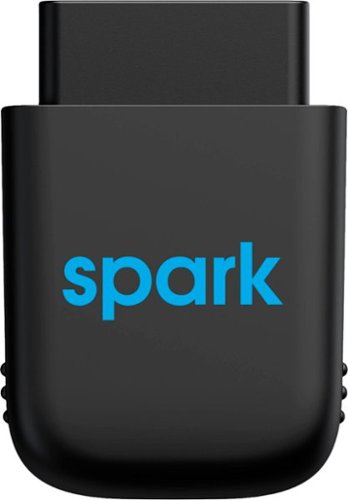
Diagnose automobile mechanical issues with this AT&T Harman Spark smart car device. Compatibility with Android and iOS mobile devices offers convenient control and monitoring, while a 4G LTE receiver brings Wi-Fi to your ride. This AT&T Harman Spark smart car device features an accelerometer and gyroscope sensors for vehicle tracking.
Customer Rating

3
Great For Anyone Needing a Mobile Hotspot
on May 17, 2021
Posted by: Jturn
from WI
Whether you'll find use in the Harman Spark primarily depends on what you're looking to get out of it. If you're looking for a simple way to add a mobile hotspot to your vehicle, with some added benefits of vehicle diagnostic reporting, this is a good option. That being said, with the prevalence of unlimited data plans these days, it's pertinent to wonder whether the added cost of the Spark is worth the benefits.
Setup was very simple. It comes with instructions that are easy to follow; download the app, plug the unit in, scan the QR code on top (which hopefully isn't obscured in your vehicle), turn the car on and wait. It took a couple of minutes for everything to get online. The one thing that didn't work immediately was the hotspot; my phone saw the hotspot, but there was no connection at first. This self-corrected after about 15 minutes (likely the activation time of the unit on ATT). Other than that, everything is surface via the Harman Spark app.
I've found the hotspot to be reasonably reliable. This is highly dependent on your location and how good ATT is there, but in general, this has worked well for me, with no unexpected dropouts, and speeds that or more or less what I expected. I personally didn't find much value in the ODB/service information, because my vehicle doesn't have any problems at the moment. Whether this will be useful when it needs to be, time will tell. There are some additional features (geo-fencing/location monitoring, etc) that I didn't use, and the "driving score" was semi-interesting to look at occasionally, but didn't do anything to change my driving habits. Some may find this enough motivation to drive "better" though.
The one issue I had with the Spark was that the fuel level indication was routinely incorrect. Honestly, I don't see the value in it anyways (unless your fuel gauge is broken) so it's not a big deal for me personally, but worth mentioning here.
Overall, this is a well functioning unit that delivers on what it says. However, I'm struggling to find the value proposition given that this inherently comes with an additional monthly cost, which considerably increases the cost of ownership. Many will likely find greater value in using their phone as a hotspot and buying any number of the available cheap ODB interfaces that provide roughly the same functionality. The hotspot function could be useful, though, if your phone is on VZW and you could benefit from having ATT coverage as well.
Mobile Submission: False
No, I would not recommend this to a friend.
Share this review:


0points
0of 0voted this as helpful.
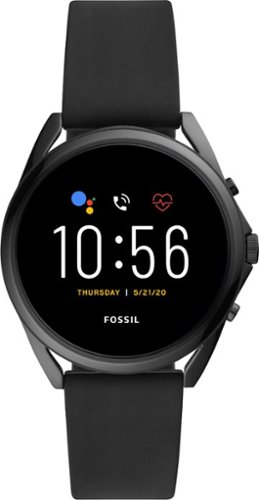
Tech for real life. This 45mm Gen 5 LTE touchscreen smartwatch features a black silicone strap, phone-free calling functionality, 8GB storage capacity and three smart battery modes to extend battery life for multiple days. Fossil Gen 5 LTE smartwatches work exclusively with Verizon branded Android phones (not unlocked phones) on the Verizon Network with qualified Numbershare data plan. NumberShare is required to activate service on LTE smartwatches. Numbershare is available with an eligible Verizon monthly plan. Adding a smartwatch to your Verizon data plan will incur additional monthly charges. Customers must have a compatible Android Smartphone (4G or 5G) active on their Verizon account. Compatible Android smartphone must have OS 6.0 or later, excluding Go edition, with an updated version of the MVS app "My Verizon Services" (v.1.0.104.2 or later) and must be HD voice capable, have HD voice turned On and be on an eligible plan. LTE smartwatches do not support a standalone activation, only activation via NumberShare is eligible. For more detailed information, please refer to your Verizon Connected Devices plan. Fossil Gen 5 LTE Smartwatches powered with Wear OS by Google are only compatible with Verizon Android~ phones on the Verizon network. Wear OS by Google and other related marks are trademarks of Google LLC. Supported features may vary between platforms. To avoid damage to your watch, only use with included charger. Do not use a USB hub, USB splitter, USB y-cable, battery pack or other peripheral device to charge. Product should be kept more than 20cm away from implanted medical devices to minimize potential for RF interference. See product insert for full details.
Customer Rating

2
Classy Styling Held Back by WearOS and VZW
on May 10, 2021
Posted by: Jturn
from WI
Let me start this off by saying that I was unable to activate this watch on my Verizon account. Anyone that has an unlocked phone on Verizon take note; you likely WILL NOT be able to activate this watch on your account and utilize the LTE functionality. Verizon requires installation of an additional app (My Verizon Services, NOT the standard My Verizon), and this app is only available preinstalled on locked Verizon phones. I tried side-loading the app onto my unlocked Galaxy S21 Ultra and it would not install. Unfortunately, this is a carrier restriction and Fossil, while incredibly helpful in troubleshooting, had no options for getting this working.
Activation issue aside, this watch is incredibly stylish and quality. One thing that's continued to annoy me about certain smart watches is that you can tell from a mile away that they're a smart watch because of the tacky styling. This watch, however, looks amazing. The great hardware is responsible for both of the stars of this review.
Unfortunately, the software on this (Google's WearOS) does not live up to the quality hardware. I have hopes for some updates in the future that may address my issues, but as it stands now in early May 2021, here are a few of my annoyances that impact my enjoyment of using the Gen 5:
-No YouTube Music integration. This speaks to a much larger issue with Google and their utter inability to understand the needs of their customers (they replaced the great Google Play Music app with the significantly inferior YouTube Music app). Anyone that rewards Google with loyalty of using their music service will be punished by not being able to use it on their smart watch OS.
-The notification system seems completely broken. The watch was alerting me multiple times for the same email coming through, for instance.
-The navigation system is highly unintuitive. The Gen 5 uses the crown wheel as a means for scrolling (which works great and is well implemented), but how WearOS is laid out just doesn't make sense in certain instances. Additionally, if you want to turn the watch off, you hold down the wheel button, which then activates Google Assistant and THEN shows you the power menu to turn the watch off. UX design 101 has been let down here.
-No YouTube Music integration. This speaks to a much larger issue with Google and their utter inability to understand the needs of their customers (they replaced the great Google Play Music app with the significantly inferior YouTube Music app). Anyone that rewards Google with loyalty of using their music service will be punished by not being able to use it on their smart watch OS.
-The notification system seems completely broken. The watch was alerting me multiple times for the same email coming through, for instance.
-The navigation system is highly unintuitive. The Gen 5 uses the crown wheel as a means for scrolling (which works great and is well implemented), but how WearOS is laid out just doesn't make sense in certain instances. Additionally, if you want to turn the watch off, you hold down the wheel button, which then activates Google Assistant and THEN shows you the power menu to turn the watch off. UX design 101 has been let down here.
Overall, I'm disappointed that in my particular instance, this watch doesn't fit my needs. While the build quality and style are top notch (honestly, Fossil did an amazing job in the hardware department as would be expected from their track record in the watch industry), the software and network limitations make this a hassle to use.
Mobile Submission: False
No, I would not recommend this to a friend.
Share this review:


0points
0of 0voted this as helpful.
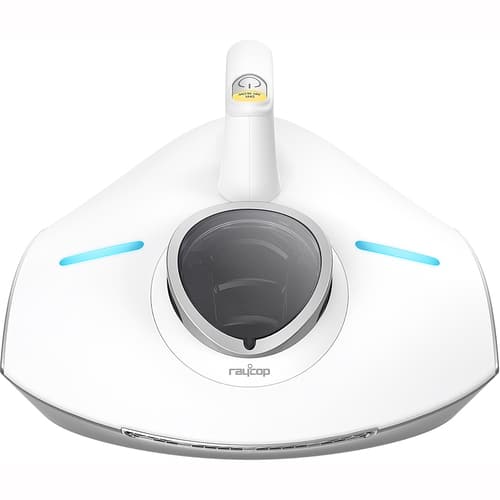
The first handheld allergen vacuum to use Steamless Heat Technology.
Customer Rating
4
Great Functionality, Limited Versatility
on May 6, 2021
Posted by: Jturn
from WI
Being the parent of a 10 month old that loves to crawl around our house, I decided to give the Raycop RS Pro a try. The concept of having the sanitization power of both UV and heat was obviously incredibly appealing. Raycop very clearly targets bedding sanitization as the primary use case for the RS Pro. I honestly wish I had these features in a full sized vacuum to use all over the house. Overall, it's painlessly simple to use; you plug it in, hit the power button, and go on your way. Two blue lights on top inform you when the UV lamp is running, and the "heat sanitization" light above the power button indicates when the heat sanitizer has kicked in. This couldn't be more simple to use.
The main downside (which, again, is expected given how Raycop positions this vacuum) is that it's not all that versatile for a couple of reasons. The ergonomics aren't great; it's a fairly large unit for how small the vacuuming track is, and it's difficult to get close to surfaces or into corners. The dustbin is diminutively small, also. Anyone hoping to use this thing for more than cleaning up furniture or bedding will be disappointed. Finally, I had an issue where the UV lamp wouldn't say activated on a certain type of textured floor mat (which has somewhat deep grooves, making the Raycop sensor look like it was not on a surface). Not a big deal.
Overall, anyone looking for a vacuum that has the ability to truly sanitize surfaces, especially bedding, should give the RS Pro a shot. Just don't expect to vacuum your floors with it.
Mobile Submission: False
I would recommend this to a friend!
Share this review:


+1point
1of 1voted this as helpful.
Jturn's Review Comments
Jturn has not submitted comments on any reviews.
Jturn's Questions
Jturn has not submitted any questions.
Jturn's Answers
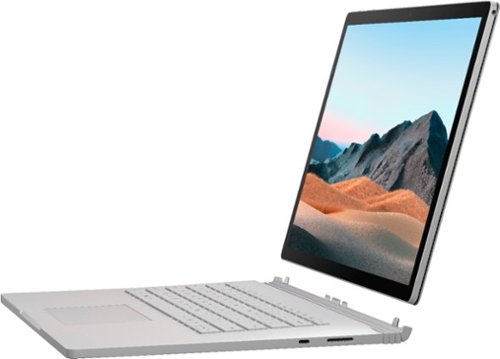
Performance meets versatility. From intensive video and graphics files to high-octane gaming, the most powerful Surface laptop yet combines speed, graphics, and long battery life with the versatility of a laptop, tablet, and portable studio. Tackle your biggest demands with quadcore powered 10th Gen Intel~ Core~ processors, blazing NVIDIA~ graphics, and high-resolution PixelSense~ Display designed for Surface Pen* and touch.
Is there an HDMI port?
Performance meets versatility. From intensive video and graphics files to high-octane gaming, the most powerful Surface laptop yet combines speed, graphics, and long battery life with the versatility of a laptop, tablet, and portable studio. Tackle your biggest demands with quadcore powered 10th Gen Intel~ Core~ processors, blazing NVIDIA~ graphics, and high-resolution PixelSense~ Display designed for Surface Pen* and touch.
Are there additional memory slots to increase RAM on the 15inch 16gb ram 256Gb storage, model?
No, there is no ability to upgrade the RAM or the hard drive on any of the Surface Books. What you buy is what you'll be stuck with.
5 years, 11 months ago
by
Jturn

Completely customize your Wi-Fi Smart Color Thermostat to match your lifestyle and decor. The ENERGY STAR~ certified smart thermostat lets you choose the temperature, schedule, display color and the devices you use to control it all.
Want to replace RTH230B with RTH9580WiFi. Wires connected:G, Y, W has(black wire), R(red wire), Rh(red wire). Also I see a white wire that is not connected to current rth230. How do I know which wire is used for the "c" terminal for the new rth9580WiFi?

Since they're not labeled at the thermostat terminal, you'll need to check at your furnace to see what's connected where. Having the extra wire is great, since you should be able to use that for your common.
8 years, 5 months ago
by
Jturn
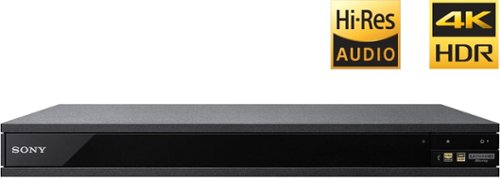
Experience immersive entertainment options with this Sony 4K Blu-ray player. Its Ultra HD resolution provides exceptionally detailed screen images with increased brightness and more realistic color, and its support of Dolby Atmos and DTS:X provides cinema-quality sound. This Sony 4K Blu-ray player supports high-resolution audio formats for more accurate music reproduction.
Does the on-screen display provide information on the video and audio bitrates? Does the display provide data on the audio output?
Yes. The Display button displays bit rate and format information for both audio and video.
9 years, 1 month ago
by
Jturn
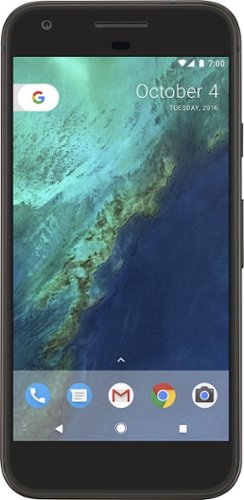
Bring the power of Google directly to your fingertips with the Google Pixel. A large 32GB of storage keep data secure, while unlimited cloud storage transfers data as needed, and it's completely automatic. The large 5-inch screen is protected by Corning Gorilla Glass 4 to ensure the Google Pixel remains scratch-free.
so i wanna get the pixel but with out getting a verizon contract how would i do so?
Your best option is probably to buy the phone directly from Google. The phone will come unlocked and will work as advertised with VZW and Project FI (meaning it should work well with Sprint and TMo).
9 years, 7 months ago
by
Jturn
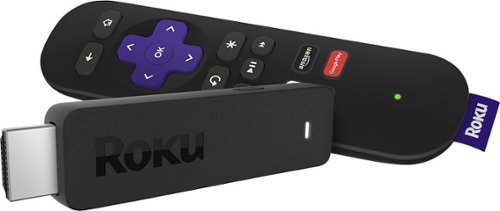
Enjoy HD programming with the Roku Streaming Stick. Plug it into any flat-screen television that has a built-in USB port to view streaming media. This device provides more than 4500 channels on demand and features more than 450,000 movies and TV episodes. Control the Roku Streaming Stick with the included remote or with your smartphone via the Roku Mobile App.
How can you connect the Roku to my theater Amplifier 5.1 sound system?
If your amplifier has an HDMI input, you'll need to plug the stick directly into the amplifier vs. plugging into your TV. The stick doesn't have any external audio outputs.
10 years ago
by
Jturn
Enjoy HD programming with the Roku Streaming Stick. Plug it into any flat-screen television that has a built-in USB port to view streaming media. This device provides more than 4500 channels on demand and features more than 450,000 movies and TV episodes. Control the Roku Streaming Stick with the included remote or with your smartphone via the Roku Mobile App.
The display shows it plugged into two places on the back of the tv. One is obviously the hdmi port, what is the other end plugged into?
Enjoy HD programming with the Roku Streaming Stick. Plug it into any flat-screen television that has a built-in USB port to view streaming media. This device provides more than 4500 channels on demand and features more than 450,000 movies and TV episodes. Control the Roku Streaming Stick with the included remote or with your smartphone via the Roku Mobile App.
Does the stick had profiles for different Netflix users?
Yes. It has the latest Netflix interface, meaning it has full support for profiles (unlike some of the older Roku devices).
10 years ago
by
Jturn
Enjoy HD programming with the Roku Streaming Stick. Plug it into any flat-screen television that has a built-in USB port to view streaming media. This device provides more than 4500 channels on demand and features more than 450,000 movies and TV episodes. Control the Roku Streaming Stick with the included remote or with your smartphone via the Roku Mobile App.
can I download google play store and down load free games like I have on my cell phone?
No. This device does not run Android. If you want the ability to side load apps, you'll need to look at either a Fire device or one of the hundreds of Android based streaming boxes available.
10 years ago
by
Jturn