


rtbestbuy's stats
- Review count182
- Helpfulness votes217
- First reviewNovember 22, 2014
- Last reviewJune 2, 2026
- Featured reviews0
- Average rating4.5
Reviews comments
- Review comment count0
- Helpfulness votes0
- First review commentNone
- Last review commentNone
- Featured review comments0
Questions
- Question count0
- Helpfulness votes0
- First questionNone
- Last questionNone
- Featured questions0
- Answer count11
- Helpfulness votes29
- First answerAugust 15, 2017
- Last answerOctober 5, 2021
- Featured answers0
- Best answers3
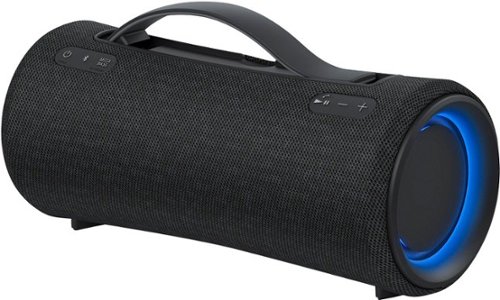
Get super-portable sound to go. The XG300 wireless speaker plays as hard as you do, with up to 25 hours of battery life and IP67 waterproof and dustproof. Its rich full sound and booming bass are perfect for when you want quality audio that goes wherever you go.
Customer Rating

5
Excellent Sound, and LOUD!
on July 24, 2022
Posted by: rtbestbuy
If you want a powerful party speaker with great sound, the Sony SRS-XG300 Bluetooth Speaker is everything you want. It is the perfect speaker for a party at the beach, lake, pool or weekend away and checks all the boxes: long battery life, superb sound, easy setup, heftable package, and reasonable controls. And it is really, really loud, fill the room loud. There are light rings on either end of the tubular speaker that provide some neat effects without being obnoxious.
Pairing is fast, particularly if you have an Android phone with Google Fast Pair: turn on the speaker and a pairing notification pops right up. Otherwise, there is a Bluetooth button, along with a power, mega bass, play, volume up, and down along the top. Also a popup carrying strap. The Mega Bass button switches on a bass heavy sound mode, perfect for beats or party dance.
For more controls, you install the Sony Music Center app (windows or phone) for audio controls and the Sony Fiestable app for all sorts of lighting patterns. As far as I can tell, you'll want to install both. The Music Center app works well on a Windows system, Chromebook, and Android phone. Not the best looking app, but functional and it gives you an equalizer, remote volume control, and battery level.
There are a couple of extras worth mentioning. It's both waterproof (IP67, well splashproof) and dustproof, so it's ok at the beach, lake, on a boat or even a drizzly campsite. There is a (output) charging port for charging a phone or other devices, nice if you are out for a weekend and forgot a charger. There is a button under the charging cover to limit the battery charge and prolong the life of the battery(the other Sony speaker I have is going on three years, so they seem to use high quality cells). It also has a noise and echo cancelling microphone that will let you take your calls. It works pretty well.
Probably the only downside is that the size and weight (6lbs) keep it from being a 'throw in the bag' speaker. It's a speaker to get a party started and keep it going. Overall, the Sony XB300 is an excellent portable speaker with great sound, build quality, battery life and features, making it an excellent value and highly recommended.
I would recommend this to a friend!
Share this review:


0points
0of 0voted this as helpful.
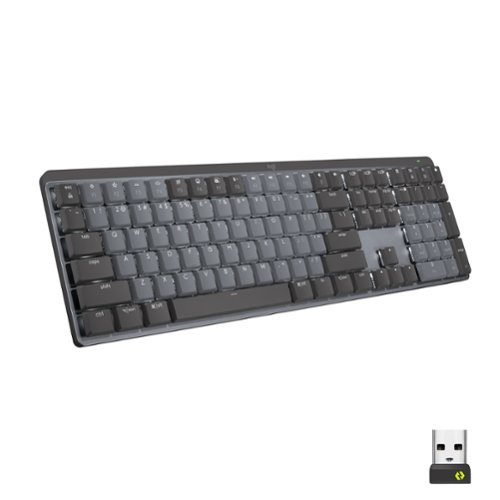
Introducing MX Mechanical - a full-size keyboard with extraordinary feel, precision, and performance. Low-profile mechanical typing delivers satisfying feedback in your choice of key switches ~ Tactile Quiet, Clicky, or Linear. MX Mechanical is crafted for ergonomic comfort, with smart illumination and easy-switch ~ allowing you to connect up to 3 devices and stay in your flow for hours.
Customer Rating
5
Quiet, Feature Rich Keyboard, Excellent Touch
on June 21, 2022
Posted by: rtbestbuy
The Logitech MX Mechanical keyboard is a feature rich wireless keyboard. I wanted to remove the wire clutter across my desktop and a wireless keyboard and mouse were the ticket. The keyboard comes with a usb-c charging cable, Logitech Bolt dongle, and some pictogram instructions and safety warnings. Setup is easy, Bluetooth or dongle, I chose Bluetooth to connect with my (Windows) desktop. Paired immediately, installed the Logi+ options utility (highly recommended, more later) and I was up and running. The keyboard came partially charged, but was sufficient for the first day and I charged it fully overnight. It's been on for four days and still pretty fully charged.
Typing is fast and quiet. The keys are short throw, with excellent tactile feedback and a very soft click. Although the keyboard is full size, there is no wasted space between keys and there are about a half dozen 'extra' keys. The function keys do double duty as 'media control' keys, but can be 'locked' as either function or media control keys. You select the mode with 'function+esc', and can access the alternate key function with the 'function' key. Using the Options utility, all the function keys can be programmed bring up any app. The Options utility also documents the special key functions, which is very handy since the included documentation is pretty skimpy.
A rather brilliant feature is that the Logi MX keyboard can be paired with up to three devices and switched between them, like a built in KVM switch. There are three keys to select the active device. This actually worked really well, I was able to switch between the desktop and my TV streaming box without having to re-pair each time.
Construction is quite solid, with a metal top, good heft, and nice rubber feet so it won't slide around. The backlight is a nice touch. Brightness can be set from the keyboard or the Options app and can be turned off entirely to save battery life. There are several lighting patterns, although there is really only one that you can use while at the keyboard. The others are just distracting while you're actually working. Speaking of battery life, it's claimed at up to 15 days with the backlight enabled and 10 months with backlight off. I'll probably just charge it once a week or so.
So far, the only real downside I've found is that there is no place to store the (unused) Bolt dongle; it would have been nice if Logi had provided a little hideaway storage like they do with their mice.
All-in-all, the Logitech MX Mechanical is a good, solid replacement wireless keyboard with excellent touch and loads of features. A MX 'Mini' is also available if you prefer a more compact keyboard. Highly recommended!
I would recommend this to a friend!
Share this review:


0points
0of 0voted this as helpful.
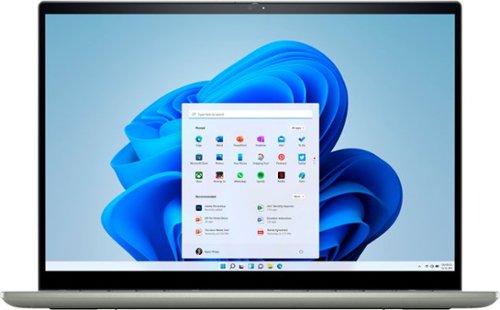
From the moment you turn on your Inspiron, you~re greeted and connected to a whole new world. Whether it's social media, streaming movies, or finishing your work, Inspiron 14 2-in-1 laptop delivers what matters most to you, in style. Experience amazing visuals and audio in any mode. Features a 16:10 aspect ratio FHD+ display, Waves MaxxAudio Pro and the latest AMD Mobile Processors with Radeon Graphics.
Customer Rating
5
Excellent Performance at a Budget Price
on June 10, 2022
Posted by: rtbestbuy
This Dell Inspiron 7425 2-in-1 14 is the laptop for the 98% of us. It's an excellent all-arounder laptop at a budget price, with performance and features that rival the highest end laptops of just a couple of years ago. The construction is excellent, with an all aluminum design and a nice, solid feeling keyboard deck. The keyboard deserves note as well. It's a compact, chiclet style keyboard that seems standard on laptops these days, but the tactile feedback is very good. The keys are full sized, nicely spaced and backlit. Typing on it is very fast. One nice touch, the function keys do double duty and can be set as either 'F' keys or media control keys by default. To access the other controls, you use the "Function" key.
The 14 inch display is very sharp and bright with a very small bezel. The resolution is FHD+, 1920x1200, which makes the display slightly more square and allows a little extra length for documents, spread sheets, and so forth to be displayed. For videos, you probably won't notice any difference, but if you use this laptop for anything office you'll appreciate the extra display length. The display is touch sensitive and very precise. BTW., I was able to reduce the font scaling to 100% from the default 150% and it was perfectly readable. The display folds all the way back to a 'tablet' type configuration and a separate pen is available if desired. I've used it in 'tent' configuration for watching videos.
The size of the Inspiron 7425 is almost exactly the same as the 13 inch laptop it's replacing. At around three and a quarter lbs its very easily carried around. The battery life is excellent, I've used it off and on all day, with a couple of multi-hour stretches and still had around 25% battery left. Compute power is more than adequate, the AMD 5625u surpassing my previous ultrabook's 8th gen I7. Unless you're a high end gamer or running ML training, it should be fine. I've done GoPro editing, video meetings, office, some gaming and video streaming with no hiccups. The AMD on chip graphics performance seems to be really good. The video camera is very sharp, with 1080p resolution and a slide security cover if you're so inclined.
Out of the box, you get a USB-c charger, the 2-in-1, and a very brief pictorial showing the location of the ports and important keys. Open the lid and the unit is on. It comes pre-installed with Windows 11, which takes some getting used to. NOTE: During setup, you have to log on using or creating a Microsoft user id, although you can switch to a local user later. There is a fingerprint reader that works very well, enough so that for the first time I've enabled login security on a personal laptop using the fingerprint reader. Once you go through setup and the inevitable updates, you're set to go. The internal SSD is very fast. Closing the lid by default puts the laptop to sleep, I changed it to hibernate because the startup/shutdown times were so fast (maybe 10 sec or so).
There are two USB-c 3.2 connectors and either one can be used for charging the laptop, which is very convenient. They can also be used for usb video. Additonally, there is a USB3.0a connector for legacy usb devices and a HDMI connector. There is the ubiquitous mini-jack for audio and a slot for a micro-sd card. Bluetooth 5.0 and WiFi 6AX provide wireless connectivity.
The Dell Inspiron 7425 2-in-1 is an excellent value, well built and should last a long time. It provides a surprisingly high level of performance and portability for the price and even not considering the price. Highly recommended!
I would recommend this to a friend!
Share this review:


0points
0of 0voted this as helpful.

Introducing the industry's first Quad-band mesh Wi-Fi 6E system. Orbi Quad-band, with dedicated Wi-Fi connections, new Wi-Fi 6E, and a 10 gig wired Internet port, delivers ultra-fast speeds and massive device capacity. With combined Wi-Fi speeds of up to 10.8Gbps across up to 9,000 square feet for up to 200 connected devices, you'll enjoy the amazing Wi-Fi experience.
Customer Rating

1
Performance You Pay For
on February 22, 2022
Posted by: rtbestbuy
from Bay Area, California
I have tested a number of home wireless mesh setups over the years and jumped at the opportunity to test the Orbi AXE110000 WiFi 6E mesh router. Long story short, performance and coverage were stellar, but I was ultimately disappointed with the package. The lack of IPv6 routing, limited configuration options, annoying in-app ads for additional paid services, and 4 digit price tag make this a non-starter for me.
The Orbi AXE11000 mesh package consists of a router, two satellite units, power supplies, and an Ethernet cable. Each unit has a 4 port hub built in for peripherals, a very nice touch. The router has an additional 10G Ethernet port for Internet connection. The router and satellites are otherwise identical and a bit of an eyesore, standing about a foot tall and 6 inches wide.
Setup was almost trivial. Download the app(Android, in my case), scan the QR code on the bottom of the router, power it on and connect it to the Internet. After the router is connected, power on the satellites and they automagically connect to the router. During setup, the only mandatory question was the SSID and password for the main WiFi network. There are options to enable an IOT and Guest network, but both can be added later. Took about 10 minutes, including a firmware update, to replace my existing network. There is a WiFi analyzer built into the app, so you can fiddle with the location of the router and satellites for best coverage.
This is where things kind of came apart. I have about 50 devices currently connected to my existing network, which was using different subnet (192.168.6.x instead of 192.168.1.x) than the default Orbi 192.168.1.x network. There is no option to set the subnet or subnet mask (network range), so about half the devices failed to connect and had to be power cycled because they couldn't get the IP address and network they had been using. There are also a couple of devices that were set up for IPv6 and those had to be reconfigured for IPv4. There is no option in the Orbi app to set the dhcp addresses and range, or to enable IPv6 routing.
There are two 'security' add-ons, at a monthly subscription fee. The first provides Bitdefender enabled application type security and vulnerability scans for $99 a year. There is an additional addon for 'enhanced' parental controls. And ads. Lots of ads. Both the addons get popups in the app to enable the additional services. Both addons are enabled for a 30 day trial.
There are options to enable an IOT network and a Guest network. There don't appear to be any options to map them onto separate subnets, or to limit them to particular WiFi bands, or even to traffic limit them. It's also interesting that the Orbi offers a separate IOT network option, but doesn't provide any sort of home hub, such as ZigBee.
Overall, I found myself pretty disappointed with the Orbi AXE11000. While performance was stellar, the lack of configuration options and IPv6 support makes this a non-starter for my network. And the ads! Really, in a $1500 system it's necessary to continually upsell addon services? Really too bad, because what it did, it did very well, but overall a major disappointment, especially at this price point. Not recommended.
No, I would not recommend this to a friend.
Share this review:


+2points
2of 2voted this as helpful.

Upgrade to smarter scrolling, better comfort, and more productivity with the Signature M650. The versatile mouse features an adaptive scroll SmartWheel that delivers line-by-line precision, and auto-switches to super-fast free spin mode with the flick of a finger. A choice of sizes for smaller, larger and left hands means there's a perfect fit for anyone. Seamless wireless connectivity, customizable side buttons, and a comfort shape keep you comfortably and productive hour after hour. Logitech~s SilentTouch technology delivers silent clicks to keep you focused ~ while the up to 24-month battery life and universal operating system compatibility ensure hassle-free performance.
Customer Rating
5
Smooth, Quiet Ergonomic Mouse
on January 25, 2022
Posted by: rtbestbuy
from Bay Area, California
I needed to replace a failing wired mouse on a deskside Windows system and decided to go wireless. The Logitech Signature M650 mouse is a wireless mouse that can be connected via Bluetooth or dedicated wireless dongle. The dongle is stored inside the battery compartment if not used. I disconnected the wired mouse and connected via Bluetooth. The transition was seamless, it took about 30 seconds to connect the mouse and it has worked flawlessly. Motion is very precise and smooth, the buttons are quiet, and life is very good!
The real beauty of the M650 line are the number of ergonomic options available. It comes in two sizes and a left handed variant. There are two 'extra' programmable buttons on the side that sit high enough up on the side to prevent accidental clicks. The two side buttons and the 'roller' button are programmable via the Logi Options+ software along with the scroll and pointer speed. I think The large mouse is better for larger hands, or if you prefer more of a palm grip. I have medium large hands but prefer more of a 'claw' grip on the mouse so I opted for the smaller M650. It will be easy to find an Signature M650 mouse family member that will work well for you, check it out!
I would recommend this to a friend!
Design

5
Ease of Use
5
Quality
5
Value
5

Share this review:


0points
0of 0voted this as helpful.
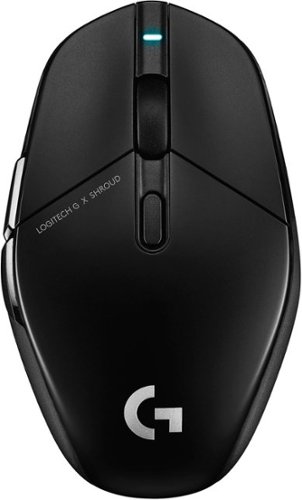
Introducing G303 Shroud Edition~the remaster of our iconic mouse. Featuring LIGHTSPEED, it delivers ultra-low latency and reliable performance. Helping Shroud and you take aim. With HERO 25K Sensor, Shroud~s G303 is built for precision and speed, without sacrificing energy. G303 Shroud Edition weighs 75 grams, made for low-sensitivity DPI and faster aiming. Designed in collaboration with Shroud, the new G303 perfectly matches his specs and includes our latest pro-grade technology.
Customer Rating

4
Light, Fast, and Accurate Mouse for Gaming
on December 17, 2021
Posted by: rtbestbuy
from Bay Area, CA
The Logitech G303 Shroud Edition Gaming Mouse is an impressive piece of engineering. It is exceptionally light, in part due to a rechargeable battery, wireless and extremely fast and accurate. The slide pads are large and the mouse moves easily. All the buttons are programmable via the very intuitive Logi GHub software. There are no extra, distracting LED effects or gross graphics. It was designed for gaming in conjunction with Shroud, a well known gamer and seems well suited to that purpose.
The mouse connects to your PC via a dedicated wireless dongle (more on that later). Plug in the dongle, all the drivers automagically (well, Windows 10) load along with the Logi GHub package and you're ready to go. In my case, the GHub software was already loaded since I was using a Logi wireless gaming headset.
In game, the buttons can be programmed through the GHub software and the functions remembered for a particular game, along with the resolution and report rate. Very nice and very convenient. The two extra buttons work well in game once you get used to them. (NOTE: this is pretty much a right handed mouse, the extra buttons lie right under the right hand thumb position). In the week I've been using it, I've not had to recharge it in spite of having it on all day. I would guess that the claimed battery life of 270 hours between charges is pretty much correct. Charge it once a week and you should be good.
Hand position is something of a hit and miss. I don't particularly have large hands (I fit a large men's glove, for instance). For gaming, I have my hand up, in kind of a claw position at the ready with the mouse always moving (I do wish the two thumb buttons were a rocker switch, it's just a little too easy to hit both at the same time). When I'm doing normal office stuff (email, browser, Word, etc.), I usually rest my palm on the back of the mouse, but that's not a comfortable position on the G303 for me at all. Even gaming, I found my hand getting tired after an hour or so, mostly due to the rather sharp angles on the sides. I posted pictures of the 'claw' and the 'casual' so you can see what I mean.
Since my gaming platform is a laptop, it doesn't have a lot of extra USB ports like a deskside, which leads me to my next issue with Logi. The Lightspeed wireless devices connect via a dedicated dongle EACH. So my laptop, with a Lightspeed headset, mouse, and keyboard, needs three separate USB ports, one for each dongle. Fortunately, they are labeled, but c'mon Logi, a unified channelized wireless dongle would be AWESOME! My current solution is a small external dock/port expander, but I can't be the only person facing this issue.
Overall, this is a good Gaming mouse that hits most marks, but with a few misses. You'll have to decide if it's the mouse for you. If you're in the market for a gaming mouse, the Shroud G303 should definitely be on your short list of candidates.
Mobile Submission: False
I would recommend this to a friend!


Share this review:


0points
0of 0voted this as helpful.
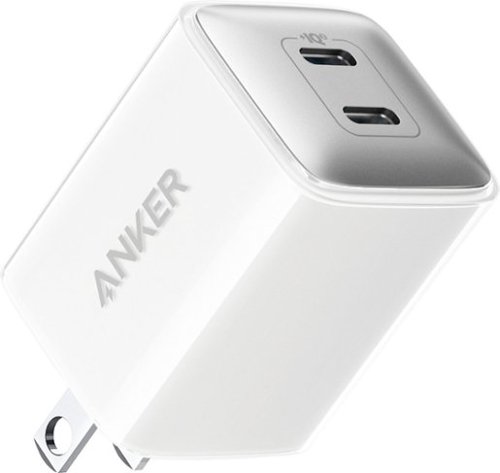
Powerport III Nano Pro Duo 40W Fast Wall Charger. Safely and quickly charge a single device at 40W or two devices at up to 20W speeds. Compatible with virtually any USB-C device, this includes USB-C laptops, phones, tablets, and more.
Customer Rating
5
Nice Tiny USB-C Charger
on December 3, 2021
Posted by: rtbestbuy
from Bay Area, CA
I've used Anker's portable power packs for years and always had good experiences with them. Choosing an Anker product when I needed a plug in charger was a no-brainer. I wanted a dual charger for travel that was capable of handling all sorts of devices and the Anker Nano Pro Duo fit the bill. After traveling with it for a week, my opinion hasn't changed. For travel, I wanted two outputs in a package that was small enough to only take up one outlet in a power strip. More outputs sounds like a great idea, but dealing with more than a couple multi-head cables is a real pain. Better to just charge at maximum speed and switch.
40 watts in a tiny package (20 watts/outlet) is really excellent, and with a good range of voltages to support different high speed charging options and devices. I have a picture showing the voltages and currents supportd. While traveling over the last week, I've a couple of phones (Android and IOS) charged, along with a Kindle, a tablet, and a Chromebook. Additionally, it worked well on a friend's MacBook Air. It even performed emergency (slow_ recharging of a Window laptop when the owner forgot the power pack, enough to get the presentation off the device.
The Anker Nano Pro is a great choice for a travel charger, or just a replacement charger. The only downside is that the two prong (non-polarized) plug doesn't fold into the unit, which means you have to be a little careful and can't just throw it into a bag with your devices. I salvaged an old plastic plug protector from a 110 power cable that comes with every desktop to cover it.
The Anker Nano Pro Duo certainly didn't disappoint. It's kind of hard to be effusive about a product that just works and does everything they said it would, but it does so much so well. Well recommended!
Mobile Submission: False
I would recommend this to a friend!


Share this review:


0points
0of 0voted this as helpful.
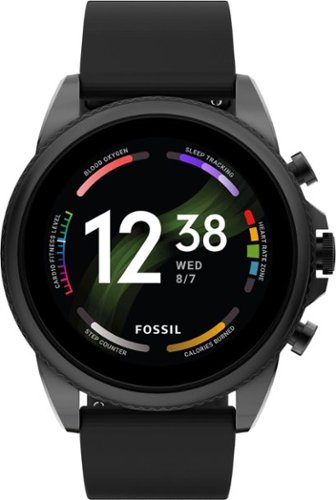
Way more. Way faster. This 44mm Gen 6 touchscreen smartwatch features a black silicone strap, 2x faster charging speed (80% in a little over 30 minutes), Qualcomm 4100+ technology and tons of personalization options.
Customer Rating
5
Finally, Style and Substance!
on November 2, 2021
Posted by: rtbestbuy
from Bay Area, CA
The Fossil Gen 6 Smartwatch (44mm) is a solid WearOS device with a stylish design, excellent display, and performance befitting a wearable device (finally!). This is my third smartwatch, the first was a cheap fitness watch and the second was a Fossil Gen 4, which both had flawed performance. The Fossil Gen 6 really seems to have gotten it right. Performances is smooth and speedy, with none of the lags between screens and the battery life is now quite acceptable. I've been able to go a day and a half before needing to recharge and recharging is very fast, about an hour from dead to full. The new processor used in the Gen 6 makes a huge difference in responsiveness and battery life.
Fossil watches have always had great displays and the Gen 6 continues that tradition. The AMOLED display is brilliant, razor sharp, and easy to read even in bright sunlight. The always on display 'falls back' to a black & white clock face which is really nice for a quick peek at the time (it is a wrist watch after all!). A quick tap and your chosen display face pops up. Swipe left for the quick access apps, swipe right for Google Assistant, up for settings, and down for notifications. There are three hardware buttons, two can be programmed to bring up apps, the center one (now with a guard to prevent accidental touches) goes to the app select screen and scrolls. The knurled ring ring around the bezel is just ornamental, it doesn't scroll like the Samsungs.
The Gen 6 has all the standard hardware expected in a smartwatch. an on board GPS, optical heart rate monitor, blood oxygen monitor, n-way accelerometer, altimeter, wifi, nfc, and bluetooth. There is a built in mic and speaker, which actually works well enough that I could take a call while cycling or in the car. It is also waterproof to 100ft, and while I haven't worn it swimming, it did survive our last downpour.
Unboxing, the watch comes with a proprietary magnetic charging cable, a user's manual that essentially says "Download the WearOS App and follow the instructions". There is a tutorial on the watch taking you through the gesture and button functions. You have to supply your own usb charger. And there is a deceptively large book that has the safety information in a zillion languages. Charge up the watch, go through the setup (more on this later) and you're ready to go.
The Gen 6 comes with a few apps installed, including Facer if you want to design your own watch face. It doesn't have any particularly proprietary junkware installed, which is really refreshing. WearOS looks a lot like Android and there are a lot of apps to do useful and useless things. Install your choice of apps, like Strava, and you're off. The Fossil Gen 6 is not just a fitness watch, although it can certainly function as one. The Google array fitness apps, including Google Fit is installed by default. I've used it at the gym and on several bike rides ranging from 30 to 50 miles each. Battery life oddly wasn't particularly affected when tracking activity. The longest bike ride was about five hours, starting at 90% battery and it was down to a little over 50% at the end of the ride. Google Pay was particularly convenient. Enter the pin when you put the watch on, and you don't need to enter it again unless you remove the watch. You simply hold the bottom button to pay. The watch detects that it hasn't left your wrist and doesn't ask for the pin until you remove the watch.
That being said, the Fossil Gen 6 is not without its warts. The setup process asks for permission confirmaton of everything. Fortunately setup is over in a few minutes. And the battery life could (always!) be better; it would be nice to be able to get through a weekend away without charging. The upgrade to WearOS 3 is promised for 2022 with new features and better battery management, but it's not here now.
For me, the negatives are minor and the positives, particularly the snappy response, make it well worth the upgrade. The Fossil Gen 6 is a real step forward over its predecessors and its competitors. It should definitely make your short list of smartwatches to consider.
Mobile Submission: False
I would recommend this to a friend!
Share this review:


0points
0of 0voted this as helpful.
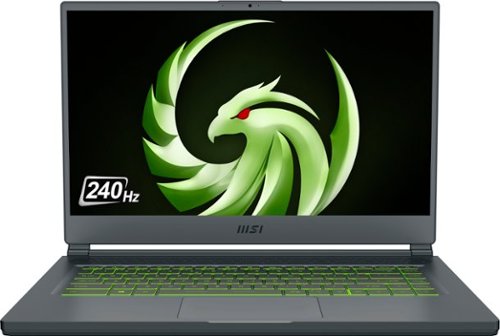
Unexpected. Unseen. Unreal. The Delta 15 AMD Advantage Edition uses the latest AMD Ryzen 7 5800H processor and Radeon RX 6700M graphics. Coming in at 4.19lbs light and 0.75in thin, the Delta 15 supports SmartShift, Smart Access Memory and Wi-Fi 6E for powerful performance inside a premium chassis. Break through and set off a new standard in gaming with the Delta 15.
Customer Rating
5
Dual Duty Beauty!
on October 5, 2021
Posted by: rtbestbuy
from Bay Area, CA
The MSI Delta 15 gaming laptop is the next step in the evolution of gaming laptops. Up until now, gaming laptops have been specialty devices, more luggable than laptops, big, weighty, hot, and highly stylized. They were great for gaming, but for general use, maybe not so much. Enter the MSI Delta 15!
The MSI Delta 15 really is a double duty computer. It has replaced both my gaming rig and my day to day laptop. Kind of a 'Business Meets Pleasure' computer, it is pretty much perfectly placed for the hybrid or remote office worker/gamer. At 15 inches, the display is large enough to be readable without increasing the font scaling. As an everyday laptop, it has a bright, beautiful 1080p display viewable at wide angles, long (really long!) battery life, great performance, and cool running operation. The keyboard and trackpad are both excellent, with great touch, feel, and feedback. While not an ultraportable, at a smidge over four pounds and only 3/4" thick, it's easily carried. Battery life, with a mixture of web browsing, email, videos, and office stuff was around 10 hours, more than enough to get through a day.
As a gaming laptop, the MSI Delta 15 really shines. The processor and graphics card kick into high gear and the battery life drops dramatically! Every game I loaded maxxed out the video and performance parameters. With a 240 hz screen, there was NO tearing or smearing no matter how fast the action was. Frame rates in all games (Horizon Zero Dawn, Borderlands 3, Borderlands 2, Warframe) all measured at or above 100FPS at 1080p. There is no Ethernet port, but the WiFi6AX-e extension seemed to keep the wireless packets flowing with no noticeable network lag. An Ethernet expander could be connected to one of the USB ports. I mostly use headphones, but the speakers have surprisingly good audio quality, with good sound separation and only a little light on the bass. The webcam, well, it's a webcam. I did try the HDMI port connected to a 4K monitor at 60hz with no problem. One USB-c port is 3.1gen2 compatible and can be connected to a DP port on a high refresh rate external monitor (not tried).
Battery life while gaming at maxxed game settings shrank the battery life to about a hour and a half. I could extend that by dialing back some of the in game settings a bit, which didn't really seem to affect game play, but did stretch the battery life out to about four hours and seemed to run a lot cooler. If gaming with maxxed settings, I'd recommend operating plugged in and with the unit off your lap - it does get warm.
Additionally, I did some video rendering (transcoding some videos from a GoPro) which completed in less than half the time my I7 desktop takes. Video operations were really fast and the bright, sharp screen made it easy to edit. I have a new video editing station!
If I had to find faults, I would say that the lack of an Ethernet port is a bit of a minus, and the keyboard is not a full sized (101 key) keyboard. But really, these are very minor issues. Oh, and I should note no USB charging - just too much power required for a USB charger. MSI really hit the sweet spot with the MSI Delta 15, comfortable in the office and the game station, or any application needing a high performance laptop. I highly recommend the MSI Delta 15, it's definitely worth a look.
Mobile Submission: False
I would recommend this to a friend!
Share this review:


-1point
2of 5voted this as helpful.
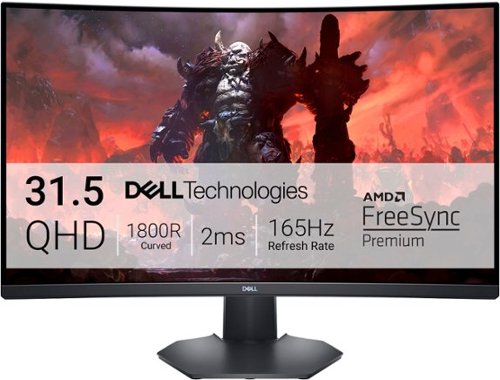
Enjoy stunning panoramic views during gameplay with this Dell 32-inch curved gaming monitor. A vibrant 2560 x 1440 resolution coupled with a contrast ratio of 3000:1 delivers precise colors for an immersive gaming experience. This Dell 32-inch curved gaming monitor has AMD FreeSync 2 to reduce screen tearing and splitting, and a 165Hz refresh rate keeps the action smooth.
Customer Rating
5
Wow!
on September 19, 2021
Posted by: rtbestbuy
from Bay Area, CA
Let's just get this over with now. The Dell S3222DGM is an outstanding, crazy fast, immersive gaming monitor. On sale, it's a bargain to boot. It offers a huge, immersive wrap around screen, beautiful saturated color, QHD(1440p) resolution at 165Hz refresh, a 1ms response time, and it's affordable. Whew! Dell has really hit a sweet spot balancing features and affordablity in this monitor.
This replaced an smaller 1080p gaming monitor that had a higher refresh rate, but suffered from lack of color depth and off axis viewing. The bump in resolution really increased the sharpness, even with the screen size increase. But most notable was the increase in color depth and saturation. It was like lifting a veil off the monitor!
Freesync works really well and the higher refresh rate and 1ms response time meant no tearing or lag in either Horizon Zero Dawn or Borderlands 3. Additionally, I use the same gaming rig with cycling trainer for Zwift and was really surprised at the difference. The color depth and the curve make for a much better experience.
Setup was trivial. Snap the monitor onto the stand, connect the power & DisplayPort cables, and turn it on. Dell supplies both a hdmi 2.0 and DP 1.2 cable with the monitor. The stand is both height and tilt adjustable so the monitor can be adapted to a variety of gaming setups. There is a down light that provides some light from the bottom of the monitor, which is nice in darkened rooms. Two HDMI 2.0, one DisplayPort 1.2, and a headphone out jack are provided. If I have to find an issue with the monitor, one more DP port would have been nice, but that's a minor nit.
Overall, an excellent monitor for gaming. If you are looking to upscale your gaming rig, or simply replace an aging monitor, the Dell S3222DGM really should be on your short list. Highly recommended!
Mobile Submission: False
I would recommend this to a friend!
Share this review:


0points
0of 0voted this as helpful.
rtbestbuy's Review Comments
rtbestbuy has not submitted comments on any reviews.
rtbestbuy's Questions
rtbestbuy has not submitted any questions.
Unexpected. Unseen. Unreal. The Delta 15 AMD Advantage Edition uses the latest AMD Ryzen 7 5800H processor and Radeon RX 6700M graphics. Coming in at 4.19lbs light and 0.75in thin, the Delta 15 supports SmartShift, Smart Access Memory and Wi-Fi 6E for powerful performance inside a premium chassis. Break through and set off a new standard in gaming with the Delta 15.
What is the weight of the laptop? And what is the weight of the AC power adapter? Does it come with a giant and heavy AC power adapter?
The laptop is a bit over 4lbs and about 3/4" thick. Battery life if you're not gaming, or if you dial back the game settings is pretty stellar - about 10 hours for just general office type operation. The power supply is a bit of a brick, but not as heavy as other gaming laptop power supplies. I would guess about a pound.
4 years, 8 months ago
by
rtbestbuy
Unexpected. Unseen. Unreal. The Delta 15 AMD Advantage Edition uses the latest AMD Ryzen 7 5800H processor and Radeon RX 6700M graphics. Coming in at 4.19lbs light and 0.75in thin, the Delta 15 supports SmartShift, Smart Access Memory and Wi-Fi 6E for powerful performance inside a premium chassis. Break through and set off a new standard in gaming with the Delta 15.
Can i use hdmi to connect an external monitor with this laptop without losing performance?
Sort of. HDMI is somewhat bandwidth limited, so the refresh rate will be lower than the laptop refresh rate. Better to use the USB-c DP functionality to get a higher refresh rate on an external monitor.
4 years, 8 months ago
by
rtbestbuy
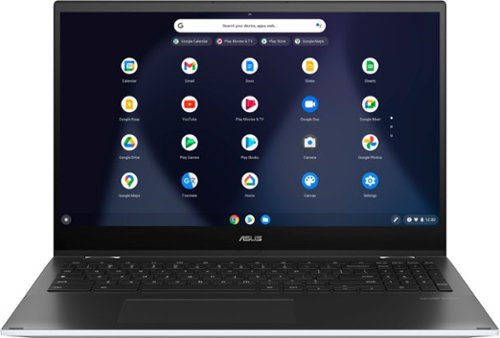
ASUS C536EA Chromebook: Stay productive and entertained with this ASUS 15.6-inch Chromebook notebook. The 8GB memory ensure fast startups, while the Intel i3 processor and 128GB SSD offer smooth performance. This ASUS 15.6-inch Chromebook notebook has an LED-backlit FHD display that provides an engaging viewing experience and is easily visible in dark environments.
Does the backlighting on the keyboard actually shine through the letters or just around the key?
It shines around the keys and through the script on the top of the keys. So for example on the "A" key illuminates the "A" and around the key as well.
5 years ago
by
rtbestbuy
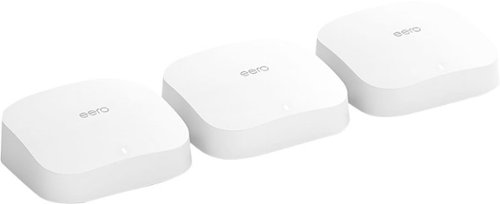
eero Pro 6 delivers premium Wi-Fi 6 performance. The 3-pack Wi-Fi 6 system supports speeds up to a gigabit and coverage up to 6,000 square feet. So you can say goodbye to dead spots and buffering. Work, play, video conference, and stream from anywhere in your home~even when the whole family is online. Set up eero in minutes and get automatic updates, a built-in Zigbee smart home hub, and more. Powered by TrueMesh, eero optimizes your wifi to work for your space and supports 75+ devices.
the 3 pack is too much for me... am i able to purchase 2 eero pro 6 and itll work like the 3pack?
Yes, you can buy only two and mesh them. There are also other options. You can also buy an Eero 6 or Eero 6 extender and use that as the 'remote' node in the mesh.
5 years, 6 months ago
by
rtbestbuy
eero Pro 6 delivers premium Wi-Fi 6 performance. The 3-pack Wi-Fi 6 system supports speeds up to a gigabit and coverage up to 6,000 square feet. So you can say goodbye to dead spots and buffering. Work, play, video conference, and stream from anywhere in your home~even when the whole family is online. Set up eero in minutes and get automatic updates, a built-in Zigbee smart home hub, and more. Powered by TrueMesh, eero optimizes your wifi to work for your space and supports 75+ devices.
I have a camera system and need to be able to have 2.4 & 5g separated for cameras. Can you turn off band steering?
yes, it's currently a 'Discover' feature and is off by default. If you mean can you define separate SSID's for the 2.4Ghz and 5Ghz networks, then no.
5 years, 6 months ago
by
rtbestbuy
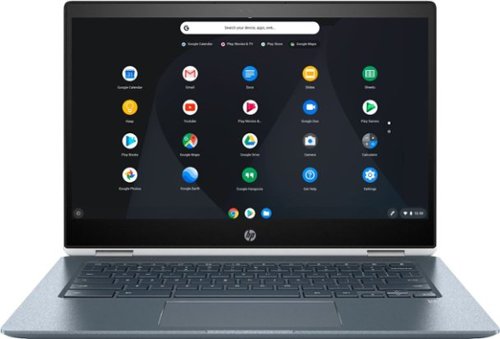
Stream your favorite media on the go with this HP Chromebook touchscreen laptop. The notebook has 8GB of RAM and an Intel Core i3 processor so it's easy to use Google Play apps for everyday productivity. This HP Chromebook touchscreen laptop has a modern 360-degree design and 13-hour, 30-minute battery life for work on the go.
Is the keyboard backlit?

Watch classic and modern flicks on this Samsung Blu-ray player. It supports 4K televisions and monitors for enjoying exceptional picture quality, and its HDR technology delivers deeper contrast and improved details. The built-in Bluetooth on this Samsung Blu-ray player lets you watch content on your mobile device while it's playing on another display.
Does the UBD-M9700/ZA support the following: DTS-X, Dolby Atmos, Dolby Vision, HDR10+, and/or HDR10?
DTS-HD, Atmos, HDR10+, and HDR10. It doesn't support Dolby Vision. Don't know about DTS-X as that may be a bitstream passthrough.
7 years, 10 months ago
by
rtbestbuy
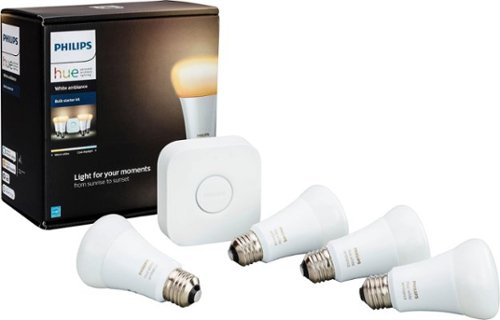
Make your home a more welcoming hub with this Philips Hue white ambiance A19 starter kit. Whether you desire a warm natural glow or energizing color tones, customize it just the way you like with the accompanying app. For parties, easily sync your lights to music with this Philips Hue white ambiance A19 starter kit.
Can I access lights when NOT at home
By access, I assume you mean get status and control them? Yes, either from the phone app or the myHue website.
8 years, 5 months ago
by
rtbestbuy
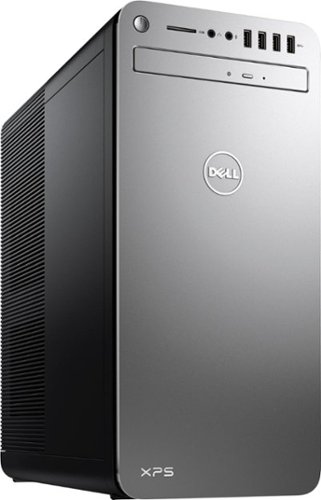
XPS Desktop - Intel Core i7 - 16GB Memory - NVIDIA GeForce GTX 1050 Ti - 2TB Hard Drive + Intel Optane Memory
What version of Windows 10 is it shipped with? Windows 10 Home ? or Pro?
Windows home is shipped with it. Windows pro may be available as an optional upgrade from Dell at some additional cost.
8 years, 9 months ago
by
rtbestbuy
XPS Desktop - Intel Core i7 - 16GB Memory - NVIDIA GeForce GTX 1050 Ti - 2TB Hard Drive + Intel Optane Memory
Which version of the I7700 processor is it? (e.g. I770K 4.2 GHz or I7700 4.2 or I770T @ 2.9GHz)?
The processor is the clock locked i7-7700. It has a base frequency of 3.6Ghz and a 'turbo'/max frequency of 4.2Ghz
8 years, 9 months ago
by
rtbestbuy