


rtbestbuy's stats
- Review count182
- Helpfulness votes217
- First reviewNovember 22, 2014
- Last reviewJune 2, 2026
- Featured reviews0
- Average rating4.5
Reviews comments
- Review comment count0
- Helpfulness votes0
- First review commentNone
- Last review commentNone
- Featured review comments0
Questions
- Question count0
- Helpfulness votes0
- First questionNone
- Last questionNone
- Featured questions0
- Answer count11
- Helpfulness votes29
- First answerAugust 15, 2017
- Last answerOctober 5, 2021
- Featured answers0
- Best answers3
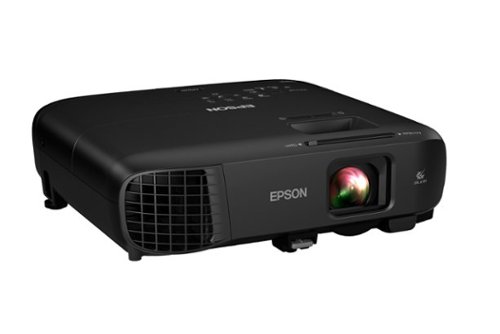
Impress your audience and own the room with the ultra bright, wireless Pro EX9240 WUXGA projector, offering 4,000 lumens of color and white brightness1 to deliver crisp, detailed, professional-quality presentations, spreadsheets and videos ~ even in well-lit spaces. From home offices to large video conference rooms, this sleek, compact projector makes it easy to display captivating, big-screen images from nearly any location, using advanced 3-chip 3LCD technology, stunning Full HD 1080p resolution and versatile screen mirroring with Miracast. Perfect for creating dynamic, engaging presentations, the Pro EX9240 offers a built-in 16 W speaker, allows for easy Zoom video conferencing and conveniently connects to streaming devices, such as Fire TV, Apple TV, Roku, and Chromecast, through the HDMI ports so you can easily share a variety of rich content, including movies, TV shows and more2.
Customer Rating

5
Excellent Multi Use Presentation Projector
on January 26, 2021
Posted by: rtbestbuy
from Bay Area, CA
The capabilities needed for a presentation projector have changed dramatically over the years. It's no longer enough to connect a laptop and project a spreadsheet or slide deck in a conference room with a dozen or so participants. Presentations have evolved to contain video, audio, as well as animated and high resolution images. And spreadsheets and slide decks. The presenting device may be a phone, tablet, laptop, or other video source, and it may be connected to the projector by wired, wireless or network connection.
The Epson EX9240 projector is a terrific presentation projector for this new paradigm. It supports Full HD (1920x1080) projection from a whole host of devices with a bright, sharp, and color saturated image. I found it capable in any role from the solo visiting presenter to enterprise class presentations. While it's not really a home theater projector, it's no slouch in that role either. It offers multiple methods to connect display devices using a computer, smartphone, tablet, video player or even usb stick as a source device with multiple ways to connect, both wired and wireless.
The Epson EX9240 projector is a terrific presentation projector for this new paradigm. It supports Full HD (1920x1080) projection from a whole host of devices with a bright, sharp, and color saturated image. I found it capable in any role from the solo visiting presenter to enterprise class presentations. While it's not really a home theater projector, it's no slouch in that role either. It offers multiple methods to connect display devices using a computer, smartphone, tablet, video player or even usb stick as a source device with multiple ways to connect, both wired and wireless.
What's in the Box:
A remote that doubles as a wireless mouse (with batteries)
power cord
soft carrying case
Quickstart guide
Note that there is NO driver disk, thankfully! If you want the Epson Projection Manager (window, mac, ios, android, and chromos), you download it from the Epson site. Otherwise, it just works with just about everything!
A remote that doubles as a wireless mouse (with batteries)
power cord
soft carrying case
Quickstart guide
Note that there is NO driver disk, thankfully! If you want the Epson Projection Manager (window, mac, ios, android, and chromos), you download it from the Epson site. Otherwise, it just works with just about everything!
The image quality is absolutely tops, very bright, sharp, with deep, saturated colors. Projection in a conference room with the lights on was perfectly acceptable. The FullHD resolution means that the level of detail in the presentation can match that of most modern laptops, and videos don't lose anything. The zoom lens made it usable in a small conference room to a room suitable for 50 or so people. It also worked really well in a living room. The keystone autocorrect worked well enough, and there was manual correction for both vertical and horizontal keystoning. The built in audio amplifier/speaker was a nice touch and significantly better than using the speakers built into my laptop. Louder too!
The menu system is very easy to navigate, very intuitive, and offers lots of options. The buttons on the projector are double duty, but are well marked and easy to use. There is a remote for presentation which has some neat features, such as image hold and A/V mute.
Wired connections are HDMI, VGA, Discrete A/V, and USB. The USB acts like a USB video device, so no special drivers are needed. There is a wireless option which is actually pretty cool. The projector can act like a local access point for 'quick' connections, or it can join an existing wireless network for over the network presentations. This will significantly reduce the setup fumbling time for those multi-presenter presentations. It also supports Miracast, which seems to be built into everything these days.
In terms of portability, size, connectivity, and of course presentation quality, the Epson EX9240 will be hard to beat. It just works for anything from small conference room meetings to large audience, multi-site, multi-presenter applications. Good job Epson!
Mobile Submission: False
I would recommend this to a friend!
Share this review:


+1point
1of 1voted this as helpful.
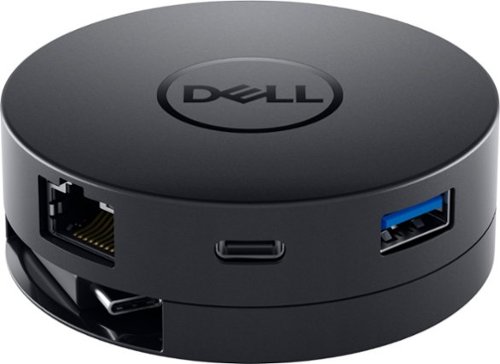
Maximum connectivity. Compact Design. The Dell DA300 6-in-1 USB C adapter. Featuring the widest variety of port options including HDMI, DP, VGA, Ethernet, USB-C and USB-A, this Dell USB-C Mobile Adapter - DA300 offers seamless video, network and data connectivity, in a neat, compact design. Offers up to 4K resolution at 60Hz via DP or HDMI port and enjoy a crisp and clear view without compromising on performance. Its USB-A and USB-C downstream ports also offer fast data transfer rates, at up to SuperSpeed USB 10Gbps3 when connecting to other supported peripherals. The only USB-C adapter with in-built cable management and a round, coaxial cable that offers a reliable connection with enhanced signal integrity.
Customer Rating
5
Compact USB-C Dock With a Twist
on January 14, 2021
Posted by: rtbestbuy
from Bay Area, CA
The Dell 6-in-one USB-C hub is a near perfect mobile docking solution. With the shift to ever slimmer laptops, the number and types of ports available is shrinking, many offering only a couple of USB-C ports. This means connecting a laptop or chromebook to a presentation projector, external monitor, or even a tv requires an external adapter. While wireless is becoming ubiquitous, gigabit wired is still necessary sometimes.
The Dell hub has a hidden USB-C cable to connect to the computer and supports up to 10Gb transfers. The cable tucks away for storage with a twist of the bottom. The clever design protects the cable when you throw it in your bag with the other accessories. At first I thought it was gimmicky, but I've lost a couple of hdmi adapters after the cable was yanked loose and have come to appreciate it. You can see the cable in the two pictures, along with a quarter for size reference.
There are three types of video output connectors - dp, hdmi, and vga, although only one can be used at a time. There are two usb ports: one USB-C and one USB-A, which can be used simultaneously if your computer supports the usb current requirements. Finally, there is a gig Ethernet port, for which I'm truly grateful as spotty wifi has made presentations difficult.
The video output has been excellent with both a UHD (4K) video monitor and a 1080p presentation projector. The support of video up to 4K was important going forward as that seems to be the new standard for desktop monitors and is starting to show up in projectors as well. One very cool thing, the hub was recognized and usable by both my Win10 and Chromebook laptops.
Since the Dell hub was designed as a portable expander, it doesn't support a charging port (charger plugs into the hub and charges the connected laptop). It would have been a nice to have, but not really necessary for a portable hub. I don't really miss it, but it's one of those things to consider.
Overall, I'm very pleased with the Dell Dock, it's been a high quality and sturdy addition to my laptop bag with very high grade support of 4k video. Working with a Chromebook as well as Windows has been a real plus and I'd highly recommend it to anyone looking for a portable dock.
Mobile Submission: False
I would recommend this to a friend!


Share this review:


+4points
4of 4voted this as helpful.
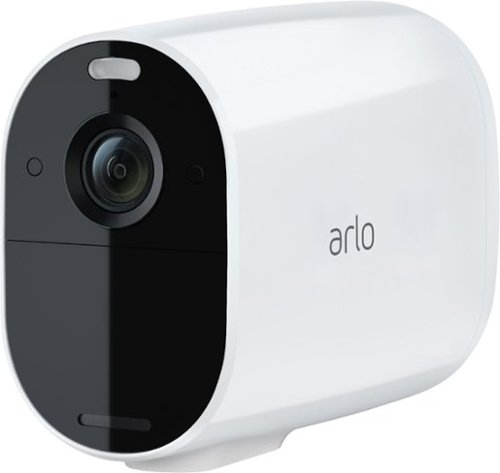
See the essential details, longer. Arlo Essential Spotlight has extended battery life and captures video in 1080p resolution with an integrated spotlight, color night vision, and an extended life battery. Wire-free and weather resistant, Arlo Essential works indoors or out. Set it up yourself in just a few easy steps and clearly see who~s there, even at night. With one year battery life~, it~s perfect for high traffic locations or areas that are difficult to reach. Easily recharge your camera using the included indoor power cable (battery not removeable). Receive notifications and view videos that tell you a package, person, vehicle or even an animal is detected, so you can take quick action like phone a friend, sound an alarm or call emergency services with a trial of Arlo Secure included.~ Personalize what you get notified for and create custom activity zones to ensure you only get alerts for what matters, reducing those that are less important.
Customer Rating
5
Good High Traffic Camera Solution
on November 30, 2020
Posted by: rtbestbuy
from Bay Area, CA
The Arlo Essential XL Spotlight Camera is part of the latest entry-level family of cameras from Arlo. Housed in a case similar to the Pro 3/Ultra with a non-removeable extra long life rechargeable battery, it offers 1080p video recording, two way audio, IR and/or floodlight for night vision and an integrated siren. It also can connect to an Arlo hub or directly to your home network without requiring a hub.
The Essential XL solved a big problem for me; I have a camera in the front of the house that is activated manually or by geo-sensing whenever I'm away from home. Lately, with everyone walking by the house or playing in the court, the old camera would trigger a lot and I was swapping batteries once every month or two. Replaced it with the Essential XL, which has been in place for a about a week now and the battery is still at 98%.
Since I was adding the Essential XL to an existing Arlo network, I connected it to my existing Arlo hub network (and Arlo App) and was up and running in no time. I did try connecting to my home network just for grins, which was just as smooth. Setup should be no problem. Probably the hardest part of any Arlo installation is figuring out where you want to place the cameras.
Although the speced video is the same as the Pro 2 (1080p), the video quality of the Essential camera seems to be better. This may be the result of improved firmware or a different sensor, but in any case the video quality is excellent. The color night vision, using the built-in floodlight, is a major improvement over the black and white IR video (which is still available if you want). The batteries in all the Essential family cameras are non-removable and rechargeable with a standard micro-usb port and charger. A ridiculously short cable is included, but no charger. Not a real problem, but you will probably have to remove the camera and take it inside to charge. Fortunately, with the extra battery life that won't happen often.
The Essential family of cameras come with a three month trial subscription to Arlo Smart, but otherwise do not offer the 7-day free cloud storage plan that comes with the Pro 2. After the trial expires, you will have to decide if the Arlo Smart plan and its monthly service charge are right for you. All of the Arlo smart features are available with the Essential cameras, including motion, person, animal, vehicle, and package detection as well as activity zones to set notifications. While I mourn the loss of the generous seven day cloud storage previously provided free, the Arlo Smart offers a lot of additional functionality and storage for a low fee.
Whether you're looking to add a low maintenance camera to a high traffic area or just looking for a low cost, high quality surveillance camera solution, the Arlo Essential XL is a great choice.
Mobile Submission: False
I would recommend this to a friend!
Share this review:


0points
0of 0voted this as helpful.
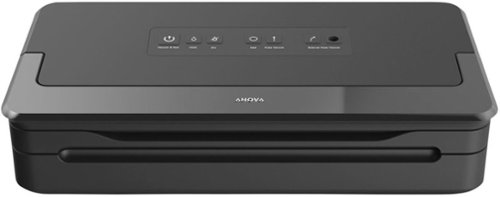
The more robust, older sibling to our Precision Vacuum Sealer. Expect a high power vacuum, reliable double sealer, built-in bag storage and cutter, an accessory port for sealing containers, and the ability to seal wet foods without worry ~ all with just one hand.
Customer Rating
5
Great Addition to a Sous Vide Kitchen
on November 27, 2020
Posted by: rtbestbuy
from Bay Area, CA
We has been doing more and more Sous Vide cooking, probably two to three times a week now. It's really perfect for meat, not overcooking and leaving it moist and tender without brining. We had been using ziplock bags (the silicone bags are a colossal pain to clean), but never again. Having to weight the bags down to keep the food item submerged was a challenge.
The Anova Precision Sealer Pro makes Sous Vide very easy, as it is a storage sealer that has additional features specifically for Sous Vide and convenience. There are separate settings for 'Moist' and 'Dry' preparations, food in a sauce or marinade doesn't suck the wet ingredients out of the bag. There is a 'Pulse' setting, so more delicate items can be sealed without crushing them. The sealer locks closed during the sealing operation, so you don't have to stand there holding the lid down. There is a built-in bag cutter, so you get a nice straight cut and don't have to go find a pair of scissors. There is also an external port for vacuum ready sealing containers, which we haven't tried. It seems to work fine with the bulk purchase sealer rolls, so you're not locked into to any special refills.
As an example, we have cooked dry rub pork chops, chicken in marinade, and various vegetable all sealed with the Anova Precision Pro Sealer. It's nice being able to seal ahead of time and let the rub or marinade do it's work in the refrigerator without having to use a separate pan or plate. It's really nice being able to seal vegetables like asparagus without crushing them, using the 'pulse' option. Probably my only complaint is that the instructions are pretty skimpy, but the unit is pretty self-explanatory; all of the modes have separate buttons.
All in all we are very happy with the Anova Precision Sealer Pro. If you finding yourself doing Sous Vide cooking, I think you will be as well.
Mobile Submission: False
I would recommend this to a friend!
Share this review:


0points
1of 2voted this as helpful.
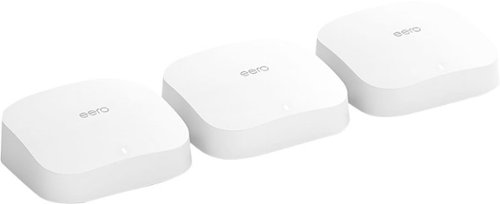
eero Pro 6 delivers premium Wi-Fi 6 performance. The 3-pack Wi-Fi 6 system supports speeds up to a gigabit and coverage up to 6,000 square feet. So you can say goodbye to dead spots and buffering. Work, play, video conference, and stream from anywhere in your home~even when the whole family is online. Set up eero in minutes and get automatic updates, a built-in Zigbee smart home hub, and more. Powered by TrueMesh, eero optimizes your wifi to work for your space and supports 75+ devices.
Customer Rating

4
Promising Router, But...
on November 18, 2020
Posted by: rtbestbuy
from Bay Area, CA
The Eero Pro 6 mesh router 3-pack is just at the beginning of it's product cycle, promising gigabit routing speeds, both wired and wireless. It also includes a ZigBee home hub which can be used with a large and growing number of home automation devices. It sounded perfect for the new pandemic induced, live at home reality. Ultimately however, I was a bit disappointed both with its performance and feature set.
Setup was easy. Download the app (Android in my case, but also available for IOS) and place the three nodes where you want them for best (guess) coverage, connect the ethernet cable between the modem and gateway Eero, and power it up. This is where I ran into the first problem. The power brick has a permanently wired 4 ft USB-c cable. 6ft would have been much better, or better yet, use a USB-c to USB-c cable for power from the brick to the Pro 6. Use the app to do some minimal configuration, then power up the other two nodes (again, within 4 feet of a AC power socket!) and repeat the minimal configuration. Pretty easy, peasy!
This is where things kind of came apart. I was replacing a (WPA2) network, setup the same SSID and password, dhcp address and range. EVERY device in my house (I have about 40) assumed it was joining a new network and had to be reconfigured. PC's and phones are easy, but every home automation device had to be reprogrammed; it took about two hours to navigate the configuration apps for thermostat, vacuums, smart plugs, smart bulbs, tv's, etc, and 'add a new network'. Prepare for this, and have a list, I found one or two devices the next day. Uggh!
There are two 'security' add-ons, at a monthly subscription fee. The first provides some minimal increase in application type security along with dashboard items for scans, threat blocks, ad blocks, and content filters. The basic security consists of a built in (basically non-configurable) firewall, guest network, wireless device blocking, and 'profiles' that allow hours to be set. The lower tier add-on adds content filtering to the profile, and the higher tier adds some host based security clients. None of them provide the kind of logging that actually allow threat detection and forensics, which in this day and age is kind of necessary. Eero, if you're reading this, here is your next service offering:^)
Now comes the performance part. I have a relatively sophisticated pc based wireless network analyzer, so I could look at signal strength at various locations and position the wireless Eero nodes where the backhaul wireless was strong. I don't understand why a very expensive, high performance solution like the Eero 6 Pro doesn't have something based in the app to help position the wireless nodes. Even a speedtest between the gateway node and the wireless nodes would help provide an estimate of the backhaul connectivity would be useful.
The 'gateway' node (the one wired to the cable modem) provided wired routing up to the cable speed, about half a gigabit, which is very impressive performance for a home router. The wireless was less capable, although the signal strength was much improved throughout the house and yard. I have a wifi 6 gaming laptop with very high performance wifi, which should have been able to saturate the cable network; the best speedtest on any device seemed to top out at between 300Mb and 400Mb when connected to the wireless nodes. When connected (wirelessly) to the gateway node, I could saturate the cable network (500Mb). I set up a local game server wired to the gateway node and repeated the test. Similar results, although the speed when wirelessly connected to the gateway node improved to about 600Mb. Hopefully an update will address the wireless performance issues I experienced.
Each node has two Ethernet ports, the 'gateway' node requires one for the modem, the wireless nodes can use both to attach wired devices. The gateway node automagically senses the Internet, so there are no dedicated ports. If you need more Ethernet ports, a gigabit hub is $15 and far more versatile than adding port to the router; kudos to Eero for not trying to overbuild their routers.
The 'built in ZigBee home hub' was also a little disappointing. It is really a only a gateway to the Alexa skill for that device, but many of the apps provide additional capabilities over the Alexa skills. And while I realize that Eero is an Amazon company, it would be nice to have some support for additional home automation providers.
Overall, I found myself somewhat disappointed with the Eero Pro 6, especially at the price point which can only be described as 'premium'. I can live with the Alexa limitations, and the setup grief, but the wireless performance is really disappointing, especially given the promise of WiFi 6. Hopefully that will improve with updates over time and Eero will improve the functionality.
Mobile Submission: False
I would recommend this to a friend!
Share this review:


-1point
0of 1voted this as helpful.
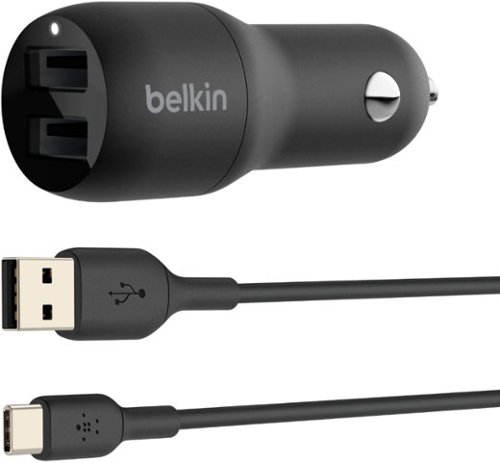
Charge two devices simultaneously with our Dual USB-A Car Charger. This compact charger offers faster-than-standard charging speeds and an LED indicator to let you know when it~s connected to a power source. A cable is included, so you can get charging right away. Compatible with the iPhone 17, 17 Pro Max & 17 Pro.
Customer Rating
5
Solid High Power, Dual USB Car Charger
on November 9, 2020
Posted by: rtbestbuy
from Bay Area, CA
I've been a fan of Belkin products for a long time and have replaced several cheaper products with Belkin. I've found Belkin to be solidly built, last, and just work. The Belkin Dual 24W USB car charger is no exception. It is a nice slim package with rounded edges (that I've already managed to drop test on the cement floor of the garage with no ill effects). It fit the power port in my car and the van without wiggling or falling out, which has been a challenge in the van. The supplied USB-A to USB-C cable is similarly well constructed and should last a long time. I've charged two phones at a time and they charged as quickly as they do on a high power wall charger. It only got slightly warm to the touch while charging the two phones, much cooler than the charger it replaced (which was one of the reasons it was replaced).
If you're looking for a good dual high power car charger that you won't worry about, the Belkin is a solid choice. This is a no brainer. Highly recommended!
Mobile Submission: False
I would recommend this to a friend!
Share this review:


0points
0of 0voted this as helpful.
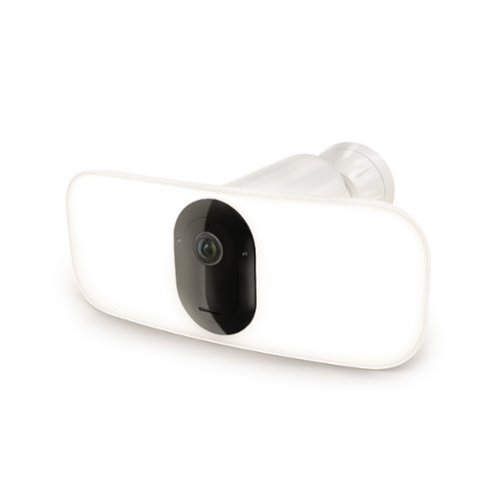
Upgrade your outdoor home security with the Arlo Pro 3 Floodlight Security Camera for a powerful blend of ultra-bright illumination and advanced surveillance. This innovative wireless security camera features a motion-activated floodlight that delivers up to 2000 lumens of brightness or 3000 lumens when paired with the Outdoor Magnetic Charging Cable to deter intruders while lighting up key areas around your property. Capture every detail with crystal-clear 2K video with HDR, ensuring sharp, vibrant footage in both daylight and low-light conditions. Includes a 30-day trial of an Arlo Secure Plan is included for premium features like 60-Day Video History, Person & Vehicle Recognition, Package & Animal Detection, Custom Detection, Fire Detection, 24/7 Emergency Response, and more. A 160~ wide viewing angle with auto image correction reduces distortion so you can see more of what matters without the fisheye effect. Plus, Color Night Vision keeps your home protected even after dark. Designed for easy installation, the completely wire-free camera offers maximum placement flexibility with no wiring hassles. Built to withstand the elements, it is weather-resistant and provides reliable protection through heat, cold, rain, and snow. Stay connected and in control with instant motion alerts sent directly to your smartphone. Use 2-Way Audio to hear and speak to visitors, and receive smart notifications for people, vehicles, and packages, enabling quick action through Emergency Response. Power your security your way with rechargeable batteries or optional solar charging for continuous, eco-friendly operation. Enjoy added peace of mind with the trusted performance and innovative design Arlo is known for to enhance your home and simplify your life.
Customer Rating
4
Nice Addition to the Arlo Line
on November 7, 2020
Posted by: rtbestbuy
from Bay Area, CA
I have an existing system with a mix of Pro 3 and Pro 2 cameras, along with some of the older Arlo hub controlled LED Security Lights. I wanted a floodlight for the driveway and the Arlo FloodCam looked like just the ticket, battery powered and no wiring. It doesn't require the Arlo hub, so it can connect directly to my mesh wifi for a stronger signal. The camera was a bonus.
Setup was easy, although installation was a bit of a pain. This unit is significantly heavier than the Arlo cams & security lights and significantly larger. Be sure to secure it to a stud, or use wall anchors. The high capacity battery is about three times as long as the Pro 3 battery and makes up a large part of the weight. Charging the battery can use the magnetic charging cable (not supplied, by the way) or the camera/floodlight assembly snaps out like the Pro 3/Ultra cameras and there is a micro-usb charging port in the assembly, or the battery can be removed and charged in the Pro 3/Ultra battery charger. Installed, it can be powered by an optional wall wart power cable or a solar charger.
Configuration was easy. Download the (Android for me, although there is an iPhone) app, connect the FloodCam to your base station or home WiFi, and you're pretty much up and running. Although I have an Arlo camera plan, it created a separate plan with three months free. I'm assuming I can move it to my existing plan when the freebie expires. Note that this camera has all the plan limitations of the Pro 3, so you really should plan on a monthly charge if you want to save any recordings.
The light is really bright, fills the entire driveway. The floodlight and camera can be separately enabled and disabled, so you don't have to record or be notified every time the floodlight goes on, which is really convenient. I won't spend a lot of time on the camera, it's essentially a Pro 3 and the recorded video quality is excellent, down to being able to read the license plates on cars passing by on the street.
The motion detect sensitivity is adjustable and video can be triggered by both/either motion or sound. The motion zones lets you control areas in the picture frame that will send you a notification. Audio is bidirectional if you're going to use as a doorcam and it does work full duplex (talk and listen at the same time). I did try it and it certainly seems more natural.
Not having to use the Arlo hub is a plus. It would have been really nice if Arlo had included the magnetic charging cable rather than having to take the unit down to charge, and the unit could have been designed to be a little less unwieldy. Overall, the Arlo FloodCam provides a nice and useful integration of function and is a welcome addition to the Arlo family.
Mobile Submission: False
I would recommend this to a friend!
Share this review:


0points
0of 0voted this as helpful.
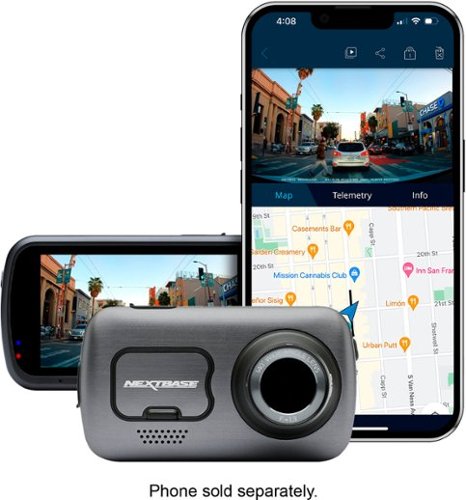
The best just got better with the new Nextbase 622GW 4K Dash Cam. With an abundance of new features and world~s firsts, the 622GW is the most accurate, powerful and highest image quality Dash Cam in the market today. Ultra-clear 4K recording at 30fps captures those all-important finer details, with recording at 1440p HD at 60fps or 1080p HD at 120fps for super slow motion available. An improved sensor ensures enhanced night vision on even the darkest roads. Image quality is at the forefront of the Dash cam revolution, with Image stabilization reducing vibrations from your vehicle and improving footage clarity. Another first for Nextbase is Extreme Weather Mode, to provide a clearer image in misty conditions using special defogging algorithms, crucial for winter and night-time driving. The 622GW is the world~s first Dash Cam to include what3words. This provides your exact location to a 3m square location without the need for a data connection, crucial for emergency services to precisely locate you. Coupled with Emergency SOS and Alexa Built-In, the 622GW shows its further ahead the field with technology advancements. Increased connectivity for transferring footage to your mobile phone is key with new built-in Bluetooth 5.0 and Hyper-Sync Wi-Fi 5GHz speeds are up to 10x faster. This ensures syncing times with the MyNextbase Connect app (IoS 12.1 or later and Android 5.1 and up). The 622GW is compatible with any Nextbase Rear View Module, to offer-all around protection, whilst crucially maintaining front 4K image quality, with 1080p full HD rear recordings. The 622GW features all the much loved Nextbase features including Intelligent Parking Mode, high accuracy 10x GPS readings, a 3~ HD IPS touch screen and the fully patented Click&Go PRO mount design, for the ultimate Dash Cam user experience. Note- For this product a U3 class Nextbase microSD card is required (Not included). The ability to maintain a high WRITE speed consistently is what Nextbase SD cards are designed to do better than any other SD card. Any drop/fluctuation in WRITE speed within the SD card causes the Dash Cam footage to buffer, and in some cases will stop the recording entirely. Our Nextbase SD card controller and Firmware on the SD card achieves the requirements from our Dash Cam, where other SD cards cannot. Due to the continuous recording and overwriting of the card, the SD card needs to be a high-endurance card, otherwise the card may develop faults after a period of time; if a lower-capability card is used, certain features on the camera will not fully function due to being unable to re-write and record. Nextbase has over 3 million dash cams sold, 115 unique patents, custom designed processors and improved sensors which record fast moving objects in perfect picture clarity for day and night time driving. Auto adjusts contrast and brightness to further improve the footage details in the event of an accident. Save time, money, and ease with Nextbase Dash Cams.
Customer Rating
5
Expensive and Worth Every Penny
on October 28, 2020
Posted by: rtbestbuy
from Bay Area, CA
The NextBase 622GW is not an inexpensive dashcam, but it is the most capable unit on the market today with some very unique features. The 4K recording provides somewhat better video than their previous high end unit, the 522GW, but for me, the new features that really stand out are
* Digital image stabilization - the 622GW is the only camera on the market with it and it makes a marked difference in the video quality.
* Low light recording - the new image sensor does a spectacular job of recording at low light levels, much clearer video than before.
* Poor weather recording - image enhancement in foggy conditions really improves the image quality in misty, foggy or drizzly conditions.
* Digital image stabilization - the 622GW is the only camera on the market with it and it makes a marked difference in the video quality.
* Low light recording - the new image sensor does a spectacular job of recording at low light levels, much clearer video than before.
* Poor weather recording - image enhancement in foggy conditions really improves the image quality in misty, foggy or drizzly conditions.
NextBase provides a phone app (IOS & Android) that provides real time control over the camera as well as desktop computer programs for viewing and analyzing the video. Although the phone app is used to provide Alexa and emergency dial support, the 622GW has it's own GPS for fully self contained recording. It also has a small battery for recording while parked or after the engine is turned off.
The construction quality of everything is excellent. Setup is easy, very straightforward and intuitive, with a choice of either a permanent or transient (suction cup) mount. Although I have never been a fan of suction cup mounts, the NextBase mount works very well; it stays put and provides a rigid platform. The camera itself connects to the mount with a really (really, really!) strong magnet. A long power port (cigarette lighter, for those of you old enough to remember) cable is provided, along with a 'spunger' tool to stuff the cable inside the headliner. There is also an optional permanent wiring kit available. Setup is very straightforward through the large bright touchscreen menu system.
The video quality is absolutely first rate, on a par with a GoPro. The default recording is 4K@30hz, but you can record 1440p@60hz if you feel the need for higher frame rates and 1080p@120hz for super slo motion. The lens is a wide angle (140 degree) with minimal fisheye distortion, very sharp, and there is a rotating polarizing filter to help with windshield glare. License plates are easily read. There was no blooming in high contrast scenes or washout going into the sun. The low light performance was quite impressive; I could read license plates illuminated by streetlights and headlights alone! In addition to the gps sensor, the 622 contains a Gshock sensor that is used for collision detection. The NextBase pc/mac video playback program shows gps, speed, G-shock(accelerometer), and map location in addition to the playback video.
The rear-facing camera is optional with three separate modules depending on your particular needs. Only one module can be attached at a time. There is a wired rear window mount camera, and two that mount directly on the camera (one regular and one telephoto). Any of the modules are an additional $100. Although it's nice to have the versatility of the different types of rear facing cameras, I would have expected at least one to be included at this price point.
There are several features tied to the phone app or Alexa integration, included a optional crash detector that will dial for help in case of an accident and a location system. I do wish there was a Google Assistant integration, perhaps in an update. The crash detector works with the phone app and will dial for help if you don't respond to a notification after it thinks you crashed. There is a firmware update capability and NextBase seems to be looking to add features as well as bug fixes.
In summary, the NextBase 622GW is a top of the line solution that will cost a bit more than the bargain brand, and will serve you well for many years. Hopefully you won't need it, but you will be able to count on it if you do.
Mobile Submission: False
I would recommend this to a friend!
Share this review:


+1point
1of 1voted this as helpful.
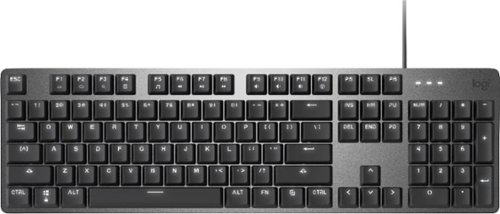
Operate your computer seamlessly with the Logitech K845 Full-size Wired Mechanical Linear Keyboard. The curved construction and angled keys enable comfortable data entry, while the illuminated design lets you easily find keys in the dark. This corded Logitech mechanical keyboard has red switches for responsive performance during gaming and typing, and the aluminum top case offers durability.
Customer Rating
5
Nice Keyboard, Choice of Key Feel
on October 15, 2020
Posted by: rtbestbuy
from Bay Area, CA
My beloved long throw 15yr old Dell keyboard died a couple of weeks ago and I needed a replacement. The chiclet style keyboards may be cute and low real estate, but they just don't cut it for lots of typing. I also find them useless for keyboard gaming. Enter the Logitech K845 Mechanical Switch Keyboard! The K845 comes with a choice of three types of keys: linear throw, tactile-quiet, and tactile-clicky. I chose the linear throw, as it seemed the closest to my old keyboard. The K845 keytouch is light, lighter than my older keyboard, but it still has to travel the entire stroke, which makes for (as least for me) very fast accurate typing. Gaming is also very fast because the key return time is also very fast. The linear keys are a little 'clicky', which I don't find objectionable, but it may not be to everyone's taste or office environment.
Construction is quite solid, with a metal top and good heft, it won't slide around. The keys themselves are rated for 50 million clicks, so it should last a long time. The backlight is a nice touch. There are five lighting patterns, although there is really only one that you can use while at the keyboard. The others are just distracting while you're actually working. Too bad they didn't make it programmable.
Layout is standard 102, with one extra key for additional functions (calc, music, play, next, last, etc) from the F1-12 keys. Fortunately, Logitech resisted the temptation to add extra keys (and additional real estate) to include these functions.
All-in-all, the Logitech K845 is a good, solid replacement keyboard with excellent touch. Definitely recommended, especially since you can choose the key feel you want for your own taste and needs!
Mobile Submission: False
I would recommend this to a friend!

Share this review:


0points
0of 0voted this as helpful.

Offering the ultimate true-wireless experience for any fitness-loving music lover, JLab Epic Air Sport ANC offers customized sound and active noise canceling plus industry-leading 70+ hours playtime. Transition from gym to calls or from work to a run, effortlessly, with features like wear-detect, movie mode, wireless charging and more.
Customer Rating
5
JLab Sets The Bar!
on October 11, 2020
Posted by: rtbestbuy
from Bay Area, CA
JLab makes some of the best high quality, value priced ear buds around, and the Epic Air Sport ANC are no exception. They are true wireless, Bluetooth 5 technology earbuds with a fixed earhook to keep them secure. The sound is quite good, clear highs and mids, solid but not thumpy bass. Music and podcasts come through clearly as does both ends of a phone call, something which most earbuds don't excel. The earbuds themselves are quite comfortable and STAY IN PLACE! I didn't have to fiddle with them once during workout sessions, or while walking or cycling. The earhook kept the buds in place and didn't interfere with my glasses. Oh, and I can now say with certainty that they are definitely sweatproof.
Bluetooth pairing was quick and easy, no problems. There are voice prompts for everything. The earbuds are controlled by a tap panel on either earbud. The touch controls were twitchy at first, but a firmware update seems to have fixed the problem. The touch controls are a typical multi-touch system, one tap, two tap, three tap, long tap, etc. The really cool thing is that the multi-touch system is soft programmable. The app can disable or change the actions, so you can turn off what you don't need, or change it to a different function.
I use the Epic Air Sports with an Android phone, ChromeOS laptop, and Windows gaming system. They were comfortable enough for a couple of hours on a stationary bike and for several hours on a regular road bike(NOTE: I don't normally advocate earbuds while riding, but I wanted to test them. No music playing, just ambient sounds). The Active Noise Canceling worked well on the stationary bike, and outsied walking. The Be Aware (ambient noise passthru) was great on the road, it actually cut wind noise without really cutting the road/auto noises. The Jlab app allows you to tailor the ambient noise passthru and the ANC to your liking or your particular situation. It also allows you to tailor the three selectable equalization programs. Speaking of comfort, the Cloud Foam tips not only worked really well at blocking out sound, but were exceptionally comfortable. The buds also come with S,M,L and M-long and L-long gel tips. Fitting should not be a problem.
Finally, the battery life is absolutely best in class! I've been using the earbuds three to five hours a day for a week. I first went about 10hrs mixed ANC off, on, and 'Be Aware' modes before finally charging the earbuds. After charging in the case for the rest of the week at night, I still don't need to recharge the case. The case is a little larger than most earbuds, but go better than a week without needing to plug in, done deal. When you finally need to recharge the case, it is wireless charger compatible and has a short built in USB cable to plug into a charger.
There are a couple of features that I didn't try, there is a very low latency movie mode, and there is a feature to stop playback if you remove the earbuds. The Epic Air Sports are definitely worth your consideration, especially given the price point or if you have had difficulty with fit in the past. Jlab has definitely raised the bar sky high with the Epic Air Sports ANC.
Mobile Submission: False
I would recommend this to a friend!


Share this review:


0points
4of 8voted this as helpful.
rtbestbuy's Review Comments
rtbestbuy has not submitted comments on any reviews.
rtbestbuy's Questions
rtbestbuy has not submitted any questions.

Unexpected. Unseen. Unreal. The Delta 15 AMD Advantage Edition uses the latest AMD Ryzen 7 5800H processor and Radeon RX 6700M graphics. Coming in at 4.19lbs light and 0.75in thin, the Delta 15 supports SmartShift, Smart Access Memory and Wi-Fi 6E for powerful performance inside a premium chassis. Break through and set off a new standard in gaming with the Delta 15.
What is the weight of the laptop? And what is the weight of the AC power adapter? Does it come with a giant and heavy AC power adapter?
The laptop is a bit over 4lbs and about 3/4" thick. Battery life if you're not gaming, or if you dial back the game settings is pretty stellar - about 10 hours for just general office type operation. The power supply is a bit of a brick, but not as heavy as other gaming laptop power supplies. I would guess about a pound.
4 years, 8 months ago
by
rtbestbuy
Unexpected. Unseen. Unreal. The Delta 15 AMD Advantage Edition uses the latest AMD Ryzen 7 5800H processor and Radeon RX 6700M graphics. Coming in at 4.19lbs light and 0.75in thin, the Delta 15 supports SmartShift, Smart Access Memory and Wi-Fi 6E for powerful performance inside a premium chassis. Break through and set off a new standard in gaming with the Delta 15.
Can i use hdmi to connect an external monitor with this laptop without losing performance?
Sort of. HDMI is somewhat bandwidth limited, so the refresh rate will be lower than the laptop refresh rate. Better to use the USB-c DP functionality to get a higher refresh rate on an external monitor.
4 years, 8 months ago
by
rtbestbuy
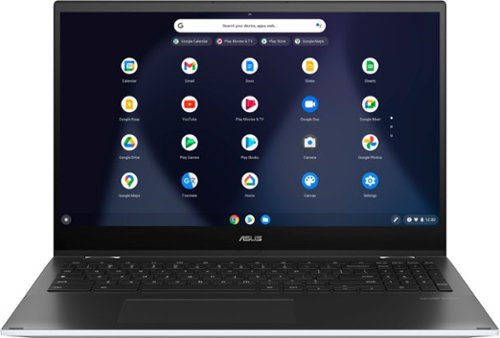
ASUS C536EA Chromebook: Stay productive and entertained with this ASUS 15.6-inch Chromebook notebook. The 8GB memory ensure fast startups, while the Intel i3 processor and 128GB SSD offer smooth performance. This ASUS 15.6-inch Chromebook notebook has an LED-backlit FHD display that provides an engaging viewing experience and is easily visible in dark environments.
Does the backlighting on the keyboard actually shine through the letters or just around the key?
It shines around the keys and through the script on the top of the keys. So for example on the "A" key illuminates the "A" and around the key as well.
5 years ago
by
rtbestbuy
eero Pro 6 delivers premium Wi-Fi 6 performance. The 3-pack Wi-Fi 6 system supports speeds up to a gigabit and coverage up to 6,000 square feet. So you can say goodbye to dead spots and buffering. Work, play, video conference, and stream from anywhere in your home~even when the whole family is online. Set up eero in minutes and get automatic updates, a built-in Zigbee smart home hub, and more. Powered by TrueMesh, eero optimizes your wifi to work for your space and supports 75+ devices.
the 3 pack is too much for me... am i able to purchase 2 eero pro 6 and itll work like the 3pack?
Yes, you can buy only two and mesh them. There are also other options. You can also buy an Eero 6 or Eero 6 extender and use that as the 'remote' node in the mesh.
5 years, 6 months ago
by
rtbestbuy
eero Pro 6 delivers premium Wi-Fi 6 performance. The 3-pack Wi-Fi 6 system supports speeds up to a gigabit and coverage up to 6,000 square feet. So you can say goodbye to dead spots and buffering. Work, play, video conference, and stream from anywhere in your home~even when the whole family is online. Set up eero in minutes and get automatic updates, a built-in Zigbee smart home hub, and more. Powered by TrueMesh, eero optimizes your wifi to work for your space and supports 75+ devices.
I have a camera system and need to be able to have 2.4 & 5g separated for cameras. Can you turn off band steering?
yes, it's currently a 'Discover' feature and is off by default. If you mean can you define separate SSID's for the 2.4Ghz and 5Ghz networks, then no.
5 years, 6 months ago
by
rtbestbuy
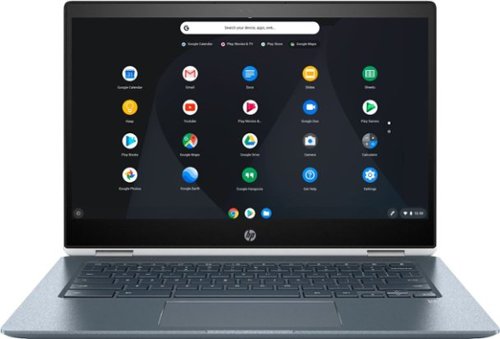
Stream your favorite media on the go with this HP Chromebook touchscreen laptop. The notebook has 8GB of RAM and an Intel Core i3 processor so it's easy to use Google Play apps for everyday productivity. This HP Chromebook touchscreen laptop has a modern 360-degree design and 13-hour, 30-minute battery life for work on the go.
Is the keyboard backlit?

Watch classic and modern flicks on this Samsung Blu-ray player. It supports 4K televisions and monitors for enjoying exceptional picture quality, and its HDR technology delivers deeper contrast and improved details. The built-in Bluetooth on this Samsung Blu-ray player lets you watch content on your mobile device while it's playing on another display.
Does the UBD-M9700/ZA support the following: DTS-X, Dolby Atmos, Dolby Vision, HDR10+, and/or HDR10?
DTS-HD, Atmos, HDR10+, and HDR10. It doesn't support Dolby Vision. Don't know about DTS-X as that may be a bitstream passthrough.
7 years, 10 months ago
by
rtbestbuy
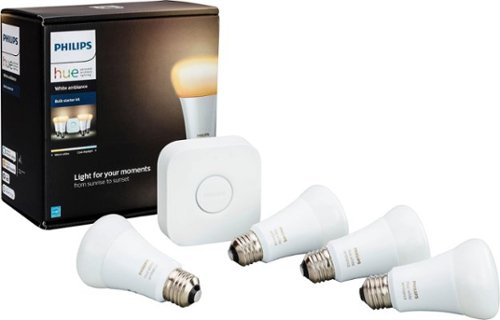
Make your home a more welcoming hub with this Philips Hue white ambiance A19 starter kit. Whether you desire a warm natural glow or energizing color tones, customize it just the way you like with the accompanying app. For parties, easily sync your lights to music with this Philips Hue white ambiance A19 starter kit.
Can I access lights when NOT at home
By access, I assume you mean get status and control them? Yes, either from the phone app or the myHue website.
8 years, 5 months ago
by
rtbestbuy
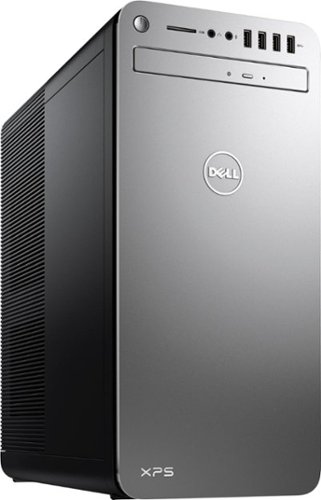
XPS Desktop - Intel Core i7 - 16GB Memory - NVIDIA GeForce GTX 1050 Ti - 2TB Hard Drive + Intel Optane Memory
What version of Windows 10 is it shipped with? Windows 10 Home ? or Pro?
Windows home is shipped with it. Windows pro may be available as an optional upgrade from Dell at some additional cost.
8 years, 9 months ago
by
rtbestbuy
XPS Desktop - Intel Core i7 - 16GB Memory - NVIDIA GeForce GTX 1050 Ti - 2TB Hard Drive + Intel Optane Memory
Which version of the I7700 processor is it? (e.g. I770K 4.2 GHz or I7700 4.2 or I770T @ 2.9GHz)?
The processor is the clock locked i7-7700. It has a base frequency of 3.6Ghz and a 'turbo'/max frequency of 4.2Ghz
8 years, 9 months ago
by
rtbestbuy