


rtbestbuy's stats
- Review count182
- Helpfulness votes217
- First reviewNovember 22, 2014
- Last reviewJune 2, 2026
- Featured reviews0
- Average rating4.5
Reviews comments
- Review comment count0
- Helpfulness votes0
- First review commentNone
- Last review commentNone
- Featured review comments0
Questions
- Question count0
- Helpfulness votes0
- First questionNone
- Last questionNone
- Featured questions0
- Answer count11
- Helpfulness votes29
- First answerAugust 15, 2017
- Last answerOctober 5, 2021
- Featured answers0
- Best answers3
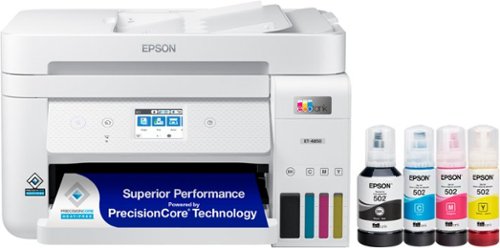
Your business needs a printer that~s fast, affordable, easy to use, and has premium productivity features. That~s why we developed the EcoTank ET-4850 ~ an innovative cartridge-free solution that uses high-capacity, easily refillable ink tanks. So you~ll worry less about running out of ink, and save a lot on replacement ink (1). The ET-4850 offers fax, productive paper handling, a high-resolution flatbed scanner, and convenient 2.4" color touchscreen ~ making it the perfect printer for your office.
Customer Rating

4
Good Home Office All-in-One Printer
on September 18, 2021
Posted by: rtbestbuy
from Bay Area, CA
The Epson Ecotank ET-4850 All-in-One printer is a good choice for the small or home office. It offers excellent printing, good speed, a very small footprint, and an extremely low cost per page to print. The purchase price is also very high compared to comparable conventional cartridge based ink jet printers. Instead of cartridges, ink is supplied in special valved bottles that fill permanent ink tanks in the printer. I would estimate the cost per page for ink to be a penny or less, about one tenth the cost of a conventional inkjet printer with cartridges. If you do a lot of printing, this could well justify the higher initial cost of the printer.
Setup was very easy, and can be done manually from the touchscreen or from the downloaded Android/IOS app. Unpack the unit, fill the tanks, power it on, charge the jets, connect to the network and you're good to go. The ink bottles don't leak and are keyed, so it's not possible to fill a tank with the wrong color ink. Charging the jets takes about 10 min. I tried both wired and wireless networking (separately) just for grins. Both connected quickly and without issue. The wireless is 2.4Ghz only and the wired is 100mb full duplex. IPv6 is fully supported. Downloaded and installed the Windows driver package and was up and printing. Also added the printer to my Chromebook, it was automagically discovered. Printing from an Android phone was equally easy.
Printing is reasonably fast, the estimate for both color & b&W pages seemed to be accurate. The print quality itself is quite excellent, probably the best I've seen in an ink jet printer. I would put text quality on a par with a good laser printer. Photos actually printed very, very well, in spite of this not being marketed as a photo printer. Color saturation and differentiation were excellent, even printed on plain paper. Even better on photo paper. It did take a long time, about a minute per photo to print. Scan and copy quality is excellent as well. The scanner expands to allow books to be placed under the cover and has a (untested) facility to remover any distortion caused by the book binding. The scanner also has a 30 page sheet feeder.
This leads me to my three complaints about the printer. First, although the printer does duplex printing, the scanner does NOT do duplex scanning. To copy double sided documents, you have to run the document through the scanner twice, remembering how to flip the original and the copy. A $500 All-in-One should have a duplex scanner. Second, there is only one 250 page print tray, no second tray or single sheet feeder. In order to print an (one) envelope, you have to pull the paper tray out, remove the paper, insert one envelope and resize the paper guides, and shove the tray back in. Then repeat to put the paper back in the tray. Third, the printout tray slides out and seems fairly flimsy. I'm worried about catching it sometimes and snapping it off.
Epson has obviously front-loaded the cost of the Ecotank units a bit to make up for the loss of cartridge sales, but the ET-4850 could still be quite a money saver over the long run. The deficiencies are annoying but are things that don't affect me very often. With a cost of operation and print quality rivaling B&W laser printers, but with the capacity for color, the Epson Ecotank ET-4850 should be on your short list for a home/office printer.
Mobile Submission: False
I would recommend this to a friend!
Share this review:


0points
0of 0voted this as helpful.
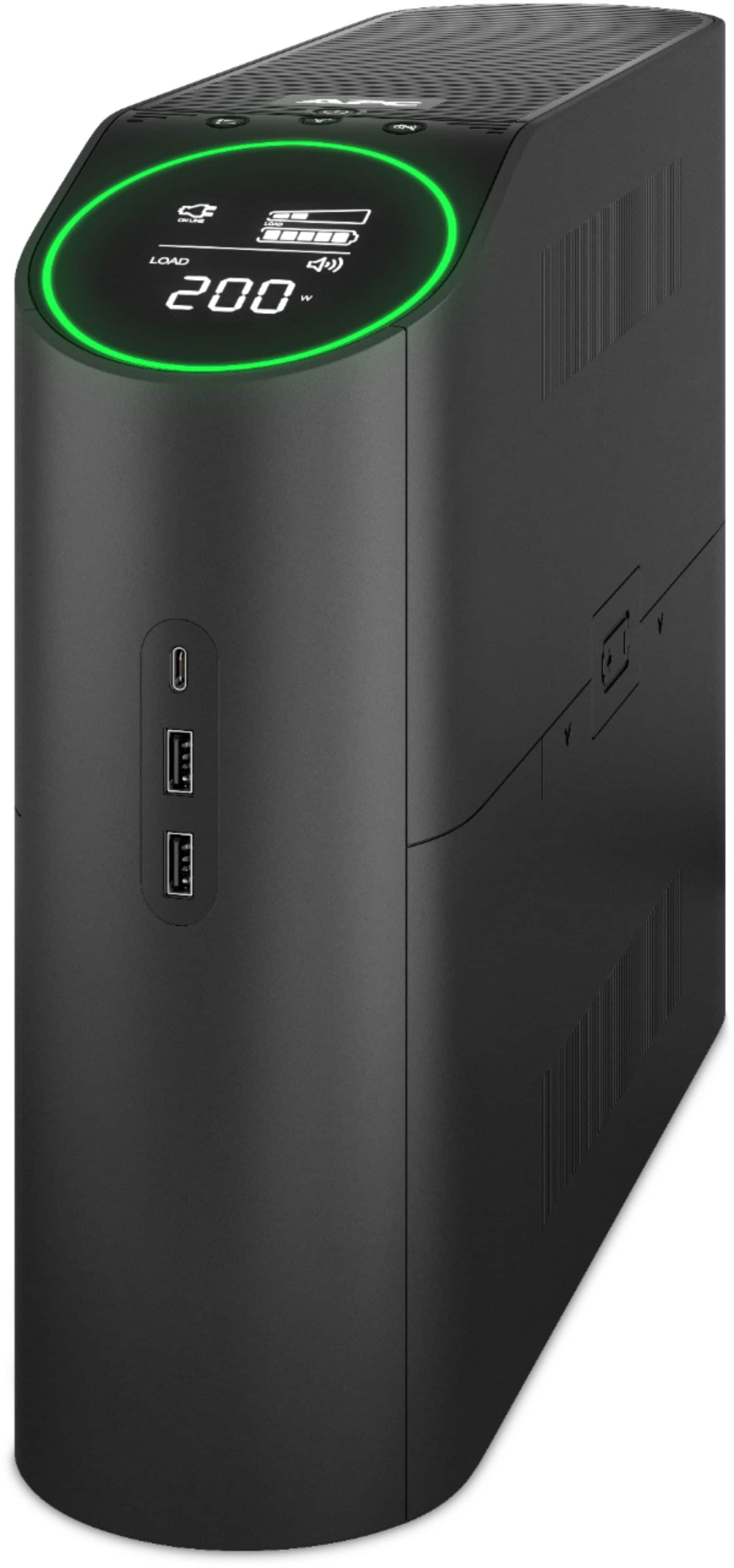
A gaming uninterruptible power supply (UPS) is a battery backup for your PC and console. APC Back-UPS~ Pro Gaming keeps you protected, connected, and in the game.
Customer Rating

5
Nice Backup With Flair!
on August 4, 2021
Posted by: rtbestbuy
from Bay Area, CA
Short answer: Full sine wave battery backup unit with enough power to carry a gaming system and looks to match.
The APC BackUPS Pro Gaming UPS is visually a nice departure from the stodgy old UPS that hides under your desk, adding stylish design and surprisingly useful lighting. The display panel is tilted upwards so you can actually see it without getting down on hands and knees, with multicolor accent LEDs in the front and rear. This is a 1500VA/900W unit with enough capacity to keep a high powered gaming rig going during a power out (more on that later). The rear panel has six surge and battery protected plugs, four additional surge protected plugs along with surge protection for a gigabit ethernet line and a cable line. The useful rear lighting I mentioned allows you to plug things in without fumbling for a flashlight to see which port is which! The front panel, in addition to the display, has four push button switches for power on/off, info selection, alarm mute, and lighting selection. There are also three USB charging ports that can be used whether the power is on or off.
Setup was easy, remove it from the box (warning, it's a load, it tips the scales at better than 25lbs), slide the battery panel off and connect the positive (red) connector to the battery and plug it in to charge overnight. The unit is delivered with a low charge and the battery unconnected for safety reasons. I waited until the unit was fully charged before plugging stuff in, but there is really no reason other than convenience.
Once everything is plugged in, the display will show the load, battery level, and your choice of event count, runtime estimate, load watts, load VA, load percentage, voltage out, frequency out, voltage in, or turn the panel off. Additionally, the front and rear lights color can be selected or can individually disabled. The display is very useful, I was able to get a good estimate of the power draw for my game system, which gave me a good idea of the probably runtime.
Why do I need this on a game system? Well, in addition to gaming, that system became my exercise station during the pandemic. I have a cycling trainer and use Zwift on the system and there is nothing more annoying than getting two hours and 40 miles into a virtual ride when the whole thing drops and you lose all record of the effort.
The one minor issue I have with the APC UPS is that the switches are double duty, hold for two seconds for one function, hold for six seconds for the secondary function. While the secondary functions are mostly set and forget, keep the manual handy as there is no reference on the unit and it is easy to forget.
While the APC BackUPS Pro Gaming won't keep things running for days, it is a great and stylish solution for rolling blackouts and short term power disruptions. It will keep things going during brownouts and allow you to shut down cleanly during extended blackouts. The addition of charging ports is a nice touch for phone charging during extended blackouts. Highly recommended!
Mobile Submission: False
I would recommend this to a friend!
Share this review:


0points
0of 0voted this as helpful.
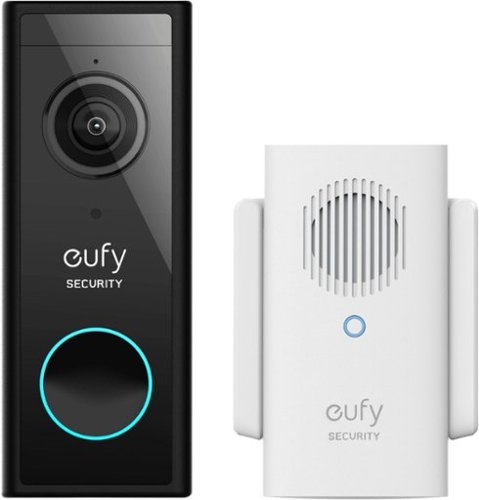
eufy Smart Wi-Fi 2k Video Doorbell with Chime is a battery powered (or wired- you choose) video doorbell that is the perfect protection for your home. With no monthly fee, enjoy 2K resolution so that you can see who is at your door, clearly. Talk to them via the 2-way mic, and be alerted when a human is at the door instead of the neighborhood dog. IP65 Weatherproof Ensures the Video Doorbell camera continues to operate in extreme temperatures from minus 4~F to 122~ F (minus 20~C to 50~C). Installation is easy. No need to mess around with complicated wiring, self-installation in minutes. Wireless Video Doorbell camera will also work with old chimes.
Customer Rating
5
Security Doorbell that Actually Works!
on August 1, 2021
Posted by: rtbestbuy
from Bay Area, CA
With online shopping, porch deliveries and pirates a way of life, we wanted a way to monitor the front porch. A video doorbell seemed just the ticket. But our first selection, a cloud based solution, just didn't cut it. The lag between a motion notification and the availability of the video was just unacceptable, up to several minutes delay. Enter the Eufy Smart WiFi 2K Video Doorbell!
The Eufy Smart WiFi Video Doorbell replaced our first selection and what a difference! Videos are available at the notification with almost no delay. Videos are stored on the base unit, Eufy provides a 16GB microSD card for storage which is more than enough.
Installation:
Installation was pretty easy: Remove the old doorbell unit, drill a couple of holes, screw in the baseplate, attach the two doorbell wires and snap on the unit. The Eufy can be powered by its rechargeable battery or the existing doorbell power, so it could be mounted separately, but that requires recharging every six months or so. Eufy also provides a wedge to tilt the camera outwards a bit, which was really nice for us as it covers more of the porch and steps. The separate base unit plugs in anywhere and provides a second chime. This worked really well for us because the existing doorbell can't really be heard in our bedroom, so now we have a second chime! Amazingly, the printed instructions are good, clear and step by step, no hieroglyphic pictograms, just easy to follow instructions for both connecting the and installing the doorbell. They also provide a mounting 'wedge' so side mounted installations can be tilted slightly outward. This provided a big improvement in porch coverage to us.
Installation was pretty easy: Remove the old doorbell unit, drill a couple of holes, screw in the baseplate, attach the two doorbell wires and snap on the unit. The Eufy can be powered by its rechargeable battery or the existing doorbell power, so it could be mounted separately, but that requires recharging every six months or so. Eufy also provides a wedge to tilt the camera outwards a bit, which was really nice for us as it covers more of the porch and steps. The separate base unit plugs in anywhere and provides a second chime. This worked really well for us because the existing doorbell can't really be heard in our bedroom, so now we have a second chime! Amazingly, the printed instructions are good, clear and step by step, no hieroglyphic pictograms, just easy to follow instructions for both connecting the and installing the doorbell. They also provide a mounting 'wedge' so side mounted installations can be tilted slightly outward. This provided a big improvement in porch coverage to us.
Setup:
Setup was simple: download the app, follow the step by step procedure in the app, and you're up and running. Very easy, and in our case, the process worked flawlessly. Eufy seems to have spent some time actually making their app user friendly! It was very easy to navigate and setup. There is an option during setup to essentially repeat the installation and mounting instructions in the printed manual. They have obviously thought about this as there is also an option to skip the mounting instructions if the unit is already installed.
Setup was simple: download the app, follow the step by step procedure in the app, and you're up and running. Very easy, and in our case, the process worked flawlessly. Eufy seems to have spent some time actually making their app user friendly! It was very easy to navigate and setup. There is an option during setup to essentially repeat the installation and mounting instructions in the printed manual. They have obviously thought about this as there is also an option to skip the mounting instructions if the unit is already installed.
Performance and Features:
Performance is great(NOTE: we have android phones)! Whether the phone is on wifi or LTE, the video is excellent and there in no noticeable lag in notification or video clip availability. The real time video and two way voice work very well, making it possible to answer the door remotely without noticeable delay. The 2K video makes for a big jump in clarity, but that may also be the video encoding. The motion sensing is adjustable and works very well. It can also be set to detect humans or any movement.
Performance is great(NOTE: we have android phones)! Whether the phone is on wifi or LTE, the video is excellent and there in no noticeable lag in notification or video clip availability. The real time video and two way voice work very well, making it possible to answer the door remotely without noticeable delay. The 2K video makes for a big jump in clarity, but that may also be the video encoding. The motion sensing is adjustable and works very well. It can also be set to detect humans or any movement.
The Eufy Doorbell has a whole host of settings, but they are logically arranged in a mostly single list and are east to find. The local storage means you save what you want, no more scrambling to download before an important video clip is deleted. Tried out the integration with Google home as well and it works very nicely with the Home Hub.
The only thing I find missing is a web interface accessible from a browser would be really nice, although the phone is so ubiquitous now it's not a big deal. All in all, I'm very glad I upgraded to the Eufy Smart WiFi 2K Video Doorbell amy SkyBell video doorbell and highly recommend it.
Mobile Submission: False
I would recommend this to a friend!
Share this review:


0points
0of 0voted this as helpful.
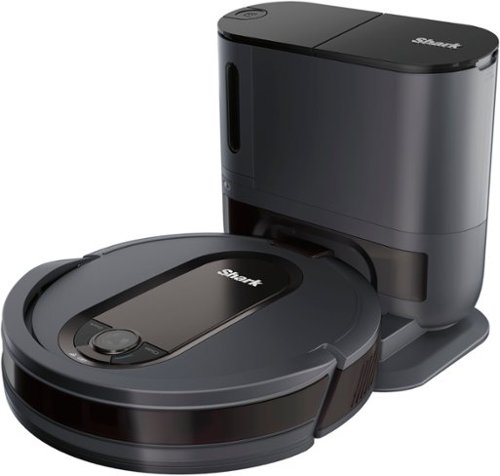
The Shark EZ Robot is your easy path to a smart clean. It combines the convenience of a self-empty base with powerful Shark suction for a complete home clean. After each cleaning session, your robot automatically empties itself into the bagless self-empty base, which holds multiple sessions~ worth of dirt and debris so you can forget about vacuuming for weeks. Now that~s easy.
Customer Rating
4
Good Cleaning and Smarts!
on June 23, 2021
Posted by: rtbestbuy
from Bay Area, CA
The Shark RV912S Robovac is a decently smart robot vacuum that does a pretty good job of vacuuming. Our house presents a significant challenge to robovacs. It is a 2000 sq ft, split level house with wood, tile, and linoleum flooring with thresholds between them and a step down into the living room. Throw rugs of various sizes and depths are scattered around. Add to that two dogs, and the challenge is complete!
The RV912S is a 'learning' robovac. It will map out your rooms which offers a significant advantage over 'wander around' robots. We had a 'wander around' type that had to be moved from room to room because it couldn't keep track of where it was and would return to the dock before finishing the house. We've moved it to the (sunken) living room, it can handle one room. The Shark does a much more methodical job of vacuuming, maintaining a very disciplined grid pattern though each room. When the battery gets low, it returns to the dock, then starts up again where it left off, cleaning the whole house. Once it 'mapped' the house, it seems to do an even better job of cleaning. This became much more important to me as about a week after getting the RV912S I broke my collarbone; there was no lifting the robovac into another room! Not having to empty the dust bin after each cleaning session was a definite plus as well, although our two dogs meant that the dock would only hold a weeks worth of dirt, not 15 days. Sigh... I should also note that the Shark is pretty quiet by robovac standards and was mostly unobtrusive during cleaning.
The Shark robovac has an accompanying phone app that allows you to schedule cleaning, set the various modes of operation, view a home map generated by the robot, set some cleaning parameters and view statistics. It worked well enough, if a bit laggy. There are a couple of 'nice to have' features that were not present, but hopefully could be added in the future: Go clean a specific room or area, and skip a specific room or area.
RoboVacs in general are a significant time saver, but are not perfect. There is a certain amount of prep ahead of time (in our case it's picking up dog toys) that has to be done. They inevitably get stuck at some point, either under something or on the edge or fringe of a rug they sucked up. There is also manual spot cleaning because there are just some places the RoboVacs can't clean. The Shark did a very nice job of avoiding most of the things I didn't (or forgot) to 'prep', and hasn't gotten stuck yet. It's low enough to go under most furniture and its object avoidance is impressive. There is also a tradeoff between suction/cleaning power and battery life; the Shark is on the cleaning power end of the spectrum
There are several annoyances that keep it from being perfect. The filters are not washable, they have to be replaced. The mapping function could be so much more useful if it could be used to direct the cleaning. Shark doesn't include extra filters, brushes, or any of the magnetic boundary stripping in the package, it all has to be purchased separately. That being said, the Shark RV912S robovac has been a real boon while my shoulder is healing. Highly recommended.
Mobile Submission: False
I would recommend this to a friend!
Share this review:


+1point
5of 9voted this as helpful.
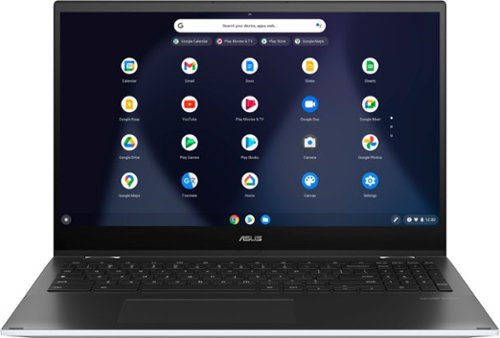
ASUS C536EA Chromebook: Stay productive and entertained with this ASUS 15.6-inch Chromebook notebook. The 8GB memory ensure fast startups, while the Intel i3 processor and 128GB SSD offer smooth performance. This ASUS 15.6-inch Chromebook notebook has an LED-backlit FHD display that provides an engaging viewing experience and is easily visible in dark environments.
Customer Rating
5
Great Chromebook, Great Price
on May 23, 2021
Posted by: rtbestbuy
from Bay Area, CA
I've been using ChromeOS for a couple of years now. Its ability to run most Android apps native and the Linux virtual machine makes it a very versatile platform. It has come a long way from first platforms, which were really just small, cheap tablets with keyboards. I have wanted a larger laptop for several reasons, mostly I'm a retired engineer and a larger screen and keyboard is more than a nicety.
The Asus 2 in 1 15.6" Chromebook(Model C536EA) was a great choice. It is one of the only 15"(well 15.6") Chromebooks out there and the screen is excellent, vivid and sharp. The keyboard, although it looks like a standard chiclet style keyboard, had an excellent feel, with good travel and feedback. My typing on the Asus keyboard matched my typing for both accuracy and speed on my desktop, which almost never happens with a laptop keyboard. As a bonus, Asus added a numeric keypad making the keyboard much more work friendly. The touchpad was very precise. I had paired a Bluetooth mouse to the Asus, I found I didn't use it very much, prefering the touchpad instead.
Right out of the box, it felt solid. Very thin chassis, solid hinges, metal top, plastic bottom, very durable. There are two usb-c ports, either can be used for charging, and a usb-a port which is really nice for legacy device connections without an adapter. Buttons for up-down volume control, a headset jack, hdmi out, and slot for a micro sd card round out the external connections.
As I said earlier, the screen is excellent and unlike smaller Chromebooks, it comes preset for full hd (1920x1080). Linux, Android, and ChromeOS all displayed flawlessly and readably. Streaming video was a blast, with a large, clear image and surprisingly good sound. It paired easily with both Bluetooth earbuds and speakers.
Performance was on the upper end of Chromebooks, the 11th gen I3 provides plenty of processing power and 8gig of high speed ram doesn't hurt. The real kicker is that the 128GB internal drive is listed (I think correctly) as SSD, not the much slower eMMC found in most Chromebooks. I tried some video editing under Linux and was surprised at how snappy it was. Battery life, always a ChromeOS highlight, at least matched the published specs. I would charge it at night, use it throughout the day, and there was still 20% to 30% left when I put it on the charger and went to bed. BTW., charging is extremely fast, a full charge from near empty took about an hour and a half.
I did not really try out the 'tablet' mode much, other than to see that it worked. While it was nice to fold it over to watch videos, it really is a bit too large for me to use as a tablet. The large bezel at the bottom of the screen adds to the bulk. It did work well with Zoom and a couple of other video conferencing apps.
The negatives are pretty minor. The bezel around the screen takes up a lot of real estate; it would be nice if the unit were a little less deep. The bottom is plastic, not metal. But at this price point, I'm kind of surprised at how much Asus managed to stuff into their 2in1 Chromebook. It's pretty impressive. While I've only been using it for a few days, I'm sold. Highly recommended!
Mobile Submission: False
I would recommend this to a friend!
Share this review:


+1point
1of 1voted this as helpful.
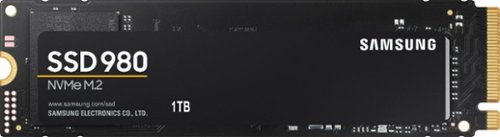
Harness your PC's potential with the 980. Whether you need a boost for gaming or a seamless workflow for heavy graphics, the 980 is a smart choice for outstanding SSD performance ~ and it's all backed by an NVMe* interface and PCIe 3.0 technology.
Customer Rating
5
Surprisingly Fast and Easy
on May 12, 2021
Posted by: rtbestbuy
from Bay Area, CA
I have used Samsung SATA SSD drives for several years, but this was my first M.2 internal drive. I like Samsung SSDs because they seem to be more trouble free and have a longer warranty than other brands. I needed more storage (who doesn't) and with the cost dropping on the M.2 drives I decided to give it a try. The Samsung 980 1TB replaced an older 250GB SATA SSD and the performance gain was quite noticeable and also quite surprising. Windows boot times and game load times both improved. I also do some video editing on this system and that also became snappier.
The Samsung Magician software makes it pretty easy to install the SSD. Physically install the internal drive (make sure you have a M.2 slot available!), then run Magician. Select the new drive and either clone your boot drive, or copy anything over if it's a secondary drive. The whole process takes maybe a half an hour at most. The Magician software also provides for some performance testing and health checking of your new SSD, which is nice for continued monitoring.
That's about it, you're up and running. Everything is a bit faster and you have a lot more room. What's not to like? Highly recommended for anyone looking for more storage and a performance boost at a nice price.
Mobile Submission: False
I would recommend this to a friend!
Share this review:


0points
0of 0voted this as helpful.
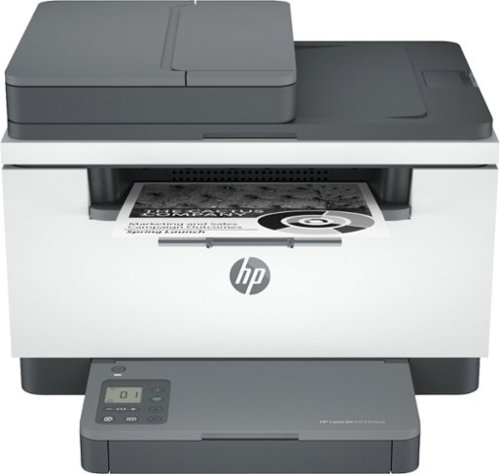
With fast print speeds, precision two-sided printing, scan/copy, plus an auto document feeder, the HP LaserJet MFP M234sdwe is perfect for small businesses printing black & white forms, reports and business documents. It includes the HP+ Smart Printing System that keeps itself up to date, secure, and ready to print from virtually anywhere at any time. As part of the connected HP+ system, this printer only works with Original HP Toner and requires an HP account and internet connection.
Customer Rating

3
Acceptable All-in-One, Some Serious Deficiencies
on May 8, 2021
Posted by: rtbestbuy
from Bay Area, CA
The HP Laserjet M234sdwe was clearly designed for the pandemic market. It is a very fast printer in this price class. The scanner adds a sheet feeder and is also very fast. It will connect to mobile and computers for network and direct wireless printing. The HP+ agreement includes the first six months of toner. The print quality for text, charts, and graphs is really excellent. Photos print adequately, but this is a monotone laser printer and not really designed for photo printing. The Windows and Android apps/software installed without issue and allowed seamless printing and scanning once the printer was set up. Setup by the HPsmart app was pretty painless for the most part (but see the wireless travails later in the review).
The HP+ agreement deserves some note as it can save you a significant amount on toner cartridges. After you agree (at $1.99 - $19.99/month after the six month included period) to an estimated pages per month, HP will send you an extended cartridge to get you through the included period. HP will monitor the printer toner status after that and send you a new cartridge when the toner is low. The agreement can save some money and is very convenient. Although the M234sdwe does not have a fax interface built in, HP provides a fax server at an additional fee.
That all being said, the M234sdwe has some serious deficiencies that may limit its usefulness. The physical design limitations, which can't be fixed by firmware update may or may not be important in your decision:
- Scanner sheet feeder capacity is 40 pages, but the scanner is not full duplex. Two sided copies must be run through twice. The scanner software will allow you to stitch pages together in a pdf. If you just want copies, you have to scan the pages, put the output stack back in the paper tray and scan the back.
- The paper tray is limited to 150 sheets. While this is probably adequate for a family printer, it is a bit light for office use.
- There is no single sheet feeder. To print a single sheet, like a legal size document, envelope, etc., you must remove the paper from the paper tray, reset the guides, print your single sheet, then put the paper back.
- The touch panel and display is not very friendly and extremely 'touchy'. It doesn't really offer any useful information and I can't tell you how many 'info' pages I have printed just trying to add paper or print an envelope.
To me though, the most serious deficiency was the wireless networking, which just flat doesn't work with many modern wireless routers. I have a WiFi6 mesh network setup and could not get the printer to connect to it, I had to use the Ethernet connection. After two weeks with HP support (who actually were very responsive and tried to be helpful), the M234sdwe is still connected by Ethernet. According to HP support, the printer is NOT compatible with any mesh networks or WiFi6. It is also not compatible with a single SSID shared across the 5Ghz and 2.4Ghz bands. You have to use different network names or turn off one band in the printer. As a test, I tried connecting it to a WiFi5 single point router which also failed until I turned off some of the performance controls. Hopefully, HP will address the wireless issues in a future firmware update as it is a serious limitation.
- Scanner sheet feeder capacity is 40 pages, but the scanner is not full duplex. Two sided copies must be run through twice. The scanner software will allow you to stitch pages together in a pdf. If you just want copies, you have to scan the pages, put the output stack back in the paper tray and scan the back.
- The paper tray is limited to 150 sheets. While this is probably adequate for a family printer, it is a bit light for office use.
- There is no single sheet feeder. To print a single sheet, like a legal size document, envelope, etc., you must remove the paper from the paper tray, reset the guides, print your single sheet, then put the paper back.
- The touch panel and display is not very friendly and extremely 'touchy'. It doesn't really offer any useful information and I can't tell you how many 'info' pages I have printed just trying to add paper or print an envelope.
To me though, the most serious deficiency was the wireless networking, which just flat doesn't work with many modern wireless routers. I have a WiFi6 mesh network setup and could not get the printer to connect to it, I had to use the Ethernet connection. After two weeks with HP support (who actually were very responsive and tried to be helpful), the M234sdwe is still connected by Ethernet. According to HP support, the printer is NOT compatible with any mesh networks or WiFi6. It is also not compatible with a single SSID shared across the 5Ghz and 2.4Ghz bands. You have to use different network names or turn off one band in the printer. As a test, I tried connecting it to a WiFi5 single point router which also failed until I turned off some of the performance controls. Hopefully, HP will address the wireless issues in a future firmware update as it is a serious limitation.
Overall, the HP Laserjet M234sdwe is a decent printer for the price if you can live with the wireless limitations. I was prepared for the paper handling limitations as that is part of the package. I wasn't prepared for the wireless troubles.
Mobile Submission: False
I would recommend this to a friend!
Share this review:


+1point
1of 1voted this as helpful.
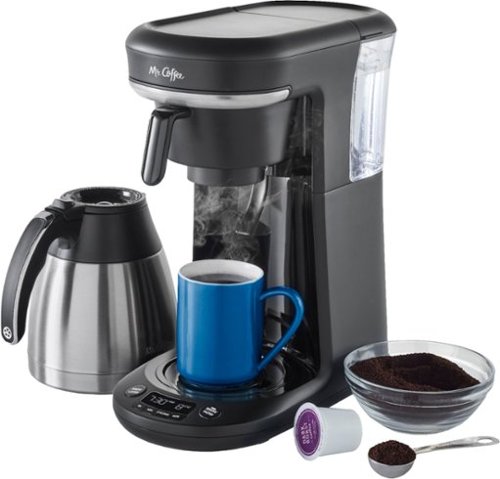
Whether you prefer pods or drip, choose how you brew with the Mr. Coffee Pod + 10-Cup Space-Saving Combo Brewer. This programmable coffee maker lets you to brew a single cup using a pod, or up to 10 cups of drip coffee into a carafe. The pod holder attachment makes this coffee maker more versatile: you can brew 2 ways, and save countertop space. This coffee making machine is designed with a Strong Brew Selector, as well as an advanced water filtration system to help improve coffee flavor. This drip coffee maker also features a stainless steel thermal carafe that keeps coffee hot for hours. When brewing a carafe, if you need a cup before brewing is finished, use the Grab-a-Cup feature. Also includes removable reservoir, and a reusable single-serve filter.
Customer Rating
5
Really Nice Pod/Pot Coffee Maker
on April 6, 2021
Posted by: rtbestbuy
from Bay Area, CA
The Mr Coffee Pod+10 Cup Combo Brewer turned out to be a great replacement for an aging, failing coffeemaker. Although I like the idea of a pod (single cub) brewer, we drink enough coffee that the waste generated by a pod brewer is really objectionable. The ability to brew both a full (10 cup) pot and a single cup using a reusable (k-cup compatible) pod module is a real win. Personal note here. I drink black coffee and I hate old, bitter coffee. I like a thermal carafe because it keeps the coffee from turning bitter longer than a glass carafe and hot plate.
The Mr Coffee Combo Brewer has the now usual brew at some time feature. It has a nice, slim profile that fits well on a crowded counter. As I noted, the thermal carafe does a much better job of preserving coffee taste. The thermal carafe is the only one that I've ever had that doesn't dribble while pouring and has a button to prevent spills. The water reservoir is detachable, so you simply take it to the sink and fill it, none of this nonsense pulling the coffee maker out and pouring water into it.
Some of the really unique features are in the controls. You can set the brew size at the touch of a button. Fill the reservoir full (10 cups), set the coffeemaker for 6 cups, and it brews 6 cups. While you may still have to remove a couple scoops of coffee, you don't have to pour out the water. Makes it much easier to change your mind rather than tossing a bunch of coffee.
The single cup brewer and included reusable pod filter work really well. You set the size coffee you want (6, 8, 10, or 12 oz), fill the reservoir and put coffee in the pod filter. Then put your cup on the pad and push the brew button. I found that a scoop and a half of ground coffee made for a nice strong 12oz cup.
There is a 'strong coffee' setting which made the pod brew stronger and a bit bitter to my taste. It didn't seem to have as much effect on the pot brew. Cleaning, by the way, was pretty easy because everything can be easily removed and rinsed or run through the dishwasher. I do wish they had included a coffee scoop, I was surprised at that omission.
All in all we are very happy with the Mr Coffee Pod+10 Cup Combo Brewer. It takes up very little precious counter space and does double duty admirably, making a good cup of coffee using carafe or pod. And of course, it makes excellent coffee, either by the carafe or by the cup!
Mobile Submission: False
I would recommend this to a friend!
Share this review:


+3points
3of 3voted this as helpful.
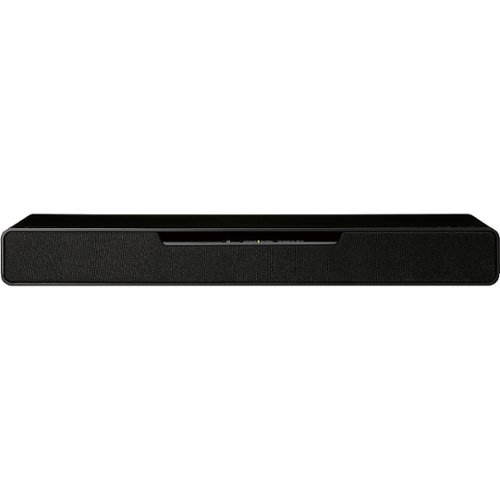
Immerse yourself in the future of gaming with Soundslayer Gaming Speaker, featuring the Dolby Atmos soundbar. SoundSlayer with Dolby Atmos puts you in the middle of the action by placing crystalline sound all around you with three-dimensional precision even overhead and behind you bringing you all the way into the story and fostering a deeper connection to your gaming, video and audio experience. Compatible with 4k Pass Through, the SoundSlayer Gaming Speaker lets you enjoy high-definition 4K content with no loss in image quality, as video source passes through the system to your PC or TV. This compact, yet powerful speaker brings gaming into the future for unprecedented level of intensity, tension, and connection.
Customer Rating
4
Punchy Sound for a Game or Exercise Rig
on March 28, 2021
Posted by: rtbestbuy
from Bay Area, CA
Summary - The Panasonic SoundSlayer is a small, easy, and relatively inexpensive way to add great 3D sound to a gaming rig or exercise station. Really 4.5 stars, with some minor quibbles.
Gaming has evolved and so have gaming rigs. My 'gaming rig' is now my game and exercise station. It includes a gaming laptop and a deskside pc. The deskside is driving a 27" high frame rate gaming monitor and a 43" 4K TV, with a cycling trainer in front of the TV. The SoundSlayer is small enough to fit in easily, equipped with a built-in subwoofer, and sounds much better than the computer speakers it replaced. It is small enough to be easily transported with the laptop, at least around the house and is way more comfortable than a headset. While it doesn't match a multi-point 5.1 speaker installation, the 3D sound effect is also surprisingly good. As will most sound bars, there are multiple presets for 'sound modes', standard, music, cinema, and game mode. The game mode has three separate settings, FPS mode for location, Adventure mode for voice enhancement, and RPG mode for enhanced music and sounds.
The real driver for me was the exercise station. Headsets, even earbuds, were a non-starter for high intensity exercise. I wanted a good sound system during exercise sessions that could be used for gaming and the odd streaming as well. The sound quality of the SoundSlayer is surprisingly good for such a small system. During exercise sessions, class leaders came through clearly, music was great, and Discord for group sessions was distinct and clear.
I'm currently playing Horizon Zero Dawn and the Borderlands series using a 3D headset. Switching over to the SoundSlayer virtualized 3D maintained the illusion of location presence pretty well, and the sound quality to my ears was a little clearer. I was surprised by how similar the experience was switching between headset and SoundSlayer, with the SoundSlayer having an advantage with better bass. It is portable enough that I was carrying it to other parts of the house to use with my laptop rather than wearing a headset for an hour or two.
That said, the SoundSlayer is a bit lacking in a couple of areas. There is no WiFi support, only Bluetooth, so no Chromecast or Assistant support. There is also only one HDMI input along with an ARC capable HDMI output, although there is also an optical input. For anyone connecting another game system, such as an xbox, it would have to go through the TV. The USB-A port is provided only for firmware updates. Streaming music over Bluetooth worked well though. The biggest limitation, to me, was the display, four multi-color LEDs that indicate the volume, bass level, and mode. There is no printed guide on the speaker, so you have to memorize the color codes for the gaming mode, or just set it each time with the remote. A clearer display would have been appreciated.
Overall, I'm very happy with the SoundSlayer as an improved sound system for my game/exercise station with easy portability over to my gaming laptop as well. While it is intended as a game station sound system, it could easily be moved to the main TV in the living or family room. For anyone building a dedicated exercise station, the SoundSlayer is just about perfect.
Mobile Submission: False
I would recommend this to a friend!
Share this review:


0points
0of 0voted this as helpful.
This H&R Block Deluxe Tax software offers everything homeowners and investors need to easily complete federal taxes. It includes a free online chat with a tax professional, step-by-step guidance on hundreds of credits and deductions, in-person representation in the unlikely event of an audit, and reporting assistance on income from investments, home sales and more.
Customer Rating
5
Once Again the Best Tax Program
on February 14, 2021
Posted by: rtbestbuy
from Bay Area, CA
Last year was a first for me; I switched to H&R Block Deluxe for my primary tax prep software. I have used it for several years as a secondary tax prep just to check my entries and to catch anything I missed using TurboTax. With its updated user interface, I found H&R Block far easier to use last year and they have kept the UI largely the same. It's clean, intuitive, comprehensive an it avoids the excessive confirmations and attempts to upsell that plague its rival.
This year, for 2020 tax prep, H&R Block Deluxe maintained its advantage not only with its superior UI, but also with the feature set. It will import from Quicken, Money, TurboTax, and of course H&R Block. The Deluxe version includes support for investments, which are only included in the Premier (and more expensive) version of its rival. Even with a modest portfolio of managed and self-directed investments, including stock, bonds, and real estate, entry was pretty easy, and the few complex transactions requiring more information were noted and handled.
2020 was the first year both my wife and I were fully retired, without employment(W2) or self-employment
income, so I was able to skip those sections. As noted above, H&R Block Deluxe dealt with all of our investment income, some of which involved some fairly complex transactions. It was all very smooth, with extensive explanation help whenever I needed it. Although we haven't received all of our investment 1099's yet, I track investment income and expenses carefully during the year. I fill out 1099's manually with the tracked values, then enter the real values as the actual 1099's are received. The one caveat I have is that the automatic 1099 import did not include as extensive a list of financial institution as its rival; however manually entering the information is not difficult and the 1099 information imported from the previous years tax return eliminated the need to enter the institution information. Hopefully this will change with one of the pending updates.
income, so I was able to skip those sections. As noted above, H&R Block Deluxe dealt with all of our investment income, some of which involved some fairly complex transactions. It was all very smooth, with extensive explanation help whenever I needed it. Although we haven't received all of our investment 1099's yet, I track investment income and expenses carefully during the year. I fill out 1099's manually with the tracked values, then enter the real values as the actual 1099's are received. The one caveat I have is that the automatic 1099 import did not include as extensive a list of financial institution as its rival; however manually entering the information is not difficult and the 1099 information imported from the previous years tax return eliminated the need to enter the institution information. Hopefully this will change with one of the pending updates.
There is extensive help available for program use and tax information. Help is available in program, online through faq and chat, and by phone. Overall, I'd have to say that H&R Block has produced the best tax prep program for 2020 tax prep in terms of value, ease of use, and comprehensive coverage.
Mobile Submission: False
I would recommend this to a friend!
Share this review:


0points
0of 0voted this as helpful.
rtbestbuy's Review Comments
rtbestbuy has not submitted comments on any reviews.
rtbestbuy's Questions
rtbestbuy has not submitted any questions.
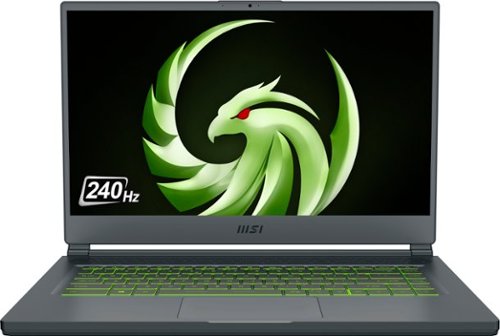
Unexpected. Unseen. Unreal. The Delta 15 AMD Advantage Edition uses the latest AMD Ryzen 7 5800H processor and Radeon RX 6700M graphics. Coming in at 4.19lbs light and 0.75in thin, the Delta 15 supports SmartShift, Smart Access Memory and Wi-Fi 6E for powerful performance inside a premium chassis. Break through and set off a new standard in gaming with the Delta 15.
What is the weight of the laptop? And what is the weight of the AC power adapter? Does it come with a giant and heavy AC power adapter?
The laptop is a bit over 4lbs and about 3/4" thick. Battery life if you're not gaming, or if you dial back the game settings is pretty stellar - about 10 hours for just general office type operation. The power supply is a bit of a brick, but not as heavy as other gaming laptop power supplies. I would guess about a pound.
4 years, 8 months ago
by
rtbestbuy
Unexpected. Unseen. Unreal. The Delta 15 AMD Advantage Edition uses the latest AMD Ryzen 7 5800H processor and Radeon RX 6700M graphics. Coming in at 4.19lbs light and 0.75in thin, the Delta 15 supports SmartShift, Smart Access Memory and Wi-Fi 6E for powerful performance inside a premium chassis. Break through and set off a new standard in gaming with the Delta 15.
Can i use hdmi to connect an external monitor with this laptop without losing performance?
Sort of. HDMI is somewhat bandwidth limited, so the refresh rate will be lower than the laptop refresh rate. Better to use the USB-c DP functionality to get a higher refresh rate on an external monitor.
4 years, 8 months ago
by
rtbestbuy
ASUS C536EA Chromebook: Stay productive and entertained with this ASUS 15.6-inch Chromebook notebook. The 8GB memory ensure fast startups, while the Intel i3 processor and 128GB SSD offer smooth performance. This ASUS 15.6-inch Chromebook notebook has an LED-backlit FHD display that provides an engaging viewing experience and is easily visible in dark environments.
Does the backlighting on the keyboard actually shine through the letters or just around the key?
It shines around the keys and through the script on the top of the keys. So for example on the "A" key illuminates the "A" and around the key as well.
5 years ago
by
rtbestbuy
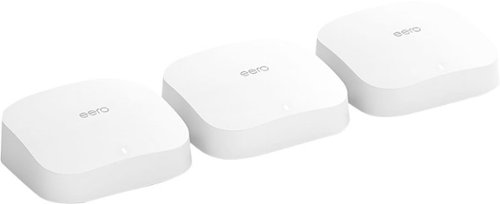
eero Pro 6 delivers premium Wi-Fi 6 performance. The 3-pack Wi-Fi 6 system supports speeds up to a gigabit and coverage up to 6,000 square feet. So you can say goodbye to dead spots and buffering. Work, play, video conference, and stream from anywhere in your home~even when the whole family is online. Set up eero in minutes and get automatic updates, a built-in Zigbee smart home hub, and more. Powered by TrueMesh, eero optimizes your wifi to work for your space and supports 75+ devices.
the 3 pack is too much for me... am i able to purchase 2 eero pro 6 and itll work like the 3pack?
Yes, you can buy only two and mesh them. There are also other options. You can also buy an Eero 6 or Eero 6 extender and use that as the 'remote' node in the mesh.
5 years, 6 months ago
by
rtbestbuy
eero Pro 6 delivers premium Wi-Fi 6 performance. The 3-pack Wi-Fi 6 system supports speeds up to a gigabit and coverage up to 6,000 square feet. So you can say goodbye to dead spots and buffering. Work, play, video conference, and stream from anywhere in your home~even when the whole family is online. Set up eero in minutes and get automatic updates, a built-in Zigbee smart home hub, and more. Powered by TrueMesh, eero optimizes your wifi to work for your space and supports 75+ devices.
I have a camera system and need to be able to have 2.4 & 5g separated for cameras. Can you turn off band steering?
yes, it's currently a 'Discover' feature and is off by default. If you mean can you define separate SSID's for the 2.4Ghz and 5Ghz networks, then no.
5 years, 6 months ago
by
rtbestbuy
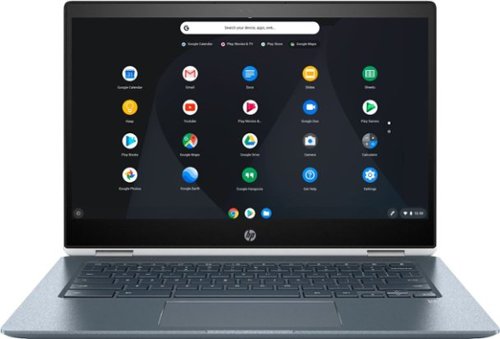
Stream your favorite media on the go with this HP Chromebook touchscreen laptop. The notebook has 8GB of RAM and an Intel Core i3 processor so it's easy to use Google Play apps for everyday productivity. This HP Chromebook touchscreen laptop has a modern 360-degree design and 13-hour, 30-minute battery life for work on the go.
Is the keyboard backlit?

Watch classic and modern flicks on this Samsung Blu-ray player. It supports 4K televisions and monitors for enjoying exceptional picture quality, and its HDR technology delivers deeper contrast and improved details. The built-in Bluetooth on this Samsung Blu-ray player lets you watch content on your mobile device while it's playing on another display.
Does the UBD-M9700/ZA support the following: DTS-X, Dolby Atmos, Dolby Vision, HDR10+, and/or HDR10?
DTS-HD, Atmos, HDR10+, and HDR10. It doesn't support Dolby Vision. Don't know about DTS-X as that may be a bitstream passthrough.
7 years, 10 months ago
by
rtbestbuy
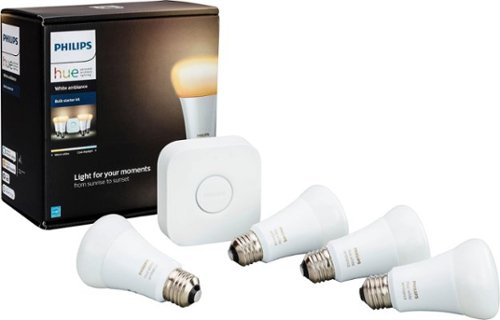
Make your home a more welcoming hub with this Philips Hue white ambiance A19 starter kit. Whether you desire a warm natural glow or energizing color tones, customize it just the way you like with the accompanying app. For parties, easily sync your lights to music with this Philips Hue white ambiance A19 starter kit.
Can I access lights when NOT at home
By access, I assume you mean get status and control them? Yes, either from the phone app or the myHue website.
8 years, 5 months ago
by
rtbestbuy
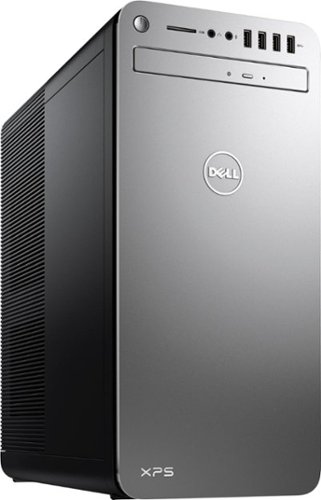
XPS Desktop - Intel Core i7 - 16GB Memory - NVIDIA GeForce GTX 1050 Ti - 2TB Hard Drive + Intel Optane Memory
What version of Windows 10 is it shipped with? Windows 10 Home ? or Pro?
Windows home is shipped with it. Windows pro may be available as an optional upgrade from Dell at some additional cost.
8 years, 9 months ago
by
rtbestbuy
XPS Desktop - Intel Core i7 - 16GB Memory - NVIDIA GeForce GTX 1050 Ti - 2TB Hard Drive + Intel Optane Memory
Which version of the I7700 processor is it? (e.g. I770K 4.2 GHz or I7700 4.2 or I770T @ 2.9GHz)?
The processor is the clock locked i7-7700. It has a base frequency of 3.6Ghz and a 'turbo'/max frequency of 4.2Ghz
8 years, 9 months ago
by
rtbestbuy