
Share NicoR's profile


NicoR
NicoR's stats
- Review count103
- Helpfulness votes51
- First reviewMay 30, 2023
- Last reviewNovember 25, 2023
- Featured reviews0
- Average rating4.7
Reviews comments
- Review comment count0
- Helpfulness votes0
- First review commentNone
- Last review commentNone
- Featured review comments0
Questions
- Question count0
- Helpfulness votes0
- First questionNone
- Last questionNone
- Featured questions0
- Answer count48
- Helpfulness votes110
- First answerJune 2, 2023
- Last answerSeptember 22, 2023
- Featured answers0
- Best answers10

Monthly Best Buy Protection (up to 24 mo.)
Customer Rating

5
Peace of mind coverage
on August 5, 2023
Posted by: NicoR
Verified Purchase:Yes
As a tech enthusiast and seasoned product reviewer, I recently had the opportunity to try out BestBuy's Total Tech Coverage, and I must say, it surpassed my expectations on multiple levels.
The standout feature of this service is the two-year all-inclusive warranty. With such extensive coverage, I found myself worry-free, knowing that any unforeseen issues with the purchased product would be promptly and professionally taken care of, at no additional cost during the warranty period.
One aspect that truly impressed me was the added perk of free installation and service. Not only did the experts handle the setup flawlessly, but it also saved me the hassle and time of dealing with DIY installations.
Throughout my experience with BestBuy Total Tech Coverage, their customer support team was truly exceptional. They were highly knowledgeable, responsive, and genuinely dedicated to resolving any concerns I had. This level of support is crucial, especially when dealing with tech products that can sometimes be complex.
Considering the range of services provided and the length of the warranty, BestBuy Total Tech Coverage offers excellent value for money. While the cost might be slightly higher for some premium products, the added protection and service benefits make it a worthy investment.
To sum it up, BestBuy Total Tech Coverage is a top-notch service that combines free installation, dedicated customer support, and a two-year all-inclusive warranty. If you're seeking peace of mind and a hassle-free tech experience, look no further. Whether it's personal gadgets or home appliances, I wholeheartedly recommend opting for BestBuy Total Tech Coverage to ensure your tech products are well-protected and taken care of.
Length of ownership: 5
Mobile Submission: True
I would recommend this to a friend!
Quality

5
Value
5
Ease of Use

4
Share this review:


0points
0of 0voted this as helpful.
Monthly Best Buy Protection (up to 24 mo.)
Customer Rating
5
Comprehensive Peace of Mind
on August 5, 2023
Posted by: NicoR
Verified Purchase:Yes
As a tech enthusiast and expert product reviewer, I recently had the opportunity to experience BestBuy's Total Tech Coverage, and I must say, it exceeded my expectations on multiple fronts.
The standout feature of this service is the all-inclusive warranty that spans a generous two years. This extensive coverage ensures that any unforeseen issues with the purchased product are handled promptly and professionally. It provides unparalleled peace of mind, knowing that any malfunctions or defects are taken care of without additional costs during the warranty period.
The package also includes free installation and service, which sets it apart from many other warranty options in the market. Having professional experts handle the installation process not only ensures the product is set up correctly but also saves time and eliminates the hassle of DIY installations.
Throughout my experience with BestBuy Total Tech Coverage, their customer support team stood out as a true asset. They were knowledgeable, responsive, and genuinely dedicated to resolving any concerns I had. This level of support is essential, especially when dealing with tech products that can sometimes be complex.
In terms of value for money, BestBuy Total Tech Coverage proved to be worth every penny. Considering the range of services provided and the length of the warranty, it offers an unparalleled package that caters to all your tech needs.
One minor point of consideration is that the cost of the coverage might be higher for some premium products, but the additional investment is justified by the extended protection and service benefits offered.
In conclusion, BestBuy Total Tech Coverage is a top-notch service that provides an impressive combination of free installation, dedicated customer support, and a two-year all-inclusive warranty. If you're looking for peace of mind and a worry-free tech experience, this is the ideal choice. From personal gadgets to home appliances, I highly recommend investing in BestBuy Total Tech Coverage for all your tech products.
Length of ownership: 5
Mobile Submission: True
I would recommend this to a friend!
Quality
5
Value
5
Ease of Use
5
Share this review:


0points
0of 0voted this as helpful.

Meet all of your computer accessory needs with the Logitech MK270 Wireless Combo. A reliable wireless combo with a tiny Logitech plug-and-forget receiver. This keyboard and mouse combo features Logitech Advanced 2.4 GHz wireless, delivering the reliability of a cord with wireless convenience. Long-lasting battery life eliminates the hassle of frequently changing batteries.
Customer Rating

4
Reliable Simplicity: Logitech MK270 Wireless Keybo
on August 5, 2023
Posted by: NicoR
Verified Purchase:Yes
The Logitech MK270 Full-size Wireless Membrane Keyboard and Mouse Bundle for PC in Black is a no-frills yet highly functional and reliable choice for anyone seeking a straightforward keyboard and mouse solution.
One of the first things that impressed me was the ease of setup. Both the keyboard and mouse connect to your PC effortlessly with the included USB nano receiver. Plug it in, and they start working immediately without the need for any additional software or complicated pairing processes. This plug-and-play functionality is perfect for users who prefer a hassle-free experience.
The full-size wireless keyboard features a membrane key switch, providing a quiet and comfortable typing experience. The layout is standard and familiar, making it easy to adapt to for those who are accustomed to traditional keyboard designs. Additionally, the wireless range is quite impressive, allowing me to control my PC from a reasonable distance without any signal drops.
The included wireless mouse also pairs seamlessly with the keyboard and is equally easy to use. Its ambidextrous design ensures that both left and right-handed users can operate it comfortably. The mouse is responsive and smooth, making navigating through applications and websites a breeze. The scroll wheel is well-designed, providing precise scrolling without being too sensitive.
Battery life is a critical aspect for wireless peripherals, and the MK270 doesn't disappoint in this regard. With a battery life of up to 24 months for the keyboard and 12 months for the mouse, I was impressed by the extended usage time before needing to replace the batteries.
Logitech's build quality is always commendable, and this bundle is no exception. The matte black finish gives it a sleek and professional look, while the durable construction ensures it can withstand daily use without any issues.
One minor drawback worth mentioning is the lack of backlighting on the keyboard, which might be a downside for those who frequently work in dimly lit environments. However, considering the simplicity and affordability of this bundle, it's a reasonable trade-off.
In conclusion, the Logitech MK270 Full-size Wireless Membrane Keyboard and Mouse Bundle for PC in Black is an excellent choice for those seeking a reliable, easy-to-use, and budget-friendly keyboard and mouse combo. Its straightforward setup, long battery life, and comfortable typing experience make it a valuable addition to any PC setup. Whether you're a casual user, office worker, or simply looking to declutter your workspace, the MK270 bundle provides an ideal solution that delivers on its promise of simplicity and ease of use.
Length of ownership: 65
Mobile Submission: True
I would recommend this to a friend!
Ease of Use
4
Quality
4
Value
4
Share this review:


0points
0of 0voted this as helpful.
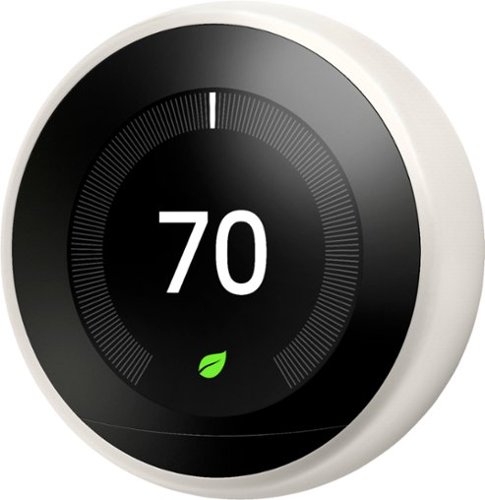
Geek Squad Certified Refurbished products are thoroughly, painstakingly and lovingly tested, so you can be sure that your device will work right, right away. Learn more about Geek Squad Certified Refurbished products.Control heating and cooling systems in your home with this refurbished Google Nest learning thermostat. The stainless steel build stands up to long-term use, while a 24-bit LCD makes it easy to monitor temperature and humidity levels in your home. This Google Nest learning thermostat arrives with a trim kit, screws and a screwdriver for quick installation.
Customer Rating
4
Sleek and Smart: A Remarkable Addition to Any Mode
on August 5, 2023
Posted by: NicoR
Verified Purchase:Yes
As a tech enthusiast and someone who recently remodeled their home, I couldn't resist getting my hands on the Google - Geek Squad Certified Refurbished Nest Learning Smart Programmable Wi-Fi Thermostat in White. And let me tell you, it has truly exceeded my expectations in every way.
First and foremost, the design of this thermostat is simply stunning. The white color perfectly complements the modern aesthetics of my newly remodeled room. It seamlessly blends with the decor, adding a touch of sophistication to the overall ambiance. Not only is it visually appealing, but the minimalist and sleek design ensures that it doesn't distract from the room's overall style.
Functionality-wise, the Nest Learning Thermostat is a marvel. The smart features are a game-changer for home automation. Connecting it to my Wi-Fi network was a breeze, and the intuitive setup process made it user-friendly even for someone less tech-savvy. The ability to control the thermostat remotely from my smartphone is incredibly convenient, allowing me to adjust the temperature to my preferences, whether I'm lounging on the couch or away from home.
The learning capability of this thermostat is the icing on the cake. It quickly adapts to my daily routines, automatically adjusting the temperature to save energy when I'm away and ensuring a comfortable environment when I'm at home. Over time, it learns my preferences and creates a personalized schedule, helping to optimize energy usage and ultimately reduce utility bills.
Another aspect worth mentioning is its compatibility with various smart home systems. I have integrated the Nest Learning Thermostat with my other smart devices, creating a seamless smart home ecosystem. The integration with voice assistants like Google Assistant and Alexa makes controlling the thermostat as simple as issuing a voice command.
The fact that I opted for the Geek Squad Certified Refurbished version is worth noting as well. Despite being a refurbished product, it looks and performs like brand new, proving that Google and Geek Squad have ensured its quality and reliability.
In conclusion, the Google - Geek Squad Certified Refurbished Nest Learning Smart Programmable Wi-Fi Thermostat in White is an excellent addition to any modern home. Its sleek design, smart features, and energy-saving capabilities make it a must-have gadget for anyone looking to upgrade their home's heating and cooling system. I am thoroughly impressed with its performance and can confidently recommend it to anyone in need of a reliable and stylish thermostat.
Length of ownership: 60
Mobile Submission: True
I would recommend this to a friend!
Quality
5
Value
5
Ease of Use
5

Share this review:


0points
0of 0voted this as helpful.
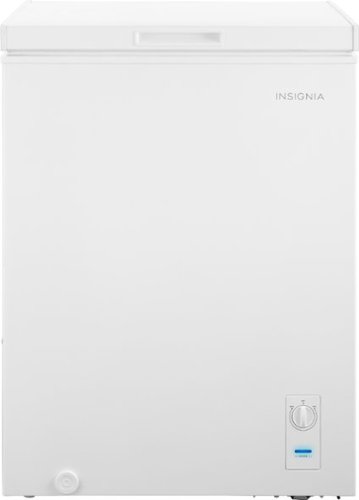
The Insignia 5.0 Cu. Ft. chest freezer has a removable storage basket to keep your food organized so you can find all your items. Have confidence that your food is stored correctly by adjusting the temperature control panel.
Customer Rating
5
Great for Breast Milk Storage
on August 4, 2023
Posted by: NicoR
Verified Purchase:Yes
Let me begin by saying that the Insignia 5.0 Cu. Ft. Garage Ready Chest Freezer is an excellent choice for those seeking dedicated storage for breast milk or any other items. Its sleek and compact design is a major plus, as it fits perfectly in your laundry room without taking up much space.
The fast cooling capability of this freezer is truly impressive. Thanks to its efficient cooling system, you can rest assured that your breast milk will be quickly chilled to the ideal temperature, preserving its freshness and nutrients.
One feature that I highly recommend considering is adding a smart freezer thermometer. This clever addition can be a lifesaver in case of a power outage. With the smart freezer thermometer, you'll be promptly alerted if the temperature inside the freezer rises, allowing you to take necessary actions and protect your valuable breast milk stash.
Moreover, being "Garage Ready," this chest freezer is built to withstand varying temperatures, making it a reliable choice for garage or laundry room placement. This feature ensures that the freezer functions optimally even in non-ideal conditions.
The 5.0 cu. ft. capacity provides ample storage space, allowing you to organize and store breast milk bags or other frozen items efficiently. The easy-access top-opening design simplifies retrieving items, and the interior baskets make organizing a breeze.
Overall, the Insignia 5.0 Cu. Ft. Garage Ready Chest Freezer is a solid investment for any household, especially for those who require dedicated storage for breast milk or want additional freezer space. Its sleek design, fast cooling capabilities, and garage-ready functionality make it a practical and reliable choice. Consider pairing it with a smart freezer thermometer for added peace of mind. With this freezer, you can confidently store and preserve your breast milk while ensuring it's always within easy reach.
Mobile Submission: True
I would recommend this to a friend!
Quality
5
Value
5
Ease of Use
5

Share this review:


-1point
0of 1voted this as helpful.

Everything you need is right in your screen. Watch, work and chat - all without connecting a separate PC - with Smart Monitor. Your favorite content, productivity and video call apps are built-in for a simpler and more stylish desk setup that~s a joy to use every time.
Customer Rating
5
Multi-Task Game Changer
on August 4, 2023
Posted by: NicoR
Verified Purchase:Yes
My review of the Samsung M7 Series 32 Monitor! After thoroughly testing this monitor, I must say it's a real gem, especially for multitasking enthusiasts.
The ability to seamlessly connect to both your phone and PC is a standout feature. This means you can effortlessly switch between devices and stay productive during work without any hassle. The convenience of having both devices connected simultaneously on one screen is a game-changer, making it easier to manage tasks efficiently.
Speaking of productivity, the split-screen functionality is truly impressive. It allows you to run multiple applications side by side, making multitasking a breeze. Whether you're comparing documents, editing images, or working with different applications, this monitor's split-screen feature boosts your workflow like never before.
In terms of display quality, the 4K UHD resolution ensures crisp and clear visuals with vibrant colors, providing an immersive viewing experience. The monitor's Tizen operating system adds to its charm, offering a user-friendly interface and access to various smart features and apps.
Furthermore, the 32" size strikes a perfect balance between screen real estate and desk space, catering to users who require ample screen space without compromising on their workspace layout.
Overall, the Samsung M7 Series 32" Smart Tizen 4K UHD Monitor is a top-notch choice for professionals and multitaskers alike. Its multi-connectivity capabilities, coupled with the fantastic split-screen feature, make it a productivity powerhouse. If you're looking to enhance your workflow and immerse yourself in stunning visuals, this monitor won't disappoint.
Length of ownership: 65
Mobile Submission: True
I would recommend this to a friend!
Quality
5
Value
5
Ease of Use
4

Share this review:


+3points
3of 3voted this as helpful.

We~ll haul away and recycle one major appliance when we deliver a new replacement product. If you prefer, we can move your old appliance to another location in your home.
Customer Rating
5
Appliance Install Haul away Service
on June 3, 2023
Posted by: NicoR
Verified Purchase:Yes
I recently utilized the Appliance Install and Haul Away Service for my new appliance purchase, and I must say that the experience was smooth and hassle-free. This service made the entire process of replacing my old appliance with a new one incredibly convenient.
First and foremost, the installation service was prompt and professional. The service technicians arrived on time, equipped with all the necessary tools and expertise to complete the installation efficiently. They handled the entire process with care, ensuring that the appliance was properly installed and connected according to the manufacturer's guidelines. Their attention to detail and expertise gave me confidence in the quality of their work.
The haul away service provided an added convenience. The technicians not only installed my new appliance but also efficiently removed and disposed of the old one. This saved me the hassle of having to figure out how to dispose of the old appliance myself, which can be a cumbersome process. The fact that the service includes this option is a definite time and energy saver.
I also appreciated the professionalism and friendliness of the service technicians. They were courteous, answered any questions I had, and took the time to explain the installation process. Their expertise and friendly demeanor made the overall experience pleasant and stress-free.
The pricing of the Appliance Install and Haul Away Service was reasonable, considering the convenience and peace of mind it provided. It's important to note that the cost may vary depending on factors such as the type of appliance and the complexity of the installation. However, the transparency in pricing and the upfront communication regarding any additional fees or charges ensured that there were no surprises.
Overall, I am extremely satisfied with the Appliance Install and Haul Away Service. It provided a seamless and efficient solution for installing my new appliance while taking care of the hassle of disposing of the old one. The professionalism, expertise, and friendly nature of the service technicians further added to the positive experience. If you're purchasing a new appliance and want a hassle-free installation and removal process, I highly recommend considering this service. It saves time, effort, and ensures a job well done.
Length of ownership: 13
Mobile Submission: True
I would recommend this to a friend!
Quality
5
Value
5
Ease of Use
5
Share this review:


0points
0of 0voted this as helpful.
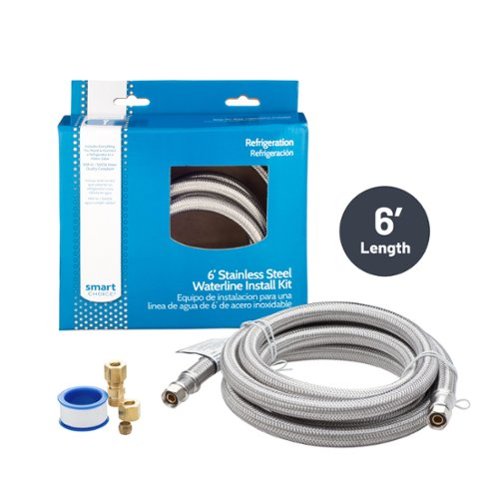
Connect your refrigerator to the waterline with this stainless-steel kit for a quick and reliable setup.
Customer Rating
5
Easy and convenient Kit
on June 3, 2023
Posted by: NicoR
Verified Purchase:Yes
First and foremost, the installation process was a breeze. The kit came with clear instructions and all the necessary fittings and connectors, making it incredibly easy to set up. Within minutes, I had a secure and leak-free connection between my refrigerator and the water supply line.
Length of ownership: 33
Mobile Submission: True
I would recommend this to a friend!
Quality
5
Value
5
Ease of Use
5
Share this review:


0points
0of 0voted this as helpful.
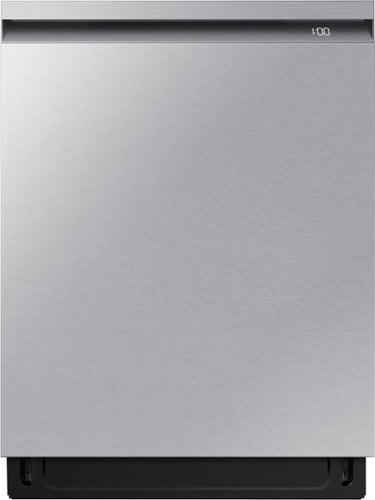
A mundane chore like washing dishes is easier and more effective with a washing system that has dual wash arms and a spray jet that blasts water at high pressure, covering all angles to clean even the dirtiest dishes. To achieve improved drying performance the AutoRelease Door automatically opens at the end of the cycle to circulate air and dry dishes faster.
Customer Rating
5
Beautiful dishwasher!
on June 3, 2023
Posted by: NicoR
Verified Purchase:Yes
I purchased the Samsung Smart 42dBA Dishwasher with StormWash+ in stainless steel, and I say it has exceeded all my expectations. I have never loved a dishwasher before, but this one has won me over with its outstanding performance and sleek stainless steel design.
The stainless steel exterior of this dishwasher is absolutely beautiful. It adds a touch of sophistication to our kitchen and is remarkably easy to clean. The sleek and modern appearance enhances the overall aesthetic of our space.
One of the things I appreciate most about this dishwasher is its quiet operation. At only 42dBA, it is impressively quiet, allowing us to run it at any time without disturbing the peace. Additionally, its efficiency is remarkable, delivering sparkling clean dishes while consuming less water and energy.
The automatic opening feature is a brilliant addition. Once the cycle is complete, the dishwasher automatically opens a few inches, allowing steam to escape and preventing any unpleasant odors that can develop when dishes remain closed for an extended period. It's a small but thoughtful touch that showcases the attention to detail in this appliance.
The digital clock displaying the remaining time on a cycle is a handy feature that I've come to appreciate. It helps me plan my time in the kitchen more efficiently and ensures I don't accidentally interrupt a cycle before it's completed.
Another standout feature is the adjustable height of the middle rack. This flexibility is incredibly useful when I need to wash taller items or have specific loading preferences. It maximizes the dishwasher's capacity and makes it easier to fit items of varying sizes and shapes.
In terms of performance, the StormWash+ system ensures thorough cleaning even for heavily soiled dishes. It tackles tough stains and stuck-on food particles effectively, leaving dishes spotless and ready to use again.
Overall, the Samsung Smart 42dBA Dishwasher with StormWash+ and Smart Dry in stainless steel has won my heart. It combines exceptional performance, quiet operation, and a sleek design. It's a dishwasher that not only meets but exceeds my expectations. I can confidently say it is the best dishwasher I have ever owned, and I highly recommend it to anyone in search of a reliable, efficient, and aesthetically pleasing dishwasher for their kitchen.
Length of ownership: 12
Mobile Submission: True
I would recommend this to a friend!
Cleaning Quality
5
Cycle Options
5
Dry Quality
4


Share this review:


+2points
2of 2voted this as helpful.
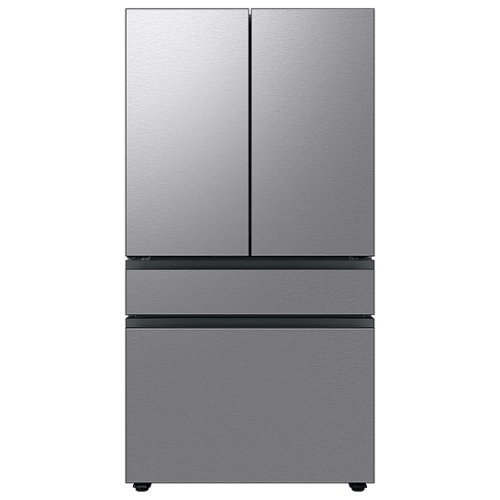
Extra-large capacity 4-Door French Door Refrigerator will reinvent water and ice the way you want it with Samsung~s AutoFill Water Pitcher and Dual Ice Maker with cubed ice and Ice Bites.
Customer Rating
4
Sleek and beautiful, minor drawback worth it!
on June 3, 2023
Posted by: NicoR
Verified Purchase:Yes
The Samsung Bespoke Refrigerator with Flex Drawer and Auto Fill Water Pitcher, and I must say it has been a great addition to my kitchen. The refrigerator not only looks sleek and modern with its all stainless steel exterior, but it also offers a lot of practical features.
One of the standout features of this refrigerator is the Flex Drawer. It provides additional storage space and can be customized to suit your needs. I found it particularly useful for storing drinks, snacks, or even extra condiments. The flexibility it offers in terms of organization is a definite plus.
Another convenient feature is the auto-fill water pitcher. It eliminates the need to manually fill the water pitcher and ensures a constant supply of chilled, filtered water. The pitcher is easy to remove and refill, making it a breeze to maintain. It's a small but convenient feature that I've come to appreciate.
In terms of storage capacity, this refrigerator does not disappoint. The interior is spacious and well-designed, allowing for efficient organization of food items. The shelves and compartments are adjustable, making it easy to accommodate large or oddly shaped items. I was pleasantly surprised by how much food I could fit into this refrigerator without it feeling cramped.
However, I do have a couple of minor complaints. Firstly, the ice maker can be a bit noisy at times. While it's not a dealbreaker for me, it can be slightly annoying, especially in the evenings when the house is quiet. Secondly, the stainless steel exterior is prone to fingerprints and smudges. It requires frequent wiping to keep it looking pristine, which can be a bit tedious as with any stainless steel.
Overall, the Samsung Bespoke Refrigerator with Flex Drawer and Auto Fill Water Pitcher is a stylish and functional appliance that offers plenty of storage space and useful features. It's perfect for individuals or families who prioritize organization and convenience in their kitchen. Despite a few minor drawbacks, I am very satisfied with my purchase and would recommend it to others in need of a reliable and spacious refrigerator.
Length of ownership: 12
Mobile Submission: True
I would recommend this to a friend!
Quality
5
Value
5
Ease of Use
5


Share this review:


+2points
2of 2voted this as helpful.
NicoR's Review Comments
NicoR has not submitted comments on any reviews.
NicoR's Questions
NicoR has not submitted any questions.
Extra-large capacity 4-Door French Door Refrigerator will reinvent water and ice the way you want it with Samsung~s AutoFill Water Pitcher and Dual Ice Maker with cubed ice and Ice Bites.
I need to replace the water filters on the pitcher and the water dispenser what do I need to buy?
To replace the water filters on the pitcher and the water dispenser of the Samsung Bespoke 29 cu. ft. French Door with AutoFill Pitcher in Stainless Steel, you will need to purchase the following filters:
Pitcher water filter: DA29-00020B
Dispenser water filter: DA29-00020A
You can purchase these filters from Samsung's website, from a Samsung authorized retailer, or from a third-party retailer.
Here are the steps to replace the pitcher water filter:
Remove the pitcher from the refrigerator.
Open the pitcher lid.
Push the tab down to release the old filter.
Insert the new filter into the pitcher.
Close the pitcher lid.
Place the pitcher back in the refrigerator.
Here are the steps to replace the dispenser water filter:
Open the refrigerator door.
Locate the dispenser water filter cover.
Remove the dispenser water filter cover.
Turn the old filter counterclockwise to remove it.
Insert the new filter clockwise until it stops.
Replace the dispenser water filter cover.
Close the refrigerator door.
Once you have replaced both filters, run the water dispenser for a few minutes to flush out any air bubbles. Then, you can start using the filtered water.
It is recommended to replace the pitcher water filter every 2 months and the dispenser water filter every 6 months. However, you may need to replace the filters more often if you have hard water or if you use the filtered water frequently.
Pitcher water filter: DA29-00020B
Dispenser water filter: DA29-00020A
You can purchase these filters from Samsung's website, from a Samsung authorized retailer, or from a third-party retailer.
Here are the steps to replace the pitcher water filter:
Remove the pitcher from the refrigerator.
Open the pitcher lid.
Push the tab down to release the old filter.
Insert the new filter into the pitcher.
Close the pitcher lid.
Place the pitcher back in the refrigerator.
Here are the steps to replace the dispenser water filter:
Open the refrigerator door.
Locate the dispenser water filter cover.
Remove the dispenser water filter cover.
Turn the old filter counterclockwise to remove it.
Insert the new filter clockwise until it stops.
Replace the dispenser water filter cover.
Close the refrigerator door.
Once you have replaced both filters, run the water dispenser for a few minutes to flush out any air bubbles. Then, you can start using the filtered water.
It is recommended to replace the pitcher water filter every 2 months and the dispenser water filter every 6 months. However, you may need to replace the filters more often if you have hard water or if you use the filtered water frequently.
2 years, 9 months ago
by
NicoR
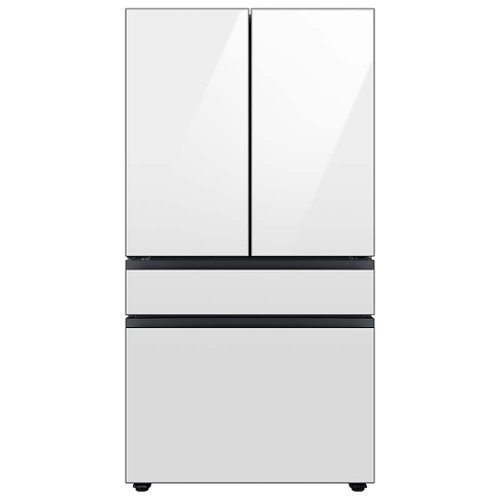
Extra-large capacity 4-Door French Door Refrigerator with customizable and changeable door panels available in a variety of colors and finishes. Reinvent water and ice the way you want it with Samsung~s AutoFill Water Pitcher and Dual Ice Maker with cubed ice and Ice Bites.
Do all Samsung Bespoke refrigerators have casters or wheels to facilitate moving the refrigerator across the floor?
No, not all Samsung Bespoke refrigerators have casters or wheels. Whether or not a Bespoke refrigerator has casters or wheels depends on the specific model. Some models, such as the RF29BB8600QL, do have casters or wheels, while others, such as the RF28T5501SR, do not.
2 years, 9 months ago
by
NicoR
Everything you need is right in your screen. Watch, work and chat - all without connecting a separate PC - with Smart Monitor. Your favorite content, productivity and video call apps are built-in for a simpler and more stylish desk setup that~s a joy to use every time.
What refresh rate is this?
The Samsung M7 Series 32 Tizen 4K has a refresh rate of 60Hz. This means that the screen can display up to 60 frames per second.
60Hz is a common refresh rate for TVs and monitors. It is sufficient for most uses, such as watching TV shows and movies, playing video games, and browsing the web. However, if you are looking for a TV or monitor with a smoother gaming experience, you may want to consider a higher refresh rate, such as 120Hz or 144Hz.
60Hz is a common refresh rate for TVs and monitors. It is sufficient for most uses, such as watching TV shows and movies, playing video games, and browsing the web. However, if you are looking for a TV or monitor with a smoother gaming experience, you may want to consider a higher refresh rate, such as 120Hz or 144Hz.
2 years, 9 months ago
by
NicoR
Everything you need is right in your screen. Watch, work and chat - all without connecting a separate PC - with Smart Monitor. Your favorite content, productivity and video call apps are built-in for a simpler and more stylish desk setup that~s a joy to use every time.
Speakers seam to be not so good my 32" smart TV is amazing what happened to sound quality how can it be fixed. As it was open box maybe displayed and speakers could be bad I'm not sure. Maybe I'm supposed to get a new soundbar for good sound ....
There are a few things you can try to improve the sound quality of your Samsung M7 Series 32 Tizen 4K with built-in speakers:
Adjust the TV's sound settings. Try adjusting the TV's sound settings to see if that helps. You can adjust the treble, bass, and other settings.
Use the TV's sound mode. The TV has a variety of sound modes, such as standard, movie, and music. Try using different sound modes to see which one sounds best to you.
Use the TV's equalizer. The TV has an equalizer that allows you to adjust the sound levels of different frequency bands. Try using the equalizer to boost the bass or treble, or to reduce the midrange.
Use a soundbar. If you are still not satisfied with the sound quality, you can use a soundbar. Soundbars are designed to provide better sound quality than the built-in speakers on TVs.
Check the TV's speakers for damage. If you think that the TV's speakers may be damaged, you can contact Samsung support for assistance.
Adjust the TV's sound settings. Try adjusting the TV's sound settings to see if that helps. You can adjust the treble, bass, and other settings.
Use the TV's sound mode. The TV has a variety of sound modes, such as standard, movie, and music. Try using different sound modes to see which one sounds best to you.
Use the TV's equalizer. The TV has an equalizer that allows you to adjust the sound levels of different frequency bands. Try using the equalizer to boost the bass or treble, or to reduce the midrange.
Use a soundbar. If you are still not satisfied with the sound quality, you can use a soundbar. Soundbars are designed to provide better sound quality than the built-in speakers on TVs.
Check the TV's speakers for damage. If you think that the TV's speakers may be damaged, you can contact Samsung support for assistance.
2 years, 9 months ago
by
NicoR
Everything you need is right in your screen. Watch, work and chat - all without connecting a separate PC - with Smart Monitor. Your favorite content, productivity and video call apps are built-in for a simpler and more stylish desk setup that~s a joy to use every time.
How many watts per speaker? I do have 3rd party premium desk speakers but don't want to use them to save space. I do have 2 headsets but using them for long periods of time hurts my head. So 4w or greater is good for me!
According to the official Samsung website, the speakers on the Samsung M7 Series 32 Tizen 4K with built-in speakers have 5 watts per speaker. This is a good amount of power for small speakers, and it should be enough to fill a small room with sound.
However, if you are looking for louder speakers, you may want to consider using your 3rd party premium desk speakers. These speakers will likely be able to produce more sound than the built-in speakers on the TV.
If you don't want to use your desk speakers, you could also consider using a soundbar. Soundbars are designed to provide better sound quality than the built-in speakers on TVs. They are also relatively slim and compact, so they won't take up too much space.
Ultimately, the best way to decide which speakers are right for you is to listen to them in person. This will allow you to compare the sound quality of the different speakers and choose the ones that you like the best.
However, if you are looking for louder speakers, you may want to consider using your 3rd party premium desk speakers. These speakers will likely be able to produce more sound than the built-in speakers on the TV.
If you don't want to use your desk speakers, you could also consider using a soundbar. Soundbars are designed to provide better sound quality than the built-in speakers on TVs. They are also relatively slim and compact, so they won't take up too much space.
Ultimately, the best way to decide which speakers are right for you is to listen to them in person. This will allow you to compare the sound quality of the different speakers and choose the ones that you like the best.
2 years, 9 months ago
by
NicoR
Everything you need is right in your screen. Watch, work and chat - all without connecting a separate PC - with Smart Monitor. Your favorite content, productivity and video call apps are built-in for a simpler and more stylish desk setup that~s a joy to use every time.
Are you able to stream content like Netflix and computer content at the same time? Basically picture in picture...
Yes, the Samsung M7 Series 32 Tizen 4K with built-in speakers supports picture-in-picture (PIP). This means that you can stream content from two different sources at the same time, with one source displayed in a smaller window over the other source.
To use PIP on the Samsung M7 Series 32 Tizen 4K with built-in speakers, follow these steps:
Open the source that you want to display in the PIP window.
Press the PIP button on the remote control.
Select the source that you want to display in the main window.
Adjust the size and position of the PIP window using the remote control.
You can also use PIP to display a computer screen on your TV. To do this, you will need to connect your computer to the TV using an HDMI cable. Once the computer is connected, follow the steps above to use PIP.
PIP is a useful feature for multitasking or for watching two different things at the same time. For example, you could use PIP to watch a TV show while working on your computer, or to watch a sports game while browsing the internet.
Here are some tips for using PIP on the Samsung M7 Series 32 Tizen 4K with built-in speakers:
Use a wireless keyboard and mouse to make it easier to interact with the PIP window.
Use the voice control feature to search for content in the PIP window.
Adjust the size and position of the PIP window so that it does not block your view of the main window.
Experiment with different sources to see what works best for you.
To use PIP on the Samsung M7 Series 32 Tizen 4K with built-in speakers, follow these steps:
Open the source that you want to display in the PIP window.
Press the PIP button on the remote control.
Select the source that you want to display in the main window.
Adjust the size and position of the PIP window using the remote control.
You can also use PIP to display a computer screen on your TV. To do this, you will need to connect your computer to the TV using an HDMI cable. Once the computer is connected, follow the steps above to use PIP.
PIP is a useful feature for multitasking or for watching two different things at the same time. For example, you could use PIP to watch a TV show while working on your computer, or to watch a sports game while browsing the internet.
Here are some tips for using PIP on the Samsung M7 Series 32 Tizen 4K with built-in speakers:
Use a wireless keyboard and mouse to make it easier to interact with the PIP window.
Use the voice control feature to search for content in the PIP window.
Adjust the size and position of the PIP window so that it does not block your view of the main window.
Experiment with different sources to see what works best for you.
2 years, 9 months ago
by
NicoR
Everything you need is right in your screen. Watch, work and chat - all without connecting a separate PC - with Smart Monitor. Your favorite content, productivity and video call apps are built-in for a simpler and more stylish desk setup that~s a joy to use every time.
do you need a computer or pc to use discord on this?
No, you do not need a computer or PC to use Discord on the Samsung M7 Series 32 Tizen 4K with built-in speakers. Discord has a dedicated app for Tizen TVs, which you can download from the Samsung App Store.
To use Discord on your TV, you will need to create an account or log in to your existing account. Once you are logged in, you can join servers, chat with friends, and make video calls.
It is important to note that the Discord app for Tizen TVs does not have all of the same features as the Discord app for computers and mobile devices. For example, you cannot use the Discord app on your TV to stream games or share your screen.
Overall, the Discord app for Tizen TVs is a good way to chat with friends and join servers while watching TV. However, it is not a replacement for the Discord app on computers and mobile devices if you need to use all of the features that Discord has to offer.
Here are some tips for using Discord on your Samsung M7 Series 32 Tizen 4K with built-in speakers:
Use a wireless keyboard to make typing easier.
Use the voice control feature to search for friends and servers.
Connect the TV to your Wi-Fi network for the best Discord experience.
Use a VPN to protect your privacy and security when using Discord.
To use Discord on your TV, you will need to create an account or log in to your existing account. Once you are logged in, you can join servers, chat with friends, and make video calls.
It is important to note that the Discord app for Tizen TVs does not have all of the same features as the Discord app for computers and mobile devices. For example, you cannot use the Discord app on your TV to stream games or share your screen.
Overall, the Discord app for Tizen TVs is a good way to chat with friends and join servers while watching TV. However, it is not a replacement for the Discord app on computers and mobile devices if you need to use all of the features that Discord has to offer.
Here are some tips for using Discord on your Samsung M7 Series 32 Tizen 4K with built-in speakers:
Use a wireless keyboard to make typing easier.
Use the voice control feature to search for friends and servers.
Connect the TV to your Wi-Fi network for the best Discord experience.
Use a VPN to protect your privacy and security when using Discord.
2 years, 9 months ago
by
NicoR
Everything you need is right in your screen. Watch, work and chat - all without connecting a separate PC - with Smart Monitor. Your favorite content, productivity and video call apps are built-in for a simpler and more stylish desk setup that~s a joy to use every time.
Can this monitor be daisy chained?
The Samsung M7 Series 32 Tizen 4K with built-in speakers does not have a daisy chain feature. This means that you cannot connect multiple monitors together using a single port on your computer.
To connect multiple monitors to your computer, you will need to use a separate port for each monitor. If your computer does not have enough ports, you can use a USB-C hub or a docking station to add more ports.
Here are some alternative ways to connect multiple monitors to your computer:
Use a display adapter. A display adapter is a device that allows you to connect multiple monitors to your computer using a single port. Display adapters are available in a variety of types, including USB-C to HDMI, DisplayPort to HDMI, and HDMI to VGA.
Use a docking station. A docking station is a device that allows you to connect multiple monitors, peripherals, and other devices to your computer using a single cable. Docking stations are typically used with laptops, but they can also be used with desktop computers.
Use a KVM switch. A KVM switch is a device that allows you to control multiple computers using a single keyboard, mouse, and monitor. KVM switches are typically used in office and data center environments, but they can also be used for personal use.
To connect multiple monitors to your computer, you will need to use a separate port for each monitor. If your computer does not have enough ports, you can use a USB-C hub or a docking station to add more ports.
Here are some alternative ways to connect multiple monitors to your computer:
Use a display adapter. A display adapter is a device that allows you to connect multiple monitors to your computer using a single port. Display adapters are available in a variety of types, including USB-C to HDMI, DisplayPort to HDMI, and HDMI to VGA.
Use a docking station. A docking station is a device that allows you to connect multiple monitors, peripherals, and other devices to your computer using a single cable. Docking stations are typically used with laptops, but they can also be used with desktop computers.
Use a KVM switch. A KVM switch is a device that allows you to control multiple computers using a single keyboard, mouse, and monitor. KVM switches are typically used in office and data center environments, but they can also be used for personal use.
2 years, 9 months ago
by
NicoR
Everything you need is right in your screen. Watch, work and chat - all without connecting a separate PC - with Smart Monitor. Your favorite content, productivity and video call apps are built-in for a simpler and more stylish desk setup that~s a joy to use every time.
What is remote model number?
The remote model number for the Samsung M7 Series 32 Tizen 4K with built-in speakers is BN59-01312A. This is the same remote control that is used for other Samsung 4K smart TVs released in 2022 and 2023.
If you have lost or damaged your remote control, you can purchase a replacement remote from Samsung or from a third-party retailer. You can also use a universal remote control to control your TV. However, universal remote controls may not have all of the same features as the original remote control.
To program a universal remote control to work with your TV, you will need the TV's remote control code. The remote control code for the Samsung M7 Series 32 Tizen 4K with built-in speakers is 00186.
To program a universal remote control, consult the remote control's manual for instructions. Once the remote control is programmed, you will be able to use it to control your TV, including turning it on and off, changing the volume, and switching channels.
If you have lost or damaged your remote control, you can purchase a replacement remote from Samsung or from a third-party retailer. You can also use a universal remote control to control your TV. However, universal remote controls may not have all of the same features as the original remote control.
To program a universal remote control to work with your TV, you will need the TV's remote control code. The remote control code for the Samsung M7 Series 32 Tizen 4K with built-in speakers is 00186.
To program a universal remote control, consult the remote control's manual for instructions. Once the remote control is programmed, you will be able to use it to control your TV, including turning it on and off, changing the volume, and switching channels.
2 years, 9 months ago
by
NicoR
Everything you need is right in your screen. Watch, work and chat - all without connecting a separate PC - with Smart Monitor. Your favorite content, productivity and video call apps are built-in for a simpler and more stylish desk setup that~s a joy to use every time.
What size screw are used on the VESA mount area?
he Samsung M7 Series 32 Tizen 4K with built-in speakers uses M4 screws for the VESA mount area.
VESA screws are used to mount a TV or monitor to a wall mount or other mounting bracket. The VESA screw size is determined by the VESA mount pattern of the TV or monitor. The VESA mount pattern is a set of four holes on the back of the TV or monitor that are used to attach the mounting bracket.
To mount the Samsung M7 Series 32 Tizen 4K with built-in speakers to a wall mount, you will need four M4 screws. The screws should be at least 20mm long. You may also need to use washers and spacers, depending on the wall mount you are using.
Here are some tips for mounting your TV or monitor to a wall:
Make sure that the wall mount is rated to support the weight of your TV or monitor.
Use a level to make sure that the wall mount is level before you attach it to the wall.
Use the correct screw size and length for the VESA mount pattern of your TV or monitor.
Be careful not to overtighten the screws, as this could damage the TV or monitor.
VESA screws are used to mount a TV or monitor to a wall mount or other mounting bracket. The VESA screw size is determined by the VESA mount pattern of the TV or monitor. The VESA mount pattern is a set of four holes on the back of the TV or monitor that are used to attach the mounting bracket.
To mount the Samsung M7 Series 32 Tizen 4K with built-in speakers to a wall mount, you will need four M4 screws. The screws should be at least 20mm long. You may also need to use washers and spacers, depending on the wall mount you are using.
Here are some tips for mounting your TV or monitor to a wall:
Make sure that the wall mount is rated to support the weight of your TV or monitor.
Use a level to make sure that the wall mount is level before you attach it to the wall.
Use the correct screw size and length for the VESA mount pattern of your TV or monitor.
Be careful not to overtighten the screws, as this could damage the TV or monitor.
2 years, 9 months ago
by
NicoR