Samsung
Samsung's Stats
Reviews
- Review Count0
- Helpfulness Votes0
- First ReviewNone
- Last ReviewNone
- Featured Reviews0
- Average Rating0
Reviews Comments
- Review Comment Count0
- Helpfulness Votes0
- First Review CommentNone
- Last Review CommentNone
- Featured Review Comments0
Questions
- Question Count0
- Helpfulness Votes0
- First QuestionNone
- Last QuestionNone
- Featured Questions0
- Answer Count73699
- Helpfulness Votes37,932
- First AnswerApril 24, 2013
- Last AnswerAugust 18, 2026
- Featured Answers0
- Best Answers3943
Samsung's Reviews
Samsung has not submitted any reviews.
Samsung's Questions
Samsung has not submitted any questions.
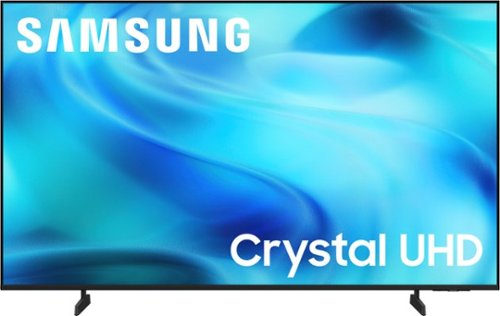
Watch all your content in crisp 4K resolution, with rich contrast, amazing color and clear picture. Discover thousands of subscription-free channels, including 700+ premium channels with Samsung TV Plus. Also, play thousands of video games without a console thanks to Samsung Gaming Hub. Enjoy peace of mind for years to come with the TV brand rated #1 in durability.
What this the min and max width of the legs in the 55 inch model?

Hi Bitman5150,
The feet on the 55" U8000H TV are not adjustable and sit at 32" apart.
~Samsung Advisor
The feet on the 55" U8000H TV are not adjustable and sit at 32" apart.
~Samsung Advisor
2 months, 3 weeks ago
by
Posted by:
Samsung
Watch all your content in crisp 4K resolution, with rich contrast, amazing color and clear picture. Discover thousands of subscription-free channels, including 700+ premium channels with Samsung TV Plus. Also, play thousands of video games without a console thanks to Samsung Gaming Hub. Enjoy peace of mind for years to come with the TV brand rated #1 in durability.
Can you adjust screen size to fill screen?
Hi Bali,
Yes, you can adjust the size of the picture on your screen. To adjust the image size on your TV, navigate to: Home > left directional key > Settings > All Settings > Picture > Picture Size Settings. From there, you can select options like Fit to Screen, Zoom and Position, or choose a Picture Size such as 16:9 Standard, Custom, or 4:3.
Please keep in mind that available size options may vary depending on the input signal and the type of content you're viewing.
~ Samsung Advisor
Yes, you can adjust the size of the picture on your screen. To adjust the image size on your TV, navigate to: Home > left directional key > Settings > All Settings > Picture > Picture Size Settings. From there, you can select options like Fit to Screen, Zoom and Position, or choose a Picture Size such as 16:9 Standard, Custom, or 4:3.
Please keep in mind that available size options may vary depending on the input signal and the type of content you're viewing.
~ Samsung Advisor
2 months, 3 weeks ago
by
Posted by:
Samsung
Watch all your content in crisp 4K resolution, with rich contrast, amazing color and clear picture. Discover thousands of subscription-free channels, including 700+ premium channels with Samsung TV Plus. Also, play thousands of video games without a console thanks to Samsung Gaming Hub. Enjoy peace of mind for years to come with the TV brand rated #1 in durability.
Is prime video app loaded on this tv
Hi Nmasente,
Yes, Prime Video is available on the U8000H TV.
~Samsung Advisor
Yes, Prime Video is available on the U8000H TV.
~Samsung Advisor
2 months, 3 weeks ago
by
Posted by:
Samsung
Watch all your content in crisp 4K resolution, with rich contrast, amazing color and clear picture. Discover thousands of subscription-free channels, including 700+ premium channels with Samsung TV Plus. Also, play thousands of video games without a console thanks to Samsung Gaming Hub. Enjoy peace of mind for years to come with the TV brand rated #1 in durability.
Can a wall mount be used with this TV?
Hi WallMount,
You can use a wall mount compatible with a VESA Map of 200x200mm.
~Samsung Advisor
You can use a wall mount compatible with a VESA Map of 200x200mm.
~Samsung Advisor
2 months, 3 weeks ago
by
Posted by:
Samsung
Watch all your content in crisp 4K resolution, with rich contrast, amazing color and clear picture. Discover thousands of subscription-free channels, including 700+ premium channels with Samsung TV Plus. Also, play thousands of video games without a console thanks to Samsung Gaming Hub. Enjoy peace of mind for years to come with the TV brand rated #1 in durability.
Can a bose soundbar be connected to this tv via optical cable?
Hi,
While the U8000H TV does not include an Optical port, it does support audio over HDMI and Bluetooth. If an Optical port is important to your setup, this input is available starting with our QN70H Series.
~Samsung Advisor
While the U8000H TV does not include an Optical port, it does support audio over HDMI and Bluetooth. If an Optical port is important to your setup, this input is available starting with our QN70H Series.
~Samsung Advisor
2 months, 3 weeks ago
by
Posted by:
Samsung
Watch all your content in crisp 4K resolution, with rich contrast, amazing color and clear picture. Discover thousands of subscription-free channels, including 700+ premium channels with Samsung TV Plus. Also, play thousands of video games without a console thanks to Samsung Gaming Hub. Enjoy peace of mind for years to come with the TV brand rated #1 in durability.
Can you plug a soundbar into it?
Hi Garak,
Yes, you can connect a soundbar via HDMI cable or Bluetooth connection.
~Samsung Advisor
Yes, you can connect a soundbar via HDMI cable or Bluetooth connection.
~Samsung Advisor
2 months, 3 weeks ago
by
Posted by:
Samsung
Watch all your content in crisp 4K resolution, with rich contrast, amazing color and clear picture. Discover thousands of subscription-free channels, including 700+ premium channels with Samsung TV Plus. Also, play thousands of video games without a console thanks to Samsung Gaming Hub. Enjoy peace of mind for years to come with the TV brand rated #1 in durability.
Fror the 43” Class U8000H Series Crystal UHD 4K Smart Tizen TV (2026), once you install the mounting legs, can you remove them?
Hi,
Yes, the legs are removable.
~Samsung Advisor
Yes, the legs are removable.
~Samsung Advisor
2 months, 3 weeks ago
by
Posted by:
Samsung
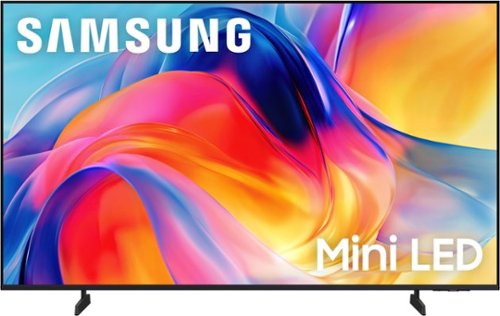
Bright, detailed colors pair together with deep, cinematic contrast in your favorite smart apps and video games thanks to precise control with Mini LEDs, delivering a realistic picture no matter what you watch. Get thousands of subscription free channels, including 700+ premium channels with Samsung TV Plus. Rest assured your personal data is secured with Knox Security.
Is the USB port a 3.0 USB?
Hi MikeC,
USB 2.0 and higher is supported on the M70H TV.
~Samsung Advisor
USB 2.0 and higher is supported on the M70H TV.
~Samsung Advisor
2 months, 3 weeks ago
by
Posted by:
Samsung
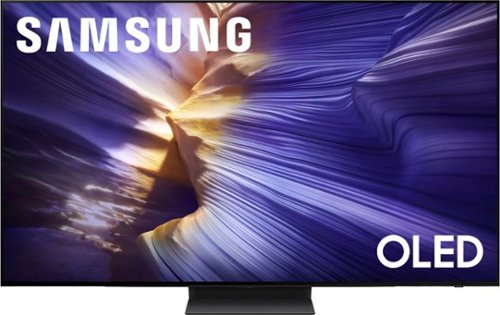
Our fastest 4K processor powers Samsung Vision AI to upscale your favorite content and put you at the center of the action. Powerful OLED HDR+ contrast and Pantone Validated color let you appreciate every detail. Dynamic motion enhancement technology delivers ultra smooth action for crisp visuals at blazing fast speeds whether you're streaming or gaming.
When wall mounting the 77" how far from top vesa bolt to bottom of tv?
Hi Jimm - On the 77" S90F, the distance from the top VESA mounting holes to the top of the TV is 24". The distance from the bottom holes to the bottom of the TV is 3.1".
~ Samsung Specialist
~ Samsung Specialist
2 months, 3 weeks ago
by
Posted by:
Samsung
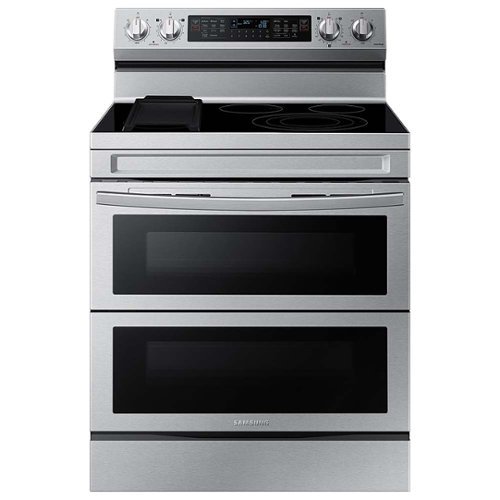
Cook two dishes at different temperatures with Samsung~s new Flex Duo Freestanding Electric Range. Use the full oven for a large roast or split it into two smaller ovens that can cook at different temperatures. Upgraded technology makes cooking simple and fun.
When turning the oven on the broiler comes on, which is normal, but it does not turn off once the oven is at temperature and it overheats.
Hi vacpac,
We understand that seeing the broiler stay on past preheat on your range is definitely something worth checking.
The oven uses a sensor and control system like a “brain” to keep the temperature steady by adjusting the heat as needed. If it doesn’t adjust things properly, the top heater can make the oven hotter than it should.
You can explore the full guide here:
https://www.samsung.com/us/support/troubleshoot/TSG10001298/
If you need further assistance, you can connect with us through any of the options below:
1. Samsung Community: https://us.community.samsung.com/t5/Samsung-Community/ct-p/us
2. Facebook Messenger: https://m.me/samsungsupport
3. X: https://x.com/messages/compose?recipient%20id=18768513
4. Samsung Customer Care: 1-800-726-7864 (1-800-SAMSUNG)
Please have reference number 1152528986 ready when you contact us so we can assist you quickly.
Samsung truly values your business.
Jeffrey
Samsung Care
We understand that seeing the broiler stay on past preheat on your range is definitely something worth checking.
The oven uses a sensor and control system like a “brain” to keep the temperature steady by adjusting the heat as needed. If it doesn’t adjust things properly, the top heater can make the oven hotter than it should.
You can explore the full guide here:
https://www.samsung.com/us/support/troubleshoot/TSG10001298/
If you need further assistance, you can connect with us through any of the options below:
1. Samsung Community: https://us.community.samsung.com/t5/Samsung-Community/ct-p/us
2. Facebook Messenger: https://m.me/samsungsupport
3. X: https://x.com/messages/compose?recipient%20id=18768513
4. Samsung Customer Care: 1-800-726-7864 (1-800-SAMSUNG)
Please have reference number 1152528986 ready when you contact us so we can assist you quickly.
Samsung truly values your business.
Jeffrey
Samsung Care
2 months, 3 weeks ago
by
Posted by:
Samsung