Samsung
Samsung's Stats
Reviews
- Review Count0
- Helpfulness Votes0
- First ReviewNone
- Last ReviewNone
- Featured Reviews0
- Average Rating0
Reviews Comments
- Review Comment Count0
- Helpfulness Votes0
- First Review CommentNone
- Last Review CommentNone
- Featured Review Comments0
Questions
- Question Count0
- Helpfulness Votes0
- First QuestionNone
- Last QuestionNone
- Featured Questions0
- Answer Count74543
- Helpfulness Votes37,989
- First AnswerApril 24, 2013
- Last AnswerSeptember 28, 2026
- Featured Answers0
- Best Answers3951
Samsung's Reviews
Samsung has not submitted any reviews.
Samsung's Questions
Samsung has not submitted any questions.
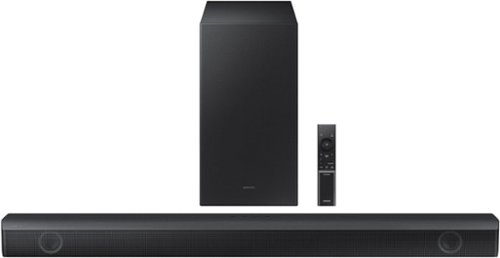
Samsung - HW-B550 2.1ch Soundbar with Dolby Audio / DTS Virtual:X - Black
Dolby Audio creates realistic 3D sound by projecting it from all around you, including from above, while DTS Virtual: X expands your listening experience without having to add extra speakers. Boost the bass with a touch of a button. Experience the intensity of action movies with the powerful bass coming from the included subwoofer. .Enjoy optimized audio with enhanced voice clarity on all your favorite video content.
Does this soundbar system work with other brands of TVs? I have an LG 50QNED80.

Hello MoPoodleMom,
The HW-B550 Soundbar features Digital Optical, HDMI or Bluetooth as a way to connect to a TV. We do recommend using HDMI as this will offer the best audio and user experience available.
~Samsung Solutions
The HW-B550 Soundbar features Digital Optical, HDMI or Bluetooth as a way to connect to a TV. We do recommend using HDMI as this will offer the best audio and user experience available.
~Samsung Solutions
3 years, 8 months ago
by
Posted by:
Samsung

Samsung - HW-B650/ZA 3.1 Channel Soundbar with Wireless Subwoofer, Dolby 5.1 / DTS Virtual:X - Black
Dolby Atmos creates realistic 3D sound by projecting it from all around you, including from above, while DTS Virtual: X expands your listening experience without having to add extra speakers. Boost the bass with a touch of a button. The built-in center speaker delivers enhanced dialogue so you won't miss a word. Experience the intensity of action movies with the powerful bass coming from the included subwoofer. Enjoy optimized audio with enhanced voice clarity on all your favorite video content.
My sound bar is connected via the HDMI Arc input but the sub woofer does not seem to be connecting. Only the blue light stays on when I press the set-button on the bask of the sub-woofer. What am I doing wrong?
DanielG,
Before performing the manual connection procedure, check whether the power cables for the Soundbar and subwoofer are connected properly and make sure that the Soundbar is turned off.
Press and hold ID SET on the rear of the subwoofer for at least 5 seconds. The red indicator on the rear of the subwoofer turns off and the blue indicator blinks. Press and hold the Up button on the remote control for at least 5 seconds. The ID SET message appears on the display of the Soundbar for a moment, and then it disappears. The Soundbar will automatically power on when ID SET is complete. The LINK LED indicator stops blinking and glows a solid blue when a connection is established between the Soundbar and the Wireless Subwoofer.
~Samsung Solutions
Before performing the manual connection procedure, check whether the power cables for the Soundbar and subwoofer are connected properly and make sure that the Soundbar is turned off.
Press and hold ID SET on the rear of the subwoofer for at least 5 seconds. The red indicator on the rear of the subwoofer turns off and the blue indicator blinks. Press and hold the Up button on the remote control for at least 5 seconds. The ID SET message appears on the display of the Soundbar for a moment, and then it disappears. The Soundbar will automatically power on when ID SET is complete. The LINK LED indicator stops blinking and glows a solid blue when a connection is established between the Soundbar and the Wireless Subwoofer.
~Samsung Solutions
3 years, 8 months ago
by
Posted by:
Samsung
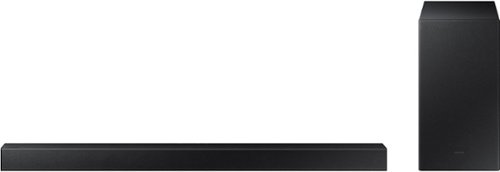
Samsung - 2.1-Channel Soundbar with Wireless Subwoofer and DOLBY AUDIO / DTS 2.0 - Black
Elevate your audio experience with high-quality optimized sound. The power of Samsung sound bar HW-A430/ZA makes surround soundbar comes to life with speakers that fire all around you.
Do have to have a Samsung TV to use this product? I have an older model RCA HD TV. Does this product work on various TVs? Do I have to use Bluetooth to connect?
Hello,
The HW-A430 Soundbar has the ability to connect using Digital Optical or Bluetooth. We do recommend using Digital Optical as this will offer the best audio and user experience available. ~Samsung Solutions
The HW-A430 Soundbar has the ability to connect using Digital Optical or Bluetooth. We do recommend using Digital Optical as this will offer the best audio and user experience available. ~Samsung Solutions
3 years, 8 months ago
by
Posted by:
Samsung
Samsung - 2.1-Channel Soundbar with Wireless Subwoofer and DOLBY AUDIO / DTS 2.0 - Black
Elevate your audio experience with high-quality optimized sound. The power of Samsung sound bar HW-A430/ZA makes surround soundbar comes to life with speakers that fire all around you.
He-a430 Using the remote Button (Volume Woofer) in the display on the soundbar when press Woofer the display only shows SW-0 and it will not go higher, but the volume on the woodwr stats low.
Hello James,
The volume and woofer buttons on the remote are like a toggle switch. You will need to push forward or pull backward if you want to raise or lower the volume or bass levels.
By pressing the button IN you are setting the bass to 0.
~Samsung Solutions
The volume and woofer buttons on the remote are like a toggle switch. You will need to push forward or pull backward if you want to raise or lower the volume or bass levels.
By pressing the button IN you are setting the bass to 0.
~Samsung Solutions
3 years, 8 months ago
by
Posted by:
Samsung
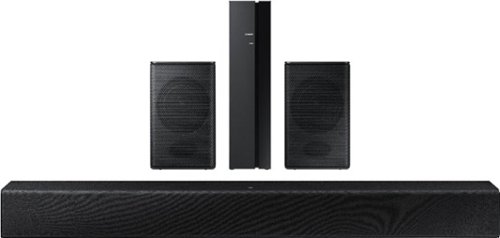
Samsung - HW-A40R 4ch Sound bar with Surround sound expansion - Black
Powerful, yet compact sound experience
Can I connect these fully wireless? Or do they need to be connected via optical or HDMI?
Hello JaredSATX,
The HW-A40 Soundbar has the ability to connect using Digital Optical or Bluetooth. We do recommend using Digital Optical as this will offer the best audio and user experience available.
~Samsung Solutions
The HW-A40 Soundbar has the ability to connect using Digital Optical or Bluetooth. We do recommend using Digital Optical as this will offer the best audio and user experience available.
~Samsung Solutions
3 years, 8 months ago
by
Posted by:
Samsung
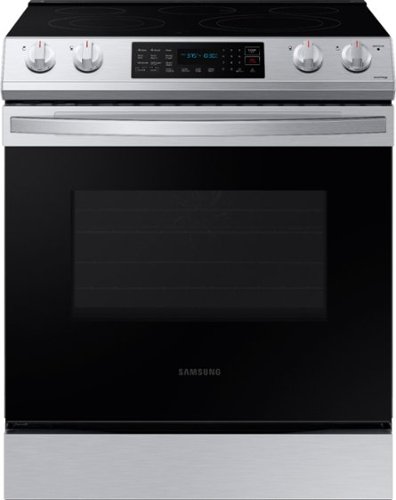
Samsung - 6.3 cu. ft. Front Control Slide-in Electric Range with Convection & Wi-Fi, Fingerprint Resistant - Stainless Steel
The new Samsung Front Control Slide-in Electric Range with Convection is fully Wi-Fi connected and voice enabled, making it easy to create delicious meals for your family faster.
Does this have bread proofing?
Hi there,
Interesting question.
Yes. This range model has a bread-proof function.
Have a great day.
Melardo
Interesting question.
Yes. This range model has a bread-proof function.
Have a great day.
Melardo
3 years, 8 months ago
by
Posted by:
Samsung
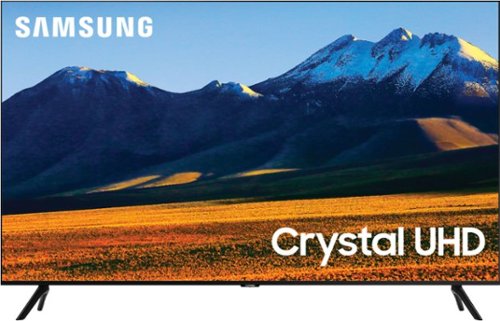
Samsung - 86 Class TU9010 LED 4K UHD Smart Tizen TV (2021)
Experience your favorite movies and shows on a vibrant, stunning 4K UHD screen, using the Universal Guide to surf smoothly and select content. Everything you watch is automatically upscaled into 4K for stunningly vivid color and detail.
Does this TV support MiraCast? I would like to use it as a wireless display for Windows 10 Laptops
Hi AJM123,
You can use screen mirroring via the SmartThings app.
~Samsung Advisor
You can use screen mirroring via the SmartThings app.
~Samsung Advisor
3 years, 8 months ago
by
Posted by:
Samsung
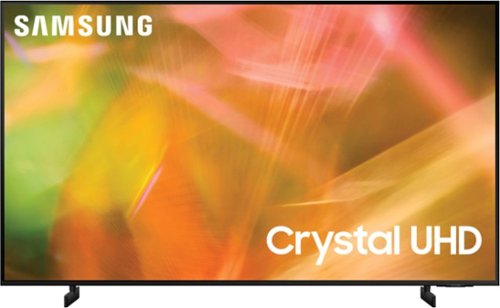
Samsung - 85" Class 8000 Series LED 4K UHD Smart Tizen TV (2021)
Step up to the world of Crystal UHD from Samsung. Elevated color and clarity offer you a picture that has to be seen to be believed. Add in smart features that make watching TV even easier, and you have a TV that is essential.
Do any of the HDMI ports on this TV have ARC capability to connect a Sonos Arc Soundbar?
Hi SonosArcSoundbar,
Yes, the HDMI in port 2 offers eARC.
~Samsung Advisor
Yes, the HDMI in port 2 offers eARC.
~Samsung Advisor
3 years, 8 months ago
by
Posted by:
Samsung
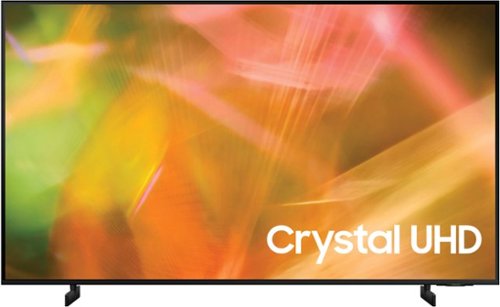
Samsung - 55" Class 8000 Series LED 4K UHD Smart Tizen TV (2021)
Step up to the world of Crystal UHD from Samsung. Elevated color and clarity offer you a picture that has to be seen to be believed. Add in smart features that make watching TV even easier, and you have a TV that is essential.
Does this TV have the Paramount plus app installed with it?
Hi Rick,
Yes, Paramount Plus is available for download on the AU8000 TV.
~Samsung Advisor
Yes, Paramount Plus is available for download on the AU8000 TV.
~Samsung Advisor
3 years, 8 months ago
by
Posted by:
Samsung
Samsung - 55" Class 8000 Series LED 4K UHD Smart Tizen TV (2021)
Step up to the world of Crystal UHD from Samsung. Elevated color and clarity offer you a picture that has to be seen to be believed. Add in smart features that make watching TV even easier, and you have a TV that is essential.
Does it support chromecast?
Hi Ziha,
Yes, you can connect an external Chromecast device via HDMI.
~Samsung Advisor
Yes, you can connect an external Chromecast device via HDMI.
~Samsung Advisor
3 years, 8 months ago
by
Posted by:
Samsung