Samsung
Samsung's Stats
Reviews
- Review Count0
- Helpfulness Votes0
- First ReviewNone
- Last ReviewNone
- Featured Reviews0
- Average Rating0
Reviews Comments
- Review Comment Count0
- Helpfulness Votes0
- First Review CommentNone
- Last Review CommentNone
- Featured Review Comments0
Questions
- Question Count0
- Helpfulness Votes0
- First QuestionNone
- Last QuestionNone
- Featured Questions0
- Answer Count74598
- Helpfulness Votes37,992
- First AnswerApril 24, 2013
- Last AnswerSeptember 29, 2026
- Featured Answers0
- Best Answers3952
Samsung's Reviews
Samsung has not submitted any reviews.
Samsung's Questions
Samsung has not submitted any questions.
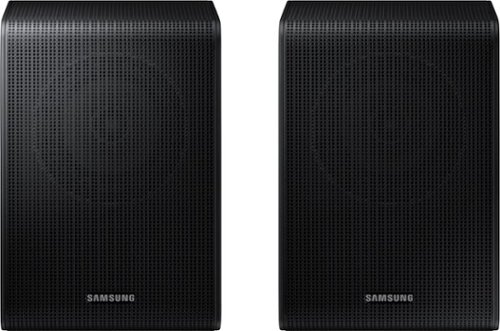
Samsung - SWA-9200S/ZA 2.0 Channel Wireless Rear Speaker Kit - Black
Connect easily and wirelessly to Samsung speakers for room-filling sound.
Are these compatible with the HW-S800b sound bar?

Hello Nella,
The HW-S800B Soundbar is exclusively compatible with the SWA-9500S Wireless Rear Speakers.
~Samsung Solutions
The HW-S800B Soundbar is exclusively compatible with the SWA-9500S Wireless Rear Speakers.
~Samsung Solutions
3 years, 9 months ago
by
Posted by:
Samsung

Samsung - HW-S60B 5.0ch All in One Soundbar with Wireless Dolby Atmos - Black
Enjoy room filling sound in an all in one design. Hear Dolby Atmos sound from above and around without requiring HDMI cables. Perfectly synchronized TV and soundbar sound brings a new level of immersion. Don't miss a word, thanks to a built in center speaker. Plus, play your favorite songs with Alexa built in.
When I ask my Alexa enabled Samsung Soundbar HW-S60B for the time, the time that I'd given to me is 2 hours later then the actual time. What needs to be done to get the correct time,?
Hello Markopelli,
Check your Alexa settings to make sure that it is set to the correct time zone and region. If this doesn't work then I would suggest you unpair your soundbar from Alexa. Then download the SmartThings app and connect your soundbar using Wi-Fi to SmartThings on your smart device. Lastly, you are able to connect your Soundbar to Alexa using the SmartThings app.
If you are still having issues contact Samsung Customer Support, call us at 1-800-SAMSUNG (ask for Soundbars), available 8 AM – 12 AM EST, 7 days a week.
LiveChat with an agent by clicking the ‘Support’ link on the Samsung website.
~Samsung Solutions
Check your Alexa settings to make sure that it is set to the correct time zone and region. If this doesn't work then I would suggest you unpair your soundbar from Alexa. Then download the SmartThings app and connect your soundbar using Wi-Fi to SmartThings on your smart device. Lastly, you are able to connect your Soundbar to Alexa using the SmartThings app.
If you are still having issues contact Samsung Customer Support, call us at 1-800-SAMSUNG (ask for Soundbars), available 8 AM – 12 AM EST, 7 days a week.
LiveChat with an agent by clicking the ‘Support’ link on the Samsung website.
~Samsung Solutions
3 years, 9 months ago
by
Posted by:
Samsung
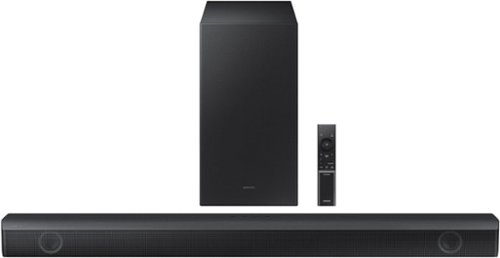
Samsung - HW-B550 2.1ch Soundbar with Dolby Audio / DTS Virtual:X - Black
Dolby Audio creates realistic 3D sound by projecting it from all around you, including from above, while DTS Virtual: X expands your listening experience without having to add extra speakers. Boost the bass with a touch of a button. Experience the intensity of action movies with the powerful bass coming from the included subwoofer. .Enjoy optimized audio with enhanced voice clarity on all your favorite video content.
does the bluetooth feature have a lock? can anyone use the bluetooth without authorization, or are there features to prevent neighbors from using it?
Hi betterpurchasec,
When pairing your soundbar to a Bluetooth device you will be prompted on your TV or your smart device to be able to complete the pair. So people will not be able to pair without your permission.
~Samsung Solutions
When pairing your soundbar to a Bluetooth device you will be prompted on your TV or your smart device to be able to complete the pair. So people will not be able to pair without your permission.
~Samsung Solutions
3 years, 9 months ago
by
Posted by:
Samsung
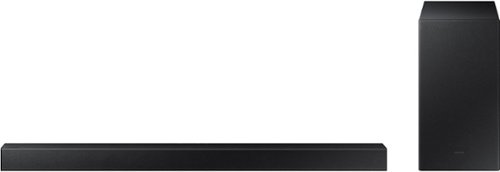
Samsung - 2.1-Channel Soundbar with Wireless Subwoofer and DOLBY AUDIO / DTS 2.0 - Black
Elevate your audio experience with high-quality optimized sound. The power of Samsung sound bar HW-A430/ZA makes surround soundbar comes to life with speakers that fire all around you.
Will this sound bar hook to ant TV?
Hello Pancho,
The HW-A430 Soundbar has the ability to connect using Digital Optical Cable or Bluetooth. If the TV has either of these then you're all set.
~Samsung Solutions
The HW-A430 Soundbar has the ability to connect using Digital Optical Cable or Bluetooth. If the TV has either of these then you're all set.
~Samsung Solutions
3 years, 9 months ago
by
Posted by:
Samsung
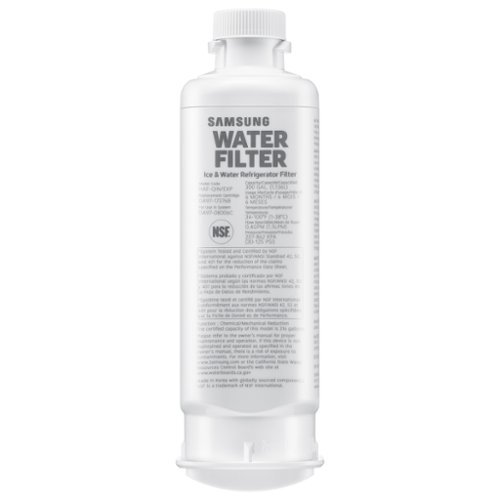
Give your family safe, fresh-testing water with Samsung genuine filters. Samsung water filters remove over 99% of numerous harmful contaminants, including lead. Each filter lasts for 6 months or 300 gallons.
WHICH IS THE CORRECT WATER FILTER FOR A SAMSUNG RF29A9671SR REFRIDGERATOR ?
Hi There,
It's amazing to know your interest in the water filter's compatibility!
As per checking, the HAF-QIN/EXP water filter works with the fridge model RF29A9671SR.
Have a great day!
^Chrystel
It's amazing to know your interest in the water filter's compatibility!
As per checking, the HAF-QIN/EXP water filter works with the fridge model RF29A9671SR.
Have a great day!
^Chrystel
3 years, 9 months ago
by
Posted by:
Samsung
Samsung - 2.1-Channel Soundbar with Wireless Subwoofer and DOLBY AUDIO / DTS 2.0 - Black
Elevate your audio experience with high-quality optimized sound. The power of Samsung sound bar HW-A430/ZA makes surround soundbar comes to life with speakers that fire all around you.
We have an Epson projector mounted on the ceiling in the basement. Would this sound bar and subwoofer be compatible with that? I guess I just don’t understand how/where you mount and position these items, and if they will work with a projector?
Hello Nottechsavvy,
The HW-A430 Soundbar has the ability to connect using Digital Optical Cable or Bluetooth. If your projector has either of these inputs then you'll be all set. You'll want to place the soundbar near where your screen is and we do recommend using a Digital Optical Cable for the best audio and user experience.
~Samsung Solutions
The HW-A430 Soundbar has the ability to connect using Digital Optical Cable or Bluetooth. If your projector has either of these inputs then you'll be all set. You'll want to place the soundbar near where your screen is and we do recommend using a Digital Optical Cable for the best audio and user experience.
~Samsung Solutions
3 years, 9 months ago
by
Posted by:
Samsung
Samsung - 2.1-Channel Soundbar with Wireless Subwoofer and DOLBY AUDIO / DTS 2.0 - Black
Elevate your audio experience with high-quality optimized sound. The power of Samsung sound bar HW-A430/ZA makes surround soundbar comes to life with speakers that fire all around you.
What are the dimensions of the subwoofer?
Hello Jeanette,
The overall dimensions are as follows.
(W x H x D) 7.1" x 13.5" x 10.7"
~Samsung Solutions
The overall dimensions are as follows.
(W x H x D) 7.1" x 13.5" x 10.7"
~Samsung Solutions
3 years, 9 months ago
by
Posted by:
Samsung

Samsung - HW-B650/ZA 3.1 Channel Soundbar with Wireless Subwoofer, Dolby 5.1 / DTS Virtual:X - Black
Dolby Atmos creates realistic 3D sound by projecting it from all around you, including from above, while DTS Virtual: X expands your listening experience without having to add extra speakers. Boost the bass with a touch of a button. The built-in center speaker delivers enhanced dialogue so you won't miss a word. Experience the intensity of action movies with the powerful bass coming from the included subwoofer. Enjoy optimized audio with enhanced voice clarity on all your favorite video content.
Sound is delayed while hooked up via optical cable to my TCL TV. I've had this for 3 months and cannot line up the sound to the video. Any idea how to fix ?
Hello Gabe,
If you are still having issues even after using the audio sync setting found within the SOUND CONTROL button on your soundbar remote then please contact Samsung Customer Support.
Call us at 1-800-SAMSUNG (ask for Soundbars), available 8 AM – 12 AM EST, 7 days a week.
LiveChat with an agent by clicking the ‘Support’ link on the Samsung website.
~Samsung Solutions
If you are still having issues even after using the audio sync setting found within the SOUND CONTROL button on your soundbar remote then please contact Samsung Customer Support.
Call us at 1-800-SAMSUNG (ask for Soundbars), available 8 AM – 12 AM EST, 7 days a week.
LiveChat with an agent by clicking the ‘Support’ link on the Samsung website.
~Samsung Solutions
3 years, 9 months ago
by
Posted by:
Samsung
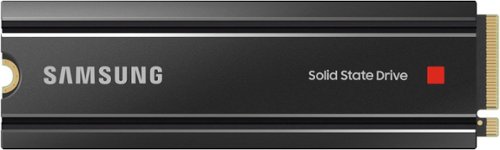
Samsung - 980 PRO Heatsink 2TB Internal SSD PCIe Gen 4 x4 NVMe for PS5
Unleash the power of the Samsung 980 PRO with Heatsink for next-level computing. With a PCIe 4.0 NVMe interface, get up to 2x the data transfer rate of PCIe 3.0~ while remaining compatible with PCIe 3.0. ~Results are based on a comparison with Samsung PCIe 3.0 NVMe SSDs and SATA SSDs.
When adding this to a PC, will I need to format the SSD once it's installed, or will the PC recognize the SSD drive? What steps are necessary for installation. And what is the best file format for the PC, NTSF or exFAT?
LARGERobert:
Installation of Samsung's 980 PRO w/Heatsink is essentially plug-and-play. Simply insert the SSD in an M.2 PCIe slot, tighten the SSD in place with the screw and spacer provided by your mainboard manufacturer, and boot up your system from an external source before proceeding with a fresh install of your operating system. Windows has an in-box driver that ensures your drive is operational from the start, but we recommend installing the NVMe Driver specifically designed for Samsung NVMe SSDs, to ensure optimal performance and to maximize compatibility with your system.
Should you need assistance, please contact Samsung Customer Support:
Call: 1-800-SAMSUNG (ask for Memory or press #, then 6 for Memory products)
Available 9AM – 9PM EST (Mon-Fri)
- Samsung Memory
Installation of Samsung's 980 PRO w/Heatsink is essentially plug-and-play. Simply insert the SSD in an M.2 PCIe slot, tighten the SSD in place with the screw and spacer provided by your mainboard manufacturer, and boot up your system from an external source before proceeding with a fresh install of your operating system. Windows has an in-box driver that ensures your drive is operational from the start, but we recommend installing the NVMe Driver specifically designed for Samsung NVMe SSDs, to ensure optimal performance and to maximize compatibility with your system.
Should you need assistance, please contact Samsung Customer Support:
Call: 1-800-SAMSUNG (ask for Memory or press #, then 6 for Memory products)
Available 9AM – 9PM EST (Mon-Fri)
- Samsung Memory
3 years, 9 months ago
by
Posted by:
Samsung
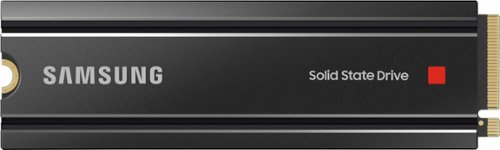
Samsung - 980 PRO Heatsink 1TB Internal SSD PCIe Gen 4 x4 NVMe for PS5
Unleash the power of the Samsung 980 PRO with Heatsink for next-level computing. With a PCIe 4.0 NVMe interface, get up to 2x the data transfer rate of PCIe 3.0~ while remaining compatible with PCIe 3.0. ~Results are based on a comparison with Samsung PCIe 3.0 NVMe SSDs and SATA SSDs.
Installing this to my ps5 Will it add 1tb of data including what the console already has? Or Will is be 1tb of data all together? Does that make sense?
Isaac:
This is additional 1TB to the PS5 internal storage.
- Samsung Memory
This is additional 1TB to the PS5 internal storage.
- Samsung Memory
3 years, 9 months ago
by
Posted by:
Samsung