Samsung
Samsung's Stats
Reviews
- Review Count0
- Helpfulness Votes0
- First ReviewNone
- Last ReviewNone
- Featured Reviews0
- Average Rating0
Reviews Comments
- Review Comment Count0
- Helpfulness Votes0
- First Review CommentNone
- Last Review CommentNone
- Featured Review Comments0
Questions
- Question Count0
- Helpfulness Votes0
- First QuestionNone
- Last QuestionNone
- Featured Questions0
- Answer Count74605
- Helpfulness Votes37,992
- First AnswerApril 24, 2013
- Last AnswerSeptember 29, 2026
- Featured Answers0
- Best Answers3952
Samsung's Reviews
Samsung has not submitted any reviews.
Samsung's Questions
Samsung has not submitted any questions.
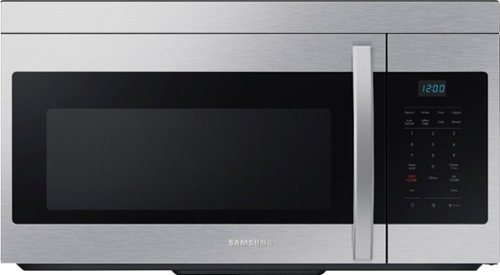
This 1.6 cu. ft. capacity Over-the-Range Microwave with Auto Cook takes the guesswork out of cook time with pre-programmed settings. Its powerful 2-speed 300 CFM ventilation system quickly and quietly reduces unwanted cooking odors.
Can this microwave be hard wired for installation as oppose to electrical plug outlet? Thanks, Meow

Hi there,
Proper installation with our appliances is one of the factors to consider to avoid any accidents or failure with the product.
This microwave requires a separate branch circuit single grounded outlet that provides a minimum of 15A and a maximum of 20A.
Have a great day.
Melardo
Proper installation with our appliances is one of the factors to consider to avoid any accidents or failure with the product.
This microwave requires a separate branch circuit single grounded outlet that provides a minimum of 15A and a maximum of 20A.
Have a great day.
Melardo
3 years, 9 months ago
by
Posted by:
Samsung
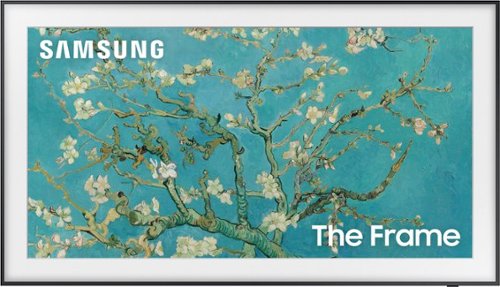
Samsung - 32" Class The Frame QLED Full HD Smart Tizen TV (2022)
Artwork, shows, movies and memories display what you love on The Frame, the picture frame like TV. See everything on the QLED FHD TV at 100% Color Volume with Quantum Dot that saturates your screen with a billion colors. Switch on Art Mode and transform your TV into your own personal art exhibit.~ ~QLED televisions can produce 100% Color Volume in the DCI P3 color space, the format for most cinema screens and HDR movies for television.
What is the height and width of the 32 inch Frame TV by Samsung?
Hi Renovate - Here are the dimensions of the 32" Frame TV without the stand attached (WxHxD in INCHES): 28.7 x x 16.5 x 1
~ Samsung Specialist
~ Samsung Specialist
3 years, 9 months ago
by
Posted by:
Samsung
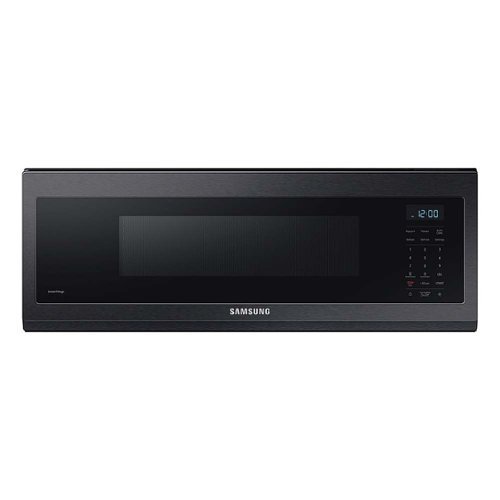
Samsung - 1.1 cu. ft. Smart SLIM Over-the-Range Microwave with 400 CFM Hood Ventilation - Black Stainless Steel
Free up space above your cooktop with the new, beautifully designed Smart SLIM Microwave. This combination microwave with ventilation hood fits into the same space as an under-the-cabinet hood, but despite its slim size, it has a 1.1 cu. ft. capacity. The SLIM Microwave packs in the powerful performance you need with all the technology that you love in a slim, space efficient size.
Can this be hardwired or does it need an outlet?
Hi Clamb247,
We all know that proper installation is important to our appliances.
This microwave requires a separate branch circuit single grounded outlet of at least 15A and a max of 20A.
Have a great day.
Melardo
We all know that proper installation is important to our appliances.
This microwave requires a separate branch circuit single grounded outlet of at least 15A and a max of 20A.
Have a great day.
Melardo
3 years, 9 months ago
by
Posted by:
Samsung
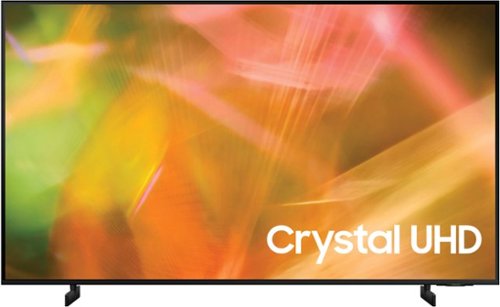
Samsung - 55" Class 8000 Series LED 4K UHD Smart Tizen TV (2021)
Step up to the world of Crystal UHD from Samsung. Elevated color and clarity offer you a picture that has to be seen to be believed. Add in smart features that make watching TV even easier, and you have a TV that is essential.
Is this a good gaming TV?
HI Acehigh,
Thank you for considering this TV for your gaming! The AU8000 TV has 2 HDMI ports that each support HDR10+ and Auto Low Latency Mode (ALLM/Auto Game Mode). The “HDMI In 2” port further supports eARC. However, if you are looking to game at 4K@120fps (FRL), take a look at our Q70A Series and above, which support “FRL on HDMI In 4”.
~Samsung Advisor
Thank you for considering this TV for your gaming! The AU8000 TV has 2 HDMI ports that each support HDR10+ and Auto Low Latency Mode (ALLM/Auto Game Mode). The “HDMI In 2” port further supports eARC. However, if you are looking to game at 4K@120fps (FRL), take a look at our Q70A Series and above, which support “FRL on HDMI In 4”.
~Samsung Advisor
3 years, 9 months ago
by
Posted by:
Samsung
This 1.6 cu. ft. capacity Over-the-Range Microwave with Auto Cook takes the guesswork out of cook time with pre-programmed settings. Its powerful 2-speed 300 CFM ventilation system quickly and quietly reduces unwanted cooking odors.
Does the turntable turn off?
Hi Gina,
Your question about the turntable of your microwave is much appreciated.
This microwave model doesn't have a function to turn the on/off the turntable.
Have a great day.
Melardo
Your question about the turntable of your microwave is much appreciated.
This microwave model doesn't have a function to turn the on/off the turntable.
Have a great day.
Melardo
3 years, 9 months ago
by
Posted by:
Samsung
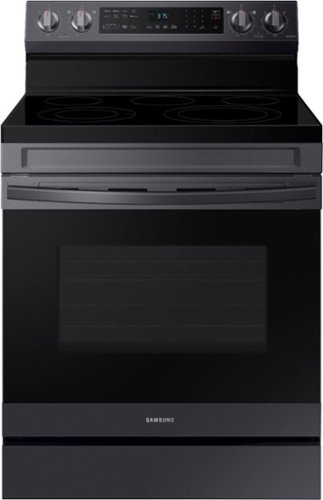
Elevate the look of your kitchen with Samsung~s Smart Freestanding Electric Range. Our Stainless Steel design elegantly wraps around cooktop sides and up through the slim control panel. Upgraded technology makes cooking simple and fun.
Is this oven a 3 prong or 4 prong cord oven?
Hi Didn,
We understand the reason for your question about the power cord for your range.
This range model is a 3-prong cord/power cord.
Have a great day.
Melardo
We understand the reason for your question about the power cord for your range.
This range model is a 3-prong cord/power cord.
Have a great day.
Melardo
3 years, 9 months ago
by
Posted by:
Samsung
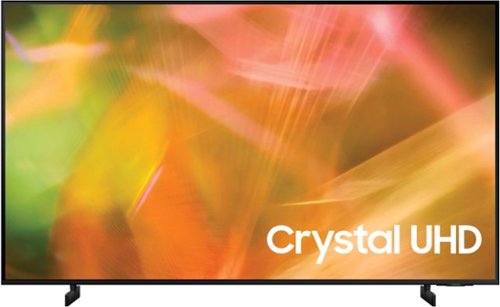
Samsung - 43" Class 8000 Series LED 4K UHD Smart Tizen TV (2021)
Step up to the world of Crystal UHD from Samsung. Elevated color and clarity offer you a picture that has to be seen to be believed. Add in smart features that make watching TV even easier, and you have a TV that is essential.
Does this tv allow paramount+ to be installed
Hi,
Yes Paramount+ is available for download on the AU8000 TV>
~Samsung Advisor
Yes Paramount+ is available for download on the AU8000 TV>
~Samsung Advisor
3 years, 9 months ago
by
Posted by:
Samsung
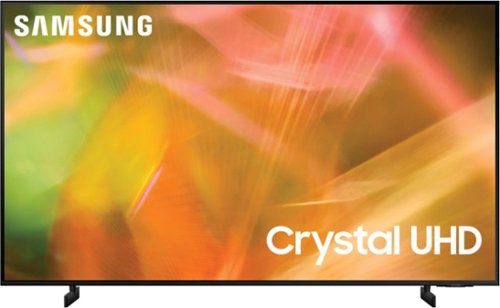
Samsung - 65" Class 8000 Series LED 4K UHD Smart Tizen TV (2021)
Step up to the world of Crystal UHD from Samsung. Elevated color and clarity offer you a picture that has to be seen to be believed. Add in smart features that make watching TV even easier, and you have a TV that is essential.
What is the multi audio output feature
Hi,
Multi-Output Audio allows you to turn on both the TV speaker and Bluetooth headphones at the same time. When this function is active, you can set the volume of the Bluetooth headphone higher than the volume of the TV speaker. Go to: Settings > General > Accessibility > Multi-Output Audio.
~Samsung Advisor
Multi-Output Audio allows you to turn on both the TV speaker and Bluetooth headphones at the same time. When this function is active, you can set the volume of the Bluetooth headphone higher than the volume of the TV speaker. Go to: Settings > General > Accessibility > Multi-Output Audio.
~Samsung Advisor
3 years, 9 months ago
by
Posted by:
Samsung
Samsung - 65" Class 8000 Series LED 4K UHD Smart Tizen TV (2021)
Step up to the world of Crystal UHD from Samsung. Elevated color and clarity offer you a picture that has to be seen to be believed. Add in smart features that make watching TV even easier, and you have a TV that is essential.
Does use of the audio out port shut off the tv speakers if so is here an option to keep tv speakers on
Hi Bill,
Although you cannot use the audio out port and the TV speakers simultaneously, however, with Multi-Output Audio, you can turn on both the TV speaker and Bluetooth headphones at the same time. When this function is active, you can set the volume of the Bluetooth headphone higher than the volume of the TV speaker. Go to: Settings > General > Accessibility > Multi-Output Audio.
~Samsung Advisor
Although you cannot use the audio out port and the TV speakers simultaneously, however, with Multi-Output Audio, you can turn on both the TV speaker and Bluetooth headphones at the same time. When this function is active, you can set the volume of the Bluetooth headphone higher than the volume of the TV speaker. Go to: Settings > General > Accessibility > Multi-Output Audio.
~Samsung Advisor
3 years, 9 months ago
by
Posted by:
Samsung
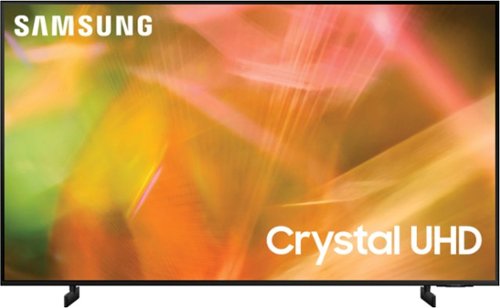
Samsung - 75" Class 8000 Series LED 4K UHD Smart Tizen TV (2021)
Step up to the world of Crystal UHD from Samsung. Elevated color and clarity offer you a picture that has to be seen to be believed. Add in smart features that make watching TV even easier, and you have a TV that is essential.
Why does some show look very dark (ex: Dynasty from Netflix). I've even put the brightness to the max. We've had several Samsung TVs for the past 18+ years and this is first time we're disappointed with our purchase.
Hi MP,
It’s unfortunate to hear you’re not fully satisfied with the brightness of your AU8000 TV’s picture. Please know that we are here to help you.
First, let’s ensure you are running the latest Firmware Update. Go to Settings> Support> Software Update.
Next, If the colors on your TV are correct but just a little too dark or bright, you can try adjusting Picture Modes, Contrast, Brightness, or Sharpness settings.
For darker scenes, I recommend Dynamic Picture Mode, which makes pictures brighter and clearer in bright viewing environments. Go to Settings > Picture > Picture Mode > Dynamic.
Or you can manually adjust the Brightness by pressing the HOME button on your remote, then navigating to Settings > Picture > Expert Settings.
You may also want to disable Power Saving Mode, which automatically adjusts the brightness to reduce the TV’s power consumption. Go to: Settings > General > Eco Solution> Power Saving Mode.
Ambient Light Detection will also automatically adjust the brightness level of the TV according to the ambient light level to reduce power consumption. If Ambient Light Detection has adjusted the screen brightness to a too-bright or dark level, you can select Minimum Brightness to manually adjust the minimum screen brightness. Go to: Settings > General > Eco Solution > Ambient Light Detection.
If you need more help, Samsung is here for you. Please call us at 1-800-SAMSUNG, 8 AM - 12 AM EST, seven days a week. Our LiveChat agents are also available by clicking on the ‘Support’ link on our website.
~ Samsung Advisor
It’s unfortunate to hear you’re not fully satisfied with the brightness of your AU8000 TV’s picture. Please know that we are here to help you.
First, let’s ensure you are running the latest Firmware Update. Go to Settings> Support> Software Update.
Next, If the colors on your TV are correct but just a little too dark or bright, you can try adjusting Picture Modes, Contrast, Brightness, or Sharpness settings.
For darker scenes, I recommend Dynamic Picture Mode, which makes pictures brighter and clearer in bright viewing environments. Go to Settings > Picture > Picture Mode > Dynamic.
Or you can manually adjust the Brightness by pressing the HOME button on your remote, then navigating to Settings > Picture > Expert Settings.
You may also want to disable Power Saving Mode, which automatically adjusts the brightness to reduce the TV’s power consumption. Go to: Settings > General > Eco Solution> Power Saving Mode.
Ambient Light Detection will also automatically adjust the brightness level of the TV according to the ambient light level to reduce power consumption. If Ambient Light Detection has adjusted the screen brightness to a too-bright or dark level, you can select Minimum Brightness to manually adjust the minimum screen brightness. Go to: Settings > General > Eco Solution > Ambient Light Detection.
If you need more help, Samsung is here for you. Please call us at 1-800-SAMSUNG, 8 AM - 12 AM EST, seven days a week. Our LiveChat agents are also available by clicking on the ‘Support’ link on our website.
~ Samsung Advisor
3 years, 9 months ago
by
Posted by:
Samsung