Samsung
Samsung's Stats
Reviews
- Review Count0
- Helpfulness Votes0
- First ReviewNone
- Last ReviewNone
- Featured Reviews0
- Average Rating0
Reviews Comments
- Review Comment Count0
- Helpfulness Votes0
- First Review CommentNone
- Last Review CommentNone
- Featured Review Comments0
Questions
- Question Count0
- Helpfulness Votes0
- First QuestionNone
- Last QuestionNone
- Featured Questions0
- Answer Count74608
- Helpfulness Votes37,992
- First AnswerApril 24, 2013
- Last AnswerSeptember 29, 2026
- Featured Answers0
- Best Answers3952
Samsung's Reviews
Samsung has not submitted any reviews.
Samsung's Questions
Samsung has not submitted any questions.
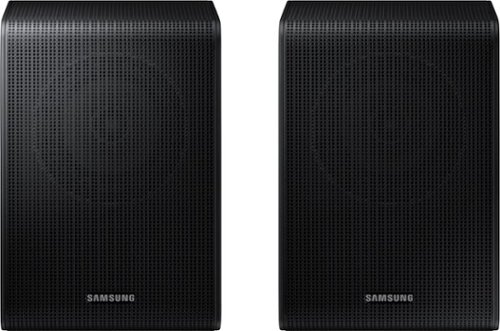
Samsung - SWA-9200S/ZA 2.0 Channel Wireless Rear Speaker Kit - Black
Connect easily and wirelessly to Samsung speakers for room-filling sound.
Will these work with the HW-B53m

Hello there,
The SWA-9200S Wireless Rear Speaker Kit is indeed compatible with the HW-B53M Soundbar.
~Samsung Solutions
The SWA-9200S Wireless Rear Speaker Kit is indeed compatible with the HW-B53M Soundbar.
~Samsung Solutions
3 years, 9 months ago
by
Posted by:
Samsung
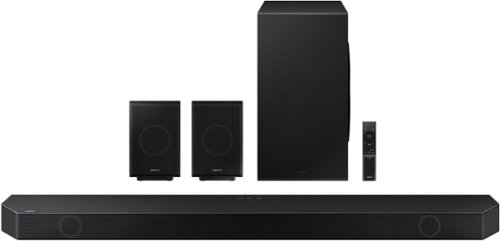
Samsung - HW-Q990B 11.1.4ch Soundbar with Wireless Dolby Atmos / DTS:X and Rear Speakers - Black
Keep your setup sleek and elegant without the clutter of wires. Enjoy enveloping sound with 11 channels, 1 subwoofer and 4 up-firing channels. Perfectly synchronized audio uses every speaker in compatible Samsung TV and soundbars. Get room filling sound designed specifically for your space.
Is the *included* HDMI cable 2.1 or 2.0?
Hello cyberpunk,
The HW-Q990B Soundbar comes with a HDMI 2.0 cable.
~Samsung Solutions
The HW-Q990B Soundbar comes with a HDMI 2.0 cable.
~Samsung Solutions
3 years, 9 months ago
by
Posted by:
Samsung
Samsung - HW-Q990B 11.1.4ch Soundbar with Wireless Dolby Atmos / DTS:X and Rear Speakers - Black
Keep your setup sleek and elegant without the clutter of wires. Enjoy enveloping sound with 11 channels, 1 subwoofer and 4 up-firing channels. Perfectly synchronized audio uses every speaker in compatible Samsung TV and soundbars. Get room filling sound designed specifically for your space.
Will this sound setup connect with my Samsung LED series 7 tv?
Hello mrsskaboda,
The HW-Q990B Soundbar will connect to any TV that has Bluetooth, Digital Optical or HDMI inputs. You would be able to choose any of these three for the Samsung 7 Series TV.
~Samsung Solutions
The HW-Q990B Soundbar will connect to any TV that has Bluetooth, Digital Optical or HDMI inputs. You would be able to choose any of these three for the Samsung 7 Series TV.
~Samsung Solutions
3 years, 9 months ago
by
Posted by:
Samsung
Samsung - 50" Class TU690T Series LED 4K UHD Smart Tizen TV (2023)
See how Crystal UHD with Smart TV elevates what you watch~at a value you~ll love. Go beyond HDTV to enjoy your content in 4K resolution, and in PurColor. And with Smart TV powered by Tizenbuilt in, it~s easy to find and stream the latest shows and movies in just a few clicks.
Can this TV be programmed to turn on at a specific time?
Hi SCB,
You can set a Sleep Timer to turn your TV OFF, but there is not a Setting to turn your TV on.
~Samsung Advisor
You can set a Sleep Timer to turn your TV OFF, but there is not a Setting to turn your TV on.
~Samsung Advisor
3 years, 9 months ago
by
Posted by:
Samsung
Samsung - 58" Class TU690T Crystal UHD 4K Smart Tizen TV (2022)
See how Crystal UHD with Smart TV elevates what you watch~at a value you~ll love. Go beyond HDTV to enjoy your content in 4K resolution, and in PurColor. And with Smart TV powered by Tizenbuilt in, it~s easy to find and stream the latest shows and movies in just a few clicks.
What size screws are needed on rear of tv to attach it to wall mounting bracket?
Hi Tony,
For the 58" TU690T TV, you will need 4 x M8 screws, 20-22mm length, and 1.25mm pitch. I hope this helps!
~Samsung Advisor
For the 58" TU690T TV, you will need 4 x M8 screws, 20-22mm length, and 1.25mm pitch. I hope this helps!
~Samsung Advisor
3 years, 9 months ago
by
Posted by:
Samsung
Samsung - 58" Class TU690T Crystal UHD 4K Smart Tizen TV (2022)
See how Crystal UHD with Smart TV elevates what you watch~at a value you~ll love. Go beyond HDTV to enjoy your content in 4K resolution, and in PurColor. And with Smart TV powered by Tizenbuilt in, it~s easy to find and stream the latest shows and movies in just a few clicks.
What size screws are needed on the rear of tv to mount to wall bracket?
Hi Tony,
For your 58" TU690T TV, you will need 4 x M8 screws, 20-22mm length, and 1.25mm pitch.
~Samsung Advisor
For your 58" TU690T TV, you will need 4 x M8 screws, 20-22mm length, and 1.25mm pitch.
~Samsung Advisor
3 years, 9 months ago
by
Posted by:
Samsung
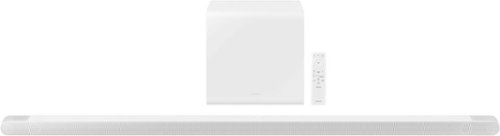
Samsung - HW-S801B 3.1.2ch Soundbar with Wireless Dolby Atmos / DTS:X - White
Unbelievably sleek, low-profile soundbar delivers high quality audio in a super slim package. Enjoy a surround sound experience with Dolby Atmos and skip the need for HDMI cables. Synchronized audio using every speaker in compatible Samsung TV and soundbars. Simply pair the soundbar with a compatible iPhone or other iOS device to play music.
Can the Samsung-SW-S801B sound bar be mounted above tv, say 1 foot from ceiling yet give you the same sound quality as being mounted below tv
Hello Rich,
The HW-S801B Soundbar can be mounted on the wall where you would like, but we recommend placing it so that it is at the bottom of TV. This allows the sound to be directed to your ears more clearly and allows for easier access if you need to unplug any cables.
~Samsung Soluions
The HW-S801B Soundbar can be mounted on the wall where you would like, but we recommend placing it so that it is at the bottom of TV. This allows the sound to be directed to your ears more clearly and allows for easier access if you need to unplug any cables.
~Samsung Soluions
3 years, 9 months ago
by
Posted by:
Samsung
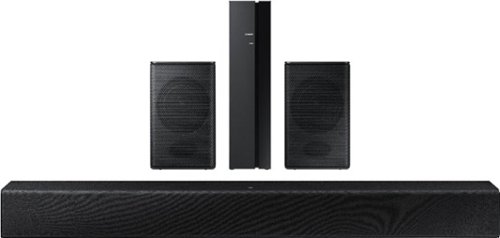
Samsung - HW-A40R 4ch Sound bar with Surround sound expansion - Black
Powerful, yet compact sound experience
Will the speakers work without wiring them
Hello Jenny,
The rear speakers on the HW-A40R will need to be connected with the provided speaker cable to the wireless transmitter. This will allow a wireless connection between those speakers and transmitter to your soundbar.
~Samsung Solutions
The rear speakers on the HW-A40R will need to be connected with the provided speaker cable to the wireless transmitter. This will allow a wireless connection between those speakers and transmitter to your soundbar.
~Samsung Solutions
3 years, 9 months ago
by
Posted by:
Samsung
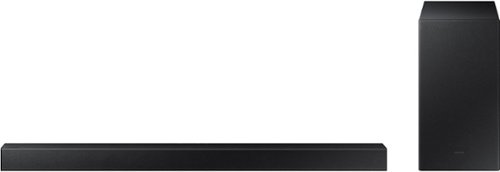
Samsung - 2.1-Channel Soundbar with Wireless Subwoofer and DOLBY AUDIO / DTS 2.0 - Black
Elevate your audio experience with high-quality optimized sound. The power of Samsung sound bar HW-A430/ZA makes surround soundbar comes to life with speakers that fire all around you.
I ordered a like new soundbar via BB. There is no remote in the box? Is that normal?
Hello Ticker,
For the best answer to your question, please contact your local Best Buy local or their online customer service.
~Samsung Solutions
For the best answer to your question, please contact your local Best Buy local or their online customer service.
~Samsung Solutions
3 years, 9 months ago
by
Posted by:
Samsung
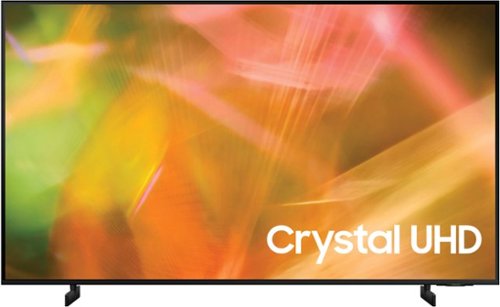
Samsung - 55" Class 8000 Series LED 4K UHD Smart Tizen TV (2021)
Step up to the world of Crystal UHD from Samsung. Elevated color and clarity offer you a picture that has to be seen to be believed. Add in smart features that make watching TV even easier, and you have a TV that is essential.
Is it necessary to extend the warranty ? If extended for how many years ?c
Hi triarn,
The AU8000 TV is backed by a 1-year limited manufacturer's warranty, including authorized repair for manufacturer defects if purchased brand-new directly from an authorized seller.
~Samsung Advisor
The AU8000 TV is backed by a 1-year limited manufacturer's warranty, including authorized repair for manufacturer defects if purchased brand-new directly from an authorized seller.
~Samsung Advisor
3 years, 9 months ago
by
Posted by:
Samsung