Samsung
Samsung's Stats
Reviews
- Review Count0
- Helpfulness Votes0
- First ReviewNone
- Last ReviewNone
- Featured Reviews0
- Average Rating0
Reviews Comments
- Review Comment Count0
- Helpfulness Votes0
- First Review CommentNone
- Last Review CommentNone
- Featured Review Comments0
Questions
- Question Count0
- Helpfulness Votes0
- First QuestionNone
- Last QuestionNone
- Featured Questions0
- Answer Count74649
- Helpfulness Votes37,993
- First AnswerApril 24, 2013
- Last AnswerOctober 1, 2026
- Featured Answers0
- Best Answers3952
Samsung's Reviews
Samsung has not submitted any reviews.
Samsung's Questions
Samsung has not submitted any questions.
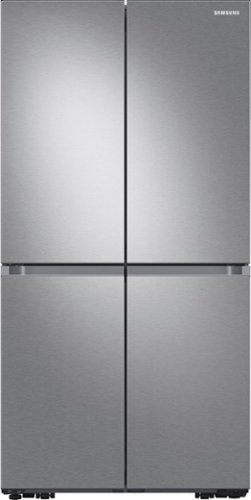
Samsung - 29 cu. ft. 4-Door Flex French Door Smart Refrigerator with Beverage Center - Stainless Steel
Extra-large capacity Smart 4-Door Flex refrigerator features the Beverage Center with both a water dispenser and AutoFill Water Pitcher, plus a Dual Ice Maker with Ice Bites.
I dont have a water line, what do I need to do if I don't plan on using the watet pitcher/dispenser and ice maker?

Hi Adriana,
We appreciate your question about the water line of this refrigerator model.
As you have decided to not use the ice maker and the Autofill water pitcher or dispenser of this refrigerator model, you will need to turn off the feature using the control panel.
Please refer to pages 42 - 44 of this model's user manual I have shared below for steps in turning the features off.
https://downloadcenter.samsung.com/content/UM/202205/20220525154141895/RF9000A_DA68-04023H-04_EN_MES_CFR.pdf
Should you need more assistance, please feel free to get back to us via the following options:
1. Facebook Messenger: http://m.me/samsungsupport
2. Twitter: https://twitter.com/messages/compose?recipient_id=18768513
3. Samsung Community: https://us.community.samsung.com/t5/Samsung-Community/ct-p/us
When you message us, provide them this number 1144969332 and it will help our team pull up your information.
Leo
We appreciate your question about the water line of this refrigerator model.
As you have decided to not use the ice maker and the Autofill water pitcher or dispenser of this refrigerator model, you will need to turn off the feature using the control panel.
Please refer to pages 42 - 44 of this model's user manual I have shared below for steps in turning the features off.
https://downloadcenter.samsung.com/content/UM/202205/20220525154141895/RF9000A_DA68-04023H-04_EN_MES_CFR.pdf
Should you need more assistance, please feel free to get back to us via the following options:
1. Facebook Messenger: http://m.me/samsungsupport
2. Twitter: https://twitter.com/messages/compose?recipient_id=18768513
3. Samsung Community: https://us.community.samsung.com/t5/Samsung-Community/ct-p/us
When you message us, provide them this number 1144969332 and it will help our team pull up your information.
Leo
4 years ago
by
Posted by:
Samsung
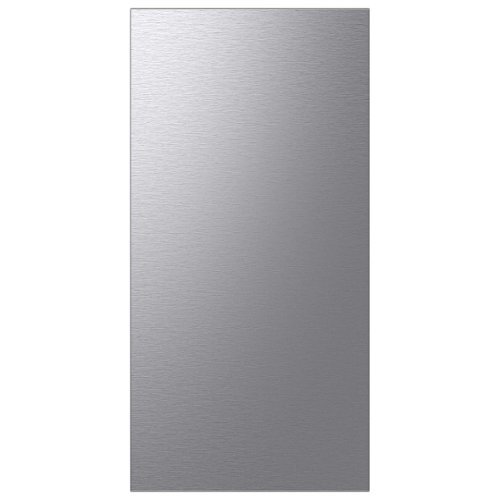
Samsung - Bespoke 4-Door French Door Refrigerator Panel - Top Panel - Stainless Steel
Personalize your Bespoke 4-Door French Door Refrigerator with customizable and changeable refrigerator door panels. Choose from a range of colors and either steel or glass finishes, to design a refrigerator that expresses your personal style. If you want to update your d~cor, you can simply change the color of your refrigerator by choosing new panels.
How tall and how wide ?
Thanks for asking. This panel has a height of 35 1/2" and a width of 17 5/8".
Have a great day.
Melardo
Have a great day.
Melardo
4 years ago
by
Posted by:
Samsung

Samsung - Bespoke Dishwasher Panel - Navy Steel
Bespoke Dishwasher door panel in Navy Steel designed to express your personal lifestyle and complement your Bespoke kitchen appliances.
Very misleading. A reasonable person would read the description as for a dishwasher. I do not see panel anywhere in the description. Terrible communication or possibly deceptive.
Dear Valued Best Buy Client,
We appreciate you informing us of overall experience with the panel of this Samsung diswasher.
To better assist you with this issue, please contact our Best Buy customer service department at (888) 237-8289. Call 24 hours a day. They can either answer your question or transfer you to your local store to answer your specific inquiry.
Thank you!
-Angelica
We appreciate you informing us of overall experience with the panel of this Samsung diswasher.
To better assist you with this issue, please contact our Best Buy customer service department at (888) 237-8289. Call 24 hours a day. They can either answer your question or transfer you to your local store to answer your specific inquiry.
Thank you!
-Angelica
4 years ago
by
Posted by:
Samsung
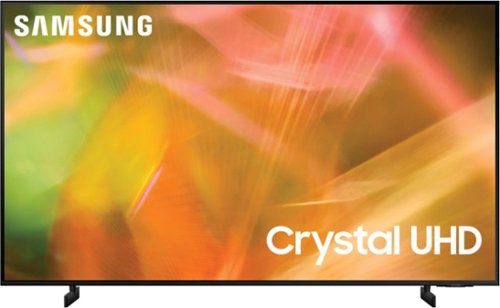
Samsung - 65" Class 8000 Series LED 4K UHD Smart Tizen TV (2021)
Step up to the world of Crystal UHD from Samsung. Elevated color and clarity offer you a picture that has to be seen to be believed. Add in smart features that make watching TV even easier, and you have a TV that is essential.
I have a Samsung UN75AU8000FXZA TV and I am trying to stop letter boxing in the Prime Video app. The problem is that when I set the Picture Size to "Fit to screen", it grays out. Is there a way to over ride the lock down to 16:9 when in the Prime app?
Hi JKC,
If a menu setting is grayed out, this indicates that a function or certain settings are not available based on the current source, settings, or connections. Here are a few examples that would cause grayed-out settings:
- Picture Mode is grayed out when HDR+ is enabled
- Zoom and Position are grayed out if Picture Size is set to 16:9 or 4:3; this function is only available when Picture Size is set to Custom.
~Samsung Advisor
If a menu setting is grayed out, this indicates that a function or certain settings are not available based on the current source, settings, or connections. Here are a few examples that would cause grayed-out settings:
- Picture Mode is grayed out when HDR+ is enabled
- Zoom and Position are grayed out if Picture Size is set to 16:9 or 4:3; this function is only available when Picture Size is set to Custom.
~Samsung Advisor
4 years ago
by
Posted by:
Samsung
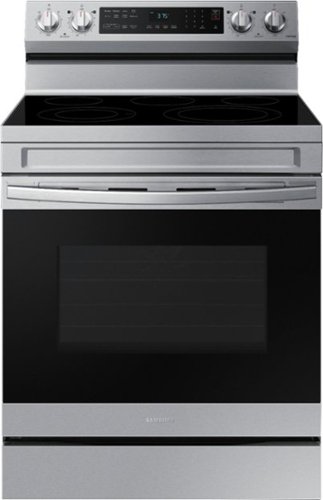
Elevate the look of your kitchen with Samsung~s Smart Freestanding Electric Range. Our Stainless Steel design elegantly wraps around cooktop sides and up through the slim control panel. Upgraded technology makes cooking simple and fun.
Is this oven Energy Star rated? If so where can I find the energy guide?
Thanks for asking! This model is not Energy Star rated.
The below link is the user manual for your model. Turn the page about "Energy Saving Tips" on page 22: https://downloadcenter.samsung.com/content/UM/202105/20210524105933962/NE63A6511_AA_01_EN_MES_CFR.pdf
Have a great day.
Melardo
The below link is the user manual for your model. Turn the page about "Energy Saving Tips" on page 22: https://downloadcenter.samsung.com/content/UM/202105/20210524105933962/NE63A6511_AA_01_EN_MES_CFR.pdf
Have a great day.
Melardo
4 years ago
by
Posted by:
Samsung
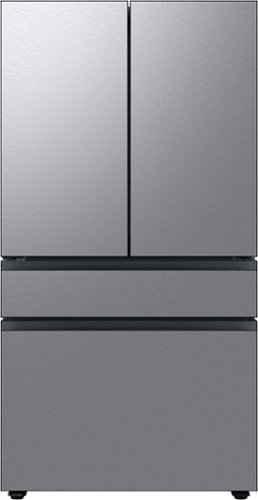
Counter Depth 4-Door French Door Refrigerator is a revolution in convenience and design, the concealed Beverage Center features both a water dispenser and AutoFill Water Pitcher. Plus a Dual Ice Maker with cubed ice and Ice Bites.
How much crisper space is there? I cannot tell from the pics if it is just the one on bottom left or if there is another on the right side as well. Thanks
Glad you asked, Hamilton! This unit model has two crisper drawers. One on the left and one on the right located at the bottom.
Have a great day.
^Chrystel
Have a great day.
^Chrystel
4 years ago
by
Posted by:
Samsung
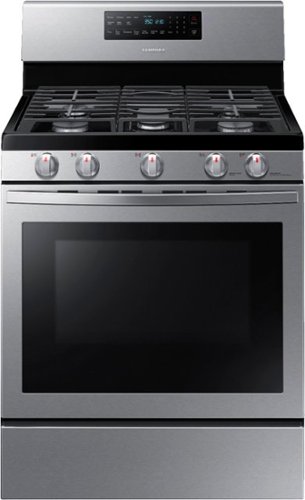
Samsung - 5.8 Cu. Ft. Freestanding Gas Convection Range with Self-High Heat Cleaning - Stainless Steel
The fan convection distributes heat throughout the oven faster and more evenly, saving much time. The large oven interior capacity can easily accommodate a big roast, multiple casserole dishes, or two racks of cookies for the holidays. The powerful and flexible cooktop comes with a griddle and cooks faster with 5 specialized burners, including two power burners and a simmer burner.
How does one clean the orifices on the stovetop? I have orange flames coming out of my stove, which can mean carbon monoxide. None of the burners appear to be dirty, and the gas connection seems perfect.
Glad you ask Mary how you can clean the orifices of the stovetop. To help you with this, please check this link.
How to clean your Samsung gas cooktop
https://www.samsung.com/us/support/answer/ANS00049945/
Also, you can check this video.
How to clean electric and gas ranges | Samsung US
https://www.youtube.com/watch?v=pCLkUo4ns6w
Thank you for being a valued customer of Samsung. Have a great day.
^Camille
How to clean your Samsung gas cooktop
https://www.samsung.com/us/support/answer/ANS00049945/
Also, you can check this video.
How to clean electric and gas ranges | Samsung US
https://www.youtube.com/watch?v=pCLkUo4ns6w
Thank you for being a valued customer of Samsung. Have a great day.
^Camille
4 years ago
by
Posted by:
Samsung
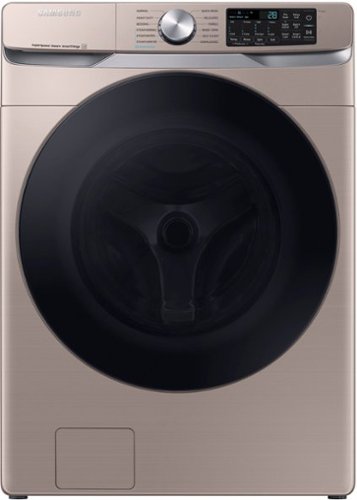
Samsung - 4.5 Cu. Ft. High-Efficiency Stackable Smart Front Load Washer with Steam and Super Speed Wash - Champagne
Samsung~s new 4.5 cu. ft. large capacity Front Load Washer features Super Speed Wash, so you can wash full loads with full performance in just 28 minutes, and has built-in Wi-Fi so you can receive end of cycle alerts and remotely start, stop, and schedule laundry right from your smartphone.
Our new machine makes a lot of noise in the spin cycle. Any recommendations for a fix?
Thanks for asking, RBG. We appreciate your question about the experience on your washer that makes noise during the spin cycle.
If you hear a clanking noise, thumping or knocking, or quite humming or buzzing noise, these are normal sounds during the spin cycle.
For best performance, the washer must be installed on a solid floor. Wood floors may need to be reinforced to minimize vibration and/or unbalanced loads. Carpeting and soft tile surfaces do not provide good resistance to vibrations and may cause the washer to move slightly during the spin cycle.
Have a great day.
Melardo
If you hear a clanking noise, thumping or knocking, or quite humming or buzzing noise, these are normal sounds during the spin cycle.
For best performance, the washer must be installed on a solid floor. Wood floors may need to be reinforced to minimize vibration and/or unbalanced loads. Carpeting and soft tile surfaces do not provide good resistance to vibrations and may cause the washer to move slightly during the spin cycle.
Have a great day.
Melardo
4 years ago
by
Posted by:
Samsung
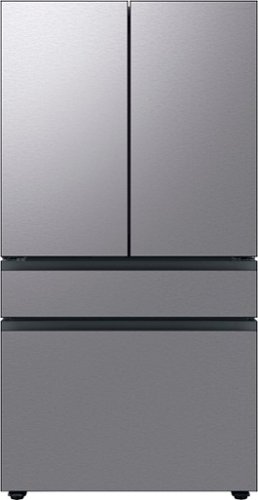
Extra-large capacity 4-Door French Door Refrigerator; a revolution in convenience and design, the concealed Beverage Center features both a water dispenser and AutoFill Water Pitcher. Plus a Dual Ice Maker with cubed ice and Ice Bites.
Do I need to pipe the water for the ice maker from the water line? Is there a tank in the refrigerator and can water be poured into it so that no pipe work is required?
Hi AJ,
We appreciate your question about the water line if needs to be connected for the ice maker to work.
The ice maker gets its water from the pipe; hence, will need to have a water supply line connected to the refrigerator. There isn't a tank in the refrigerator that can be filled for the ice maker to use.
Please refer to pages 32 - 34 of this model's user manual for steps in connecting the water line.
https://downloadcenter.samsung.com/content/UM/202203/20220310114639753/FDR_RF8000B_F-hub_DA68_04402F_01_EN_MES.pdf
Should you need more assistance, please feel free to get back to us via the following options:
1. Facebook Messenger: http://m.me/samsungsupport
2. Twitter: https://twitter.com/messages/compose?recipient_id=18768513
3. Samsung Community: https://us.community.samsung.com/t5/Samsung-Community/ct-p/us
When you message us, provide them this number 1144968658 and it will help our team pull up your information.
Leo
We appreciate your question about the water line if needs to be connected for the ice maker to work.
The ice maker gets its water from the pipe; hence, will need to have a water supply line connected to the refrigerator. There isn't a tank in the refrigerator that can be filled for the ice maker to use.
Please refer to pages 32 - 34 of this model's user manual for steps in connecting the water line.
https://downloadcenter.samsung.com/content/UM/202203/20220310114639753/FDR_RF8000B_F-hub_DA68_04402F_01_EN_MES.pdf
Should you need more assistance, please feel free to get back to us via the following options:
1. Facebook Messenger: http://m.me/samsungsupport
2. Twitter: https://twitter.com/messages/compose?recipient_id=18768513
3. Samsung Community: https://us.community.samsung.com/t5/Samsung-Community/ct-p/us
When you message us, provide them this number 1144968658 and it will help our team pull up your information.
Leo
4 years ago
by
Posted by:
Samsung
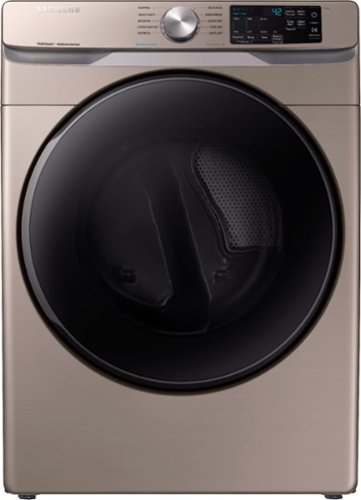
Samsung - 7.5 Cu. Ft. Stackable Electric Dryer with Steam and Sensor Dry - Champagne
Advanced features, such as Steam Sanitize+, eliminate 99.9% of germs and bacteria**, while the Multi-Steam technology relaxes and smooths away wrinkles from everyday wear. Sensor Dry optimizes cycle time and temperature to thoroughly dry without damaging your clothes, and Smart Care allows for easy troubleshooting from the convenience of your smartphone.* Bring inspiration to your laundry room with beautiful designer colors, including Samsung's new champagne finish.
Are the stackables ADA compliant?
Great question, Randall. ADA Compliant when using Samsung 27" wide riser (Riser model codes: WE272NV, WE272NW).
Have a great day.
Melardo
Have a great day.
Melardo
4 years ago
by
Posted by:
Samsung