Samsung
Samsung's Stats
Reviews
- Review Count0
- Helpfulness Votes0
- First ReviewNone
- Last ReviewNone
- Featured Reviews0
- Average Rating0
Reviews Comments
- Review Comment Count0
- Helpfulness Votes0
- First Review CommentNone
- Last Review CommentNone
- Featured Review Comments0
Questions
- Question Count0
- Helpfulness Votes0
- First QuestionNone
- Last QuestionNone
- Featured Questions0
- Answer Count74720
- Helpfulness Votes37,982
- First AnswerApril 24, 2013
- Last AnswerOctober 6, 2026
- Featured Answers0
- Best Answers3953
Samsung's Reviews
Samsung has not submitted any reviews.
Samsung's Questions
Samsung has not submitted any questions.
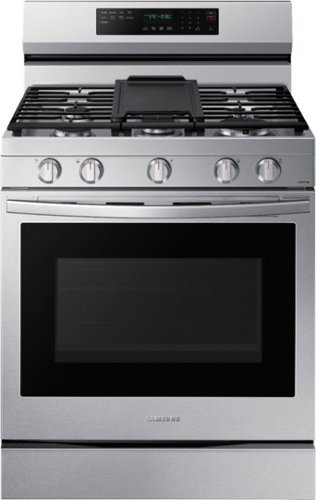
Elevate the look of your kitchen with Samsung~s Smart Freestanding Gas Range. Our stainless steel design completely covers all cooktop and backguard surfaces. Upgraded technology makes cooking with your oven simple and fun.
How do you set the clock?

Hello,
Thank you for reaching out and sharing your feedback about the Samsung - 6.0 Cu. Ft. Freestanding Gas Convection+ Range with WIFI and No-Preheat Air Fry - Stainless steel. I understand you want to know how to set the clock on this product. We are here to help.
To help you with this, I am providing this link https://downloadcenter.samsung.com/content/UM/202105/20210525183240510/NX60A6711SS_AA_DG68-01338A-02_EN-MES-CFR_210511.pdf for the user's manual and go to page 15 to guide you on how to set the clock.
I also recommend checking this link https://www.samsung.com/us/support/answer/ANS00049945/ for tips on how to clean your Samsung gas cooktop.
Should you need more assistance, please feel free to get back to us via the following options:
1. Facebook Messenger: http://m.me/samsungsupport
2. Twitter: https://twitter.com/messages/compose?recipient_id=18768513
3. Samsung Community: https://us.community.samsung.com/t5/Samsung-Community/ct-p/us
Your reference number is 1144536205.
-Noraina
Thank you for reaching out and sharing your feedback about the Samsung - 6.0 Cu. Ft. Freestanding Gas Convection+ Range with WIFI and No-Preheat Air Fry - Stainless steel. I understand you want to know how to set the clock on this product. We are here to help.
To help you with this, I am providing this link https://downloadcenter.samsung.com/content/UM/202105/20210525183240510/NX60A6711SS_AA_DG68-01338A-02_EN-MES-CFR_210511.pdf for the user's manual and go to page 15 to guide you on how to set the clock.
I also recommend checking this link https://www.samsung.com/us/support/answer/ANS00049945/ for tips on how to clean your Samsung gas cooktop.
Should you need more assistance, please feel free to get back to us via the following options:
1. Facebook Messenger: http://m.me/samsungsupport
2. Twitter: https://twitter.com/messages/compose?recipient_id=18768513
3. Samsung Community: https://us.community.samsung.com/t5/Samsung-Community/ct-p/us
Your reference number is 1144536205.
-Noraina
4 years, 4 months ago
by
Posted by:
Samsung
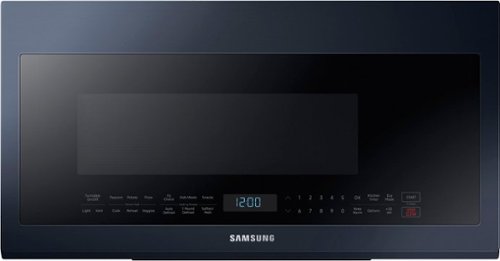
Samsung - BESPOKE 2.1 cu. ft. Smart Over-the-Range Microwave with Sensor Cooking - Navy Steel
This Over-the-Range Microwave with Sensor Cooking conveniently provides optimal cooking results, while precise glass touch controls let you easily select cooking functions. BESPOKE kitchen appliances are now available in complimentary colors to the BESPOKE 4-Door Flex Refrigerator. Create your kitchen space in your style in either Navy or Fingerprint Resistant Tuscan Steel.
Can this microwave be installed in a cabinet like the over counter or built in
Hello Bassma,
Thank you for reaching out and raising your question about the Samsung - 2.1 cu. ft. Smart BESPOKE Over-the-Range Microwave with Sensor Cooking - Navy steel. I understand you want to know if this microwave can be installed in a cabinet like the over the counter or built in. We are here to help.
To answer your question, this microwave can't be installed in a cabinet like the over the counter or built in. The microwave should be far enough away from walls and cabinets for proper ventilation.
I am providing this link https://image-us.samsung.com/SamsungUS/home/home-appliances/8-23-21/ME21M706B_V2.pdf to know more about full specifications of the product and the installation guide.
You can also check this link https://downloadcenter.samsung.com/content/UM/202109/20210927100605485/ME21M706BA_ME21R706BA_ME21A706BQ_AA_EN_MES_CFR_210825.pdf for the user's manual to know more about the product.
Should you need more assistance, please feel free to get back to us via the following options:
1. Facebook Messenger: http://m.me/samsungsupport
2. Twitter: https://twitter.com/messages/compose?recipient_id=18768513
3. Samsung Community: https://us.community.samsung.com/t5/Samsung-Community/ct-p/us
Your reference number is 1144536044.
-Noraina
Thank you for reaching out and raising your question about the Samsung - 2.1 cu. ft. Smart BESPOKE Over-the-Range Microwave with Sensor Cooking - Navy steel. I understand you want to know if this microwave can be installed in a cabinet like the over the counter or built in. We are here to help.
To answer your question, this microwave can't be installed in a cabinet like the over the counter or built in. The microwave should be far enough away from walls and cabinets for proper ventilation.
I am providing this link https://image-us.samsung.com/SamsungUS/home/home-appliances/8-23-21/ME21M706B_V2.pdf to know more about full specifications of the product and the installation guide.
You can also check this link https://downloadcenter.samsung.com/content/UM/202109/20210927100605485/ME21M706BA_ME21R706BA_ME21A706BQ_AA_EN_MES_CFR_210825.pdf for the user's manual to know more about the product.
Should you need more assistance, please feel free to get back to us via the following options:
1. Facebook Messenger: http://m.me/samsungsupport
2. Twitter: https://twitter.com/messages/compose?recipient_id=18768513
3. Samsung Community: https://us.community.samsung.com/t5/Samsung-Community/ct-p/us
Your reference number is 1144536044.
-Noraina
4 years, 4 months ago
by
Posted by:
Samsung
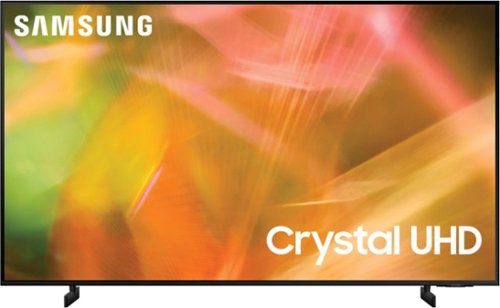
Samsung - 65" Class 8000 Series LED 4K UHD Smart Tizen TV (2021)
Step up to the world of Crystal UHD from Samsung. Elevated color and clarity offer you a picture that has to be seen to be believed. Add in smart features that make watching TV even easier, and you have a TV that is essential.
What is the front to back distance of the support stands? Thank you.
OCNE - These dimensions can be found under the 'Specifications' section of this model's product page: https://www.bestbuy.com/site/samsung-65-class-8000-series-led-4k-uhd-smart-tizen-tv/6453024.p?skuId=6453024 ^Gina
4 years, 4 months ago
by
Posted by:
Samsung
Samsung - 65" Class 8000 Series LED 4K UHD Smart Tizen TV (2021)
Step up to the world of Crystal UHD from Samsung. Elevated color and clarity offer you a picture that has to be seen to be believed. Add in smart features that make watching TV even easier, and you have a TV that is essential.
I just purchased this fantastic tv but I got a notification that my resolution is low. How do I fix this?
LindaCrelin - So that we can better troubleshoot towards a solution, please reach out to Samsung Support at: 1-800-SAMSUNG, 8AM - 12AM EST, 7 days a week, or Chat with us on Samsung.com: https://www.samsung.com/us/support/contact/ ^Gina
4 years, 4 months ago
by
Posted by:
Samsung
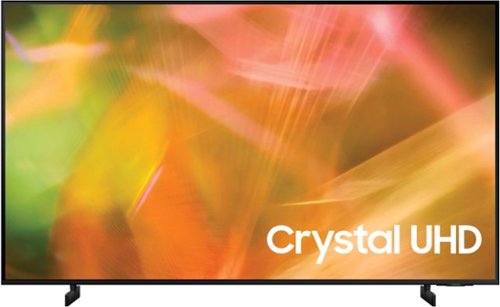
Samsung - 43" Class 8000 Series LED 4K UHD Smart Tizen TV (2021)
Step up to the world of Crystal UHD from Samsung. Elevated color and clarity offer you a picture that has to be seen to be believed. Add in smart features that make watching TV even easier, and you have a TV that is essential.
Will this TV decode a QAM digital cable signal?
Hi Doug - So we can best assist with your question, please reach out to Samsung Support at: 1-800-SAMSUNG, 8AM - 12AM EST, 7 days a week, or Chat with us on Samsung.com: https://www.samsung.com/us/support/contact/ ^Gina
4 years, 4 months ago
by
Posted by:
Samsung
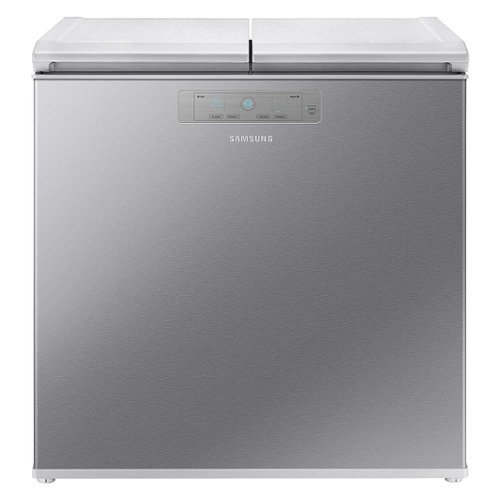
Samsung - 7.6 cu. ft. Kimchi & Specialty 2-Door Chest Refrigerator - Silver
Samsung~s 7.6 cu. ft. Kimchi & Specialty 2-Door Chest Refrigerator features super precise cooling to store, preserve and ferment specialty foods at their optimal temperature.
When asked "Is this model a refrigerator or freezer?", Samsung replies: "Yes, it is a refrigerator and not a freezer." Web page states "with the press of a button to go from fridge to freezer." I need 1 side fridge & 1 side freezer Which is it?
Hello.
Thank you for reaching out regarding your Samsung - 7.6 cu. ft. Kimchi & Specialty 2-Door Chest Refrigerator if this is a freezer or a refrigerator. I am sorry for the confusion. Regarding your concern, this can be either a refrigerator or a freezer; with the FlexZone Drawer, you can easily switch from the refrigerator to freezer temperatures.
I suggest you check this link to your user manual for assistance. Please go to page 35.
https://www.samsung.com/us/home-appliances/refrigerators/specialty-and-kimchi/7-6-cu-ft-kimchi-specialty-2-door-chest-refrigerator-in-silver-rp22t31137z-aa/#specs
Should you need more assistance, please feel free to get back to us via the following options:
1. Facebook Messenger: http://m.me/samsungsupport
2. Twitter: https://twitter.com/messages/compose?recipient_id 18768513
3. Samsung Community: https://us.community.samsung.com/t5/Samsung-Community/ct-p/us
Thank you for being a valued customer of Samsung. Have a great day.
Reference Ticket Number: 1144535742
^Camille
Thank you for reaching out regarding your Samsung - 7.6 cu. ft. Kimchi & Specialty 2-Door Chest Refrigerator if this is a freezer or a refrigerator. I am sorry for the confusion. Regarding your concern, this can be either a refrigerator or a freezer; with the FlexZone Drawer, you can easily switch from the refrigerator to freezer temperatures.
I suggest you check this link to your user manual for assistance. Please go to page 35.
https://www.samsung.com/us/home-appliances/refrigerators/specialty-and-kimchi/7-6-cu-ft-kimchi-specialty-2-door-chest-refrigerator-in-silver-rp22t31137z-aa/#specs
Should you need more assistance, please feel free to get back to us via the following options:
1. Facebook Messenger: http://m.me/samsungsupport
2. Twitter: https://twitter.com/messages/compose?recipient_id 18768513
3. Samsung Community: https://us.community.samsung.com/t5/Samsung-Community/ct-p/us
Thank you for being a valued customer of Samsung. Have a great day.
Reference Ticket Number: 1144535742
^Camille
4 years, 4 months ago
by
Posted by:
Samsung
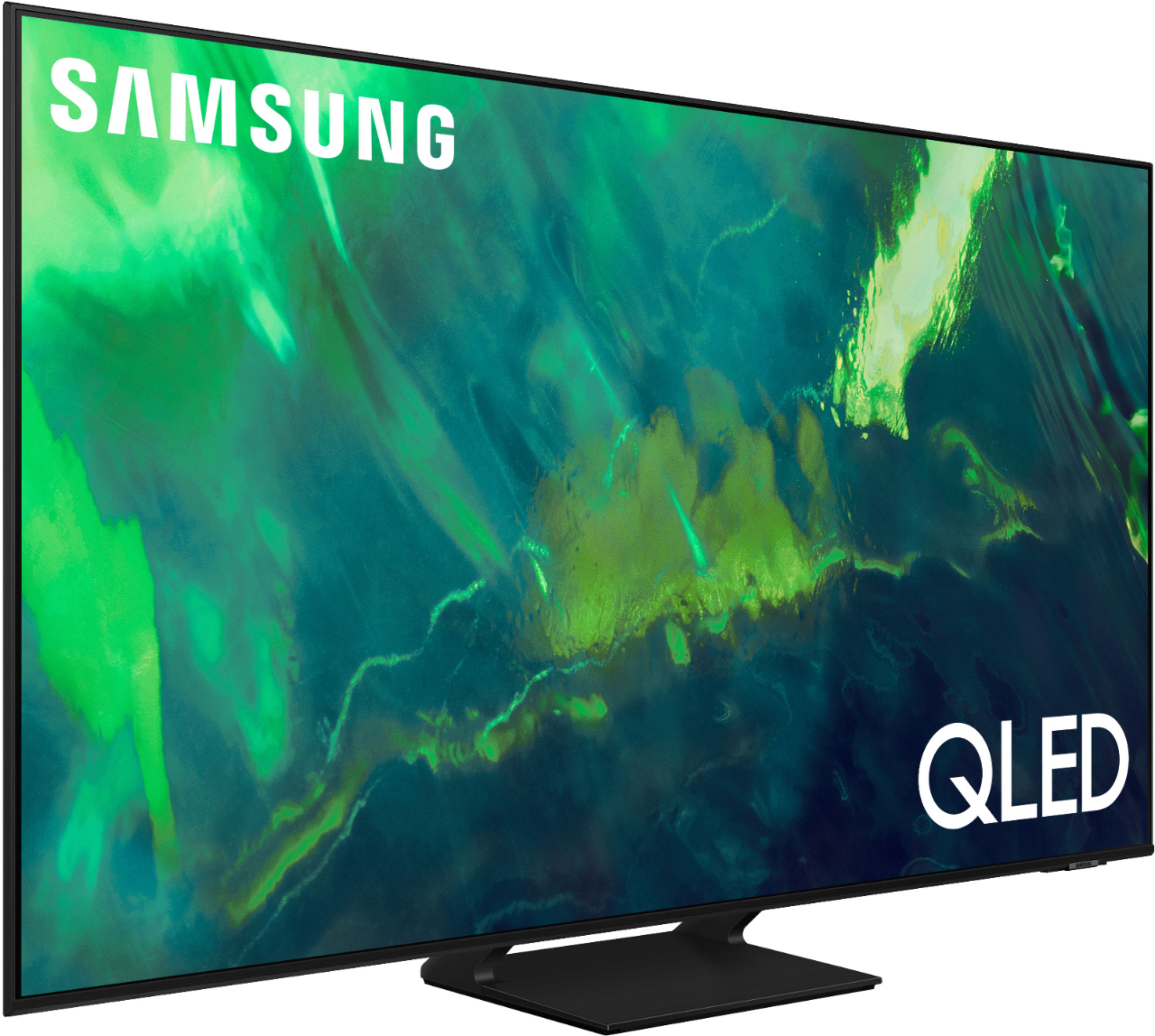
Samsung - 65" Class Q70A Series QLED 4K UHD Smart Tizen TV (2021)
As intelligent as it is beautiful. A Smart TV interface learns the content you like and makes suggestions based on what you watch.
can u manualy add apps
Hi sal - You can add apps by going to the App Store and searching for the app you'd like to download; once you find the app you'd like, you can click the app and select Install. ^Gina
4 years, 4 months ago
by
Posted by:
Samsung
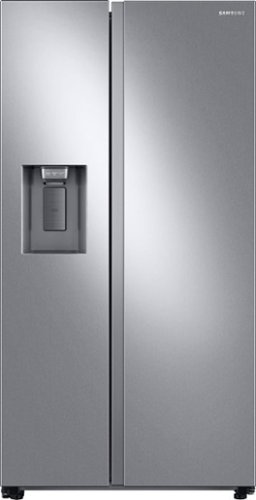
Samsung 27.4 cu. ft. large capacity Side-by-Side refrigerator that is beautifully designed with a minimal display dispenser, modern design that blends beautifully into your kitchen, and a finish that withstands everyday smudges.
Is there a tray that goes on the outside for the water/ice maker.
Hi Dee.
Thank you for reaching out regarding your Samsung - 27.4 Cu. Ft. Side-by-Side Refrigerator if there is a tray that goes on the outside for your water/ ice maker. Regarding your concern, there is no tray that goes outside for your water/ ice maker.
I suggest you check this link to your user manual for assistance. Please go to page 35.
https://downloadcenter.samsung.com/content/UM/202002/20200201091442956/SBS_RS5300T_DA68-03958J-01_EN-MES-CFR.pdf
Should you need more assistance, please feel free to get back to us via the following options:
1. Facebook Messenger: http://m.me/samsungsupport
2. Twitter: https://twitter.com/messages/compose?recipient_id 18768513
3. Samsung Community: https://us.community.samsung.com/t5/Samsung-Community/ct-p/us
Thank you for being a valued customer of Samsung. Have a great day.
Reference Ticket Number: 1144535677
^Camille
Thank you for reaching out regarding your Samsung - 27.4 Cu. Ft. Side-by-Side Refrigerator if there is a tray that goes on the outside for your water/ ice maker. Regarding your concern, there is no tray that goes outside for your water/ ice maker.
I suggest you check this link to your user manual for assistance. Please go to page 35.
https://downloadcenter.samsung.com/content/UM/202002/20200201091442956/SBS_RS5300T_DA68-03958J-01_EN-MES-CFR.pdf
Should you need more assistance, please feel free to get back to us via the following options:
1. Facebook Messenger: http://m.me/samsungsupport
2. Twitter: https://twitter.com/messages/compose?recipient_id 18768513
3. Samsung Community: https://us.community.samsung.com/t5/Samsung-Community/ct-p/us
Thank you for being a valued customer of Samsung. Have a great day.
Reference Ticket Number: 1144535677
^Camille
4 years, 4 months ago
by
Posted by:
Samsung
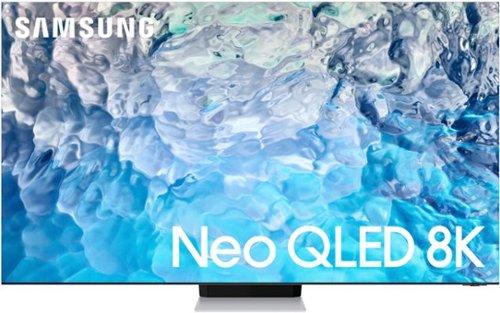
Samsung - 75 Class QN900B Neo QLED 8K Smart Tizen TV (2022)
Experience our best picture yet with ultra-premium Samsung Neo QLED 8K. Discover a world of vivid colors and details in the deep dark blacks and light bright whites, all from a vast grid of precision Mini LEDs. And with its edge-to-edge Infinity Screen, it~s easy to dive into this breathtaking 8K picture.~ ~Utilizes AI-Based formulas to upscale to 8K Resolution. Resulting picture may vary based on source content.
QN900B 75” DIMENSIONS
Hi there! Here are the dimensions of the 75" QN900B without the stand attached (WxHxD in INCHES): 65.1 x 37.2 x 0.7. You can find additional dimensions under 'Specifications' on this model's product page. ^Gina
4 years, 4 months ago
by
Posted by:
Samsung
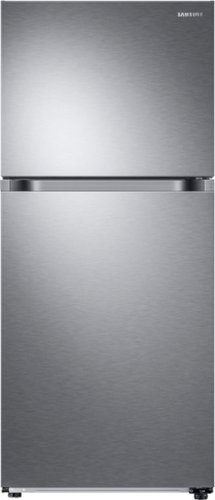
Samsung - 17.6 cu. ft. Top-Freezer Refrigerator with FlexZone - Stainless Steel
Top Freezer Refrigerator featuring the FlexZone with versatile freezer and fridge convertible zones and Twin Cooling, maintaining the humidity level of the refrigerator and keeping foods fresher longer.
I emptied out the icebox, it was full with solid ice only a few cubes on top; now it does not produce ice, even though I pushed the Power Freeze button
Hi Sunshine.
Thank you for reaching out regarding your Samsung - 17.6 Cu. Ft. Top-Freezer Refrigerator with FlexZone and Ice Maker no ice is produced. I am sorry to learn ice is not produced. Regarding your concern, I will be providing you with a guide to troubleshoot this.
Ice maker is not working - Samsung
https://www.samsung.com/us/support/troubleshooting/TSG01001012/
Should you need more assistance, please feel free to get back to us via the following options:
1. Facebook Messenger: http://m.me/samsungsupport
2. Twitter: https://twitter.com/messages/compose?recipient_id 18768513
3. Samsung Community: https://us.community.samsung.com/t5/Samsung-Community/ct-p/us
Thank you for being a valued customer of Samsung. Have a great day.
Reference Ticket Number: 1144535484
^Camille
Thank you for reaching out regarding your Samsung - 17.6 Cu. Ft. Top-Freezer Refrigerator with FlexZone and Ice Maker no ice is produced. I am sorry to learn ice is not produced. Regarding your concern, I will be providing you with a guide to troubleshoot this.
Ice maker is not working - Samsung
https://www.samsung.com/us/support/troubleshooting/TSG01001012/
Should you need more assistance, please feel free to get back to us via the following options:
1. Facebook Messenger: http://m.me/samsungsupport
2. Twitter: https://twitter.com/messages/compose?recipient_id 18768513
3. Samsung Community: https://us.community.samsung.com/t5/Samsung-Community/ct-p/us
Thank you for being a valued customer of Samsung. Have a great day.
Reference Ticket Number: 1144535484
^Camille
4 years, 4 months ago
by
Posted by:
Samsung