Samsung
Samsung's Stats
Reviews
- Review Count0
- Helpfulness Votes0
- First ReviewNone
- Last ReviewNone
- Featured Reviews0
- Average Rating0
Reviews Comments
- Review Comment Count0
- Helpfulness Votes0
- First Review CommentNone
- Last Review CommentNone
- Featured Review Comments0
Questions
- Question Count0
- Helpfulness Votes0
- First QuestionNone
- Last QuestionNone
- Featured Questions0
- Answer Count74861
- Helpfulness Votes37,957
- First AnswerApril 24, 2013
- Last AnswerOctober 16, 2026
- Featured Answers0
- Best Answers3944
Samsung's Reviews
Samsung has not submitted any reviews.
Samsung's Questions
Samsung has not submitted any questions.
Samsung - 50" Class Q60A Series QLED 4K UHD Smart Tizen TV
Enter a world saturated with color and sharpened to refreshing clarity, all of it made possible through the power of Quantum Dot technology
Do this tv or the 43 inch Samsung tv have the Picture in Picture feature.

Linlin - Split-screen capability to view two different content side-by-side is available by using our Multi View feature. For example, you can view media from different sources, such as an app, Blu-ray player, or game console, on the main left screen, while also mirroring your phone to the smaller screen. Multi View provides you with different possibilities for splitting screens and viewing several types of content at the same time. On the left screen: You can play Samsung TV Plus, TV apps, HDMI devices, Antenna or Cable, or USB devices. On the right screen: You can screen mirror, use AirPlay, cast from an app, or cast from an IoT camera. 2 HDMI inputs cannot be viewed at the same time. ^Gina
4 years, 8 months ago
by
Posted by:
Samsung
Samsung - 70" Class Q60A Series QLED 4K UHD Smart Tizen TV (2021)
Enter a world saturated with color and sharpened to refreshing clarity, all of it made possible through the power of Quantum Dot technology
Can I change stations by voice . Is it voice control ?
Brad - You can use the Q60A TV's built-in voice assistants to easily change the channel, play music, control smart home devices, and more. ^Gina
4 years, 8 months ago
by
Posted by:
Samsung
Samsung - 65" Class Q60A Series QLED 4K UHD Smart Tizen TV (2021)
Enter a world saturated with color and sharpened to refreshing clarity, all of it made possible through the power of Quantum Dot technology
Is the QN65Q60AAFXZA Web OS?
Hi - Samsung Smart TVs utilize the Tizen Operating System. ^Gina
4 years, 8 months ago
by
Posted by:
Samsung
Samsung - 55" Class Q60A Series QLED 4K UHD Smart Tizen TV
Enter a world saturated with color and sharpened to refreshing clarity, all of it made possible through the power of Quantum Dot technology
What are its dimensions?
Drew - Here are the dimensions of the 50" Q60A without the stand attached (WxHxD in INCHES): 48.5 x 27.9 x 1. ^Gina
4 years, 8 months ago
by
Posted by:
Samsung
Samsung - 50" Class Q60A Series QLED 4K UHD Smart Tizen TV
Enter a world saturated with color and sharpened to refreshing clarity, all of it made possible through the power of Quantum Dot technology
Does this tv have digital tuner? I want to watch OTA tv. Do I need a converter box?
Jersey - The Q60A has a built-in digital tuner (ATSC/ClearQAM) for receiving digital broadcasts. ^Gina
4 years, 8 months ago
by
Posted by:
Samsung
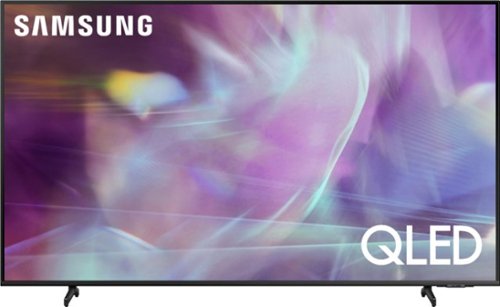
Samsung - 43" Class Q60A Series QLED 4K UHD Smart Tizen TV (2021)
Enter a world saturated with color and sharpened to refreshing clarity, all of it made possible through the power of Quantum Dot technology
will this tv function on an antenna? samsung - 43" class q60a series qled 4 k uhd smart tizen tv?
Edward - Yes, you can connect an antenna to the Q60A TV. ^Gina
4 years, 8 months ago
by
Posted by:
Samsung
Samsung - 55" Class Q60A Series QLED 4K UHD Smart Tizen TV
Enter a world saturated with color and sharpened to refreshing clarity, all of it made possible through the power of Quantum Dot technology
Does this tv have a usb port capable of powering and accessing a hard drive for video ?
randy - The Q60A features a USB port; for a list of supported USB formats, please see pages 137-142 of the eManual: https://downloadcenter.samsung.com/content/UM/202106/20210624133023578/OSNATSCA-6.0.0_EM_OSCAR_USA_ENG_210608.0.pdf ^Gina
4 years, 8 months ago
by
Posted by:
Samsung
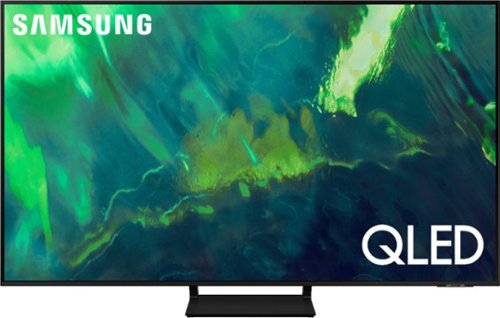
Samsung - 55" Class Q70A Series QLED 4K UHD Smart Tizen TV (2021)
As intelligent as it is beautiful. A Smart TV interface learns the content you like and makes suggestions based on what you watch.
Can an antenna be used until internet service is available?
Spider500 - You can utilize an antenna to receive local broadcasts; you will still need an Internet connection to take advantage of your TV's Smart features, such as the Apps and App Store. ^Gina
4 years, 8 months ago
by
Posted by:
Samsung

Samsung - 65" Class The Frame Series LED 4K UHD Smart Tizen TV (2021)
Transform your home with The Frame. Showcases artwork, watch television, movies, or display photos on this beautiful QLED screen. TV when it~s on, and art when it~s off. In Art Mode, the screen becomes a work of art, and with a subscription to the Samsung Art Store, you can choose from an entire library of artists~ works with something for everyone. You can even change the onscreen artwork as often as you like. Quantum Processor 4K automatically upscales all you content to 4K, and 100% Color Volume with Quantum Dot enriches every scene with millions of shades of color. The Frame truly changes the definition of what a TV can be.
I’m considering purchasing the 65” model. Can I lean this tv on my mantle and not mount to the wall (see photo), or does it have to be mounted to work properly?
Hi Alayne - Should you choose to not wall mount The Frame TV, please ensure you attach the legs for optimal stability. ^Gina
4 years, 8 months ago
by
Posted by:
Samsung
Samsung - 65" Class The Frame Series LED 4K UHD Smart Tizen TV (2021)
Transform your home with The Frame. Showcases artwork, watch television, movies, or display photos on this beautiful QLED screen. TV when it~s on, and art when it~s off. In Art Mode, the screen becomes a work of art, and with a subscription to the Samsung Art Store, you can choose from an entire library of artists~ works with something for everyone. You can even change the onscreen artwork as often as you like. Quantum Processor 4K automatically upscales all you content to 4K, and 100% Color Volume with Quantum Dot enriches every scene with millions of shades of color. The Frame truly changes the definition of what a TV can be.
Can you use the tv with Wi-Fi only and not use the one connect
Tom - The One Connect Box is required with The Frame TV, as this box not only houses all inputs, but power as well. ^Gina
4 years, 8 months ago
by
Posted by:
Samsung