Samsung
Samsung's Stats
Reviews
- Review Count0
- Helpfulness Votes0
- First ReviewNone
- Last ReviewNone
- Featured Reviews0
- Average Rating0
Reviews Comments
- Review Comment Count0
- Helpfulness Votes0
- First Review CommentNone
- Last Review CommentNone
- Featured Review Comments0
Questions
- Question Count0
- Helpfulness Votes0
- First QuestionNone
- Last QuestionNone
- Featured Questions0
- Answer Count73632
- Helpfulness Votes37,926
- First AnswerApril 24, 2013
- Last AnswerAugust 14, 2026
- Featured Answers0
- Best Answers3940
Samsung's Reviews
Samsung has not submitted any reviews.
Samsung's Questions
Samsung has not submitted any questions.
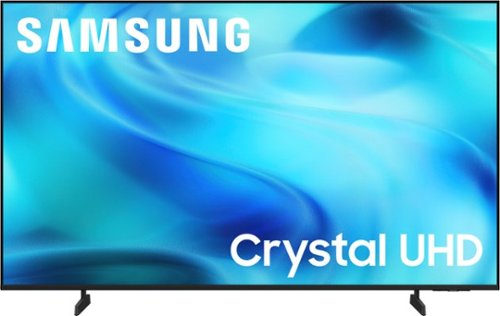
Watch all your content in crisp 4K resolution, with rich contrast, amazing color and clear picture. Discover thousands of subscription-free channels, including 700+ premium channels with Samsung TV Plus. Also, play thousands of video games without a console thanks to Samsung Gaming Hub. Enjoy peace of mind for years to come with the TV brand rated #1 in durability.
Will it work with 220V power supply?

Hi Rico,
This Samsung TV model is intended for use within the U.S. and operates on 110-120V power only.
~ Samsung Advisor
This Samsung TV model is intended for use within the U.S. and operates on 110-120V power only.
~ Samsung Advisor
2 weeks, 5 days ago
by
Posted by:
Samsung
Watch all your content in crisp 4K resolution, with rich contrast, amazing color and clear picture. Discover thousands of subscription-free channels, including 700+ premium channels with Samsung TV Plus. Also, play thousands of video games without a console thanks to Samsung Gaming Hub. Enjoy peace of mind for years to come with the TV brand rated #1 in durability.
Is this tv Bluetooth capable ?
Hi RIOTFUEL,
Yes, the U8000H TV is Bluetooth-enabled.
~Samsung Advisor
Yes, the U8000H TV is Bluetooth-enabled.
~Samsung Advisor
2 weeks, 5 days ago
by
Posted by:
Samsung
Watch all your content in crisp 4K resolution, with rich contrast, amazing color and clear picture. Discover thousands of subscription-free channels, including 700+ premium channels with Samsung TV Plus. Also, play thousands of video games without a console thanks to Samsung Gaming Hub. Enjoy peace of mind for years to come with the TV brand rated #1 in durability.
What apps are installed on this tv?
Hi Bob,
The U8000H features a built-in App Store, allowing you to choose and download from hundreds of available apps, such as Netflix, Prime Video, Disney+, Hulu, Apple TV, Peacock, Sling TV, YouTube, Bixby, and Internet.
~Samsung Advisor
The U8000H features a built-in App Store, allowing you to choose and download from hundreds of available apps, such as Netflix, Prime Video, Disney+, Hulu, Apple TV, Peacock, Sling TV, YouTube, Bixby, and Internet.
~Samsung Advisor
2 weeks, 5 days ago
by
Posted by:
Samsung
Watch all your content in crisp 4K resolution, with rich contrast, amazing color and clear picture. Discover thousands of subscription-free channels, including 700+ premium channels with Samsung TV Plus. Also, play thousands of video games without a console thanks to Samsung Gaming Hub. Enjoy peace of mind for years to come with the TV brand rated #1 in durability.
does it have fiber optic audio output>?
Hi MarioQ,
The U8000H does not feature a fiber optic audio output.
~Samsung Advisor
The U8000H does not feature a fiber optic audio output.
~Samsung Advisor
2 weeks, 5 days ago
by
Posted by:
Samsung
Watch all your content in crisp 4K resolution, with rich contrast, amazing color and clear picture. Discover thousands of subscription-free channels, including 700+ premium channels with Samsung TV Plus. Also, play thousands of video games without a console thanks to Samsung Gaming Hub. Enjoy peace of mind for years to come with the TV brand rated #1 in durability.
How do I connect headphones with a two-pin audio cable to my 43" Samsung U8000 TV?
Hi,
The U8000H TV can connect headphones via Bluetooth or HDMI cable.
~Samsung Advisor
The U8000H TV can connect headphones via Bluetooth or HDMI cable.
~Samsung Advisor
2 weeks, 5 days ago
by
Posted by:
Samsung
Watch all your content in crisp 4K resolution, with rich contrast, amazing color and clear picture. Discover thousands of subscription-free channels, including 700+ premium channels with Samsung TV Plus. Also, play thousands of video games without a console thanks to Samsung Gaming Hub. Enjoy peace of mind for years to come with the TV brand rated #1 in durability.
Is there a way to program the tv to go directly to HDMI instead of all of the apps?
Hi LSS,
The U8000H TV has several options that you can choose from when starting your TV:
Go to Settings > All Settings > Advanced Features > Start Screen Option and choose from the following:
1. Start with Smart Hub Home – Automatically launches Smart Hub when the TV is turned on. You can enable or disable this option based on your preference.
2. Autorun Samsung TV Plus – Automatically launches Samsung TV Plus when the TV is turned on. If this option is turned off, the last used source will be displayed instead.
3. Autorun Multi View Casting – If you cast YouTube content from your mobile device, the TV will automatically display the content using Multi View.
4. Autorun Multi View Mirroring – When you screen mirror your mobile device, Multi View will automatically open to show your device’s screen.
5. Autorun Last App: The last used app is automatically run when you turn on the TV. You can turn this function on or off. Press the Select button at the current menu
~Samsung Advisor
The U8000H TV has several options that you can choose from when starting your TV:
Go to Settings > All Settings > Advanced Features > Start Screen Option and choose from the following:
1. Start with Smart Hub Home – Automatically launches Smart Hub when the TV is turned on. You can enable or disable this option based on your preference.
2. Autorun Samsung TV Plus – Automatically launches Samsung TV Plus when the TV is turned on. If this option is turned off, the last used source will be displayed instead.
3. Autorun Multi View Casting – If you cast YouTube content from your mobile device, the TV will automatically display the content using Multi View.
4. Autorun Multi View Mirroring – When you screen mirror your mobile device, Multi View will automatically open to show your device’s screen.
5. Autorun Last App: The last used app is automatically run when you turn on the TV. You can turn this function on or off. Press the Select button at the current menu
~Samsung Advisor
2 weeks, 5 days ago
by
Posted by:
Samsung
Watch all your content in crisp 4K resolution, with rich contrast, amazing color and clear picture. Discover thousands of subscription-free channels, including 700+ premium channels with Samsung TV Plus. Also, play thousands of video games without a console thanks to Samsung Gaming Hub. Enjoy peace of mind for years to come with the TV brand rated #1 in durability.
how much does the tv weigh
Hi Iris,
The U8000H TV weighs 21.9 pounds without the stand.
~Samsung Advisor
The U8000H TV weighs 21.9 pounds without the stand.
~Samsung Advisor
2 weeks, 5 days ago
by
Posted by:
Samsung
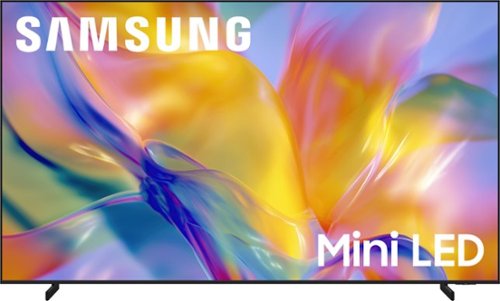
This super big TV enhances your content with its AI powered processor for a bigger viewing experience, without the blur. Super size Picture Enhancer upscales content to 4K, reinforces sharpness, and enhances depth. Plus, discover thousands of free streaming options and play your favorite video games on a TV that makes your content look larger than life.
What are the dimensions of this TV
Hi,
The M90H TV dimensions are 87.8" x 52.2" x 17" (WxHxD) with the stand attached.
~Samsung Advisor
The M90H TV dimensions are 87.8" x 52.2" x 17" (WxHxD) with the stand attached.
~Samsung Advisor
2 weeks, 5 days ago
by
Posted by:
Samsung
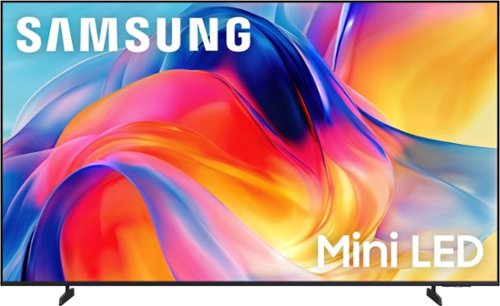
Bright, detailed colors pair together with deep, cinematic contrast in your favorite smart apps and video games thanks to precise control with Mini LEDs, delivering a realistic picture no matter what you watch. Get thousands of subscription free channels, including 700+ premium channels with Samsung TV Plus. Rest assured your personal data is secured with Knox Security.
does the remote comes with alexa
Hi Kevin,
The M70H TV does not come with built-in voice or Alexa. You can, however, connect it to an external Alexa device.
~Samsung Advisor
The M70H TV does not come with built-in voice or Alexa. You can, however, connect it to an external Alexa device.
~Samsung Advisor
2 weeks, 5 days ago
by
Posted by:
Samsung
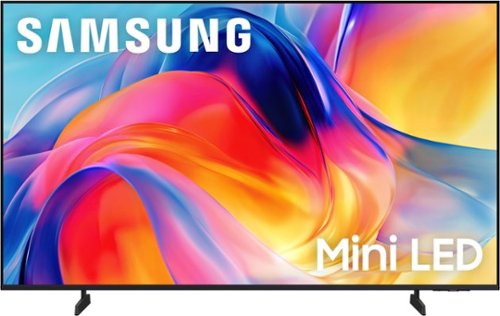
Bright, detailed colors pair together with deep, cinematic contrast in your favorite smart apps and video games thanks to precise control with Mini LEDs, delivering a realistic picture no matter what you watch. Get thousands of subscription free channels, including 700+ premium channels with Samsung TV Plus. Rest assured your personal data is secured with Knox Security.
Can I control this TV with my Amazon Alexa? Where is the built in app store?
Hi Alexa,
Yes, you can connect the M70H TV to an external Alexa device. To access the built-in app store, go to Search or Apps at the top of your Smart Hub Screen and type in the app you are searching for, then click download.
~Samsung Advisor
Yes, you can connect the M70H TV to an external Alexa device. To access the built-in app store, go to Search or Apps at the top of your Smart Hub Screen and type in the app you are searching for, then click download.
~Samsung Advisor
2 weeks, 5 days ago
by
Posted by:
Samsung