Samsung
Samsung's Stats
Reviews
- Review Count0
- Helpfulness Votes0
- First ReviewNone
- Last ReviewNone
- Featured Reviews0
- Average Rating0
Reviews Comments
- Review Comment Count0
- Helpfulness Votes0
- First Review CommentNone
- Last Review CommentNone
- Featured Review Comments0
Questions
- Question Count0
- Helpfulness Votes0
- First QuestionNone
- Last QuestionNone
- Featured Questions0
- Answer Count73564
- Helpfulness Votes37,918
- First AnswerApril 24, 2013
- Last AnswerAugust 11, 2026
- Featured Answers0
- Best Answers3939
Samsung's Reviews
Samsung has not submitted any reviews.
Samsung's Questions
Samsung has not submitted any questions.
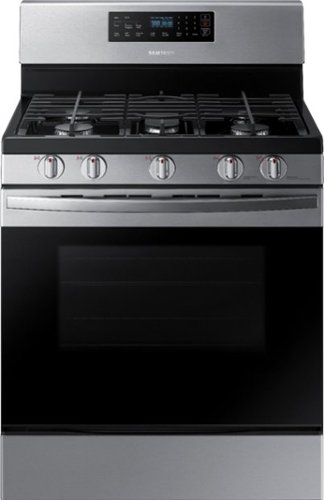
Samsung - 5.8 Cu. Ft. Self-Cleaning Freestanding Gas Range - Stainless Steel
The Samsung 5.8 cu. ft. freestanding gas range offers very large capacity that can easily accomodate a very large roast and a powerful and flexible cooktop that cooks faster with 5 specialized burners, including a 17K BTU power burner and a 5K simmer burner.
Is this a conventional or convection oven?

Thanks so much for asking, Pete! This model is not listed as having convection features. However, our models that do have convection, also still have the option to use regular bake features. ^Jecca
5 years, 2 months ago
by
Posted by:
Samsung
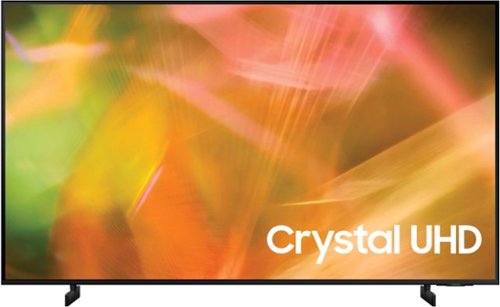
Samsung - 43" Class 8000 Series LED 4K UHD Smart Tizen TV (2021)
Step up to the world of Crystal UHD from Samsung. Elevated color and clarity offer you a picture that has to be seen to be believed. Add in smart features that make watching TV even easier, and you have a TV that is essential.
Is this model Samsung au8000 assembled in China?
Hi Fegee - The country of origin of the AU8000 is Mexico. ^Gina
5 years, 2 months ago
by
Posted by:
Samsung
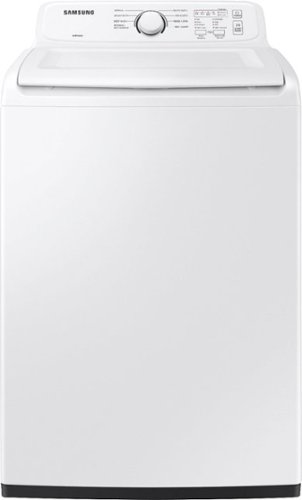
Samsung~s large 4.0 cu. ft. capacity Top Load Washer is equipped with our ActiveWave Agitator that is designed to reduce noise, vibration, and tangling while delivering powerful cleaning and also features a premium Soft-Close Lid that closes safely, gently and quietly
Can you open the lid after it's started to add to it.
Great question, bigR! Yes, you can open the lid to add/remove clothes once the cycle has started. However, you will have to wait until the icon that looks like a shirt with a + sign is lit up. This indicates that it is safe to open the lid. You will then need to pause the cycle by pressing the Start/Pause button. Once you are finished and have closed the lid, you will need to press start again to resume the cycle. ^Jecca
5 years, 2 months ago
by
Posted by:
Samsung
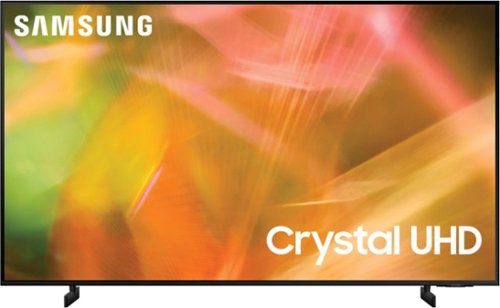
Samsung - 65" Class 8000 Series LED 4K UHD Smart Tizen TV (2021)
Step up to the world of Crystal UHD from Samsung. Elevated color and clarity offer you a picture that has to be seen to be believed. Add in smart features that make watching TV even easier, and you have a TV that is essential.
Can the audio output be routed to both the TV speakers and bluetooth or wifi speakers at the same time? (Looking for a solution to simultaneous indoor and outdoor audio).
Hi Vidpro66 - The AU8000 features Multi-output audio, which will allow you to play TV speaker audio and Bluetooth headphone audio simultaneously; however, this feature is only able to work with Bluetooth headphones or hearing aids. ^Gina
5 years, 2 months ago
by
Posted by:
Samsung
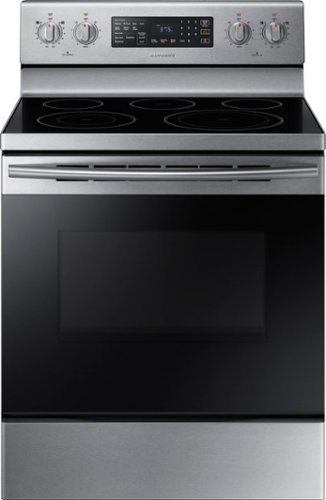
Samsung - 5.9 cu. ft. Convection Freestanding Electric Range - Stainless Steel
Stainless steel cooktop design and die-cast knobs for a modern look. Fan Convection distributes heat throughout the oven faster and more evenly, saving more time than traditional ovens. The large oven interior capacity can easily accommodate a big roast, multiple casserole dishes or several racks of cookies for the holidays.
Does the oven have damage on it anywhere? Top glass sides front bottom back?
Hi Richard! This product is being sold as new, and should come without any damage. However, most retailers have a process you can follow if your product is delivered with damage. ^Jecca
5 years, 2 months ago
by
Posted by:
Samsung
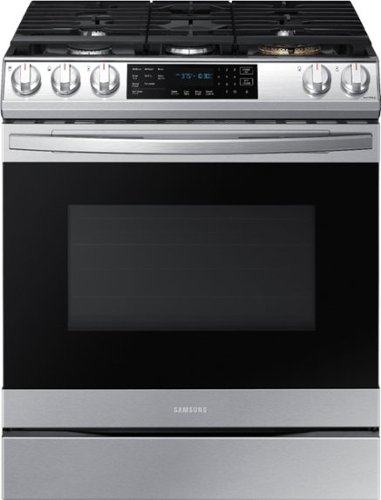
Samsung - 6.0 cu. ft. Front Control Slide-In Gas Convection Range with Air Fry & Wi-Fi, Fingerprint Resistant - Stainless Steel
The Samsung front control slide-in gas range with Air Fry is fully Wi-Fi connected and voice enabled, making it easy to create delicious and healthier* meals for your family. *As compared to deep frying.
How do I turn off the annoying musical chimes on this model? When I Google, all I get is to press the light and 0 buttons for 3 seconds, press 0 to turn off sound. This does not work?
Hi there, Liljen! That's very close to what I found in the user manual (https://bit.ly/2S5Xr44) on page 33. It states that to turn the sound on/off, you must press and hold the clock button for 3 seconds to enter the settings mode. From there, press the number "6" on the keypad to select the "sound" option. Then press "1" to turn the sound on and "2" to turn it off. Then you must press "START/SET" to save the changes. ^Jecca
5 years, 2 months ago
by
Posted by:
Samsung
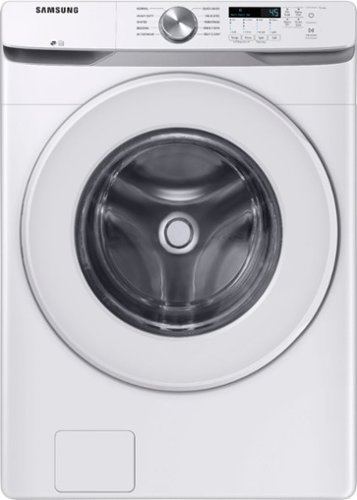
Samsung~s Energy Star Certified Front Load washer has 4.5 cu. ft. capacity to fit more in every load and cut down on laundry time. It is equipped with Vibration Reduction Technology+ to reduce noise for quiet washing and features Self Clean+ to eliminate 99% of bacteria that can form in the drum.1
Which stacking kit is needed for this set in order to install as a stackable?
I'm happy to help with this, BDef! This washer will require stacking kit model SKK-8K to stack the matching dryer on top. ^Jecca
5 years, 2 months ago
by
Posted by:
Samsung
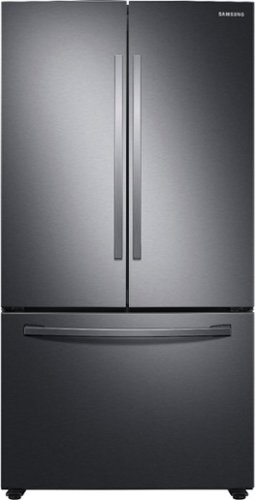
Samsung - 28 cu. ft. Large Capacity 3-Door French Door Refrigerator with Internal Water Dispenser - Black Stainless Steel
Samsung~s 28 cu. ft. large capacity 3-Door French Door refrigerator is beautifully designed, with sleek-edge doors and Internal Water Dispenser. The clean lines and modern form blend beautifully into your kitchen while the fingerprint resistant finish withstands everyday smudges.
Are the backs of the bottom freezer bin angled? What is the capacity for the freezer? Do the refrigerator doors open to an angle greater than 90 degrees? How easy is it to remove the refrigerator bins for cleaning?
I'm happy to answer all your questions, pickybuyer! The freezer drawers have a fully rectangular shape, and do not have an angle at the back. The refrigerator doors can open wider than a 90 degree angle. In fact, page 20 of the user manual (https://bit.ly/2RkgVCl) has a diagram showing the dimensions with the doors fully open. As for removing the shelves and bins for cleaning, if they're removed properly, they should come out pretty easily. This link (https://bit.ly/3bA8hGK) can show you just how to do it! ^Jecca
5 years, 2 months ago
by
Posted by:
Samsung
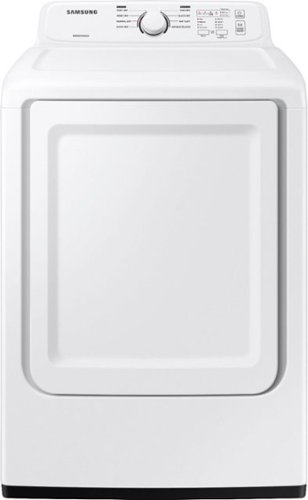
Samsung~s dryers have advanced features like Sensor Dry, which optimizes cycle time and temperature to thoroughly and safely dry your clothes. Also, with 7.2 cu. ft. capacity and 8 Preset Drying Cycles, you can do fewer loads in less time and fulfill almost every drying need.
Is there a way to turn off all the chimes?
Thanks so much for asking, Blurry! While some models do have a feature to mute the sound, this model does not. ^Jecca
5 years, 2 months ago
by
Posted by:
Samsung
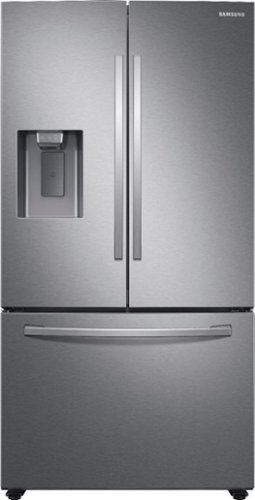
Samsung - 27 cu. ft. 3-Door French Door Refrigerator with External Water & Ice Dispenser - Stainless Steel
Samsung's 27 cu. ft. large capacity 3-door French door refrigerator is beautifully designed with a minimal dispenser, sleek-edge doors, and modern handles. The clean lines and modern form blend beautifully into your kitchen, while the fingerprint-resistant finish withstands everyday smudges.
What is the depth measurement from back to back of hinge? my cabinet is 26 inches deep and the old frig hinges sit outside of the cabinet.
Great question, Davin! Unfortunately I do not have the exact measurement you're looking for. However, I can provide the dimensions of the refrigerator with and without the doors and hinges.
With Hinges, Handles and Door: 35 3/4" (W) x 70" (H) x 35 3/8" (D)
Without Hinges and Door: 35 3/4" (W) x 68 7/8" (H) x 28 7/8" (D)
Hope this helps! ^Jecca
With Hinges, Handles and Door: 35 3/4" (W) x 70" (H) x 35 3/8" (D)
Without Hinges and Door: 35 3/4" (W) x 68 7/8" (H) x 28 7/8" (D)
Hope this helps! ^Jecca
5 years, 2 months ago
by
Posted by:
Samsung