Samsung
Samsung's Stats
Reviews
- Review Count0
- Helpfulness Votes0
- First ReviewNone
- Last ReviewNone
- Featured Reviews0
- Average Rating0
Reviews Comments
- Review Comment Count0
- Helpfulness Votes0
- First Review CommentNone
- Last Review CommentNone
- Featured Review Comments0
Questions
- Question Count0
- Helpfulness Votes0
- First QuestionNone
- Last QuestionNone
- Featured Questions0
- Answer Count73548
- Helpfulness Votes37,918
- First AnswerApril 24, 2013
- Last AnswerAugust 10, 2026
- Featured Answers0
- Best Answers3939
Samsung's Reviews
Samsung has not submitted any reviews.
Samsung's Questions
Samsung has not submitted any questions.
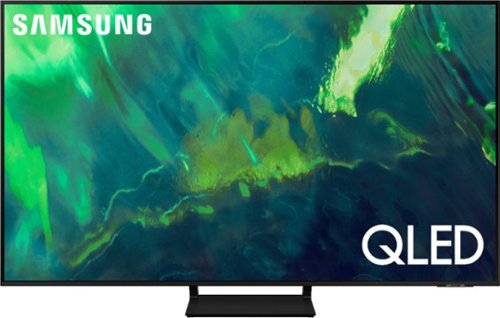
Samsung - 55" Class Q70A Series QLED 4K UHD Smart Tizen TV (2021)
As intelligent as it is beautiful. A Smart TV interface learns the content you like and makes suggestions based on what you watch.
Does this TV support HDMI 2.1 for next-gen consoles?

Mike, the Q70A is a great choice for next-gen gaming consoles as it is equipped with 4 HDMI ports, all of which support Auto Low Latency Mode (ALLM), Dynamic Metadata (HDR10+), and Variable Refresh Rate (VRR). High Frame Rate (HFR) 4K@120Hz is supported in “HDMI In 4”. The “HDMI In 3” port further supports eARC. ^Val
5 years, 3 months ago
by
Posted by:
Samsung
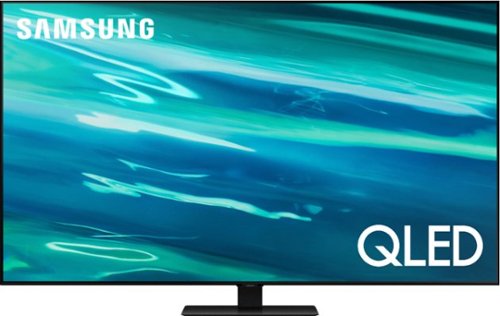
Samsung - 55" Class Q80A Series QLED 4K UHD Smart Tizen TV (2021)
Nothing will get by you with the precise visible details, even in the darkest scenes, and sound that moves around you.
Does this have hdmi 2.1?
Hi Eviltomato, Thank you for your interest in this TV. HDMI 2.1 is a somewhat complicated specification, so to better help our customers with their TV decision-making, we highlight the specific features supported by each TV model. The Q80A has 4 HDMI ports, all of which support Auto Low Latency Mode (ALLM), Dynamic Metadata (HDR10+), and Variable Refresh Rate (VRR). High Frame Rate (HFR) 4K@120Hz is supported in “HDMI In 4”. The “HDMI In 3” port further supports eARC. ^Val
5 years, 3 months ago
by
Posted by:
Samsung
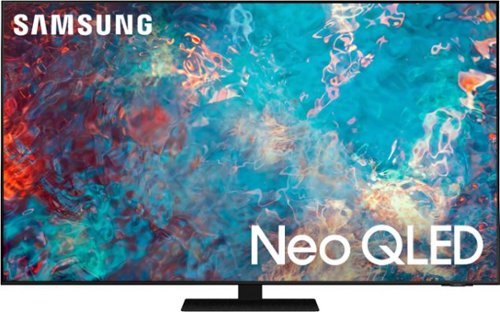
Samsung - 75" Class QN85A Neo QLED 4K UHD Smart Tizen TV (2021)
The QN85A upgrades your home entertainment experience with super charged 4K, an anti-glare screen, and an ultra-high contrast picture. These Advanced-Premium Samsung models feature a breakthrough matrix of Quantum Mini LEDs that focus light precisely where needed for breathtaking contrast. With the QN85A, our most advanced Samsung 4K TV processor powers Next-Gen Gaming capabilities, a new generation of apps, and sound that moves with the onscreen action. And with HDR10+, colors are adjusted scene-by-scene to enhance what you watch.
How many hdmi 2.1 4k@120hz ports does this set have?
Hi Matthew, Thank you for your interest in this TV. HDMI 2.1 is a somewhat complicated specification, so to better help our customers with their TV decision-making, we highlight the specific features supported by each TV model. The QN85A has 4 HDMI ports, all of which support Auto Low Latency Mode (ALLM), Dynamic Metadata (HDR10+), and Variable Refresh Rate (VRR). High Frame Rate (HFR) 4K@120Hz is supported in “HDMI In 4”. The “HDMI In 3” port further supports eARC. ^Val
5 years, 3 months ago
by
Posted by:
Samsung
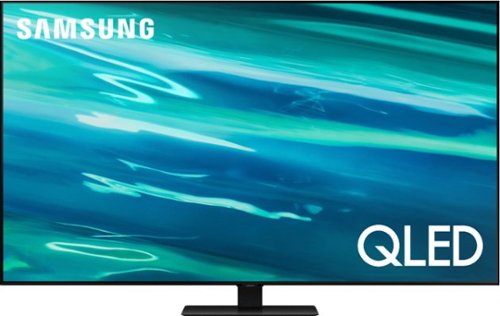
Samsung - 65" Class Q80A Series QLED 4K UHD Smart Tizen TV (2021)
Nothing will get by you with the precise visible details, even in the darkest scenes, and sound that moves around you.
Does this tv have hdmi 2.1 port
Hi Joekid, Thank you for your interest in this TV. HDMI 2.1 is a somewhat complicated specification, so to better help our customers with their TV decision-making, we highlight the specific features supported by each TV model. The Q80A has 4 HDMI ports, all of which support Auto Low Latency Mode (ALLM), Dynamic Metadata (HDR10+), and Variable Refresh Rate (VRR). High Frame Rate (HFR) 4K@120Hz is supported in “HDMI In 4”. The “HDMI In 3” port further supports eARC. ^Val
5 years, 3 months ago
by
Posted by:
Samsung
Samsung - 55" Class Q70A Series QLED 4K UHD Smart Tizen TV (2021)
As intelligent as it is beautiful. A Smart TV interface learns the content you like and makes suggestions based on what you watch.
Does this support HDMI 2.1, 4K at 120 Hz?
Hi MJJCNP, Thank you for asking. Because HDMI 2.1 is a complicated spec, we hope that focusing on TV features will be more helpful to you when deciding on the best model for your usage scenario. The Q70A has 4 HDMI ports, all of which support Auto Low Latency Mode (ALLM), Dynamic Metadata (HDR10+), and Variable Refresh Rate (VRR). High Frame Rate (HFR) 4K@120Hz is supported in “HDMI In 4”. The “HDMI In 3” port further supports eARC. ^Val
5 years, 3 months ago
by
Posted by:
Samsung
Samsung - 43" Class Q60A Series QLED 4K UHD Smart Tizen TV (2021)
Enter a world saturated with color and sharpened to refreshing clarity, all of it made possible through the power of Quantum Dot technology
Are the HDMI ports 2.1 and does this model support eARC?
Hi 4Ktv, Thanks for asking. With HDMI 2.1 being such a complex topic, we feel it is clearer to highlight the specific features supported by each TV model. This model has 3 HDMI ports, all of which support HDR10+ and Auto Low Latency Mode (Auto Game Mode). The “HDMI In 2” port further supports eARC. If you are looking for a TV capable of 4K@120fps (FRL), please consider a step up to Q70A Series, which supports “FRL on HDMI In 4”. ^Val
5 years, 3 months ago
by
Posted by:
Samsung
Samsung - 60" Class Q60A Series QLED 4K UHD Smart Tizen TV (2021)
Enter a world saturated with color and sharpened to refreshing clarity, all of it made possible through the power of Quantum Dot technology
First, does this TV have eArc? Second, does this TV have HDMI 2.1? Third, does this TV have VRR? Finally, why would Samgung release an HDTV in 2021 that is only 60hz when the new game consoles are making 4K 120hz modes a standard thing?
Hi MichaelZ, Thank you for your question. With HDMI 2.1 being such a complex topic, we feel it is clearer to highlight the specific features supported by each TV model. This model has 3 HDMI ports, all of which support HDR10+ and Auto Low Latency Mode (Auto Game Mode). The “HDMI In 2” port further supports eARC. If you are looking for a TV capable of 4K@120fps (FRL), please consider a step up to Q70A Series, which supports “FRL on HDMI In 4”. ^Val
5 years, 3 months ago
by
Posted by:
Samsung
Samsung - 55" Class QN85A Neo QLED 4K UHD Smart Tizen TV (2021)
The QN85A upgrades your home entertainment experience with super charged 4K, an anti-glare screen, and an ultra-high contrast picture. These Advanced-Premium Samsung models feature a breakthrough matrix of Quantum Mini LEDs that focus light precisely where needed for breathtaking contrast. With the QN85A, our most advanced Samsung 4K TV processor powers Next-Gen Gaming capabilities, a new generation of apps, and sound that moves with the onscreen action. And with HDR10+, colors are adjusted scene-by-scene to enhance what you watch.
How many HDMI ports are 2.1?
Hi Brink, Thank you for asking. Because HDMI 2.1 is a complicated spec, we hope that focusing on TV features will be more helpful to you when deciding on the best model for your usage scenario. QN90A has 4 HDMI ports, all of which support Auto Low Latency Mode (ALLM), Dynamic Metadata (HDR10+), and Variable Refresh Rate (VRR). High Frame Rate (HFR) 4K@120Hz is supported in “HDMI In 4”. The “HDMI In 3” port further supports eARC. ^Val
5 years, 3 months ago
by
Posted by:
Samsung

Samsung - 75" Class QN90A Neo QLED 4K UHD Smart Tizen TV
Our best 4K picture offers lush visuals and crisp detail that create an unmatched cinematic experience.
Are all 4 Hdmi ports 2.1?
Hi Demigod, Thank you for your question. Because HDMI 2.1 is a complicated spec, we hope that focusing on TV features will be more helpful to you when deciding on the best model for your usage scenario. QN90A has 4 HDMI ports, all of which support Auto Low Latency Mode (ALLM), Dynamic Metadata (HDR10+), and Variable Refresh Rate (VRR). High Frame Rate (HFR) 4K@120Hz is supported in “HDMI In 4”. The “HDMI In 3” port further supports eARC. ^Val
5 years, 3 months ago
by
Posted by:
Samsung
Samsung - 65" Class QN90A Neo QLED 4K UHD Smart Tizen TV (2021)
The QN90A is the finest of the Samsung 4K TV lineup. This series features Quantum HDR 32X which delivers spectacularly vibrant, bright, and vivid colors. Using a precise array of Quantum Mini LEDs, our game-changing Quantum Matrix Technology creates impeccable contrast so you can see intense picture detail. Object Tracking Sound+ follows the action as it happens on-screen to deliver a highly immersive experience. Plus, with the Ultra Viewing Angle and anti-glare screen technology, every seat is now the best seat.
Will this TV support VRR at 4K Resolution, 120 Hz Refresh Rate?
Hi VRR, Thank you for considering this TV. Because HDMI 2.1 is a complicated spec, we hope that focusing on TV features will be more helpful to you when deciding on the best model for your usage scenario. QN90A has 4 HDMI ports, all of which support Auto Low Latency Mode (ALLM), Dynamic Metadata (HDR10+), and Variable Refresh Rate (VRR). High Frame Rate (HFR) 4K@120Hz is supported in “HDMI In 4”. The “HDMI In 3” port further supports eARC. ^Val
5 years, 3 months ago
by
Posted by:
Samsung