Samsung
Samsung's Stats
Reviews
- Review Count0
- Helpfulness Votes0
- First ReviewNone
- Last ReviewNone
- Featured Reviews0
- Average Rating0
Reviews Comments
- Review Comment Count0
- Helpfulness Votes0
- First Review CommentNone
- Last Review CommentNone
- Featured Review Comments0
Questions
- Question Count0
- Helpfulness Votes0
- First QuestionNone
- Last QuestionNone
- Featured Questions0
- Answer Count75114
- Helpfulness Votes37,981
- First AnswerApril 24, 2013
- Last AnswerOctober 28, 2026
- Featured Answers0
- Best Answers3950
Samsung's Reviews
Samsung has not submitted any reviews.
Samsung's Questions
Samsung has not submitted any questions.
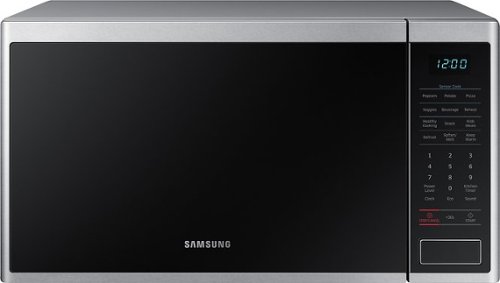
Samsung - 1.4 cu. ft. Countertop Microwave with Sensor Cook - Stainless Steel
The Samsung Countertop Microwave makes preparing multiple dishes effortless with 1.4 cu. ft. capacity. Designed with a scratch-resistant interior, this modern microwave features Sensor Cooking options which automatically provide optimal cooking results.
why it went quiet, i mean it doesn't beep any more. It should beep every time you press a button

Hi Simon! It sounds like you may have muted the microwave. Page 22 of the user manual (https://bit.ly/2UTP6yR) can show you how to turn the sound back on if you prefer it that way. ^Jecca
5 years, 11 months ago
by
Posted by:
Samsung
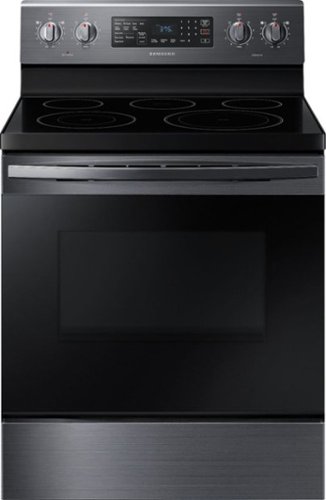
Samsung - 5.9 Cu. Ft. Freestanding Electric Convection Range with Self-Steam Cleaning - Black Stainless Steel
Stainless steel cooktop design with a modern look. Fan Convection distributes heat throughout the oven faster and more evenly, saving additional time than traditional ovens. The large oven interior capacity can easily accommodate a big roast, multiple casserole dishes, or several racks of cookies.
Does this model have the air fryer?
Thanks for asking, Timmer! This model does not have an air fryer. ^Jecca
5 years, 11 months ago
by
Posted by:
Samsung
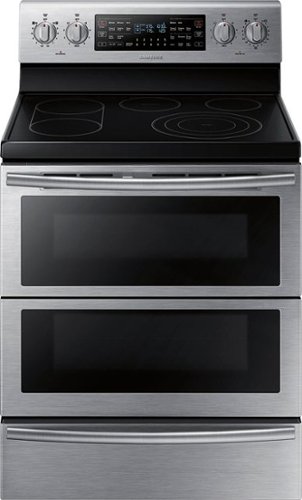
Samsung - Flex Duo 5.9 Cu. Ft. Self-Cleaning Freestanding Double Oven Electric Convection Range - Stainless Steel
Bring style and innovation to your kitchen. This Samsung electric range lets you cook two dishes at different temperatures simultaneously to speed up the cooking process. Plus, the steam clean system takes care of grease, oil, and stuck-on food.
I have the Samsung dual oven, when cooking turkey and divider comes out, which oven controls do you use left or right to heat oven? I know left is for upper oven and right is for lower, just wondering which to use when using whole oven.
Excellent question! When the partition is removed and you are heating the oven as one whole unit, you can use either set of controls to operate it. ^Jecca
5 years, 11 months ago
by
Posted by:
Samsung
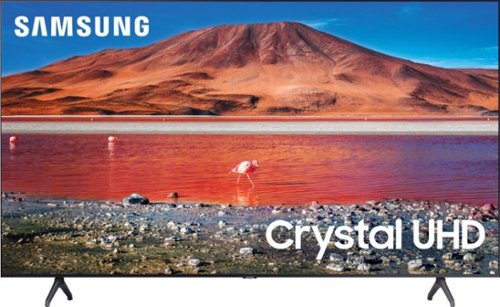
Samsung - 65" Class 7 Series LED 4K UHD Smart Tizen TV (2019)
Get enhanced smart capabilities with the TU7000 . Crystal Processor 4K automatically upscales your favorite movies, TV shows and sports events to 4K. Smart TV powered by Tizen lets you find content and navigate streaming services easily. PurColor fine tunes colors while HDR steps up to millions of shades of color that go beyond what HDTV can offer. And Direct Lit backlighting technology sharpens visuals and improves clarity.
Does this have HDMI version 2.1?
Hello Carlos,
Thank you for considering the TU7000. Because HDMI 2.1 is a complicated spec, we hope that focusing on TV features will be more helpful to you when deciding on the best model for your usage scenario. Our TU7000 has 2 HDMI ports, both of which support Auto Low Latency Mode (ALLM/Auto Game Mode). The “HDMI In 2” port also supports eARC.
If you are looking for a model that also offers 4K@120fps (FRL), please consider our QLED Q70T Series, which has FRL on HDMI 4. All Samsung 2020 model year QLED TVs 55” and bigger starting from the Q70T Series are capable of 4K@120fps, as well as offer Variable Refresh Rate (VRR) and FreeSync.
https://www.bestbuy.com/site/samsung-65-class-q70t-series-led-4k-uhd-smart-tizen-tv/6402399.p?skuId=6402399
^Cristian
Thank you for considering the TU7000. Because HDMI 2.1 is a complicated spec, we hope that focusing on TV features will be more helpful to you when deciding on the best model for your usage scenario. Our TU7000 has 2 HDMI ports, both of which support Auto Low Latency Mode (ALLM/Auto Game Mode). The “HDMI In 2” port also supports eARC.
If you are looking for a model that also offers 4K@120fps (FRL), please consider our QLED Q70T Series, which has FRL on HDMI 4. All Samsung 2020 model year QLED TVs 55” and bigger starting from the Q70T Series are capable of 4K@120fps, as well as offer Variable Refresh Rate (VRR) and FreeSync.
https://www.bestbuy.com/site/samsung-65-class-q70t-series-led-4k-uhd-smart-tizen-tv/6402399.p?skuId=6402399
^Cristian
5 years, 11 months ago
by
Posted by:
Samsung
Samsung - 65" Class 7 Series LED 4K UHD Smart Tizen TV (2019)
Get enhanced smart capabilities with the TU7000 . Crystal Processor 4K automatically upscales your favorite movies, TV shows and sports events to 4K. Smart TV powered by Tizen lets you find content and navigate streaming services easily. PurColor fine tunes colors while HDR steps up to millions of shades of color that go beyond what HDTV can offer. And Direct Lit backlighting technology sharpens visuals and improves clarity.
Is delivery covid-safe - i.e. is it left in front of the house or is it brought inside the house by the delivery people?
Hello shop,
Hi there! For more information on delivery/installation services, please contact your local Best Buy or visit https://www.bestbuy.com/site/help-topics/home-and-business-delivery/pcmcat204400050032.c?id=pcmcat204400050032
^Cristian
Hi there! For more information on delivery/installation services, please contact your local Best Buy or visit https://www.bestbuy.com/site/help-topics/home-and-business-delivery/pcmcat204400050032.c?id=pcmcat204400050032
^Cristian
5 years, 11 months ago
by
Posted by:
Samsung
Samsung - 65" Class 7 Series LED 4K UHD Smart Tizen TV (2019)
Get enhanced smart capabilities with the TU7000 . Crystal Processor 4K automatically upscales your favorite movies, TV shows and sports events to 4K. Smart TV powered by Tizen lets you find content and navigate streaming services easily. PurColor fine tunes colors while HDR steps up to millions of shades of color that go beyond what HDTV can offer. And Direct Lit backlighting technology sharpens visuals and improves clarity.
The tv loses its internet connection after it has been off for 10 minutes and you have to reset the entire tv for it to connect to the network again. This is required every time you leave the tv off for more than 10 minutes. Any solutions?
Hello, I’m sorry to see that you are having difficulties with your TV's internet connection.
So that we can better troubleshoot towards a solution, please reach out to Samsung TV Support at:
― Phone: 1-800-SAMSUNG / Available 8 AM - 9 PM EST, Mon - Fri
― LiveChat or Email: https://www.samsung.com/us/support/#contact_us_for_support
We look forward to hearing from you.
^Cristian
So that we can better troubleshoot towards a solution, please reach out to Samsung TV Support at:
― Phone: 1-800-SAMSUNG / Available 8 AM - 9 PM EST, Mon - Fri
― LiveChat or Email: https://www.samsung.com/us/support/#contact_us_for_support
We look forward to hearing from you.
^Cristian
5 years, 11 months ago
by
Posted by:
Samsung
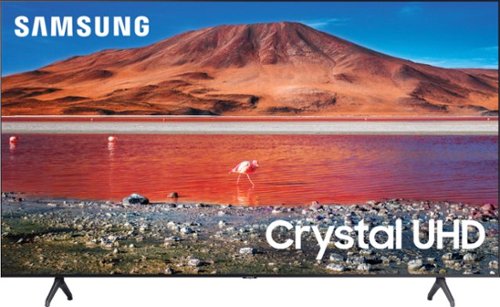
Samsung - 50" Class 7 Series LED 4K UHD Smart Tizen TV (2020)
Build an immersive media room with this 50-inch Samsung Smart TV. The Crystal 4K processor automatically improves the image quality of everything you watch, and the HDR technology makes colors look vivid and lifelike. This Samsung Smart TV has a universal guide that organizes live and streamed content so you can find what you're looking for quickly.
what is the power rating for this TV? 110w or 240w??
Hello Clive,
These are US Samsung TVs that only support 120V. ^Cristian
These are US Samsung TVs that only support 120V. ^Cristian
5 years, 11 months ago
by
Posted by:
Samsung
Samsung - 65" Class 7 Series LED 4K UHD Smart Tizen TV (2019)
Get enhanced smart capabilities with the TU7000 . Crystal Processor 4K automatically upscales your favorite movies, TV shows and sports events to 4K. Smart TV powered by Tizen lets you find content and navigate streaming services easily. PurColor fine tunes colors while HDR steps up to millions of shades of color that go beyond what HDTV can offer. And Direct Lit backlighting technology sharpens visuals and improves clarity.
can you hook up old gaming systems like Nintendo 64 or oider
Hello khicks57,
No, the 65TU7000 does not have RCA inputs to connect older gen consoles. Please check out RCA to HDMI converters or step up to the 65TU8000 for RCA inputs.
https://www.bestbuy.com/site/insignia-rca-to-hdmi-converter-black/6134312.p?skuId=6134312
https://www.bestbuy.com/site/samsung-65-class-8-series-led-4k-uhd-smart-tizen-tv/6401718.p?skuId=6401718
^Cristian
No, the 65TU7000 does not have RCA inputs to connect older gen consoles. Please check out RCA to HDMI converters or step up to the 65TU8000 for RCA inputs.
https://www.bestbuy.com/site/insignia-rca-to-hdmi-converter-black/6134312.p?skuId=6134312
https://www.bestbuy.com/site/samsung-65-class-8-series-led-4k-uhd-smart-tizen-tv/6401718.p?skuId=6401718
^Cristian
5 years, 11 months ago
by
Posted by:
Samsung
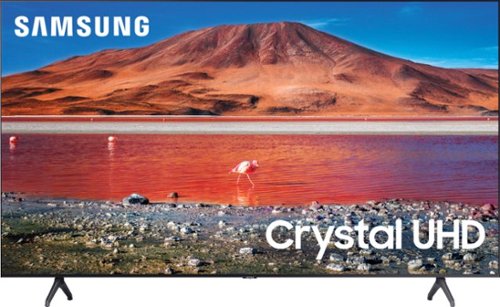
Samsung - 43" Class 7 Series LED 4K UHD Smart Tizen TV
Upgrade your home entertainment setup with this 43-inch Samsung LED Smart TV. Tizen OS provides access to popular streaming services, while the 4K Ultra HD resolution delivers true-to-life picture quality. This Samsung LED Smart TV is compatible with several virtual assistants for voice control, and the HDMI and USB inputs connect to external sources.
What is the distance between the universal wall-mount holes on the back and the upper and lower edges of the screen unit of the 43" model samsumg? Don
Hello,
The 43TU7000 uses VESA screw hole specs(A * B) in millimeters: 200x200.
^Cristian
The 43TU7000 uses VESA screw hole specs(A * B) in millimeters: 200x200.
^Cristian
5 years, 11 months ago
by
Posted by:
Samsung
Samsung - 65" Class 7 Series LED 4K UHD Smart Tizen TV (2019)
Get enhanced smart capabilities with the TU7000 . Crystal Processor 4K automatically upscales your favorite movies, TV shows and sports events to 4K. Smart TV powered by Tizen lets you find content and navigate streaming services easily. PurColor fine tunes colors while HDR steps up to millions of shades of color that go beyond what HDTV can offer. And Direct Lit backlighting technology sharpens visuals and improves clarity.
How do you remove the legs from this TV? I am thinking of mounting it.
Hello Griff,
To remove the legs on the 65TU7000 you have to remove the screw on the back of the legs securing them to the TV. ^Cristian
To remove the legs on the 65TU7000 you have to remove the screw on the back of the legs securing them to the TV. ^Cristian
5 years, 11 months ago
by
Posted by:
Samsung