Samsung
Samsung's Stats
Reviews
- Review Count0
- Helpfulness Votes0
- First ReviewNone
- Last ReviewNone
- Featured Reviews0
- Average Rating0
Reviews Comments
- Review Comment Count0
- Helpfulness Votes0
- First Review CommentNone
- Last Review CommentNone
- Featured Review Comments0
Questions
- Question Count0
- Helpfulness Votes0
- First QuestionNone
- Last QuestionNone
- Featured Questions0
- Answer Count74215
- Helpfulness Votes37,974
- First AnswerApril 24, 2013
- Last AnswerSeptember 11, 2026
- Featured Answers0
- Best Answers3948
Samsung's Reviews
Samsung has not submitted any reviews.
Samsung's Questions
Samsung has not submitted any questions.
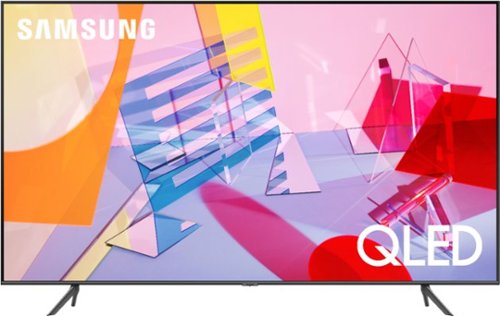
Samsung - 50" Class Q60T Series QLED 4K UHD Smart Tizen TV
Enjoy your TV experience with this UHD Samsung smart television. The ultrafast Quantum Processor optimizes and upscales content for impressive results, while the warm and cool LED backlights enhance contrast details. Tizen powers this Samsung smart television with next-generation apps and a host of enhancements that elevate your watching experience.
Can you search the web on this TV?

Hello Joe,
Yes, the 50Q60T comes with a built in full web-browser. ^Cristian
Yes, the 50Q60T comes with a built in full web-browser. ^Cristian
5 years, 10 months ago
by
Posted by:
Samsung
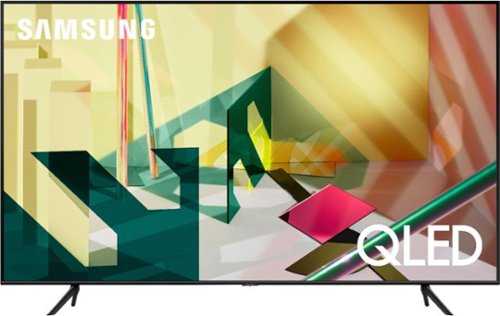
Samsung - 65" Class Q70T Series QLED 4K UHD Smart Tizen TV
Get the most out of your viewing experience with this 65-inch Samsung QLED Q70T Series 4K UHD HDR Smart TV. The 4K Quantum processor autonomously optimizes entertainment for an immersive experience by utilizing Ambient Mode+, Quantum HDR, 4K AI upscaling and active voice amplifier technology. This Samsung QLED Q70T Series 4K UHD HDR Smart TV boasts Real Game Enhancer+ and AMD FreeSync to improve overall performance while gaming.
What is the input lag on this TV?
Hello Kelso,
The 65Q70T has low input as long as 'Game' mode is enabled. with Freesync and VRR you can get a low input lag of 6.8 ms. ^Cristian
The 65Q70T has low input as long as 'Game' mode is enabled. with Freesync and VRR you can get a low input lag of 6.8 ms. ^Cristian
5 years, 10 months ago
by
Posted by:
Samsung

Samsung - 50" Class Q80T Series LED 4K UHD Smart Tizen TV
Samsung 50" Q80T QLED 4K UHD Smart TV
Can you use wireless headphones like Sennheiser that plug into TV
Hello Motownluci,
Yes, the 50Q80T has Bluetooth connectivity. You can connect any Bluetooth enabled headphones. ^Cristian
Yes, the 50Q80T has Bluetooth connectivity. You can connect any Bluetooth enabled headphones. ^Cristian
5 years, 10 months ago
by
Posted by:
Samsung
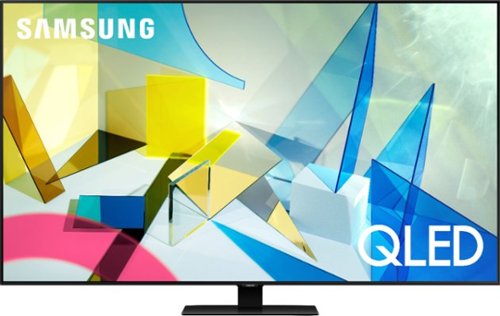
Samsung - 55" Class Q80T Series QLED 4K UHD Smart Tizen TV
Revolutionize your audiovisual entertainment experience with this 55-inch Samsung QLED Q80 Series Ultra HD 4K Smart TV. Compatibility with popular virtual assistants enables voice control, while HDMI, USB, Wi-Fi and Bluetooth functions provide flexible connectivity to external sources. This Samsung QLED Q80 Series Ultra HD 4K Smart TV features an HDR engine for rich color reproduction.
Does the provided base allow a left-right swivel if you wanted to angle the TV slightly? Some bases allow this.
Hello,
No, the 55Q80T has a fixed stand. It will not swivel or rotate. ^Cristian
No, the 55Q80T has a fixed stand. It will not swivel or rotate. ^Cristian
5 years, 10 months ago
by
Posted by:
Samsung
Samsung - 85" Class Q80T Series QLED 4K UHD Smart Tizen TV (2020)
Improve your television viewing experience with this Samsung 4K smart UHD TV. The Quantum Processor uses AI to provide stunning visuals, while two top and two bottom integrated speakers adjust the sound for fluid acoustics. This Samsung 4K Smart UHD TV features controlled backlights that offer deeper contrast for added detail.
The specs say it is bluetooth enabled. Being hearing impaired I want to use bluetooth buds/bluetooth headphones while others in the room listen to soundbar and bluetooth speakers with no sound delay. Can two or more systems source the TVs bluetooth?
Hello burn,
Yes, you can connect your Bluetooth device and listen via TV speakers at the same time. ^Cristian
Yes, you can connect your Bluetooth device and listen via TV speakers at the same time. ^Cristian
5 years, 10 months ago
by
Posted by:
Samsung
Samsung - 55" Class Q80T Series QLED 4K UHD Smart Tizen TV
Revolutionize your audiovisual entertainment experience with this 55-inch Samsung QLED Q80 Series Ultra HD 4K Smart TV. Compatibility with popular virtual assistants enables voice control, while HDMI, USB, Wi-Fi and Bluetooth functions provide flexible connectivity to external sources. This Samsung QLED Q80 Series Ultra HD 4K Smart TV features an HDR engine for rich color reproduction.
Does the apple tv app work with this tv?
Hello QuantumMan321,
Yes, Apple TV app comes built in already on the 55Q80T, aswell as Apple AirPlay2. ^Cristian
Yes, Apple TV app comes built in already on the 55Q80T, aswell as Apple AirPlay2. ^Cristian
5 years, 10 months ago
by
Posted by:
Samsung
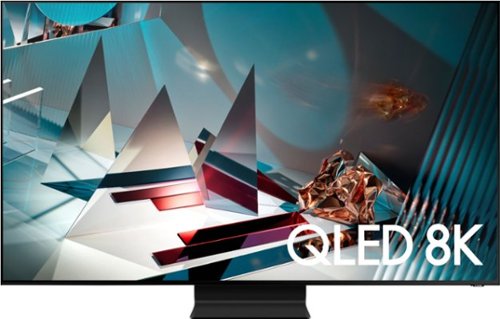
Samsung - 82" Class Q800T Series QLED 8K UHD Smart Tizen TV
Transform your movie-watching experience with this Samsung 8K smart TV. The precisely controlled LED backlights reveal sharp details in dark scenes, while the 8K AI upscaling automatically converts your viewing content into a mind-blowing resolution. This Samsung 8K smart TV features Objective Tracking Sound+ technology to direct sound and put you in the center of the action.
Does it need a sound bar or does it sound OK as is
Hello Eddy,
The 82Q800T has great sound with Object Tracking Sound+, a total of 6 speakers on the TV. If you want the best sound experience i recommend pairing it with the HW-Q850T soundbar. With Q-Symphony the speaker of the TV and soundbar will work together to give you unmatched sound quality. https://www.bestbuy.com/site/samsung-hw-q850t-5-1-2ch-soundbar-with-dolby-atmos-dtsx-and-wireless-rear-speakers-2020-black/6400657.p?skuId=6400657
^Cristian
The 82Q800T has great sound with Object Tracking Sound+, a total of 6 speakers on the TV. If you want the best sound experience i recommend pairing it with the HW-Q850T soundbar. With Q-Symphony the speaker of the TV and soundbar will work together to give you unmatched sound quality. https://www.bestbuy.com/site/samsung-hw-q850t-5-1-2ch-soundbar-with-dolby-atmos-dtsx-and-wireless-rear-speakers-2020-black/6400657.p?skuId=6400657
^Cristian
5 years, 10 months ago
by
Posted by:
Samsung
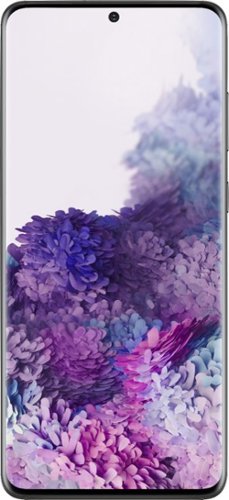
Samsung - Galaxy S20+ 5G Enabled 512GB - Cosmic Black (AT&T)
Samsung Galaxy S20+ 5G Cell Phone for AT&T: This Samsung Galaxy S20+ 5G cell phone can perform more daily routines efficiently and is packed with power while equipped with an intelligent battery that's big enough to share. The 6.7" Infinity-O smooth-motion display reveals every image in perfect quality and features high-quality cameras with 30x Space Zoom capabilities, capturing more details to create a realistic image. Backward-compatible with 4G networks.
Is the S20+ water and dust resistant
Hello Anonymous, great question! If you have an S7 or newer, your phone is equipped with protection from water, dirt, and grime. An IP rating or Ingress Protection rating is a universally accepted measurement for dust and liquid resistance. Almost all newer Galaxy phones have an IP rating of 68, excluding the Galaxy Fold, Z Flip, and the S10 5G. ^Elizabeth
5 years, 10 months ago
by
Posted by:
Samsung
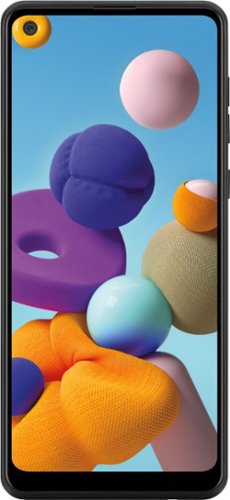
Samsung - Galaxy A21 32GB (Unlocked) - Black
With the Samsung Galaxy A21, we~re going bolder. Watch your world come alive on a massive 6.5~ Infinity Display~. Capture pro-grade photos with a versatile quad lens camera. And best of all? The long-lasting~, fast-charging battery~ lets you snap, share, and stream with complete peace of mind.
Does this phone support NFC?
Hello Davis, great question! This phone has NFC connectivity. ^Elizabeth
5 years, 10 months ago
by
Posted by:
Samsung
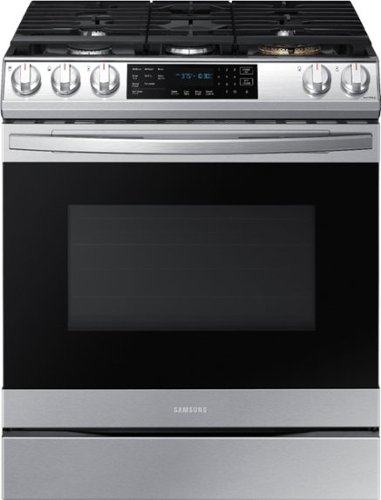
Samsung - 6.0 cu. ft. Front Control Slide-In Gas Convection Range with Air Fry & Wi-Fi, Fingerprint Resistant - Stainless Steel
The Samsung front control slide-in gas range with Air Fry is fully Wi-Fi connected and voice enabled, making it easy to create delicious and healthier* meals for your family. *As compared to deep frying.
My existing GE electric range has a lip around the top so it sits Flush with my counter top and i dont want to loose that . Does this stove have that
Hello! This model does not have that feature. ^Ty
5 years, 10 months ago
by
Posted by:
Samsung