Samsung
Samsung's Stats
Reviews
- Review Count0
- Helpfulness Votes0
- First ReviewNone
- Last ReviewNone
- Featured Reviews0
- Average Rating0
Reviews Comments
- Review Comment Count0
- Helpfulness Votes0
- First Review CommentNone
- Last Review CommentNone
- Featured Review Comments0
Questions
- Question Count0
- Helpfulness Votes0
- First QuestionNone
- Last QuestionNone
- Featured Questions0
- Answer Count74215
- Helpfulness Votes37,974
- First AnswerApril 24, 2013
- Last AnswerSeptember 11, 2026
- Featured Answers0
- Best Answers3948
Samsung's Reviews
Samsung has not submitted any reviews.
Samsung's Questions
Samsung has not submitted any questions.
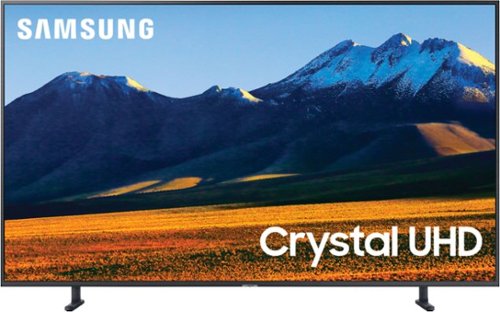
Samsung - 75" Class 9 Series LED 4K UHD Smart Tizen TV
Stream your favorite shows and movies with this 75-inch Samsung 4K smart TV. The HDR 10+ engine delivers true-to-life color accuracy and picture clarity, while the 120Hz refresh rate keeps up with high-speed action. This Samsung 4K smart TV features multiple HDMI ports, USB interfaces and Wi-Fi functionality for versatile connectivity.
What are dimensions and weight

Hi! Here are the dimensions of the 75RU900. With stand: 66.3" x 40.5" x 14.9" (WxHxD). Without stand: 66.3" x 38" x 14.9" (WxHxD). The TV weighs 87.7 pounds with the stand and 86.2 pounds without the stand. ^Tim
5 years, 10 months ago
by
Posted by:
Samsung
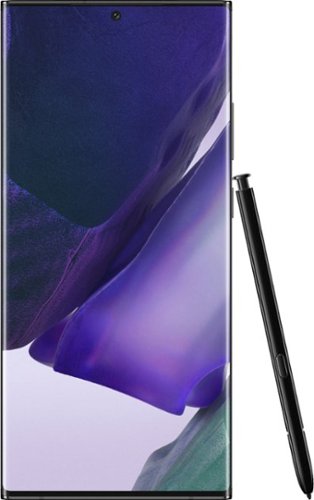
Samsung - Galaxy Note20 Ultra 5G 128GB (Unlocked) - Mystic Black
The power to work. The power to play. This isn't the time to slow down, this is the time to forge ahead and take the opportunities that come your way. You don~t need a smartphone. You need a power phone. One as beautiful as it is intelligent with a pen that is mightier, a battery that doesn't leave you hanging and is as well-connected as you. Samsung Galaxy Note20 Ultra 5G Unlocked takes power to the next level with cutting-edge technology, letting you master whatever you choose to do next.
what's the processor?
Hey there, great question! This phone has an Octa-Core processor. ^Elizabeth
5 years, 10 months ago
by
Posted by:
Samsung
Samsung - 75" Class 9 Series LED 4K UHD Smart Tizen TV
Stream your favorite shows and movies with this 75-inch Samsung 4K smart TV. The HDR 10+ engine delivers true-to-life color accuracy and picture clarity, while the 120Hz refresh rate keeps up with high-speed action. This Samsung 4K smart TV features multiple HDMI ports, USB interfaces and Wi-Fi functionality for versatile connectivity.
What is the reason behind more weight compared to 8 series tv
Hi! Different model TVs may utilize different parts or materials along with different stands causing variances within weights, even though they are the same size. ^Tim
5 years, 10 months ago
by
Posted by:
Samsung

Samsung - 65" Class 9 Series LED 4K UHD Smart Tizen TV
Watch your favorite movies in high definition with this 65-inch Samsung Crystal 4K smart TV. The ultra-fast processor and dynamic crystal display deliver true-to-life color and a high-resolution picture, so you never miss a detail. With next-gen apps and automatic game enhancer settings, this Samsung Crystal 4K smart TV is packed with entertainment options while ensuring an optimal gaming experience.
How much does it cost to have the Geek Squad come out and wall mount a 65 inch new TV? I want to purchase the 65 in. Samsung 9 Series 4K.
Hi Joanne! for more information on Geek Squad Services, please contact your local Best Buy or visit: https://www.bestbuy.com/site/services/tv-home-theater-services/pcmcat138100050024.c?id=pcmcat138100050024
^Tim
^Tim
5 years, 10 months ago
by
Posted by:
Samsung
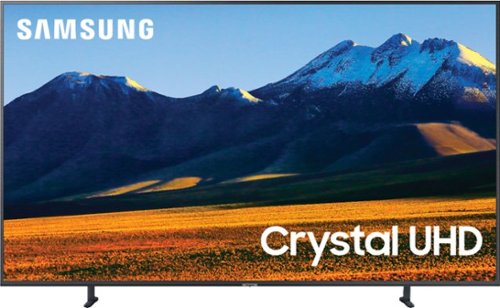
Samsung - 82" Class 9 Series LED 4K UHD Smart Tizen TV (2020)
Advance your home entertainment with this 82-inch Samsung Ultra HD 4K smart TV. The Crystal processor delivers sharp 4K resolutions, while the game enhancer provides lag-free, high-speed gameplay. This Samsung Ultra HD 4K smart TV features HDR for detailed pictures and videos and Motion Rate 240 for fast refresh rates to enhance motion clarity.
Is the telvision edge lit or back lit? The Samsung marketing info makes it sound back lit but Best Buy has it listed as edge lit.
Hi adp5000! The 82RU9000 utilizes edge lighting technology. ^Tim
5 years, 10 months ago
by
Posted by:
Samsung
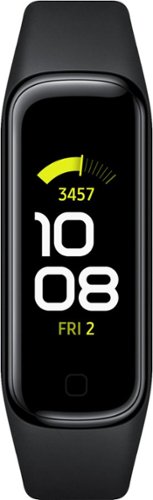
Samsung - Galaxy Fit2 Smart Watch 1.1 AMOLED - Black
Look and feel your best with the lightweight yet durable Samsung Galaxy Fit2.~ Easily track your fitness and wellness, day and night, in clear, vivid color. A simple glance at your wrist lets you monitor workouts and sleep patterns. And keep an eye on notifications from a comfortable, stylish fitness tracker that lasts up to to 15 days on a single charge.~ ~ This device and related software are not intended for use in the diagnosis of disease or other conditions, or in the cure, mitigation, treatment or prevention of disease. ~ Battery life varies on usage.
Heart rate?
Hello Matt, great question! You can use this watch to keep track of your heart rate whenever you work out or go for a jog, so you can see how far you’ve come. ^Elizabeth
5 years, 10 months ago
by
Posted by:
Samsung
Samsung - 82" Class 9 Series LED 4K UHD Smart Tizen TV (2020)
Advance your home entertainment with this 82-inch Samsung Ultra HD 4K smart TV. The Crystal processor delivers sharp 4K resolutions, while the game enhancer provides lag-free, high-speed gameplay. This Samsung Ultra HD 4K smart TV features HDR for detailed pictures and videos and Motion Rate 240 for fast refresh rates to enhance motion clarity.
Hello bestbuy states the warranty is 3yrs. But I don’t see that on the product description. How long is the warranty?
Hi Momo! The manufacturers warranty included with the 82RU9000 is three years through Samsung. You can find more information regarding the included warranty under the "From the Manufacturer" category on the product site. Feel free to contact us at 1-800-SAMSUNG, available 8AM - 12AM EST, 7 days a week for additional assistance. ^Tim
5 years, 10 months ago
by
Posted by:
Samsung
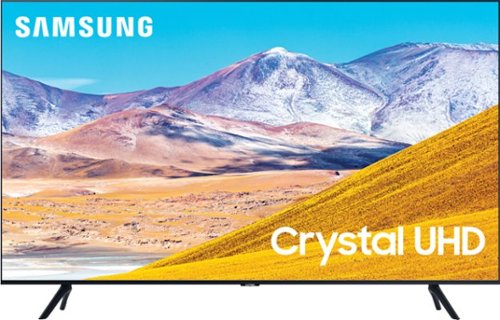
Samsung - 50" Class 8 Series LED 4K UHD Smart Tizen TV
Enjoy crisp visuals while watching your favorite movies or programs on this 50-inch Samsung UHD 8 Series Smart TV. Crystal Processor 4K produces detailed images, while Wi-Fi compatibility lets you stream content seamlessly. This Samsung UHD 8 Series Smart TV supports voice-activated control through Bixby, Alexa, and Google Assistant, and the 20W speakers deliver powerful sound for an all-around entertainment experience.
Does the TV have Bluetooth? I want to hook up headphones, so I can watch TV at a high volume and not disturb my roommate
Hi! The 50TU8000 comes with Bluetooth capabilities, which means they can wirelessly connect to speakers, headphones, hearing aids, and other devices. Connect a Bluetooth Soundbar to your TV to get the most out of your favorite movie, or connect headphones so you can have a private screening. You can even pair a Bluetooth keyboard or gamepad to make searching for movies and shows easier than ever. ^Tim
5 years, 10 months ago
by
Posted by:
Samsung
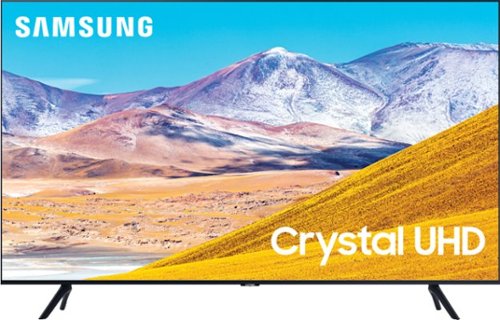
Samsung - 65" Class 8 Series LED 4K UHD Smart Tizen TV
Stream all your favorite shows on this 65-inch Samsung Smart TV. The variety of smart features and applications provides access to a range of streaming services, and compatibility with virtual assistants offers convenient voice-controlled functionality. This Samsung Smart TV has a Crystal Processor 4K that automatically enhances the image quality of movies and shows.
What tools are required to put it together? Attach the feet etc? Star Screwdriver? Hex Keys? Just arrived US, my tools are on the ocean from UK and not arrived yet. With a wifi connection, will UK purchased Amazon and Now TV stick work on this tv?
Hi StuWoolf! The 65TU8000 features a tool free installation to attach the feet, simply insert each foot into the designated location and you are finished. The TU8000 is a smart TV with access to a wide range of streaming content and services without the need for an external streaming device. If you would like to connect an external device the TV supports three HDMI connections. Check the manual for your existing devices to ensure compatibility within the US. ^Tim
5 years, 10 months ago
by
Posted by:
Samsung
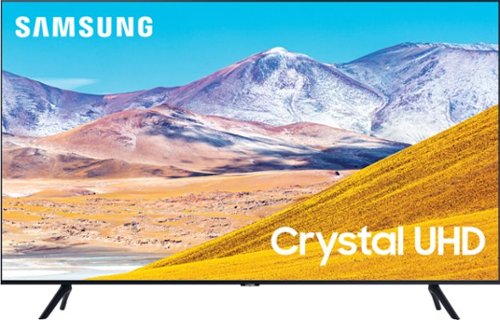
Samsung - 75" Class 8 Series LED 4K UHD Smart Tizen TV
Experience immersive entertainment with this 75-inch Samsung UHD 8 Series Smart TV. Crystal Processor 4K provides vivid visuals, and the Dolby Digital Plus sound technology delivers crisp, powerful sound through the 20W speakers. This Samsung UHD 8 Series Smart TV has Wi-Fi connectivity for streaming movies easily, while Bixby, Alexa, and Google Assistant support enables voice-activated control.
Do I need a streaming stick like Roku or the amazon fire stick to watch stuff on streaming platforms?
Hi Sim! Samsung TVs feature a user friendly smart system built in called Tizen eliminating the need for a streaming device by allowing you to access all of your favorite streaming content, a built in web browser, free TV with Samsung TV Plus, and a wide range of other great smart features. If you would like to connect an external streaming device, the 75TU8000 supports three HDMI ports for compatible devices to connect. ^Tim
5 years, 10 months ago
by
Posted by:
Samsung