Samsung
Samsung's Stats
Reviews
- Review Count0
- Helpfulness Votes0
- First ReviewNone
- Last ReviewNone
- Featured Reviews0
- Average Rating0
Reviews Comments
- Review Comment Count0
- Helpfulness Votes0
- First Review CommentNone
- Last Review CommentNone
- Featured Review Comments0
Questions
- Question Count0
- Helpfulness Votes0
- First QuestionNone
- Last QuestionNone
- Featured Questions0
- Answer Count73632
- Helpfulness Votes37,926
- First AnswerApril 24, 2013
- Last AnswerAugust 14, 2026
- Featured Answers0
- Best Answers3940
Samsung's Reviews
Samsung has not submitted any reviews.
Samsung's Questions
Samsung has not submitted any questions.

Wirelessly charge your smartphones and earbuds. Fast Charge feature available for even faster charging speeds on select phone models.
Will it work with an otterbox defender pro on a s26?

Good day Jean, thanks for taking the time to ask us your question about the Samsung 15W Fast Charge Single Wireless Pad. Yes, it will work, but performance may be inconsistent. While the Samsung 15W Wireless Charger Pad EP-P2400 is capable of charging through the heavy-duty OtterBox Defender Pro, the thickness of the case can cause overheating and slower charging speeds. If you have any other questions for us, do not hesitate to contact Support. Thank you for being a valued Samsung customer. - Debra
4 weeks, 1 day ago
by
Posted by:
Samsung
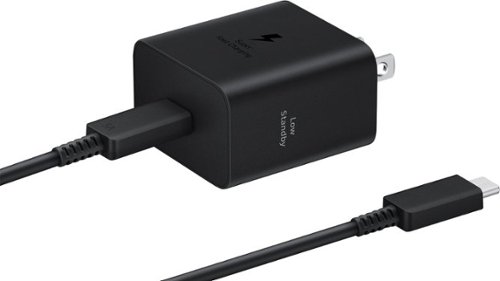
The 45W Power Adapter is your companion for fast charging and high efficiency. Designed to seamlessly integrate with your Galaxy devices, this power adapter ensures your device stays powered up wherever your day takes you.
Is this pps 3.0
Hello, thanks for asking us your question about the Samsung 45W Power Adapter. Yes, the advertised Samsung 45W Power Adapter (Model: EP-T4511) supports USB Power Delivery (PD) 3.0 and PPS (Programmable Power Supply). This means it supports Samsung's Super Fast Charging 2.0 at a maximum of 45W. Feel free to contact Support if you have additional questions. Thanks for being a valued Samsung customer. - Debra
4 weeks, 1 day ago
by
Posted by:
Samsung

Meet the new shape of sound ~ Galaxy Buds3 Pro ~ now completely redesigned with improved hardware to bring you deeper into your audio.~ With Galaxy AI,~ your Buds create a great listening experience by optimizing sound based on your surroundings and how you wear them ~ while providing a snug fit for all-day comfort, no matter what you do. Buds3 Pro get how much you love your audio. From jamming while cooking to listening to your favorite show on a crowded subway to taking a work call, your Buds will adjust to the different sounds around you using Adaptive Active Noise Cancellation so you always hear what~s important. Plus, they~re packed with features to create a convenient listening experience ~ from auto-switching~ your audio between your Galaxy phone and your Galaxy PC to immersing you in the latest TV shows with 360 Audio, now available on Samsung TVs.~ And it doesn~t stop there ~ Buds make perfect companions for your Galaxy phone as you travel. Real-time Interpreter with Galaxy AI~ allows you to speak like a local as your phone translates speech right in your Buds so you never miss a word from your local tour guide. No matter what you listen to or how you listen, we~ve redesigned our Buds to give you a great immersive audio experience with Galaxy Buds3 Pro.
Did these earbuds have a transparency mode?
Hey Haley, thanks for asking us your question about the Samsung Galaxy Buds3 Pro. Yes, the advertised Galaxy Buds3 Pro feature Ambient Sound (transparency) mode. It also includes an Adaptive Active Noise Cancellation (ANC) feature that can automatically switch between full ANC and transparency depending on your environment. If you have additional questions for us, please let us know by reaching out to Support. Thank you for being a dedicated Samsung customer. - Debra
4 weeks, 1 day ago
by
Posted by:
Samsung
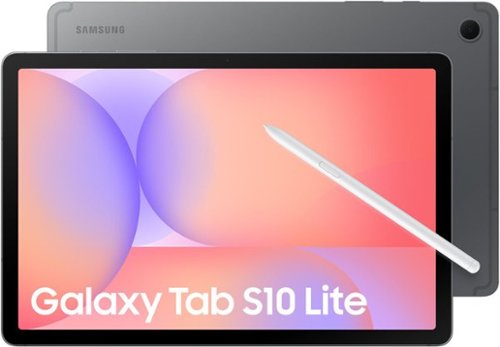
Make the most of your fun with the stylish Galaxy Tab S10 Lite. Streaming, scrolling and reading are captivating on the vivid 10.9" display. If you want to unleash your creativity, you can draw, sketch and color with natural feeling precision thanks to the responsive design of S Pen. The Exynos 1380 processor makes multitasking easier, and the 256GB internal storage allows you to download and keep more of your favorite videos, apps and photos. Tab S10 Lite is more than just fun; it has intelligent features that make getting things done easy. Clean up your notes, solve trigonometric equations and search in a snap. Have your AI assistant at your fingertips with the AI Hot Key on your keyboard. You can even control all connected smart devices in your home right from your Tab S10 Lite without leaving the couch. Tab S10 Lite is built for your everyday. It is durable enough to stand up to the occasional splash, yet still light and stylish enough to be your perfect accessory. Do all the things you love to do with Galaxy Tab S10 Lite.
Can I install Microsoft words
Hello Marcia, thanks for reaching out with your question about the Samsung Galaxy Tab S10 Lite. Yes, you can use Microsoft Word on the advertised Galaxy Tab S10 Lite. You can easily download the official Word app directly from the Google Play Store to your tablet. If you have additional questions, do not hesitate to reach out to Support. Thank you for being an integral past of the Galaxy community! - Debra
4 weeks, 1 day ago
by
Posted by:
Samsung
Meet the new shape of sound ~ Galaxy Buds3 Pro ~ now completely redesigned with improved hardware to bring you deeper into your audio.~ With Galaxy AI,~ your Buds create a great listening experience by optimizing sound based on your surroundings and how you wear them ~ while providing a snug fit for all-day comfort, no matter what you do. Buds3 Pro get how much you love your audio. From jamming while cooking to listening to your favorite show on a crowded subway to taking a work call, your Buds will adjust to the different sounds around you using Adaptive Active Noise Cancellation so you always hear what~s important. Plus, they~re packed with features to create a convenient listening experience ~ from auto-switching~ your audio between your Galaxy phone and your Galaxy PC to immersing you in the latest TV shows with 360 Audio, now available on Samsung TVs.~ And it doesn~t stop there ~ Buds make perfect companions for your Galaxy phone as you travel. Real-time Interpreter with Galaxy AI~ allows you to speak like a local as your phone translates speech right in your Buds so you never miss a word from your local tour guide. No matter what you listen to or how you listen, we~ve redesigned our Buds to give you a great immersive audio experience with Galaxy Buds3 Pro.
Do they translate language automatically?
Salutations Bestbuyfryerforyourbucks, thank you for taking the time to ask us your question about the Samsung Galaxy Buds3 Pro. To use your Galaxy Buds3 Pro for automatic translation, you must pair them with a compatible Samsung Galaxy device running One UI 6.1 or later. The buds use the Galaxy AI Interpreter app to provide real-time, two-way language translation directly into your ears. To set up and activate the auto-translation features: 1. Enable Earbud Controls * Open your Galaxy phone and go to Settings > Earbud controls. * Select the Pinch and hold option for either the left or right earbud. * Assign this shortcut to launch the Interpreter app (or AI features). 2. Configure the Interpreter App * Make sure your buds are connected via Bluetooth. * Swipe down from the top of your phone's screen and tap Interpreter to open the app. (You can also download additional languages from the settings menu). * Set your desired spoken and target languages at the top of the screen. 3. Use Translation Modes * Listening Mode (One-way): Tap the single chat bubble (Listening Mode) on the left side of the app. Tap the microphone/record icon at the bottom of the screen. The buds will listen to the speaker and play the translation in your ear while showing the text on the screen. * Conversation Mode (Two-way): Point your phone's microphone toward the person you are speaking with. Pinch and hold your earbud, or tap the microphone icon. Your translated voice will play through your phone's speaker, while the other person's translated speech will play directly into your earbuds. Hope that helps answer your question! If you have any other questions, please feel free to contact Support. Thank you for being a valued Samsung customer. - Debra
4 weeks, 1 day ago
by
Posted by:
Samsung
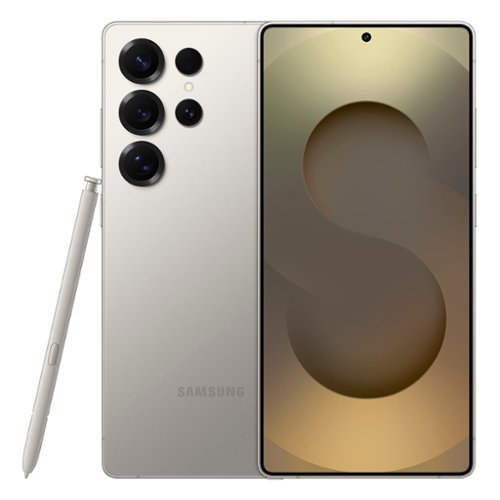
Samsung - Galaxy S25 Ultra 256GB (Unlocked) - Titanium Gray
Staying in the moment is easier than ever with the all-new Galaxy S25 Ultra. Its intelligent AI transforms into your own virtual assistant that evolves with you to work better for you. Let~s say you want to enjoy a night out with friends but don~t have time to plan. Just ask Galaxy S25 Ultra to invite your friends to the nearest bowling lounge tonight. Your phone will find the info and text it to them. You don~t need to slow down your speech or speak like a robot ~just talk to your phone naturally, and it will understand. While you~re out rolling spares, Night Video brings out the details in every moment ~even in low light ~while Audio Eraser makes it easy to reduce distracting noises, like those pins crashing one lane over. Galaxy S25 Ultra also keeps up with your schedule and provides the weather forecast for your night, allowing you to stay a step ahead and adjust plans on the fly. With a phone as evolved as Galaxy S25 Ultra, you don~t have to sweat the small stuff ~it~s handled intelligently.
The specific phone is it brand new or is it refurbished?
Greetings LuLu, thanks for asking us your question about the Samsung Galaxy S25 Ultra. The advertised unlocked Galaxy S25 Ultra is a new device with a 12-month manufacture warranty for manufacturing defects in materials and workmanship. If you have additional questions, let us know by reaching out to Support. Thank you for being a faithful Samsung customer. - Debra
4 weeks, 1 day ago
by
Posted by:
Samsung

Featuring a matte screen for a print like finish, Pantone Validated colors, and a slim customizable bezel that looks like a gallery frame, the TV for art lovers has access to curated works from top tier galleries and museums to blend into any style or d~cor. Samsung Vision AI powers superb picture, sound and personalized TV experiences.
What is the actual width and height of the tv?
Hi Bea - You can find these measurements on this model’s product page – just click Specifications and scroll down to Dimensions: https://www.bestbuy.com/product/samsung-65-class-ls03fa-the-frame-series-qled-4k-uhd-art-mode-samsungvision-ai-smart-tv-w-wall-mount-2025/J3ZYGXCV3T
~ Samsung Specialist
~ Samsung Specialist
4 weeks, 1 day ago
by
Posted by:
Samsung
Meet the new shape of sound ~ Galaxy Buds3 Pro ~ now completely redesigned with improved hardware to bring you deeper into your audio.~ With Galaxy AI,~ your Buds create a great listening experience by optimizing sound based on your surroundings and how you wear them ~ while providing a snug fit for all-day comfort, no matter what you do. Buds3 Pro get how much you love your audio. From jamming while cooking to listening to your favorite show on a crowded subway to taking a work call, your Buds will adjust to the different sounds around you using Adaptive Active Noise Cancellation so you always hear what~s important. Plus, they~re packed with features to create a convenient listening experience ~ from auto-switching~ your audio between your Galaxy phone and your Galaxy PC to immersing you in the latest TV shows with 360 Audio, now available on Samsung TVs.~ And it doesn~t stop there ~ Buds make perfect companions for your Galaxy phone as you travel. Real-time Interpreter with Galaxy AI~ allows you to speak like a local as your phone translates speech right in your Buds so you never miss a word from your local tour guide. No matter what you listen to or how you listen, we~ve redesigned our Buds to give you a great immersive audio experience with Galaxy Buds3 Pro.
What is the warranty
Hey there Zest, thanks for finding the opportunity to ask us your question about the Samsung Galaxy Buds3 Pro. The Galaxy Buds3 Pro have a 12-month manufacture warranty for manufacturing defects in materials and workmanship. Please feel free to reach out to Support if you have any other questions. Thank you for choosing Samsung! - Debra
4 weeks, 1 day ago
by
Posted by:
Samsung
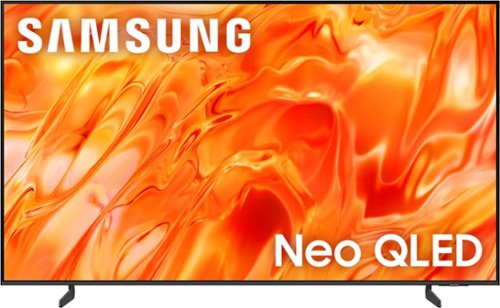
Mini LEDs are made better with Quantum Dots to deliver astonishing brightness and 100% color volume. Precise backlighting unlocks captivating contrast with dazzling highlights, while advanced AI processing dynamically adjusts how your content looks and sounds to augment what you're watching , whether it's a thrilling live soccer match or your favorite old movie.
How do I get a online user manual?
Hi there - You can download the full e-Manual and more by visiting Samsung’s website then navigating to: Support > Manual & Software > TVs & Home Theater. From there, you can search for and select your TV model to view or download the available guides.
~ Samsung Specialist
~ Samsung Specialist
4 weeks, 1 day ago
by
Posted by:
Samsung
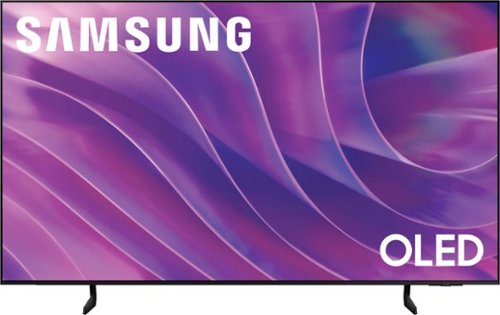
Self-illuminating pixels deliver the dramatic contrast of OLED and dazzling, expert-validated color, driven by our advanced AI processor. Experience a stunning picture with enhanced brightness and depth, all in a sleek design with a thin bezel. Dive into your content with Samsung Vision AI experiences and immerse yourself in multi-dimensional audio with top-firing speakers.
How do you synchronize sound with Bluetooth earbuds?
Hi Jo - This will depend on the type of Bluetooth earbuds you're using. Please give us the opportunity to better assist with this by reaching Samsung Support at: 1-800-SAMSUNG (8AM – 9PM EST Mon – Fri, 8AM – 6PM Sat – Sun) or Chat with us on Samsung.com: https://www.samsung.com/us/support/contact/
~ Samsung Specialist
~ Samsung Specialist
4 weeks, 1 day ago
by
Posted by:
Samsung