Lenovo Product Expert
Lenovo Product Expert's Stats
Reviews
- Review Count0
- Helpfulness Votes0
- First ReviewNone
- Last ReviewNone
- Featured Reviews0
- Average Rating0
Reviews Comments
- Review Comment Count0
- Helpfulness Votes0
- First Review CommentNone
- Last Review CommentNone
- Featured Review Comments0
Questions
- Question Count0
- Helpfulness Votes0
- First QuestionNone
- Last QuestionNone
- Featured Questions0
- Answer Count37808
- Helpfulness Votes24,833
- First AnswerApril 21, 2014
- Last AnswerOctober 9, 2026
- Featured Answers0
- Best Answers2827
Lenovo Product Expert's Reviews
Lenovo Product Expert has not submitted any reviews.
Lenovo Product Expert's Questions
Lenovo Product Expert has not submitted any questions.
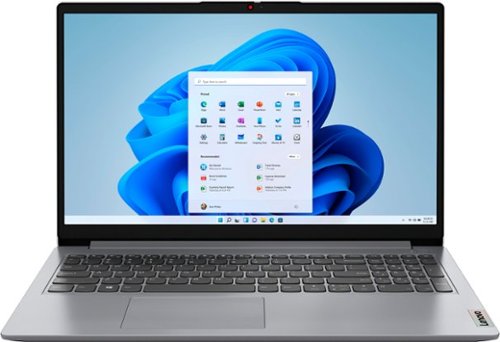
Lenovo - Ideapad 1 15.6" FHD Touch-Screen Laptop - Ryzen 7 5700U - 12GB Memory - 512GB SSD - Cloud Grey
Browse, explore and connect with confidence on the Lenovo IdeaPad 1 powered by ultra-fast AMD Ryzen~ 5000 U Series Mobile Processors on selected models. The IdeaPad 1 packs responsive performance in a thin and compact 17.9 mm chassis, making multitasking on-the-go a breeze. Get the most out of your device with a frameless display for more screen and Dolby Audio~ speakers, along with 10 hours of battery life and rapid charge. Great for video calls, the 1MP camera comes with a privacy shutter to keep out spying eyes, as well as Smart Noise Cancelling to eliminate background noise.
Does this laptop have a fingerprint scanner and/or Face ID?

No. There is no biometric security feature within this Lenovo IdeaPad 1 15 Laptop, model number 82R4002PUS.
4 years, 3 months ago
by
Posted by:
Lenovo Product Expert
Lenovo - Ideapad 1 15.6" FHD Touch-Screen Laptop - Ryzen 7 5700U - 12GB Memory - 512GB SSD - Cloud Grey
Browse, explore and connect with confidence on the Lenovo IdeaPad 1 powered by ultra-fast AMD Ryzen~ 5000 U Series Mobile Processors on selected models. The IdeaPad 1 packs responsive performance in a thin and compact 17.9 mm chassis, making multitasking on-the-go a breeze. Get the most out of your device with a frameless display for more screen and Dolby Audio~ speakers, along with 10 hours of battery life and rapid charge. Great for video calls, the 1MP camera comes with a privacy shutter to keep out spying eyes, as well as Smart Noise Cancelling to eliminate background noise.
Does this Laptop have a backlit keyboard?
No. This Lenovo IdeaPad 1 15 Laptop, model number 82R4002PUS, does not have a backlit keyboard.
4 years, 3 months ago
by
Posted by:
Lenovo Product Expert
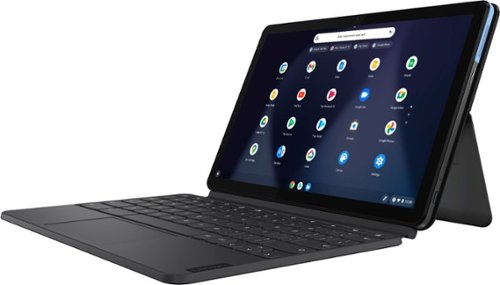
Lenovo - IdeaPad Duet Chromebook - 10.1 (1920x1200) Touch 2-in-1 Tablet - MediaTek P60T - 4G RAM - 128G eMCP4x - with Keyboard - Ice Blue + Iron Gray
Work on pending assignments while on the move with this Lenovo Chromebook Duet. The 10.1-inch touch screen provides an interactive user experience, while the 128GB of internal storage offer ample space for apps and media files. This Lenovo Chromebook Duet features a MediaTek Helio P60T processor and 4GB of RAM for effortless multitasking.
Can I download SD card photos
This Lenovo Chromebook Duet, model number ZA6F0016US, does not have a built in SD Card slot. It does ships with 1x USB-C 2.0 (support data transfer, OTG, Power Delivery, and DisplayPort) port. If your SD Card is compatible with the Chrome Operating System, you can uses a USB-c to USB adapter like this one: https://www.bestbuy.com/site/platinum-usb-a-to-usb-c-adapter-usb-3-0-spec-gray/6363182.p?skuId=6363182, to connect an external SD Card reader that is compatible with the SD Card size you will be using. Be sure both the format of the SD Card and the files you want to transfer are compatible with the Chrome Operating System on the Lenovo Chromebook Duet.
4 years, 3 months ago
by
Posted by:
Lenovo Product Expert
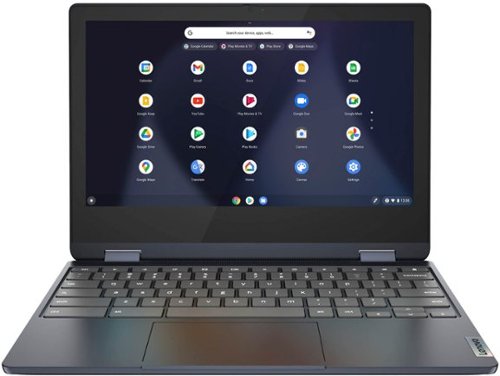
Lenovo - Flex 3 Chromebook 11.6" HD Touch-screen Laptop - Mediatek MT8183 - 4GB - 64GB eMMC - Abyss Blue
Packs what makes Chromebook so amazing into one svelte 360-degree convertible. Versatile and portable, the IdeaPad Flex 3 Chromebook measures just 19.6 mm thick and weighs 1.2 kg with a full keyboard and spacious trackpad, and can be viewed in tent, tablet, laptop or stand modes. Watch crisp visuals in high definition with its 10-point touchscreen on the 11.6" IPS display while being more productive with help from Google. Just say ~Hey Google,~ to manage tasks, enjoy your entertainment, get answers, or control smart home devices.
Hi I will be taking the laptop in Europe, can it connect on their WI-FI? Thank you so much
This Lenovo Flex 3 11 Chromebook, model number 82KM0003US, ships with 2x2 802.11ac frequency WiFi capability built in, which is used in many European Countries. Here is a link to more information about WiFi compatibility Internationally: https://alittledriftless.com/2017/05/09/world-wide-wifi-a-practical-guide-to-remote-work-in-western-europe/
4 years, 3 months ago
by
Posted by:
Lenovo Product Expert
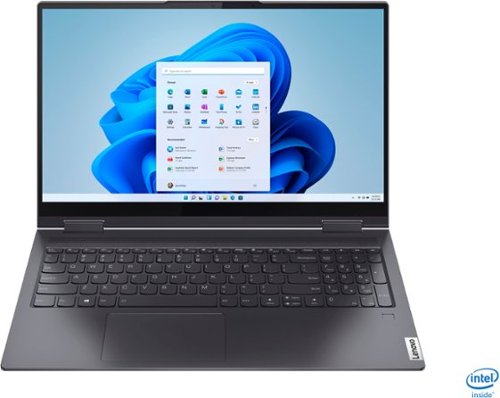
Lenovo - Yoga 7i 2-in-1 15.6" Touch Screen Laptop - Intel Core i5 - 8GB Memory - 256GB Solid State Drive - Slate Grey
The Lenovo Yoga 7i 15" combines versatile portability and enhanced productivity, thanks to the boundary-breaking performance and responsiveness of 11th generation Intel Core i5 processors and vibrant FHD clarity with Intel Iris Xe graphics. Go anywhere with a sleek 2-in-1 metal chassis featuring thoughtful details including a webcam privacy shutter..
Does this computer come loaded with a scanning software? If not, what scanning application is recommended for the Lenovo Yoga 7i?
Your scanner will need to be compatible with Windows 11 Operating System and will usually come with driver software to install on a Windows 11 computer like this Lenovo Yoga 7i 15. Here is a link to more information about scanning with a Windows computer: https://www.howtogeek.com/791848/how-to-scan-a-document-on-windows-10-or-windows-11/
4 years, 3 months ago
by
Posted by:
Lenovo Product Expert

Lenovo - Chromebook 3 11.6" HD Laptop - Celeron N4020 - 4GB Memory - 64GB eMMC - Onyx Black
Fast, flexible, and fun, the Lenovo IdeaPad 3 Chromebook 11" brings everyone~s favorite Chromebook features, housed in a slim chassis, running on the lightning-fast Chrome OS that boots up in seconds, updates automatically, and is protected by built-in virus protection. Powered by Intel Celeron processor offers up to 10 hours of battery life, to seamlessly run all of your favorite apps at the same time.
Can you run zoom on this laptop?
That really will depend on the requirements and compatibility of the specific video conferencing APP you want to use. This Lenovo Chromebook 3 11, model number 82BA001FUS, ships with an HD (720p) webcam and microphone, built in. This Chromebook 3 11 uses the Chrome Operating System and is compatible with Google Play Store APPs. Not all APPs at the Google Play Store are optimized for the Chrome OS. We recommend you the specific video conferencing APPs software publisher's web site that you want to use, for their compatibility with the Chrome operating system and the minimum/recommended hardware requirements (Is a Graphics card required, the processor speed and the minimum required system RAM and the minimum available hard drive space) to run their program, then compare those requirements to this Chromebook's configuration.
4 years, 3 months ago
by
Posted by:
Lenovo Product Expert
Lenovo - IdeaPad Duet Chromebook - 10.1 (1920x1200) Touch 2-in-1 Tablet - MediaTek P60T - 4G RAM - 128G eMCP4x - with Keyboard - Ice Blue + Iron Gray
Work on pending assignments while on the move with this Lenovo Chromebook Duet. The 10.1-inch touch screen provides an interactive user experience, while the 128GB of internal storage offer ample space for apps and media files. This Lenovo Chromebook Duet features a MediaTek Helio P60T processor and 4GB of RAM for effortless multitasking.
Is this device compatable with Square?
That will depend on the requirements and compatibility of both the hardware and software you want to use with this Lenovo Chromebook Duet, model number ZA6F0016US. The Chromebook Duet ships with the Chrome Operating System and has 1x USB-C 2.0 (support data transfer, OTG, Power Delivery, and DisplayPort) port. We recommend you check with both the hardware manufacturer's web site as well as the software publisher's web site, of both the hardware and software you will need to use, for their compatibility with the Chrome operating system and the minimum/recommended hardware requirements (Is a Graphics card required, the processor speed, port connection required and the minimum required system RAM and the minimum available hard drive space) to run their device, then compare those requirements to this Chromebook's configuration.
4 years, 3 months ago
by
Posted by:
Lenovo Product Expert
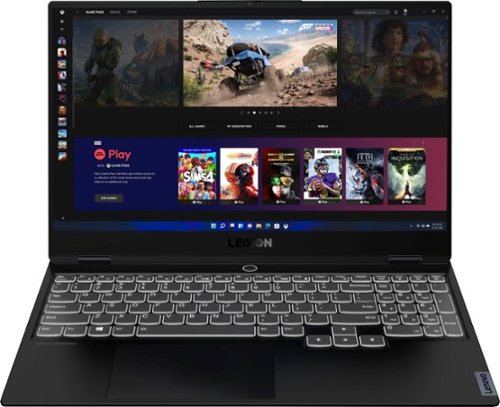
Lenovo - Legion Slim 7 15" 4K Ultra HD Gaming Laptop - AMD Ryzen 9 5900HX - 16GB Memory - NVIDIA GeForce RTX 3050 Ti - 1TB SSD - Shadow Black
The Lenovo~ Legion Slim 7 was engineered for gamers who demand mobility and performance for day and night. Sporting a finely crafted chassis machined from 100% aluminum that is shockingly thin and impressively light, the Legion Slim 7 was expertly crafted for gamers who demand more.
I bought a legion 7 less than 3 months ago , but now its showing some purple dots on my screen on dark colors but when its white it doesn~t show , what could it be
We are sorry to hear that you are having issues with the screen image of your Lenovo Legion Slim 7 15 Gaming Laptop, Content Creator's Configuration, model number 82K80081US. We recommend you contact Lenovo Legion Ultimate Support for help with the issue at: 888-278-9707.
4 years, 3 months ago
by
Posted by:
Lenovo Product Expert
Lenovo - Flex 3 Chromebook 11.6" HD Touch-screen Laptop - Mediatek MT8183 - 4GB - 64GB eMMC - Abyss Blue
Packs what makes Chromebook so amazing into one svelte 360-degree convertible. Versatile and portable, the IdeaPad Flex 3 Chromebook measures just 19.6 mm thick and weighs 1.2 kg with a full keyboard and spacious trackpad, and can be viewed in tent, tablet, laptop or stand modes. Watch crisp visuals in high definition with its 10-point touchscreen on the 11.6" IPS display while being more productive with help from Google. Just say ~Hey Google,~ to manage tasks, enjoy your entertainment, get answers, or control smart home devices.
Hello I purchased this laptop for my son to draw on. Do I need to purchase software for him to do this? D.Hammork
This Lenovo Flex 3 11 Chromebook, model number 82KM0003US, is not compatible with any active/digital pen. Your son can use a capacitive touch stylus as a finger replacement on the screen, like this one: https://www.bestbuy.com/site/insignia-slim-stylus-maroon/4400306.p?skuId=4400306. This Lenovo Flex 3 11 Chromebook is compatible with Google Play Store APPs. You can look for drawing APPs there.
4 years, 3 months ago
by
Posted by:
Lenovo Product Expert
Lenovo - Ideapad 1 15.6" FHD Touch-Screen Laptop - Ryzen 7 5700U - 12GB Memory - 512GB SSD - Cloud Grey
Browse, explore and connect with confidence on the Lenovo IdeaPad 1 powered by ultra-fast AMD Ryzen~ 5000 U Series Mobile Processors on selected models. The IdeaPad 1 packs responsive performance in a thin and compact 17.9 mm chassis, making multitasking on-the-go a breeze. Get the most out of your device with a frameless display for more screen and Dolby Audio~ speakers, along with 10 hours of battery life and rapid charge. Great for video calls, the 1MP camera comes with a privacy shutter to keep out spying eyes, as well as Smart Noise Cancelling to eliminate background noise.
Will this laptop run minecraft ?
That will depend on the requirements and compatibility of the specific game you want to run. This Lenovo IdeaPad 1 15 Laptop, model number 82R4002PUS, ships with Windows 11 S-Mode, 64-bit Operating System installed. Windows 11 S-Mode provides added security by only allowing APPs available ( and therefore certified by Microsoft) at the Microsoft Store. If you don't need the added security or you need to install APPs not available at the Microsoft Store, you can switch to standard Windows 11 Home 64-bit Operating System, at no additional cost. We recommend you check with the specific game's software publisher's web site for their compatibility with Windows 11 S-Mode 64-bit operating system and the minimum/recommended hardware requirements (Is a Graphics card required, the processor speed and the minimum required system RAM and the minimum available hard drive space) to run their program, then compare those requirements to this system's configuration. If you choose to switch out of S-Mode for Windows 11 Home: Here is a link to instructions for switching from Windows 11 S-Mode to Windows 11 Home: https://support.microsoft.com/en-us/help/4456067/windows-10-switch-out-of-s-mode
4 years, 3 months ago
by
Posted by:
Lenovo Product Expert