Lenovo Product Expert
Lenovo Product Expert's Stats
Reviews
- Review Count0
- Helpfulness Votes0
- First ReviewNone
- Last ReviewNone
- Featured Reviews0
- Average Rating0
Reviews Comments
- Review Comment Count0
- Helpfulness Votes0
- First Review CommentNone
- Last Review CommentNone
- Featured Review Comments0
Questions
- Question Count0
- Helpfulness Votes0
- First QuestionNone
- Last QuestionNone
- Featured Questions0
- Answer Count37808
- Helpfulness Votes24,833
- First AnswerApril 21, 2014
- Last AnswerOctober 9, 2026
- Featured Answers0
- Best Answers2827
Lenovo Product Expert's Reviews
Lenovo Product Expert has not submitted any reviews.
Lenovo Product Expert's Questions
Lenovo Product Expert has not submitted any questions.
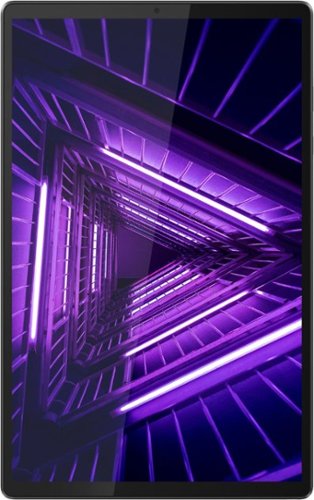
Lenovo - Tab M10 FHD Plus (2nd Gen) - 10.3" - Tablet - 128GB - Iron Gray
Lenovo~ Tab M10 Plus is one impressive media tablet from the 2nd generation tab family. Its standout metal design gives you a premium look and feel with modern simplicity. Inside lies a 10.3" FHD screen and dual speakers for truly immersive entertainment. This is one tablet you will want to use and pass around the house.
can a stylus be used with this tablet?

This Lenovo Tab M10 Plus Tablet, model number ZA5T0381US, is not compatible with any active/digital pen. You can use a capacitive touch stylus as a finger replacement on the touch screen of this tablet, like this one: https://www.bestbuy.com/site/insignia-stylus-silver/3695185.p?skuId=3695185
4 years, 3 months ago
by
Posted by:
Lenovo Product Expert
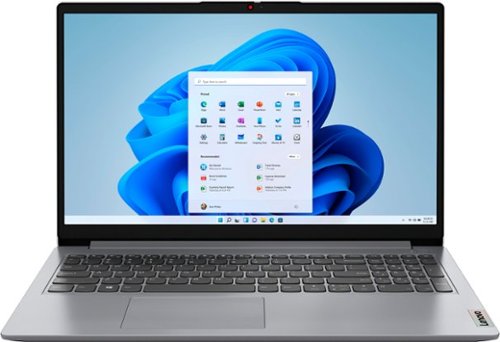
Lenovo - Ideapad 1 15.6" FHD Touch-Screen Laptop - Ryzen 7 5700U - 12GB Memory - 512GB SSD - Cloud Grey
Browse, explore and connect with confidence on the Lenovo IdeaPad 1 powered by ultra-fast AMD Ryzen~ 5000 U Series Mobile Processors on selected models. The IdeaPad 1 packs responsive performance in a thin and compact 17.9 mm chassis, making multitasking on-the-go a breeze. Get the most out of your device with a frameless display for more screen and Dolby Audio~ speakers, along with 10 hours of battery life and rapid charge. Great for video calls, the 1MP camera comes with a privacy shutter to keep out spying eyes, as well as Smart Noise Cancelling to eliminate background noise.
What is the ram speed?
This Lenovo IdeaPad 1 15 Laptop, model number 82R4002PUS, ships with 12GB DDR4-3200MHz RAM (8GB Soldered DDR4-3200 + 4GB SO-DIMM DDR4-3200MHz RAM).
4 years, 3 months ago
by
Posted by:
Lenovo Product Expert
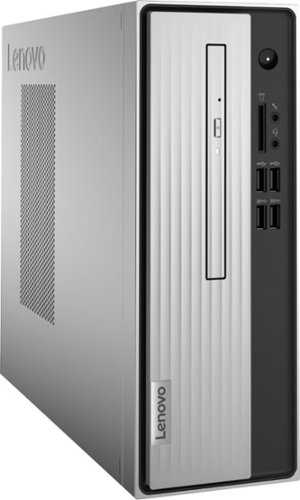
Lenovo - IdeaCentre 3 07ADA Desktop - AMD Athlon -Series - 4GB Memory - 1TB HDD - Silver
Lenovo IdeaCentre 3 07ADA Desktop: Get the job done with this silver Lenovo IdeaCentre 3 desktop computer. An AMD Athlon 3050U processor and 4GB of RAM run multiple programs simultaneously for increased productivity, while the 1TB HDD offers vast storage space for your files and applications. This Lenovo IdeaCentre 3 desktop computer includes a wired mouse and keyboard for easy operation.
does it run Windows 11
This Lenovo IdeaCentre 3 Desktop Computer, model number 90MV0001US, ships with Windows 10 Home, 64-bit Operating System installed. This model also ships with the Firmware TPM 2.0 Security Chip, integrated in chipset that is required for upgrading to Windows 11. Here is a link to more information about upgrading to Windows 11: https://docs.microsoft.com/en-us/windows/whats-new/windows-11-requirements
4 years, 3 months ago
by
Posted by:
Lenovo Product Expert
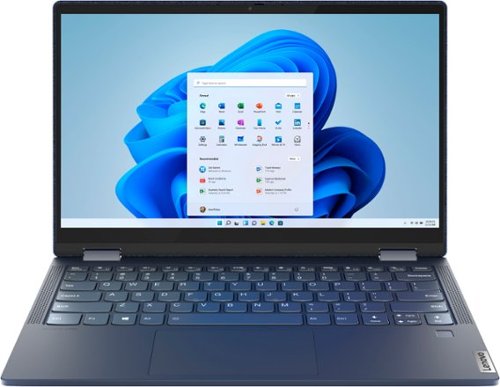
Lenovo - Yoga 6 13 2-in-1 13.3" Touch Screen Laptop - AMD Ryzen 5 - 8GB Memory - 256GB SSD - Abyss Blue with Fabric Cover
The Lenovo~ Yoga~ 6 is an ultra-portable 2-in-1 that combines unique style with the powerful responsiveness of an AMD Ryzen~ 5000 Series Mobile Processor, abundant memory and SSD storage. Enjoy a rich multimedia experience with the clarity of a 13.3" FHD touchscreen display, and enveloping sound with Dolby Atmos~-optimized stereo speakers.
Can I get a new charger for this laptop the one that came with it won't work
This Lenovo Yoga 6 13, model number 82ND006YUS, ships with a 45W USB-C (3-pin) AC adapter/charger, supports PD 3.0, 100-240V, 50-60Hz, included. There is only one USB-c port on the Yoga 6 13 that can charge the computer. It is on the left side of the computer and has an electric plug icon next to it. There is an LED light next to this charging port that will light up when the AC adapter/charger is plugged in and charging the computer. You can put the cursor over the Battery Icon at the bottom right corner of the Windows 11 Screen to check the current battery charge level. If the battery has a charge level over 50 Percent, unplug the computer and let the battery level drop below 50 Percent. Once the battery level is below 50 Percent, plug the charger in and the battery will begin charging normally to a full 100 Percent charge. If you need to replace the USB-c 45W Charger, here is a link to a compatible replacement: https://www.bestbuy.com/site/lenovo-power-adapter-for-tablet-10-thinkpad-11-11e-chromebook-thinkpad-13-13-chromebook-thinkpad-a275-a285-and-a475-black/5969701.p?skuId=5969701. If you have questions about your Lenovo Yoga 6 13, we recommend you contact Lenovo Tech Support for additional help at: 877-453-6686.
4 years, 3 months ago
by
Posted by:
Lenovo Product Expert
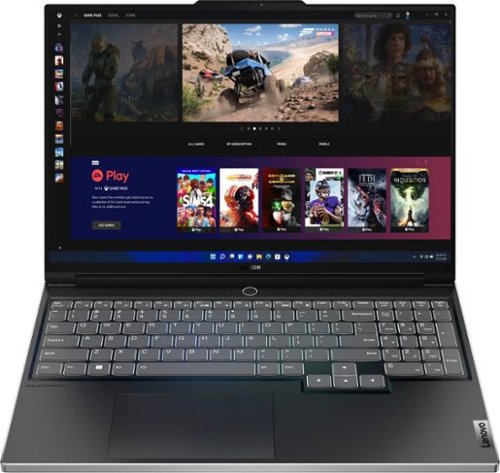
Lenovo - Legion Slim 7i 16" Full HD Gaming Laptop - Core i7-12700H - 16GB Memory - NVIDIA GeForce RTX 3060 - 512GB SSD - Onyx Grey
Engineered for those who know gaming is a way of life, the Lenovo~ Legion Slim 7, in Onyx Grey, is calibrated for next-gen creation and gaming alike. Redefine gaming experiences with the latest generation Intel Core i7 processor and NVIDIA GeForce RTX graphics that are AI-optimized via the Legion AI Engine, all the while cooled by the Legion Coldfront 3.0~s thermal system. The Legion Slim 7~s light and exhilarating design is further machined from an Aluminum and Magnesium blend that defies all basic laws of laptop engineering. Crush the competition in WUXGA for immersive gaming anywhere life takes you.
What is the TGP of the RTX 3060 GPU in this machine?
This Lenovo Legion Slim 7i 16 Gaming Laptop, model number 82TF000RUS, ships with the NVIDIA GeForce RTX 3060 GPU, with 6GB GDDR6 VRAM on the card, has a Boost Clock of 1605MHz and a TGP of 100W.
4 years, 3 months ago
by
Posted by:
Lenovo Product Expert
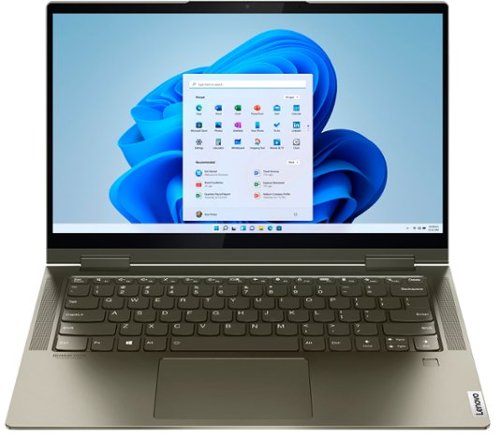
Lenovo - Yoga 7i 2-in-1 14" Touch Screen Laptop - Intel Evo Platform Core i5 - 12GB Memory - 512GB Solid State Drive - Dark Moss
The Lenovo Yoga 7i 14" combines versatile portability and enhanced productivity, thanks to the boundary-breaking performance and responsiveness of 11th generation Intel Core i5 processors and vibrant FHD clarity with Intel Iris X graphics. Go anywhere with a sleek 2-in-1 metal chassis featuring thoughtful details including a webcam privacy shutter.
When buying a thumb drive to transfer data to is it compatible with a USB2.0 or can I use a USB3.0? And would that be advised? Thanks so much in advance
Images for this Question
(click to see full-size image)

This Intel Evo-Certified, Lenovo Yoga 7i 14, model number 82BH00DQUS, ships with these ports: 1x USB 3.2 Gen 1 (Always On), 1x Headphone / microphone combo jack (3.5mm), 2x Thunderbolt 4 (support data transfer, Power Delivery 3.0, and DisplayPort 1.4). If purchasing a new external USB Flash Drive, you can use up to a USB 3.2 Gen 1 compatible Flash Drive, like this one: https://www.bestbuy.com/site/kingston-datatraveler-kyson-32gb-high-performance-usb-3-2-gen-1-metal-usb-flash-drive-dtkn-32gb/6489856.p?skuId=6489856
4 years, 3 months ago
by
Posted by:
Lenovo Product Expert
Lenovo - Ideapad 1 15.6" FHD Touch-Screen Laptop - Ryzen 7 5700U - 12GB Memory - 512GB SSD - Cloud Grey
Browse, explore and connect with confidence on the Lenovo IdeaPad 1 powered by ultra-fast AMD Ryzen~ 5000 U Series Mobile Processors on selected models. The IdeaPad 1 packs responsive performance in a thin and compact 17.9 mm chassis, making multitasking on-the-go a breeze. Get the most out of your device with a frameless display for more screen and Dolby Audio~ speakers, along with 10 hours of battery life and rapid charge. Great for video calls, the 1MP camera comes with a privacy shutter to keep out spying eyes, as well as Smart Noise Cancelling to eliminate background noise.
can this device use the lenovo digital pen?
No. This Lenovo IdeaPad 1 15 Laptop, model number 82R4002PUS, is not compatible with any active/digital pen.
4 years, 3 months ago
by
Posted by:
Lenovo Product Expert
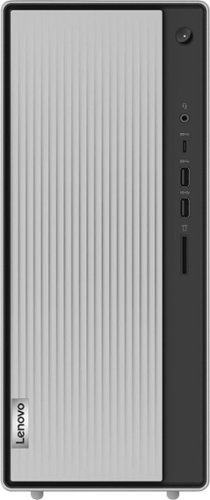
Lenovo - IdeaCentre 5i Desktop - Intel Core i3 - 8GB Memory - 512GB SSD - Mineral Grey
Lenovo IdeaCentre 5i is a powerful, contemporary desktop powered by the latest Intel Core processors. Featuring gaming-grade graphics, fast DDR4 memory, and plenty ofstorage, it~s up to the task of having fun and will immerse you in it~and looks great in your home.
Can I connect a Flash Drive and a printer to it, at the same time?
Yes. This Lenovo IdeaCentre 5i Desktop Computer, model number 90RJ0080US, ships with these ports: Front Ports - 1x USB 3.2 Gen 1, 1x USB 3.2 Gen 2, 1x USB-C 3.2 Gen 1 (support data transfer and 5V@3A charging), 1x headphone / microphone combo jack (3.5mm). Rear Ports - 4x USB 2.0, 1x VGA, 1x HDMI 2.0, 1x Ethernet (RJ-45), 1x headphone (3.5mm). This IdeaCentre 5i also ships with WiFi-5, 2x2 802.11ac frequency WiFi for wireless connectivity to a compatible printer or other WiFi compatible peripheral devices.
4 years, 3 months ago
by
Posted by:
Lenovo Product Expert
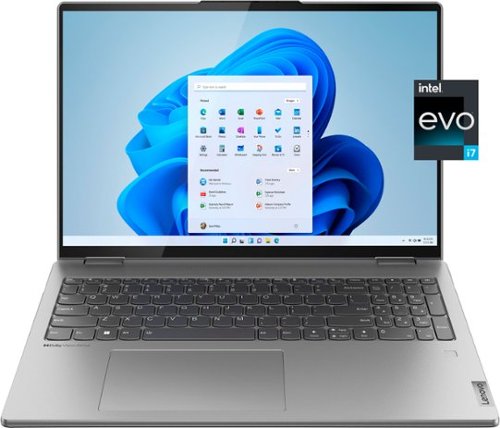
Lenovo - Yoga 7i 16" 2.5K Touch 2-in-1 Laptop - Intel Evo Platform - Core i7-1260P - 16GB Memory - 512GB SSD - Arctic Grey
The Lenovo Yoga 7i combines versatile portability and enhanced productivity, thanks to the boundary-breaking performance and responsiveness of 12th generation Intel Core processors and vibrant WQXGA clarity with Intel Iris Xe 96EU graphics. Go anywhere with a sleek 2-in-1 metal chassis featuring thoughtful details including a webcam privacy shutter.
Can the ssd be upgraded? Is there an additional nvme slot?
This Lenovo Yoga 7i 16, model number 82QG0000US, ships with a 512GB M.2 2242 PCIe 4.0x4 NVMe solid state hard drive installed. The maximum storage capacity that this model configuration can support is: One drive, up to 1TB M.2 2242 SSD. We recommend you consult with your certified technician about your storage upgrade options.
4 years, 3 months ago
by
Posted by:
Lenovo Product Expert
Lenovo - Yoga 7i 16" 2.5K Touch 2-in-1 Laptop - Intel Evo Platform - Core i7-1260P - 16GB Memory - 512GB SSD - Arctic Grey
The Lenovo Yoga 7i combines versatile portability and enhanced productivity, thanks to the boundary-breaking performance and responsiveness of 12th generation Intel Core processors and vibrant WQXGA clarity with Intel Iris Xe 96EU graphics. Go anywhere with a sleek 2-in-1 metal chassis featuring thoughtful details including a webcam privacy shutter.
What is the camera resolution? 720p or 1080p?
This Lenovo Yoga 7i 16, model number 82QG0000US, ships with a FHD 1080p & IR (Infrared) with Privacy Shutter and Windows Hello Facial Recognition capability, built in.
4 years, 3 months ago
by
Posted by:
Lenovo Product Expert