Lenovo Product Expert
Lenovo Product Expert's Stats
Reviews
- Review Count0
- Helpfulness Votes0
- First ReviewNone
- Last ReviewNone
- Featured Reviews0
- Average Rating0
Reviews Comments
- Review Comment Count0
- Helpfulness Votes0
- First Review CommentNone
- Last Review CommentNone
- Featured Review Comments0
Questions
- Question Count0
- Helpfulness Votes0
- First QuestionNone
- Last QuestionNone
- Featured Questions0
- Answer Count37809
- Helpfulness Votes24,834
- First AnswerApril 21, 2014
- Last AnswerOctober 9, 2026
- Featured Answers0
- Best Answers2828
Lenovo Product Expert's Reviews
Lenovo Product Expert has not submitted any reviews.
Lenovo Product Expert's Questions
Lenovo Product Expert has not submitted any questions.
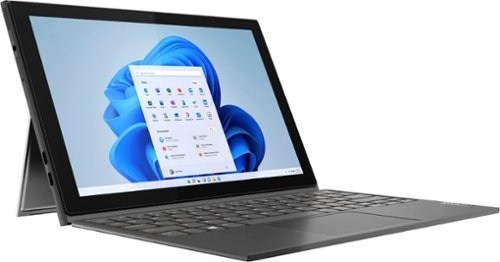
Lenovo - IdeaPad Windows Duet 3i - 10.3" (1920x1200) Touch 2-in-1 Tablet - Celeron N4020 - 4GB RAM - 128GB eMMC - with Keyboard - Graphite Grey
With a detachable Bluetooth keyboard and folio kickstand, you can detach yourself from the ordinary on the Lenovo~ IdeaPad~ Duet 3i and use your keyboard remotely from the tablet portion of the PC.
Can a pen or stylus be used/compatible with the device?

This Lenovo Windows Duet 3i, model number 82AT00F2US, does not support an active/digital pen. You could use a capacitive touch stylus as a finger replacement on the touch screen, like this one: https://www.bestbuy.com/site/insignia-slim-stylus-maroon/4400306.p?skuId=4400306
4 years, 5 months ago
by
Posted by:
Lenovo Product Expert
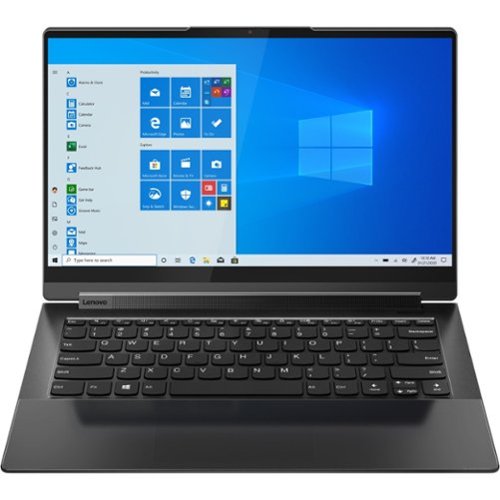
Lenovo - Yoga 9 14ITL5 2-in-1 14" Touch-Screen Laptop - Intel Core i7 with 16GB Memory - 512 GB SSD - Shadow Black
The Yoga 9 14" was engineered to put your experience first. It's packed with innovative features in a sleek 2-in-1 metal chassis in Shadow Black. The 11th Gen Intel Core processor enables you to explore the reaches of your creativity and productivity. And with a 14" up to UHD display optimized with Dolby Vision, you'll enjoy powerfully immersive visuals, combined with a rotating sound bar for three-dimensional audio.
Anyone else getting blue screen/restarts (see pic) and having it constantly freeze up? It requires a manual force shutdown with power key. This laptop is 2 weeks old and I have received 7 blue screens and it has frozen approx. 20-25 times already.
We are sorry to hear that you are having issues with your Intel Evo-Certified, Lenovo Yoga 9i 14, model number 82BG0091US. This model ships with Windows 11 Home, 64-bit Operating System and should not freeze. First, be sure any software you installed is compatible with Windows 11. this would include any legacy software you may have installed from an old computer. Additionally, there is no need to install Microsoft Office software. The software is already part of the operating system, you just need to activate the software with a purchased product key. If you have installed a copy of Microsoft Office, this is conflicting with the existing copy on the system and this will slow your system down. If you have installed a 3rd party anti-virus program, be sure that Windows Defender is turned off and that the trial version of McAfee Anti-Virus software is uninstalled. There can only be one anti-virus program on the system. Here is a link to instructions for uninstalling McAfee from a Windows computer: https://service.mcafee.com/?articleId=TS101331&page=shell&shell=article-view You may need to restore your system to original factory default settings if any of the programming errors have occurred. You can do that by typing "restore" in the Cortana search window. Just click on the magnifying glass icon at the bottom of your Windows 11 Desktop. Click on "Reset This PC" Then click on "Get Started" and follow the on screen directions to restore to factory defaults. If there is no incompatible software installed but the issues persist, now check to be sure you have the latest version of Windows 11 on the computer. Then update all BIOS files and drivers up to that latest version of Windows 11. You can easily accomplish this by scanning the computer with the Lenovo Utility software available on this computer. This system has Lenovo utilities installed to help maintain the health of the device and keep the operating system software up to date. Type "Lenovo Vantage" in the Cortana Search window (if Lenovo Vantage is not installed on your device, you can download the APP and install it now). Select Lenovo Vantage from the list. In the window that opens, click on "Health and Support". In the expanded menu, select "Hardware Scan" In the window that opens, select "Run Quick Tests". This will scan your entire system for errors. Follow any directions that may pop up. If the problem continues after this scan, now click on "System Update". First select Windows update from the menu. Scan your system to be sure you have the latest version of Windows 11. Once that scan is complete, select "Additional Updates". This will scan your device to be sure there are no new BIOS/Driver updates needed. Follow any instructions that may pop up. If the issue continues after these updates, we recommend you call Lenovo Premium Care for additional help at: 888-278-9707.
4 years, 5 months ago
by
Posted by:
Lenovo Product Expert
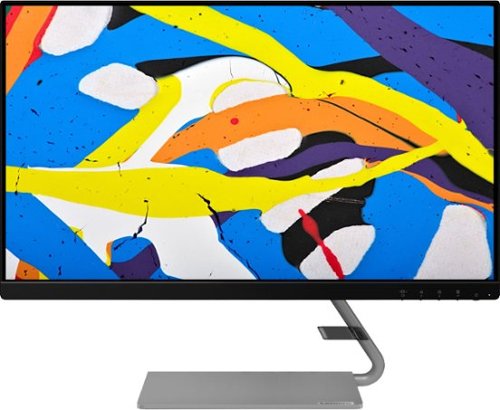
Lenovo - Q24i-1L 23.8" IPS LED FHD FreeSync Monitor Natural Low Blue Light Built-in Speakers (HDMI, VGA) - Black
Add a touch of class and confidence to your living space with the elegantly designed, ultra-slim Lenovo Q24i-1L monitor. Be it in the living room or the study, this sleek display with Full-HD resolution and NearEdgeless bezels bring beauty and functionality together in a perfect 23.8-inch package. Experience superior visuals with its In-Plane Switching display that makes the view from any angle striking. Bid goodbye to eye strain with Natural Low Blue Light and Eyesafe Display Certification that minimize harmful blue light and yellow distortions without impacting color accuracy. Moreover, T~V Rheinland Eye Comfort-certified panel ensures endless viewing comfort. Take your world of entertainment to the next level with the AMD FreeSync~ technology and dual speakers that offer seamless picture quality and rich audio for an immersive experience, every time.
Can the low blue light be turned off? I set this up next to a 27" monitor that does not have low blue light and this one now looks reddish compared to the bright white of the older monitor. It's distracting to look back and forth between them.
This Lenovo Q24i-1L Monitor, model number 66C0KCC3US, uses Natural Low Blue Light
and Eyesafe Display Certification that minimize harmful blue light and yellow distortions without impacting color accuracy. Moreover, TUV Rheinland Eye Comfort-certified panel ensures endless viewing comfort. If you are getting color distortion, try manually adjusting the color balance by using the On-screen Settings Menus that are available on this Q24i-1L Monitor. Here is a link to the User Guide for this monitor. Settings control menus are explained and illustrated starting on page 2-3: https://download.lenovo.com/consumer/monitor/q24i_1l_ug_en.pdf If you continue to have issues, we recommend you contact Lenovo Tech Support for Monitors for additional help at: 866-426-0911.
and Eyesafe Display Certification that minimize harmful blue light and yellow distortions without impacting color accuracy. Moreover, TUV Rheinland Eye Comfort-certified panel ensures endless viewing comfort. If you are getting color distortion, try manually adjusting the color balance by using the On-screen Settings Menus that are available on this Q24i-1L Monitor. Here is a link to the User Guide for this monitor. Settings control menus are explained and illustrated starting on page 2-3: https://download.lenovo.com/consumer/monitor/q24i_1l_ug_en.pdf If you continue to have issues, we recommend you contact Lenovo Tech Support for Monitors for additional help at: 866-426-0911.
4 years, 5 months ago
by
Posted by:
Lenovo Product Expert
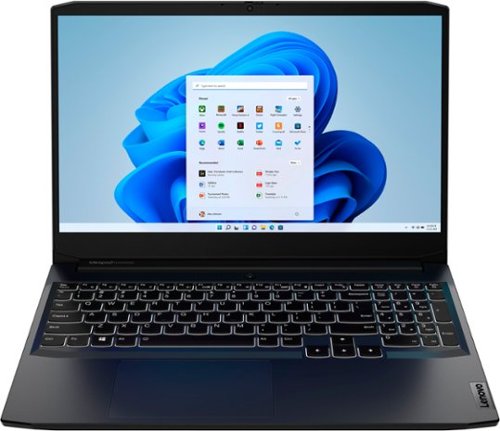
Lenovo - IdeaPad Gaming 3 15.6" FHD 120Hz Laptop - AMD Ryzen 5 5600H - NVIDIA GeForce GTX 1650 - 8GB Memory - 256GB SSD - Shadow Black
Time to elevate your game and esports experience beyond the realm of the ~just acceptable~ with a PC that stands tall amongst your gaming circle. Engineered with AMD Ryzen~ 5600H processor, NVIDIA~ GeForce~ GTX 1650 graphics, DDR4 memory and M.2 NVMe SSD storage options, the Lenovo~ IdeaPad~ Gaming 3 projects a quiet and serene confidence with smooth, crystal-clear visuals and seamless gameplay that stays cool through improved thermals. The IdeaPad Gaming 3 is also stunning visually turned on or off with an 120 Hz clear FHD display and an advanced gaming keyboard.
is this game compatible with the sims 4 and does it come with a charger
Whether this Lenovo IdeaPad 3 15 Gaming Laptop, model number 82K201QMUS, is compatible with a specific game will depend on the requirements and compatibility of the specific game. This IdeaPad 3 15 Gaming Laptop ships with a 135W - external power supply, slim tip (3-pin) AC adapter/charger, 100-240V, 50-60Hz, included. We recommend you check with the specific game's software publisher's web site, of the specific you want to run, for their compatibility with Windows 11 Home 64-bit operating system and the minimum/recommended hardware requirements (Is a Graphics card required, the processor speed and the minimum required system RAM and the minimum available hard drive space) to run their program, then compare those requirements to this system's configuration.
4 years, 5 months ago
by
Posted by:
Lenovo Product Expert
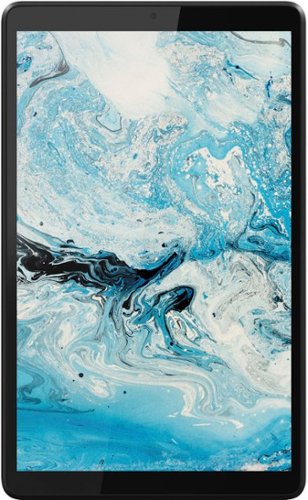
Lenovo - Tab M8 HD (2nd Gen) - 8" - Tablet - 32GB - Iron Grey
Lenovo Tab M8 is the 2nd generation mainstream tablet that comes with standout metal design, and is tailored to make your entertainment experience richer. The stunning 8" HD display brings you a crispier and brighter visual world. More than that, no matter you are watching a thrilling online movie or playing an exciting game, the fast speed and stable connection can also make your enjoyment perfect. Non-stop entertainment is just ON. Lenovo Tab M8, your best companion device with stunning performance and stylish design. The device that everyone wants to have.
Does this Lenovo have Windows so that I can get Microsoft Outlook for my email?
No. This Lenovo Tab M8 Tablet, model number ZA5G0060US, ships with Android 9.0 Operating System installed and is compatible with Google Play Store APPs. We recommend you check with the specific APPs software publisher's web site, of the specific APP you want to use, for their compatibility with the Android 9.0 operating system and the minimum/recommended hardware requirements (Is a Graphics card required, the processor speed and the minimum required system RAM and the minimum available hard drive space) to run their program, then compare those requirements to this tablet's configuration.
4 years, 5 months ago
by
Posted by:
Lenovo Product Expert
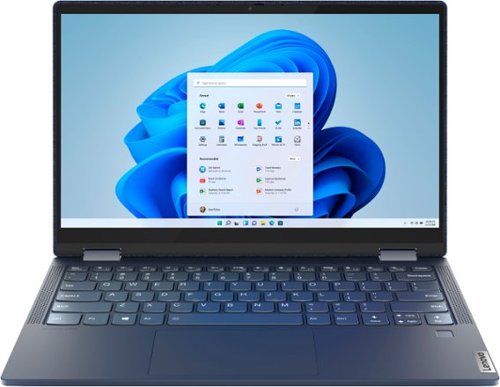
Lenovo - Yoga 6 13 2-in-1 13.3" Touch Screen Laptop - AMD Ryzen 7 - 16GB Memory - 512GB SSD - Abyss Blue with Fabric Cover
The Lenovo~ Yoga~ 6 is an ultra-portable 2-in-1 that combines unique style with the powerful responsiveness of an AMD Ryzen~ 5000 Series Mobile Processor, abundant memory and SSD storage. Enjoy a rich multimedia experience with the clarity of a 13.3" FHD touchscreen display, and enveloping sound with Dolby Atmos~-optimized stereo speakers.
Can this laptop run AutoCAD and/or Revit?
That will depend on the requirements and compatibility of the specific software you want to run on this Lenovo Yoga 6 13 2 in 1 Laptop, model number 82ND006QUS. We recommend you check with the specific software publisher's web sites, of the specific software you want to run, for their compatibility with Windows 11 Home 64-bit operating system and the minimum/recommended hardware requirements (Is a Graphics card required, the processor speed and the minimum required system RAM and the minimum available hard drive space) to run their program, then compare those requirements to this system's configuration.
4 years, 5 months ago
by
Posted by:
Lenovo Product Expert
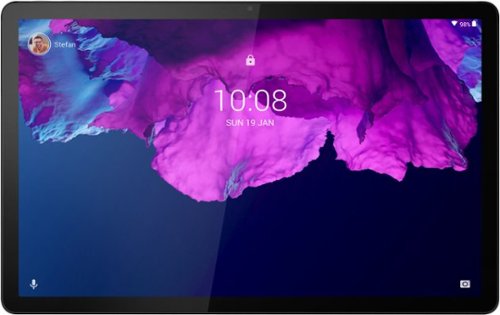
Lenovo - Tab P11 - 11" - Tablet - 64GB - Platinum Grey
Get bumped up to first-class experiences through the Lenovo Tab P11~s eye-catching 2K visuals on its 11" display, quad speakers with persistent user-facing stereo tuned by Dolby Atmos and 15 hours of battery life*, all housed in a slim aluminum-alloy casing with contemporary dual-tone finish. . And it also comes with the latest new kids mode with Google Kids Space, featuring content that helps kids discover, create and grow.
Is this device locked or unlocked?
This Lenovo Tab p11 Tablet, model number ZA7R0000US, has no cellular/broadband data capability built in. This Tab P11 Tablet uses 802.11ac frequency WiFi only, for internet connectivity. You could create a WiFi Hotspot with a compatible cell phone, then connect this Lenovo Tab P11 Tablet to that WiFi signal. We recommend you contact your cellular provider for details.
4 years, 5 months ago
by
Posted by:
Lenovo Product Expert
Lenovo - IdeaPad Gaming 3 15.6" FHD 120Hz Laptop - AMD Ryzen 5 5600H - NVIDIA GeForce GTX 1650 - 8GB Memory - 256GB SSD - Shadow Black
Time to elevate your game and esports experience beyond the realm of the ~just acceptable~ with a PC that stands tall amongst your gaming circle. Engineered with AMD Ryzen~ 5600H processor, NVIDIA~ GeForce~ GTX 1650 graphics, DDR4 memory and M.2 NVMe SSD storage options, the Lenovo~ IdeaPad~ Gaming 3 projects a quiet and serene confidence with smooth, crystal-clear visuals and seamless gameplay that stays cool through improved thermals. The IdeaPad Gaming 3 is also stunning visually turned on or off with an 120 Hz clear FHD display and an advanced gaming keyboard.
how many hours does the battery last just surfing the internet or in a zoom video call?
This Lenovo IdeaPad 3 15 Gaming Laptop, model number 82K201QMUS, ships with a Integrated 45Wh, Lithium-Polymer Battery, which within this model configuration, has a battery life of up to 5 hours, depending on the work the device is performing.
4 years, 5 months ago
by
Posted by:
Lenovo Product Expert
Lenovo - IdeaPad Gaming 3 15.6" FHD 120Hz Laptop - AMD Ryzen 5 5600H - NVIDIA GeForce GTX 1650 - 8GB Memory - 256GB SSD - Shadow Black
Time to elevate your game and esports experience beyond the realm of the ~just acceptable~ with a PC that stands tall amongst your gaming circle. Engineered with AMD Ryzen~ 5600H processor, NVIDIA~ GeForce~ GTX 1650 graphics, DDR4 memory and M.2 NVMe SSD storage options, the Lenovo~ IdeaPad~ Gaming 3 projects a quiet and serene confidence with smooth, crystal-clear visuals and seamless gameplay that stays cool through improved thermals. The IdeaPad Gaming 3 is also stunning visually turned on or off with an 120 Hz clear FHD display and an advanced gaming keyboard.
Is this a new model , when did it come out
This Lenovo IdeaPad 3 15 Gaming Laptop, model number 82K201QMUS, was first available for sale: 2021-11-23.
4 years, 5 months ago
by
Posted by:
Lenovo Product Expert
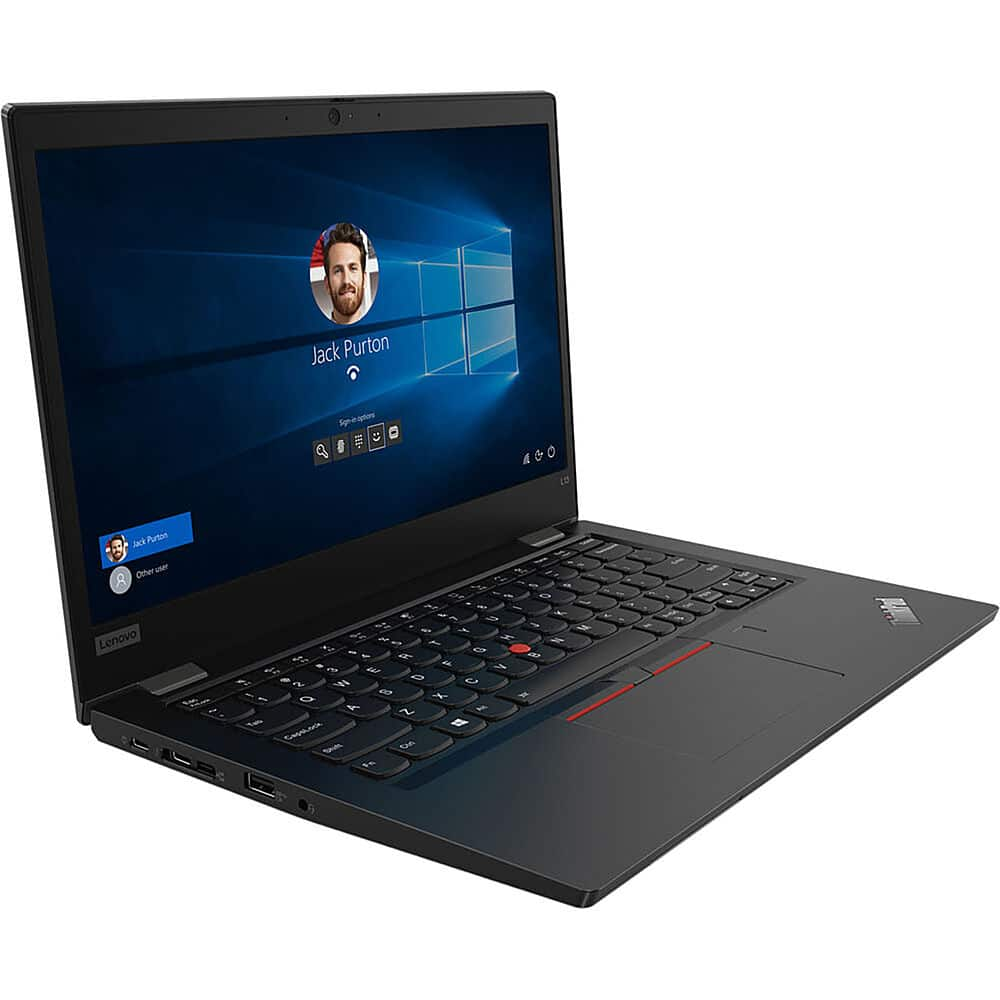
Lenovo - 13.3" ThinkPad L13 Gen 2 Laptop - Intel Core i5 - 8GB Memory - 256 SSD - Black
Designed for portable processing, this laptop features a 2.4 GHz Intel Core i5-1135G7 quad-core CPU and 8GB of soldered DDR4 RAM. Store files on the preinstalled 256GB M.2 SSD, or use a second slot to install a second, optional drive for even more space.
Is this new? What is included in box?
The Lenovo Thinkpad L13 Yoga Gen 2, 2 in 1 Laptop, model number 20VH001KUS, a 65W USB-C slim (2-pin) AC adapter/charger, supports PD 3.0, 100-240V, 50-60Hz and a User Guide.
4 years, 5 months ago
by
Posted by:
Lenovo Product Expert