Lenovo Product Expert
Lenovo Product Expert's Stats
Reviews
- Review Count0
- Helpfulness Votes0
- First ReviewNone
- Last ReviewNone
- Featured Reviews0
- Average Rating0
Reviews Comments
- Review Comment Count0
- Helpfulness Votes0
- First Review CommentNone
- Last Review CommentNone
- Featured Review Comments0
Questions
- Question Count0
- Helpfulness Votes0
- First QuestionNone
- Last QuestionNone
- Featured Questions0
- Answer Count37809
- Helpfulness Votes24,834
- First AnswerApril 21, 2014
- Last AnswerOctober 9, 2026
- Featured Answers0
- Best Answers2828
Lenovo Product Expert's Reviews
Lenovo Product Expert has not submitted any reviews.
Lenovo Product Expert's Questions
Lenovo Product Expert has not submitted any questions.
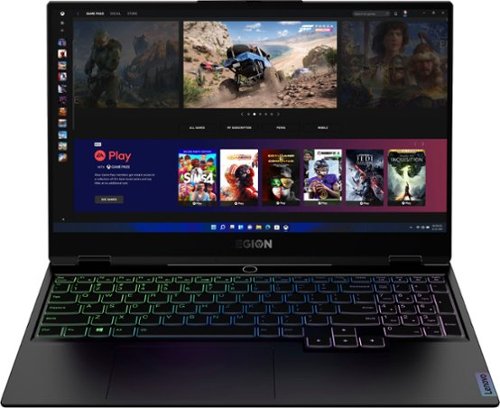
Lenovo - Legion Slim 7 15" Gaming Laptop - AMD Ryzen 7 5800H - 16GB Memory - NVIDIA GeForce RTX 3060 - 512GB SSD - Shadow Black
The Lenovo~ Legion Slim 7 was engineered for gamers who demand mobility and performance for day and night. Sporting a finely crafted chassis machined from 100% aluminum that is shockingly thin and impressively light, the Legion Slim 7 was expertly crafted for gamers who demand more.
What is the Brand/model of wifi card of this laptop model??

This Lenovo Legion Slim 7 15 Gaming Laptop, model number 82K80083US, ships with the latest WiFi-6, 2x2 802.11ax frequency WiFi - Realtek, WIRELESS Wireless,CMB,LTN,8852AE M2 Wireless LAN adapter, Lenovo Part Number - 5W10V25797. Here is a link to the complete parts list for this model configuration of the Legion Slim 7 15: https://pcsupport.lenovo.com/us/en/products/laptops-and-netbooks/legion-series/legion-s7-15ach6/82k8/82k80083us/parts/display/model
4 years, 5 months ago
by
Posted by:
Lenovo Product Expert
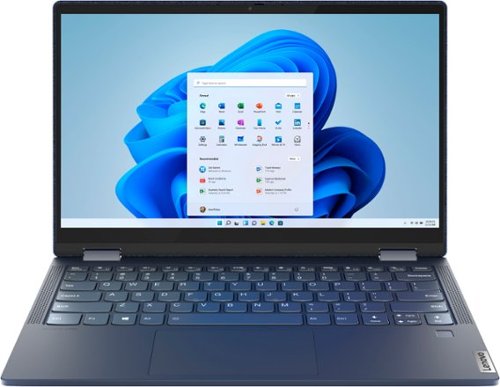
Lenovo - Yoga 6 13 2-in-1 13.3" Touch Screen Laptop - AMD Ryzen 5 - 8GB Memory - 256GB SSD - Abyss Blue with Fabric Cover
The Lenovo~ Yoga~ 6 is an ultra-portable 2-in-1 that combines unique style with the powerful responsiveness of an AMD Ryzen~ 5000 Series Mobile Processor, abundant memory and SSD storage. Enjoy a rich multimedia experience with the clarity of a 13.3" FHD touchscreen display, and enveloping sound with Dolby Atmos~-optimized stereo speakers.
You ans the ? As to which model arrives pre-loaded w/windows 10 vs Windows 11 But you then say that to use a WiFi printer you need to make sure that the printer is compatible w/ Windows 11. If Windows 10 is Preinstalled then requirements change?
Yes, in that case with Windows 10 Operating System installed, the printer you use would need to be compatible with the Windows 10 Operating System.. We recommend you check with your printer manufacturer for the requirements and compatibility of your specific printer model. Some printers may be compatible with both Windows 10 and Windows 11 Operating System versions. Check with the printer manufacturer's website for your specific model printer.
4 years, 5 months ago
by
Posted by:
Lenovo Product Expert
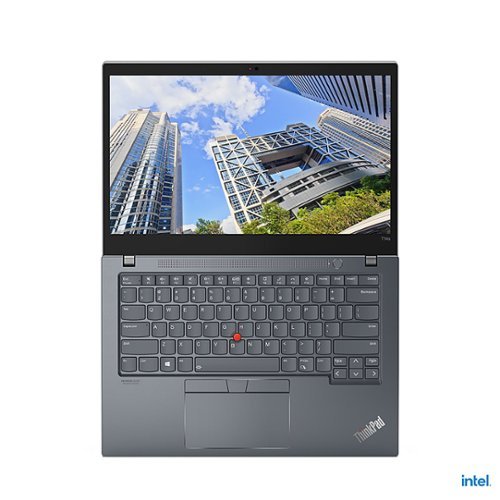
Lenovo - ThinkPad T14s Gen 2 14" Touch-Screen Laptop - Intel Core i7 - 16GB Memory - 512GB SSD - Storm Gray
Whether it~s a touchscreen you prefer or a traditional display, the ThinkPad T14s Gen 2 laptop gives you a number of 14 inch screen choices based on your needs~and all options include thin bezels that enhance the display. Choose the low-power FHD panel for ultimate battery life, or go with the FHD wide-angle touchscreen.
Is this model compatible with an external monitor and camera?
This Lenovo ThinkPad T14s Gen 2 Laptop, model number 20WM007XUS, ships with a IR (facial recognition, Windows Hello Biometric Security capable) & (FHD) 1080p webcam with Privacy Shutter and Dual Array Microphones, built in. You can use and external webcam that is compatible with Windows 10 Pro 64-bit Operating System and connects via USB. This ThinkPad T14s supports up to 4 independent displays (native display and 3 external monitors via Thunderbolt and HDMI). Thunderbolt supports up to 5K@60Hz - HDMI supports up to 4K@60Hz.
4 years, 5 months ago
by
Posted by:
Lenovo Product Expert
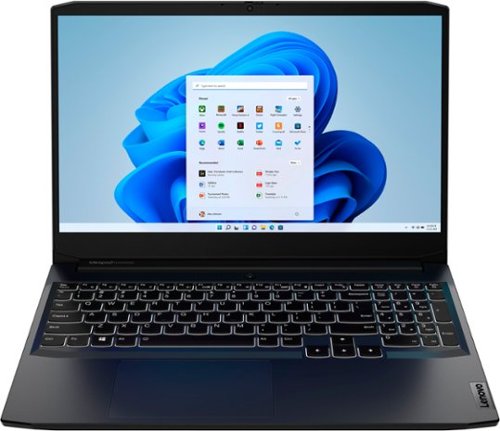
Lenovo - IdeaPad Gaming 3 15.6" FHD 120Hz Laptop - AMD Ryzen 5 5600H - NVIDIA GeForce GTX 1650 - 8GB Memory - 256GB SSD - Shadow Black
Time to elevate your game and esports experience beyond the realm of the ~just acceptable~ with a PC that stands tall amongst your gaming circle. Engineered with AMD Ryzen~ 5600H processor, NVIDIA~ GeForce~ GTX 1650 graphics, DDR4 memory and M.2 NVMe SSD storage options, the Lenovo~ IdeaPad~ Gaming 3 projects a quiet and serene confidence with smooth, crystal-clear visuals and seamless gameplay that stays cool through improved thermals. The IdeaPad Gaming 3 is also stunning visually turned on or off with an 120 Hz clear FHD display and an advanced gaming keyboard.
how bright in nits is the screen/
This Lenovo IdeaPad 3 15 Gaming Laptop, model number 82K201QMUS, ships with a: 15.6 inch (screen size measured diagonally) IPS - FHD (1920x1080) screen, with a brightness level of 250 nits, has an Anti-glare Coating, a refresh rate of 120Hz. This screen provides 67 Percent of the sRGB (45 Percent NTSC) color gamut. This screen uses DC dimmer for additional eye care.
4 years, 5 months ago
by
Posted by:
Lenovo Product Expert
Lenovo - IdeaPad Gaming 3 15.6" FHD 120Hz Laptop - AMD Ryzen 5 5600H - NVIDIA GeForce GTX 1650 - 8GB Memory - 256GB SSD - Shadow Black
Time to elevate your game and esports experience beyond the realm of the ~just acceptable~ with a PC that stands tall amongst your gaming circle. Engineered with AMD Ryzen~ 5600H processor, NVIDIA~ GeForce~ GTX 1650 graphics, DDR4 memory and M.2 NVMe SSD storage options, the Lenovo~ IdeaPad~ Gaming 3 projects a quiet and serene confidence with smooth, crystal-clear visuals and seamless gameplay that stays cool through improved thermals. The IdeaPad Gaming 3 is also stunning visually turned on or off with an 120 Hz clear FHD display and an advanced gaming keyboard.
Does this Laptop have HDMI 2.0?
Yes. This Lenovo IdeaPad 3 15 Gaming Laptop, model number 82K201QMUS, ships with these ports: 2x USB 3.2 Gen 1, 1x USB-C 3.2 Gen 1 (support data transfer only), 1x HDMI 2.0, 1x Ethernet (RJ-45), 1x Headphone / microphone combo jack (3.5mm), 1x Power connector.
4 years, 5 months ago
by
Posted by:
Lenovo Product Expert
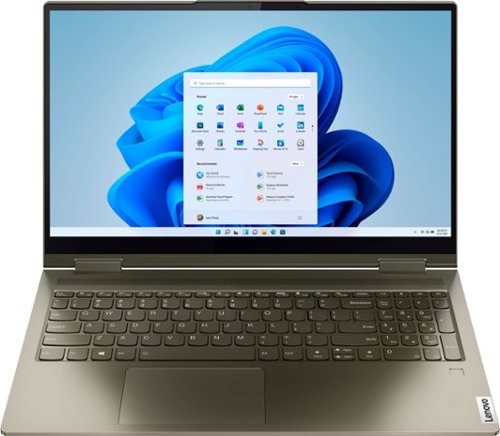
Lenovo - Yoga 7 15ITL5 2-in-1 15.6" Touch-Screen Laptop - Intel Core i7 with 12GB Memory - 512 GB SSD - Dark Moss
Enjoy vibrant visuals on a 15.6 inch FHD display edged with microborders and optimized with an Intel Core processor and Iris Xe graphics. Combining that with a user-facing Dolby Atmos Speaker System, the Yoga 7 2-in-1 laptop offers entertainment that will go anywhere. Crafted from sandblasted anodized metal, the Yoga 7~s subtly rounded edges are designed to feel comfortable in your hands. A 360-degree hinge offers stability as you transition from tablet to laptop mode and back. Thoughtful details include a webcam privacy shutter and a color-matched keyboard with backlighting.
Can this power my audio box to record music on fl. Studio?
That really will depend on the requirements and compatibility of the specific device you want to connect and run with this Intel Evo-Certified, Lenovo Yoga 7i 15 2 in 1 Laptop, model number 82BJ007WUS. We recommend you check with the specific device manufacturer's web site for their compatibility with Windows 11 Home 64-bit operating system and the minimum/recommended hardware requirements (Is a Graphics card required, the processor speed and the minimum required system RAM and the minimum available hard drive space) to run their program, then compare those requirements to this system's configuration.
4 years, 5 months ago
by
Posted by:
Lenovo Product Expert
Lenovo - Yoga 6 13 2-in-1 13.3" Touch Screen Laptop - AMD Ryzen 5 - 8GB Memory - 256GB SSD - Abyss Blue with Fabric Cover
The Lenovo~ Yoga~ 6 is an ultra-portable 2-in-1 that combines unique style with the powerful responsiveness of an AMD Ryzen~ 5000 Series Mobile Processor, abundant memory and SSD storage. Enjoy a rich multimedia experience with the clarity of a 13.3" FHD touchscreen display, and enveloping sound with Dolby Atmos~-optimized stereo speakers.
Is this laptop compatible with cricut design space?
That really will depend on the requirements and compatibility of the specific device model you want to connect to this Lenovo Yoga 6 13 2 in 1 Laptop, model number 82ND006YUS. We recommend you check with the specific device manufacturer's web site for their compatibility with Windows 11 Home 64-bit operating system and the minimum/recommended hardware requirements (Is a Graphics card required, the processor speed and the minimum required system RAM and the minimum available hard drive space) to run their program, then compare those requirements to this system's configuration.
4 years, 5 months ago
by
Posted by:
Lenovo Product Expert
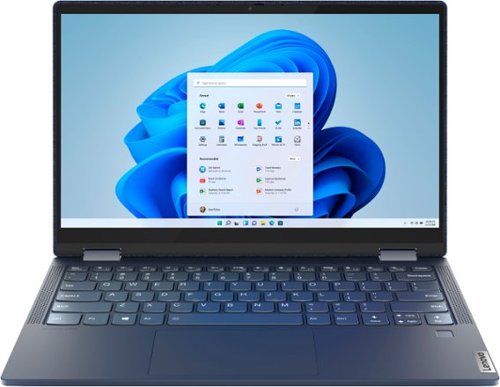
Lenovo - Yoga 6 13 2-in-1 13.3" Touch Screen Laptop - AMD Ryzen 7 - 16GB Memory - 512GB SSD - Abyss Blue with Fabric Cover
The Lenovo~ Yoga~ 6 is an ultra-portable 2-in-1 that combines unique style with the powerful responsiveness of an AMD Ryzen~ 5000 Series Mobile Processor, abundant memory and SSD storage. Enjoy a rich multimedia experience with the clarity of a 13.3" FHD touchscreen display, and enveloping sound with Dolby Atmos~-optimized stereo speakers.
Does it ship with the pen?
No. This Lenovo Yoga 6 13 2 in 1 laptop, model number 82ND006QUS, is compatible with an AES Protocol Active/Digital Pen, with is sold separately, like this one: https://www.bestbuy.com/site/wacom-bamboo-ink-smart-stylus-for-windows-ink-2nd-generation-gray/6374981.p?skuId=6374981
4 years, 5 months ago
by
Posted by:
Lenovo Product Expert

Lenovo - IdeaPad 3 15" HD Touch Screen Laptop - Intel Core i3-1115G4 - Intel UHD Graphics - 8GB Memory - 256GB SSD - Almond
Engineered for long-lasting performance, the Lenovo IdeaPad 3 is the perfect laptop for your everyday tasks with features that you can depend on.
Is this laptop metal or plastic
The case material of this Lenovo IdeaPad 3 15 Laptop, model number 81X800KLUS is: PC + ABS Plastic (Top), PC + ABS Plastic (Bottom).
4 years, 5 months ago
by
Posted by:
Lenovo Product Expert
Lenovo - IdeaPad Gaming 3 15.6" FHD 120Hz Laptop - AMD Ryzen 5 5600H - NVIDIA GeForce GTX 1650 - 8GB Memory - 256GB SSD - Shadow Black
Time to elevate your game and esports experience beyond the realm of the ~just acceptable~ with a PC that stands tall amongst your gaming circle. Engineered with AMD Ryzen~ 5600H processor, NVIDIA~ GeForce~ GTX 1650 graphics, DDR4 memory and M.2 NVMe SSD storage options, the Lenovo~ IdeaPad~ Gaming 3 projects a quiet and serene confidence with smooth, crystal-clear visuals and seamless gameplay that stays cool through improved thermals. The IdeaPad Gaming 3 is also stunning visually turned on or off with an 120 Hz clear FHD display and an advanced gaming keyboard.
How can I connect two Samasung F24T452FQN monitors to this computer? Will I need a docking station, splitter, or will two cables from each monitor fit in USB ports?
This Lenovo IdeaPad 3 15 Gaming Laptop, model number 82K201QMUS, supports up to 2 independent displays, directly connected to this laptop (native display and 1 external monitor via HDMI). HDMI supports up to 3840x2162@60Hz. To connect two external displays, you would need to add a universal USB 3.2 Gen 1 compatible, docking station. There are many varieties of universal USB 3.0x version docking stations available, this is just one example: https://www.bestbuy.com/site/kensington-usb-3-0-docking-station-dual-dvi-hdmi-vga-sd3500v-black/8874383.p?skuId=8874383
4 years, 5 months ago
by
Posted by:
Lenovo Product Expert