Lenovo Product Expert
Lenovo Product Expert's Stats
Reviews
- Review Count0
- Helpfulness Votes0
- First ReviewNone
- Last ReviewNone
- Featured Reviews0
- Average Rating0
Reviews Comments
- Review Comment Count0
- Helpfulness Votes0
- First Review CommentNone
- Last Review CommentNone
- Featured Review Comments0
Questions
- Question Count0
- Helpfulness Votes0
- First QuestionNone
- Last QuestionNone
- Featured Questions0
- Answer Count37809
- Helpfulness Votes24,834
- First AnswerApril 21, 2014
- Last AnswerOctober 9, 2026
- Featured Answers0
- Best Answers2828
Lenovo Product Expert's Reviews
Lenovo Product Expert has not submitted any reviews.
Lenovo Product Expert's Questions
Lenovo Product Expert has not submitted any questions.
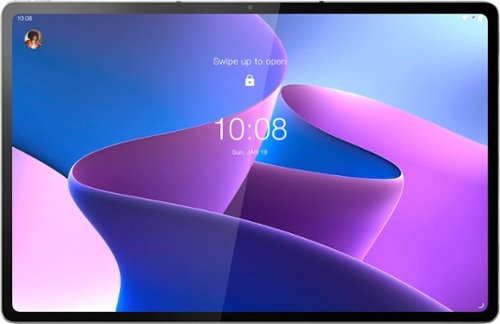
Lenovo - Tab P12 Pro - 12.6" - Tablet - 8GB - 256GB - Storm Grey
The Lenovo Tab P12 Pro doubles as a wireless second screen for your laptop while also supporting touch and pen input, thanks to Lenovo Project Unity. A perfect entertainment, gaming, and productivity powerhouse that's built for use outdoors and indoors, with an all-day battery and bright 12.6" 2K AMOLED display.
Can you increase memory with a micro card

Yes. This Lenovo Tab P12 Pro Tablet, model number ZA9D0006US, ships with a MicroSD card, that supports FAT32 file up to 1TB, exFAT file up to 1TB. The MicroSD Card is sold separately.
4 years, 5 months ago
by
Posted by:
Lenovo Product Expert
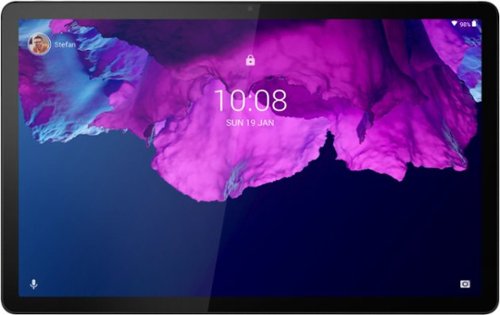
Lenovo - Tab P11 - 11" - Tablet - 128GB - Platinum Grey
Get bumped up to first-class experiences through the Lenovo Tab P11~s eye-catching 2K visuals on its 11" display, quad speakers with persistent user-facing stereo tuned by Dolby Atmos and 15 hours of battery life*, all housed in a slim aluminum-alloy casing with contemporary dual-tone finish. . And it also comes with the latest new kids mode with Google Kids Space, featuring content that helps kids discover, create and grow.
Does it have SIM CARD slot?
No. This Lenovo Tab P11 Tablet, model number ZA7R0087US, does not have any cellular/broadband Data capability built in. This Tab P11 uses 802.11ac frequency WiFi for internet connectivity. You could create a WiFi HotSpot with a compatible cell phone, then connect this Lenovo Tab P11 Tablet to that WiFi signal. We recommend you contact your cellular provider for details.
4 years, 5 months ago
by
Posted by:
Lenovo Product Expert
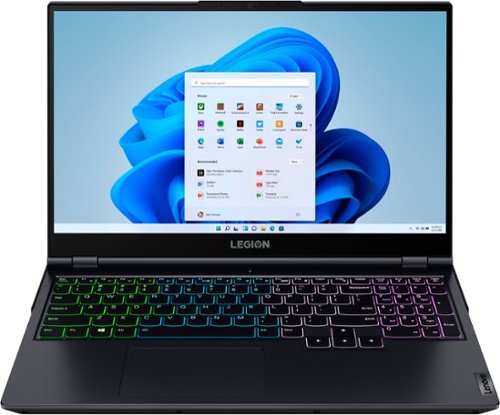
Lenovo - Legion 5 15" Gaming Laptop - AMD Ryzen 7 5800H - NVIDIA GeForce RTX 3050 Ti - 8GB Memory - 512GB SSD - Phantom Blue
Offering a plethora of performance options for any gamer in a clean, minimalist design, the Lenovo~ Legion 5 pairs the latest AMD Ryzen 5800 H-Series processor, NVIDIA GeForce RTX 3050 Ti Graphics, 3200 MHz DDR4 memory, and NVMe TLC SSD storage.
what is the refresh rate for the screen? is it 60hz or 165hz?
This Lenovo Legion 5 15 Gaming Laptop, model number 82JW00BFUS, ships with a 15.6 inch (screen size measured diagonally) IPS - FHD (1920x1080) screen, with a brightness level of 300 nits, has an Anti-glare Coating, a refresh rate of 165Hz. This screen provides 100 Percent of the sRGB color gamut for excellent color accuracy. This screen is Dolby Vision, Free-Sync and G-Sync Certified. This screen uses DC dimmer for added eye care.
4 years, 5 months ago
by
Posted by:
Lenovo Product Expert
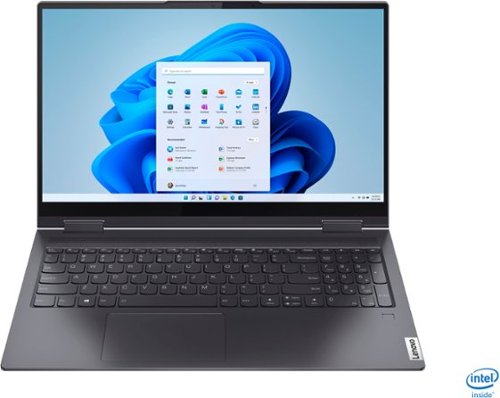
Lenovo - Yoga 7i 2-in-1 15.6" Touch Screen Laptop - Intel Core i5 - 8GB Memory - 256GB Solid State Drive - Slate Grey
The Lenovo Yoga 7i 15" combines versatile portability and enhanced productivity, thanks to the boundary-breaking performance and responsiveness of 11th generation Intel Core i5 processors and vibrant FHD clarity with Intel Iris Xe graphics. Go anywhere with a sleek 2-in-1 metal chassis featuring thoughtful details including a webcam privacy shutter..
How long is the battery life?
This Lenovo Yoga 7i 15 model number 82BJ007TUS, ships with a Integrated 71Wh, Lithium-Polymer Battery, which within this model configuration, has a battery life of up to 12 hours, depending on the work the device is performing.
4 years, 5 months ago
by
Posted by:
Lenovo Product Expert
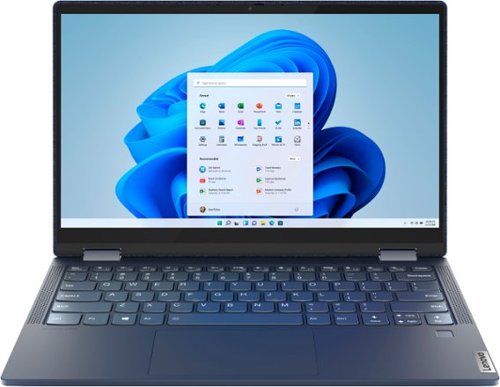
Lenovo - Yoga 6 13 2-in-1 13.3" Touch Screen Laptop - AMD Ryzen 7 - 16GB Memory - 512GB SSD - Abyss Blue with Fabric Cover
The Lenovo~ Yoga~ 6 is an ultra-portable 2-in-1 that combines unique style with the powerful responsiveness of an AMD Ryzen~ 5000 Series Mobile Processor, abundant memory and SSD storage. Enjoy a rich multimedia experience with the clarity of a 13.3" FHD touchscreen display, and enveloping sound with Dolby Atmos~-optimized stereo speakers.
Can you use this to play Fotnite, CSGO, Roblox, and games like that? Also, can i get specific specs for the graphics card? is it upgradeable?
This Lenovo Yoga 6 13 model number 82ND006QUS, uses integrated AMD Radeon RX Vega 8 Version graphics processing, integrated within the AMD Ryzen 7 5700U Processor within this model. Whether this Yoga 6 13 can play specific games will depend on the requirements and compatibility of the specific games. We recommend you check with the game's software publisher's web sites, of the specific games you want to play, for their compatibility with Windows 11 Home 64-bit operating system and the minimum/recommended hardware requirements (Is a discrete graphics card required, the processor speed and the minimum required system RAM and the minimum available hard drive space) to run their program, then compare those requirements to this system's configuration.
4 years, 5 months ago
by
Posted by:
Lenovo Product Expert
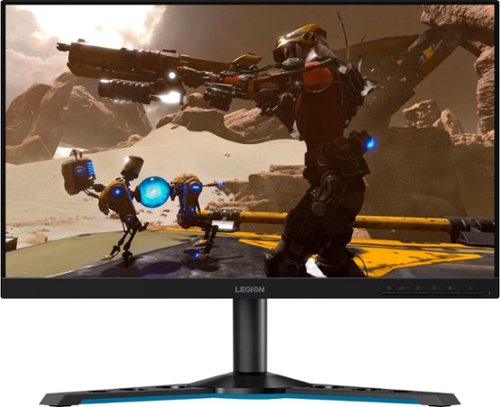
Lenovo - Legion Y25-25 24.5" IPS LED FHD FreeSync and G-SYNC Compatible Gaming Monitor (DisplayPort, HDMI, USB) - Raven Black
Professional Esport gaming is an extremely competitive space~where the difference between winning and losing comes down to the minutest of details. To stand out from the competition, you need equipment that matches the speed of your thought and actions. The Legion Y25-25 delivers wins in the toughest, most critical situations. NVIDIA~ G-SYNC~ Compatible technology takes motion blur out of the equation, improving visual clarity and making prolonged gaming sessions enjoyable. This monitor~s 24.5-inch In-Plane Switching (IPS) panel with a 240 Hz refresh rate and 1ms response time makes it possible to spot an opponent before they see you. When it comes down to a quickfire duel, that is the difference between firing first and getting shot.
Does Y25-25 support HDR over its DisplayPort 1.2 connection, or only via HDMI? I've read HDR requires DP 1.4 to work. Also since G-Sync requires DP, will both HDR and G-Sync work at the same time?
This Lenovo Legion Y25-25 Monitor, model number 66AAGAC6US has both 1 x HDMI 2.0 and 1 x DisplayPort 1.2 connections. HDR is available through either connection. This Legion Y25-25 Monitor has NVIDIA G-SYNC Compatibility, built in but NVIDIA G-SYNC only works through NVIDIA GeForce graphics cards. Check the specifications and capability of the specific NVIDIA Model GPU you will be using.
4 years, 5 months ago
by
Posted by:
Lenovo Product Expert
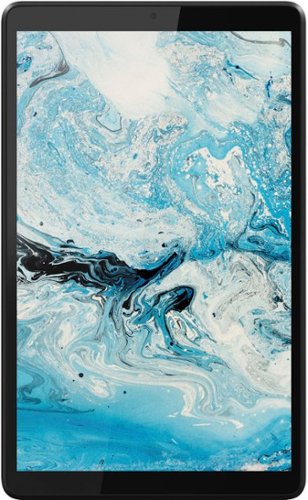
Lenovo - Tab M8 HD (2nd Gen) - 8" - Tablet - 32GB - Iron Grey
Lenovo Tab M8 is the 2nd generation mainstream tablet that comes with standout metal design, and is tailored to make your entertainment experience richer. The stunning 8" HD display brings you a crispier and brighter visual world. More than that, no matter you are watching a thrilling online movie or playing an exciting game, the fast speed and stable connection can also make your enjoyment perfect. Non-stop entertainment is just ON. Lenovo Tab M8, your best companion device with stunning performance and stylish design. The device that everyone wants to have.
I’ve seen that this lags a bit. My son has a fire 7 tablet(5th one) and I’m wondering is it better than his fire 7? And is the lagging that bad?
This entry-level Lenovo Tab M8 Tablet, model number ZA5G0060US, ships with the Android 9.0 Operating System installed. It has a 4-Core MediaTek Helio A22 Processor with a speed of 2.0GHz through the 4-Cores. This processor is supported by 2GB Soldered LPDDR3 RAM and has a 32GB (eMCP, eMMC) solid state hard drive for quick local file recall and loading of onboard APPs. We always recommend you check the requirements and compatibility of any APPs you will be installing on your new tablet, before you invest in any tablet. Be sure your new tablet can support the APPs you will need to use and your workload.
4 years, 5 months ago
by
Posted by:
Lenovo Product Expert
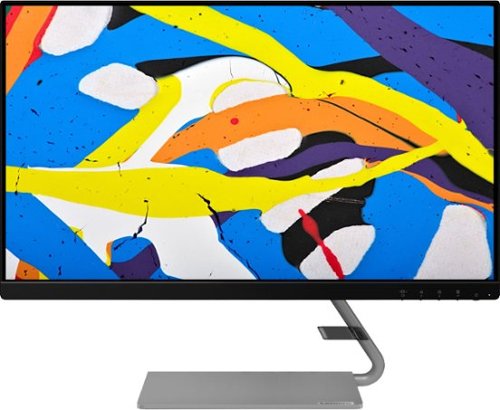
Lenovo - Q24i-1L 23.8" IPS LED FHD FreeSync Monitor Natural Low Blue Light Built-in Speakers (HDMI, VGA) - Black
Add a touch of class and confidence to your living space with the elegantly designed, ultra-slim Lenovo Q24i-1L monitor. Be it in the living room or the study, this sleek display with Full-HD resolution and NearEdgeless bezels bring beauty and functionality together in a perfect 23.8-inch package. Experience superior visuals with its In-Plane Switching display that makes the view from any angle striking. Bid goodbye to eye strain with Natural Low Blue Light and Eyesafe Display Certification that minimize harmful blue light and yellow distortions without impacting color accuracy. Moreover, T~V Rheinland Eye Comfort-certified panel ensures endless viewing comfort. Take your world of entertainment to the next level with the AMD FreeSync~ technology and dual speakers that offer seamless picture quality and rich audio for an immersive experience, every time.
From a portability standpoint, does the base fold up flat to the back of the monitor? Does the base come off?
The base does not fold on this Lenovo Q24i-1L monitor, model number 66C0KCC3US. The base is attached to the stand arm by two screws and does not move once assembled. The stand arm and base can come off. This Q24i-1L monitor is VESA Mount compatible - 100 x 100 mm (VESA Mount sold separately). Here is a link to a YouTube Video that demonstrates the assembly of this Q24i-1L Monitor: https://www.youtube.com/watch?v=cA_1toLVsAI
4 years, 5 months ago
by
Posted by:
Lenovo Product Expert
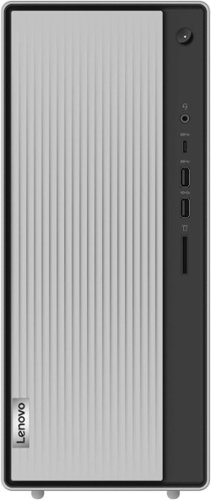
Lenovo - IdeaCentre 5i Desktop - Intel Core i5 - 12GB Memory - 512GB SSD - Mineral Grey
Lenovo IdeaCentre 5i is a powerful, contemporary desktop powered by the latest Intel Core processors. Featuring gaming-grade graphics, fast DDR4 memory, and plenty ofstorage, it~s up to the task of having fun and will immerse you in it~and looks great in your home.
Can this desktop able to run Windows 11? Will the upgrade included?
This Lenovo IdeaCentre 5i Desktop Computer, model number 90RJ009GUS, ships with Windows 11 Home, 64-bit Operating System, factory installed.
4 years, 5 months ago
by
Posted by:
Lenovo Product Expert
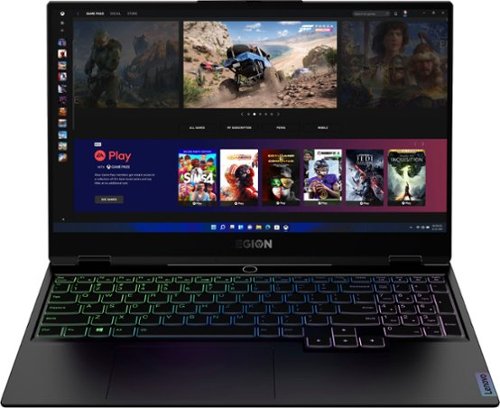
Lenovo - Legion Slim 7 15" Gaming Laptop - AMD Ryzen 7 5800H - 16GB Memory - NVIDIA GeForce RTX 3060 - 512GB SSD - Shadow Black
The Lenovo~ Legion Slim 7 was engineered for gamers who demand mobility and performance for day and night. Sporting a finely crafted chassis machined from 100% aluminum that is shockingly thin and impressively light, the Legion Slim 7 was expertly crafted for gamers who demand more.
Does it come with internatinal waranty of the manufaturer? i live in south america. And does the open box excelent conditions comes with the same 1 year waranty with the manufacturer?
Open Box models of this Lenovo Legion Slim 7 15 Gaming laptop, model number 82K80083US, will be eligible for whatever time remains on the limited 1-year manufacturer's warranty. You can check for the details of International manufacturer's warranty coverage for this Lenovo Legion Slim 7 at this web site: https://pcsupport.lenovo.com/us/en/iwslookup#/ideapad Just enter the Legion Slim 7 model number - 82K80083US, it the box provided, then select your Country from the dropdown menu that is available to see any coverage details that are available for that Country.
4 years, 5 months ago
by
Posted by:
Lenovo Product Expert