Lenovo Product Expert
Lenovo Product Expert's Stats
Reviews
- Review Count0
- Helpfulness Votes0
- First ReviewNone
- Last ReviewNone
- Featured Reviews0
- Average Rating0
Reviews Comments
- Review Comment Count0
- Helpfulness Votes0
- First Review CommentNone
- Last Review CommentNone
- Featured Review Comments0
Questions
- Question Count0
- Helpfulness Votes0
- First QuestionNone
- Last QuestionNone
- Featured Questions0
- Answer Count37880
- Helpfulness Votes24,853
- First AnswerApril 21, 2014
- Last AnswerOctober 16, 2026
- Featured Answers0
- Best Answers2830
Lenovo Product Expert's Reviews
Lenovo Product Expert has not submitted any reviews.
Lenovo Product Expert's Questions
Lenovo Product Expert has not submitted any questions.
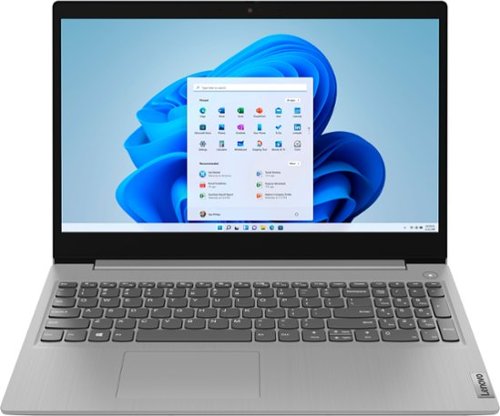
Lenovo - Ideapad 3 15 15.6" Laptop - AMD Ryzen 3 - 8GB Memory - 128GB SSD
Engineered for long-lasting performance, the Lenovo~ IdeaPad~ 3 delivers powerful performance with the latest AMD Mobile Processors with Radeon~ Graphics, in a laptop that's perfect for your everyday tasks, with features that you can depend on.
How many GH does this laptop poses?

The Lenovo IdeaPad 3 15 Laptop, model number 81W1018XUS, ships with the 2-Core/4-Thread AMD Ryzen 3 3250U processor with a base speed of 2.6GHz and a boost speed of up to 3.5GHz.
5 years ago
by
Posted by:
Lenovo Product Expert
Lenovo - Ideapad 3 15 15.6" Laptop - AMD Ryzen 3 - 8GB Memory - 128GB SSD
Engineered for long-lasting performance, the Lenovo~ IdeaPad~ 3 delivers powerful performance with the latest AMD Mobile Processors with Radeon~ Graphics, in a laptop that's perfect for your everyday tasks, with features that you can depend on.
Is this laptop good for gaming cuz I want to play this game called pass on there but I don't know if it's going to be good for gaming and there's a good for like a lot of games and is this a good gaming laptop or is it not
That will depend on the requirements and compatibility of the specific games you want to play. The Lenovo IdeaPad 3 15 Laptop, model number 81W1018XUS, ships with Windows 10 S-Mode 64-bit Operating System. Windows 10 S-Mode provides added security by only allowing APPs available ( and therefore certified by Microsoft) at the Microsoft Store. If you don't need the added security or you need to install APPs not available at the Microsoft Store, you can switch to standard Windows 10 Home 64-bit Operating System, at no additional cost. We recommend you check with the specific game's software publisher's web sites, of the specific games you want to play, for their compatibility with Windows 10 S-Mode 64-bit operating system and the minimum/recommended hardware requirements (Is a Graphics card required, the processor speed and the minimum required system RAM and the minimum available hard drive space) to run their program, then compare those requirements to this system's configuration. If you choose to switch out of S-Mode for Windows 10 Home: Here is a link to instructions for switching from Windows 10 S-Mode to Windows 10 Home: https://support.microsoft.com/en-us/help/4456067/windows-10-switch-out-of-s-mode
5 years ago
by
Posted by:
Lenovo Product Expert
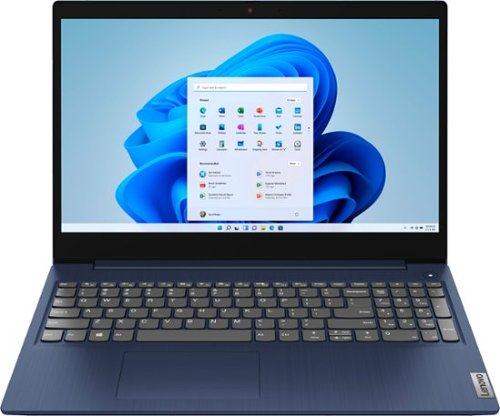
Lenovo - Ideapad 3 15 15.6" Touch-Screen Laptop - Intel Core i3 - 8GB Memory - 256GB SSD - Abyss Blue
Engineered for long-lasting performance, the Lenovo~ IdeaPad~ 3 15 delivers power in a laptop that's perfect for your everyday tasks, with features that you can depend on such as advanced mobile 10th Generation Intel Core processors and all day battery.
The specs say this model does have Customizable Keyboard Lighting. If so, how do I turn this feature on?
The Lenovo IdeaPad 3 15 Laptop, model number 81WR000FUS, does not have a backlit keyboard.
5 years ago
by
Posted by:
Lenovo Product Expert

Lenovo - Yoga 7i 2-in-1 15.6" HDR Touch Screen Laptop - Intel Evo Platform Core i7 - 12GB Memory - 512GB Solid State Drive - Dark Moss
The Lenovo~ Yoga~ 7i 15" combines versatile portability and enhanced productivity, thanks to the boundary-breaking performance and responsiveness of 11th generation Intel~ Core~ i7 processors and a vibrant VESA Dolby HDR 400 display in FHD clarity with Intel~ Iris~ Xe graphics. Go anywhere with a sleek 2-in-1 metal chassis featuring thoughtful details including a webcam privacy shutter.
My laptop cooling fan is running almost continuously and get heated always , even the machine is sleep mode. pls advice. I bought this laptop on 20 jan 2021from USA Model: 82BJ0003US SKU: 6426713 Thanks
First, be sure any software you installed is compatible with Windows 10. There is no need to install Microsoft Office software. The software is already part of the operating system, you just need to activate the software with a purchased product key. If you have installed a copy of Microsoft Office, this is conflicting with the existing copy on the system and this will slow your system down. If you have installed a 3rd party anti-virus program, be sure that Windows Defender is turned off and that the trial version of McAfee Anti-Virus software is uninstalled. There can only be one anti-virus program on the system. You may need to restore your system to original factory default settings if any of the programming errors have occurred. You can do that by typing "restore" in the Cortana search window. Just click on the magnifying glass icon at the bottom left of your Windows 10 Desktop. Click on "Reset This PC" Then click on "Get Started" and follow the on screen directions to restore to factory defaults. If there is no incompatible software installed, then check to see what processes are running in the background on your computer. Be sure only the processes you want to be running are. Here is a link to information for checking what is running in the background on your laptop: https://www.onmsft.com/how-to/how-to-see-what-programs-are-running-in-windows-10. If there is no incompatible software installed and only the processes you want running in the background are but the issues persist, now check to be sure you have the latest version of Windows 10 on the computer. Then update all BIOS files and drivers up to that latest version of Windows 10. You can easily accomplish this by scanning the computer with the Lenovo Utility software available on this computer. This system has Lenovo utilities installed to help maintain the health of the device and keep the operating system software up to date. Type "Lenovo Vantage" in the Cortana Search window (if Lenovo Vantage is not installed on your device, you can download the APP and install it now). Select Lenovo Vantage from the list. In the window that opens, click on "Health and Support". In the expanded menu, select "Hardware Scan" In the window that opens, select "Run Quick Tests". This will scan your entire system for errors. Follow any directions that may pop up. If the problem continues after this scan, now click on "System Update". First select Windows update from the menu. Scan your system to be sure you have the latest version of Windows 10. Once that scan is complete, select "Additional Updates". This will scan your device to be sure there are no new BIOS/Driver updates needed. Follow any instructions that may pop up. Once these updates are installed, if the fan continues to run at idle or low workloads, you can use Lenovo Q-Control to manually control fan and system performance: ( Fn + Q ) option to change the fan by undervolting the processor. If the issue continues, we recommend you call Lenovo Tech Support at: 877-453-6686.
5 years ago
by
Posted by:
Lenovo Product Expert
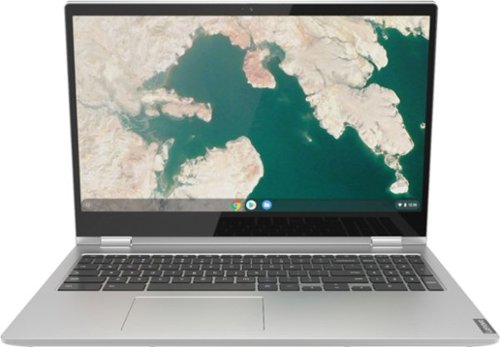
Lenovo - C340-15 2-in-1 15.6" Touch-Screen Chromebook - Intel Core i3 - 4GB Memory - 64GB eMMC Flash Memory - Mineral Gray
Lenovo C340-15 Convertible 2-in-1 Chromebook: The Chromebook C340 brings you everyone's favorite Chromebook features in a slim 2-in-1 chassis, running on the lightning fast Chrome OS. It boots up in seconds, updates automatically, and is protected by built-in virus protection.
I would be using this laptop for personal use, browsing watching movies etc. Will 4gb be fast enough to run smoothly for these options? I am concerned that 4gb would be a slow running computer. Will it run quick or slow?
That really will depend on the requirements and compatibility of the specific APPs you will be using. The Lenovo C340 15 Chromebook ships with the Chrome Operating System and is compatible with Google Play Store APPs. We recommend you check with the specific APPs software publisher's web sites, of the specific APPs you want to use, for their compatibility with the Chrome operating system and the minimum/recommended hardware requirements (Is a Graphics card required, the processor speed and the minimum required system RAM and the minimum available hard drive space) to run their program, then compare those requirements to this system's configuration.
5 years ago
by
Posted by:
Lenovo Product Expert
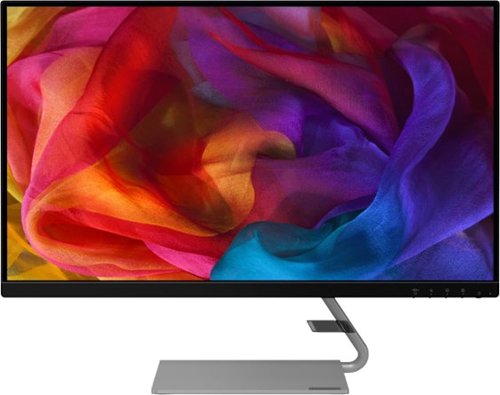
Lenovo - Q27q-1L 27" IPS LED QHD FreeSync Monitor Natural Low Blue Light Built-in Speakers (DisplayPort, HDMI) - Black
Designed to make a definite style statement in any space, the ultra-slim Lenovo Q27q-1L is a perfect blend of elegance and functionality. No matter how you look at it, the Lenovo Q27q-1L perfectly projects the vibrancy of colors on its In-Plane Switching (IPS) display. Paired with dual speakers, the Lenovo Q27q-1L leverages both the audio and visuals for an immersive entertainment experience. Enjoy flawless gaming and binge-watch shows without straining your eyes. Its premium design, accentuated by ultra-narrow bezels and QHD display, makes this ultra-slim monitor a stunning addition to your home. The latest eye comfort innovation, Natural Low Blue Light and Eyesafe Display Certification, provides maximum color accuracy minus the yellow distortions~so you can consume your favorite content without straining your eyes.
Is this monitor g-sync compatible?
No. The Lenovo Q27q-1L Monitor, model number 66C1GCC3US has AMD FreeSync Technology.
5 years ago
by
Posted by:
Lenovo Product Expert
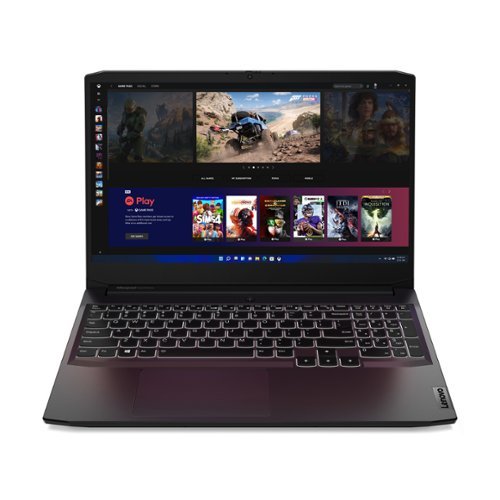
Lenovo - IdeaPad Gaming 3 15" Laptop - AMD Ryzen 5 5600H - NVIDIA GeForce GTX 1650 - 8GB Memory - 512GB SSD
Time to elevate your game and esports experience beyond the realm of the ~just acceptable~ with a PC that stands tall amongst your gaming circle. Engineered with AMD Ryzen~ 5600H processor, NVIDIA~ GeForce~ GTX 1650 graphics, DDR4 memory and M.2 NVMe SSD storage options, the Lenovo~ IdeaPad~ Gaming 3 projects a quiet and serene confidence with smooth, crystal-clear visuals and seamless gameplay that stays cool through improved thermals. The IdeaPad Gaming 3 is also stunning visually turned on or off with an 120 Hz clear FHD display and an advanced gaming keyboard.
Is the USB-C capable of HDMI output? I recently purchased an ASUS that had a USB-C that did not output to HDMI.
No. The Lenovo IdeaPad 3 15 Laptop, model number 82K20003US, ships with 1x HDMI 2.0 port for video out to an external monitor. The 1x USB-C 3.2 Gen 1 (support data transfer only) port does not have video out capability.
5 years ago
by
Posted by:
Lenovo Product Expert
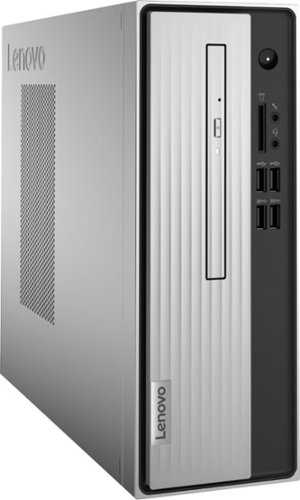
Lenovo - IdeaCentre 3 07ADA Desktop - AMD Athlon -Series - 4GB Memory - 1TB HDD - Silver
Lenovo IdeaCentre 3 07ADA Desktop: Get the job done with this silver Lenovo IdeaCentre 3 desktop computer. An AMD Athlon 3050U processor and 4GB of RAM run multiple programs simultaneously for increased productivity, while the 1TB HDD offers vast storage space for your files and applications. This Lenovo IdeaCentre 3 desktop computer includes a wired mouse and keyboard for easy operation.
Does this unit have Bluetooth?
Yes. The Lenovo IdeaCentre 3 Desktop computer, model number 90MV0001US, ships with Bluetooth 5.0 capability built in.
5 years ago
by
Posted by:
Lenovo Product Expert
Lenovo - Ideapad 3 15 15.6" Laptop - AMD Ryzen 3 - 8GB Memory - 128GB SSD
Engineered for long-lasting performance, the Lenovo~ IdeaPad~ 3 delivers powerful performance with the latest AMD Mobile Processors with Radeon~ Graphics, in a laptop that's perfect for your everyday tasks, with features that you can depend on.
Will I be able to download my machine embroidery software to this laptop and does it play cds?
That will depend on the requirements and compatibility of the device you want to use with the Lenovo IdeaPad 3 15 Laptop, model number 81W1018XUS. This laptop ships with Windows 10 S-Mode 64-bit Operating System. Windows 10 S-Mode provides added security by only allowing APPs available ( and therefore certified by Microsoft) at the Microsoft Store. If you don't need the added security or you need to install APPs not available at the Microsoft Store, you can switch to standard Windows 10 Home 64-bit Operating System, at no additional cost. We recommend you check with the device manufacturer's web site for their compatibility with Windows 10 S-Mode 64-bit operating system and the minimum/recommended hardware requirements (Is a Graphics card required, the processor speed and the minimum required system RAM and the minimum available hard drive space) to run their program, then compare those requirements to this system's configuration. If you choose to switch out of S-Mode for Windows 10 Home: Here is a link to instructions for switching from Windows 10 S-Mode to Windows 10 Home: https://support.microsoft.com/en-us/help/4456067/windows-10-switch-out-of-s-mode. Although this Lenovo IdeaPad 3 15 Laptop does not ship with a built in CD/DVD drive, you can use an external, USB-based Windows 10 compatible CD/DVD drive with this laptop.
5 years ago
by
Posted by:
Lenovo Product Expert
Lenovo - Ideapad 3 15 15.6" Laptop - AMD Ryzen 3 - 8GB Memory - 128GB SSD
Engineered for long-lasting performance, the Lenovo~ IdeaPad~ 3 delivers powerful performance with the latest AMD Mobile Processors with Radeon~ Graphics, in a laptop that's perfect for your everyday tasks, with features that you can depend on.
can I use a regular keyboard with this computer?
Yes you can, so long as the keyboard is compatible with the Windows 10 Operating System.
5 years ago
by
Posted by:
Lenovo Product Expert