Lenovo Product Expert
Lenovo Product Expert's Stats
Reviews
- Review Count0
- Helpfulness Votes0
- First ReviewNone
- Last ReviewNone
- Featured Reviews0
- Average Rating0
Reviews Comments
- Review Comment Count0
- Helpfulness Votes0
- First Review CommentNone
- Last Review CommentNone
- Featured Review Comments0
Questions
- Question Count0
- Helpfulness Votes0
- First QuestionNone
- Last QuestionNone
- Featured Questions0
- Answer Count37880
- Helpfulness Votes24,853
- First AnswerApril 21, 2014
- Last AnswerOctober 16, 2026
- Featured Answers0
- Best Answers2830
Lenovo Product Expert's Reviews
Lenovo Product Expert has not submitted any reviews.
Lenovo Product Expert's Questions
Lenovo Product Expert has not submitted any questions.
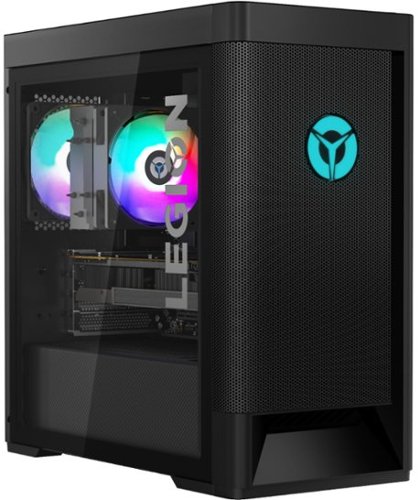
Lenovo - Legion Tower 5 AMD Gaming Desktop - AMD Ryzen 7-5800 - 16GB Memory - NVIDIA GeForce GTX 1660 Super - 256GB SSD + 1TB HDD - Raven Black
Engineered out of a passion for savage power and unmatched speed, the Lenovo~ Legion Tower 5 AMD delivers mind-blowing performance that combines AMD Ryzen processors and top-of-the-line NVIDIA~ GeForce~ graphics cards for blazing-fast frame rates at up to 4K resolution. Pushing far beyond the upper bounds of smaller rig configurations while keeping things cool and whisper quiet, the Legion Tower 5 is a marvel of build and design, accentuated by its illuminated blue LED logo and lighting, as well a transparent side panel that can properly showcase your internals.
what are the dimensions of the computer without the box?

The product dimensions of the Lenovo Legion Tower 5 AMD Gaming Desktop are: (WxDxH) - 8.1 x 15.6 x 16.2 inches.
5 years ago
by
Posted by:
Lenovo Product Expert
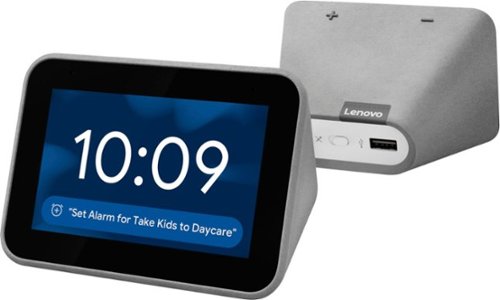
Lenovo - Smart Clock with Google Assistant - Gray
Wake up and start your day with this Lenovo smart clock. Wi-Fi connectivity and Google Assistant integration let you use voice commands to play music, check schedules and control smart home devices. This Lenovo smart clock offers hundreds of audio and media alarm options so you can choose how to wake up.
My lenova smart clock is displaying eastern time and I live in Oregon on PST. I do not know how to get the clock to display the correct time. Suggestions?
Try restarting your Lenovo Smart Clock with Google Assistant: Unplug your device then wait 10 seconds. Plug it back in. If the correct time does not display after the restart, now do a factory reset of the Smart Clock: With the device powered on, press down both the volume+ / volume- button for 10 seconds. Follow the on-screen instructions to set up your device. If the issue continues, we recommend you contact Lenovo Tech Support for Smart Devices for additional help at: 866-426-0911.
5 years ago
by
Posted by:
Lenovo Product Expert
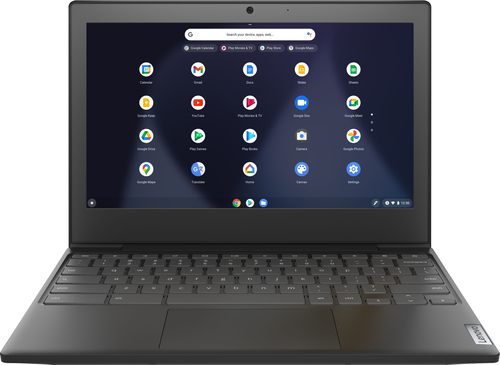
Lenovo - Chromebook 3 11" Chromebook - AMD A6 - 4GB Memory - 32GB eMMC Flash Memory
Fast, flexible, and fun, the Chromebook 3-11" brings everyone~s favorite Chromebook features, housed in a slim chassis, running on the lightning-fast Chrome OS that boots up in seconds, updates automatically, and is protected by built-in virus protection. Powered by an AMD A6 processor with up to 10 hours of battery life, the IdeaPad 3 Chromebook can seamlessly run all of your favorite apps at the same time
will this hold a compatible 5tb external hd like seagate one touch?
That will depend on the requirements and compatibility of the external hard drive. The Lenovo Chromebook 3 11 ships with the Chrome Operating System and is compatible with Google Play Store APPs. We recommend you check with the specific external hard drive's manufacturer's web site, of the model hard drive you want to use, for their compatibility with the Chrome operating system and the minimum/recommended hardware requirements (Is a Graphics card required, the processor speed and the minimum required system RAM and the minimum available hard drive space) to run their program, then compare those requirements to this system's configuration.
5 years ago
by
Posted by:
Lenovo Product Expert
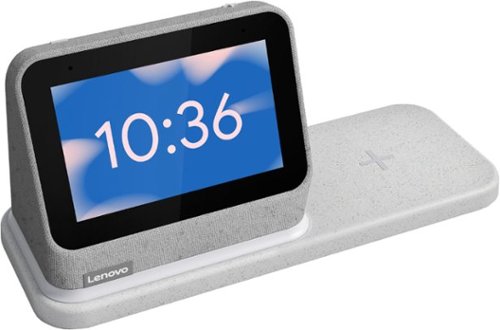
Lenovo - Smart Clock (2nd Gen) 4" Smart Display with Google Assistant and Wireless Charging Dock - Heather Grey
The best bedroom Smart Clock just got even better. The Lenovo Smart Clock Gen 2 with Wireless Charging Dock keeps your nightstand clutter free. Charge up to two additional devices at once: your phone (using the wireless dock) and another accessory, like a smart watch (using the USB port). The 4~ color touchscreen showcases the time, weather and your family photos with a choice of customizable clock faces or check in on your smart cameras feeds before bed. Enhanced with a built-in nightlight when docked, the light is just bright enough to illuminate your way without waking your partner. With multiroom audio, you can add your Lenovo Smart Clock Gen 2 to a speaker group and play media across multiple devices and rooms.
How much can the display be dimmed? Can the display be set to only show time when prompted (touch, voice, gesture)?
You can manually adjust the display brightness from approximately 4 Percent brightness to 100 Percent. There are several choices for the display screen, some only show the time. Here is a link to a YouTube video that demonstrates the manual screen brightness control as well as the other features and functions of the Lenovo Smart Clock 2: https://www.youtube.com/watch?v=06nAJwQ7OKk&t=1s. If you have additional questions about the Lenovo Smart Clock 2 we recommend you contact Lenovo Tech Support for Smart Devices at: 866-426-0911.
5 years ago
by
Posted by:
Lenovo Product Expert
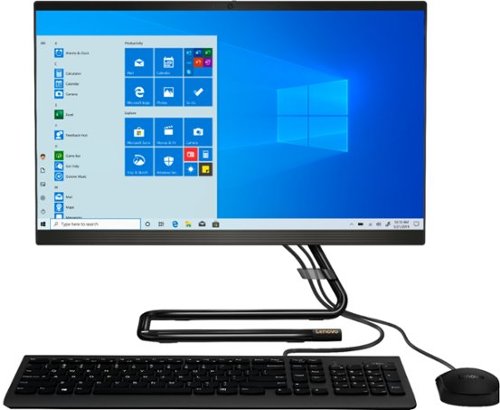
Lenovo - IdeaCentre A340-22IGM 21.5" Touch-Screen All-In-One - Intel Pentium Silver - 8GB Memory - 1TB Hard Drive - Black
Work seamlessly with this Lenovo IdeaCentre desktop computer. The 1TB HDD offers ample storage for your documents and media files, while the 8GB of RAM lets you run several programs simultaneously for smooth multitasking. This Lenovo IdeaCentre computer has a 21.5-inch Full HD touchscreen display that delivers crisp visuals and offers 10-point multi-touch operations for easy interfacing.
Is the head phone jack the same as the microphone jack and if so I can't get any sound from my headphones or any headphones that I've tried.
The Lenovo IdeaCentre A340-22 All-In-One system, model number F0EA000GUS, ships with 1x headphone / microphone combo jack (3.5mm) on the left side of the computer screen. Be sure your headphones are working by trying them with a different device. If your headphones are working, here is a link to troubleshooting tips for fixing headphones not working within Windows 10: https://softwarekeep.com/help-center/headphone-jack-not-working-in-windows-10. If the issue continues, we recommend you contact Lenovo Tech Support for additional help at: 877-453-6686.
5 years ago
by
Posted by:
Lenovo Product Expert
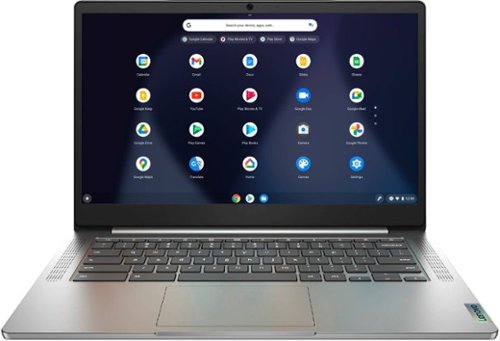
Lenovo - Chromebook 3 14" Laptop - Mediatek MT8183 - 4GB Memory - 64GB eMMC - Arctic Grey
Fast, flexible, and fun, the Chromebook 3-14" brings everyone~s favorite Chromebook features, running on the lightning-fast Chrome OS that boots up in seconds, updates automatically, and is protected by built-in virus protection. Powered by a MediaTek processor and up to 10 hours of battery life, it~ll seamlessly run all of your favorite apps at the same time.
How many years is a warranty for this chrome book
The Lenovo Chromebook 3 14 model number 82KN0000US, ships with a 1-year limited manufacturer's warranty, covering hardware OEM issues.
5 years ago
by
Posted by:
Lenovo Product Expert
Lenovo - Chromebook 3 14" Laptop - Mediatek MT8183 - 4GB Memory - 64GB eMMC - Arctic Grey
Fast, flexible, and fun, the Chromebook 3-14" brings everyone~s favorite Chromebook features, running on the lightning-fast Chrome OS that boots up in seconds, updates automatically, and is protected by built-in virus protection. Powered by a MediaTek processor and up to 10 hours of battery life, it~ll seamlessly run all of your favorite apps at the same time.
I have noticed that I was not able to match my display to Full HD (1920x1080p) when connected to my external FHD monitor using USB-C dongle through HDMI cable. I looked into the specs for that processor/GPU SOC and it does support FHD displays.
The Lenovo Chromebook 3 14 model number 82KN0000US, has a 14 inch (screen size measured diagonally) TN - FHD (1920x1080) screen, with a brightness level of 220 nits and has an Anti-glare coating. The Chromebook 3 14 has 1x USB-C 2.0 (support data transfer, Power Delivery 2.0 and DisplayPort 1.1a) with video out capability, which supports up to 2 independent displays via native display and 1 external monitor; supports external monitor via USB-C (up to 1920x1080@60Hz). Here is a link to instructions for connecting and adjusting an external monitor connected to a Chromebook: https://support.google.com/chromebook/answer/1060909?hl=en. If you continue to have issues, check the HDMI cable you are using, switch it with a different HDMI cable, if possible. Also check the specs of the USB-c adapter you are using to be sure it supports FHD resolution. If you continue to have issues we recommend you contact Lenovo Tech Support for Chromebooks at: 800-426-7378.
5 years ago
by
Posted by:
Lenovo Product Expert
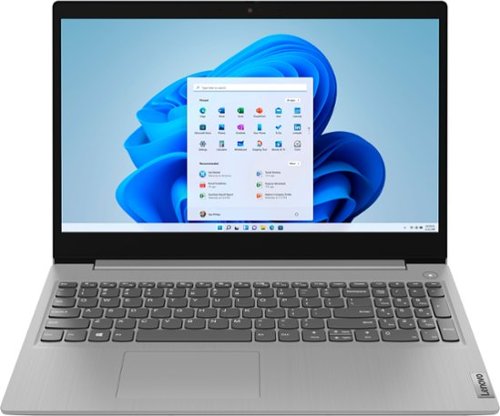
Lenovo - Ideapad 3 15 15.6" Laptop - AMD Ryzen 3 - 8GB Memory - 128GB SSD
Engineered for long-lasting performance, the Lenovo~ IdeaPad~ 3 delivers powerful performance with the latest AMD Mobile Processors with Radeon~ Graphics, in a laptop that's perfect for your everyday tasks, with features that you can depend on.
Is any software included
The Lenovo IdeaPad 3 15 Laptop, model number 81W1018XUS, ships with: Windows 10 S-Mode 64-bit Operating System, McAfee LiveSafe - 30 day trial, Microsoft Office - 30 day trial, Lenovo Utility, Lenovo Vantage, Alexa, Mirkat.
5 years ago
by
Posted by:
Lenovo Product Expert
Lenovo - Ideapad 3 15 15.6" Laptop - AMD Ryzen 3 - 8GB Memory - 128GB SSD
Engineered for long-lasting performance, the Lenovo~ IdeaPad~ 3 delivers powerful performance with the latest AMD Mobile Processors with Radeon~ Graphics, in a laptop that's perfect for your everyday tasks, with features that you can depend on.
Will this work with cricut design space
That will depend on the requirements and compatibility of the hardware you want to use with the Lenovo IdeaPad 3 15 laptop. This laptop ships with the Windows 10 S-Mode 64-bit Operating System. Windows 10 S-Mode provides added security by only allowing APPs available ( and therefore certified by Microsoft) at the Microsoft Store. If you don't need the added security or you need to install APPs not available at the Microsoft Store, you can switch to standard Windows 10 Home 64-bit Operating System, at no additional cost. We recommend you check with the device manufacturer's web site for their compatibility with Windows 10 S-Mode 64-bit operating system and the minimum/recommended hardware requirements (Is a Graphics card required, the processor speed and the minimum required system RAM and the minimum available hard drive space) to run their program, then compare those requirements to this system's configuration. If you choose to switch out of S-Mode for Windows 10 Home: Here is a link to instructions for switching from Windows 10 S-Mode to Windows 10 Home: https://support.microsoft.com/en-us/help/4456067/windows-10-switch-out-of-s-mode
5 years ago
by
Posted by:
Lenovo Product Expert
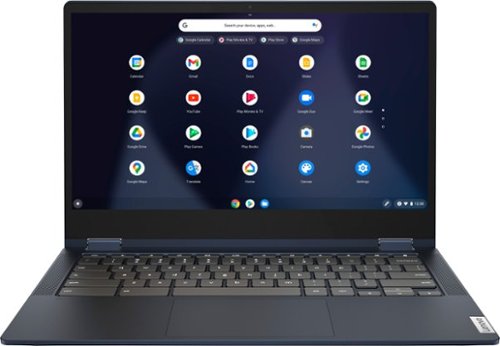
Lenovo - Flex 5 13" 2-in-1 Chromebook - Pentium 7505 - 4GB Memory - 32GB eMMC
Lenovo~ IdeaPad~ Flex 5 Chromebook 13", powered by Intel Pentium 7505 Processor, boasts up to 10 hours of battery life to let you get things done quickly and easily with all your favorite Chromebook features. Use your Google Account for seamless access to your files, photos, music and you can start an immersive entertainment experience with the user-facing stereo speakers and IPS FHD display~or you can enjoy more by apps downloaded on the Google Play Store. Any great idea pop up in mind? Just flip your Chromebook and dot your ideas with the Lenovo digital pen to catch the moment.
What is the reported battery life on this model (runtime in hours, for a typical workload)?
The Lenovo Flex 5 13 Chromebook, model number 82M70000US, ships with a Integrated 51Wh, Lithium-Polymer battery, which has a Google power load test of: 10 hr.
5 years ago
by
Posted by:
Lenovo Product Expert