Lenovo Product Expert
Lenovo Product Expert's Stats
Reviews
- Review Count0
- Helpfulness Votes0
- First ReviewNone
- Last ReviewNone
- Featured Reviews0
- Average Rating0
Reviews Comments
- Review Comment Count0
- Helpfulness Votes0
- First Review CommentNone
- Last Review CommentNone
- Featured Review Comments0
Questions
- Question Count0
- Helpfulness Votes0
- First QuestionNone
- Last QuestionNone
- Featured Questions0
- Answer Count37880
- Helpfulness Votes24,853
- First AnswerApril 21, 2014
- Last AnswerOctober 16, 2026
- Featured Answers0
- Best Answers2830
Lenovo Product Expert's Reviews
Lenovo Product Expert has not submitted any reviews.
Lenovo Product Expert's Questions
Lenovo Product Expert has not submitted any questions.
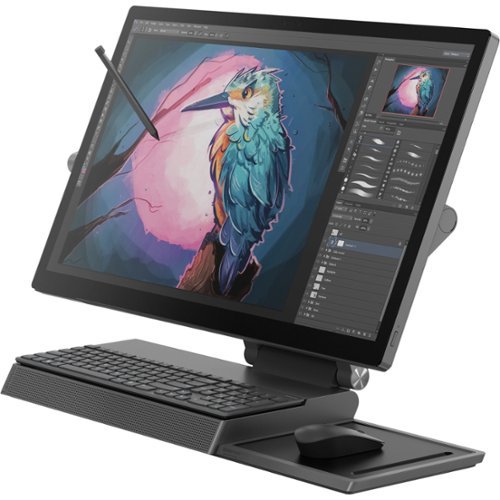
Lenovo - Yoga A940-27ICB 27" Touch-Screen All-In-One - Intel Core i7 - 16 GB Memory - 1 TB HDD + 256 GB SSD - Iron Gray
The Yoga A940's 27" display with a rotating hinge provides stability for drawing and writing with a digital pen. The innovative dual hinge design makes it easier to slide into drafting mode with one hand- and palm-rejection technology provides a pen-to-paper experience whether you're sketching out your next project or tweaking details. With Intel Core processing and PCIe solid-state drive, the A940 runs seamlessly smooth~even with heavy workloads.
Can you hook up an additional screen to this pc

Yes. The Lenovo Yoga A940-27 All-In-One system ships with both 1x HDMI-in /out 1.4 port and a 1x Thunderbolt 3.0 port with video capability.
5 years ago
by
Posted by:
Lenovo Product Expert
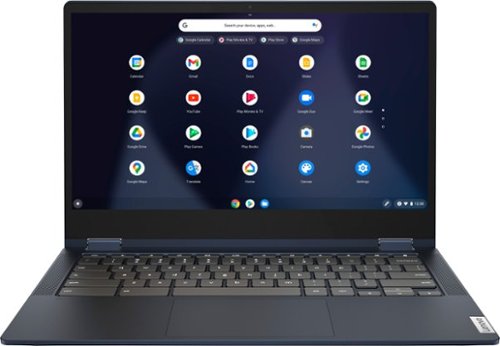
Lenovo - Flex 5 13" 2-in-1 Chromebook - Pentium 7505 - 4GB Memory - 32GB eMMC
Lenovo~ IdeaPad~ Flex 5 Chromebook 13", powered by Intel Pentium 7505 Processor, boasts up to 10 hours of battery life to let you get things done quickly and easily with all your favorite Chromebook features. Use your Google Account for seamless access to your files, photos, music and you can start an immersive entertainment experience with the user-facing stereo speakers and IPS FHD display~or you can enjoy more by apps downloaded on the Google Play Store. Any great idea pop up in mind? Just flip your Chromebook and dot your ideas with the Lenovo digital pen to catch the moment.
Last year's Chromebook Flex 5 had a reputation for bad hinges. Did they engineer something better this time?
The Lenovo Flex Series systems, including the Lenovo Flex 5 13 Chromebook model number 82M70000US, ships with 360 degree hinges that have been bench tested through 25,000 cycles (the equivalent of 8 to 10 years of normal use) without a failure.
5 years ago
by
Posted by:
Lenovo Product Expert
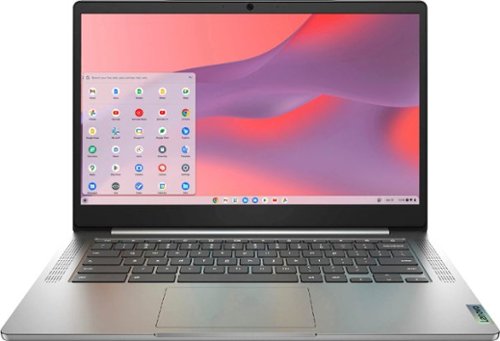
Fast, flexible, and fun, the Chromebook 3-14" brings everyone~s favorite Chromebook features, running on the lightning-fast Chrome OS that boots up in seconds, updates automatically, and is protected by built-in virus protection. Powered by a MediaTek processor and up to 10 hours of battery life, it~ll seamlessly run all of your favorite apps at the same time. Get Minecraft and 3 months of Realms Plus at no cost* with purchase of a new Chromebook. Terms Apply. *Offer valid for qualifying Chromebooks purchased on or after July 1st, 2023 through September 30th, 2023 while supplies last.
What is the CPU?
The Lenovo Chromebook 3 14 model number 82KN0001US, ships with the 8-Core MediaTek MT8183 processor.
5 years ago
by
Posted by:
Lenovo Product Expert
Fast, flexible, and fun, the Chromebook 3-14" brings everyone~s favorite Chromebook features, running on the lightning-fast Chrome OS that boots up in seconds, updates automatically, and is protected by built-in virus protection. Powered by a MediaTek processor and up to 10 hours of battery life, it~ll seamlessly run all of your favorite apps at the same time. Get Minecraft and 3 months of Realms Plus at no cost* with purchase of a new Chromebook. Terms Apply. *Offer valid for qualifying Chromebooks purchased on or after July 1st, 2023 through September 30th, 2023 while supplies last.
Is this laptop touchscreen or no
The Lenovo Chromebook 3 14 model number 82KN0001US, has a 10-point Multi-touch screen that is 14 inch (screen size measured diagonally) IPS - FHD (1920x1080) 10-point Multi-touch screen, with a brightness level of 300 nits and has an Anti-glare coating.
5 years ago
by
Posted by:
Lenovo Product Expert
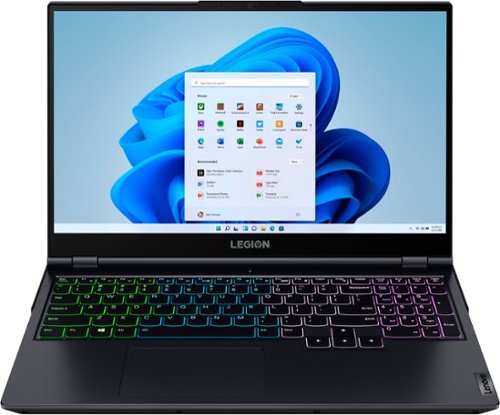
Lenovo - Legion 5 15" Gaming Laptop - AMD Ryzen 7 5800H - NVIDIA GeForce RTX 3050 Ti - 8GB Memory - 512GB SSD - Phantom Blue
Offering a plethora of performance options for any gamer in a clean, minimalist design, the Lenovo~ Legion 5 pairs the latest AMD Ryzen 5800 H-Series processor, NVIDIA GeForce RTX 3050 Ti Graphics, 3200 MHz DDR4 memory, and NVMe TLC SSD storage.
Hello! What Ram does it take (identical to the one that comes with the laptop) so that I can upgrade it to two sticks?
The Lenovo Legion 5 15 Gaming Laptop model number 82JW000XUS, ships with 8GB DDR4-3200MHz RAM (SoDIMM,8GB,DDR4,3200,Samsung MEMORY, Lenovo Part Number - 5M30V06969). Here is a link to the complete parts list for this model configuration: https://pcsupport.lenovo.com/us/en/products/laptops-and-netbooks/legion-series/legion-5-15ach6/82jw/82jw000xus/parts/display/model
5 years ago
by
Posted by:
Lenovo Product Expert
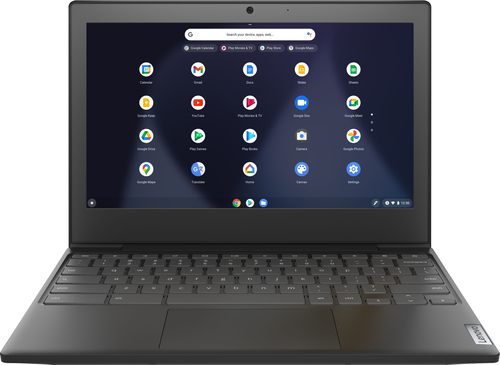
Lenovo - Chromebook 3 11" Chromebook - AMD A6 - 4GB Memory - 32GB eMMC Flash Memory
Fast, flexible, and fun, the Chromebook 3-11" brings everyone~s favorite Chromebook features, housed in a slim chassis, running on the lightning-fast Chrome OS that boots up in seconds, updates automatically, and is protected by built-in virus protection. Powered by an AMD A6 processor with up to 10 hours of battery life, the IdeaPad 3 Chromebook can seamlessly run all of your favorite apps at the same time
Hello. I need a simple computer for college. To use for Word, Excel, PowerPoint, and Access. If i get the programming with my school, will I be able to download it on this laptop?
The Lenovo Chromebook 3 11 uses Google Docs for office type programs. Google Docs is completely compatible with Microsoft Office Programs and this is a free service through the Google Server. If you must have the actual Microsoft Office Programs, you can purchase Microsoft Office 365 for this Chromebook at the Google Play Store or if your school provides you with Microsoft Office software, get the Product Activation code for the Chromebook version of Microsoft Office 365.
5 years ago
by
Posted by:
Lenovo Product Expert
Fast, flexible, and fun, the Chromebook 3-14" brings everyone~s favorite Chromebook features, running on the lightning-fast Chrome OS that boots up in seconds, updates automatically, and is protected by built-in virus protection. Powered by a MediaTek processor and up to 10 hours of battery life, it~ll seamlessly run all of your favorite apps at the same time. Get Minecraft and 3 months of Realms Plus at no cost* with purchase of a new Chromebook. Terms Apply. *Offer valid for qualifying Chromebooks purchased on or after July 1st, 2023 through September 30th, 2023 while supplies last.
Will this chrome book handle games like the SIMS and Minecraft?
That really will depend on the requirements and compatibility of the specific games you want to run. The Lenovo Chromebook 3 14 ships with the Chrome Operating System and is compatible with Google Play Store APPs. We recommend you check with the specific game's software publisher's web sites, of the games you want to play, for their compatibility with the Chrome operating system and the minimum/recommended hardware requirements (Is a Graphics card required, the processor speed and the minimum required system RAM and the minimum available hard drive space) to run their program, then compare those requirements to this system's configuration.
5 years ago
by
Posted by:
Lenovo Product Expert
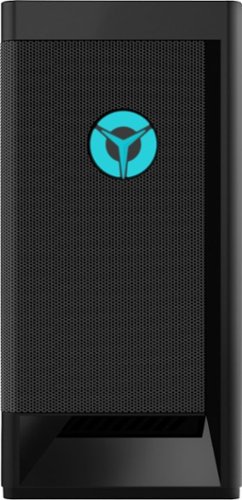
Lenovo - Legion Tower 5i Gaming Desktop - Intel Core i5-11400 - 8GB Memory - NVIDIA GeForce GTX 1660 Super - 256GB SSD + 1TB HDD - Raven Black
Engineered out of a passion for savage power and unmatched speed, the Lenovo~ Legion Tower 5i delivers mind-blowing performance that combines 11th Generation Intel~ Core~ processors and top-of-the-line NVIDIA~ GeForce~ graphics cards for blazing-fast frame rates at up to 4K resolution. Pushing far beyond the upper bounds of smaller rig configurations while keeping things cool and whisper quiet, the Legion Tower 5i is a marvel of build and design, accentuated by its illuminated blue LED logo and lighting, as well a transparent side panel that can properly showcase your internals.
Will this pc run Fortnite well. What FPS would it get? Thanks
That really will depend on the requirements and compatibility of the specific game you want to run. We recommend you check with the specific game's software publisher's web site for their compatibility with Windows 10 Home 64-bit operating system and the minimum/recommended hardware requirements (Is a Graphics card required, the processor speed and the minimum required system RAM and the minimum available hard drive space) to run their program, then compare those requirements to this system's configuration.
5 years ago
by
Posted by:
Lenovo Product Expert
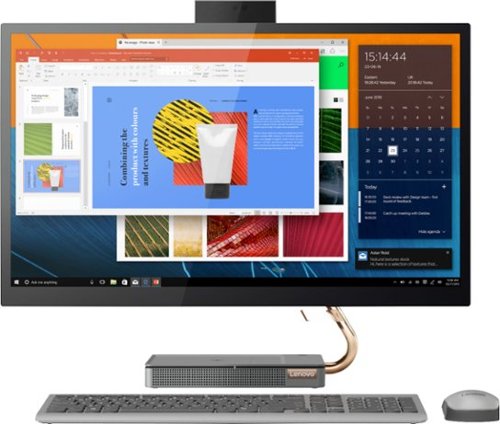
Lenovo - IdeaCentre A540-27ICB 27" Touch-Screen All-In-One - Intel Core i5 - 12GB Memory - 256GB SSD - Mineral Gray
Increase your productivity with this 27-inch QHD Lenovo IdeaCenter All-in-One desktop. The Intel Core i5 processor and 12GB of RAM support seamless multitasking, while a 256GB M.2 SSD combines rapid boots and ample storage. This Bluetooth-enabled Lenovo IdeaCenter All-in-One desktop features a Full HD camera for smooth videoconferencing and arrives with Windows 10 Home 64 bit installed to get you started right away.
How long does it take the keyboard to fully charge (from empty) and how long does a full charge last?
UPDATE - CORRECTION: Sorry for the confusion answering your question about the wireless keyboard included with this Lenovo IdeaCentre A540-27 All-In-One System. It will take approximately 2.5 hours to fully charge the keyboard's internal battery, using the included charging cable. A full charge of the keyboard should last approximately 2 to 4 weeks depending on levels of usage.
The Lenovo IdeaCentre A540-27 All-In-One System does not have an internal battery. It must remain plugged into a power source to function.
The Lenovo IdeaCentre A540-27 All-In-One System does not have an internal battery. It must remain plugged into a power source to function.
5 years ago
by
Posted by:
Lenovo Product Expert
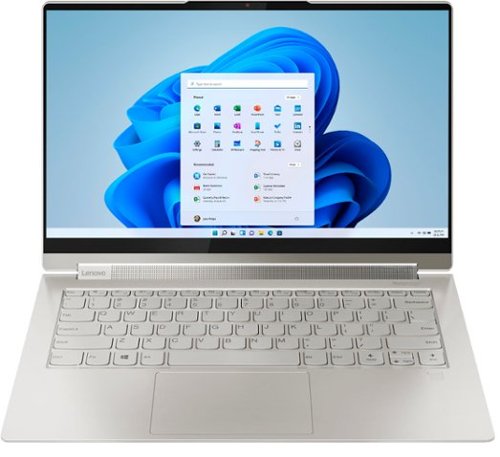
Lenovo - Yoga 9i 14 2-in-1 14" Touch-Screen Laptop - Intel Evo Platform Core i7 - 16GB Memory - 512GB SSD - Mica
Meet the Lenovo Yoga 9i, designed to put your experience first with the Intel Evo platform~s powerhouse combination of performance, responsiveness, battery life and stunning visuals. Innovative features are encased directly in a sleek 2-in-1 metal chassis, combined with the advanced mobile performance of 11th generation Intel Core processors and powerfully immersive entertainment.
How can I tell if the pen is charging? It's in the pen garage, and the laptop is plugged in, but the pen remains at 12% charge.
Be sure you are putting the pen back into the pen garage within the Lenovo Yoga 9i 14 correctly. Then from the Windows Menu, launch Lenovo Pen Settings App. A Battery Indicator icon is shown at the top of the Lenovo Pen Settings App if the pen is detected. This is how you will know the pen is in the pen garage properly and is charging. When you hover your mouse on the Battery Indicator icon, it should show the battery percentage. If your pen continues not to charge while in the pen garage, we recommend you contact Lenovo Tech Support for additional help at: 877-453-6686.
5 years ago
by
Posted by:
Lenovo Product Expert