Lenovo Product Expert
Lenovo Product Expert's Stats
Reviews
- Review Count0
- Helpfulness Votes0
- First ReviewNone
- Last ReviewNone
- Featured Reviews0
- Average Rating0
Reviews Comments
- Review Comment Count0
- Helpfulness Votes0
- First Review CommentNone
- Last Review CommentNone
- Featured Review Comments0
Questions
- Question Count0
- Helpfulness Votes0
- First QuestionNone
- Last QuestionNone
- Featured Questions0
- Answer Count37880
- Helpfulness Votes24,853
- First AnswerApril 21, 2014
- Last AnswerOctober 16, 2026
- Featured Answers0
- Best Answers2830
Lenovo Product Expert's Reviews
Lenovo Product Expert has not submitted any reviews.
Lenovo Product Expert's Questions
Lenovo Product Expert has not submitted any questions.
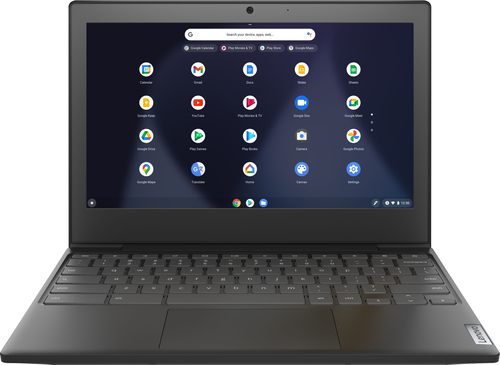
Lenovo - Chromebook 3 11" Chromebook - AMD A6 - 4GB Memory - 32GB eMMC Flash Memory
Fast, flexible, and fun, the Chromebook 3-11" brings everyone~s favorite Chromebook features, housed in a slim chassis, running on the lightning-fast Chrome OS that boots up in seconds, updates automatically, and is protected by built-in virus protection. Powered by an AMD A6 processor with up to 10 hours of battery life, the IdeaPad 3 Chromebook can seamlessly run all of your favorite apps at the same time
Is the keyboard included with this?

Yes. The keyboard is included and does not detach from the screen of this traditionally configured Lenovo Chromebook 3 11. It functions as a traditional laptop format Chromebook.
5 years ago
by
Posted by:
Lenovo Product Expert
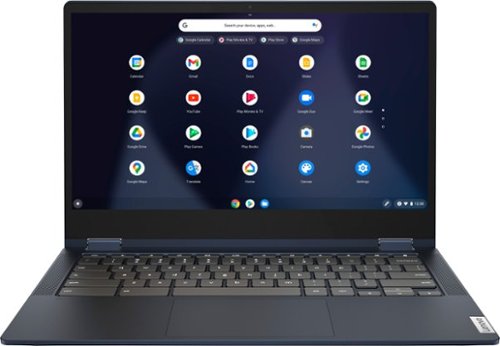
Lenovo - Flex 5 13" 2-in-1 Chromebook - Pentium 7505 - 4GB Memory - 32GB eMMC
Lenovo~ IdeaPad~ Flex 5 Chromebook 13", powered by Intel Pentium 7505 Processor, boasts up to 10 hours of battery life to let you get things done quickly and easily with all your favorite Chromebook features. Use your Google Account for seamless access to your files, photos, music and you can start an immersive entertainment experience with the user-facing stereo speakers and IPS FHD display~or you can enjoy more by apps downloaded on the Google Play Store. Any great idea pop up in mind? Just flip your Chromebook and dot your ideas with the Lenovo digital pen to catch the moment.
I just purchased this Chromebook. Is the pin on the right hinge supposed to go all through and connect on both sides? Only the left hinge appears to be fully connected.
Images for this Question
(click to see full-size image)


Both hinges will connect on both sides of the hinge port. You may not be able to see the connections while the hinges are connected. Check the operation of the hinge. If it is operating normally, the hinges are connected properly. If you have questions about your Lenovo Chromebook Flex 5 13 we recommend you contact Lenovo Tech Support for Chromebooks at: 800-426-7378.
5 years ago
by
Posted by:
Lenovo Product Expert
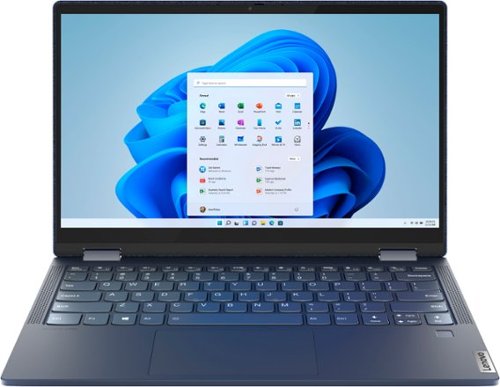
Lenovo - Yoga 6 13 2-in-1 13.3" Touch Screen Laptop - AMD Ryzen 5 - 8GB Memory - 256GB SSD - Abyss Blue with Fabric Cover
The Lenovo~ Yoga~ 6 is an ultra-portable 2-in-1 that combines unique style with the powerful responsiveness of an AMD Ryzen~ 5000 Series Mobile Processor, abundant memory and SSD storage. Enjoy a rich multimedia experience with the clarity of a 13.3" FHD touchscreen display, and enveloping sound with Dolby Atmos~-optimized stereo speakers.
I just got my laptop this week, and I noticed it only charges when it is plugged in on the left USB C port. Is it supposed to do that or does that mean my right port is defective?
That is correct. The only port that can charge the computer is the USB-c port on the left side of the computer with the electric plug icon next to it. The USB-c port on the right side of the device is a 1x USB-C 3.2 Gen 1 (support data transfer and DisplayPort 1.4) capable port.
5 years ago
by
Posted by:
Lenovo Product Expert
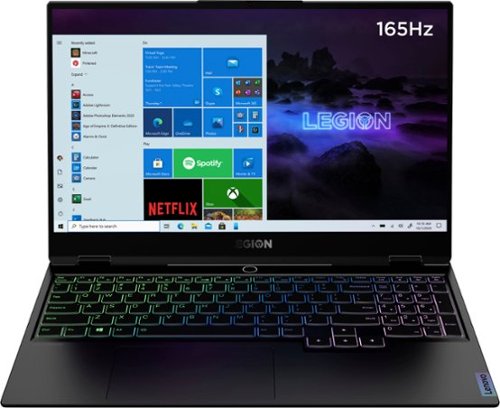
Lenovo - Legion Slim 7 15" Gaming Laptop - AMD Ryzen 7 5800H - NVIDIA GeForce RTX 3060 Max-Q - 16GB Memory - 512GB SSD
The Lenovo~ Legion Slim 7 was engineered for gamers who demand mobility and performance for day and night. Sporting a finely crafted chassis machined from 100% aluminum that is shockingly thin and impressively light, the Legion Slim 7 was expertly crafted for gamers who demand more.
Hi this model what light for keyboard have? rgb or only white?
The Lenovo Legion Slim 7 15 Gaming Laptop, model number 82K80001US, ships with a RGB LED Backlit, standard QWERTY English (US) keyboard, with 10-key numeric pad included.
5 years ago
by
Posted by:
Lenovo Product Expert
Lenovo - Yoga 6 13 2-in-1 13.3" Touch Screen Laptop - AMD Ryzen 5 - 8GB Memory - 256GB SSD - Abyss Blue with Fabric Cover
The Lenovo~ Yoga~ 6 is an ultra-portable 2-in-1 that combines unique style with the powerful responsiveness of an AMD Ryzen~ 5000 Series Mobile Processor, abundant memory and SSD storage. Enjoy a rich multimedia experience with the clarity of a 13.3" FHD touchscreen display, and enveloping sound with Dolby Atmos~-optimized stereo speakers.
Is the fabric cover removable?
No. The fabric over on the Lenovo Yoga 6 13 is not removable.
5 years ago
by
Posted by:
Lenovo Product Expert
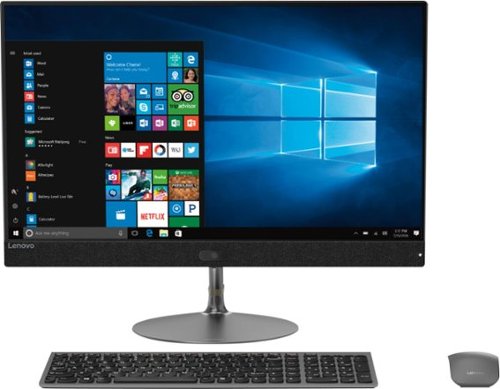
Lenovo - IdeaCentre 730S 23.8" Touch-Screen All-In-One - Intel Core i7 - 8GB Memory - 256GB Solid State Drive
Perform everyday computing tasks by voice via Microsoft Cortana with this Lenovo IdeaCentre all-in-one desktop. The 256GB solid-state drive provides high-performance storage, while the quad-core Intel Core i7 processor and 8GB of RAM let you run multiple applications smoothly. Browse efficiently with the 23.5-inch Full HD touch screen display of this Lenovo IdeaCentre all-in-one desktop.
I think I accidentally got rid of my power cable for this computer. Can someone please tell me what cord to order?
This universal 90W AC adapter is compatible with the Lenovo IdeaCentre 730s 24 All-In-One system: https://www.bestbuy.com/site/targus-universal-90w-power-adapter-universal-black/5623967.p?skuId=5623967
5 years ago
by
Posted by:
Lenovo Product Expert
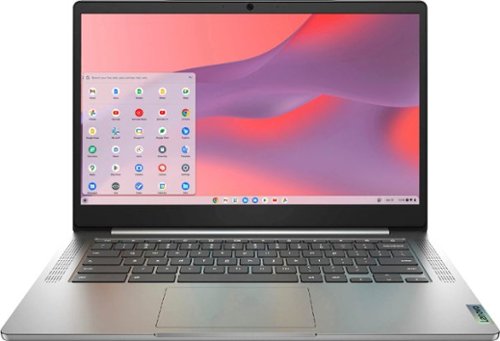
Fast, flexible, and fun, the Chromebook 3-14" brings everyone~s favorite Chromebook features, running on the lightning-fast Chrome OS that boots up in seconds, updates automatically, and is protected by built-in virus protection. Powered by a MediaTek processor and up to 10 hours of battery life, it~ll seamlessly run all of your favorite apps at the same time. Get Minecraft and 3 months of Realms Plus at no cost* with purchase of a new Chromebook. Terms Apply. *Offer valid for qualifying Chromebooks purchased on or after July 1st, 2023 through September 30th, 2023 while supplies last.
Is there another slot to add ram, and is the 4gb it comes with soldered in?
The Lenovo Chromebook 3 14 model number 82KN0001US, ships with 4GB Soldered LPDDR4X-1866MHz RAM and is not upgradeable.
5 years ago
by
Posted by:
Lenovo Product Expert
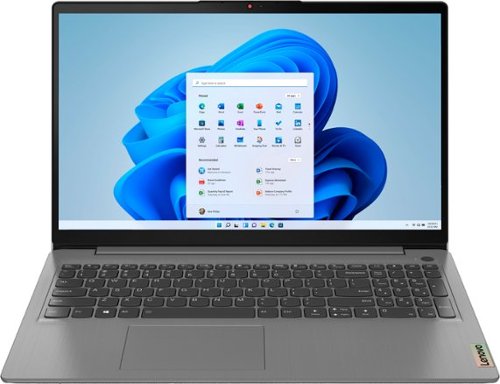
Lenovo - Ideapad 3 15.6" FHD Touch Screen Laptop - Intel Core i5 11th Gen - 12GB Memory - 256GB SSD - Arctic Grey
Engineered for long-lasting performance, the Lenovo~ IdeaPad~ 3 delivers powerful performance with the latest Intel 11th Generation Processors with Intel~ Iris Xe Graphics, in a laptop that's perfect for your everyday tasks, with features that you can depend on.
What kind of ports does this have and how many of each
The Lenovo IdeaPad 3 15 Laptop, model number 82H801DQUS, ships with these ports: 1x Power connector, 1x Card reader, 1x USB 3.2 Gen 1, 1x USB-C 3.2 Gen 1 (support data transfer only), 1x HDMI 1.4b, 1x Headphone / microphone combo jack (3.5mm), 1x USB 2.0.
5 years ago
by
Posted by:
Lenovo Product Expert
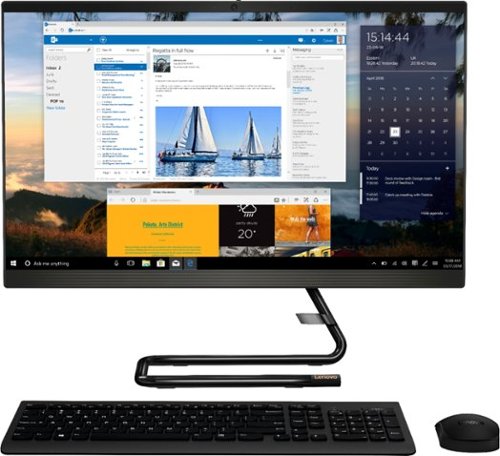
Lenovo - IdeaCentre AIO 3i 24" 23.8" Non-Touch All-In-One - Intel Core i3 - 8GB Memory - 256GB Solid State Drive - Black
For real slick performance and truly stylish engineering, take a look at the Lenovo~ IdeaCentre~ AIO 3i. It~s powered by a 10th generation Intel~ Core~ i3 processor, DDR4 memory, and a 256GB solid-state storage drive, so it can handle any task. With its streamlined stand and near-borderless display, it saves on desk space, too.
Can I add a monitor and make this duel screen?
Yes. The Lenovo IdeaCentre 3i 24 All-In-One system has an HDMI out port for connecting an external montor.
5 years ago
by
Posted by:
Lenovo Product Expert
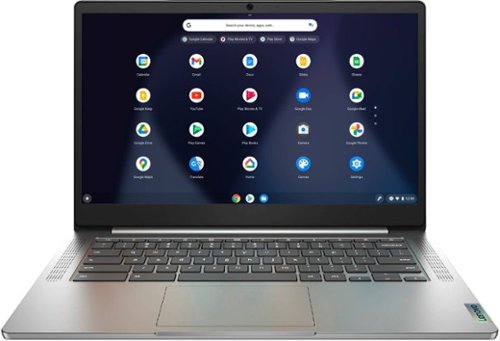
Lenovo - Chromebook 3 14" Laptop - Mediatek MT8183 - 4GB Memory - 64GB eMMC - Arctic Grey
Fast, flexible, and fun, the Chromebook 3-14" brings everyone~s favorite Chromebook features, running on the lightning-fast Chrome OS that boots up in seconds, updates automatically, and is protected by built-in virus protection. Powered by a MediaTek processor and up to 10 hours of battery life, it~ll seamlessly run all of your favorite apps at the same time.
I just purchased 2 of these laptops. Do they not have an HDMI or vga jack to be able to hook up an extra monitor?
The Lenovo Chromebook 3 14 model number 82KN0000US, ships with 1x USB-C 2.0 (support data transfer, Power Delivery 2.0 and DisplayPort 1.1a) with video out capability for connecting an external monitor. You can connect an HDMI monitor to this Chromebook by using a USB-c to HDMI adapter like this one: https://www.bestbuy.com/site/insignia-usb-c-to-hdmi-adapter-white/6424886.p?skuId=6424886
5 years ago
by
Posted by:
Lenovo Product Expert