Lenovo Product Expert
Lenovo Product Expert's Stats
Reviews
- Review Count0
- Helpfulness Votes0
- First ReviewNone
- Last ReviewNone
- Featured Reviews0
- Average Rating0
Reviews Comments
- Review Comment Count0
- Helpfulness Votes0
- First Review CommentNone
- Last Review CommentNone
- Featured Review Comments0
Questions
- Question Count0
- Helpfulness Votes0
- First QuestionNone
- Last QuestionNone
- Featured Questions0
- Answer Count37880
- Helpfulness Votes24,853
- First AnswerApril 21, 2014
- Last AnswerOctober 16, 2026
- Featured Answers0
- Best Answers2830
Lenovo Product Expert's Reviews
Lenovo Product Expert has not submitted any reviews.
Lenovo Product Expert's Questions
Lenovo Product Expert has not submitted any questions.
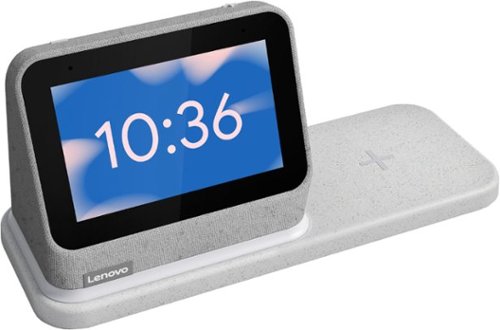
Lenovo - Smart Clock (2nd Gen) 4" Smart Display with Google Assistant and Wireless Charging Dock - Heather Grey
The best bedroom Smart Clock just got even better. The Lenovo Smart Clock Gen 2 with Wireless Charging Dock keeps your nightstand clutter free. Charge up to two additional devices at once: your phone (using the wireless dock) and another accessory, like a smart watch (using the USB port). The 4~ color touchscreen showcases the time, weather and your family photos with a choice of customizable clock faces or check in on your smart cameras feeds before bed. Enhanced with a built-in nightlight when docked, the light is just bright enough to illuminate your way without waking your partner. With multiroom audio, you can add your Lenovo Smart Clock Gen 2 to a speaker group and play media across multiple devices and rooms.
Will it wirelessly charge an iPhone 12 that has MagSafe charging?

Yes. The Smart Dock 2 is also MagSafe compatible, so it will work with the Apple iPhone 12.
5 years ago
by
Posted by:
Lenovo Product Expert
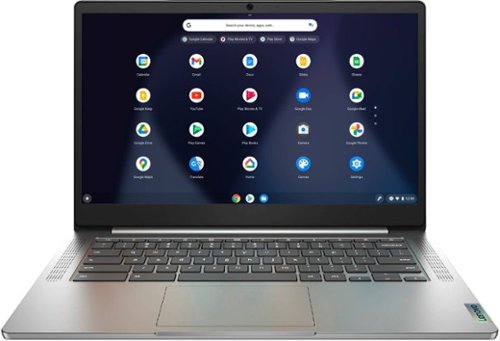
Lenovo - Chromebook 3 14" Laptop - Mediatek MT8183 - 4GB Memory - 64GB eMMC - Arctic Grey
Fast, flexible, and fun, the Chromebook 3-14" brings everyone~s favorite Chromebook features, running on the lightning-fast Chrome OS that boots up in seconds, updates automatically, and is protected by built-in virus protection. Powered by a MediaTek processor and up to 10 hours of battery life, it~ll seamlessly run all of your favorite apps at the same time.
Where. Is the on/off button?
The power button is the top right button on the laptop keyboard.
5 years, 1 month ago
by
Posted by:
Lenovo Product Expert
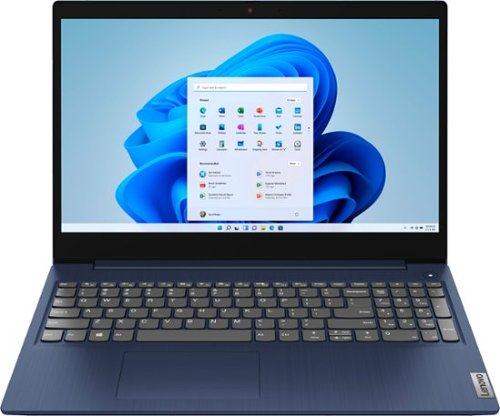
Lenovo - Ideapad 3 15 15.6" Touch-Screen Laptop - Intel Core i3 - 8GB Memory - 256GB SSD - Abyss Blue
Engineered for long-lasting performance, the Lenovo~ IdeaPad~ 3 15 delivers power in a laptop that's perfect for your everyday tasks, with features that you can depend on such as advanced mobile 10th Generation Intel Core processors and all day battery.
Does this Lap Top come with a carrying Case?
No. The case is sold separately.
5 years, 1 month ago
by
Posted by:
Lenovo Product Expert
Lenovo - Ideapad 3 15 15.6" Touch-Screen Laptop - Intel Core i3 - 8GB Memory - 256GB SSD - Abyss Blue
Engineered for long-lasting performance, the Lenovo~ IdeaPad~ 3 15 delivers power in a laptop that's perfect for your everyday tasks, with features that you can depend on such as advanced mobile 10th Generation Intel Core processors and all day battery.
My screen froze then went black how do I fix this
Try resetting the computer back to original factory settings. This system is equipped with OneKey Recovery System. There is a very small pin hole on the right side of the device, right in between the headphone jack and the SD card slot on the device. You will need a pin to push this reset button. Plug the device in. Let the battery charge for about 15 minutes. Push the reset button. The system should boot to a choice screen where you can choose "Restore To Factory Default". Select this. It will delete everything from the hard drive except the original factory install of the operating system. You will need to reinstall all programs and files after the reset. If you don't have copies of the files, try to make one before you restore by selecting Boot to desktop and trying to back up your files. Once you have the computer reset, be sure any software you installed is compatible with Windows 10. There is no need to install Microsoft Office software. The software is already part of the operating system, you just need to activate the software with a purchased product key. If you have installed a copy of Microsoft Office, this is conflicting with the existing copy on the system and this will slow your system down. If you have installed a 3rd party anti-virus program, be sure that Windows Defender is turned off and that the trial version of McAfee Anti-Virus software is uninstalled. There can only be one anti-virus program on the system. You may need to restore your system to original factory default settings if any of the programming errors have occurred. You can do that by typing "restore" in the Cortana search window. Just click on the magnifying glass icon at the bottom left of your Windows 10 Desktop. Click on "Reset This PC" Then click on "Get Started" and follow the on screen directions to restore to factory defaults. If the problem persists, we recommend you contact Lenovo Tech Support at: 877-453-6686.
5 years, 1 month ago
by
Posted by:
Lenovo Product Expert
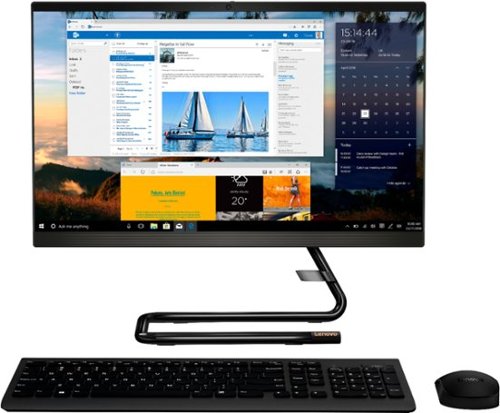
Lenovo - IdeaCentre A340-22IGM 21.5" Touch-Screen All-In-One - Intel Pentium Silver - 8GB Memory - 1TB HDD - Business Black
Finish office work flawlessly with this all-in-one Lenovo IdeaCentre desktop computer. The 1TB HDD provides ample storage space for projects and media, while the 8GB of RAM and Intel Pentium Silver processor let you run multiple programs effortlessly. This 21.5-inch Lenovo IdeaCentre desktop computer includes a Full HD touchscreen, and integrated Intel UHD graphics produce quality visuals.
Does it come with Microsoft Windows ?
Yes. The Lenovo IdeaCentre A340-22 All-In-One system model number F0EA003RUS, ships with Windows 10 Home 64-bit Operating System installed.
5 years, 1 month ago
by
Posted by:
Lenovo Product Expert
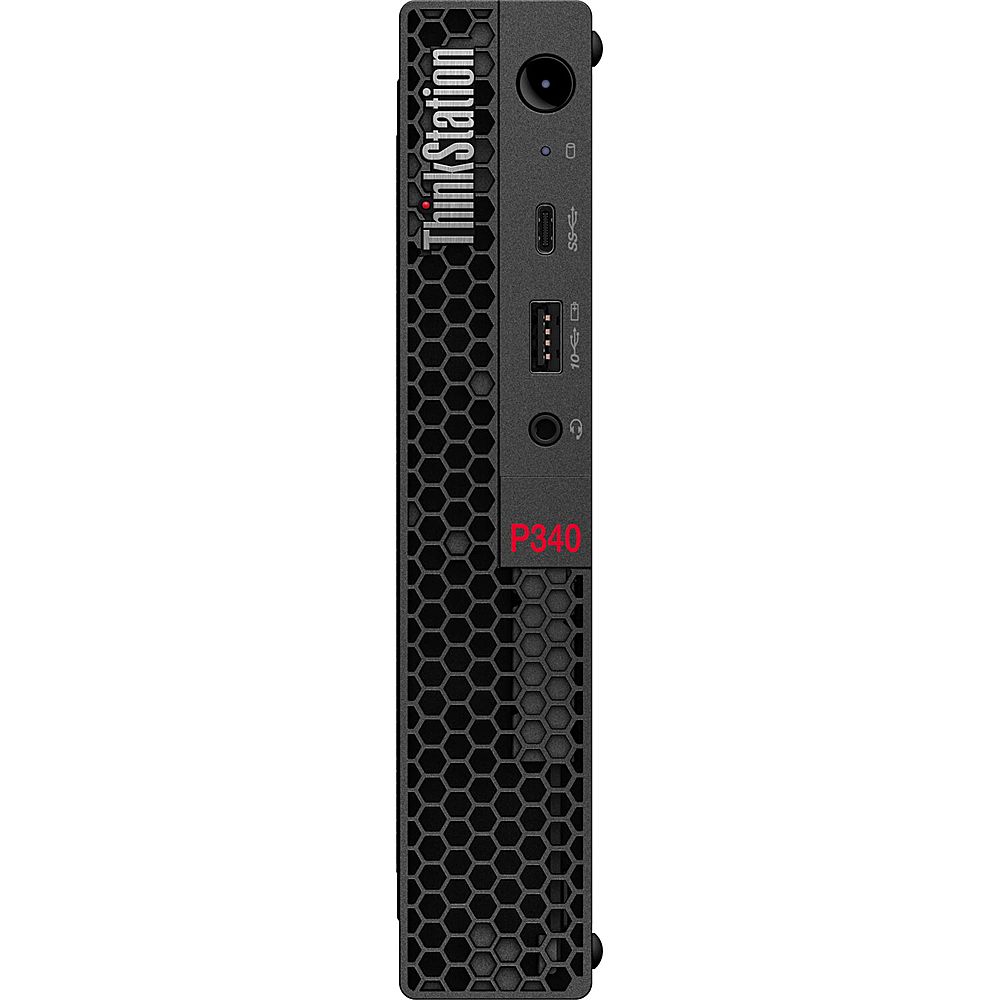
Lenovo - ThinkStation P340 Tiny Intel Core i9-10900T - 16GB Memory - NVIDIA Quadro P1000 - 512GB Hard Drive - Raven Black
Enhance the productivity of your home or office while maximizing your desktop space with the Lenovo ThinkStation P340 Tiny Desktop Computer. This small form-factor desktop system is packed with power, featuring a 10th generation 1.9 GHz Intel Core i9-10900T 10-core processor with 16GB of DDR4-2933 memory and a fast 512GB M.2 PCIe NVMe solid-state drive to quickly load and multitask demanding applications. You can upgrade the system's memory to by installing a 260-pin SO-DIMM into the available slot to help increase the computer's efficiency when handling large projects. The system supports up to 64GB of RAM. A second M.2 slot is also available for additional storage. The dedicated NVIDIA Quadro P620 graphics card has 2GB of GDDR5 VRAM and is designed to handle intensive applications such as 3D modeling, design, architecture, and more. Up to four monitors can be connected across the video card~~~s mini DisplayPort outputs for enhanced viewing and multitasking efficiency.
Is it 2GB or 16GB of RAM?
The Lenovo ThinkStation P340 Tiny Desktop Computer, model number 30DF001VUS, ships with 1x 16GB SO-DIMM DDR4-2933MHz RAM installed.
5 years, 1 month ago
by
Posted by:
Lenovo Product Expert
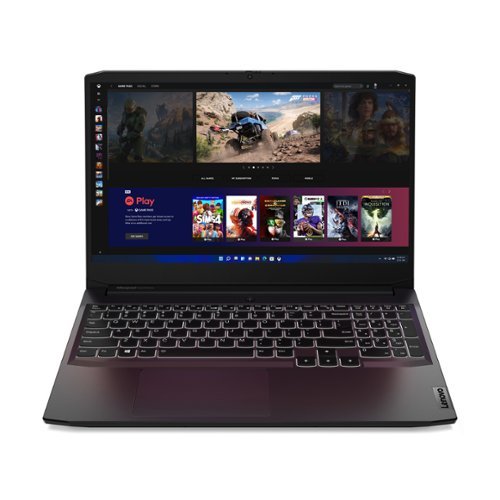
Lenovo - IdeaPad Gaming 3 15" Laptop - AMD Ryzen 5 5600H - NVIDIA GeForce GTX 1650 - 8GB Memory - 512GB SSD
Time to elevate your game and esports experience beyond the realm of the ~just acceptable~ with a PC that stands tall amongst your gaming circle. Engineered with AMD Ryzen~ 5600H processor, NVIDIA~ GeForce~ GTX 1650 graphics, DDR4 memory and M.2 NVMe SSD storage options, the Lenovo~ IdeaPad~ Gaming 3 projects a quiet and serene confidence with smooth, crystal-clear visuals and seamless gameplay that stays cool through improved thermals. The IdeaPad Gaming 3 is also stunning visually turned on or off with an 120 Hz clear FHD display and an advanced gaming keyboard.
Does this come with windows 10?
Yes. The Lenovo IdeaPad 3 15 Gaming Laptop, model number 82K200USUS, ships with Windows 10 Home 64-bit Operating System.
5 years, 1 month ago
by
Posted by:
Lenovo Product Expert
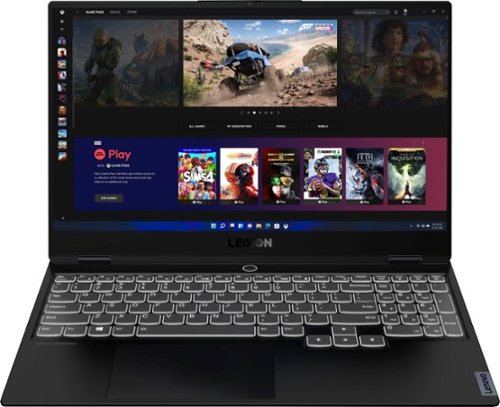
Lenovo - Legion Slim 7 15" 4K Ultra HD Gaming Laptop - AMD Ryzen 9 5900HX - 16GB Memory - NVIDIA GeForce RTX 3050 Ti - 1TB SSD - Shadow Black
The Lenovo~ Legion Slim 7 was engineered for gamers who demand mobility and performance for day and night. Sporting a finely crafted chassis machined from 100% aluminum that is shockingly thin and impressively light, the Legion Slim 7 was expertly crafted for gamers who demand more.
Can connect with wifi 6???
Yes. The Lenovo Legion Slim 7 Gaming Laptop, Creator's Edition, model number 82K80081US, ships with WiFi-6 2x2 802.11ax frequency WiFi.
5 years, 1 month ago
by
Posted by:
Lenovo Product Expert
Lenovo - Ideapad 3 15 15.6" Touch-Screen Laptop - Intel Core i3 - 8GB Memory - 256GB SSD - Abyss Blue
Engineered for long-lasting performance, the Lenovo~ IdeaPad~ 3 15 delivers power in a laptop that's perfect for your everyday tasks, with features that you can depend on such as advanced mobile 10th Generation Intel Core processors and all day battery.
Does the unit come with a User manual for self instruction?
There is a Quick Start guide included in the box. You can access the online User Guide through the Lenovo Vantage APP installed on this computer. Just type USER GUIDE within the search window within the Vantage APP.
5 years, 1 month ago
by
Posted by:
Lenovo Product Expert
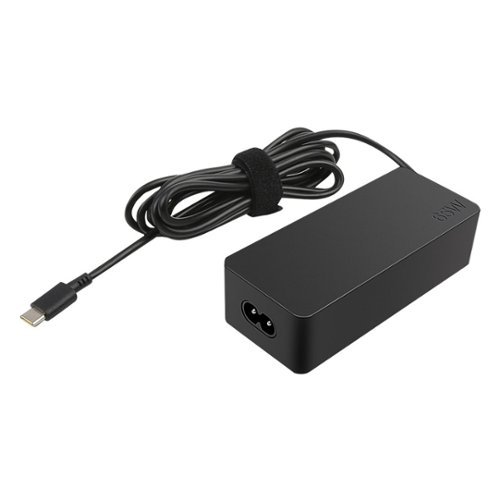
Lenovo - Power Adapter for Tablet 10, ThinkPad 11, 11e Chromebook, Thinkpad 13, 13 Chromebook, ThinkPad A275, A475 and A485 - Black
Enjoy fast, efficient charging while traveling or at home with this 65W Lenovo AC adapter. Its Smart Voltage technology automatically delivers the right amperage and voltage depending on the device.
Will this charger work with the Lenovo Yoga 7i?
Yes it will.
5 years, 1 month ago
by
Posted by:
Lenovo Product Expert