Lenovo Product Expert
Lenovo Product Expert's Stats
Reviews
- Review Count0
- Helpfulness Votes0
- First ReviewNone
- Last ReviewNone
- Featured Reviews0
- Average Rating0
Reviews Comments
- Review Comment Count0
- Helpfulness Votes0
- First Review CommentNone
- Last Review CommentNone
- Featured Review Comments0
Questions
- Question Count0
- Helpfulness Votes0
- First QuestionNone
- Last QuestionNone
- Featured Questions0
- Answer Count37880
- Helpfulness Votes24,853
- First AnswerApril 21, 2014
- Last AnswerOctober 16, 2026
- Featured Answers0
- Best Answers2830
Lenovo Product Expert's Reviews
Lenovo Product Expert has not submitted any reviews.
Lenovo Product Expert's Questions
Lenovo Product Expert has not submitted any questions.
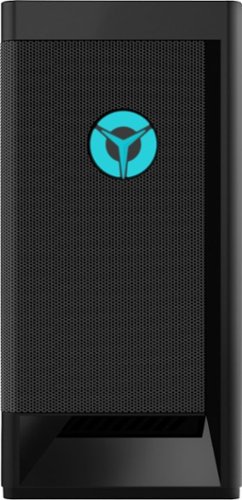
Lenovo - Legion Tower 5i Gaming Desktop - Intel Core i5-11400 - 8GB Memory - NVIDIA GeForce GTX 1660 Super - 256GB SSD + 1TB HDD - Raven Black
Engineered out of a passion for savage power and unmatched speed, the Lenovo~ Legion Tower 5i delivers mind-blowing performance that combines 11th Generation Intel~ Core~ processors and top-of-the-line NVIDIA~ GeForce~ graphics cards for blazing-fast frame rates at up to 4K resolution. Pushing far beyond the upper bounds of smaller rig configurations while keeping things cool and whisper quiet, the Legion Tower 5i is a marvel of build and design, accentuated by its illuminated blue LED logo and lighting, as well a transparent side panel that can properly showcase your internals.
Hello, I am a noobie when it comes to PCs and I was wondering if this desktop comes with wireless connectivity to WiFi like laptops do. For example, if my wifi box and router are in another room, can I connect to that wifi with no wires? Thank!

Yes. The Lenovo Legion Tower 5i Gaming Desktop Computer, model number 90RS000DUS, ships with WiFi-6 capability built in (2x2 802.11AX WiFi 6). This latest WiFi-6 is also backward compatible with older a/b/g/n/ac frequency WiFi as well.
5 years, 1 month ago
by
Posted by:
Lenovo Product Expert
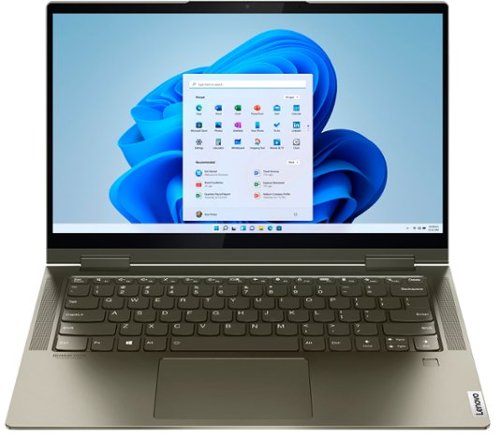
Lenovo - Yoga 7i 2-in-1 14" Touch Screen Laptop - Intel Evo Platform Core i5 - 12GB Memory - 512GB Solid State Drive - Dark Moss
The Lenovo Yoga 7i 14" combines versatile portability and enhanced productivity, thanks to the boundary-breaking performance and responsiveness of 11th generation Intel Core i5 processors and vibrant FHD clarity with Intel Iris X graphics. Go anywhere with a sleek 2-in-1 metal chassis featuring thoughtful details including a webcam privacy shutter.
hOW MANY USB PORTS DOES IT HAVE? CARD READER?
The Intel Evo-Certified, Lenovo Yoga 7i 14 model number 82BH0006US, ships with these ports: 1x USB 3.2 Gen 1 (Always On), 1x Headphone / microphone combo jack (3.5mm), 2x Thunderbolt 4 / USB4 40Gbps (support data transfer, Power Delivery 3.0 and DisplayPort 1.4). Although there is no built in SD card reader, you can use a USB-based SD card reader like this one: https://www.bestbuy.com/site/energizer-usb-3-0-2-0-memory-card-reader-black/1532311.p?skuId=1532311
5 years, 1 month ago
by
Posted by:
Lenovo Product Expert
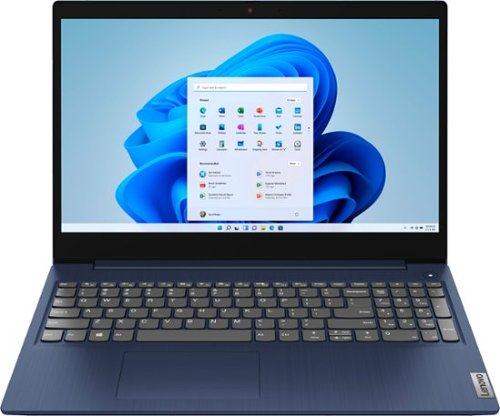
Lenovo - Ideapad 3 15 15.6" Touch-Screen Laptop - Intel Core i3 - 8GB Memory - 256GB SSD - Abyss Blue
Engineered for long-lasting performance, the Lenovo~ IdeaPad~ 3 15 delivers power in a laptop that's perfect for your everyday tasks, with features that you can depend on such as advanced mobile 10th Generation Intel Core processors and all day battery.
what type of drive interface use this laptop? PCIe, SATA, eSATA or other type?
The Lenovo IdeaPad 3 15 Laptop, model number 81WR000FUS, ships with a 256GB M.2 2242 PCIe 3.0x2 NVMe solid state hard drive.
5 years, 1 month ago
by
Posted by:
Lenovo Product Expert
Lenovo - Ideapad 3 15 15.6" Touch-Screen Laptop - Intel Core i3 - 8GB Memory - 256GB SSD - Abyss Blue
Engineered for long-lasting performance, the Lenovo~ IdeaPad~ 3 15 delivers power in a laptop that's perfect for your everyday tasks, with features that you can depend on such as advanced mobile 10th Generation Intel Core processors and all day battery.
1 does it support 2 color monitors 2 will support a cannon laser printer mf236n 3. Will support phone video phone calls and zoom
The Lenovo IdeaPad 3 15 Laptop, model number 81WR000FUS, has 1x HDMI 1.4b port for a direct connection to an external monitor. To connect two external monitors, you will need to add an external USB 3.0 universal docking station like this one: https://www.bestbuy.com/site/j5create-usb-3-0-mini-docking-station-silver/5901250.p?skuId=5901250. The IdeaPad 3 15 model number 81WR000FUS, ships with Windows 10 S-Mode 64-bit Operating System and is compatible with any printer that is compatible with Windows 10 S-Mode. If you need to switch out of S-Mode to Windows 10 Home, here is a link to instructions for switching from Windows 10 S-Mode to Windows 10 Home: https://support.microsoft.com/en-us/help/4456067/windows-10-switch-out-of-s-mode. The Lenovo IdeaPad 3 15 model number 81WR000FUS, ships with a 720p (HD) webcam with built in Privacy Shutter and Dual Array Microphones for video conferencing. Whether this computer is compatible with a specific video conferencing APP will depend on the requirements and compatibility of the specific APP you want to use. We recommend you check with the specific video conferencing software publisher's web sites for their compatibility with Windows 10 S-Mode 64-bit operating system and the minimum/recommended hardware requirements (Is a Graphics card required, the processor speed and the minimum required system RAM and the minimum available hard drive space) to run their program, then compare those requirements to this system's configuration.
5 years, 1 month ago
by
Posted by:
Lenovo Product Expert
Lenovo - Legion Tower 5i Gaming Desktop - Intel Core i5-11400 - 8GB Memory - NVIDIA GeForce GTX 1660 Super - 256GB SSD + 1TB HDD - Raven Black
Engineered out of a passion for savage power and unmatched speed, the Lenovo~ Legion Tower 5i delivers mind-blowing performance that combines 11th Generation Intel~ Core~ processors and top-of-the-line NVIDIA~ GeForce~ graphics cards for blazing-fast frame rates at up to 4K resolution. Pushing far beyond the upper bounds of smaller rig configurations while keeping things cool and whisper quiet, the Legion Tower 5i is a marvel of build and design, accentuated by its illuminated blue LED logo and lighting, as well a transparent side panel that can properly showcase your internals.
Can this PC connect to WiFi wirelessly without an ethernet cable. My wifi box and router are in another room, say about 50-100 feet. Will it be able to connect to wifi wireless with Bluetooth? Thanks!
The Lenovo Legion Tower 5i Gaming Desktop computer, model number 90RS000DUS, ships with WiFi-6 (2x2 802.11AX WiFi 6), which is also backward compatible to older, a/b/g/n/ac frequency WiFi and has long range connectivity.
5 years, 1 month ago
by
Posted by:
Lenovo Product Expert
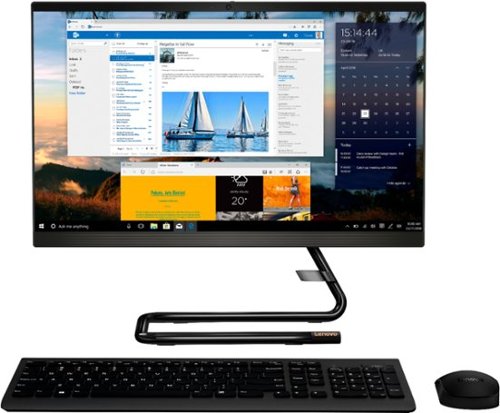
Lenovo - IdeaCentre A340-22IGM 21.5" Touch-Screen All-In-One - Intel Pentium Silver - 8GB Memory - 1TB HDD - Business Black
Finish office work flawlessly with this all-in-one Lenovo IdeaCentre desktop computer. The 1TB HDD provides ample storage space for projects and media, while the 8GB of RAM and Intel Pentium Silver processor let you run multiple programs effortlessly. This 21.5-inch Lenovo IdeaCentre desktop computer includes a Full HD touchscreen, and integrated Intel UHD graphics produce quality visuals.
Does the graphic card support openGL 3.1 or higher for use of Google sketch up?
The Lenovo IdeaCentre A340-22 All-In-One system, model number F0EA003RUS, ships with the Intel Pentium Silver J5040 processor, with Integrated Intel UHD Graphics 605 version graphics support. OpenGL Support, version 4.4.
5 years, 1 month ago
by
Posted by:
Lenovo Product Expert
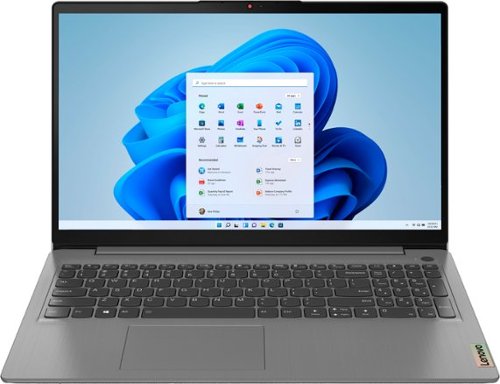
Lenovo - Ideapad 3 15.6" FHD Touch Screen Laptop - Intel Core i5 11th Gen - 12GB Memory - 256GB SSD - Arctic Grey
Engineered for long-lasting performance, the Lenovo~ IdeaPad~ 3 delivers powerful performance with the latest Intel 11th Generation Processors with Intel~ Iris Xe Graphics, in a laptop that's perfect for your everyday tasks, with features that you can depend on.
Can i play roblox or minecraft on his computer smoothly?
That really will depend on the requirements and compatibility of the specific games you want to play. The Lenovo IdeaPad 3 15 Laptop, model number 82H8018SUS, ships with Windows 10 S-Mode 64-bit Operating System. Windows 10 S-Mode provides added security by only allowing APPs available ( and therefore certified by Microsoft) at the Microsoft Store. If you don't need the added security or you need to install APPs not available at the Microsoft Store, you can switch to standard Windows 10 Home 64-bit Operating System, at no additional cost. We recommend you check with the specific game's software publisher's web sites for their compatibility with Windows 10 S-Mode 64-bit operating system and the minimum/recommended hardware requirements (Is a Graphics card required, the processor speed and the minimum required system RAM and the minimum available hard drive space) to run their program, then compare those requirements to this system's configuration. If you choose to switch out of S-Mode to Windows 10 Home, here is a link to instructions for switching from Windows 10 S-Mode to Windows 10 Home: https://support.microsoft.com/en-us/help/4456067/windows-10-switch-out-of-s-mode
5 years, 1 month ago
by
Posted by:
Lenovo Product Expert
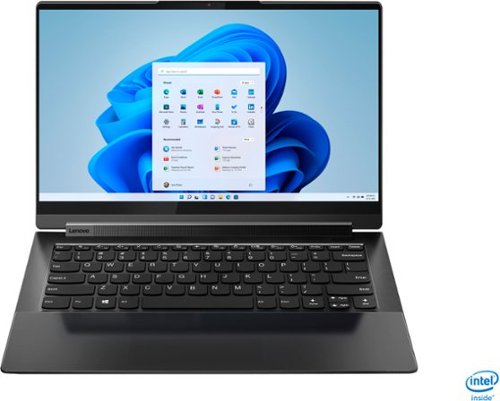
Lenovo - Yoga 9i 14 2-in-1 14" 4K HDR Touch-Screen Laptop - Intel Evo Platform Core i7 - 16GB Memory - 512GB SSD - Shadow Black
Meet the Lenovo Yoga 9i, designed to put your experience first with the Intel Evo platform~s powerhouse combination of performance, responsiveness, battery life and stunning visuals. Innovative features are encased directly in a sleek 2-in-1 metal chassis with a leather cover, combined with the advanced mobile performance of 11th generation Intel Core processors and powerfully immersive entertainment.
Do we have International warranty for this laptop to carry this to other countries
That will depend on the specific country. You can check for International limited manufacturer's warranty coverage for the Intel Evo-Certified, Lenovo Yoga 9i 14 here, just select the country from the dropdown menu for more information: https://pcsupport.lenovo.com/us/en/iwslookup#/ideapad
5 years, 1 month ago
by
Posted by:
Lenovo Product Expert
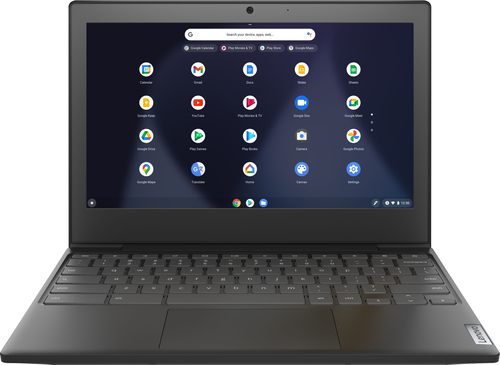
Lenovo - Chromebook 3 11" Chromebook - AMD A6 - 4GB Memory - 32GB eMMC Flash Memory
Fast, flexible, and fun, the Chromebook 3-11" brings everyone~s favorite Chromebook features, housed in a slim chassis, running on the lightning-fast Chrome OS that boots up in seconds, updates automatically, and is protected by built-in virus protection. Powered by an AMD A6 processor with up to 10 hours of battery life, the IdeaPad 3 Chromebook can seamlessly run all of your favorite apps at the same time
Is the ram or the CC ssd upgradable?
No. Both the 4GB DDR4-1866MHz RAM and the 32GB eMMC 5.1 solid state hard drive are soldered to the motherboard and are not upgradeable.
5 years, 1 month ago
by
Posted by:
Lenovo Product Expert
Lenovo - Chromebook 3 11" Chromebook - AMD A6 - 4GB Memory - 32GB eMMC Flash Memory
Fast, flexible, and fun, the Chromebook 3-11" brings everyone~s favorite Chromebook features, housed in a slim chassis, running on the lightning-fast Chrome OS that boots up in seconds, updates automatically, and is protected by built-in virus protection. Powered by an AMD A6 processor with up to 10 hours of battery life, the IdeaPad 3 Chromebook can seamlessly run all of your favorite apps at the same time
Is the emmc soldered to the motherboard? is the RAM soldered to the motherboard?
Yes. Both the 4GB DDR4-1866MHz RAM and the 32GB eMMC 5.1 solid state hard drive are soldered to the motherboard and are not upgradeable.
5 years, 1 month ago
by
Posted by:
Lenovo Product Expert