Lenovo Product Expert
Lenovo Product Expert's Stats
Reviews
- Review Count0
- Helpfulness Votes0
- First ReviewNone
- Last ReviewNone
- Featured Reviews0
- Average Rating0
Reviews Comments
- Review Comment Count0
- Helpfulness Votes0
- First Review CommentNone
- Last Review CommentNone
- Featured Review Comments0
Questions
- Question Count0
- Helpfulness Votes0
- First QuestionNone
- Last QuestionNone
- Featured Questions0
- Answer Count37880
- Helpfulness Votes24,853
- First AnswerApril 21, 2014
- Last AnswerOctober 16, 2026
- Featured Answers0
- Best Answers2830
Lenovo Product Expert's Reviews
Lenovo Product Expert has not submitted any reviews.
Lenovo Product Expert's Questions
Lenovo Product Expert has not submitted any questions.
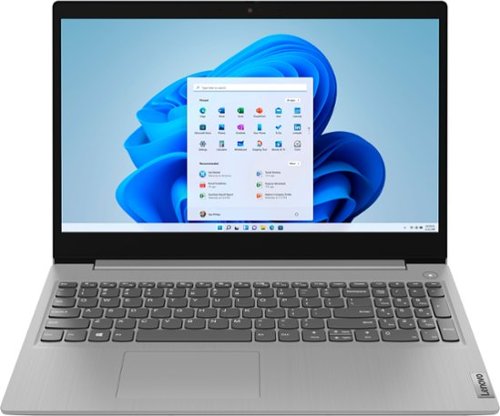
Lenovo - Ideapad 3 15 15.6" Laptop - AMD Ryzen 3 - 8GB Memory - 128GB SSD
Engineered for long-lasting performance, the Lenovo~ IdeaPad~ 3 delivers powerful performance with the latest AMD Mobile Processors with Radeon~ Graphics, in a laptop that's perfect for your everyday tasks, with features that you can depend on.
Does this laptop work well with serato pro dj?

That will depend on the requirements and compatibility of the specific software you want to use. The Lenovo IdeaPad 3 15 Laptop, model number 81W1018XUS, ships with Windows 10 S-Mode 64-bit Operating System. Windows 10 S-Mode provides added security by only allowing APPs available ( and therefore certified by Microsoft) at the Microsoft Store. If you don't need the added security or you need to install APPs not available at the Microsoft Store, you can switch to standard Windows 10 Home 64-bit Operating System, at no additional cost. We recommend you check with the specific software publisher's web site, of the APP you want to use, for their compatibility with Windows 10 S-Mode 64-bit operating system and the minimum/recommended hardware requirements (Is a Graphics card required, the processor speed and the minimum required system RAM and the minimum available hard drive space) to run their program, then compare those requirements to this system's configuration. If you choose to switch out of S-Mode to Windows 10 Home, here is a link to instructions for switching from Windows 10 S-Mode to Windows 10 Home: https://support.microsoft.com/en-us/help/4456067/windows-10-switch-out-of-s-mode
5 years, 1 month ago
by
Posted by:
Lenovo Product Expert
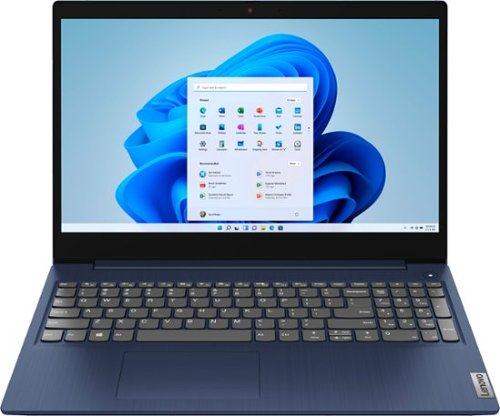
Lenovo - Ideapad 3 15 15.6" Touch-Screen Laptop - Intel Core i3 - 8GB Memory - 256GB SSD - Abyss Blue
Engineered for long-lasting performance, the Lenovo~ IdeaPad~ 3 15 delivers power in a laptop that's perfect for your everyday tasks, with features that you can depend on such as advanced mobile 10th Generation Intel Core processors and all day battery.
Is this a good laptop for Video Calls & Gaming?
That really will depend on the requirements and compatibility of the APPs and games you want to use. The Lenovo IdeaPad 3 15 ships with a 720p (HD) webcam with Privacy Shutter and Dual Array Microphones. This model ships with Windows 10 S-Mode 64-bit Operating System. Windows 10 S-Mode provides added security by only allowing APPs available ( and therefore certified by Microsoft) at the Microsoft Store. If you don't need the added security or you need to install APPs not available at the Microsoft Store, you can switch to standard Windows 10 Home 64-bit Operating System, at no additional cost. We recommend you check with the specific APPs software publisher's web sites, of the specific APPs/Games you want to use, for their compatibility with Windows 10 S-Mode 64-bit operating system and the minimum/recommended hardware requirements (Is a Graphics card required, the processor speed and the minimum required system RAM and the minimum available hard drive space) to run their program, then compare those requirements to this system's configuration. If you choose to switch out of S-Mode for Windows 10 Home, here is a link to instructions for switching from Windows 10 S-Mode to Windows 10 Home: https://support.microsoft.com/en-us/help/4456067/windows-10-switch-out-of-s-mode
5 years, 1 month ago
by
Posted by:
Lenovo Product Expert
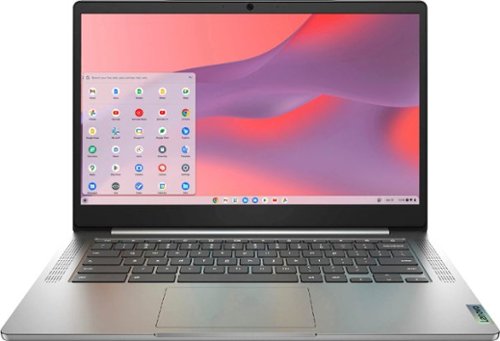
Fast, flexible, and fun, the Chromebook 3-14" brings everyone~s favorite Chromebook features, running on the lightning-fast Chrome OS that boots up in seconds, updates automatically, and is protected by built-in virus protection. Powered by a MediaTek processor and up to 10 hours of battery life, it~ll seamlessly run all of your favorite apps at the same time. Get Minecraft and 3 months of Realms Plus at no cost* with purchase of a new Chromebook. Terms Apply. *Offer valid for qualifying Chromebooks purchased on or after July 1st, 2023 through September 30th, 2023 while supplies last.
Does Lenovo make a laptop 17 inch ?
Not in a Chromebook format, using the Chrome Operating System.
5 years, 1 month ago
by
Posted by:
Lenovo Product Expert
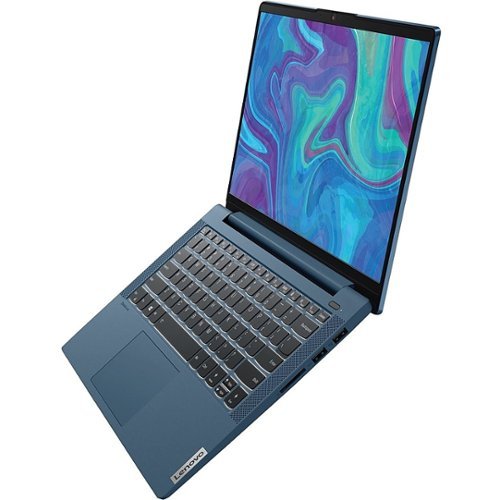
Lenovo - IdeaPad 5 15ITL05 15.6" Laptop - Intel Core i7 - 12 GB Memory - 512 GB SSD - Graphite Gray
We designed the displays on the IdeaPad 5 laptop to pack as much screen space into the surface area as possible, pushing visuals to the edge and giving you a viewing experience that feels bigger.
Is the screen display matte or glossy?
The Lenovo IdeaPad 5 15 laptop, model number 82FG00EQUS, ships with a 15.6 inch (screen size measured diagonally) IPS - FHD (1920x1080) screen, with a brightness level of 300 nits, has a matte - Anti-glare coating. This screen provides 67 Percent of the sRGB (45 Percent NTSC) color gamut.
5 years, 1 month ago
by
Posted by:
Lenovo Product Expert
Lenovo - Ideapad 3 15 15.6" Touch-Screen Laptop - Intel Core i3 - 8GB Memory - 256GB SSD - Abyss Blue
Engineered for long-lasting performance, the Lenovo~ IdeaPad~ 3 15 delivers power in a laptop that's perfect for your everyday tasks, with features that you can depend on such as advanced mobile 10th Generation Intel Core processors and all day battery.
is screen led or lcd?
The Lenovo IdeaPad 3 15 Laptop, model number 81WR000FUS, ships with a 15.6 inch (screen size measured diagonally) LCD w/LED Backlight (Anti-glare)TN - HD (1366x768) 10-point Multi-touch screen, with a brightness level of 220 nits.
5 years, 1 month ago
by
Posted by:
Lenovo Product Expert
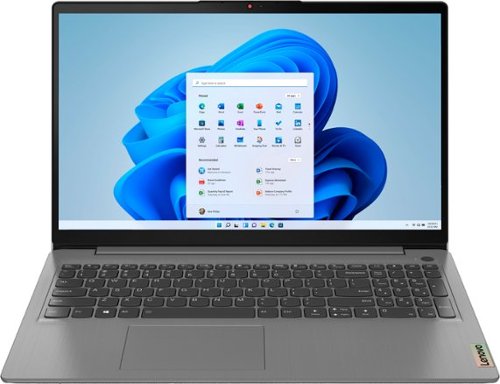
Lenovo - Ideapad 3 15.6" FHD Touch Screen Laptop - Intel Core i5 11th Gen - 12GB Memory - 256GB SSD - Arctic Grey
Engineered for long-lasting performance, the Lenovo~ IdeaPad~ 3 delivers powerful performance with the latest Intel 11th Generation Processors with Intel~ Iris Xe Graphics, in a laptop that's perfect for your everyday tasks, with features that you can depend on.
Can use a flash drive?
Yes you can, so long as the Flash Drive is Windows 10 compatible.
5 years, 1 month ago
by
Posted by:
Lenovo Product Expert

Lenovo - IdeaPad 3 15ITL05 15.6" Laptop - Intel Core i3 - 8 GB Memory - 256 GB SSD - Almond
The Lenovo IdeaPad tailored to work and learn from home solutions that address eye strain, posture problems and at-home distractions, while deploying intelligent thermals for a cool and whisper-quiet system. The new privacy shutter on the camera also lets you reserve complete control over your privacy in the home and beyond.
Is the USB C port video capable for dual external monitors or data only?
There is no USB-c port on the Lenovo IdeaPad 3 15 Laptop, model number 81X800ECUS. Here are the ports this configuration ships with: 1x Power connector, 1x Card reader, 1x Headphone / microphone combo jack (3.5mm), 1x HDMI 1.4, 1x USB 2.0, 2x USB 3.2 Gen 1.
5 years, 1 month ago
by
Posted by:
Lenovo Product Expert
Lenovo - Ideapad 3 15 15.6" Touch-Screen Laptop - Intel Core i3 - 8GB Memory - 256GB SSD - Abyss Blue
Engineered for long-lasting performance, the Lenovo~ IdeaPad~ 3 15 delivers power in a laptop that's perfect for your everyday tasks, with features that you can depend on such as advanced mobile 10th Generation Intel Core processors and all day battery.
Does Adobe After Effects run well on this computer?
That will depend on the requirements and compatibility of the software you want to run. The Lenovo IdeaPad 3 15 Laptop, model number 81WR000FUS, ships with Windows 10 S-Mode 64-bit Operating System. Windows 10 S-Mode provides added security by only allowing APPs available ( and therefore certified by Microsoft) at the Microsoft Store. If you don't need the added security or you need to install APPs not available at the Microsoft Store, you can switch to standard Windows 10 Home 64-bit Operating System, at no additional cost. We recommend you check with the specific software publisher's web site of the software you will be using, for their compatibility with Windows 10 S-Mode 64-bit operating system and the minimum/recommended hardware requirements (Is a Graphics card required, the processor speed and the minimum required system RAM and the minimum available hard drive space) to run their program, then compare those requirements to this system's configuration. If you choose to switch out of S-Mode for Windows 10 Home, here is a link to instructions for switching from Windows 10 S-Mode to Windows 10 Home: https://support.microsoft.com/en-us/help/4456067/windows-10-switch-out-of-s-mode
5 years, 1 month ago
by
Posted by:
Lenovo Product Expert
Fast, flexible, and fun, the Chromebook 3-14" brings everyone~s favorite Chromebook features, running on the lightning-fast Chrome OS that boots up in seconds, updates automatically, and is protected by built-in virus protection. Powered by a MediaTek processor and up to 10 hours of battery life, it~ll seamlessly run all of your favorite apps at the same time. Get Minecraft and 3 months of Realms Plus at no cost* with purchase of a new Chromebook. Terms Apply. *Offer valid for qualifying Chromebooks purchased on or after July 1st, 2023 through September 30th, 2023 while supplies last.
Is it available with Arabic word keyboard?
No. The Lenovo Chromebook 3 14 model number 82KN0001US, ships with a Non-backlit, English format standard Chromebook keyboard.
5 years, 1 month ago
by
Posted by:
Lenovo Product Expert
Fast, flexible, and fun, the Chromebook 3-14" brings everyone~s favorite Chromebook features, running on the lightning-fast Chrome OS that boots up in seconds, updates automatically, and is protected by built-in virus protection. Powered by a MediaTek processor and up to 10 hours of battery life, it~ll seamlessly run all of your favorite apps at the same time. Get Minecraft and 3 months of Realms Plus at no cost* with purchase of a new Chromebook. Terms Apply. *Offer valid for qualifying Chromebooks purchased on or after July 1st, 2023 through September 30th, 2023 while supplies last.
Does it have a keyboard screen .?
Yes it does.
5 years, 1 month ago
by
Posted by:
Lenovo Product Expert