Lenovo Product Expert
Lenovo Product Expert's Stats
Reviews
- Review Count0
- Helpfulness Votes0
- First ReviewNone
- Last ReviewNone
- Featured Reviews0
- Average Rating0
Reviews Comments
- Review Comment Count0
- Helpfulness Votes0
- First Review CommentNone
- Last Review CommentNone
- Featured Review Comments0
Questions
- Question Count0
- Helpfulness Votes0
- First QuestionNone
- Last QuestionNone
- Featured Questions0
- Answer Count37880
- Helpfulness Votes24,853
- First AnswerApril 21, 2014
- Last AnswerOctober 16, 2026
- Featured Answers0
- Best Answers2830
Lenovo Product Expert's Reviews
Lenovo Product Expert has not submitted any reviews.
Lenovo Product Expert's Questions
Lenovo Product Expert has not submitted any questions.
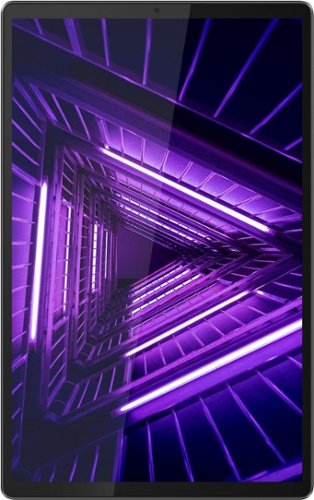
Lenovo - Tab M10 FHD Plus - 10.3" - Tablet - 32GB - Iron Gray
Lenovo~ Tab M10 Plus is one impressive media tablet from the 2nd generation tab family. Its standout metal design gives you a premium look and feel with modern simplicity. Inside lies a 10.3" FHD screen and dual speakers for truly immersive entertainment. This is one tablet you will want to use and pass around the house.
How can I use the USB-C port to connect to an SD card reader. I need to pull photos off my camera's SD card. When I plug it into the USB-C port, the tablet doesn't see it. Thanks!

The Lenovo Tab M10 Plus Tablet, model number ZA5T0263US, ships with 1x USB-C 2.0 (support data transfer, OTG, and Power Delivery) port. You can use a USB-c OTG adapter like this one, to connect an external, USB Type A SD card reader to this tablet, be sure the file format of the photos is compatible with the Android 9.0 or higher operating system: https://www.bestbuy.com/site/insignia-usb-type-c-to-a-adapter-white/8896017.p?skuId=8896017. If you continue to have issues, we recommend you contact Lenovo Tech Support for Tablets at: 866-426-0911.
5 years, 1 month ago
by
Posted by:
Lenovo Product Expert
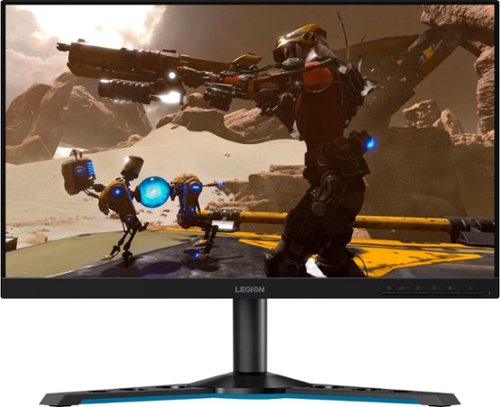
Lenovo - Legion Y25-25 24.5" IPS LED FHD FreeSync and G-SYNC Compatible Gaming Monitor (DisplayPort, HDMI, USB) - Raven Black
Professional Esport gaming is an extremely competitive space~where the difference between winning and losing comes down to the minutest of details. To stand out from the competition, you need equipment that matches the speed of your thought and actions. The Legion Y25-25 delivers wins in the toughest, most critical situations. NVIDIA~ G-SYNC~ Compatible technology takes motion blur out of the equation, improving visual clarity and making prolonged gaming sessions enjoyable. This monitor~s 24.5-inch In-Plane Switching (IPS) panel with a 240 Hz refresh rate and 1ms response time makes it possible to spot an opponent before they see you. When it comes down to a quickfire duel, that is the difference between firing first and getting shot.
is it eyesafe?
The Lenovo Legion Y 25-25 Monitor, model number 66AAGAC6US, uses TUV Rheinland Eye Comfort technology for eye care.
5 years, 1 month ago
by
Posted by:
Lenovo Product Expert
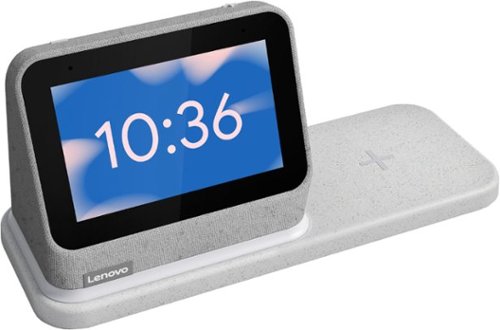
Lenovo - Smart Clock (2nd Gen) 4" Smart Display with Google Assistant and Wireless Charging Dock - Heather Grey
The best bedroom Smart Clock just got even better. The Lenovo Smart Clock Gen 2 with Wireless Charging Dock keeps your nightstand clutter free. Charge up to two additional devices at once: your phone (using the wireless dock) and another accessory, like a smart watch (using the USB port). The 4~ color touchscreen showcases the time, weather and your family photos with a choice of customizable clock faces or check in on your smart cameras feeds before bed. Enhanced with a built-in nightlight when docked, the light is just bright enough to illuminate your way without waking your partner. With multiroom audio, you can add your Lenovo Smart Clock Gen 2 to a speaker group and play media across multiple devices and rooms.
On the base screen with the color numbers, at 2pm, does it have the leading zero: 02:00?
There are now clock face display choices, you can select, that eliminate the zero in front of the 2 at 2PM.
5 years, 1 month ago
by
Posted by:
Lenovo Product Expert
Lenovo - Smart Clock (2nd Gen) 4" Smart Display with Google Assistant and Wireless Charging Dock - Heather Grey
The best bedroom Smart Clock just got even better. The Lenovo Smart Clock Gen 2 with Wireless Charging Dock keeps your nightstand clutter free. Charge up to two additional devices at once: your phone (using the wireless dock) and another accessory, like a smart watch (using the USB port). The 4~ color touchscreen showcases the time, weather and your family photos with a choice of customizable clock faces or check in on your smart cameras feeds before bed. Enhanced with a built-in nightlight when docked, the light is just bright enough to illuminate your way without waking your partner. With multiroom audio, you can add your Lenovo Smart Clock Gen 2 to a speaker group and play media across multiple devices and rooms.
If my internet goes out in the middle of the night would the alarm function still work?
So long as the Lenovo Smart Clock 2 continues to have power, any pre-set alarms you have created will continue to sound without a WiFi connection.
5 years, 1 month ago
by
Posted by:
Lenovo Product Expert
Lenovo - Smart Clock (2nd Gen) 4" Smart Display with Google Assistant and Wireless Charging Dock - Heather Grey
The best bedroom Smart Clock just got even better. The Lenovo Smart Clock Gen 2 with Wireless Charging Dock keeps your nightstand clutter free. Charge up to two additional devices at once: your phone (using the wireless dock) and another accessory, like a smart watch (using the USB port). The 4~ color touchscreen showcases the time, weather and your family photos with a choice of customizable clock faces or check in on your smart cameras feeds before bed. Enhanced with a built-in nightlight when docked, the light is just bright enough to illuminate your way without waking your partner. With multiroom audio, you can add your Lenovo Smart Clock Gen 2 to a speaker group and play media across multiple devices and rooms.
Would the alarm function still work if the internet goes out?
Any pre-set alarms you create with the Lenovo Smart Clock 2 will continue to go off at the pre-set time without a WiFi connection. Power must still be on for the Smart Clock 2 to function.
5 years, 1 month ago
by
Posted by:
Lenovo Product Expert
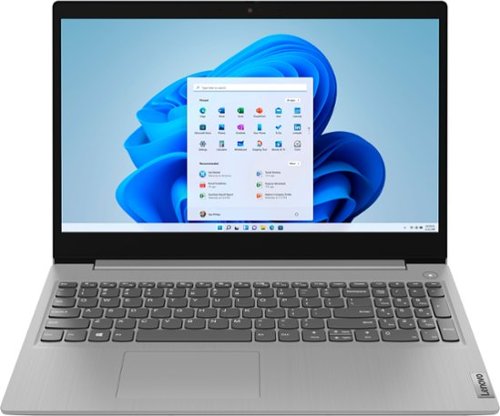
Lenovo - Ideapad 3 15 15.6" Laptop - AMD Ryzen 3 - 8GB Memory - 128GB SSD
Engineered for long-lasting performance, the Lenovo~ IdeaPad~ 3 delivers powerful performance with the latest AMD Mobile Processors with Radeon~ Graphics, in a laptop that's perfect for your everyday tasks, with features that you can depend on.
Can it run vr
That will depend on the requirements and compatibility of the VR hardware and software you will be using. The Lenovo IdeaPad 3 15 Laptop, model number 81W1018XUS, ships with Windows 10 S-Mode 64-bit Operating System. Windows 10 S-Mode provides added security by only allowing APPs available ( and therefore certified by Microsoft) at the Microsoft Store. If you don't need the added security or you need to install APPs not available at the Microsoft Store, you can switch to standard Windows 10 Home 64-bit Operating System, at no additional cost. We recommend you check with the VR hardware manufacturer as well as the VR software publisher's web sites, for the VR system you want to use, for their compatibility with Windows 10 S-Mode 64-bit operating system and the minimum/recommended hardware requirements (Is a Graphics card required, the processor speed and the minimum required system RAM and the minimum available hard drive space) to run their program, then compare those requirements to this system's configuration. If you choose to switch out of S-Mode to Windows 10 Home, here is a link to instructions for switching from Windows 10 S-Mode to Windows 10 Home: https://support.microsoft.com/en-us/help/4456067/windows-10-switch-out-of-s-mode
5 years, 1 month ago
by
Posted by:
Lenovo Product Expert
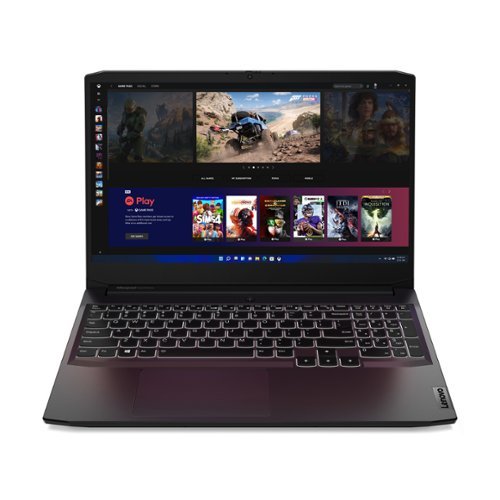
Lenovo - IdeaPad Gaming 3 15" Laptop - AMD Ryzen 5 5600H - NVIDIA GeForce GTX 1650 - 8GB Memory - 512GB SSD
Time to elevate your game and esports experience beyond the realm of the ~just acceptable~ with a PC that stands tall amongst your gaming circle. Engineered with AMD Ryzen~ 5600H processor, NVIDIA~ GeForce~ GTX 1650 graphics, DDR4 memory and M.2 NVMe SSD storage options, the Lenovo~ IdeaPad~ Gaming 3 projects a quiet and serene confidence with smooth, crystal-clear visuals and seamless gameplay that stays cool through improved thermals. The IdeaPad Gaming 3 is also stunning visually turned on or off with an 120 Hz clear FHD display and an advanced gaming keyboard.
Can this lap top play Sims 3 and Sims 4?
That will depend on the requirements and compatibility of the specific games you want to play. We recommend you check with the specific game's software publisher's web sites, of the games you want to play, for their compatibility with Windows 10 Home 64-bit operating system and the minimum/recommended hardware requirements (Is a Graphics card required, the processor speed and the minimum required system RAM and the minimum available hard drive space) to run their program, then compare those requirements to this system's configuration.
5 years, 1 month ago
by
Posted by:
Lenovo Product Expert
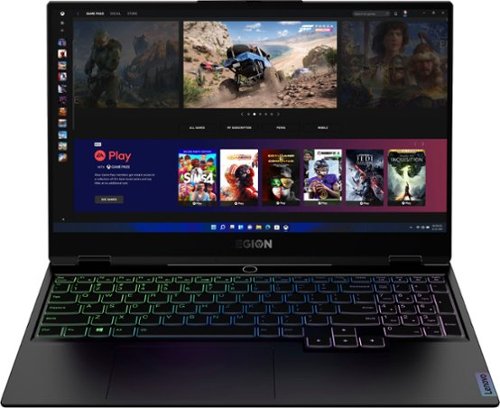
Lenovo - Legion Slim 7 15" Gaming Laptop - AMD Ryzen 7 5800H - 16GB Memory - NVIDIA GeForce RTX 3060 - 512GB SSD - Shadow Black
The Lenovo~ Legion Slim 7 was engineered for gamers who demand mobility and performance for day and night. Sporting a finely crafted chassis machined from 100% aluminum that is shockingly thin and impressively light, the Legion Slim 7 was expertly crafted for gamers who demand more.
What is the power consumption for this laptop's GPU?
The Lenovo Legion Slim 7 15 Gaming Laptop, model number 82K80083US, ships with the NVIDIA GeForce RTX 3060 6GB GDDR6, Boost Clock 1282 / 1425MHz, TGP 100W.
5 years, 1 month ago
by
Posted by:
Lenovo Product Expert
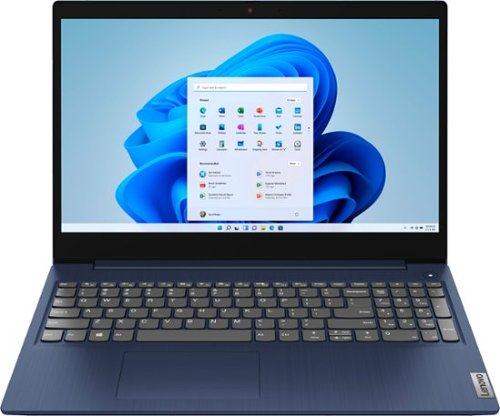
Lenovo - Ideapad 3 15 15.6" Touch-Screen Laptop - Intel Core i3 - 8GB Memory - 256GB SSD - Abyss Blue
Engineered for long-lasting performance, the Lenovo~ IdeaPad~ 3 15 delivers power in a laptop that's perfect for your everyday tasks, with features that you can depend on such as advanced mobile 10th Generation Intel Core processors and all day battery.
Does this laptop come with the charging adapter?
Yes. The Lenovo IdeaPad 3 15 Laptop, model number 81WR000FUS, ships with a Dual Voltage, 45W Round Tip (2-pin, Wall-mount) USA wall plug compatible, AC adapter/charger.
5 years, 1 month ago
by
Posted by:
Lenovo Product Expert
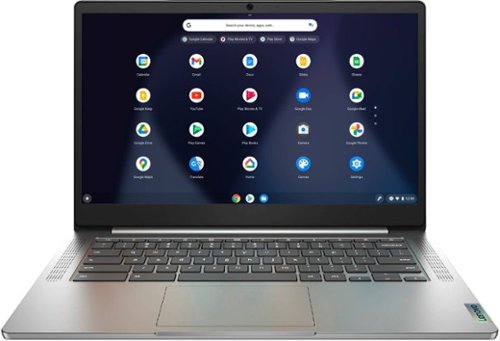
Lenovo - Chromebook 3 14" Laptop - Mediatek MT8183 - 4GB Memory - 64GB eMMC - Arctic Grey
Fast, flexible, and fun, the Chromebook 3-14" brings everyone~s favorite Chromebook features, running on the lightning-fast Chrome OS that boots up in seconds, updates automatically, and is protected by built-in virus protection. Powered by a MediaTek processor and up to 10 hours of battery life, it~ll seamlessly run all of your favorite apps at the same time.
When trying to prepare ChromeOS from Recovery, system indicates the following code FENNEL14-DWCY C3B-A2B-D4D-46R-Y3Y, but when inserted into the entry box - Recovery informs that tag is faulty. Which model is necessary to choose from Lenovo list ?
Here is a link to instructions for recovering the Operating System on a Chromebook: https://support.google.com/chromebook/answer/1080595?hl=en. If the issue continues, we recommend you contact Lenovo Tech Support for Chromebooks at: 800-426-7378.
5 years, 1 month ago
by
Posted by:
Lenovo Product Expert