Lenovo Product Expert
Lenovo Product Expert's Stats
Reviews
- Review Count0
- Helpfulness Votes0
- First ReviewNone
- Last ReviewNone
- Featured Reviews0
- Average Rating0
Reviews Comments
- Review Comment Count0
- Helpfulness Votes0
- First Review CommentNone
- Last Review CommentNone
- Featured Review Comments0
Questions
- Question Count0
- Helpfulness Votes0
- First QuestionNone
- Last QuestionNone
- Featured Questions0
- Answer Count37880
- Helpfulness Votes24,853
- First AnswerApril 21, 2014
- Last AnswerOctober 16, 2026
- Featured Answers0
- Best Answers2830
Lenovo Product Expert's Reviews
Lenovo Product Expert has not submitted any reviews.
Lenovo Product Expert's Questions
Lenovo Product Expert has not submitted any questions.
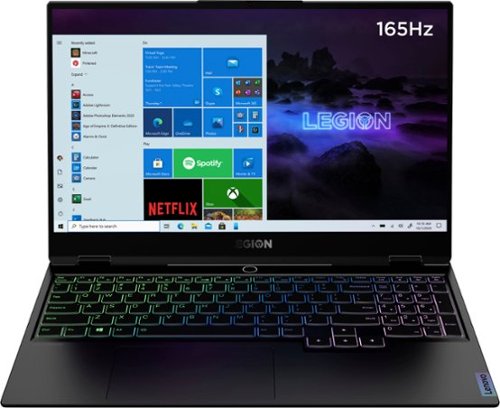
Lenovo - Legion Slim 7 15" Gaming Laptop - AMD Ryzen 7 5800H - NVIDIA GeForce RTX 3060 Max-Q - 16GB Memory - 512GB SSD
The Lenovo~ Legion Slim 7 was engineered for gamers who demand mobility and performance for day and night. Sporting a finely crafted chassis machined from 100% aluminum that is shockingly thin and impressively light, the Legion Slim 7 was expertly crafted for gamers who demand more.
Does this laptop have Ethernet port ?

Although the Lenovo Legion Slim 7 15 Gaming Laptop, model number 82K80001US, does not ship with a built in ethernet port, you can connect this laptop to an ethernet cable by using a USB 3.0 to ethernet adapter like this one: https://www.bestbuy.com/site/j5create-usb-3-0-to-gigabit-ethernet-adapter-gray/2001047.p?skuId=2001047
5 years, 1 month ago
by
Posted by:
Lenovo Product Expert
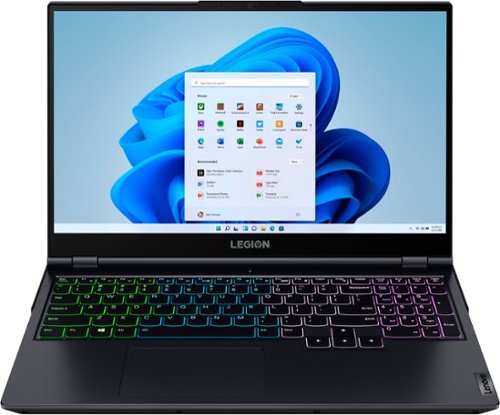
Lenovo - Legion 5 15" Gaming Laptop - AMD Ryzen 7 5800H - NVIDIA GeForce RTX 3050 Ti - 8GB Memory - 512GB SSD - Phantom Blue
Offering a plethora of performance options for any gamer in a clean, minimalist design, the Lenovo~ Legion 5 pairs the latest AMD Ryzen 5800 H-Series processor, NVIDIA GeForce RTX 3050 Ti Graphics, 3200 MHz DDR4 memory, and NVMe TLC SSD storage.
Wanting to know if this laptop can run vr my current laptop has a Nvidia 1050 ti with a Intel 7 with 12 gigs ram and a 250gig m.2 ssd with a one tb side and it struggles with some vrgames games I can play is star trek Bridge crew and vrchat on min setting
We recommend you check with the specific VR hardware manufacturer and software publisher's web sites, of the VR system and software you will be using, for their compatibility with Windows 10 Home 64-bit operating system and the minimum/recommended hardware requirements (Is a Graphics card required, the processor speed and the minimum required system RAM and the minimum available hard drive space) to run their program, then compare those requirements to this system's configuration.
5 years, 1 month ago
by
Posted by:
Lenovo Product Expert
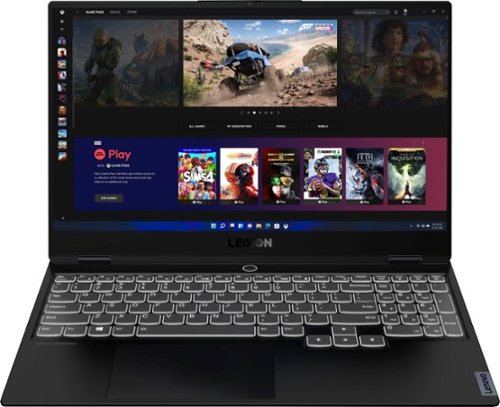
Lenovo - Legion Slim 7 15" 4K Ultra HD Gaming Laptop - AMD Ryzen 9 5900HX - 16GB Memory - NVIDIA GeForce RTX 3050 Ti - 1TB SSD - Shadow Black
The Lenovo~ Legion Slim 7 was engineered for gamers who demand mobility and performance for day and night. Sporting a finely crafted chassis machined from 100% aluminum that is shockingly thin and impressively light, the Legion Slim 7 was expertly crafted for gamers who demand more.
Does this laptop include windows PRO? If not it should. The specs just say Windows without specifying home or pro.
The Lenovo Legion Slim 7 15 Gaming Laptop, Creators' Edition, ships with Windows 10 Home 64-bit Operating System, English Version.
5 years, 1 month ago
by
Posted by:
Lenovo Product Expert
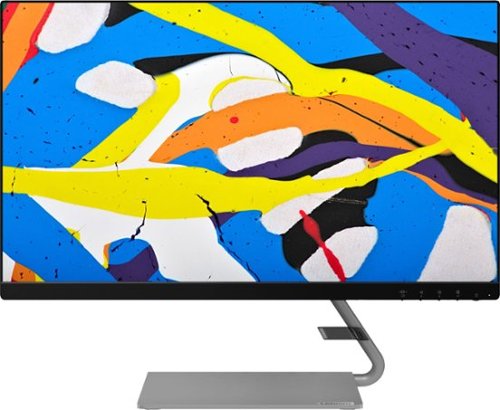
Lenovo - Q24i-10 24" IPS LED FHD FreeSync Monitor (HDMI, VGA) - Black
Modernize your workspace with this 23.8-inch Lenovo Q24i WLED monitor. With a tilting stand, NearEdgeless bezel and Full HD resolution, this graceful monitor offers sharp looks in both design and visual performance. Built-in dual speakers provide a rich audio experience for movies and games. This 23.8-inch Lenovo Q24i WLED monitor boasts in-plane switching technology, making it easy to see the screen from any viewing angle.
Can this monitor be used in vertical orientation
No. The Lenovo Q24i-10 Monitor can not be used in the vertical position.
5 years, 1 month ago
by
Posted by:
Lenovo Product Expert
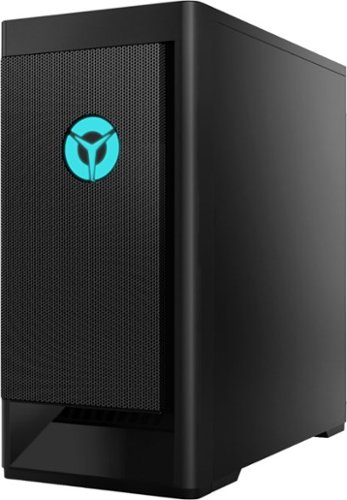
Lenovo - Legion Tower 5 AMD Gaming Desktop - AMD Ryzen 7-5700G - 16GB RAM - NVIDIA GeForce GTX 1660 Super - 256GB SSD + 1TB HDD - Raven Black
Engineered out of a passion for savage power and unmatched speed, the Lenovo~ Legion Tower 5 AMD delivers powerful performance that combines AMD Ryzen processors and top-of-the-line NVIDIA~ GeForce~ graphics cards for blazing-fast frame rates at up to 4K resolution. Pushing far beyond the upper bounds of smaller rig configurations while keeping things cool and whisper quiet, the Legion Tower 5 is a marvel of build and design, accentuated by its illuminated blue LED logo and lighting, as well a transparent side panel that can properly showcase your internals.
Does this desktop have any hdmi ports
Yes. The Lenovo Legion Tower 5 AMD Gaming Desktop computer, model number 90RB001DUS, ships with one HDMI and one DisplayPort connection through the Nvidia GeForce GTX1660 Super GPU.
5 years, 1 month ago
by
Posted by:
Lenovo Product Expert
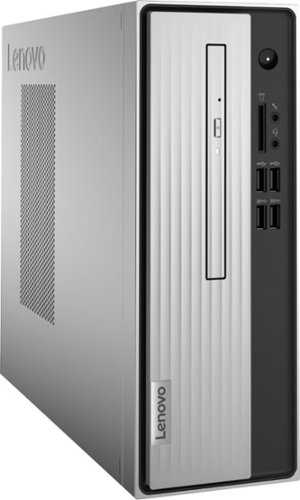
Lenovo - IdeaCentre 3 07ADA Desktop - AMD Athlon -Series - 4GB Memory - 1TB HDD - Silver
Lenovo IdeaCentre 3 07ADA Desktop: Get the job done with this silver Lenovo IdeaCentre 3 desktop computer. An AMD Athlon 3050U processor and 4GB of RAM run multiple programs simultaneously for increased productivity, while the 1TB HDD offers vast storage space for your files and applications. This Lenovo IdeaCentre 3 desktop computer includes a wired mouse and keyboard for easy operation.
Does this computer hdmi work on tv hdmi
Yes. You can use a compatible HDMI TV as a monitor for the Lenovo IdeaCentre 3 Desktop model number 90MV0001US.
5 years, 1 month ago
by
Posted by:
Lenovo Product Expert
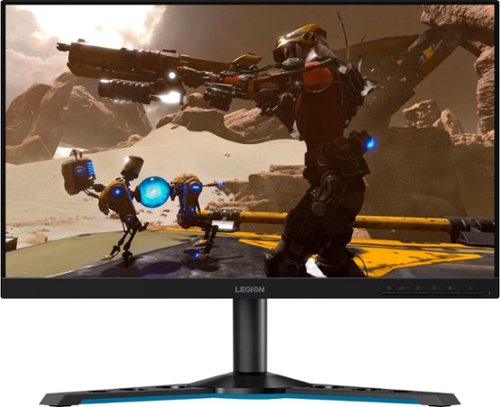
Lenovo - Legion Y25-25 24.5" IPS LED FHD FreeSync and G-SYNC Compatible Gaming Monitor (DisplayPort, HDMI, USB) - Raven Black
Professional Esport gaming is an extremely competitive space~where the difference between winning and losing comes down to the minutest of details. To stand out from the competition, you need equipment that matches the speed of your thought and actions. The Legion Y25-25 delivers wins in the toughest, most critical situations. NVIDIA~ G-SYNC~ Compatible technology takes motion blur out of the equation, improving visual clarity and making prolonged gaming sessions enjoyable. This monitor~s 24.5-inch In-Plane Switching (IPS) panel with a 240 Hz refresh rate and 1ms response time makes it possible to spot an opponent before they see you. When it comes down to a quickfire duel, that is the difference between firing first and getting shot.
I'm use hdmi 2.1 on my laptop how much refresh rate max? 240hz?
The Lenovo Legion Y25-25 monitor, model number 66AAGAC6US, has both a HDMI 2.0 version port and a DisplayPort 1.2 version port. Using the Legion Y25-25 Monitor with a compatible computer, that maximum refresh rate with be 240Hz through either HDMI 2.0 or DisplayPort 1.2 connection.
5 years, 1 month ago
by
Posted by:
Lenovo Product Expert
Lenovo - Legion 5 15" Gaming Laptop - AMD Ryzen 7 5800H - NVIDIA GeForce RTX 3050 Ti - 8GB Memory - 512GB SSD - Phantom Blue
Offering a plethora of performance options for any gamer in a clean, minimalist design, the Lenovo~ Legion 5 pairs the latest AMD Ryzen 5800 H-Series processor, NVIDIA GeForce RTX 3050 Ti Graphics, 3200 MHz DDR4 memory, and NVMe TLC SSD storage.
How many hours does this laptop get on a charge?
The Lenovo Legion 5 15 Gaming Laptop, model number 82JW000XUS, ships with a 4CELL_60WH_INTERNAL, Lithium Polymer Battery, which within this configuration, has a battery life of up to 5 hours, depending on the work the device is performing.
5 years, 1 month ago
by
Posted by:
Lenovo Product Expert
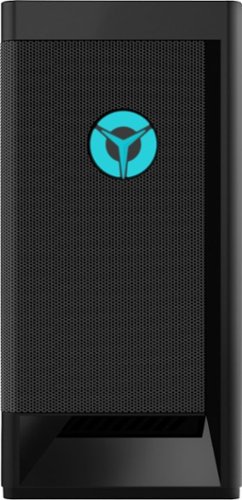
Lenovo - Legion Tower 5i Gaming Desktop - Intel Core i5-11400 - 8GB Memory - NVIDIA GeForce GTX 1660 Super - 256GB SSD + 1TB HDD - Raven Black
Engineered out of a passion for savage power and unmatched speed, the Lenovo~ Legion Tower 5i delivers mind-blowing performance that combines 11th Generation Intel~ Core~ processors and top-of-the-line NVIDIA~ GeForce~ graphics cards for blazing-fast frame rates at up to 4K resolution. Pushing far beyond the upper bounds of smaller rig configurations while keeping things cool and whisper quiet, the Legion Tower 5i is a marvel of build and design, accentuated by its illuminated blue LED logo and lighting, as well a transparent side panel that can properly showcase your internals.
Will this play World of Warcraft without any issues?
That really will depend on the requirements and compatibility of the specific game you want to play. We recommend you check with the specific game's software publisher's web site for their compatibility with Windows 10 Home 64-bit operating system and the minimum/recommended hardware requirements (Is a Graphics card required, the processor speed and the minimum required system RAM and the minimum available hard drive space) to run their program, then compare those requirements to this system's configuration.
5 years, 1 month ago
by
Posted by:
Lenovo Product Expert
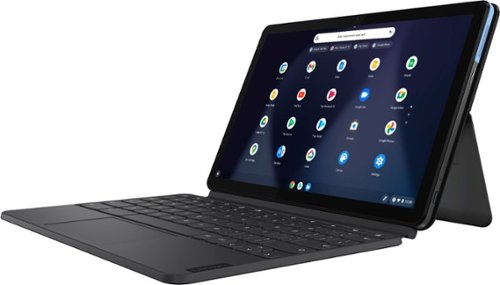
Lenovo - IdeaPad Duet Chromebook - 10.1 (1920x1200) Touch 2-in-1 Tablet - MediaTek P60T - 4G RAM - 128G eMCP4x - with Keyboard - Ice Blue + Iron Gray
Work on pending assignments while on the move with this Lenovo Chromebook Duet. The 10.1-inch touch screen provides an interactive user experience, while the 128GB of internal storage offer ample space for apps and media files. This Lenovo Chromebook Duet features a MediaTek Helio P60T processor and 4GB of RAM for effortless multitasking.
Is the keyboard detachable?
Yes. The Lenovo Chromebook Duet ships with a detachable keyboard, included.
5 years, 1 month ago
by
Posted by:
Lenovo Product Expert