Lenovo Product Expert
Lenovo Product Expert's Stats
Reviews
- Review Count0
- Helpfulness Votes0
- First ReviewNone
- Last ReviewNone
- Featured Reviews0
- Average Rating0
Reviews Comments
- Review Comment Count0
- Helpfulness Votes0
- First Review CommentNone
- Last Review CommentNone
- Featured Review Comments0
Questions
- Question Count0
- Helpfulness Votes0
- First QuestionNone
- Last QuestionNone
- Featured Questions0
- Answer Count37880
- Helpfulness Votes24,853
- First AnswerApril 21, 2014
- Last AnswerOctober 16, 2026
- Featured Answers0
- Best Answers2830
Lenovo Product Expert's Reviews
Lenovo Product Expert has not submitted any reviews.
Lenovo Product Expert's Questions
Lenovo Product Expert has not submitted any questions.
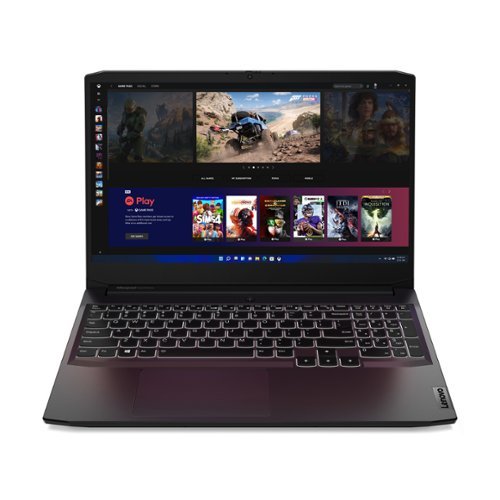
Lenovo - IdeaPad Gaming 3 15" Laptop - AMD Ryzen 5 5600H - NVIDIA GeForce GTX 1650 - 8GB Memory - 512GB SSD
Time to elevate your game and esports experience beyond the realm of the ~just acceptable~ with a PC that stands tall amongst your gaming circle. Engineered with AMD Ryzen~ 5600H processor, NVIDIA~ GeForce~ GTX 1650 graphics, DDR4 memory and M.2 NVMe SSD storage options, the Lenovo~ IdeaPad~ Gaming 3 projects a quiet and serene confidence with smooth, crystal-clear visuals and seamless gameplay that stays cool through improved thermals. The IdeaPad Gaming 3 is also stunning visually turned on or off with an 120 Hz clear FHD display and an advanced gaming keyboard.
Is this laptop suitable for streaming/recording things like valorant or Minecraft ?

That will depend on the requirements and compatibility of the APPs you want to run. We recommend you check with the specific APPs software publisher's web sites, of the APPs you want to use, for their compatibility with Windows 10 Home 64-bit operating system and the minimum/recommended hardware requirements (Is a Graphics card required, the processor speed and the minimum required system RAM and the minimum available hard drive space) to run their program, then compare those requirements to this system's configuration.
5 years, 1 month ago
by
Posted by:
Lenovo Product Expert
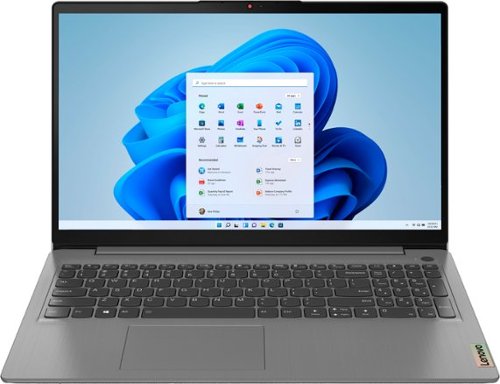
Lenovo - Ideapad 3 15.6" FHD Touch Screen Laptop - Intel Core i5 11th Gen - 12GB Memory - 256GB SSD - Arctic Grey
Engineered for long-lasting performance, the Lenovo~ IdeaPad~ 3 delivers powerful performance with the latest Intel 11th Generation Processors with Intel~ Iris Xe Graphics, in a laptop that's perfect for your everyday tasks, with features that you can depend on.
Does this laptop support wifi 6?
No. The Lenovo IdeaPad 3 15 Laptop, model number 81WR000FUS, ships with 2x2, 802.11ac frequency WiFi.
5 years, 1 month ago
by
Posted by:
Lenovo Product Expert
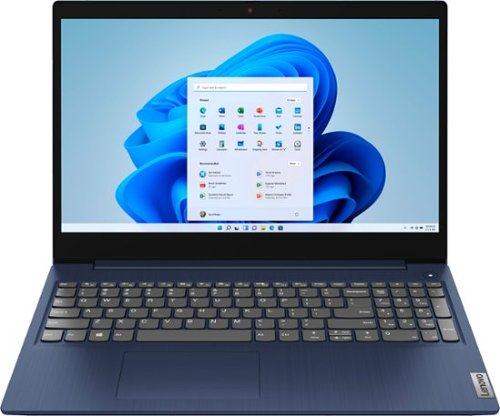
Lenovo - Ideapad 3 15 15.6" Touch-Screen Laptop - Intel Core i3 - 8GB Memory - 256GB SSD - Abyss Blue
Engineered for long-lasting performance, the Lenovo~ IdeaPad~ 3 15 delivers power in a laptop that's perfect for your everyday tasks, with features that you can depend on such as advanced mobile 10th Generation Intel Core processors and all day battery.
Does This Laptop Work Well With Blender And Ableton Live? Or Does It At Least Run It Smoothly?
That will depend on the requirements and compatibility of the specific software you want to run. The Lenovo IdeaPad 3 15 Laptop, model number 81WR000FUS, ships with Windows 10 S-Mode 64-bit Operating System. Windows 10 S-Mode provides added security by only allowing APPs available ( and therefore certified by Microsoft) at the Microsoft Store. If you don't need the added security or you need to install APPs not available at the Microsoft Store, you can switch to standard Windows 10 Home 64-bit Operating System, at no additional cost. We recommend you check with the specific software publisher's web sites, of the software you want to use, for their compatibility with Windows 10 S-Mode 64-bit operating system and the minimum/recommended hardware requirements (Is a Graphics card required, the processor speed and the minimum required system RAM and the minimum available hard drive space) to run their program, then compare those requirements to this system's configuration. If you choose to switch out of S-Mode for Windows 10 Home, here is a link to instructions for switching from Windows 10 S-Mode to Windows 10 Home: https://support.microsoft.com/en-us/help/4456067/windows-10-switch-out-of-s-mode
5 years, 1 month ago
by
Posted by:
Lenovo Product Expert
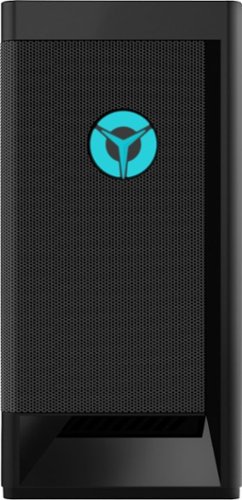
Lenovo - Legion Tower 5i Gaming Desktop - Intel Core i5-11400 - 8GB Memory - NVIDIA GeForce GTX 1660 Super - 256GB SSD + 1TB HDD - Raven Black
Engineered out of a passion for savage power and unmatched speed, the Lenovo~ Legion Tower 5i delivers mind-blowing performance that combines 11th Generation Intel~ Core~ processors and top-of-the-line NVIDIA~ GeForce~ graphics cards for blazing-fast frame rates at up to 4K resolution. Pushing far beyond the upper bounds of smaller rig configurations while keeping things cool and whisper quiet, the Legion Tower 5i is a marvel of build and design, accentuated by its illuminated blue LED logo and lighting, as well a transparent side panel that can properly showcase your internals.
Can the blue logo on the front change colors? also, am I able to connect my primary monitor to the graphics card video output, and then plug my secondary monitor into the motherboard output?
The logo on the front of the Legion Tower 5i Gaming Desktop, model number 90RS000DUS does not change colors. Only the DisplayPort and the HDMI port available through the discrete Nvidia GeForce GTX1660 Super GPU have a video signal out to a monitor available.
5 years, 1 month ago
by
Posted by:
Lenovo Product Expert
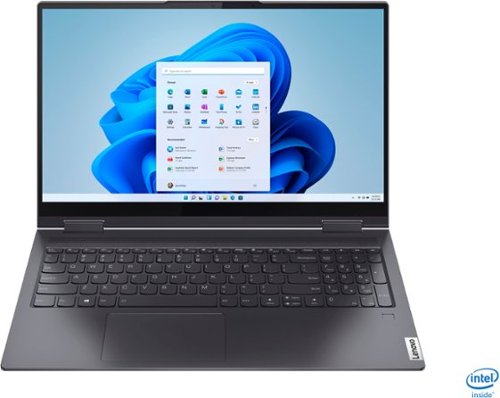
Lenovo - Yoga 7i 2-in-1 15.6" Touch Screen Laptop - Intel Core i5 - 8GB Memory - 256GB Solid State Drive - Slate Grey
The Lenovo Yoga 7i 15" combines versatile portability and enhanced productivity, thanks to the boundary-breaking performance and responsiveness of 11th generation Intel Core i5 processors and vibrant FHD clarity with Intel Iris Xe graphics. Go anywhere with a sleek 2-in-1 metal chassis featuring thoughtful details including a webcam privacy shutter..
Does this computer have an HDMI port to put an HDMI plug?
No. The Lenovo Yoga 7i 15 model number 82BJ0001US, ships with 2x Thunderbolt 4 / USB4 40Gbps (support data transfer, Power Delivery 3.0 and DisplayPort 1.4) ports with video out capability to external monitors. The Yoga 7i 15 supports up to 3 independent displays via native display and 2 external monitors; supports external monitors via Thunderbolt 4 (up to 7680×4320@60Hz). You can connect an HDMI monitor to the Yoga 7i 15 by using a Thunderbolt 3.0/4.0 to HDMI adapter like this one, from a Best Buy advertising partner: https://cable-china-factory.com/products/usb-c-displayport-mini-dp-to-hdmi-adapter-3-in-1-thunderbolt-dp-type-c-to-hdmi-coverter-4k-for-samsung-s9-s8-s10-plus-note-9-note-8-macbook-air-pro-microsoft-surface-pro-3-4-pc-laptop-tv-monitor-b07x8czpd5?variant=40648809906354¤cy=USD&utm_medium=product_sync&utm_source=google&utm_content=sag_organic&utm_campaign=sag_organic&gclid=EAIaIQobChMIyqPjhJfH8gIVEEmGCh3tkgPMEAYYAiABEgI-EPD_BwE
5 years, 1 month ago
by
Posted by:
Lenovo Product Expert
Lenovo - Yoga 7i 2-in-1 15.6" Touch Screen Laptop - Intel Core i5 - 8GB Memory - 256GB Solid State Drive - Slate Grey
The Lenovo Yoga 7i 15" combines versatile portability and enhanced productivity, thanks to the boundary-breaking performance and responsiveness of 11th generation Intel Core i5 processors and vibrant FHD clarity with Intel Iris Xe graphics. Go anywhere with a sleek 2-in-1 metal chassis featuring thoughtful details including a webcam privacy shutter..
How do I connect this laptop to a monitor?
The Lenovo Yoga 7i 15 model number 82BJ0001US, ships with 2x Thunderbolt 4 / USB4 40Gbps (support data transfer, Power Delivery 3.0 and DisplayPort 1.4) ports with video out capability to external monitors. The Yoga 7i 15 supports up to 3 independent displays via native display and 2 external monitors; supports external monitors via Thunderbolt 4 (up to 7680×4320@60Hz). You can connect an HDMI monitor to the Yoga 7i 15 by using a Thunderbolt 3.0/4.0 to HDMI adapter like this one, from a Best Buy advertising partner: https://cable-china-factory.com/products/usb-c-displayport-mini-dp-to-hdmi-adapter-3-in-1-thunderbolt-dp-type-c-to-hdmi-coverter-4k-for-samsung-s9-s8-s10-plus-note-9-note-8-macbook-air-pro-microsoft-surface-pro-3-4-pc-laptop-tv-monitor-b07x8czpd5?variant=40648809906354¤cy=USD&utm_medium=product_sync&utm_source=google&utm_content=sag_organic&utm_campaign=sag_organic&gclid=EAIaIQobChMIyqPjhJfH8gIVEEmGCh3tkgPMEAYYAiABEgI-EPD_BwE
5 years, 1 month ago
by
Posted by:
Lenovo Product Expert
Lenovo - Ideapad 3 15 15.6" Touch-Screen Laptop - Intel Core i3 - 8GB Memory - 256GB SSD - Abyss Blue
Engineered for long-lasting performance, the Lenovo~ IdeaPad~ 3 15 delivers power in a laptop that's perfect for your everyday tasks, with features that you can depend on such as advanced mobile 10th Generation Intel Core processors and all day battery.
I just bought the computer and had it for a couple of hours and it was working just fine and then all of a sudden it just shut off. We tried to make it turn back on but nothing would work. We took it back and exchanged it and then same thing happend again
We are sorry to hear that you are having issues with your Lenovo IdeaPad 3 15 Laptop, model number 81WR000FUS. First, be sure the internal battery has sufficient charge to run the computer. Plug the included AC adapter/charger into a wall socket, then with the computer turned off, plug the AC adapter/charger into the dedicated, barrel-type charging port on the computer. Let the computer charge for 15-minutes. Now with the computer still plugged in and charging, push the power button. The computer will boot up normally to the Windows 10 Desktop Screen. If you continue to have issues, now, be sure any software you installed is compatible with Windows 10. There is no need to install Microsoft Office software. The software is already part of the operating system, you just need to activate the software with a purchased product key. If you have installed a copy of Microsoft Office, this is conflicting with the existing copy on the system and this will slow your system down. If you have installed a 3rd party anti-virus program, be sure that Windows Defender is turned off and that the trial version of McAfee Anti-Virus software is uninstalled. There can only be one anti-virus program on the system. You may need to restore your system to original factory default settings if any of the programming errors have occurred. You can do that by typing "restore" in the Cortana search window. Just click on the magnifying glass icon at the bottom left of your Windows 10 Desktop. Click on "Reset This PC" Then click on "Get Started" and follow the on screen directions to restore to factory defaults. If the problem persists, we recommend you contact Lenovo Tech Support at: 877-453-6686.
5 years, 1 month ago
by
Posted by:
Lenovo Product Expert
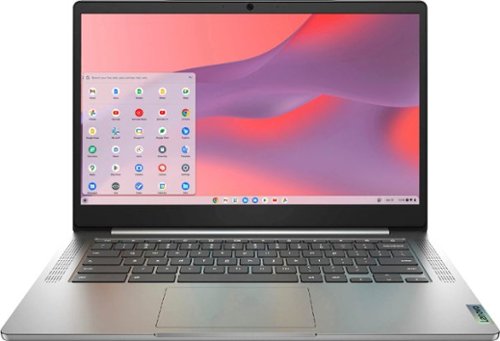
Fast, flexible, and fun, the Chromebook 3-14" brings everyone~s favorite Chromebook features, running on the lightning-fast Chrome OS that boots up in seconds, updates automatically, and is protected by built-in virus protection. Powered by a MediaTek processor and up to 10 hours of battery life, it~ll seamlessly run all of your favorite apps at the same time. Get Minecraft and 3 months of Realms Plus at no cost* with purchase of a new Chromebook. Terms Apply. *Offer valid for qualifying Chromebooks purchased on or after July 1st, 2023 through September 30th, 2023 while supplies last.
Are you able to use a wireless mouse with this?
Yes. You can use a wireless mouse that is compatible with the Chrome Operating System with the Lenovo Chromebook 3 14.
5 years, 1 month ago
by
Posted by:
Lenovo Product Expert
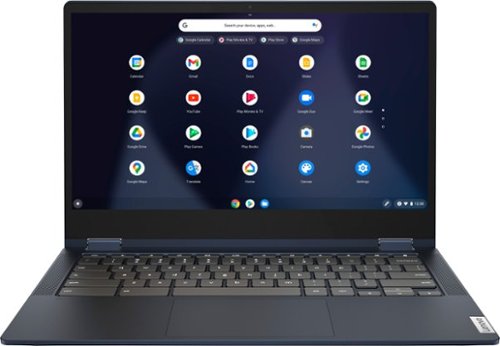
Lenovo - Flex 5 13" 2-in-1 Chromebook - Pentium 7505 - 4GB Memory - 32GB eMMC
Lenovo~ IdeaPad~ Flex 5 Chromebook 13", powered by Intel Pentium 7505 Processor, boasts up to 10 hours of battery life to let you get things done quickly and easily with all your favorite Chromebook features. Use your Google Account for seamless access to your files, photos, music and you can start an immersive entertainment experience with the user-facing stereo speakers and IPS FHD display~or you can enjoy more by apps downloaded on the Google Play Store. Any great idea pop up in mind? Just flip your Chromebook and dot your ideas with the Lenovo digital pen to catch the moment.
Can I upgrade this to 64 GB eMMC before purchase?
No. The maximum hard drive space available on the Lenovo Chromebook Flex 5 13 model number 82M70000US, is 32GB eMMC 5.1 solid state hard drive, soldered on systemboard and is not upgradeable. This model does ship with a MicroSD Card Reader slot that can be used to expand storage space with an external Micro-SD card, which is sold separately.
5 years, 1 month ago
by
Posted by:
Lenovo Product Expert
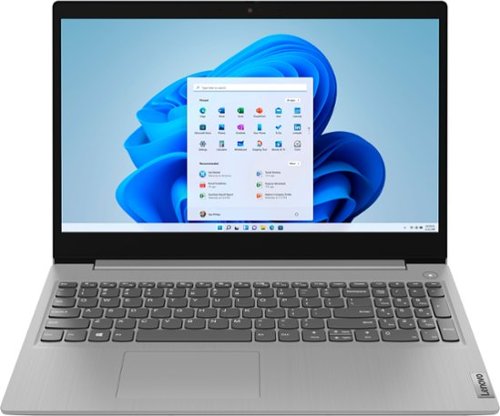
Lenovo - Ideapad 3 15 15.6" Laptop - AMD Ryzen 3 - 8GB Memory - 128GB SSD
Engineered for long-lasting performance, the Lenovo~ IdeaPad~ 3 delivers powerful performance with the latest AMD Mobile Processors with Radeon~ Graphics, in a laptop that's perfect for your everyday tasks, with features that you can depend on.
Will this be able to upgrade to windows 11 when It comes out?
The Lenovo IdeaPad 3 15 Laptop, model number 81W1018XUS, ships with the Firmware TPM 2.0 Security Chip that is required for upgrading to Windows 11. Microsoft is still finalizing the requirements to upgrade from the latest version of Windows 10 to Windows 11 at this time. Here is a link to more information about upgrading to Windows 11: https://docs.microsoft.com/en-us/windows/whats-new/windows-11-requirements
5 years, 1 month ago
by
Posted by:
Lenovo Product Expert