Lenovo Product Expert
Lenovo Product Expert's Stats
Reviews
- Review Count0
- Helpfulness Votes0
- First ReviewNone
- Last ReviewNone
- Featured Reviews0
- Average Rating0
Reviews Comments
- Review Comment Count0
- Helpfulness Votes0
- First Review CommentNone
- Last Review CommentNone
- Featured Review Comments0
Questions
- Question Count0
- Helpfulness Votes0
- First QuestionNone
- Last QuestionNone
- Featured Questions0
- Answer Count37880
- Helpfulness Votes24,853
- First AnswerApril 21, 2014
- Last AnswerOctober 16, 2026
- Featured Answers0
- Best Answers2830
Lenovo Product Expert's Reviews
Lenovo Product Expert has not submitted any reviews.
Lenovo Product Expert's Questions
Lenovo Product Expert has not submitted any questions.
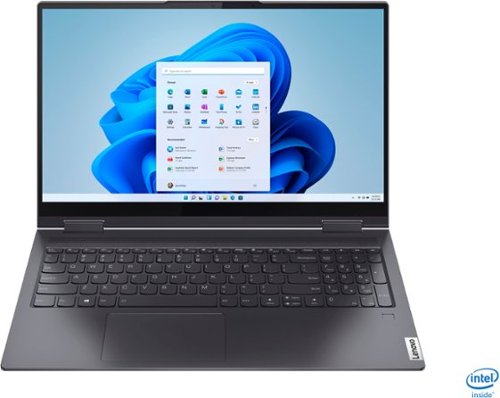
Lenovo - Yoga 7i 2-in-1 15.6" Touch Screen Laptop - Intel Core i5 - 8GB Memory - 256GB Solid State Drive - Slate Grey
The Lenovo Yoga 7i 15" combines versatile portability and enhanced productivity, thanks to the boundary-breaking performance and responsiveness of 11th generation Intel Core i5 processors and vibrant FHD clarity with Intel Iris Xe graphics. Go anywhere with a sleek 2-in-1 metal chassis featuring thoughtful details including a webcam privacy shutter..
Can you extend more regular 1tb HDD inside, just for storage? need get caddy or have one ready to attach? Thank you.

The Lenovo Yoga 7i 15 model number 82BJ0001US, is not user upgradable. A certified technician must do all of the work, so as to not void the warranty. This configuration ships with a 256GB M.2 2242 PCIe 3.0x4 NVMe solid state hard drive. The maximum supported storage space within this configuration is: One drive, up to 512GB M.2 2242 SSD or 1TB M.2 2280 SSD. We recommend you consult with your certified technician about your storage upgrade options.
5 years, 2 months ago
by
Posted by:
Lenovo Product Expert

Lenovo - Yoga 7i 14 2-in-1 14" Touch-Screen Laptop - Intel Evo Platform Core i7 - 12GB Memory - 512GB SSD - Dark Moss
The Lenovo~ Yoga~ 7i combines versatile portability and enhanced productivity, thanks to the boundary-breaking performance and responsiveness of 11th generation Intel~ Core~ processors and vibrant FHD clarity with Intel~ Iris~ Xe graphics. Go anywhere with a sleek 2-in-1 metal chassis featuring thoughtful details including a webcam privacy shutter.
Does this Yoga have the “thinkpad” style of keys, meaning slightly curved?
The Intel Evo-Certified, Lenovo Yoga 7i 14 model number 82BH000CUS, ships with a standard 6-row, multimedia Fn keys, QWERTY Keyboard with LED backlight, Touchpad - Buttonless glass surface multi-touch touchpad, supports Precision TouchPad (PTP).
5 years, 2 months ago
by
Posted by:
Lenovo Product Expert
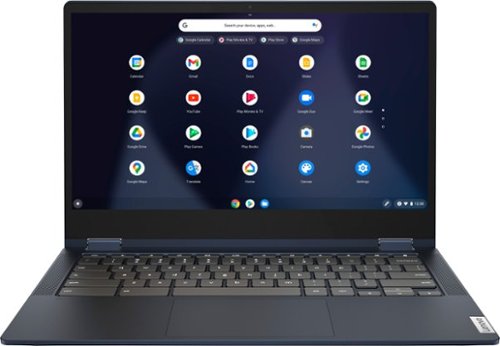
Lenovo - Flex 5 13" 2-in-1 Chromebook - Pentium 7505 - 4GB Memory - 32GB eMMC
Lenovo~ IdeaPad~ Flex 5 Chromebook 13", powered by Intel Pentium 7505 Processor, boasts up to 10 hours of battery life to let you get things done quickly and easily with all your favorite Chromebook features. Use your Google Account for seamless access to your files, photos, music and you can start an immersive entertainment experience with the user-facing stereo speakers and IPS FHD display~or you can enjoy more by apps downloaded on the Google Play Store. Any great idea pop up in mind? Just flip your Chromebook and dot your ideas with the Lenovo digital pen to catch the moment.
What is the auto update expiration on the Lenovo Flex 5 Chromebook?
The Lenovo Flex 5 13 Chromebook, model number 82M70000US, will receive Google Auto Updates through Jun 2028.
5 years, 2 months ago
by
Posted by:
Lenovo Product Expert
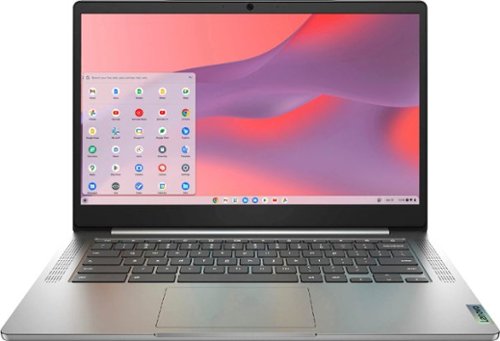
Fast, flexible, and fun, the Chromebook 3-14" brings everyone~s favorite Chromebook features, running on the lightning-fast Chrome OS that boots up in seconds, updates automatically, and is protected by built-in virus protection. Powered by a MediaTek processor and up to 10 hours of battery life, it~ll seamlessly run all of your favorite apps at the same time. Get Minecraft and 3 months of Realms Plus at no cost* with purchase of a new Chromebook. Terms Apply. *Offer valid for qualifying Chromebooks purchased on or after July 1st, 2023 through September 30th, 2023 while supplies last.
does charger works internationally with 110- 220 volts /50-60 htz ??
The Lenovo Chromebook 3 14 model number 82KN0001US, is a 110V device. It does ship with a Dual Voltage AC adapter/charger with a USA compatible wall side plug. To use outside the USA, you will need to add a compatible wall side plug adapter, compatible with the country the computer will be used in. This adapter is sold separately.
5 years, 2 months ago
by
Posted by:
Lenovo Product Expert
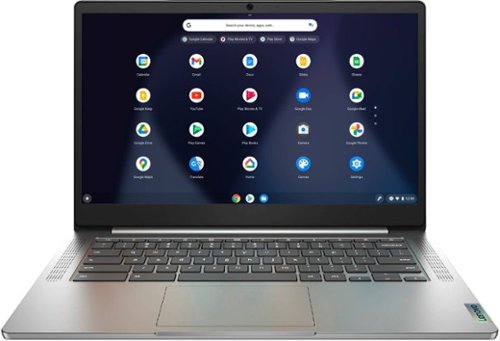
Lenovo - Chromebook 3 14" Laptop - Mediatek MT8183 - 4GB Memory - 64GB eMMC - Arctic Grey
Fast, flexible, and fun, the Chromebook 3-14" brings everyone~s favorite Chromebook features, running on the lightning-fast Chrome OS that boots up in seconds, updates automatically, and is protected by built-in virus protection. Powered by a MediaTek processor and up to 10 hours of battery life, it~ll seamlessly run all of your favorite apps at the same time.
Does this computer come with linux?
The Lenovo Chromebook 3 14 model number 82KN0000US, ships with a built-in Linux environment called Linux (Beta) that you can easily switch to and from within the Chrome OS. Here is a link to more information about Linux on Lenovo Chromebooks: https://www.lenovo.com/us/en/faqs/operating-systems/install-linux-chromebook/
5 years, 2 months ago
by
Posted by:
Lenovo Product Expert
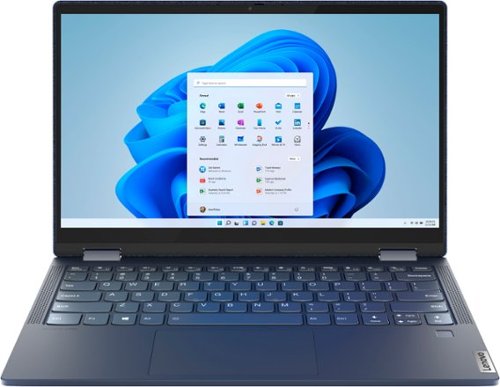
Lenovo - Yoga 6 13 2-in-1 13.3" Touch Screen Laptop - AMD Ryzen 5 - 8GB Memory - 256GB SSD - Abyss Blue with Fabric Cover
The Lenovo~ Yoga~ 6 is an ultra-portable 2-in-1 that combines unique style with the powerful responsiveness of an AMD Ryzen~ 5000 Series Mobile Processor, abundant memory and SSD storage. Enjoy a rich multimedia experience with the clarity of a 13.3" FHD touchscreen display, and enveloping sound with Dolby Atmos~-optimized stereo speakers.
The specifications say there's a HDMI Output, but there's no port/connector for it on the sides of the laptop. How does that work?
The Lenovo Yoga 6 13 model number 82ND0009US, ships with 2x USB-C 3.2 Gen 1 (support data transfer and DisplayPort 1.4). You can connect an HDMI external monitor to the Yoga 6 13 by using a USB-c to HDMI adapter like this one: https://www.bestbuy.com/site/insignia-usb-c-to-hdmi-adapter-white/6424886.p?skuId=6424886. This adapter is sold separately.
5 years, 2 months ago
by
Posted by:
Lenovo Product Expert
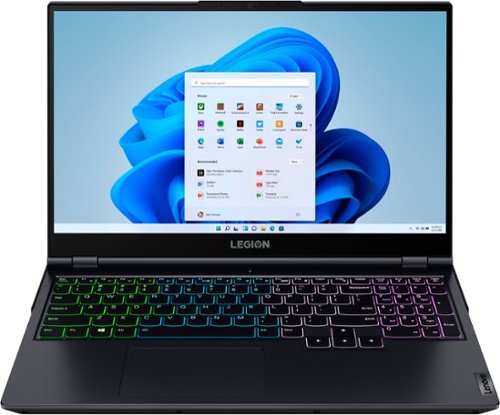
Lenovo - Legion 5 15" Gaming Laptop - AMD Ryzen 7 5800H - NVIDIA GeForce RTX 3050 Ti - 8GB Memory - 512GB SSD - Phantom Blue
Offering a plethora of performance options for any gamer in a clean, minimalist design, the Lenovo~ Legion 5 pairs the latest AMD Ryzen 5800 H-Series processor, NVIDIA GeForce RTX 3050 Ti Graphics, 3200 MHz DDR4 memory, and NVMe TLC SSD storage.
How many external monitors can this model support simultaneously? Is this in addition to the laptop display?
The Lenovo Legion 5 15 Gaming Laptop, model number 82JW000XUS, shipping with the NVIDIA GeForce RTX 3050 Ti GPU, with 4GB GDDR6 RAM on the card, supports up to 4 independent displays via native display and 3 external monitors; supports external monitors via HDMI 2.1 version (up to 7680x4320@60Hz) or USB-C 3.2 Gen 2 (up to 5120x3200@60Hz).
5 years, 2 months ago
by
Posted by:
Lenovo Product Expert
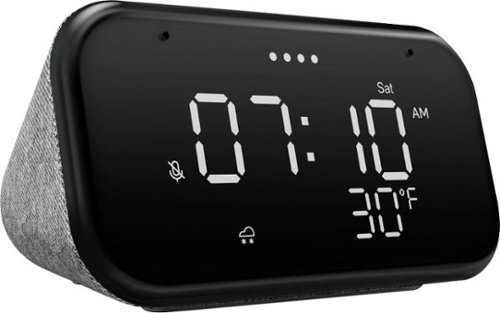
Lenovo - Smart Clock Essential 4" Smart Display with Google Assistant - Soft Touch Gray
The Lenovo Smart Clock Essential is the ultimate smart clock for any room. With a big & bold display you can check out the time from across the room, whether in the kitchen, in the living room or on a shelf. Talk to Google for hands-free help. From checking the time and weather, setting timers for cooking, adding items to your shopping list or making hands-free calls, the Lenovo Smart Clock Essential is here to help you be more productive and take back time. It~s also a great night-time companion with its built-in nightlight that provides a small source of light without waking up the whole family. No more stumbling around in the dark when searching for things. Listen to music, news, podcasts, and more with the clock~s quality speakers. Control over 40,000 compatible smart devices from over 5,000 brands. Ask Google to set the temperature, dim the lights, and more. Just say ~Hey Google.~
What wake-up sound does this alarm clock play? Is it a gradual, pleasant sound? Thanks.
Here is a link to a YouTube video which demonstrates how to set an alarm on the Lenovo Smart Clock Essential then plays the alarm to illustrate the sound. You can also change the alarm volume, change the alarm sound or even select music from your choice of music streaming services as your alarm, as demonstrated in the video.
5 years, 2 months ago
by
Posted by:
Lenovo Product Expert
Lenovo - Flex 5 13" 2-in-1 Chromebook - Pentium 7505 - 4GB Memory - 32GB eMMC
Lenovo~ IdeaPad~ Flex 5 Chromebook 13", powered by Intel Pentium 7505 Processor, boasts up to 10 hours of battery life to let you get things done quickly and easily with all your favorite Chromebook features. Use your Google Account for seamless access to your files, photos, music and you can start an immersive entertainment experience with the user-facing stereo speakers and IPS FHD display~or you can enjoy more by apps downloaded on the Google Play Store. Any great idea pop up in mind? Just flip your Chromebook and dot your ideas with the Lenovo digital pen to catch the moment.
can i connect it to another screen?
Yes. The Lenovo Chromebook Flex 5 13 model number 82M70000US, ships with 2x USB-C 3.2 Gen 1 (support data transfer, Power Delivery 3.0 and DisplayPort 1.4) ports with video out capability. The Chromebook Flex 5 13 supports up to 3 independent displays via native display and 2 external monitors; supports external monitors via USB-C (up to 5120x3200@60Hz).
5 years, 2 months ago
by
Posted by:
Lenovo Product Expert
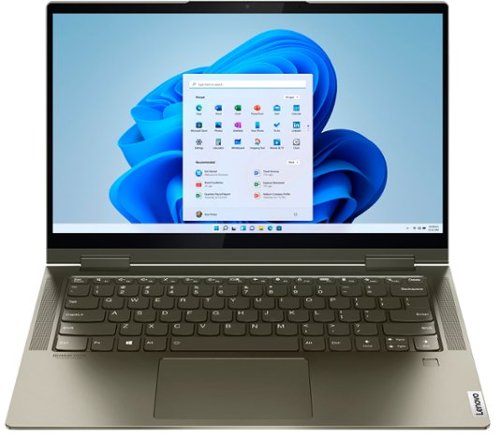
Lenovo - Yoga 7i 2-in-1 14" Touch Screen Laptop - Intel Evo Platform Core i5 - 12GB Memory - 512GB Solid State Drive - Dark Moss
The Lenovo Yoga 7i 14" combines versatile portability and enhanced productivity, thanks to the boundary-breaking performance and responsiveness of 11th generation Intel Core i5 processors and vibrant FHD clarity with Intel Iris X graphics. Go anywhere with a sleek 2-in-1 metal chassis featuring thoughtful details including a webcam privacy shutter.
Will Windows 11 work on this laptop? Is it included in the price?
The Intel Evo-Certified, Lenovo Yoga 7i 14 ships with the Firmware TPM 2.0 integrated in chipset, Security Chips that is currently required to upgrade the latest version of Windows 10 to Windows 11. Microsoft is still finalizing the requirements for upgrading the latest version of Windows 10 to Windows 11.
5 years, 2 months ago
by
Posted by:
Lenovo Product Expert