Lenovo Product Expert
Lenovo Product Expert's Stats
Reviews
- Review Count0
- Helpfulness Votes0
- First ReviewNone
- Last ReviewNone
- Featured Reviews0
- Average Rating0
Reviews Comments
- Review Comment Count0
- Helpfulness Votes0
- First Review CommentNone
- Last Review CommentNone
- Featured Review Comments0
Questions
- Question Count0
- Helpfulness Votes0
- First QuestionNone
- Last QuestionNone
- Featured Questions0
- Answer Count37880
- Helpfulness Votes24,853
- First AnswerApril 21, 2014
- Last AnswerOctober 16, 2026
- Featured Answers0
- Best Answers2830
Lenovo Product Expert's Reviews
Lenovo Product Expert has not submitted any reviews.
Lenovo Product Expert's Questions
Lenovo Product Expert has not submitted any questions.
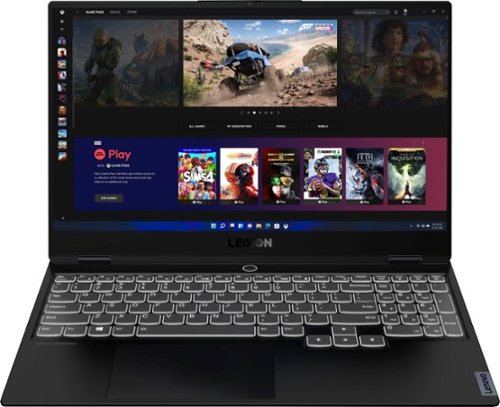
Lenovo - Legion Slim 7 15" 4K Ultra HD Gaming Laptop - AMD Ryzen 9 5900HX - 16GB Memory - NVIDIA GeForce RTX 3050 Ti - 1TB SSD - Shadow Black
The Lenovo~ Legion Slim 7 was engineered for gamers who demand mobility and performance for day and night. Sporting a finely crafted chassis machined from 100% aluminum that is shockingly thin and impressively light, the Legion Slim 7 was expertly crafted for gamers who demand more.
What is the max amount of ram that can be installed in this model?

The Lenovo Legion Slim 7 15 Gaming Laptop, model number 82K8000RUS, ships with 16GB DDR4-3200MHz RAM installed (8GB Soldered DDR4-3200 + 8GB SO-DIMM DDR4-3200MHz RAM), one memory soldered to systemboard, one DDR4 SO-DIMM slot, dual-channel capable. The maximum supported RAM for this configuration is: Up to 24GB (8GB soldered + 16GB SO-DIMM) DDR4-3200MHz RAM. We recommend you consult your certified technician about your RAM upgrade options.
5 years, 2 months ago
by
Posted by:
Lenovo Product Expert
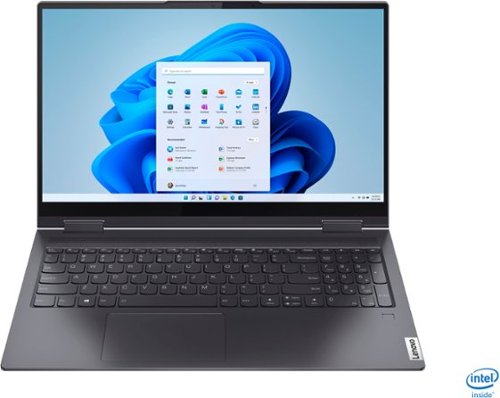
Lenovo - Yoga 7i 2-in-1 15.6" Touch Screen Laptop - Intel Core i5 - 8GB Memory - 256GB Solid State Drive - Slate Grey
The Lenovo Yoga 7i 15" combines versatile portability and enhanced productivity, thanks to the boundary-breaking performance and responsiveness of 11th generation Intel Core i5 processors and vibrant FHD clarity with Intel Iris Xe graphics. Go anywhere with a sleek 2-in-1 metal chassis featuring thoughtful details including a webcam privacy shutter..
when you open the web browser do you get a white loading screen?
Yes. A blank screen for a second or two while the browser home page is loading and your security software scans the page for compatibility, is normal.
5 years, 2 months ago
by
Posted by:
Lenovo Product Expert

Lenovo - IdeaPad Flex 5 14ITL05 14" Laptop - Intel Core i3 - 8 GB Memory - 256 GB SSD - Platinum Gray
Engineered to fold 360~ from laptop to tablet, the IdeaPad Flex 14 gives you the flexibility to use it in different modes to best suit your needs. Thanks to extras like WiFi 6 and long battery life, you can count on this convertible over the long haul.
Can you game on the computer or not?
That really will depend on the games you want to play and the requirements and compatibility of those games. This model ships with Windows 10 S-Mode 64-bit Operating System. Windows 10 S-Mode provides added security by only allowing APPs available ( and therefore certified by Microsoft) at the Microsoft Store. If you don't need the added security or you need to install APPs not available at the Microsoft Store, you can switch to standard Windows 10 Home 64-bit Operating System, at no additional cost. We recommend you check with the specific game's software publisher's web sites for their compatibility with Windows 10 S-Mode 64-bit operating system and the minimum/recommended hardware requirements (Is a Graphics card required, the processor speed and the minimum required system RAM and the minimum available hard drive space) to run their program, then compare those requirements to this system's configuration. You may choose to switch out of S-Mode to Windows 10 Home. Here is a link to instructions for switching from Windows 10 S-Mode to Windows 10 Home: https://support.microsoft.com/en-us/help/4456067/windows-10-switch-out-of-s-mode
5 years, 2 months ago
by
Posted by:
Lenovo Product Expert
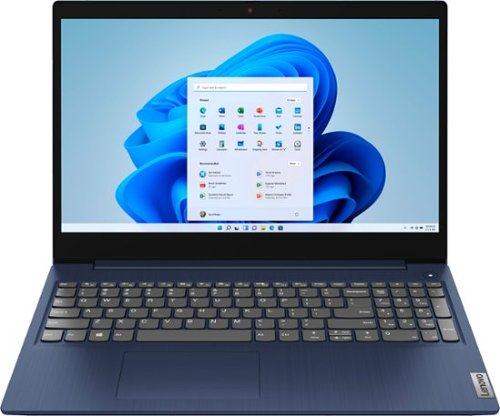
Lenovo - Ideapad 3 15 15.6" Touch-Screen Laptop - Intel Core i3 - 8GB Memory - 256GB SSD - Abyss Blue
Engineered for long-lasting performance, the Lenovo~ IdeaPad~ 3 15 delivers power in a laptop that's perfect for your everyday tasks, with features that you can depend on such as advanced mobile 10th Generation Intel Core processors and all day battery.
I want to use a stylus for creating and editing pictures. Also does this PC have usb3 and type-c ports
The Lenovo IdeaPad 3 15 Laptop, model number 81WR000FUS, is not compatible with any active/digital pen. You can use a capacitive touch stylus as a finger replacement on the touchscreen, like this one: https://www.bestbuy.com/site/insignia-stylus-silver/3695185.p?skuId=3695185. Here are the ports that this model ships with: 1x power connector, 1x card reader, 1x HDMI 1.4b, 1x headphone / microphone combo jack (3.5mm), 1x USB 2.0, 2x USB 3.2 Gen 1.
5 years, 2 months ago
by
Posted by:
Lenovo Product Expert
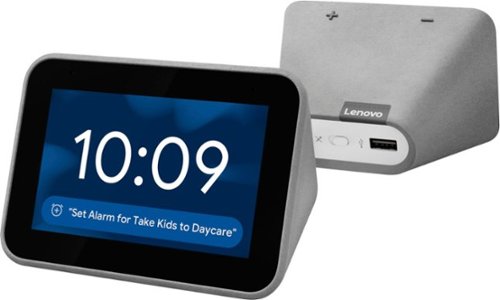
Lenovo - Smart Clock with Google Assistant - Gray
Wake up and start your day with this Lenovo smart clock. Wi-Fi connectivity and Google Assistant integration let you use voice commands to play music, check schedules and control smart home devices. This Lenovo smart clock offers hundreds of audio and media alarm options so you can choose how to wake up.
can it play NPR radio? What is the procedure to get NPR news on this clock. Thanks
You listen to terrestrial and internet or satellite radio stations with the Lenovo Smart Clock with Google Assistant. Here is a link to more information about finding the specific radio station you are looking for: https://support.google.com/googlenest/answer/7071793?hl=en
5 years, 2 months ago
by
Posted by:
Lenovo Product Expert
Lenovo - Yoga 7i 2-in-1 15.6" Touch Screen Laptop - Intel Core i5 - 8GB Memory - 256GB Solid State Drive - Slate Grey
The Lenovo Yoga 7i 15" combines versatile portability and enhanced productivity, thanks to the boundary-breaking performance and responsiveness of 11th generation Intel Core i5 processors and vibrant FHD clarity with Intel Iris Xe graphics. Go anywhere with a sleek 2-in-1 metal chassis featuring thoughtful details including a webcam privacy shutter..
For some reason no one can’t hear me on discord or on Facebook messenger calls I checked the microphone and everything but it’s still not letting me talk to where others can hear me
We are sorry to hear that you are having issues with the microphone on your Lenovo Yoga 7i 15, model number 82BJ0001US. First check to be sure that you are off mute on both the laptop by taping the Hotkey in the F1 position on your keyboard then check your mute settings within the conferencing APP you are using as well. Both must be off mute for you to be heard. Then, if you are off mute, be sure your MIC volume is high enough to be heard. Tap the Hotkey in the F3 position on your keyboard to increase MIC volume at the computer. Then also check your MIC volume within the APP. If you are still unable to be heard within the conferencing APP you are using, test your microphone offline by recording an audio message within the Audio Recorder APP within Windows 10. Here is a link to instructions for doing this: https://www.windowscentral.com/how-record-sound-using-voice-recorder-app-windows-10. If you are able to record and playback your recorded message, the issue is on the conferencing APP side. Check with the conferencing APPs web site for the proper settings to use for an audio connection, then try a test of your audio using the test procedures provided at the conferencing APPs web site. If you continue to have issues and you can not make an audio recording offline, we recommend you contact Lenovo Tech Support for additional help at: 877-453-6686.
5 years, 2 months ago
by
Posted by:
Lenovo Product Expert
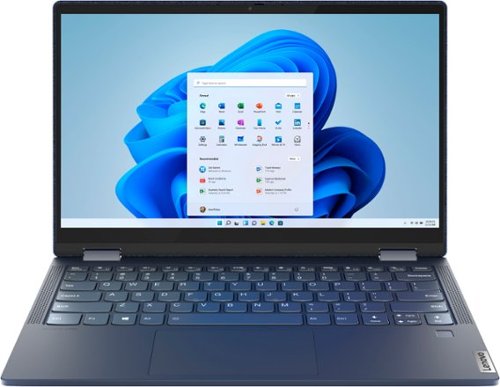
Lenovo - Yoga 6 13 2-in-1 13.3" Touch Screen Laptop - AMD Ryzen 5 - 8GB Memory - 256GB SSD - Abyss Blue with Fabric Cover
The Lenovo~ Yoga~ 6 is an ultra-portable 2-in-1 that combines unique style with the powerful responsiveness of an AMD Ryzen~ 5000 Series Mobile Processor, abundant memory and SSD storage. Enjoy a rich multimedia experience with the clarity of a 13.3" FHD touchscreen display, and enveloping sound with Dolby Atmos~-optimized stereo speakers.
What pens are compatible with this laptop other than than the bamboo pen?
Images for this Question
(click to see full-size image)

The Lenovo Yoga 6 13 model number 82ND0009US, is compatible with select AES Protocol Active Pens that are compatible with Windows Ink.
5 years, 2 months ago
by
Posted by:
Lenovo Product Expert
Lenovo - Yoga 6 13 2-in-1 13.3" Touch Screen Laptop - AMD Ryzen 5 - 8GB Memory - 256GB SSD - Abyss Blue with Fabric Cover
The Lenovo~ Yoga~ 6 is an ultra-portable 2-in-1 that combines unique style with the powerful responsiveness of an AMD Ryzen~ 5000 Series Mobile Processor, abundant memory and SSD storage. Enjoy a rich multimedia experience with the clarity of a 13.3" FHD touchscreen display, and enveloping sound with Dolby Atmos~-optimized stereo speakers.
Does it come with a charger?
Yes. the AC adapter/charger is included.
5 years, 2 months ago
by
Posted by:
Lenovo Product Expert
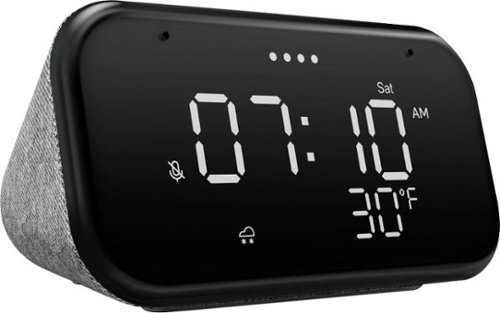
Lenovo - Smart Clock Essential 4" Smart Display with Google Assistant - Soft Touch Gray
The Lenovo Smart Clock Essential is the ultimate smart clock for any room. With a big & bold display you can check out the time from across the room, whether in the kitchen, in the living room or on a shelf. Talk to Google for hands-free help. From checking the time and weather, setting timers for cooking, adding items to your shopping list or making hands-free calls, the Lenovo Smart Clock Essential is here to help you be more productive and take back time. It~s also a great night-time companion with its built-in nightlight that provides a small source of light without waking up the whole family. No more stumbling around in the dark when searching for things. Listen to music, news, podcasts, and more with the clock~s quality speakers. Control over 40,000 compatible smart devices from over 5,000 brands. Ask Google to set the temperature, dim the lights, and more. Just say ~Hey Google.~
I understand this device works with Google Assistant, but am I really REQUIRED to set up a google account just to get this thing up and running? Are there no methods available to set up the clock without needing Google?
To set up the Lenovo Smart Clock Essential you will first need to install the Google Home APP on your phone or tablet. Here is a link to a YouTube video, demonstrating the setup of the Lenovo Smart Clock Essential: https://www.youtube.com/watch?v=oebcueXBCeU.
5 years, 2 months ago
by
Posted by:
Lenovo Product Expert
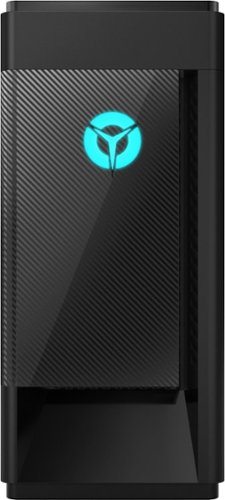
Lenovo - Legion Tower 5i - 90NC00R5US 28/Core i5-10400F/8/256GB/1TB/Nvidia GeForce GTX1650 Super/Windows 10 - Phantom Black
Engineered out of a passion for savage power and unmatched speed, the Lenovo~ Legion Tower 5i delivers mind-blowing performance that combines 10th Generation Intel~ Core~ processors and top-of-the-line NVIDIA~ GeForce~ graphics cards for blazing-fast frame rates at up to 4K resolution. Pushing far beyond the upper bounds of smaller rig configurations while keeping things cool and whisper quiet, the Legion Tower 5i is a marvel of build and design, accentuated by its illuminated blue LED logo and lighting, as well a transparent side panel that can properly showcase your internals.
I'm not too familiar NVIDIA...does this graphics card mimic the intel UHD graphics? I just purchased a LG UHD 4k monitor and seeing if this desktop is a good pair.
The Lenovo Legion Tower 5i Gaming Desktop Computer, model number 90NC00R5US, ships with the Nvidia GeForce GTX1650 Super GPU, with 4GB GDDR6 RAM on the card. This GPU can support a maximum digital resolution of: 7680x4320@120Hz. Here is a link to more information about the Nvidia GeForce GTX1650 Super GPU, with 4GB GDDR6 RAM within this configuration: https://www.nvidia.com/en-us/geforce/graphics-cards/gtx-1650-super/. The GPU within this computer has these video connections available: 2x DP, 1x HDMI.
5 years, 2 months ago
by
Posted by:
Lenovo Product Expert