Lenovo Product Expert
Lenovo Product Expert's Stats
Reviews
- Review Count0
- Helpfulness Votes0
- First ReviewNone
- Last ReviewNone
- Featured Reviews0
- Average Rating0
Reviews Comments
- Review Comment Count0
- Helpfulness Votes0
- First Review CommentNone
- Last Review CommentNone
- Featured Review Comments0
Questions
- Question Count0
- Helpfulness Votes0
- First QuestionNone
- Last QuestionNone
- Featured Questions0
- Answer Count37906
- Helpfulness Votes24,856
- First AnswerApril 21, 2014
- Last AnswerOctober 20, 2026
- Featured Answers0
- Best Answers2830
Lenovo Product Expert's Reviews
Lenovo Product Expert has not submitted any reviews.
Lenovo Product Expert's Questions
Lenovo Product Expert has not submitted any questions.
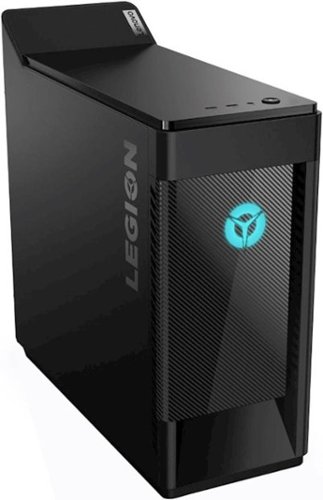
Lenovo - Legion T5 Gaming Desktop - Intel Core i5-10400F - 8GB Memory - NVIDIA GeForce GTX 1650 SUPER - 1TB HDD + 256GB SSD - Black
Transform your gaming experience with this Lenovo Legion T5 gaming desktop. An Intel Core-i5 processor quickly executes tasks for uninterrupted streaming of prime games, while the 8GB of RAM allow multiple applications to run smoothly. The 256GB SSD provides fast boot times, and the 1TB hard drive offers massive storage for favorite titles. This Lenovo Legion T5 gaming desktop is fitted with NVIDIA GTX 1650 SUPER graphics to keep up with every scene.
1650 or 1660?

The Lenovo Legion T5 Gaming Desktop Computer, model number 90NC0001US, ships with the Nvidia GeForce GTX1650 Super GPU with 4GB GDDR6 RAM on the card.
5 years, 5 months ago
by
Posted by:
Lenovo Product Expert

Lenovo - Smart Tab M10 FHD Plus with the Google Assistant - 10.3" - Tablet - 64GB - Iron Gray
Stay connected and productive with this iron gray Lenovo Smart Tab tablet. The MediaTek Helio processor and 4GB of RAM run applications smoothly, while the 8MP rear camera captures crisp videos and photos. This 64GB Lenovo Smart Tab tablet boasts a 10.3-inch FHD touchscreen for sharp visuals, and the 5000 mAh battery allows lasting use.
Does this tablet have cellular capabilities
No. The Lenovo Smart Tab M10 Plus Tablet is WiFi only. You can create a WiFi HotSpot with a capable cell phone and connect the Tab M10 Tablet to that WiFi signal. Check with your cellular provider for compatibility of your plan and your cell phone model.
5 years, 5 months ago
by
Posted by:
Lenovo Product Expert
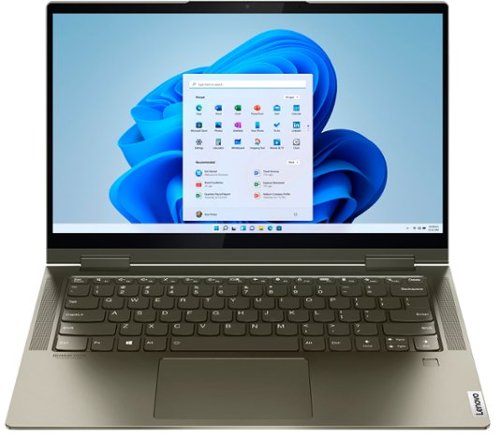
Lenovo - Yoga 7i 2-in-1 14" Touch Screen Laptop - Intel Evo Platform Core i5 - 12GB Memory - 512GB Solid State Drive - Dark Moss
The Lenovo Yoga 7i 14" combines versatile portability and enhanced productivity, thanks to the boundary-breaking performance and responsiveness of 11th generation Intel Core i5 processors and vibrant FHD clarity with Intel Iris X graphics. Go anywhere with a sleek 2-in-1 metal chassis featuring thoughtful details including a webcam privacy shutter.
I just bought a Lenovo Yoga two weeks ago from BestBuy. But I'm having issues with Google Chrome: it doesn't load easily. I have to attempt several times to be able to load it. I already uninstalled and reinstalled Chrome again, but still the same issue.
The Intel Evo-Certified, Lenovo Yoga 7i-14 model number 82BH0006US, ships with Windows 10 Home 64-bit Operating System. We recommend you check with the specific APPs software publisher's web site for their compatibility with Windows 10 Home 64-bit operating system and the minimum/recommended hardware requirements (Is a Graphics card required, the processor speed and the minimum required system RAM and the minimum available hard drive space) to run their program, then compare those requirements to this system's configuration. There should be no conflicts running Chrome Browser on this configuration. If the issue continues, be sure any software you installed is compatible with Windows 10 and does not also conflict with the Chrome Browser APP. There is no need to install Microsoft Office software. The software is already part of the operating system, you just need to activate the software with a purchased product key. If you have installed a copy of Microsoft Office, this is conflicting with the existing copy on the system and this will slow your system down. If you have installed a 3rd party anti-virus program, be sure that Windows Defender is turned off and that the trial version of McAfee Anti-Virus software is uninstalled. There can only be one anti-virus program on the system. You may need to restore your system to original factory default settings if any of the programming errors have occurred. You can do that by typing "restore" in the Cortana search window. Just click on the magnifying glass icon at the bottom left of your Windows 10 Desktop. Click on "Reset This PC" Then click on "Get Started" and follow the on screen directions to restore to factory defaults. If the problem persists, we recommend you contact Lenovo Tech Support at: 877-453-6686.
5 years, 5 months ago
by
Posted by:
Lenovo Product Expert
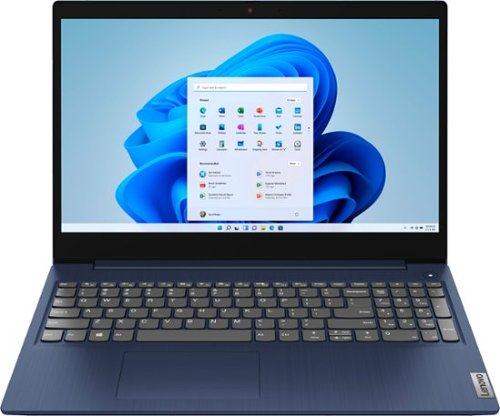
Lenovo - Ideapad 3 15 15.6" Touch-Screen Laptop - Intel Core i3 - 8GB Memory - 256GB SSD - Abyss Blue
Engineered for long-lasting performance, the Lenovo~ IdeaPad~ 3 15 delivers power in a laptop that's perfect for your everyday tasks, with features that you can depend on such as advanced mobile 10th Generation Intel Core processors and all day battery.
Will this be able to run programs such as Adobe Photoshop, After Effects, Vegas Pro, etc.?
That really will depend on the requirements and compatibility of the specific software you want to run. The Lenovo IdeaPad 3 15 Laptop, model number 81WR000FUS, ships with the Windows 10 S-Mode 64-bit Operating System. Windows 10 S-Mode provides added security by only allowing APPs available ( and therefore certified by Microsoft) at the Microsoft Store. If you don't need the added security or you need to install APPs not available at the Microsoft Store, you can switch to standard Windows 10 Home 64-bit Operating System, at no additional cost. We recommend you check with the specific APPs software publisher's web sites for their compatibility with Windows 10 S-Mode 64-bit operating system and the minimum/recommended hardware requirements (Is a Graphics card required, the processor speed and the minimum required system RAM and the minimum available hard drive space) to run their program, then compare those requirements to this system's configuration.
5 years, 5 months ago
by
Posted by:
Lenovo Product Expert
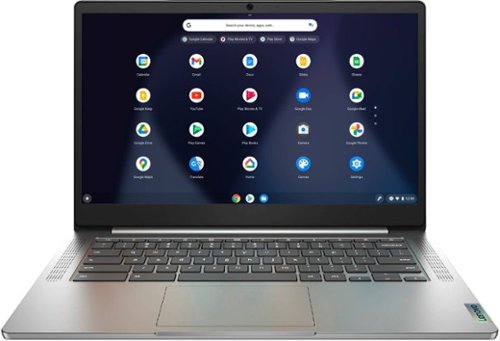
Lenovo - Chromebook 3 14" Laptop - Mediatek MT8183 - 4GB Memory - 64GB eMMC - Arctic Grey
Fast, flexible, and fun, the Chromebook 3-14" brings everyone~s favorite Chromebook features, running on the lightning-fast Chrome OS that boots up in seconds, updates automatically, and is protected by built-in virus protection. Powered by a MediaTek processor and up to 10 hours of battery life, it~ll seamlessly run all of your favorite apps at the same time.
What is the auto update end date for this chromebook? thanks
Google pledges to support each Chromebook platform for a period of 6.5 years, after which it reaches its Automatic Update Expiration date (or AUE). The Lenovo Chromebook 3 14 was first available for sale: April, 2021.
5 years, 5 months ago
by
Posted by:
Lenovo Product Expert
Lenovo - Ideapad 3 15 15.6" Touch-Screen Laptop - Intel Core i3 - 8GB Memory - 256GB SSD - Abyss Blue
Engineered for long-lasting performance, the Lenovo~ IdeaPad~ 3 15 delivers power in a laptop that's perfect for your everyday tasks, with features that you can depend on such as advanced mobile 10th Generation Intel Core processors and all day battery.
Can this computer or any computer that is "Windows 10 Home in S Mode" run 32-bit applications. I can only find smiling people using Laptops and no answer to this question.
The Lenovo IdeaPad 3 15 Laptop, model number 81WR000FUS, ships with Windows 10 S-Mode 64-bit Operating System. In S-Mode, this device will only support APPs available through the Microsoft Store - 64-bit or 32-bit. You can switch out of S-Mode to Windows 10 Home 64-bit Operating System and install either 64-bit or 32-bit APPs that come from publishers other than the Microsoft Store. We recommend you check with the specific APPs software publisher's web sites for their compatibility with Windows 10 Home 64-bit operating system and the minimum/recommended hardware requirements (Is a Graphics card required, the processor speed and the minimum required system RAM and the minimum available hard drive space) to run their program, then compare those requirements to this system's configuration.
5 years, 5 months ago
by
Posted by:
Lenovo Product Expert

Lenovo - IdeaPad S340 15" Touch-Screen Laptop - AMD Ryzen 7 3700U - 12GB Memory - 512GB Solid State Drive
Introducing the Lenovo~ IdeaPad~ S340 Touchscreen. Slip into something more comfortable with a thinner & lighter laptop with narrow bezels for broader viewing, it boasts state-of-the-art processing and thoughtful design elements such as a privacy shutter. Plus the convenience of touch. Power through any task with ease and in style.
What's the graphics card for this laptop?
The Lenovo IdeaPad S340-15 Laptop, model number 81QG000DUS, ships with integrated graphics processing within the AMD Ryzen 7 3700U processor. It is the integrated, Integrated Radeon Vega 10 Graphics version.
5 years, 5 months ago
by
Posted by:
Lenovo Product Expert
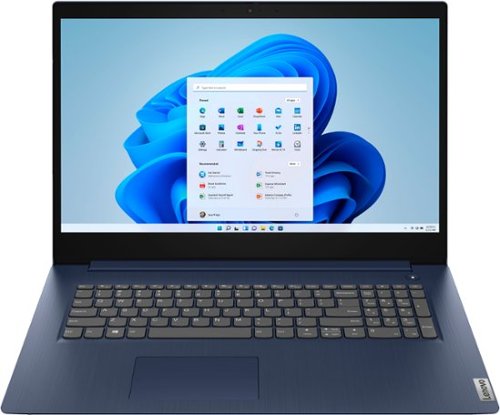
Lenovo - Ideapad 3 17 17" Laptop - Intel Core i5 - 8GB Memory - 1TB HDD - Abyss Blue
Engineered for long-lasting performance, the Lenovo~ IdeaPad~ 3 17 delivers power in a laptop that's perfect for your everyday tasks, with features that you can depend on such as advanced mobile 10th Generation Intel Core processors and all day battery.
Dose this computer get laggy when playing online games , Like roblox? and dose it work well with monitors
How the Lenovo IdeaPad 3 17 Laptop, model number 81WF004CUS will perform with a specific game will depend on that games requirements and compatibility. This configuration ships with one HDMI-Out port for connecting one external monitor. You can use a compatible, universal USB 3.0 docking station for more connectivity. Once again, regarding specific game performance, we recommend you check with the specific game's software publisher's web sites for their compatibility with Windows 10 Home 64-bit operating system and the minimum/recommended hardware requirements (Is a Graphics card required, the processor speed and the minimum required system RAM and the minimum available hard drive space) to run their program, then compare those requirements to this system's configuration.
5 years, 5 months ago
by
Posted by:
Lenovo Product Expert
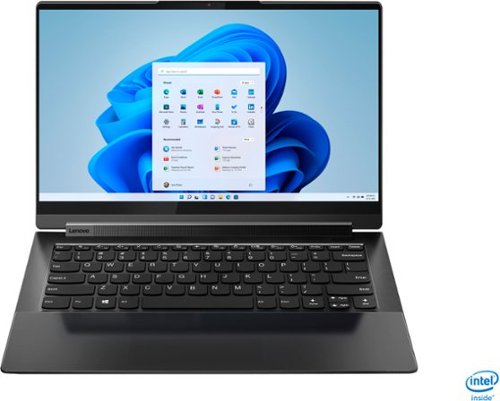
Lenovo - Yoga 9i 14 2-in-1 14" 4K HDR Touch-Screen Laptop - Intel Evo Platform Core i7 - 16GB Memory - 512GB SSD - Shadow Black
Meet the Lenovo Yoga 9i, designed to put your experience first with the Intel Evo platform~s powerhouse combination of performance, responsiveness, battery life and stunning visuals. Innovative features are encased directly in a sleek 2-in-1 metal chassis with a leather cover, combined with the advanced mobile performance of 11th generation Intel Core processors and powerfully immersive entertainment.
Does the leather scratch easily? If so can it be protected?
The Intel Evo-Certified, Lenovo Yoga 9i-14 model number 82BG0001US - Shadow Black - ships with a bonded Shadow Black cover of responsibly sourced genuine leather hand-crafted via a 20-step process of assembly and inspection. This special process allows the leather to retain its original appearance and natural imperfections that make each laptop unique. Your interaction with the leather will also add to the unique look, making the Yoga 9i-14 Shadow Black Model distinctly personalized by you.
5 years, 5 months ago
by
Posted by:
Lenovo Product Expert

Lenovo - Legion 5 - 15.6" Gaming Notebook -AMD Ryzen 5 4600H - 8GB - NVIDIA GeForce GTX 1650 - 1TB HDD 256GB SSD - Phantom Black
More cores mean more performance. With the highest number of cores available for ultrathin laptops, AMD Ryzen 4000 Series lets you do more, faster than ever before. Revolutionary AMD 7nm ~Zen 2~ core architecture delivers an unprecedented increase in speed and performance for multitasking and heavy workloads in the newest generation of powerful ultrathin laptops. From app startup and web browsing, to serious PC gaming, entertainment, and productivity, everything is faster and more responsive. Own the room and the leaderboard with Legion 5 series gaming laptops. Designed with a plethora of high-performance options, while keeping a low profile with clean, minimalist looks that complement your lifestyle. Legion 5 15ARH05 82B500FVUS 15.6" Gaming Notebook - Full HD - 1920 x 1080 - AMD Ryzen 5 4600H 8 GB RAM - 1 TB HDD - 256 Phantom Black
is the Lenovo a good laptop for photography editing?
That really will depend on the requirements and compatibility of the specific editing software you will be using. We recommend you check with the specific editing software publisher's web site for their compatibility with Windows 10 Home 64-bit operating system and the minimum/recommended hardware requirements (Is a Graphics card required, the processor speed and the minimum required system RAM and the minimum available hard drive space) to run their program, then compare those requirements to this system's configuration.
5 years, 5 months ago
by
Posted by:
Lenovo Product Expert