Lenovo Product Expert
Lenovo Product Expert's Stats
Reviews
- Review Count0
- Helpfulness Votes0
- First ReviewNone
- Last ReviewNone
- Featured Reviews0
- Average Rating0
Reviews Comments
- Review Comment Count0
- Helpfulness Votes0
- First Review CommentNone
- Last Review CommentNone
- Featured Review Comments0
Questions
- Question Count0
- Helpfulness Votes0
- First QuestionNone
- Last QuestionNone
- Featured Questions0
- Answer Count37928
- Helpfulness Votes24,858
- First AnswerApril 21, 2014
- Last AnswerOctober 22, 2026
- Featured Answers0
- Best Answers2831
Lenovo Product Expert's Reviews
Lenovo Product Expert has not submitted any reviews.
Lenovo Product Expert's Questions
Lenovo Product Expert has not submitted any questions.
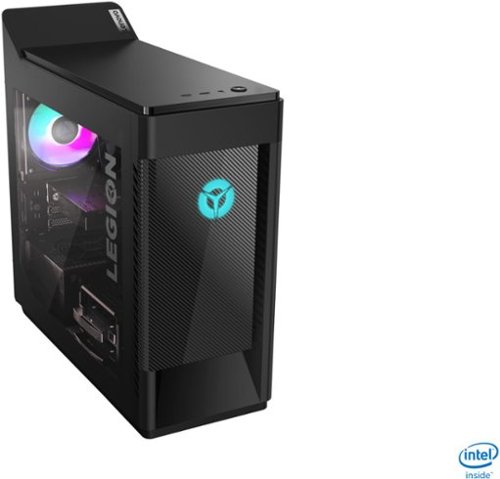
Lenovo - Legion Tower 5i Gaming Desktop - Intel Core i7-10700 - 16GB Memory - NVIDIA GeForce GTX 1660 Super - 256GB SSD + 1TB HDD - Phantom Black
Engineered out of a passion for savage power and unmatched speed, the Lenovo~ Legion Tower 5i delivers mind-blowing performance that combines 10th Generation Intel~ Core~ processors and top-of-the-line NVIDIA~ GeForce~ graphics cards for blazing-fast frame rates at up to 4K resolution. Pushing far beyond the upper bounds of smaller rig configurations while keeping things cool and whisper quiet, the Legion Tower 5i is a marvel of build and design, accentuated by its illuminated blue LED logo and lighting, as well a transparent side panel that can properly showcase your internals.
What liquid cooled computers do Uhave?

Here is a link to the Lenovo Legion Tower 7i available through a Best Buy advertising partner: https://www.lenovo.com/us/en/desktops-and-all-in-ones/legion-desktops/legion-t-series-towers/Lenovo-Legion-T7-34IMZ5/p/90Q8003PUS?cid=us:sem|se|google|ca+shopping+brand+lv+intel|gs_desktops||90Q8003PUS|1341711240|52533783783|pla-546338844714|shopping|brand&gclid=EAIaIQobChMIxZLRocCA7wIVzNXACh0msAgDEAYYASABEgJ6K_D_BwE
5 years, 7 months ago
by
Posted by:
Lenovo Product Expert
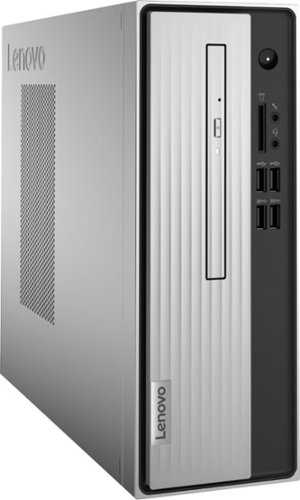
Lenovo - IdeaCentre 3 07ADA Desktop - AMD Athlon -Series - 4GB Memory - 1TB HDD - Silver
Lenovo IdeaCentre 3 07ADA Desktop: Get the job done with this silver Lenovo IdeaCentre 3 desktop computer. An AMD Athlon 3050U processor and 4GB of RAM run multiple programs simultaneously for increased productivity, while the 1TB HDD offers vast storage space for your files and applications. This Lenovo IdeaCentre 3 desktop computer includes a wired mouse and keyboard for easy operation.
What accessories would one need to participate in Zoom calls?
You will need to add a monitor, webcam and microphone. Also confirm the requirements of the specific video conferencing APP you will be using.
5 years, 7 months ago
by
Posted by:
Lenovo Product Expert
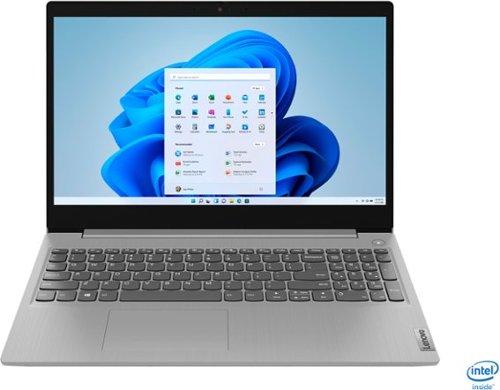
Lenovo - IdeaPad 3 15" Touch Screen Laptop - Intel Core i5-1035G1 - 12GB Memory - 256GB SSD - Platinum Grey
Engineered for long-lasting performance, the Lenovo~ IdeaPad~ 3 delivers powerful performance in a laptop that's perfect for your everyday tasks, with features that you can depend on.
Does this laptop support photoshops minimal requirements? which are..Intel® or AMD processor with 64-bit support 2 GHz or faster processor with SSE 4.2 or later. Windows 10 (64-bit) version 1809 or later. GPU with DirectX 12 support 2 GB of GPU memory?
The Lenovo IdeaPad 3 15 laptop, model number 81WE00NKUS, ships with Windows 10 S-Mode 64-bit Operating System. Windows 10 S-Mode provides added security by only allowing APPs available ( and therefore certified by Microsoft) at the Microsoft Store. If you don't need the added security or you need to install APPs not available at the Microsoft Store, you can switch to standard Windows 10 Home 64-bit Operating System, at no additional cost. This configuration has the Intel Core i5-1035G1 processor, with a base speed of 1.0GHz and a Turbo Boost Speed of up to 3.6GHz. This configuration uses integrated graphics processing within the Intel Core i5-1035G1processor. It is the integrated, Intel UHD Graphics version.
5 years, 7 months ago
by
Posted by:
Lenovo Product Expert
Lenovo - Legion Tower 5i Gaming Desktop - Intel Core i7-10700 - 16GB Memory - NVIDIA GeForce GTX 1660 Super - 256GB SSD + 1TB HDD - Phantom Black
Engineered out of a passion for savage power and unmatched speed, the Lenovo~ Legion Tower 5i delivers mind-blowing performance that combines 10th Generation Intel~ Core~ processors and top-of-the-line NVIDIA~ GeForce~ graphics cards for blazing-fast frame rates at up to 4K resolution. Pushing far beyond the upper bounds of smaller rig configurations while keeping things cool and whisper quiet, the Legion Tower 5i is a marvel of build and design, accentuated by its illuminated blue LED logo and lighting, as well a transparent side panel that can properly showcase your internals.
Hi 3 things how many fans is the gpu what brand and where is it located i cannot see it in the pictures. Thanks, Ethan
The Lenovo Legion Tower 5i Gaming Desktop, model number 90NC00J9US, has two internal fans. The GPU is the GTX1660Super@6G/D6/DP/H/DVI. Here is a link to the parts list for this configuration: https://pcsupport.lenovo.com/us/en/products/desktops-and-all-in-ones/legion-series/legion-t5-28imb05/90nc/90nc00j9us/parts/display/model
5 years, 7 months ago
by
Posted by:
Lenovo Product Expert
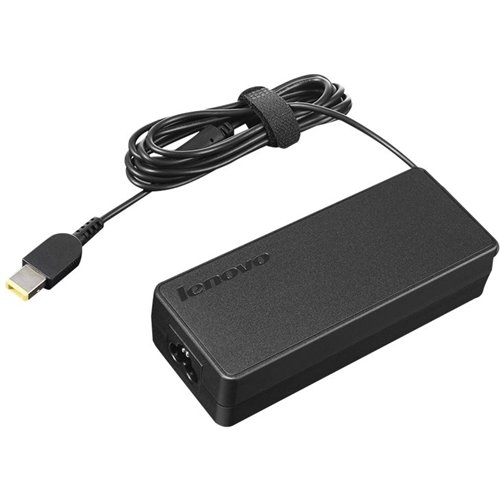
Lenovo - ThinkPad AC Power Adapter - Black
Provide a consistent flow of power to your laptop with this 90W Lenovo AC adapter. It's compatible with all units that have a "slim tip" common power plug.
Does this work with ThinkPad E570?
The Lenovo ThinkPad E570 Laptop uses a dedicated, proprietary AC adapter/charger like this one available from a Best Buy advertising partner: https://fixing-tools.store/adapters/ac-dc-power-adapter/82522-genuine-65w-lenovo-adlx65ncc3a-adlx65nlc3a-ac-adapter-charger-power-cord-6921843657609.html?gclid=EAIaIQobChMIls-gg-__7gIVz_3jBx27qAclEAYYASABEgLA-fD_BwE
5 years, 7 months ago
by
Posted by:
Lenovo Product Expert
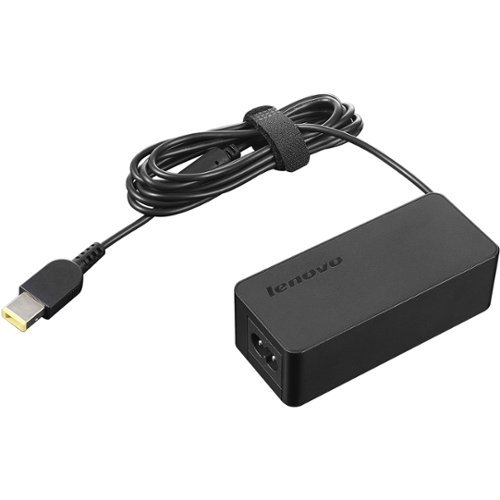
Lenovo - ThinkPad AC Power Adapter - Black
Get power when and where you need it with a spare ThinkPad AC adapter. Keep one in the office, one at home, and another in your carrying case for convenient access to power wherever a wall outlet is available. Great as a spare or replacement for your laptop. Perfect companion for office, travel and home usage that helps customers save on power consumption costs, space and equipment.
Does this work with ThinkPad E570?
The Lenovo ThinkPad E570 Laptop uses a dedicated, proprietary AC adapter/charger like this one available from a Best Buy advertising partner: https://fixing-tools.store/adapters/ac-dc-power-adapter/82522-genuine-65w-lenovo-adlx65ncc3a-adlx65nlc3a-ac-adapter-charger-power-cord-6921843657609.html?gclid=EAIaIQobChMIls-gg-__7gIVz_3jBx27qAclEAYYASABEgLA-fD_BwE
5 years, 7 months ago
by
Posted by:
Lenovo Product Expert

Lenovo - Yoga 7i 2-in-1 15.6" HDR Touch Screen Laptop - Intel Evo Platform Core i7 - 12GB Memory - 512GB Solid State Drive - Dark Moss
The Lenovo~ Yoga~ 7i 15" combines versatile portability and enhanced productivity, thanks to the boundary-breaking performance and responsiveness of 11th generation Intel~ Core~ i7 processors and a vibrant VESA Dolby HDR 400 display in FHD clarity with Intel~ Iris~ Xe graphics. Go anywhere with a sleek 2-in-1 metal chassis featuring thoughtful details including a webcam privacy shutter.
I cant transmit and charge at the same time. I tried to use both ports
The Thunderbolt 4.0 ports on the Intel Evo-Certified, Lenovo Yoga 7i-15 are capable of powering external devices, high speed data transfer and video out capability. Be sure the device you are connecting and the cable you are using to connect the device. are compatible with Thunderbolt 3.0/4.0 and not just a USB-c device. Here is a link to more information about Intel Thunderbolt 4.0 technology: https://www.theverge.com/circuitbreaker/2020/7/8/21317513/intel-thunderbolt-4-standard-docks-cables-usb4-accessories-port-usbc. If you have connected a Thunderbolt 3.0/4.0 compatible device, we recommend you contact Lenovo Tech Support for more help at: 877-453-6686.
5 years, 7 months ago
by
Posted by:
Lenovo Product Expert
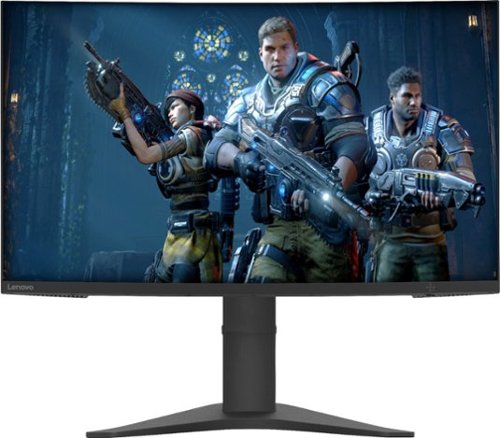
Lenovo - G27c-10 27" LED FHD Curved FreeSync Monitor (HDMI) - Raven Black
Upgrade your computer gaming experience with this 27-inch Lenovo monitor. A gently curved screen boosts immersion by engaging your peripheral vision, and the adjustable stand lets you get a comfortable angle for your gameplay. The 144Hz refresh rate provides seamlessly fluid visuals. This 27-inch Lenovo monitor boasts a Full HD resolution that brings your games to life.
Does this monitor come with built in speakers or do i need to purchase them separately?
The Lenovo G27c-10 monitor, model number 66A3GCCBUS, does not have speakers built in.
5 years, 7 months ago
by
Posted by:
Lenovo Product Expert
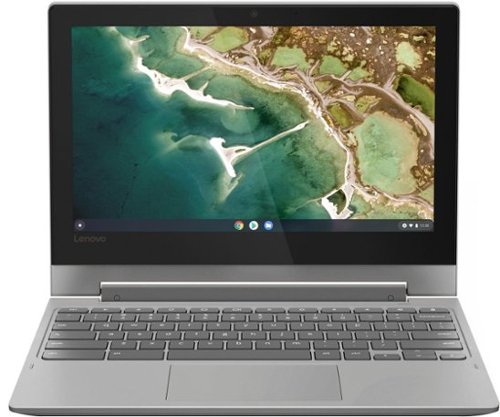
Lenovo - Chromebook Flex 3 11" MTK 2-in-1 11.6" Touch Screen Chromebook - MediaTek MT8173C - 4GB Memory - 32GB eMMC Flash Memory - Platinum Grey
Engineered for long-lasting performance, the Lenovo~ IdeaPad~ 3 delivers powerful performance in a laptop that's perfect for your everyday tasks, with features that you can depend on.
What type of manufacturing warranty comes with this Chromebook?
There is a limited 1-year manufacturer's warranty, covering hardware OEM issues.
5 years, 7 months ago
by
Posted by:
Lenovo Product Expert
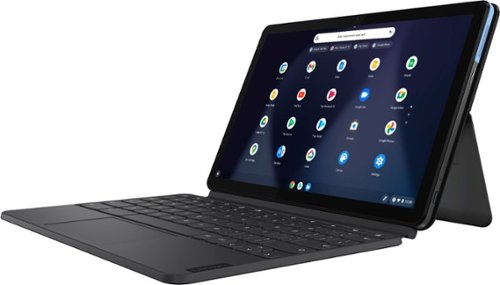
Lenovo - IdeaPad Duet Chromebook - 10.1 (1920x1200) Touch 2-in-1 Tablet - MediaTek P60T - 4G RAM - 128G eMCP4x - with Keyboard - Ice Blue + Iron Gray
Work on pending assignments while on the move with this Lenovo Chromebook Duet. The 10.1-inch touch screen provides an interactive user experience, while the 128GB of internal storage offer ample space for apps and media files. This Lenovo Chromebook Duet features a MediaTek Helio P60T processor and 4GB of RAM for effortless multitasking.
How do you connect to the internet?
The Lenovo Chromebook Duet, model number ZA6F0016US, ships with 2x2 WiFi 802.11 a/b/g/ n/ac WiFi compatibility built in.
5 years, 7 months ago
by
Posted by:
Lenovo Product Expert