Lenovo Product Expert
Lenovo Product Expert's Stats
Reviews
- Review Count0
- Helpfulness Votes0
- First ReviewNone
- Last ReviewNone
- Featured Reviews0
- Average Rating0
Reviews Comments
- Review Comment Count0
- Helpfulness Votes0
- First Review CommentNone
- Last Review CommentNone
- Featured Review Comments0
Questions
- Question Count0
- Helpfulness Votes0
- First QuestionNone
- Last QuestionNone
- Featured Questions0
- Answer Count37918
- Helpfulness Votes24,858
- First AnswerApril 21, 2014
- Last AnswerOctober 21, 2026
- Featured Answers0
- Best Answers2831
Lenovo Product Expert's Reviews
Lenovo Product Expert has not submitted any reviews.
Lenovo Product Expert's Questions
Lenovo Product Expert has not submitted any questions.
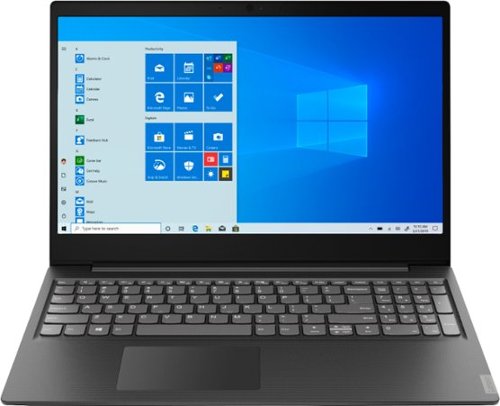
Lenovo - S145-15AST 15.6" Laptop - AMD A6-Series - 4GB Memory - 1TB Hard Drive - Black
Lenovo S145-15AST Laptop: Stay connected and engaged with this 15.6-inch Lenovo IdeaPad notebook. The 1TB hard drive stores the largest files and applications, and the AMD A6 processor makes demanding programs run smoothly. This Lenovo IdeaPad notebook has 4GB of RAM that let you manage multiple tabs at once and a 15.6-inch display that makes streaming content look crisp and detailed.
Can you do video conferencing on this? Does it have a camera built into it?

The Lenovo IdeaPad S145-15 laptop, model number 81N3009BUS, has a 300p web cam and microphone built in. We recommend you check with the video conferencing software publisher's web site for their compatibility with Windows 10 S-Mode 64-bit operating system (Windows 10 S-Mode provides added security by only allowing APPs available ( and therefore certified by Microsoft) at the Microsoft Store. If you don't need the added security or you need to install APPs not available at the Microsoft Store, you can switch to standard Windows 10 Home 64-bit Operating System, at no additional cost.) and the minimum/recommended hardware requirements (Is a Graphics card required, the processor speed and the minimum required system RAM and the minimum available hard drive space) to run their program, then compare those requirements to this system's configuration.
6 years, 6 months ago
by
Posted by:
Lenovo Product Expert
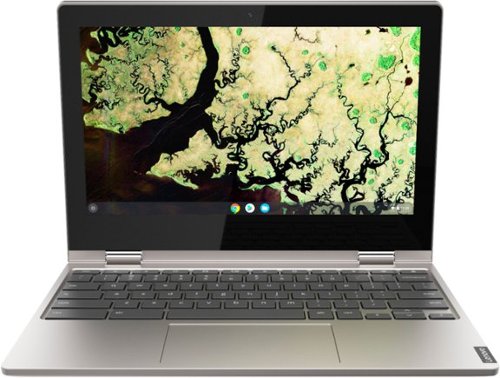
Lenovo - C340 2-in-1 11.6" Touch-Screen Chromebook - Intel Celeron - 4GB Memory - 32GB eMMC Flash Memory - Platinum Gray
Lenovo C340-11 Convertible 2-in-1 Chromebook: Handle everyday work tasks with this compact Lenovo Chromebook. The 11.6-inch IPS HD display offers accurate color reproduction, and the built-in microphone and 720p webcam enable clear video conferencing. Preloaded with Chrome OS, this platinum gray Lenovo Chromebook has 4GB of RAM for smooth multitasking, and the 32GB of eMMC memory loads and saves data quickly.
Can I watch Netflix on this?
That will depend on the streaming service requirements and compatibility. The Lenovo C340-11 Chromebook uses the Chrome Operating System and is compatible with Google Play Store and Chrome Web Store APPs. We recommend you check with the streaming service web site for their compatibility with the Chrome operating system and the minimum/recommended hardware requirements (Is a Graphics card required, the processor speed and the minimum required system RAM and the minimum available hard drive space) to run their program, then compare those requirements to this system's configuration.
6 years, 6 months ago
by
Posted by:
Lenovo Product Expert
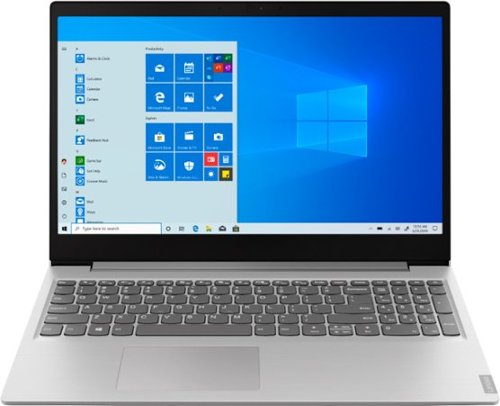
Lenovo - IdeaPad 15.6" Laptop - AMD Ryzen 3 - 8GB Memory - 256GB Solid State Drive - Platinum Gray/IMR
Complete daily tasks quickly with this Lenovo IdeaPad laptop. An AMD Ryzen 3 3200U processor and 8GB of RAM run multiple demanding applications simultaneously for easy multitasking, and the 256GB SSD provides ample storage space and swift boots. This Lenovo IdeaPad laptop has AMD Radeon Vega 3 integrated graphics for delivering quality visuals on the 15.6-inch Full HD display.
Can you play the Sims 4 on this?
That will depend on the requirements and compatibility of the specific game. We recommend you check with the specific game's software publisher's web site for their compatibility with Windows 10 S-Mode 64-bit operating system (Windows 10 S-Mode provides added security by only allowing APPs available ( and therefore certified by Microsoft) at the Microsoft Store. If you don't need the added security or you need to install APPs not available at the Microsoft Store, you can switch to standard Windows 10 Home 64-bit Operating System, at no additional cost.) and the minimum/recommended hardware requirements (Is a Graphics card required, the processor speed and the minimum required system RAM and the minimum available hard drive space) to run their program, then compare those requirements to this system's configuration.
6 years, 6 months ago
by
Posted by:
Lenovo Product Expert

Lenovo - IdeaPad 130S 11.6" Laptop - Intel Celeron - 4GB Memory - 64GB eMMC Flash Memory
Complete assignments quickly with this 11.6-inch Lenovo IdeaPad notebook. The 64GB of flash memory boosts startup speeds, while the Intel Celeron processor and 4GB of RAM easily handle heavy-duty tasks simultaneously. This Lenovo IdeaPad notebook provides an immersive entertainment experience with an 11.6-inch HD display and integrated Intel UHD graphics.
How long does the battery last before a charge is needed?
The Lenovo IdeaPad 130s-11 laptop, model number 81KT000AUS, ships with a 2CELL 32WH, Lithium Battery, with a battery life of up to 4 hours, depending on the work that the device is performing.
6 years, 6 months ago
by
Posted by:
Lenovo Product Expert
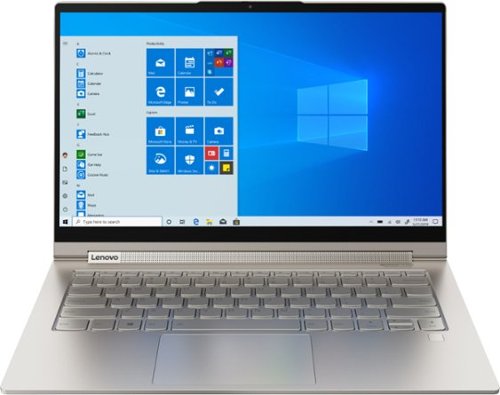
Lenovo - Yoga C940 2-in-1 14" 4K Ultra HD Touch-Screen Laptop - Intel Core i7 - 16GB Memory - 512GB SSD + 32GB Optane
Lenovo Yoga C940 Convertible 2-in-1 Laptop: Enhance digital creativity with this Lenovo Yoga laptop. The 14-inch UHD display with 10-point multi-touch operation offers high-quality visuals and lets you type easily, while the 512GB SSD offers rapid startup and data access times for running complete projects easily. This Lenovo Yoga laptop has an Intel Core i7 processor and 16GB of RAM, which offer fast task execution speeds.
Can you get a yoga with windows 10 professional? Also need CPU speed 2mhz or higher?
You can purchase the Windows 10 Pro upgrade and install it on the Lenovo Yoga C940-14 4K model. This model number 81Q90041US, ships with the energy-efficient, powerful Quad-Core/Eight-Thread 10th. Generation Intel Core i7-1065G7 processor, with a battery-saving base speed of 1.3GHz and a Turbo Boost speed of up to 3.9GHz for maximum computing needs. We always recommend you check the requirements and compatibility of any software you will be installing on your new computer, before you invest in any computer. Be sure your new computer can support the software you will need to use.
6 years, 6 months ago
by
Posted by:
Lenovo Product Expert
Lenovo - S145-15AST 15.6" Laptop - AMD A6-Series - 4GB Memory - 1TB Hard Drive - Black
Lenovo S145-15AST Laptop: Stay connected and engaged with this 15.6-inch Lenovo IdeaPad notebook. The 1TB hard drive stores the largest files and applications, and the AMD A6 processor makes demanding programs run smoothly. This Lenovo IdeaPad notebook has 4GB of RAM that let you manage multiple tabs at once and a 15.6-inch display that makes streaming content look crisp and detailed.
Will this laptop support Revit, Lumion, and similar?
That will depend on the requirements and compatibility of the specific programs. We recommend you check with the specific software publisher's web sites for their compatibility with Windows 10 S-Mode 64-bit operating system (Windows 10 S-Mode provides added security by only allowing APPs available ( and therefore certified by Microsoft) at the Microsoft Store. If you don't need the added security or you need to install APPs not available at the Microsoft Store, you can switch to standard Windows 10 Home 64-bit Operating System, at no additional cost.) and the minimum/recommended hardware requirements (Is a Graphics card required, the processor speed and the minimum required system RAM and the minimum available hard drive space) to run their program, then compare those requirements to this system's configuration.
6 years, 6 months ago
by
Posted by:
Lenovo Product Expert
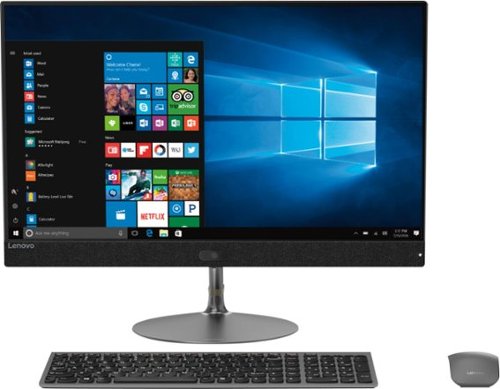
Lenovo - IdeaCentre 730S 23.8" Touch-Screen All-In-One - Intel Core i7 - 8GB Memory - 256GB Solid State Drive
Perform everyday computing tasks by voice via Microsoft Cortana with this Lenovo IdeaCentre all-in-one desktop. The 256GB solid-state drive provides high-performance storage, while the quad-core Intel Core i7 processor and 8GB of RAM let you run multiple applications smoothly. Browse efficiently with the 23.5-inch Full HD touch screen display of this Lenovo IdeaCentre all-in-one desktop.
What will I do so that my colleagues can see me on screen during virtual meeting? The camera icon on the screen is on but still they can't see me.
You can test your camera's functionality off line by following these instructions: https://support.microsoft.com/en-us/help/4028647/windows-open-the-camera-in-windows-10. Be sure the Allow APPs to Use My Camera is checked. If the issue continues we recommend you call Lenovo Tech Support at: 877-453-6686.
6 years, 6 months ago
by
Posted by:
Lenovo Product Expert
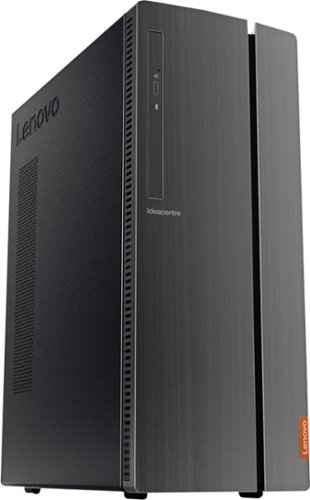
Lenovo - 510A-15ICB Desktop - Intel Core i3 - 8GB Memory - 1TB Hard Drive - Black
Lenovo 510A-15ICB Desktop: Take care of business with this Lenovo IdeaCentre desktop computer. The Intel Core i3 processor and 8GB of RAM let you engage with intensive applications, while the DVD-RW drive lets you watch movies and install new programs. This Lenovo IdeaCentre desktop computer has a 1TB hard drive to store your files.
How do I connect external speakers? Apparently there are none inside. Nor does the monitor?
You can attach external speakers to either to the front 3.5mm headphone jack on the front of the computer or the RCA Audio jacks on the back of the computer, depending on the compatibility of your speakers.
6 years, 6 months ago
by
Posted by:
Lenovo Product Expert

Lenovo - IdeaPad S145 15.6" Laptop - AMD A6-Series - 4GB Memory - AMD Radeon R4 - 500GB Hard Drive - Black Texture
Complete projects on the go with this 15.6-inch Lenovo IdeaPad laptop. The 4GB of RAM allow for simple multitasking across several apps or tabs at once, and the 500GB hard drive offers ample storage space for files. This Bluetooth-compatible Lenovo IdeaPad laptop employs an AMD Radeon R4 Graphics card for providing fluid motion and high frame rates.
How do I reset the IdeaPad S145 to factory settings?
Here is a link to instructions for resetting your Windows 10 laptop to original factory settings, assuming you can boot the computer to the Windows 10 Desktop: https://support.microsoft.com/en-us/help/17085/windows-8-restore-refresh-reset-pc. If you can not boot the computer, This system is equipped with OneKey Recovery System. there is a very small pin hole on the right side of the device, right near the headphone jack on the device. You will need a pin to push this reset button. Plug the device in. Let the battery charge for about 15 minutes. Push the reset button. The system should boot to a choice screen where you can choose "Restore To Factory Default". Select this. It will delete everything from the hard drive except the original factory install of the operating system. You will need to reinstall all programs and files after the reset. If you don't have copies of the files, try to make one before you restore by selecting "Boot to desktop" and trying to back up your files. If the problem persists after the factory reset, we recommend you contact Lenovo Tech Support at: 877-453-6686.
6 years, 6 months ago
by
Posted by:
Lenovo Product Expert
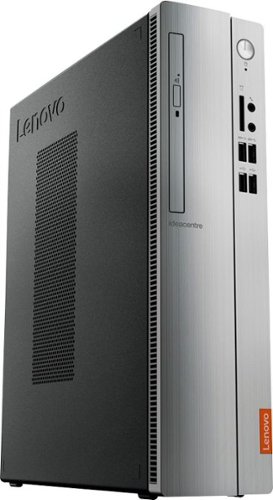
Lenovo - IdeaCentre 310S Desktop - AMD A9-Series - 4GB Memory - 1TB Hard Drive - Silver
Upgrade your PC with this Lenovo IdeaCentre computer. Its 4GB of RAM and 1TB hard drive provide a powerful performance, and the AMD A9 processor with integrated Radeon graphics powers through your favorite apps, media and games. This Lenovo IdeaCentre computer has a slim form factor for high space efficiency.
can this support dual monitors?
Yes. There is a VGA port and an HDMI port with video out capability.
6 years, 6 months ago
by
Posted by:
Lenovo Product Expert