Lenovo Product Expert
Lenovo Product Expert's Stats
Reviews
- Review Count0
- Helpfulness Votes0
- First ReviewNone
- Last ReviewNone
- Featured Reviews0
- Average Rating0
Reviews Comments
- Review Comment Count0
- Helpfulness Votes0
- First Review CommentNone
- Last Review CommentNone
- Featured Review Comments0
Questions
- Question Count0
- Helpfulness Votes0
- First QuestionNone
- Last QuestionNone
- Featured Questions0
- Answer Count38014
- Helpfulness Votes24,883
- First AnswerApril 21, 2014
- Last AnswerNovember 13, 2026
- Featured Answers0
- Best Answers2828
Lenovo Product Expert's Reviews
Lenovo Product Expert has not submitted any reviews.
Lenovo Product Expert's Questions
Lenovo Product Expert has not submitted any questions.

Lenovo - Yoga C640 13 2-in-1 13.3" Touch-Screen Laptop - Intel Core i3 - 8GB Memory - 128GB SSD - Iron Gray
Lenovo C640-13IML Convertible 2-in-1 Laptop: Optimize your productivity with this Lenovo Yoga laptop. The Intel Core i3 processor and 8GB of RAM ensure smooth performance, while an M.2 NVMe 128GB SSD offers rapid data retrieval and load times. This Bluetooth-enabled Lenovo laptop features a 13.3-inch Full HD display for clear visuals and integrated Intel UHD graphics for high image quality.
USB-C charging? If yes, takes only Lenovo proprietary chargers or any generic will do?

The Lenovo C640-13 laptop, model number 81UE000WUS, uses a 45W barrel-type AC adapter/charger. You can use a 3rd. party replacement AC adapter that is compatible with the C640-13.
6 years, 8 months ago
by
Posted by:
Lenovo Product Expert
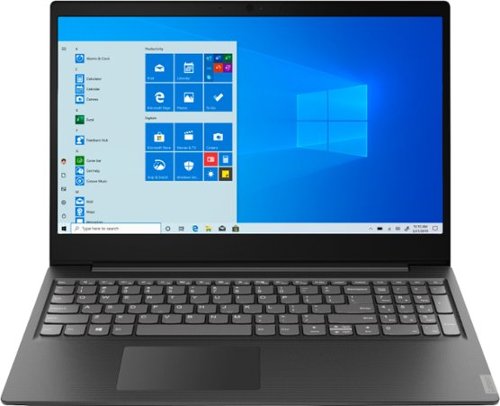
Lenovo - S145-15AST 15.6" Laptop - AMD A6-Series - 4GB Memory - 1TB Hard Drive - Black
Lenovo S145-15AST Laptop: Stay connected and engaged with this 15.6-inch Lenovo IdeaPad notebook. The 1TB hard drive stores the largest files and applications, and the AMD A6 processor makes demanding programs run smoothly. This Lenovo IdeaPad notebook has 4GB of RAM that let you manage multiple tabs at once and a 15.6-inch display that makes streaming content look crisp and detailed.
Can you add RAM to this computer? If so, what is the max amount? If one can add it, Best Buy should offer the option to customize at checkout. Also, does this have a flash or SSD drive?
The Lenovo IdeaPad S145-15 laptop, model number 81N3009BUS, is not user upgradable. A certified technician must do all of the work, so as to not void the warranty. The maximum RAM this configuration can support is 8GB, so your certified technician can replace the existing 4GB with 8GB. You can use the Live Chat Feature on this product web page to contact a Best Buy Representative to arrange for the Geek Squad to make the upgrades you desire.
6 years, 8 months ago
by
Posted by:
Lenovo Product Expert

Lenovo - Legion Y540 17.3" Gaming Laptop - Intel Core i7 - 16GB Memory - NVIDIA GeForce GTX 1660 Ti - 1TB Solid State Drive - Black
Lenovo Legion Y540 Laptop: Take the fight to your opponents with this 17-3-inch Full HD Lenovo Legion Y Series gaming laptop. The Intel Core i7 processor and 16GB of RAM ensure responsive performance, while the NVIDIA GTX 1660 Ti graphics card enables smooth gameplay. This Lenovo Legion Y Series gaming laptop features a 1TB PCIe SSD to provide ample storage space.
does this model have rgb lighting for keyboard? if so how can I get it done?
No. The backlight for the keyboard on this model is white light only.
6 years, 8 months ago
by
Posted by:
Lenovo Product Expert
Lenovo - S145-15AST 15.6" Laptop - AMD A6-Series - 4GB Memory - 1TB Hard Drive - Black
Lenovo S145-15AST Laptop: Stay connected and engaged with this 15.6-inch Lenovo IdeaPad notebook. The 1TB hard drive stores the largest files and applications, and the AMD A6 processor makes demanding programs run smoothly. This Lenovo IdeaPad notebook has 4GB of RAM that let you manage multiple tabs at once and a 15.6-inch display that makes streaming content look crisp and detailed.
I went in to tools to set up automatic defrag and optimize -- and it was already set. but its not telling me the day or time. Does this laptop need to be on to have the automatic defrag and optimize start up. thanks.
Yes. In order to defrag and optimize the system, the computer needs to be turned on.
6 years, 8 months ago
by
Posted by:
Lenovo Product Expert
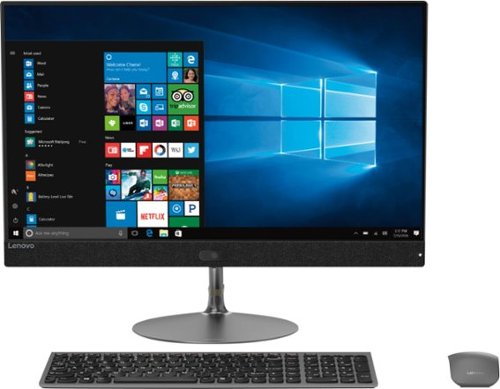
Lenovo - IdeaCentre 730S 23.8" Touch-Screen All-In-One - Intel Core i7 - 8GB Memory - 256GB Solid State Drive
Perform everyday computing tasks by voice via Microsoft Cortana with this Lenovo IdeaCentre all-in-one desktop. The 256GB solid-state drive provides high-performance storage, while the quad-core Intel Core i7 processor and 8GB of RAM let you run multiple applications smoothly. Browse efficiently with the 23.5-inch Full HD touch screen display of this Lenovo IdeaCentre all-in-one desktop.
Where is the on and off Button
The on/off button on the Lenovo IdeaCentre 730s-24 All-In-One system, model number F0DY001XUS, is on the back, right side of the device.
6 years, 8 months ago
by
Posted by:
Lenovo Product Expert
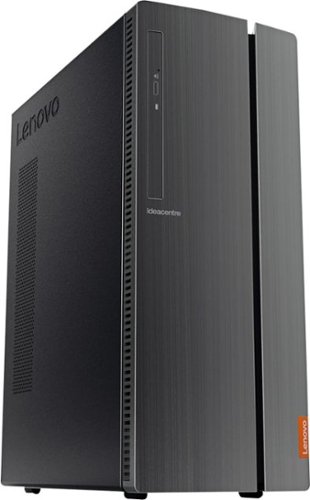
Lenovo - IdeaCentre 510A Desktop - Intel Core i5 - 8GB Memory - 1TB Hard Drive - Black
Lenovo 510A-15ICB Desktop: Upgrade your home computer with this Lenovo IdeaCentre desktop PC. The fast Intel Core i5-8400 processor and Intel UHD 630 graphics card easily handle complex software, and you can store your photos and files on the big 1TB hard drive or make use of the seven-in-one card reader to save on other storage media. Connect this Lenovo IdeaCentre computer wirelessly to other devices using the built-in Bluetooth or Wi-Fi.
What is the size (dimension) of the tower? I'm not looking for a mini tower.
The Lenovo IdeaCentre 510A Desktop, model number 90HV0003US, is a 15-Liter sized system, measuring: 14.41 x 11.23 x 5.71 inches total.
6 years, 8 months ago
by
Posted by:
Lenovo Product Expert
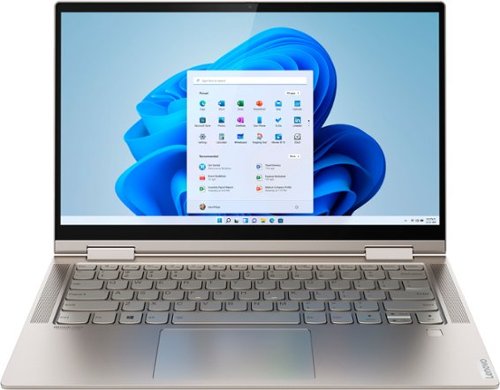
Lenovo - Yoga C740 2-in-1 14" Touch-Screen Laptop - Intel Core i5 - 8GB Memory - 256GB Solid State Drive - Mica
Lenovo Yoga C740 Convertible 2-in-1 Laptop: Increase productivity at work with this Lenovo Yoga notebook. The Intel UHD integrated graphics unit renders high-quality visuals on the 14-inch Full HD touch screen, while the 256GB SSD offers ample storage space for your files. This Lenovo Yoga notebook has an Intel Core i5 processor and 8GB of RAM, letting you run multiple programs simultaneously.
Does this have HDMI output. How do I connect it with a bigger screen monitor
No. The Lenovo Yoga C740-14 ships with a USB-c port with video Out capability for connecting an external monitor. If you need to connect an HDMI external monitor, you can use a USB-c to HDMI adapter with this computer.
6 years, 8 months ago
by
Posted by:
Lenovo Product Expert
Lenovo - S145-15AST 15.6" Laptop - AMD A6-Series - 4GB Memory - 1TB Hard Drive - Black
Lenovo S145-15AST Laptop: Stay connected and engaged with this 15.6-inch Lenovo IdeaPad notebook. The 1TB hard drive stores the largest files and applications, and the AMD A6 processor makes demanding programs run smoothly. This Lenovo IdeaPad notebook has 4GB of RAM that let you manage multiple tabs at once and a 15.6-inch display that makes streaming content look crisp and detailed.
Does it come with a camera? Video cam
Yes. There is a 300p web cam and microphone built in.
6 years, 8 months ago
by
Posted by:
Lenovo Product Expert
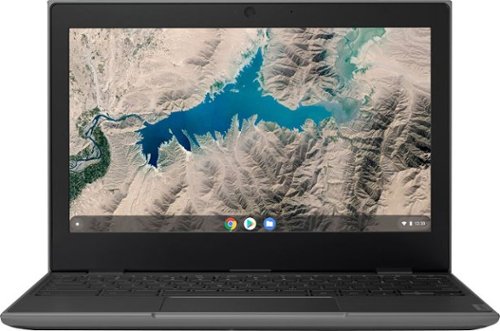
Lenovo - 100e 11.6" Chromebook - MediaTek MT8173C - 4GB Memory - 32GB eMMC Flash Memory - Black
Lenovo 100e 11.6" Chromebook: Complete tasks on the go with this lightweight Lenovo Chromebook. The MediaTek multi-processor and 4GB of RAM smoothly run multiple programs and browser tabs, while 32GB of eMMC storage offer rapid access to data. This Lenovo Chromebook features Chrome OS for intuitive operation, and the 11.6-inch HD anti-glare display provides clear visuals even in bright light.
Can I install Microsoft office applications ?
The Lenovo 100e Chromebook uses the Chrome Operating System and is compatible with Google Play Store APPs.
6 years, 8 months ago
by
Posted by:
Lenovo Product Expert
Lenovo - Yoga C740 2-in-1 14" Touch-Screen Laptop - Intel Core i5 - 8GB Memory - 256GB Solid State Drive - Mica
Lenovo Yoga C740 Convertible 2-in-1 Laptop: Increase productivity at work with this Lenovo Yoga notebook. The Intel UHD integrated graphics unit renders high-quality visuals on the 14-inch Full HD touch screen, while the 256GB SSD offers ample storage space for your files. This Lenovo Yoga notebook has an Intel Core i5 processor and 8GB of RAM, letting you run multiple programs simultaneously.
Can RAM and HDD/SSD be upgraded? If so, what is the maximum capacity?
No. The RAM is soldered to the motherboard. This model is not user upgradable. A certified technician must do all of the work, so as to not void the warranty. We recommend you consult your certified technician about your storage upgrade options.
6 years, 8 months ago
by
Posted by:
Lenovo Product Expert