Lenovo Product Expert
Lenovo Product Expert's Stats
Reviews
- Review Count0
- Helpfulness Votes0
- First ReviewNone
- Last ReviewNone
- Featured Reviews0
- Average Rating0
Reviews Comments
- Review Comment Count0
- Helpfulness Votes0
- First Review CommentNone
- Last Review CommentNone
- Featured Review Comments0
Questions
- Question Count0
- Helpfulness Votes0
- First QuestionNone
- Last QuestionNone
- Featured Questions0
- Answer Count37725
- Helpfulness Votes24,785
- First AnswerApril 21, 2014
- Last AnswerSeptember 26, 2026
- Featured Answers0
- Best Answers2823
Lenovo Product Expert's Reviews
Lenovo Product Expert has not submitted any reviews.
Lenovo Product Expert's Questions
Lenovo Product Expert has not submitted any questions.
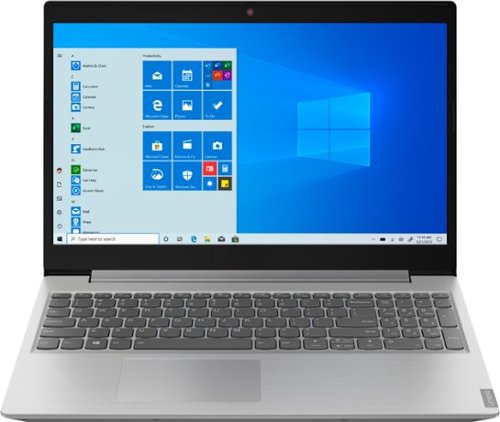
Lenovo - L340-15API 15.6" Laptop - AMD Ryzen 3 - 8GB Memory - 1TB Hard Drive - Platinum Gray
Stay entertained away from home with this Lenovo IdeaPad laptop. An AMD Ryzen 3 processor and 8GB of RAM handle multi-tab browsing and moderate gaming. The 15.6-inch HD anti-glare display offers a clear crisp picture in bright rooms, while the 1TB hard drive stores sizable media collections. This Bluetooth-compatible Lenovo IdeaPad laptop features Eye Care Mode, which can help reduce eye strain by lowering blue light emission.
The computer description says it comes with a cd/dvd drive but below it says it does not not which one is it. Thanks for your help

The Lenovo IdeaPad L340-15 laptop, model number 81LW005PUS does ship with a CD/DVD drive built in.
6 years, 9 months ago
by
Posted by:
Lenovo Product Expert

Lenovo - IdeaPad S145 15.6" Laptop - AMD A6-Series - 4GB Memory - AMD Radeon R4 - 500GB Hard Drive - Black Texture
Complete projects on the go with this 15.6-inch Lenovo IdeaPad laptop. The 4GB of RAM allow for simple multitasking across several apps or tabs at once, and the 500GB hard drive offers ample storage space for files. This Bluetooth-compatible Lenovo IdeaPad laptop employs an AMD Radeon R4 Graphics card for providing fluid motion and high frame rates.
Does the laptop come with intel?
No. The processor within this configuration is the AMD A6-9225 processor. This Dual-Core processor has a base speed of 2.6GHz and a boost speed of up to 3.0GHz.
6 years, 9 months ago
by
Posted by:
Lenovo Product Expert
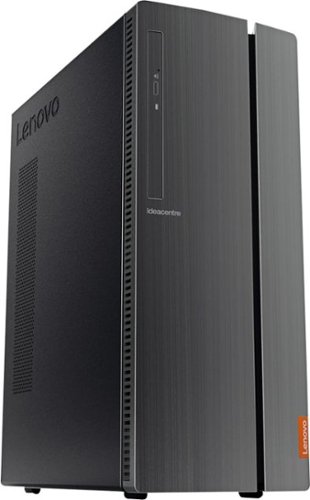
Lenovo - IdeaCentre 510A Desktop - Intel Core i5 - 8GB Memory - 1TB Hard Drive - Black
Lenovo 510A-15ICB Desktop: Upgrade your home computer with this Lenovo IdeaCentre desktop PC. The fast Intel Core i5-8400 processor and Intel UHD 630 graphics card easily handle complex software, and you can store your photos and files on the big 1TB hard drive or make use of the seven-in-one card reader to save on other storage media. Connect this Lenovo IdeaCentre computer wirelessly to other devices using the built-in Bluetooth or Wi-Fi.
I see that there is a trial version of Office included, and that downloading a second copy will cause conflicts. We have purchased Office 365 and need to install that. How do we avoid the issue of the two conflicting?
Use the 25-digit Product Key that comes with your purchased copy of Microsoft Office 365 to activate your software within the trial version software. Here is a link to instructions for doing this: https://support.office.com/en-us/article/activate-office-5bd38f38-db92-448b-a982-ad170b1e187e
6 years, 9 months ago
by
Posted by:
Lenovo Product Expert
Lenovo - IdeaPad S145 15.6" Laptop - AMD A6-Series - 4GB Memory - AMD Radeon R4 - 500GB Hard Drive - Black Texture
Complete projects on the go with this 15.6-inch Lenovo IdeaPad laptop. The 4GB of RAM allow for simple multitasking across several apps or tabs at once, and the 500GB hard drive offers ample storage space for files. This Bluetooth-compatible Lenovo IdeaPad laptop employs an AMD Radeon R4 Graphics card for providing fluid motion and high frame rates.
Can a mouse be used with this?
Yes it can.
6 years, 9 months ago
by
Posted by:
Lenovo Product Expert
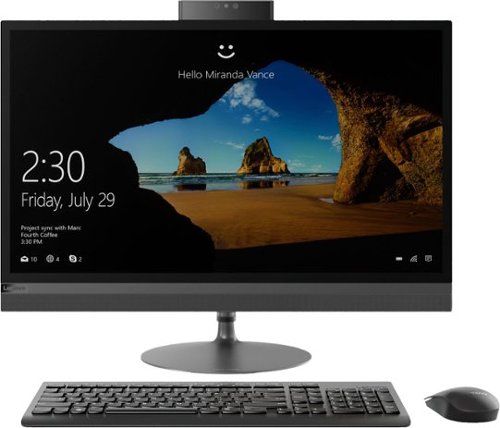
Lenovo - IdeaCentre 520-27ICB 27" Touch-Screen All-In-One - Intel Core i5 - 8GB Memory - 1TB HDD - Black
Unleash your creativity with this all-in-one Lenovo IdeaCentre desktop computer. The Intel Core i5 processor and 8GB of RAM deliver solid power for running multiple windows simultaneously, and the 1TB HDD offers ample storage space. This Lenovo IdeaCentre desktop computer has a 27-inch QHD capacitive display for crisp, detailed visuals and accurate touch operation.
does this unit come with wireless keyboard and mouse
No. This model ships with a wired keyboard and mouse.
6 years, 9 months ago
by
Posted by:
Lenovo Product Expert
Lenovo - L340-15API 15.6" Laptop - AMD Ryzen 3 - 8GB Memory - 1TB Hard Drive - Platinum Gray
Stay entertained away from home with this Lenovo IdeaPad laptop. An AMD Ryzen 3 processor and 8GB of RAM handle multi-tab browsing and moderate gaming. The 15.6-inch HD anti-glare display offers a clear crisp picture in bright rooms, while the 1TB hard drive stores sizable media collections. This Bluetooth-compatible Lenovo IdeaPad laptop features Eye Care Mode, which can help reduce eye strain by lowering blue light emission.
It was answered that there is built-in software for the webcam, what is the name of this pre-installed software? Thank you
Microsoft Skype as part of Windows 10 Operating System.
6 years, 9 months ago
by
Posted by:
Lenovo Product Expert
Lenovo - IdeaPad S145 15.6" Laptop - AMD A6-Series - 4GB Memory - AMD Radeon R4 - 500GB Hard Drive - Black Texture
Complete projects on the go with this 15.6-inch Lenovo IdeaPad laptop. The 4GB of RAM allow for simple multitasking across several apps or tabs at once, and the 500GB hard drive offers ample storage space for files. This Bluetooth-compatible Lenovo IdeaPad laptop employs an AMD Radeon R4 Graphics card for providing fluid motion and high frame rates.
Does this laptop have USB ports?
The Lenovo IdeaPad S145-15 laptop, model number 81N3005LUS, ships with two standard USB ports.
6 years, 9 months ago
by
Posted by:
Lenovo Product Expert

Lenovo - Legion Y540 17.3" Gaming Laptop - Intel Core i7 - 16GB Memory - NVIDIA GeForce GTX 1660 Ti - 1TB Solid State Drive - Black
Lenovo Legion Y540 Laptop: Take the fight to your opponents with this 17-3-inch Full HD Lenovo Legion Y Series gaming laptop. The Intel Core i7 processor and 16GB of RAM ensure responsive performance, while the NVIDIA GTX 1660 Ti graphics card enables smooth gameplay. This Lenovo Legion Y Series gaming laptop features a 1TB PCIe SSD to provide ample storage space.
Is the fan LOUD?
The Lenovo Legion Y540-17 Gaming Laptop is a high performance configuration. Thanks to Legion Coldfront, heat—the nemesis of gaming performance—is a thing of the past. Coldfront brings the latest features a dual-channel thermal system can provide, including: individual CPU and GPU cooling, for cooler system temperatures; four thermal vents, for improved airflow; dedicated heat syncs, for cooler keyboard temperatures; and 70 individual fan blades per channel, to reduce system noise. You can adjust fan and processor performance of the Legion Y540-17, to your personal needs by using Lenovo Vantage featuring Legion Edge. Spend less time tweaking your settings and more time playing with automated performance, cooling, and power control settings.
6 years, 9 months ago
by
Posted by:
Lenovo Product Expert
Lenovo - IdeaPad S145 15.6" Laptop - AMD A6-Series - 4GB Memory - AMD Radeon R4 - 500GB Hard Drive - Black Texture
Complete projects on the go with this 15.6-inch Lenovo IdeaPad laptop. The 4GB of RAM allow for simple multitasking across several apps or tabs at once, and the 500GB hard drive offers ample storage space for files. This Bluetooth-compatible Lenovo IdeaPad laptop employs an AMD Radeon R4 Graphics card for providing fluid motion and high frame rates.
Does this laptop have an Ethernet port?
No. The Lenovo IdeaPad S145-15 laptop, model number 81N3005LUS, does not have a built in ethernet port. You can connect this computer to an ethernet cable by using a USB to ethernet adapter like this one: https://www.bestbuy.com/site/insignia-usb-3-0-to-gigabit-ethernet-adapter-white/3510527.p?skuId=3510527
6 years, 9 months ago
by
Posted by:
Lenovo Product Expert
Lenovo - IdeaPad S145 15.6" Laptop - AMD A6-Series - 4GB Memory - AMD Radeon R4 - 500GB Hard Drive - Black Texture
Complete projects on the go with this 15.6-inch Lenovo IdeaPad laptop. The 4GB of RAM allow for simple multitasking across several apps or tabs at once, and the 500GB hard drive offers ample storage space for files. This Bluetooth-compatible Lenovo IdeaPad laptop employs an AMD Radeon R4 Graphics card for providing fluid motion and high frame rates.
Does this come with Microsoft Word and Microsoft Excel?
There is a 30-day trial of Microsoft Office 365 included as part of the Windows 10 operating system. In order to keep the program active after the trial period, you will need to purchase a product key. You will not need to download any additional software.
6 years, 9 months ago
by
Posted by:
Lenovo Product Expert