Lenovo Product Expert
Lenovo Product Expert's Stats
Reviews
- Review Count0
- Helpfulness Votes0
- First ReviewNone
- Last ReviewNone
- Featured Reviews0
- Average Rating0
Reviews Comments
- Review Comment Count0
- Helpfulness Votes0
- First Review CommentNone
- Last Review CommentNone
- Featured Review Comments0
Questions
- Question Count0
- Helpfulness Votes0
- First QuestionNone
- Last QuestionNone
- Featured Questions0
- Answer Count37785
- Helpfulness Votes24,804
- First AnswerApril 21, 2014
- Last AnswerOctober 6, 2026
- Featured Answers0
- Best Answers2824
Lenovo Product Expert's Reviews
Lenovo Product Expert has not submitted any reviews.
Lenovo Product Expert's Questions
Lenovo Product Expert has not submitted any questions.
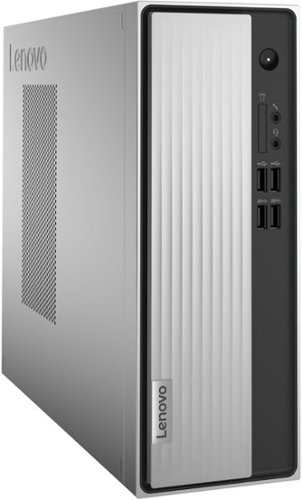
Lenovo - IdeaCentre 3 Desktop - AMD Athlon Silver-Series - 8GB Memory - 256GB SSD - Mineral Grey
Lenovo IdeaCentre 3 07ADA Desktop: Get the job done with this silver Lenovo IdeaCentre 3 desktop computer. An AMD Athlon 3050U processor and 8GB of RAM run multiple programs simultaneously for increased productivity, while the 256GB SSD offers vast storage space for your files and applications. This Lenovo IdeaCentre 3 desktop computer includes a wired mouse and keyboard for easy operation.
Can this run any game at all, no high end games. Like if it can run games such roblox, minecraft etc.

That really will depend on the requirements and compatibility of the specific games you want to run. This entry-level, Lenovo IdeaCentre 3 Desktop Computer, model number 90MV00ELUS, ships with the Windows 11 Home, 64-bit Operating System installed. We recommend you check with the specific game's software publisher's web sites, of the specific game versions you want to play, for their compatibility with Windows 11 Home 64-bit operating system and the minimum/recommended hardware requirements (Is a Graphics card required, the processor speed and the minimum required system RAM and the minimum available hard drive space) to run their program, then compare those requirements to this system's configuration.
3 years, 9 months ago
by
Posted by:
Lenovo Product Expert
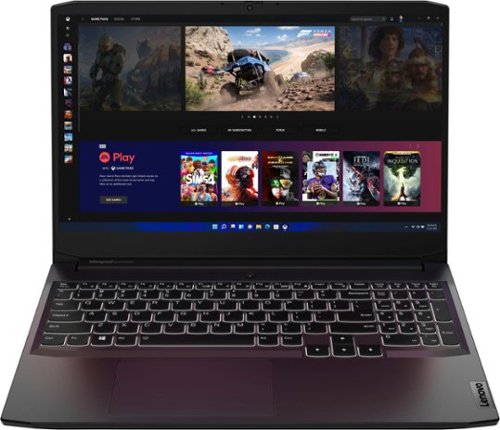
Lenovo - Ideapad Gaming 3 15.6" FHD Laptop - Ryzen 5 5600H - 8GB Memory - NVIDIA GeForce RTX 3050 Ti - 256GB SSD - Shadow Black
Time to elevate your game and esports experience beyond the realm of the ~just acceptable." Engineered with the latest generation AMD Ryzen processor and NVIDIA GeForce graphics, DDR4 memory and SSD storage options, the Lenovo IdeaPad Gaming 3 stays cool with a reengineered high-performance thermal system.
Can i add a 16 gb PNY 3200 on another slot?
This Lenovo IdeaPad 3 15 Gaming Laptop, model number 82K201XCUS, ships with 8GB DDR4-3200MHz RAM installed (1x 8GB SO-DIMM DDR4-3200MHz RAM). There are Two DDR4 SO-DIMM slots, dual-channel capable. The maximum RAM that this model configuration can support is: Up to 16GB DDR4-3200MHz RAM. We recommend you consult with your certified technician about your RAM upgrade options.
3 years, 9 months ago
by
Posted by:
Lenovo Product Expert
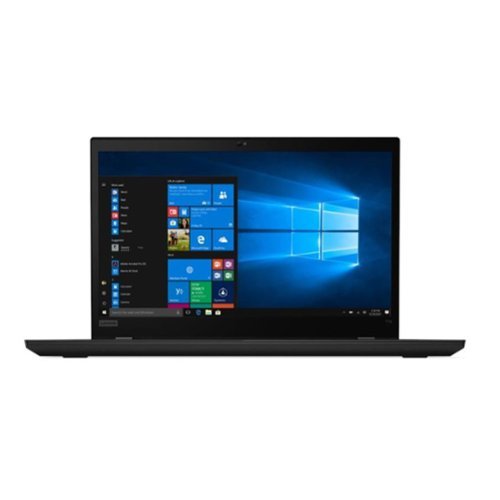
Lenovo - ThinkPad 15.6" FHD (1920x1080) IPS 300nits Anti-glare Touch Laptop Intel Core i7-1165G7 512GB SSD
The ultimate productivity notebook, ThinkPad T Serieswill keep users productive all day withlong battery life, docking and enhanced connectivity options, security and manageability features.
What operating system is shipped with this laptop
This Lenovo ThinkPad 15 Laptop, model number 20W400K4US, ships with Windows 11 DG (Downgrade) to Windows 10 Pro 64, English Version Operating System installed.
3 years, 9 months ago
by
Posted by:
Lenovo Product Expert
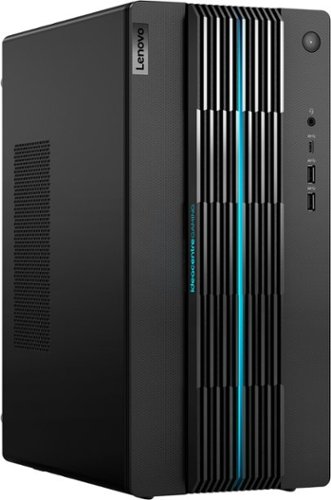
Lenovo - IdeaCentre Gaming 5i Gaming Desktop - Intel Core i7-12700 - 16GB Memory - NVIDIA GeForce RTX 3060 LHR - 512GB SSD - Raven Black
Fast-track your entry into gaming and esports with the Lenovo IdeaCentre Gaming 5i, powered by the latest 12th Generation Intel Core i7 processors, a seriously powerful, future-proof machine that keeps pace with top games for years to come, with the upgradeability to go even further. Complement your home office or elite battlestation with the functional aesthetics of the generous 17L chassis accented by blue lighting along the bezels and 2D/3D striped patterns across the front, enhancing ventilation and looking cool.
The graphics card is listed as the Nvidia GeForce RTX 3060 LHR. In the product description under the specifications it states that it has 12 mb of video ram. Is this supposed to be listed as 12 gb of video ram?
Yes. This Lenovo IdeaCentre 5i Gaming Desktop Computer, model number 90T00007US, ships with 16GB DDR4-3200MHz System RAM installed (2x 8GB UDIMM DDR4-3200MHz RAM) and also has the discrete, NVIDIA GeForce RTX 3060 GPU with 12GB VRAM on the card GDDR6.
3 years, 9 months ago
by
Posted by:
Lenovo Product Expert
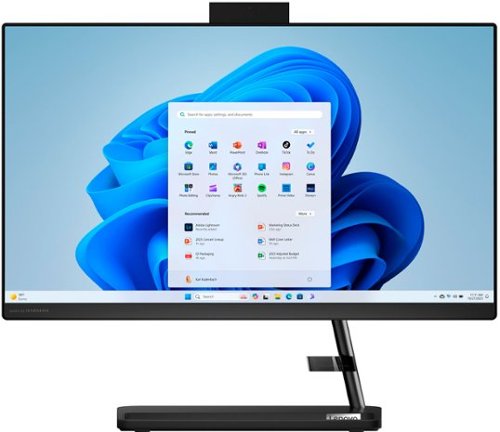
Lenovo - IdeaCentre AIO 3i 22" All-In-One - Intel Pentium - 8GB Memory - 256GB Solid State Drive - Black
A family PC for all generations, the Lenovo IdeaCentre AIO 3i seamlessly handles heavy multitasking sessions from demanding households with Intel Pentium processors, in a compact space-saving design that looks good anywhere you put it. Watch shows with the family on a vivid IPS FHD display with room-filling audio by Harman Kardon
Hi I am not computer savvy ,but would like to replace my Windows7 desktop system. Can I install this myself? thanks
This Lenovo IdeaCentre 3i 22 All-In-On System ships with everything you need to start computing. Windows provides step by step setup instructions that are both on-screen as well as audio through Microsoft Cortana.
3 years, 9 months ago
by
Posted by:
Lenovo Product Expert
Lenovo - IdeaCentre Gaming 5i Gaming Desktop - Intel Core i7-12700 - 16GB Memory - NVIDIA GeForce RTX 3060 LHR - 512GB SSD - Raven Black
Fast-track your entry into gaming and esports with the Lenovo IdeaCentre Gaming 5i, powered by the latest 12th Generation Intel Core i7 processors, a seriously powerful, future-proof machine that keeps pace with top games for years to come, with the upgradeability to go even further. Complement your home office or elite battlestation with the functional aesthetics of the generous 17L chassis accented by blue lighting along the bezels and 2D/3D striped patterns across the front, enhancing ventilation and looking cool.
Can the big light strip on the front be permanently turned off? It seems very annoying.
This Lenovo IdeaCentre 5i Gaming Desktop Computer, model number 90T00007US ships with a 17L chassis accented by blue lighting along the bezels and 2D/3D painted striped patterns across the front. The lighting can be controlled within the Vantage Dashboard Software installed within this model.
3 years, 9 months ago
by
Posted by:
Lenovo Product Expert
Lenovo - IdeaCentre Gaming 5i Gaming Desktop - Intel Core i7-12700 - 16GB Memory - NVIDIA GeForce RTX 3060 LHR - 512GB SSD - Raven Black
Fast-track your entry into gaming and esports with the Lenovo IdeaCentre Gaming 5i, powered by the latest 12th Generation Intel Core i7 processors, a seriously powerful, future-proof machine that keeps pace with top games for years to come, with the upgradeability to go even further. Complement your home office or elite battlestation with the functional aesthetics of the generous 17L chassis accented by blue lighting along the bezels and 2D/3D striped patterns across the front, enhancing ventilation and looking cool.
Is there one 16GB stick of RAM or two 8GB sticks?
This Lenovo IdeaCentre 5i Gaming Desktop, model number 90T00007US, ships with 16GB DDR4-3200MHz RAM installed (2x 8GB UDIMM DDR4-3200MHz RAM). There are two DDR4 UDIMM slots, dual-channel capable. The maximum RAM that this model configuration can support is: Up to 32GB DDR4-3200MHz RAM. We recommend you consult with your certified technician about your RAM upgrade options.
3 years, 9 months ago
by
Posted by:
Lenovo Product Expert
Lenovo - IdeaCentre Gaming 5i Gaming Desktop - Intel Core i7-12700 - 16GB Memory - NVIDIA GeForce RTX 3060 LHR - 512GB SSD - Raven Black
Fast-track your entry into gaming and esports with the Lenovo IdeaCentre Gaming 5i, powered by the latest 12th Generation Intel Core i7 processors, a seriously powerful, future-proof machine that keeps pace with top games for years to come, with the upgradeability to go even further. Complement your home office or elite battlestation with the functional aesthetics of the generous 17L chassis accented by blue lighting along the bezels and 2D/3D striped patterns across the front, enhancing ventilation and looking cool.
Can you hook up 3 monitors, i have a 32 in tv and 2 21 in. It appears i can from the 2 hdmi + 3 display ports. Not tech savy so wanted to be sure before i bought Thanks
This Lenovo IdeaCentre 5i Gaming Desktop Computer, model number 90T00007US, ships with the discrete, NVIDIA GeForce RTX 3060 GPU, with 12GB GDDR6 VRAM on the card and these video connections: 3x DisplayPort 1.4a Version, 1x HDMI 2.1 Version, and supports up to 4 independent displays.
3 years, 9 months ago
by
Posted by:
Lenovo Product Expert
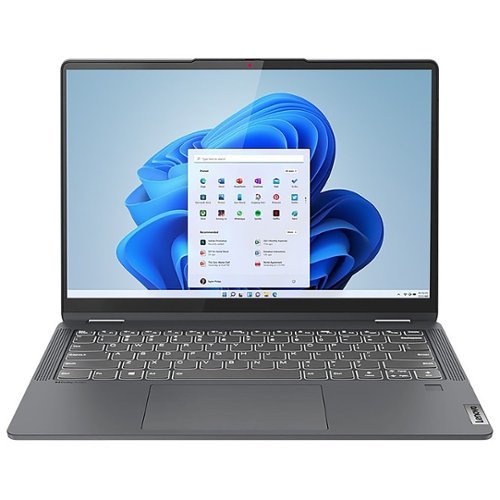
Lenovo - IdeaPad Flex 5 - 14" Touchscreen - AMD Ryzen 5 - 16GB Memory - 1TB SSD - Storm Gray
Flex series. Where performance and connectivity meet productivity and entertainment. Portable multimode laptops with next-gen performance, all-day battery life, and built-in versatility. The IdeaPad Flex 5 14ALC7 features a 14" 2.2K touchscreen display, 16GB memory and 1TB SSD, complete with Windows 11 Home as its operating system. Use this device as a laptop or tablet or convert to whatever is needed in-between. The IdeaPad Flex 5 is for life on the go.
Is the processor replaceable?
No. The 6-Core/12-Thread AMD Ryzen 5 5500U Processor is soldered to the motherboard and not replaceable.
3 years, 9 months ago
by
Posted by:
Lenovo Product Expert
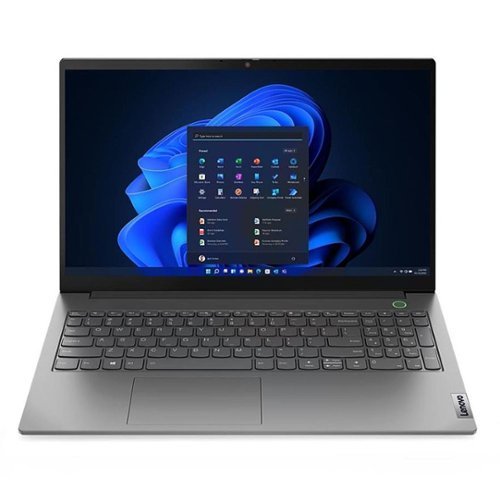
Lenovo - ThinkBook 15 Gen 4 15.6" Laptop - AMD Ryzen 5 with 8GB Memory - 256GB SSD - Black
ThinkBook combines the style and user experience of consumer devices with the security and business class support of ThinkPad. Designed for modern professionals working from anywhere in the new normal, this ThinkBook 15 G4 ABA is thin and light, while packing in a range of performance boosting features. Equipped with an AMD Ryzen 5 processor and ultra-fast SSD storage, it handles heavy-duty applications and complex files or data with ease. The FHD display with onboard AMD Radeon graphics renders superior graphics and enhanced visuals. Packed with innovative features that include a power button with an integrated fingerprint reader for easy authentication and AI-based noise cancelling technology that minimizes ambient noise during meetings. T~V Rheinland low blue light certification minimizes eye strain during extended use. Smart Power On touchkey replaces the power button, ensuring biometric authentication every time somebody uses the device.
What Lenovo Series is this model?
This is the Lenovo ThinkBook Gen 4 Series Laptop.
3 years, 9 months ago
by
Posted by:
Lenovo Product Expert