Lenovo Product Expert
Lenovo Product Expert's Stats
Reviews
- Review Count0
- Helpfulness Votes0
- First ReviewNone
- Last ReviewNone
- Featured Reviews0
- Average Rating0
Reviews Comments
- Review Comment Count0
- Helpfulness Votes0
- First Review CommentNone
- Last Review CommentNone
- Featured Review Comments0
Questions
- Question Count0
- Helpfulness Votes0
- First QuestionNone
- Last QuestionNone
- Featured Questions0
- Answer Count37785
- Helpfulness Votes24,804
- First AnswerApril 21, 2014
- Last AnswerOctober 6, 2026
- Featured Answers0
- Best Answers2824
Lenovo Product Expert's Reviews
Lenovo Product Expert has not submitted any reviews.
Lenovo Product Expert's Questions
Lenovo Product Expert has not submitted any questions.
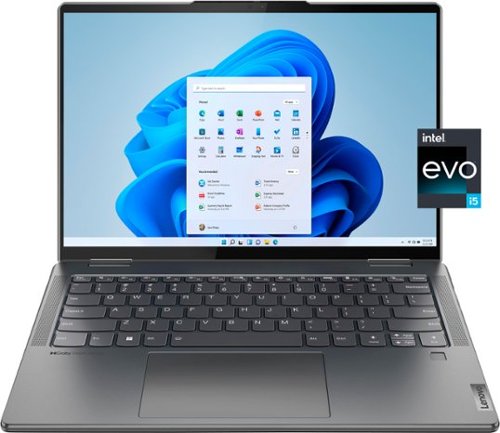
Lenovo - Yoga 7i 14" 2.2K Touch 2-in-1 Laptop - Intel Evo Platform - Core i5-1235U - 8GB Memory - 512GB SSD - Storm Grey
The Lenovo Yoga 7i combines versatile portability and enhanced productivity, thanks to the boundary-breaking performance and responsiveness of 12th generation Intel Core processors and vibrant 2.2K clarity with Intel Iris Xe graphics. Go anywhere with a sleek 2-in-1 metal chassis featuring thoughtful details including a webcam privacy shutter.
does it have ms office subscription

No. This Intel Evo-Certified, Lenovo Yoga 7i 14, model number 82QE000LUS, ships with a 30-day trial of Microsoft Office 365 included as part of the Windows 11 operating system. To keep the program active after the trial period, you will need to purchase a product key. You will not need to download any additional software.
3 years, 9 months ago
by
Posted by:
Lenovo Product Expert
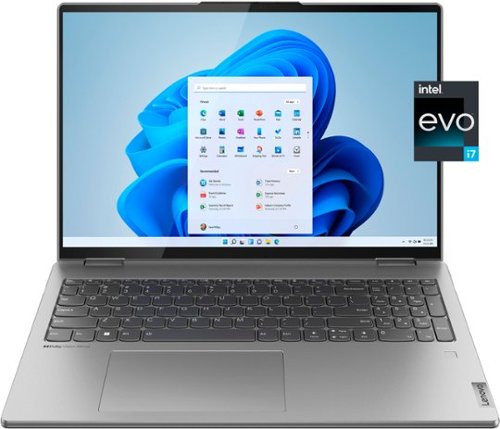
Lenovo - Yoga 7i 16" 2.5K Touch 2-in-1 Laptop - Intel Evo Platform - Core i7-12700H - 32GB Memory - Intel Arc A370M - 1TB SSD - Arctic Grey
The Lenovo Yoga 7i combines versatile portability and enhanced productivity, thanks to the boundary-breaking performance and responsiveness of 12th generation Intel Core processors and vibrant WQXGA clarity with Intel Arc A370M graphics. Go anywhere with a sleek 2-in-1 metal chassis featuring thoughtful details including an IR camera with privacy shutter.
Is there a way to enable resizable BAR on this laptop? I'm searching but I can't find an answer. I have heard this helps the intel GPUs considerably, it'd be nice if this was possible!
This Intel Evo-Certified, Lenovo Yoga 7i 16, model number 82UF0000US, ships with the 12th Gen, Intel Core i7-12700H Processor which supports resizable BAR. Using the onboard, Intel Deep Link AI Technologies, with the discrete Intel Arc A370M GPU, with 4GB GDDR6 VRAM, makes the entirety of the graphics frame buffer accessible to the CPU at once; where it could once sip, it now guzzles. The idea is that once textures, shaders and geometry are loading in faster, games should run faster with higher frame rates.
3 years, 9 months ago
by
Posted by:
Lenovo Product Expert
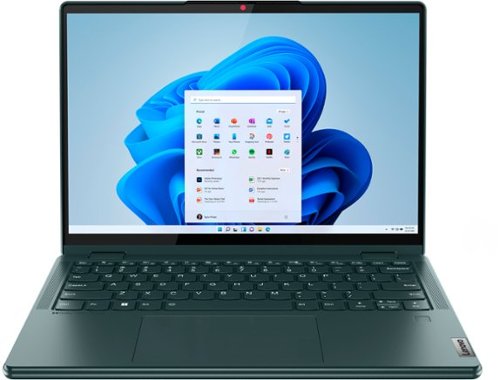
Lenovo - Yoga 6 13.3" WUXGA (1920 x 1200) Touch 2-in-1 Laptop -Ryzen 7 5700U - 16GB Memory - 512GB SSD - Dark Teal
Thin, light and framed by the comfort edge of the Lenovo Yoga 6 is both portable and comfortable to use. Add into that our commitment to sustainability, and we have the perfect on-the-go product for throwing in your bag and taking anywhere. Bring big-screen cinema to life with Dolby Vision on the breathtaking 16:10 FHD display with 100% sRGB for color accuracy paired with immersive Dolby Atmos optimized on front-firing speakers.
Are there hard shell cases availalbe for this model? I've been having trouble finding one for this specific one. Also the fan seems to be running a lot. Like when I only have 3 or 4 tabs open on google. Is that normal or should I get it checked out?
Lenovo does not make a hard shell case for this Yoga 6 13. You can use any universal 14 inch or larger laptop case with this Lenovo Yoga 6 13. You can use Lenovo Smart Power to manually control fan and system performance: ( Fn + Q ) option to change the fan speed by undervolting the processor. If the issue continues, we recommend you call Lenovo Tech Support at: 877-453-6686.
3 years, 9 months ago
by
Posted by:
Lenovo Product Expert
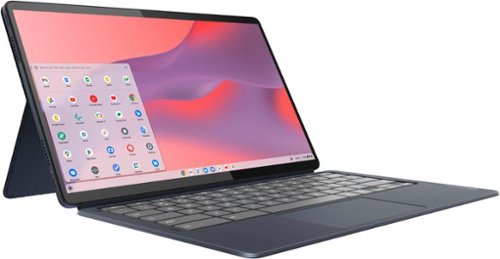
Lenovo - IdeaPad Duet 5 Chromebook 2-in1 Laptop - 13.3" Full HD Touchscreen - Snapdragon SC7180 - 8GB - 128GB - with Keyboard - Abyss Blue
The thin and light 13" IdeaPad Duet 5 Chromebook now packs a brilliant OLED 1920 x 1080 touch screen featuring narrow bezels for true blacks and a cinematic experience, as well as four speakers for clear and resonant audio. Get Minecraft and 3 months of Realms Plus at no cost* with purchase of a new Chromebook. Terms Apply. *Offer valid for qualifying Chromebooks purchased on or after July 1st, 2023 through September 30th, 2023 while supplies last.
Is the screen flicker free?
Yes, this Lenovo IdeaPad Duet 5 Chromebook, model number 82QS001HUS, ships with a 13.3 inch (screen size measured diagonally) OLED - FHD (1920x1080) 10-point Multi-touch screen, that is flicker-free, has a brightness level of 400 nits, has a Glossy Finish. This screen provides 100 Percent DCI-P3 color gamut for excellent color accuracy.
3 years, 9 months ago
by
Posted by:
Lenovo Product Expert

Lenovo - IdeaPad Duet 3 Chromebook 2-in-1 Laptop - 11" 2K Touchscreen - Snapdragon 7cG2 - 4G RAM - 128G eMMC - Keyboard - Misty Blue
Fast, flexible, and fun, the Lenovo Duet 3 Chromebook 11" laptop brings everyone~s favorite Chromebook features, housed in a slim chassis, running on the lightning-fast Chrome OS that boots up in seconds, updates automatically, and is protected by built-in virus protection. Powered by Snapdragon SC7180 processor offers up to 10 hours of battery life, to seamlessly run all of your favorite apps at the same time.
Can this run Minecraft ?
That Will depend on the requirements and compatibility of the specific game you want to run. This Lenovo IdeaPad Duet 3 Chromebook ships with the Chrome Operating System installed and is compatible with Google Play Store APPs. Not all Google Play Store APPs are optimized for the Chrome OS. We recommend you check with the specific game's software publisher's web site, of the game you want to play, for their compatibility with the Chrome operating system and the minimum/recommended hardware requirements (Is a Graphics card required, the processor speed and the minimum required system RAM and the minimum available hard drive space) to run their program, then compare those requirements to this Chromebook's configuration.
3 years, 9 months ago
by
Posted by:
Lenovo Product Expert
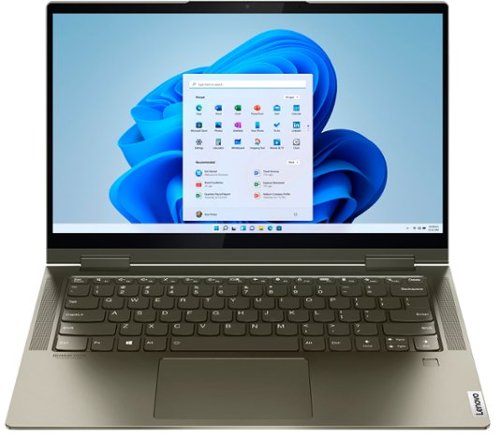
Lenovo - Yoga 7i 2-in-1 14" Touch Screen Laptop - Intel Evo Platform Core i5 - 12GB Memory - 512GB Solid State Drive - Dark Moss
The Lenovo Yoga 7i 14" combines versatile portability and enhanced productivity, thanks to the boundary-breaking performance and responsiveness of 11th generation Intel Core i5 processors and vibrant FHD clarity with Intel Iris X graphics. Go anywhere with a sleek 2-in-1 metal chassis featuring thoughtful details including a webcam privacy shutter.
is this laptop computer comes with a keyboard light?
Yes, this Intel Evo-Certified, Lenovo Yoga 7i 14, model number 82BH00DQUS, ships with a Backlit, English (US) Version, standard QWERTY keyboard.
3 years, 9 months ago
by
Posted by:
Lenovo Product Expert
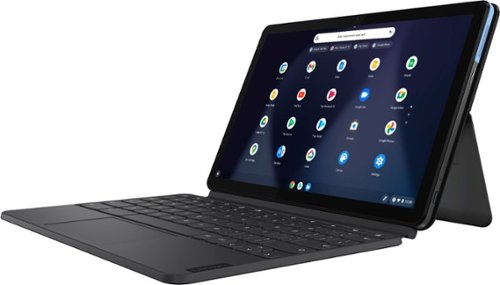
Lenovo - IdeaPad Duet Chromebook - 10.1 (1920x1200) Touch 2-in-1 Tablet - MediaTek P60T - 4G RAM - 128G eMCP4x - with Keyboard - Ice Blue + Iron Gray
Work on pending assignments while on the move with this Lenovo Chromebook Duet. The 10.1-inch touch screen provides an interactive user experience, while the 128GB of internal storage offer ample space for apps and media files. This Lenovo Chromebook Duet features a MediaTek Helio P60T processor and 4GB of RAM for effortless multitasking.
Is this compatible with Google classroom and all the apps the kids is at school?
This Lenovo IdeaPad Duet Chromebook ships with the Chrome Operating System installed and is compatible with Google Play Store APPs. Not all Google Play Store APPs are optimized for the Chrome OS. We recommend you check with the specific APP's software publisher's web sites, of the APPs that will be used, for their compatibility with the Chrome operating system and the minimum/recommended hardware requirements (Is a Graphics card required, the processor speed and the minimum required system RAM and the minimum available hard drive space) to run their program, then compare those requirements to this Chromebook's configuration.
3 years, 9 months ago
by
Posted by:
Lenovo Product Expert
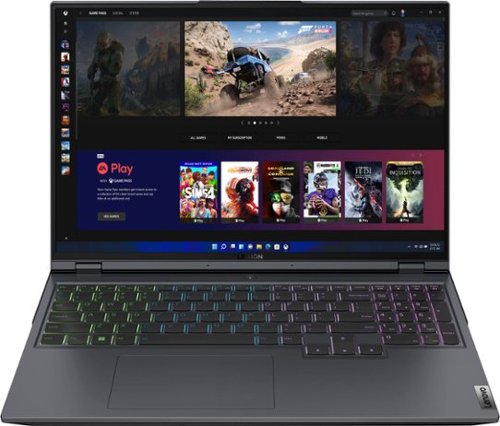
Lenovo - Legion 5 Pro 16" WQXGA Gaming Laptop - Ryzen 7 6800H - 16GB Memory - NVIDIA GeForce RTX 3050 Ti - 512GB SSD - Storm Grey
Engineered to deliver devastation in and out of the arena, the Lenovo~ Legion 5 Pro features the latest generation AMD processing and NVIDIA GeForce RTX graphics, dishing out high-resolution gaming at optimal-frame-rates with the Legion AI Engine, and optimally cooled via the Legion Coldfront 3.0 thermal system. The world~s first 16" WQXGA gaming laptop sets up a killer ~winning zone~ that towers over your enemies~ sight lines, giving you an extra edge in screen real estate by upping your peripheral vision. Combined with Nahimic 3D audio that pinpoints their footsteps in space, you~ll be able to see and hear any scrub headed your way before they even hit firing range. Enjoy elite gaming experiences on the Legion 5 Pro, available in Storm Grey.
DDR5 ram replaceable (not soldered-great) but restricted to16gb max (not so great). Does Lenovo says it CAN'T handle a 32 or 64 max? Other comments say it can. No official recommendations for ad'l ram? If not "supported" then a warranty problem?
This Lenovo Legion 5 Pro 16 Gaming Laptop, model number 82RY000KUS, ships with 16GB DDR5-4800MHz RAM installed (2x 8GB SO-DIMM DDR5-4800MHz RAM). There are two DDR5 SO-DIMM slots, dual-channel capable. The maximum RAM that this model configuration can support is: Up to 16GB DDR5-4800MHz RAM. We recommend you consult with your certified technician about your RAM upgrade options. This Lenovo Legion 5 Pro 16 Gaming Laptop ships with a limited 1-year manufacturer's warranty, covering OEM hardware issues. We recommend that you check the your supplier of any 3rd party parts you will be using for any warranty those parts may carry.
3 years, 9 months ago
by
Posted by:
Lenovo Product Expert
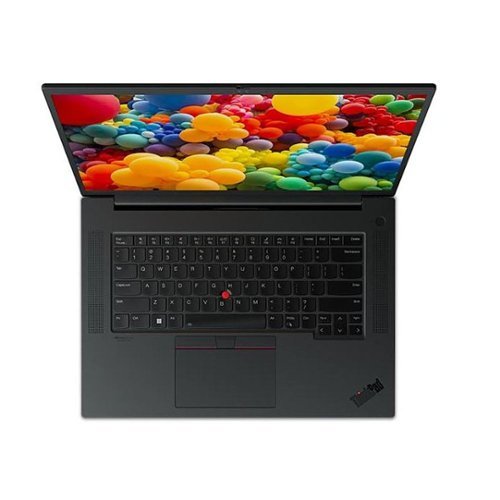
Lenovo - ThinkPad P1 Gen 5 16.0" Laptop Intel Core i7-12700H with 32GB Memory - 1TB SSD - Black
Powerful, mobile, and visually stunning, the ThinkPad P1 is the perfect combination of form and function designed to be admired. This sleek design hints at what~s inside: a powerful system that offers the professional performance of 12th Gen Intel Core processors. Now with a liquid metal thermal design, the P1 provides improved cooling performance and longterm reliability. Boasting a 16-inch panel, narrow bezel and a 16:10 aspect ratio for increased screen real estate, the P1 is a content creator~s dream. Designed with the modern user in mind, the P1 offers low blue light displays, X-Rite Factory Color Calibration for crisp, clear images, creating the perfect combination of power, ultra-premium design, and true mobility.
Can this graphics card be upgraded?
No. This Lenovo ThinkPad 16, model number 21DC004JUS, ships with the discrete NVIDIA RTX A2000 GPU, with 8GB GDDR6 VRAM on the card, that is installed within the combined systemboard and is only replaceable at the factory. It is not user upgradeable.
3 years, 9 months ago
by
Posted by:
Lenovo Product Expert
Lenovo - ThinkPad P1 Gen 5 16.0" Laptop Intel Core i7-12700H with 32GB Memory - 1TB SSD - Black
Powerful, mobile, and visually stunning, the ThinkPad P1 is the perfect combination of form and function designed to be admired. This sleek design hints at what~s inside: a powerful system that offers the professional performance of 12th Gen Intel Core processors. Now with a liquid metal thermal design, the P1 provides improved cooling performance and longterm reliability. Boasting a 16-inch panel, narrow bezel and a 16:10 aspect ratio for increased screen real estate, the P1 is a content creator~s dream. Designed with the modern user in mind, the P1 offers low blue light displays, X-Rite Factory Color Calibration for crisp, clear images, creating the perfect combination of power, ultra-premium design, and true mobility.
the title says the display is 4K? but the spec resolution shows less than 4K??????
This Lenovo ThinkPad 16, model number 21DC004JUS, ships with a 16:10 aspect ratio, 16 inch WQXGA (2560x1600) screen, with a brightness level of 500 nits, has an Anti-glare Coating. This screen provides 100 Percent of the sRGB color gamut for excellent color accuracy, has a refresh rate of 165Hz and id TÜV Low Blue Light Certified.
3 years, 9 months ago
by
Posted by:
Lenovo Product Expert