Lenovo Product Expert
Lenovo Product Expert's Stats
Reviews
- Review Count0
- Helpfulness Votes0
- First ReviewNone
- Last ReviewNone
- Featured Reviews0
- Average Rating0
Reviews Comments
- Review Comment Count0
- Helpfulness Votes0
- First Review CommentNone
- Last Review CommentNone
- Featured Review Comments0
Questions
- Question Count0
- Helpfulness Votes0
- First QuestionNone
- Last QuestionNone
- Featured Questions0
- Answer Count37785
- Helpfulness Votes24,804
- First AnswerApril 21, 2014
- Last AnswerOctober 6, 2026
- Featured Answers0
- Best Answers2824
Lenovo Product Expert's Reviews
Lenovo Product Expert has not submitted any reviews.
Lenovo Product Expert's Questions
Lenovo Product Expert has not submitted any questions.
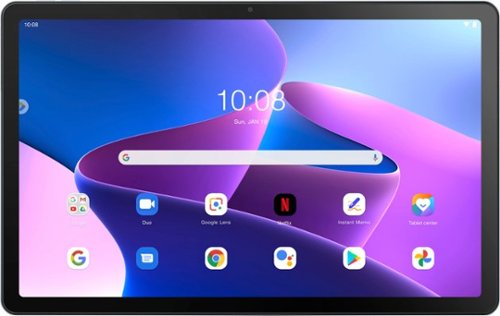
Lenovo - Tab M10 Plus (3rd Gen) - 10.61" - Tablet - 128GB - Frost Blue
Lenovo~ Tab M10 Plus is one impressive media tablet from the 3rd generation tab family. Its standout metal design gives you a premium look and feel with modern simplicity. Inside lies a 10.6" FHD IPS screen and four Dolby Atmos speakers for truly immersive entertainment. This is one tablet you will want to use and pass around the house.
Is this bluetooth compatible?

Yes. This Lenovo Tab M10 Plus 3rd Gen Tablet, model number ZAAJ0000US, ships with Bluetooth 5.0 Version capability built in.
3 years, 9 months ago
by
Posted by:
Lenovo Product Expert

Lenovo - Legion Y27q-20 27 IPS LED QHD FreeSync Gaming Monitor (HDMI) - Raven Black
Make your gaming system stand out with this 27-inch Lenovo Legion monitor. WQHD gives you four times the resolution of standard HD for the best viewing experience. In extreme mode, a 1 ms response time and 165 Hz refresh rate support minimal lag. Adjust, swivel and pivot this 27-inch Lenovo Legion monitor for comfortable gaming from any angle.
Does this monitor come with a built in microphone?
No, this Lenovo Legion Y27q-20 Monitor, model number 65EEGAC1US, does not have a microphone onboard.
3 years, 9 months ago
by
Posted by:
Lenovo Product Expert
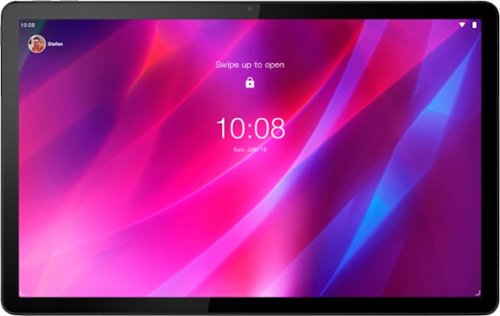
Lenovo - Tab P11 Plus - 11" - Tablet - 128GB - Slate Grey
Get bumped up to first-class experiences through the Lenovo Tab P11 Plus's eye-catching 2K visuals on its 11" display, quad speakers with persistent user-facing stereo tuned by Dolby Atmos~ and 15 hours of battery life*, all housed in a slim aluminum-alloy casing with contemporary dual-tone finish. . And it also comes with the latest new kids mode with Google Kids Space, featuring content that helps kids discover, create and grow.
Will this be able to use Facebook
That will depend on the requirements and compatibility of the specific APP you want to use. This Lenovo Tab P11 Plus Tablet, model number ZA940188US, ships with the Android 11.0 Operating System and is compatible with Google Play Store APPs.
3 years, 9 months ago
by
Posted by:
Lenovo Product Expert
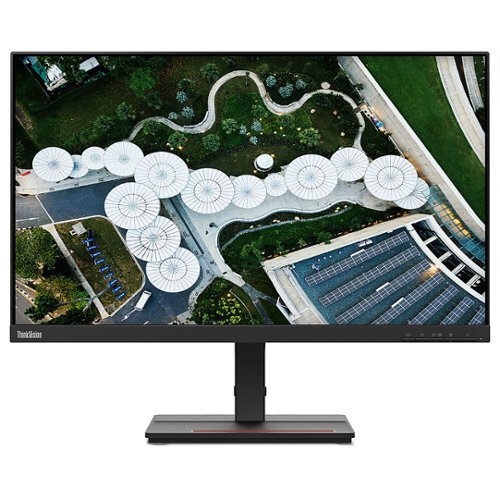
Lenovo - ThinkVision S24e-20 23.8" LED Monitor (HDMI, VGA) - Black
The ThinkVision S24e-20 is an excellent performer that delivers core functionality with a sleek new form factor. Its 1920 x 1080 FHD resolution VA panel rotates up to angles as extreme as 178~. The compact screen head is twice as slim as its previous generation and sits within a compact 3-side NearEdgeless frame.
What is the little area framed in red on the base used for?
It is a generic storage area built into the base.
3 years, 9 months ago
by
Posted by:
Lenovo Product Expert
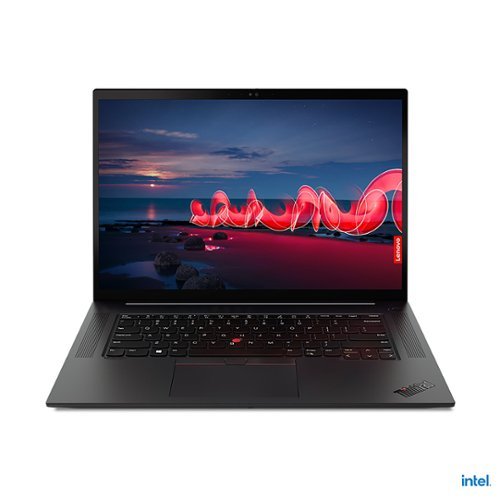
Lenovo - 16" ThinkPad X1 Extreme Gen 4 Laptop - Intel Core i7 - 16GB Memory - NVIDIA GeForce RTX 3070 - 512GB SSD - Black
The ThinkPad X1 Extreme Gen 4 is built for extreme performance with up to the latest 11th Gen Intel Core i9 vPro H series processor, up to 64GB DDR4 (3200MHz) memory, and dual storage with up to 4TB total with Gen 4 performance PCIe SSDs.
does this unit have the carbon weave top?
Yes, this Lenovo 16-Inch ThinkPad X1 Extreme Gen 4 Laptop, model number 20Y50011US, ships with case material made of: Carbon Fiber Hybrid (Top), Aluminum Alloy (Bottom).
3 years, 9 months ago
by
Posted by:
Lenovo Product Expert
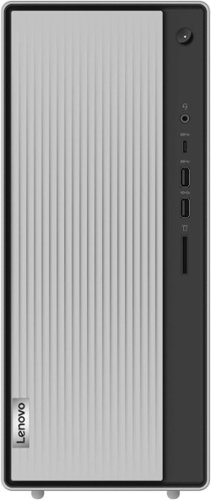
Lenovo - IdeaCentre 5i Desktop - Intel Core i5 - 12GB Memory - 512GB SSD - Mineral Grey
Lenovo IdeaCentre 5i is a powerful, contemporary desktop powered by the latest Intel Core processors. Featuring gaming-grade graphics, fast DDR4 memory, and plenty ofstorage, it~s up to the task of having fun and will immerse you in it~and looks great in your home.
This is a REALLY BAD design. The only USB 3.0 ports are on the front. If you have a hub with multiple USB devices plugged into a USB 3.0 slot you cannot use the DVD drive unless you unplug everything. Why? How do you remove the useless sliding door?
The sliding front door of this Lenovo IdeaCentre 5i Desktop Computer, model number 90RJ009GUS, is not removeable. We have made a note of your request for USB 3.0 ports on the back of the computer as well as the front.
3 years, 9 months ago
by
Posted by:
Lenovo Product Expert
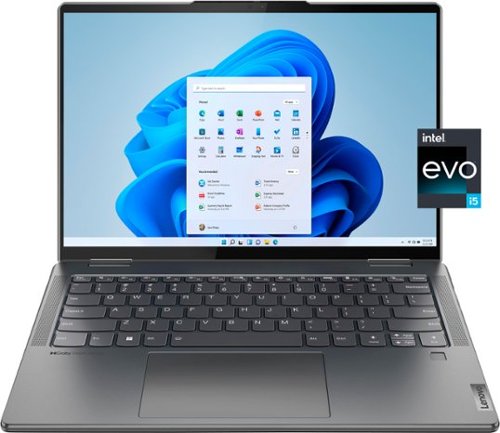
Lenovo - Yoga 7i 14" 2.2K Touch 2-in-1 Laptop - Intel Evo Platform - Core i5-1235U - 8GB Memory - 512GB SSD - Storm Grey
The Lenovo Yoga 7i combines versatile portability and enhanced productivity, thanks to the boundary-breaking performance and responsiveness of 12th generation Intel Core processors and vibrant 2.2K clarity with Intel Iris Xe graphics. Go anywhere with a sleek 2-in-1 metal chassis featuring thoughtful details including a webcam privacy shutter.
I have a warranty question. The Specifications list the warranty as Premium Care but when I contacted Lenovo they told me the laptops comes with a Depot/Carry-In warranty. Which is it? Thank you.
This Intel Evo-Certified, Lenovo Yoga 7i 14, model number 82QE000LUS, ships with 1-year, Courier or Carry-in Warranty Service, covering OEM hardware issues.
3 years, 9 months ago
by
Posted by:
Lenovo Product Expert
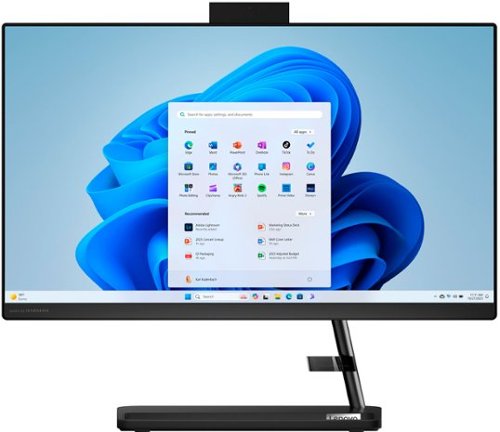
Lenovo - IdeaCentre AIO 3i 22" All-In-One - Intel Pentium - 8GB Memory - 256GB Solid State Drive - Black
A family PC for all generations, the Lenovo IdeaCentre AIO 3i seamlessly handles heavy multitasking sessions from demanding households with Intel Pentium processors, in a compact space-saving design that looks good anywhere you put it. Watch shows with the family on a vivid IPS FHD display with room-filling audio by Harman Kardon
Hi I have an old deskjet HP printer. Will Ibe able to use this with the Lenovo or will I buy a new printer. Thanks!
This Lenovo IdeaCentre 3i 22 All-In-One System, is compatible with any printer that is compatible with Windows 11 Home, 64-bit Operating System. We recommend you check with your printer manufacturer's web site for requirements and compatibility of your specific printer model.
3 years, 9 months ago
by
Posted by:
Lenovo Product Expert
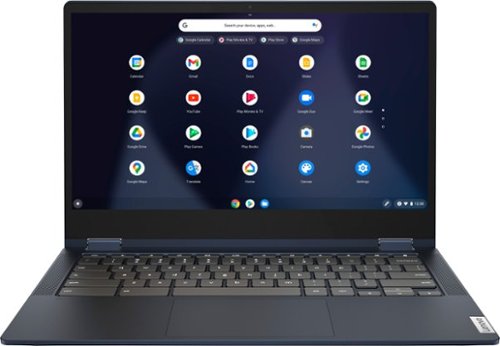
Lenovo - Flex 5 13" 2-in-1 Chromebook - Pentium 7505 - 4GB Memory - 32GB eMMC
Lenovo~ IdeaPad~ Flex 5 Chromebook 13", powered by Intel Pentium 7505 Processor, boasts up to 10 hours of battery life to let you get things done quickly and easily with all your favorite Chromebook features. Use your Google Account for seamless access to your files, photos, music and you can start an immersive entertainment experience with the user-facing stereo speakers and IPS FHD display~or you can enjoy more by apps downloaded on the Google Play Store. Any great idea pop up in mind? Just flip your Chromebook and dot your ideas with the Lenovo digital pen to catch the moment.
does it have a speaker?
Yes, this Lenovo Flex 5 13 Chromebook, model number 82M70000US, ships with Stereo system speakers, (2W x2), with Smart Amplifier (AMP).
3 years, 9 months ago
by
Posted by:
Lenovo Product Expert
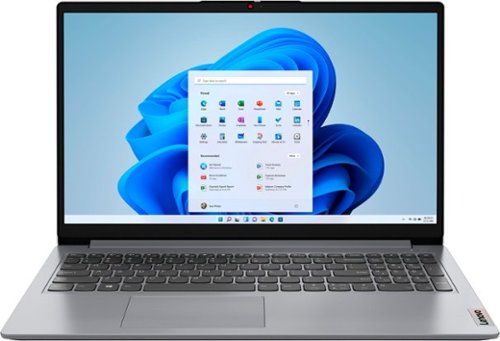
Lenovo - Ideapad 1 15.6" HD Laptop - Athlon Silver 3050U - 4GB Memory - 128GB eMMC - Cloud Grey
The Lenovo IdeaPad 1 is powered by an ultra-fast AMD Athlon Silver processor and it packs responsive performance in a thin and compact 17.9 mm chassis, making multitasking on-the-go a breeze. Get the most out of your device with a frameless display for more screen and Dolby Audio speakers, along with 10 hours of battery life and rapid charge.
What year is this ideapad
This Lenovo IdeaPad 1 15 Laptop, model number 82R1006VUS, was first available for sale: 2022-06-07.
3 years, 9 months ago
by
Posted by:
Lenovo Product Expert